
Inferensys

Integration

AI Integration for Smartling AI Agent Development

A technical blueprint for engineering teams to build autonomous AI agents that interact with Smartling's API, automating project setup, status reporting, and stakeholder communication to reduce manual overhead.
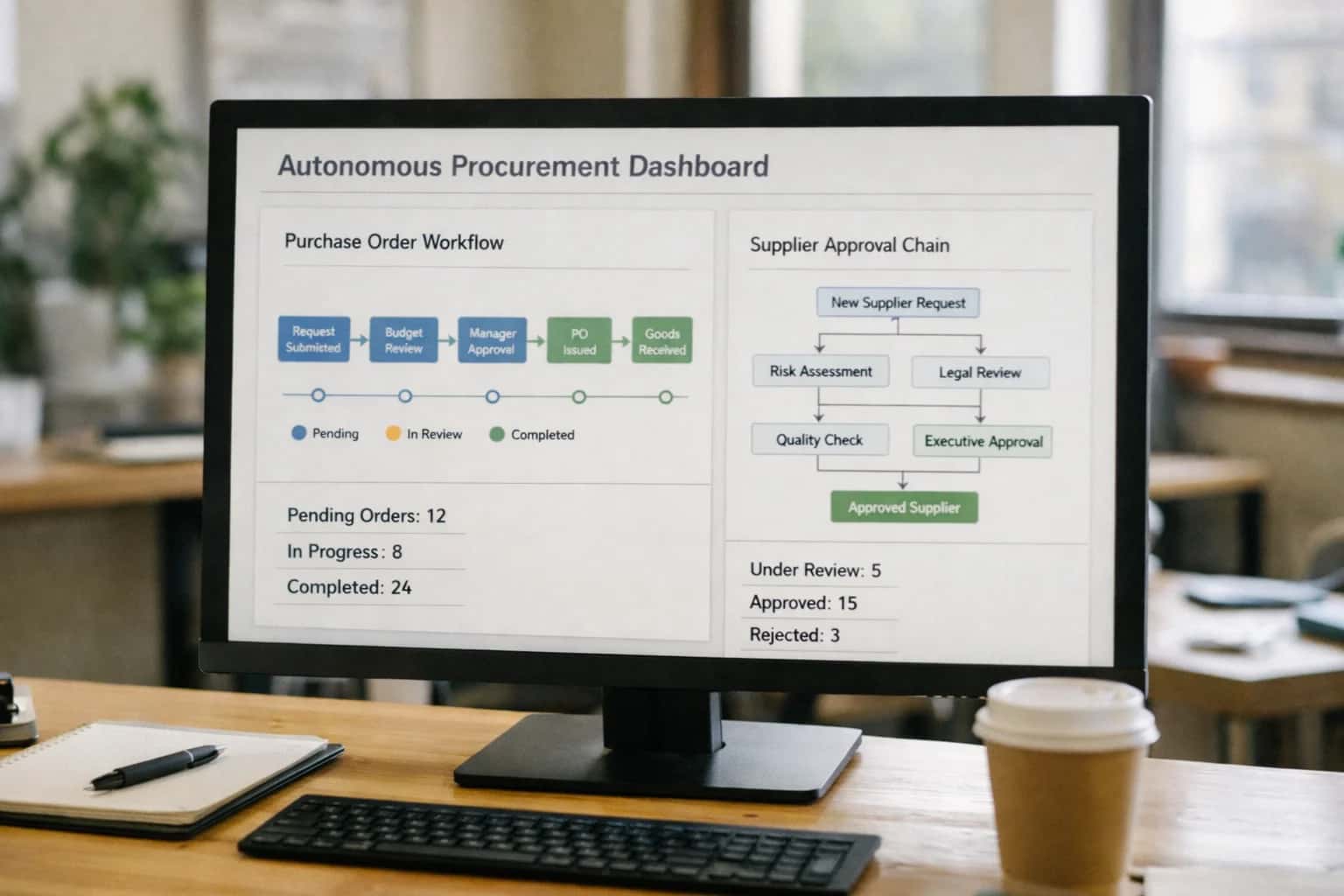
Procurement manager reviewing autonomous AI agent dashboard on laptop, purchase orders visible, office afternoon light.
ARCHITECTURE FOR AUTOMATED LOCALIZATION OPERATIONS

Where AI Agents Fit into Smartling Development

A developer-focused blueprint for building AI agents that interact with Smartling's API to automate project setup, reporting, and stakeholder communication.

AI agents for Smartling development are built to automate the operational layer between your source systems (e.g., GitHub, CMS, design tools) and the Smartling Translation Management Platform. They act as orchestrators, using Smartling's REST API and webhooks to handle tasks like:

  • Project & Job Management: Automatically creating translation jobs when new strings are pushed to a repository or when marketing campaign content is approved, using the /jobs and /projects API endpoints.
  • File Orchestration: Programmatically uploading source files (.json, .yaml, .properties) and downloading completed translations, handling the file lifecycle without manual drag-and-drop.
  • Stakeholder Reporting: Generating and dispatching status reports by querying the /jobs and /progress endpoints, then summarizing data for product managers or finance teams via email or Slack.

The implementation centers on event-driven workflows where the agent listens for triggers. For example, a git push to a main branch can trigger an agent that:

  1. Parses the commit for changed localization files.
  2. Calls POST /jobs-api/v2/projects/{projectId}/jobs to create a new job in Smartling, setting the correct target locales and workflow (e.g., Translation > Review > Published).
  3. Monitors job progress via webhook callbacks to /callbacks/job and notifies the dev team upon completion.
  4. Automatically pulls the translated files via GET /files-api/v2/projects/{projectId}/locales/{localeId}/file and commits them to a release branch. This turns a multi-day, manual coordination process into a same-day, automated pipeline, reducing the risk of deployment delays for global features.

Rollout requires a phased, context-aware approach. Start with low-risk, high-volume content like UI button labels or error messages, where automated job creation and basic reporting provide immediate time savings. Use Smartling's sandbox API for development and testing. Governance is critical: implement approval gates (POST /jobs-api/v2/projects/{projectId}/jobs/{jobId}/authorize) for sensitive content (legal, pricing) and maintain a full audit trail of all agent-initiated API calls. For complex scenarios, design agents that can escalate to human project managers—for instance, by creating a ticket in Jira when a job exceeds a cost threshold or contains flagged terminology—ensuring AI augments rather than replaces expert oversight. This layered control makes the integration production-ready for enterprise localization teams.

DEVELOPER-FOCUSED INTEGRATION PATTERNS

Smartling API Surfaces for Agent Tool Calling

Core Orchestration APIs

Agents can automate the translation project lifecycle by calling Smartling's Project and Job APIs. This is the primary surface for programmatic control.

Key Endpoints for Agents:

  • POST /job-api/v2/projects/{projectId}/jobs: Create translation jobs, specifying source files, target languages, and workflow stages.
  • GET /job-api/v2/projects/{projectId}/jobs: Monitor job status, completion percentages, and due dates for proactive alerts.
  • POST /job-api/v2/projects/{projectId}/jobs/{jobId}/authorize: Authorize jobs to move to the next workflow step (e.g., from translation to review).

Agent Use Case: An AI agent monitoring a CI/CD pipeline can automatically create a translation job when new UI string files are committed, route it to the appropriate vendor based on content domain, and notify the product team upon authorization for the review stage.

DEVELOPER-FOCUSED AUTOMATION PATTERNS

High-Value AI Agent Use Cases for Smartling

Practical AI agent blueprints that connect to Smartling's API to automate project management, reporting, and stakeholder workflows, reducing manual overhead for localization teams.

01

Automated Project Setup & Orchestration

An agent that listens for new source content in connected systems (e.g., GitHub, CMS) and automatically creates Smartling projects via API. It sets target languages, assigns workflows based on content type, and notifies stakeholders—turning a multi-step manual process into a single event-driven workflow.

1 sprint
Setup time reduction
02

Real-Time Translation Progress & Risk Reporting

An agent that continuously polls the Smartling Jobs API, analyzes completion rates against deadlines, and generates proactive alerts. It surfaces bottlenecks (e.g., a single language lagging) and posts summarized reports to Slack or creates Jira tickets, shifting reporting from reactive manual pulls to proactive, automated insights.

Hours -> Minutes
Report generation
03

Stakeholder Notification & Approval Workflows

An agent that manages the human-in-the-loop steps. It monitors the Smartling workflow engine, detects when content reaches a review or approval stage, and messages the correct stakeholder via email or MS Teams with a direct link. It can escalate based on SLA and log responses back to Smartling. Eliminates the 'check the platform' manual follow-up cycle.

Same day
Approval cycle time
04

Translation Memory (TM) & Glossary Enrichment

An agent that analyzes newly approved translations via webhook, identifies high-confidence new term pairs, and proposes them for addition to the Smartling Glossary or TM via API. It can also run cleanup tasks, like merging duplicate TM entries. Systematically improves asset quality, reducing future translator questions and inconsistencies.

Batch -> Continuous
Enrichment model
05

Cost & Vendor Performance Analytics

An agent that extracts financial and vendor data from Smartling reports, normalizes it with project metadata, and feeds a separate analytics dashboard. It flags anomalies like cost overruns per language or vendor and can auto-generate monthly spend summaries for finance. Provides financial visibility without manual spreadsheet work.

06

Developer-First String Synchronization

An agent designed for engineering teams, acting as a bridge between code repositories and Smartling. It detects new/modified i18n keys in pull requests, pushes them to the correct Smartling project, and can later pull approved translations back into a feature branch. Keeps code and translations in sync without manual file uploads/downloads.

1 sprint
Dev cycle integration
DEVELOPER-FOCUSED PATTERNS

Example AI Agent Workflows and Decision Logic

Practical, executable workflows for AI agents that interact with Smartling's API to automate project setup, reporting, and stakeholder communication. Each pattern includes triggers, context retrieval, agent logic, and system updates.

Trigger: A new product feature branch is merged in GitHub, tagged with needs-translation.

Context/Data Pulled:

  1. Agent calls Smartling API to list existing projects and target locales.
  2. Fetches the source code diff to identify new/modified UI string files (e.g., .json, .yml).
  3. Queries an internal project database for the feature's target markets and priority level.

Agent Logic & Action:

  1. Decision: Based on priority and file count, the agent selects a pre-defined Smartling project template (e.g., "High-Priority UI Strings").
  2. Action: It creates a new Smartling project via POST /projects/v2, configuring:
    json
    {
      "projectName": "FEAT-1234 - New Checkout Flow",
      "sourceLocaleId": "en-US",
      "targetLocaleIds": ["fr-FR", "de-DE", "ja-JP"],
      "callbackUrl": "https://webhook.yourdomain.com/smartling/job-complete"
    }
  3. Action: Uploads the identified string files to the new project using the Files API.

System Update:

  • Agent posts a notification to the team's Slack channel with the project URL and ETA.
  • Creates a Jira ticket for the localization manager to review the automated setup.

Human Review Point: The project configuration and file selection are logged for manager approval before translation jobs are authorized.

AGENT DEVELOPMENT FOR SMARTLING

Implementation Architecture: Building Reliable Agents

A production-ready blueprint for developing, testing, and deploying AI agents that interact with Smartling's API to automate localization workflows.

Building a reliable agent for Smartling starts with mapping its core API surfaces to specific operational tasks. Your agent will primarily interact with:

  • Projects & Jobs API to create translation jobs, set deadlines, and assign linguists.
  • Strings & Translations API to push source content, pull translated strings, and manage key-level metadata.
  • Workflow & Automation API to move content through stages (e.g., translation, review, completed).
  • Reporting API to fetch project metrics, cost data, and translator performance for agent decision-making. A well-architected agent uses these APIs within a stateful workflow, maintaining context about job status, string batches, and stakeholder approvals to execute multi-step processes like project setup or weekly reporting.

For production reliability, implement your agent with fault tolerance and observability:

  • Wrap all Smartling API calls with exponential backoff and retry logic, especially for file uploads and job creation.
  • Use a message queue (e.g., RabbitMQ, AWS SQS) to decouple agent tasks—like processing a new batch of source files—from the core application, ensuring tasks are not lost during failures.
  • Log all agent decisions, API payloads (sanitized), and errors to a centralized system like Datadog or OpenTelemetry. This audit trail is critical for debugging and proving compliance in regulated industries.
  • Implement a human-in-the-loop (HITL) pattern using webhooks: for high-risk actions (e.g., approving a final job for a major market), the agent can pause and post a notification to Slack or create a ticket in Jira for manager approval before proceeding.

Rollout should follow a phased, governance-first approach. Start with a pilot agent handling a single, non-critical workflow—such as automatically creating projects for a low-volume website—and run it in parallel with manual processes. Use this phase to:

  • Evaluate accuracy: Track the agent's success rate on tasks like correctly parsing source file formats and setting project parameters.
  • Establish guardrails: Define clear policy boundaries in code (e.g., "agent cannot approve jobs over $X cost") and integrate with your identity provider (e.g., Okta) to enforce role-based access control (RBAC) for agent-triggered actions.
  • Plan for scale: Design your agent orchestration layer (using tools like CrewAI or n8n) to be multi-tenant from the start, capable of managing separate Smartling accounts, business units, or language portfolios without cross-contamination of data or configuration.
SMARTLING AI AGENT DEVELOPMENT

Code Patterns and API Payload Examples

Automating Project Setup and Job Creation

Agents can orchestrate the entire translation lifecycle by calling Smartling's Jobs API. A common pattern is to monitor a source repository or CMS webhook, parse incoming content, and create translation jobs with appropriate workflow assignments.

Example Python payload for creating a job:

python
import requests

job_payload = {
    "jobName": "Q2 Marketing Campaign - French",
    "description": "Auto-generated from CMS webhook #12345",
    "dueDate": "2024-06-15T17:00:00Z",
    "targetLocaleIds": ["fr-FR"],
    "callbackUrl": "https://your-agent.com/webhooks/smartling/job-status",
    "callbackMethod": "POST",
    "referenceNumber": "CMS-2024-0456"
}

response = requests.post(
    "https://api.smartling.com/jobs-api/v3/projects/{projectId}/jobs",
    json=job_payload,
    headers={"Authorization": f"Bearer {api_token}"}
)

This pattern enables agents to handle batch operations, apply business rules for routing (e.g., legal content to certified vendors), and set dynamic due dates based on launch schedules.

AI AGENT DEVELOPMENT FOR SMARTLING

Realistic Time Savings and Operational Impact

This table shows the typical impact of building and deploying AI agents that interact with Smartling's API, automating tasks for developers, project managers, and localization engineers.

Task / WorkflowBefore AI AgentAfter AI AgentImplementation Notes

Project Setup & Configuration

Manual UI clicks or scripted API calls per project

Agent-driven creation via single command or trigger

Agent uses Smartling API to create projects, apply workflows, and set locales based on a template.

Translation Job Status Reporting

Manual dashboard checks or building custom reports

Automated, scheduled reports delivered to Slack/email

Agent queries Smartling Jobs API, formats data, and pushes to communication channels.

Stakeholder Communication (e.g., string ready for review)

Manual emails or messages per milestone

Automated notifications with context and links

Agent listens to Smartling webhooks (e.g., job completed) and messages relevant teams.

Batch String Management & Updates

Manual file uploads or CSV imports for corrections

Agent processes bulk updates via API with validation

Agent reads from a source (e.g., GitHub issue), validates, and pushes updates to specific keys.

Translation Memory (TM) Health Checks

Sporadic manual analysis or external audit

Scheduled agent runs to flag low-leverage or duplicate entries

Agent analyzes TM usage via API, suggests consolidations, and creates cleanup tickets.

Developer Workflow Integration (e.g., PR checks)

Post-merge localization sync, causing delays

Pre-merge agent scans for new/modified strings, creates Smartling tasks

Agent integrates with CI/CD (e.g., GitHub Actions), calls Smartling Files API to upload new content.

Pilot Phase

Manual process mapping and API exploration (2-4 weeks)

Core agent functions built and tested in sandbox (1-2 weeks)

Focus on 1-2 high-value workflows first, using Smartling's sandbox environment for safe testing.

ARCHITECTING FOR PRODUCTION

Governance, Security, and Phased Rollout

A practical framework for deploying and governing AI agents that interact with Smartling's API.

Building production-ready AI agents for Smartling requires a security-first architecture that respects the platform's data model and access controls. Key considerations include:

  • API Key Management: Using scoped API tokens with least-privilege access (e.g., project.read, job.write) instead of global admin keys, managed via a secrets vault.
  • Data Flow Governance: Ensuring source strings, translations, and project metadata are processed within defined geographic or cloud boundaries to comply with data residency requirements.
  • Audit Trails: Logging all agent-initiated API calls (e.g., job creation, string updates) to a centralized system, correlating actions with a unique agent ID for traceability and rollback capability.
  • Error and Retry Logic: Building resilient agents that handle Smartling API rate limits, transient errors, and webhook verification failures with exponential backoff and dead-letter queues.

A phased rollout minimizes risk and builds stakeholder confidence. A typical progression is:

  1. Phase 1: Read-Only Reporting Agent
    • Deploy an agent that only calls GET endpoints (e.g., /projects, /jobs) to generate automated project status reports.
    • Validate data accuracy, logging, and performance in a non-critical Smartling sandbox project.
  2. Phase 2: Assisted Task Automation
    • Introduce agents that perform low-risk write operations with human approval, such as creating translation jobs from a pre-approved queue or adding new keys via the /strings API.
    • Implement a simple approval gateway (e.g., Slack notification with approve/deny buttons) before the agent executes the write call.
  3. Phase 3: Conditional Autonomous Workflows
    • Activate agents that autonomously execute multi-step workflows based on clear rules, like cloning a project template for a new market launch or escalating overdue jobs to a different vendor group.
    • Maintain a human-in-the-loop review for any action affecting financials (e.g., vendor assignment) or high-visibility content.

Long-term governance focuses on model performance and operational integrity. Establish:

  • Agent Health Monitoring: Dashboards tracking agent uptime, API latency, and error rates from Smartling's endpoints.
  • Business Logic Drift Detection: Regular checks to ensure agent decision rules (e.g., "route to vendor X for legal content") remain aligned with evolving business policies.
  • Cost and Usage Transparency: Tagging all Smartling API calls initiated by agents to attribute translation costs and compute ROI per workflow. This allows you to scale successful agents and sunset underperforming ones.
  • Rollback Playbooks: Documented procedures to deactivate an agent, revert its changes via Smartling's API or version history, and switch back to manual operations if needed.
DEVELOPER-FOCUSED INTEGRATION GUIDE

AI Agent Development FAQ for Smartling

Practical answers for engineering teams building, testing, and deploying autonomous AI agents that interact with Smartling's API to automate project setup, reporting, and stakeholder communication.

Agents should be triggered by events, not scheduled polls, to ensure timely and relevant actions. The most effective triggers are:

  • Webhooks from source systems: A commit to your main branch in GitHub, a publish event in your CMS (Contentful, Sanity), or a new product release in your PIM.
  • Smartling job state changes: Use Smartling's own webhooks for events like JOB_CREATED, JOB_AWAITING_AUTHORIZATION, or JOB_COMPLETED to trigger follow-up agents.
  • Time-based with context: A daily cron job that first queries the Smartling API for jobs in a DELAYED state or projects nearing their deadline, then acts only on those findings.

Example Payload for a CMS Webhook:

json
{
  "event": "content.published",
  "content_id": "article_123",
  "locales": ["de-DE", "fr-FR", "ja-JP"],
  "priority": "high",
  "file_url": "https://cdn.example.com/content/article_123.json"
}

Your agent would receive this, use the Smartling API to create a translation job for the file at file_url, and set the priority based on the payload.

Prasad Kumkar

About the author

Prasad Kumkar

CEO & MD, Inference Systems

Prasad Kumkar is the CEO & MD of Inference Systems and writes about AI systems architecture, LLM infrastructure, model serving, evaluation, and production deployment. Over 5+ years, he has worked across computer vision models, L5 autonomous vehicle systems, and LLM research, with a focus on taking complex AI ideas into real-world engineering systems.

His work and writing cover AI systems, large language models, AI agents, multimodal systems, autonomous systems, inference optimization, RAG, evaluation, and production AI engineering.



