AI integration for SIS mobile apps targets three primary surfaces: the push notification engine, the in-app search and Q&A interface, and the offline data sync layer. For platforms like PowerSchool, Skyward, or Ellucian Banner's mobile offerings, this means connecting to core APIs for student schedules, grades, attendance, and announcements. The integration injects intelligence at the point of interaction, using the user's role (student, parent, teacher) and historical data to personalize content and predict needs before a manual query is made.

Integration
AI Integration for SIS Mobile App Enhancement
Augment official SIS mobile apps with AI-driven personalization, voice-activated queries, and offline-capable assistants to improve student and parent engagement without replacing your core platform.
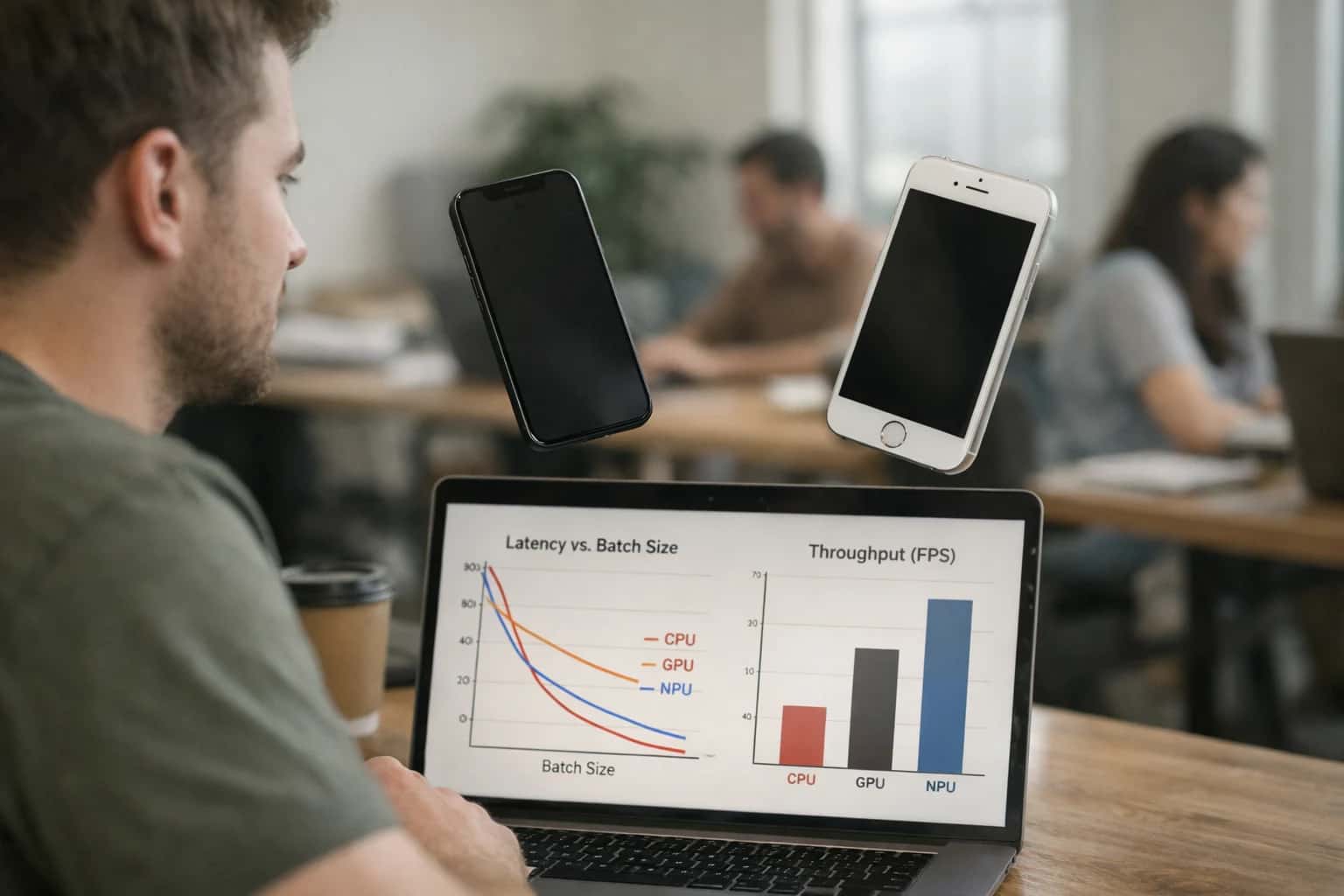
ARCHITECTURE FOR STUDENT AND PARENT ENGAGEMENT
Where AI Fits in Your SIS Mobile Experience
A technical blueprint for augmenting official SIS mobile apps with AI-driven personalization, voice interfaces, and offline-capable assistants.
Implementation involves deploying lightweight AI agents that sit between the mobile app's backend and the SIS's core databases. These agents handle tasks like:
- Dynamic Notification Personalization: Analyzing a student's grade trends and assignment deadlines to prioritize and phrase push alerts (e.g., "Your math grade improved to a B+" vs. a generic grade posted alert).
- Voice-Activated Queries: Using a speech-to-text layer to process natural language questions ("What's my next class?" or "Is my lunch balance low?") and querying the SIS API to return a spoken or structured response within the app.
- Offline-Capable Assistants: Packaging a small, fine-tuned model with cached student data (schedule, teacher contacts) to answer frequent questions without a network connection, syncing new data when back online. The impact is measured in reduced support ticket volume, increased app engagement metrics, and time saved for families and staff managing daily school logistics.
Rollout requires a phased, feature-flag approach, starting with read-only queries before enabling any write-back actions (like submitting forms). Governance is critical: all AI-generated content must be auditable, and personalization must adhere to FERPA and institutional data policies. A key pattern is to use the SIS's existing role-based access control (RBAC) to strictly limit the data each AI agent can see and act upon, ensuring a parent cannot access another student's information through the conversational interface. For a production implementation, we architect these services to be platform-agnostic, allowing the same AI layer to enhance apps for PowerSchool, Skyward, or Banner based on a unified configuration.
ARCHITECTURE PATTERNS
AI Touchpoints Across Major SIS Mobile Apps
Context-Aware Alerts and Reminders
SIS mobile apps generate generic push notifications for deadlines, grades, and attendance. AI can transform these into personalized, actionable messages by analyzing the student's specific context within the SIS data model.
Key Integration Points:
- Event Triggers: Webhooks from the SIS (e.g., grade posted, absence logged, hold placed) initiate the AI workflow.
- Student Context Enrichment: The AI agent queries the SIS API for related records—current course load, past performance, financial aid status—to tailor the message.
- Delivery Optimization: Models predict optimal send times based on user engagement history from the mobile app's analytics platform.
Example Workflow: Instead of "Grade Posted," a student receives: "Your B+ in CHEM 201 is a solid improvement. Your lab scores are strong—focus on the final essay due next Friday to secure an A-." This requires real-time API calls to the SIS's student and course modules.
MOBILE-FIRST STUDENT & PARENT EXPERIENCE
High-Value AI Use Cases for SIS Mobile Apps
Augment official SIS mobile apps with AI features that deliver personalized, proactive, and accessible support directly to students and parents, reducing administrative burden and improving engagement.
01
Personalized Push Notification Engine
Move beyond broadcast alerts. Use AI to analyze a student's grades, attendance, and upcoming deadlines to generate and time hyper-personalized push notifications. For example, a student with a missing assignment in Math receives a nudge with a link to the LMS, while a parent gets a weekly digest highlighting their child's positive attendance streak.
Broadcast -> Personal
Notification strategy
02
Voice-Activated Student Assistant
Enable hands-free queries via the mobile app. Students can ask, "What's my next class?" or "When is my History paper due?" The AI agent uses secure, role-based API calls to the SIS (e.g., fetching schedule from Banner, assignments from PowerSchool) and responds conversationally. Ideal for accessibility and on-the-go use.
Clicks -> Voice
Interaction model
03
Offline-Capable FAQ & Policy Bot
Deploy a lightweight, on-device AI model that answers common questions about registration deadlines, fee payments, or campus policies without requiring a live data connection. The bot syncs its knowledge base when online and can triage complex issues to a live agent, ensuring support is always available.
24/7 Support
Availability
04
Intelligent Form Intake & Photo OCR
Allow parents to submit forms (e.g., field trip permissions, health updates) by taking a photo. AI extracts and validates data, pre-populating fields in the SIS mobile interface. For immunization records, it can read dates and vaccine types, flagging discrepancies or expiring requirements for the nurse's office.
Minutes -> Seconds
Form processing
05
Proactive Check-In & Wellness Prompts
Move from reactive to proactive support. Based on signals like declining gradebook averages or frequent tardies, the app can prompt a gentle, confidential check-in: "You seem stressed about Algebra. Would you like to see available tutoring times?" This creates a low-friction pathway to support services.
Reactive -> Proactive
Support model
06
Context-Aware Navigation & Resource Finder
Enhance campus mobility. A student viewing their schedule can ask, "How do I get to my Chemistry lab?" The AI uses building codes from the SIS schedule data to provide turn-by-turn directions within the campus map in the app. It can also suggest nearby study spots or dining halls based on the time between classes.
Static -> Contextual
Campus guidance
SIS MOBILE APP ENHANCEMENT
Example AI-Enhanced Mobile Workflows
These workflows illustrate how AI can be embedded into official SIS mobile apps (Ellucian Go, PowerSchool Mobile, Skyward Mobile Access, Blackbaud On) to create proactive, personalized, and voice-enabled experiences for students and parents, directly within their existing app.
Trigger: A scheduled job runs nightly, or a real-time event occurs in the SIS (e.g., a grade is posted, an attendance flag is triggered, a hold is placed).
Context/Data Pulled: The AI agent queries the SIS API for the affected student's profile, recent activity, historical engagement patterns with notifications, and timezone. It also checks the student's current course schedule and any upcoming deadlines from the academic calendar module.
Model or Agent Action: A small language model evaluates the event's urgency and the student's context to:
- Determine the optimal send time (e.g., not during class, based on past open rates).
- Personalize the message tone and content (e.g., "You're close! Your B+ in Calculus brings your average to 89%. Office hours are tomorrow at 3 PM.").
- Decide if the notification should include a deep link to a specific app screen or an actionable button (e.g., "Schedule Advising Appointment").
System Update or Next Step: The agent calls the mobile push notification service (e.g., Firebase Cloud Messaging, Apple Push Notification service) with the personalized payload. All decisions and sent messages are logged to an audit table linked to the student's SIS ID for compliance.
Human Review Point: A dashboard allows student affairs or communications staff to review notification trends, opt-out rates, and sentiment analysis of feedback, allowing them to tune the agent's prompting rules.
SIS MOBILE APP ENHANCEMENT
Implementation Architecture: Layering AI on Native Apps
A technical blueprint for augmenting official SIS mobile apps with AI features without replacing the core application.
The architecture layers AI capabilities on top of the existing SIS mobile app (e.g., PowerSchool Mobile, Skyward Mobile Access) by intercepting and enriching data flows between the app and its backend APIs. This is achieved via a secure middleware proxy or API gateway that sits between the mobile client and the SIS server. This proxy handles AI-specific requests—like natural language queries for schedules or grades—by calling the SIS API, processing the response with an LLM for summarization or personalization, and returning a structured, conversational answer to the app. For features like push notification personalization, the proxy analyzes the raw notification payload (e.g., a new grade posted) and user context (historical performance, time of day) to rewrite the message for greater impact before it's delivered to the device.
High-value workflows enabled by this pattern include: voice-activated queries where a student asks, "When is my next assignment due?" and the AI agent parses the intent, calls the SIS assignments API, filters for the student's courses, and returns a spoken or text response; offline-capable assistants that use on-device, smaller models to answer cached questions about schedules or contacts when connectivity is poor; and proactive alert personalization, where a standard "low grade" alert is augmented with specific suggestions like "Your score in Algebra II is trending down—here are available tutoring sessions." The AI layer also manages context windows, maintaining a short-term memory of the user's recent queries and app interactions to provide coherent, multi-turn conversations without storing sensitive data long-term.
Rollout is phased, starting with read-only, low-risk features like FAQ chatbots and personalized announcements to build trust. Governance is critical: all AI-generated content is audited, and a human review queue is established for sensitive communications (e.g., messages about financial holds or disciplinary actions). The architecture ensures RBAC (Role-Based Access Control) is preserved, with the AI layer inheriting the user's permissions from the SIS session token, preventing a parent from querying another student's data. This approach allows districts and institutions to enhance their existing, trusted mobile experience with AI, delivering immediate utility without a costly, full-scale app rebuild. For a deeper dive on connecting AI to core SIS data models, see our guide on [/integrations/student-information-systems/ai-integration-for-student-information-systems](AI Integration for Student Information Systems).
SIS MOBILE APP ENHANCEMENT
Code Patterns and API Payload Examples
Personalized Push Notification Engine
This pattern uses SIS APIs to fetch real-time student data (grades, attendance, upcoming deadlines) and combines it with user engagement history to generate and send hyper-personalized push notifications via Firebase Cloud Messaging (FCM) or Apple Push Notification service (APNs).
Key Components:
- A scheduled job queries the SIS API for delta changes in key student records.
- An AI service evaluates the data against user-specific notification preferences and past engagement to determine if a notification is warranted, its priority, and optimal send time.
- A payload builder creates a targeted message with deep links back into the mobile app.
Example Payload to FCM:
json{ "to": "/topics/student_12345", "notification": { "title": "Assignment Update", "body": "Your grade for 'Algebra Quiz' is now posted: 92% (A-). Great work!" }, "data": { "action": "navigate_to_gradebook", "course_id": "MATH101", "assignment_id": "quiz_5", "student_id": "12345" } }
The AI determines the positive reinforcement tone ("Great work!") based on the grade threshold and the student's historical performance trend.
SIS MOBILE APP ENHANCEMENT
Realistic Operational Impact and Time Savings
This table illustrates the measurable improvements from adding AI-powered features to an official SIS mobile app, focusing on user engagement, support efficiency, and operational workflows.
| Feature Area | Before AI | After AI | Implementation Notes |
|---|---|---|---|
Push Notification Personalization | Broadcast blasts to all users | Role & context-aware notifications | Uses student/parent profile, academic calendar, and real-time SIS data to trigger relevant alerts. |
Student & Parent Inquiries | Manual search in portal or call support | Voice/text query via app assistant | Assistant uses RAG over SIS knowledge base and student-specific data (grades, schedule, holds). |
Routine Academic Tasks | Navigate multiple screens in app | Voice-activated commands (e.g., 'check my balance') | Agent executes approved read-only API calls to SIS; requires secure authentication layer. |
Offline FAQ Access | No support without internet | Cached, context-aware help articles | Pre-loaded vector embeddings for common questions enable offline semantic search within the app. |
Event & Deadline Reminders | Manual calendar entry by user | Proactive, personalized reminders | AI parses SIS academic calendar and personal deadlines (e.g., assignment due dates, fee payments). |
Support Ticket Triage | Submit ticket, wait for email response | In-app triage & instant deflection for common issues | AI classifies intent, retrieves answers, or creates pre-populated ticket if escalation is needed. |
App Feature Discovery | Users must explore menus manually | Guided suggestions based on role & time of year | AI analyzes user role (student/parent/staff) and academic period to surface relevant app modules. |
ARCHITECTING FOR TRUST AND ADOPTION
Governance, Security, and Phased Rollout
A secure, governed approach to adding AI features to your official SIS mobile app ensures adoption and protects student data.
Integrating AI into a student or parent-facing mobile app requires a zero-trust data access model. AI features like personalized notifications or voice queries should operate through a dedicated API layer that enforces role-based access control (RBAC), scoping data access to the authenticated user's own records (e.g., a parent can only query their children's schedules). All AI-generated content should be logged with an immutable audit trail linking the query, the user, the data accessed, and the generated response for compliance reviews.
A phased rollout is critical for managing change and measuring impact. Start with a pilot group (e.g., a single grade level or residential cohort) and a single, high-value feature like personalized push notification timing. Use the SIS's existing notification framework to inject AI logic that determines optimal send times based on user engagement history. Monitor adoption, performance, and support tickets closely. The next phase could introduce a voice-activated FAQ agent that answers common questions about deadlines or campus services by querying a RAG system grounded in the SIS knowledge base, with all responses citing their source documents.
Governance extends to the AI models themselves. For features generating original content (e.g., drafting a summary of a student's week), implement human review steps for the first 90 days and establish clear guidelines for tone and accuracy. All AI interactions must comply with FERPA; data sent to external LLM APIs must be de-identified or use vendors with strict BAA agreements. Finally, establish a cross-functional steering committee with IT, student affairs, and legal representation to approve new use cases, review audit logs, and oversee the program's evolution from pilot to production.
Enabling Efficiency, Speed & Accuracy
Intelligent Analysis, Decision & Execution
We build AI systems for teams that need search across company data, workflow automation across tools, or AI features inside products and internal software.
Talk to Us
Search across company data
Give teams answers from docs, tickets, runbooks, and product data with sources and permissions.
Useful when people spend too long searching or get different answers from different systems.
Enterprise searchRAGPermissions
Read more
Automate internal workflows
Use AI to route work, draft outputs, trigger actions, and keep approvals and logs in place.
Useful when repetitive work moves across multiple tools and teams.
AI agentsWorkflow automationGovernance
Read more
Add AI to products and internal tools
Build assistants, guided actions, or decision support into the software your team or customers already use.
Useful when AI needs to be part of the product, not a separate tool.
AI integrationDecision supportModel routing
Read moreSIS MOBILE APP ENHANCEMENT
Frequently Asked Questions for Technical Buyers
Practical implementation questions for architects and engineering leads planning to augment official SIS mobile apps (Ellucian Go, PowerSchool Mobile, Skyward Mobile Access, Blackbaud ON) with AI-driven features.
The recommended pattern is a sidecar API architecture where AI features run in a separate, secure service layer, not directly within the mobile app binary.
- Trigger: User action in the mobile app (e.g., voice query, notification tap).
- Context Fetch: The app calls a secure backend-for-frontend (BFF) service you control. This service, using the user's authenticated session, calls the SIS's official APIs (Ellucian Ethos, PowerSchool API, Skyward API, Blackbaud SKY API) to fetch the minimal necessary context (e.g., student schedule, grades for the last week).
- AI Processing: The BFF service sends this structured context (never raw credentials) to your AI service layer (e.g., hosted LLM, agent runtime).
- Response & Audit: The AI response is returned to the BFF, which logs the interaction for auditability, then sends the final data back to the mobile app.
This keeps SIS credentials and direct database access out of the mobile client and AI layer, centralizing governance and API rate limiting.

About the author
Prasad Kumkar
CEO & MD, Inference Systems
Prasad Kumkar is the CEO & MD of Inference Systems and writes about AI systems architecture, LLM infrastructure, model serving, evaluation, and production deployment. Over 5+ years, he has worked across computer vision models, L5 autonomous vehicle systems, and LLM research, with a focus on taking complex AI ideas into real-world engineering systems.
His work and writing cover AI systems, large language models, AI agents, multimodal systems, autonomous systems, inference optimization, RAG, evaluation, and production AI engineering.
LinkedIn
Limited slotsGet a Free AI Consultation
Partnered with leading AI, data, and software stack.





How We Work
Custom AI workflows for your Business
One-fit-all AI don't work for modern businesses. At Inferensys, we aim to understand your business & custom requirements; which we use to define most efficient agentic workflows, the data, and the tools for your business.
01
Review the use case
We understand the task, the users, and where AI can actually help.
Read more02
Pick the right approach
We define what needs search, automation, or product integration.
Read more03
Build the first useful version
We implement the part that proves the value first.
Read more04
Improve from there
We add the checks and visibility needed to keep it useful.
Read moreThe first call is a practical review of your use case and the right next step.
Talk to Us