
Inferensys

Integration

AI Integration for Palo Alto Cortex XSOAR Incidents

Automate the end-to-end incident lifecycle in Cortex XSOAR using AI for triage, enrichment, response, and documentation. Reduce manual analyst workload from hours to minutes.
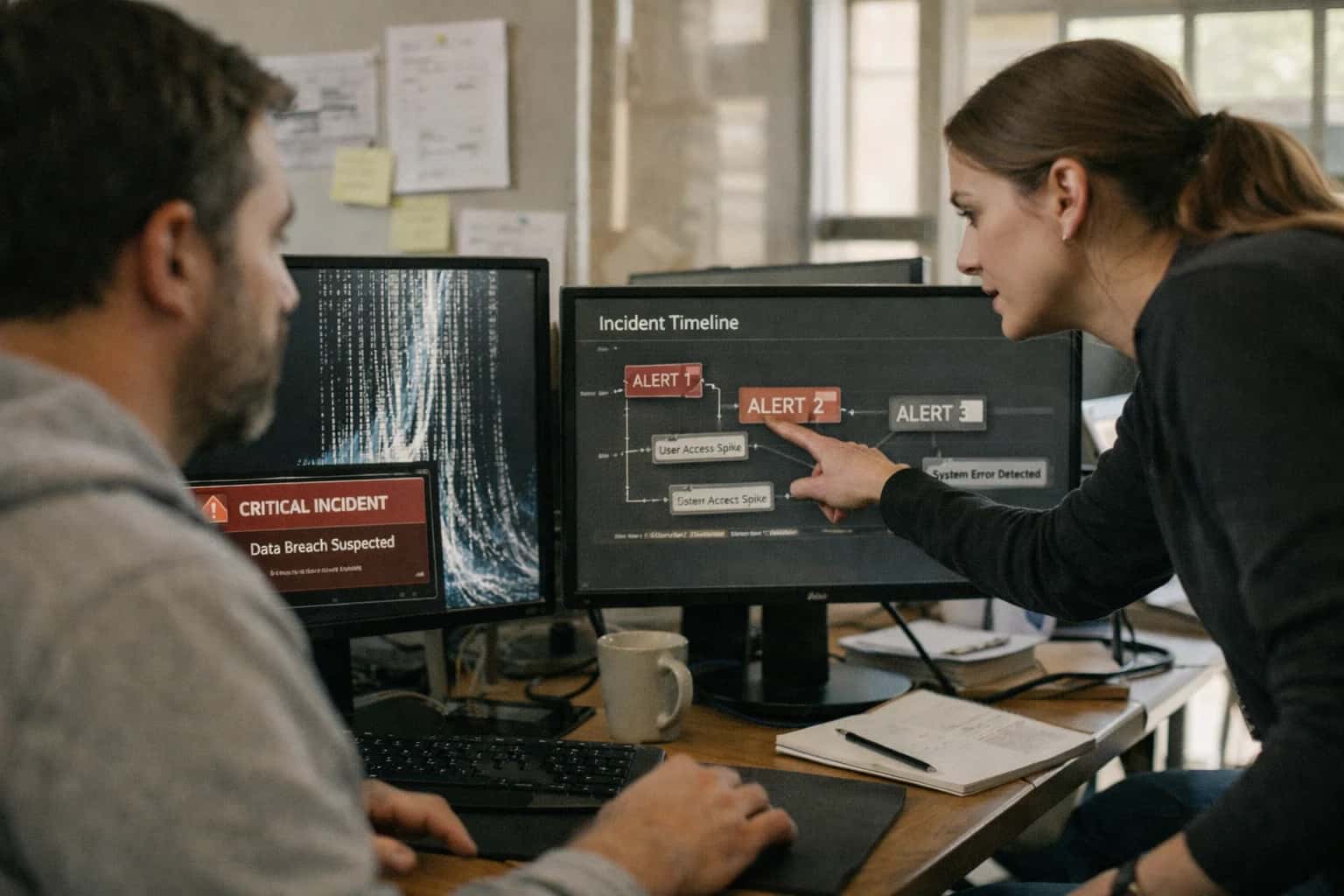
Incident responder handling AI system issue on laptop, logs and alerts visible, late night on-call session.
ARCHITECTURE AND ROLLOUT

Where AI Fits into Cortex XSOAR Incident Handling

Integrating AI into Cortex XSOAR transforms the incident lifecycle from a manual, sequential process into an intelligent, parallelized workflow.

AI connects at three key layers in the Cortex XSOAR data model and automation fabric:

  • Playbook Decision Nodes: Replace static conditional logic with dynamic model evaluation. For example, an AI node can analyze the incident.details and alert.context to decide whether to escalate to a high-severity playbook, enrich with external TI, or auto-close as a false positive.
  • Incident Enrichment Tasks: Automatically call internal APIs (CMDB, HR systems) and external services (threat intel, vulnerability databases) to populate custom incident fields like asset.criticality or user.risk_score. This happens in parallel at incident creation, not as a manual analyst step.
  • Post-Processing Scripts: After incident closure, AI can generate the incident.postmortem summary, extract lessons learned for the knowledge base, and even suggest updates to detection rules in connected SIEMs like Splunk or Sentinel.


A production implementation typically wires a dedicated AI service (hosted or via API) into XSOAR using:

  1. A custom integration that handles authentication, model routing, and prompt management for tasks like summarization or classification.
  2. Dedicated playbooks for high-volume alert types (e.g., phishing, malware) where AI performs initial triage, reducing the mean time to acknowledge (MTTA).
  3. XSOAR’s built-in queues and labels to manage incidents awaiting AI processing or human review, ensuring auditability and allowing for a phased rollout. Governance is critical: all AI-generated actions and enrichments should be logged to the incident.auditTrail and subject to the same RBAC and approval workflows as manual analyst steps.

Roll this out incrementally. Start with a non-disruptive use case like automated incident summarization, where AI drafts the incident.description from raw alerts for analyst review. This builds trust and provides a clear ROI by cutting manual documentation time. Next, pilot AI-driven playbook branching for a specific, well-understood alert type, measuring the reduction in manual triage steps. The goal is not full autonomy, but creating an analyst-in-the-loop system where AI handles the repetitive data synthesis, allowing your team to focus on complex investigation and strategic response. For teams using other Palo Alto platforms, this AI layer can be extended to enrich data from Cortex XDR or analyze logs from Cortex Data Lake, creating a unified cognitive layer across the security stack.

AI AUTOMATION FOR INCIDENT HANDLING

Key Integration Surfaces in Cortex XSOAR

Automating the First 5 Minutes

The initial ingestion and triage phase is where AI can most dramatically reduce manual toil. Integrate AI at the Incident Creation trigger to analyze raw alert data from sources like Cortex XDR, SIEMs, or email.

Key Automation Points:

  • Alert Summarization: Use an LLM to read multi-field alert JSON and generate a plain-English, 2-3 sentence summary for the incident description.
  • Contextual Enrichment: Automatically query internal CMDBs, vulnerability scanners, and external threat intel APIs. An AI agent can synthesize this data to append critical context (e.g., "Asset is in PCI scope," "IP has been associated with TA505").
  • Severity & Assignment: Based on the enriched summary, an AI model can suggest an adjusted severity (Low, Medium, High, Critical) and recommend an assignee or owner group using historical routing patterns.

This transforms a raw, context-poor alert into a pre-vetted incident with actionable data, allowing analysts to focus on investigation, not data assembly.

INCIDENT AUTOMATION

High-Value AI Use Cases for XSOAR

Move beyond scripted playbooks. Integrate AI directly into Cortex XSOAR to automate analyst-level judgment, accelerate investigations, and scale your SOC's response capacity.

01

Automated Incident Triage & Routing

Analyze raw alert metadata, logs, and entity context at ingestion to assign severity, suggest ownership, and route to the correct analyst queue. Reduces manual sorting time and ensures critical alerts are never buried.

Hours -> Minutes
Initial triage time
02

Dynamic Playbook Decision Logic

Embed AI decision points within XSOAR playbooks to evaluate context and choose the next step. For example, assess the confidence of an IOC match before initiating containment, or branch workflows based on the inferred attack stage.

Batch -> Real-time
Orchestration logic
03

Intelligent Evidence Collection & Summarization

Automate the synthesis of evidence from integrated tools (EDR, firewalls, identity providers). AI generates a concise incident narrative from disparate logs, highlighting key events and entities for the analyst.

1 sprint
Report generation time
04

Post-Incident Report Generation

At case closure, automatically draft a structured post-mortem report including timeline, root cause analysis, impact assessment, and lessons learned. Pulls from playbook execution logs, analyst notes, and enriched data.

Same day
Documentation ready
05

Natural Language to XQL Automation

Enable analysts to query Cortex Data Lake using plain English. The AI translates requests like 'show me processes spawned by PowerShell last Tuesday' into optimized XQL, executes it, and returns results.

06

AI-Enhanced Integrations & API Handling

Make XSOAR's vast integration library smarter. AI can intelligently handle pagination, rate limiting, and parse variable API response formats from third-party tools, making playbooks more resilient and easier to maintain.

PALO ALTO CORTEX XSOAR

Example AI-Augmented Incident Workflows

These workflows demonstrate how AI agents and models can be embedded into Cortex XSOAR playbooks to automate triage, enrichment, investigation, and reporting. Each example outlines a concrete automation flow, showing where AI decision-making replaces manual steps.

Trigger: A new email report is submitted to the phishing mailbox, ingested via the Cortex XSOAR Email Communication pack.

AI-Augmented Flow:

  1. Initial Analysis: An AI agent analyzes the email headers, body, and attachments. It extracts sender reputation, checks for spoofing indicators, and parses any URLs or domains.
  2. Contextual Enrichment: The agent queries internal data (recent user-reported phishing, similar campaigns) and external threat intelligence APIs using the extracted IOCs.
  3. Risk Scoring & Decision: Based on the analysis, the AI assigns a confidence score (e.g., High, Medium, Low) and a recommended action.
  4. Playbook Branching:
    • High Confidence Malicious: Playbook automatically creates a Cortex XDR incident, blocks URLs/domains via the firewall integration, and sends a containment notification to the security team.
    • Medium Confidence / Suspicious: Playbook creates a Cortex XSOAR incident, assigns it to the SOC analyst queue with the AI's summary and evidence, and prompts for human review.
    • Low Confidence / Legitimate: Playbook auto-closes the incident, logs the decision, and may send a brief educational note to the reporting user.
  5. Human Review Point: All Medium confidence incidents and any automated containment actions are logged in the incident timeline for audit, with an option for an analyst to override.
FROM ALERT TO RESOLUTION

Implementation Architecture & Data Flow

A practical blueprint for integrating AI into the Cortex XSOAR incident lifecycle, from ingestion to post-mortem.

The integration connects at three primary surfaces within Cortex XSOAR: the Incident Lifecycle, the Automation Engine, and the Integrations Framework. AI models interact via dedicated playbooks triggered by incident creation, status changes, or analyst actions. Inbound alerts from SIEM, EDR, or email are first processed by a classification playbook that uses an LLM to analyze the raw alert description, assign a preliminary severity, and tag it with relevant MITRE ATT&CK tactics. This structured output populates the incident's custom fields, setting the stage for automated enrichment.

Enrichment workflows then query the Cortex XSOAR Integrations Framework—pulling data from internal CMDBs, threat intelligence APIs, and identity providers—and use an AI agent to synthesize this disparate data into a concise, actionable narrative. This narrative is appended to the incident as a note and can dynamically update the incident's summary. For response, AI-driven decision nodes within playbooks evaluate context (e.g., asset criticality, active threat campaigns) to recommend or execute the next orchestration step, such as isolating an endpoint via the Cortex XDR integration or creating a ServiceNow change request. All AI interactions are logged as playbook tasks for a full audit trail.

Post-resolution, a final automation is triggered to generate the incident post-mortem. An LLM is provided the complete incident timeline, analyst notes, and executed actions to draft a lessons-learned document, which is saved to the XSOAR War Room and optionally published to a knowledge base like Confluence. Governance is maintained through a human-in-the-loop approval step for any AI-recommended containment action and by using a dedicated LLM Gateway for consistent prompt management, logging, and rate limiting across all playbooks.

CORTEX XSOAR INTEGRATION PATTERNS

Code & Payload Examples

Enriching Incidents with External Context

When a new incident is created in Cortex XSOAR, an AI agent can be triggered via webhook to fetch and synthesize relevant context. This typically involves calling the XSOAR API to get the incident details, querying internal data lakes and external threat intelligence APIs, and then posting a structured summary back as a note.

Key steps include:

  • Extracting IOCs (IPs, domains, hashes) from the incident description and alerts.
  • Querying internal CMDBs for asset ownership and criticality.
  • Fetching threat actor profiles and campaign data from TI providers like VirusTotal or Recorded Future.
  • Generating a concise narrative that explains the "who, what, where" for the analyst.

This enrichment happens in seconds, turning a raw alert cluster into a context-rich starting point for investigation.

AI-ASSISTED INCIDENT HANDLING IN CORTEX XSOAR

Realistic Time Savings & Operational Impact

This table illustrates the operational impact of integrating AI into key Cortex XSOAR incident workflows, showing realistic shifts in effort, speed, and analyst focus.

Workflow / MetricBefore AIAfter AIImplementation Notes

Initial Incident Triage & Enrichment

Manual review of raw alerts, cross-referencing TI feeds and CMDB

Automated entity extraction, TI enrichment, and risk scoring

AI pre-populates incident fields, analyst reviews and confirms

Alert Correlation & Incident Grouping

Analyst manually reviews similar alerts to group into a single incident

AI clusters related alerts by TTP, timeline, and entity overlap

Reduces duplicate work; human finalizes grouping logic

Evidence Collection & Timeline Assembly

Manual querying of Data Lake, EDR, and network logs for each entity

AI-driven XQL generation to pull relevant evidence into the incident

Analyst reviews automated timeline, adds manual queries for gaps

Response Action Recommendation

Analyst references runbooks and past incidents to decide next steps

AI suggests ranked playbooks based on attack pattern and asset context

Analyst selects from AI-suggested actions; approval gates remain

Incident Summary & Handoff

Manual narrative writing for shift change or escalation

AI drafts a concise summary from timeline, evidence, and actions taken

Analyst edits and approves the AI-generated summary for handoff

Post-Incident Report Drafting

Hours spent compiling data, writing narrative, and extracting lessons learned

AI generates a structured report draft with root cause and MITRE mapping

Analyst focuses on refining conclusions and action items, not drafting

Playbook Optimization & Tuning

Periodic manual review of playbook execution logs for failures or inefficiencies

AI analyzes playbook performance, suggests parameter adjustments or new integrations

SOC engineer reviews AI suggestions and implements changes in dev first

PRODUCTION-READY AI INTEGRATION

Governance, Security, and Phased Rollout

A practical framework for implementing AI in Cortex XSOAR with control, auditability, and measurable impact.

Integrating AI into a mission-critical SOAR platform like Cortex XSOAR requires a security-first architecture. We design implementations where the AI layer acts as a controlled, auditable service. This typically involves:

  • Secure API Gateways & Service Accounts: AI calls are routed through a dedicated integration node with strict RBAC, using service accounts scoped to specific XSOAR playbooks and modules.
  • Data Minimization & PII Handling: Playbooks are designed to send only necessary context (e.g., alert IDs, sanitized artifact lists) to the AI service, avoiding raw logs with sensitive data unless explicitly required and redacted.
  • Audit Trail Integration: All AI-generated actions, summaries, and recommendations are logged as notes or evidence within the XSOAR incident, creating a complete chain of custody for review.

A phased rollout minimizes risk and builds team confidence. We recommend starting with assistive, non-disruptive workflows before progressing to autonomous actions.

Phase 1: Analyst Copilot (Weeks 1-4)

  • Implement AI-powered incident summarization that runs on incident creation, pulling data from XSOAR's context (alerts, artifacts, notes) to generate a concise narrative.
  • Deploy a playbook recommendation engine that suggests the most relevant XSOAR playbook based on the incident type and enriched data.
  • Impact: Reduces manual triage time, ensures consistent incident handoff.

Phase 2: Enriched Decision-Making (Weeks 5-8)

  • Integrate AI for dynamic playbook branching. Use AI to analyze investigation findings and recommend the next logical step (e.g., "run endpoint isolation playbook" vs. "collect more forensic data").
  • Add automated evidence analysis for common artifacts (e.g., summarize a suspicious PowerShell script from a file artifact).
  • Impact: Guides junior analysts, reduces mean time to decision.

Phase 3: Controlled Automation (Weeks 9-12+)

  • Implement human-in-the-loop approvals for any AI-recommended disruptive action (e.g., user disable, endpoint isolation). The playbook pauses, presents the AI's reasoning and confidence score in a task, and requires analyst approval.
  • Introduce post-mortem report generation, where AI drafts the incident closure report based on the full timeline, actions taken, and linked intelligence.
  • Impact: Increases SOC throughput while maintaining oversight and control.

Governance is embedded into the workflow. We configure confidence scoring thresholds and fallback logic for every AI call. If an AI service is unavailable or returns low-confidence output, the playbook defaults to a predefined manual step or notifies an analyst. Regular reviews of AI-generated outputs against ground truth (actual incident outcomes) are used to tune prompts and refine use cases. This approach ensures the AI integration is a force multiplier for your security team, not an opaque black box.

IMPLEMENTATION AND WORKFLOW

Frequently Asked Questions

Practical questions about integrating AI agents and automation into Palo Alto Cortex XSOAR incident handling workflows.

When a new incident is created in Cortex XSOAR (via an integration, email, or manual entry), an AI agent is triggered to perform initial triage and enrichment.

  1. Trigger: A webhook from XSOAR fires upon incident creation, sending the incident ID and basic context to an AI orchestration layer.
  2. Context Pull: The agent uses the XSOAR REST API to fetch the incident details, including alerts, entities (IPs, hashes, users), and any attached artifacts.
  3. Agent Action: The LLM is prompted to analyze the data. It performs several key actions:
    • Summarization: Creates a concise, plain-language summary of the incident.
    • Severity Scoring: Recommends a severity (Critical, High, Medium, Low) based on the context, asset criticality (pulled from a CMDB), and potential impact.
    • Enrichment: Generates specific, actionable enrichment tasks. For example: "Query VirusTotal for hash abc123, check this IP against internal firewall logs for the last 24 hours, search SIEM for other alerts involving this user."
  4. System Update: The agent uses the XSOAR API to:
    • Update the incident description with the AI-generated summary.
    • Set the recommended severity (or create a task for analyst review).
    • Create automated tasks in the XSOAR incident for the suggested enrichment steps, which can be executed by XSOAR playbooks.
  5. Human Review Point: The initial AI assessment is logged as a note. The final severity assignment and enrichment plan require analyst approval before automated execution proceeds.
Prasad Kumkar

About the author

Prasad Kumkar

CEO & MD, Inference Systems

Prasad Kumkar is the CEO & MD of Inference Systems and writes about AI systems architecture, LLM infrastructure, model serving, evaluation, and production deployment. Over 5+ years, he has worked across computer vision models, L5 autonomous vehicle systems, and LLM research, with a focus on taking complex AI ideas into real-world engineering systems.

His work and writing cover AI systems, large language models, AI agents, multimodal systems, autonomous systems, inference optimization, RAG, evaluation, and production AI engineering.


