
Inferensys

Integration

AI Integration for Palo Alto Cortex XDR Dashboard

Add AI-driven intelligence widgets to your Cortex XDR dashboard to summarize attack campaigns, analyze analyst workload, explain MTTR trends, and provide actionable commentary—without replacing your existing security workflows.
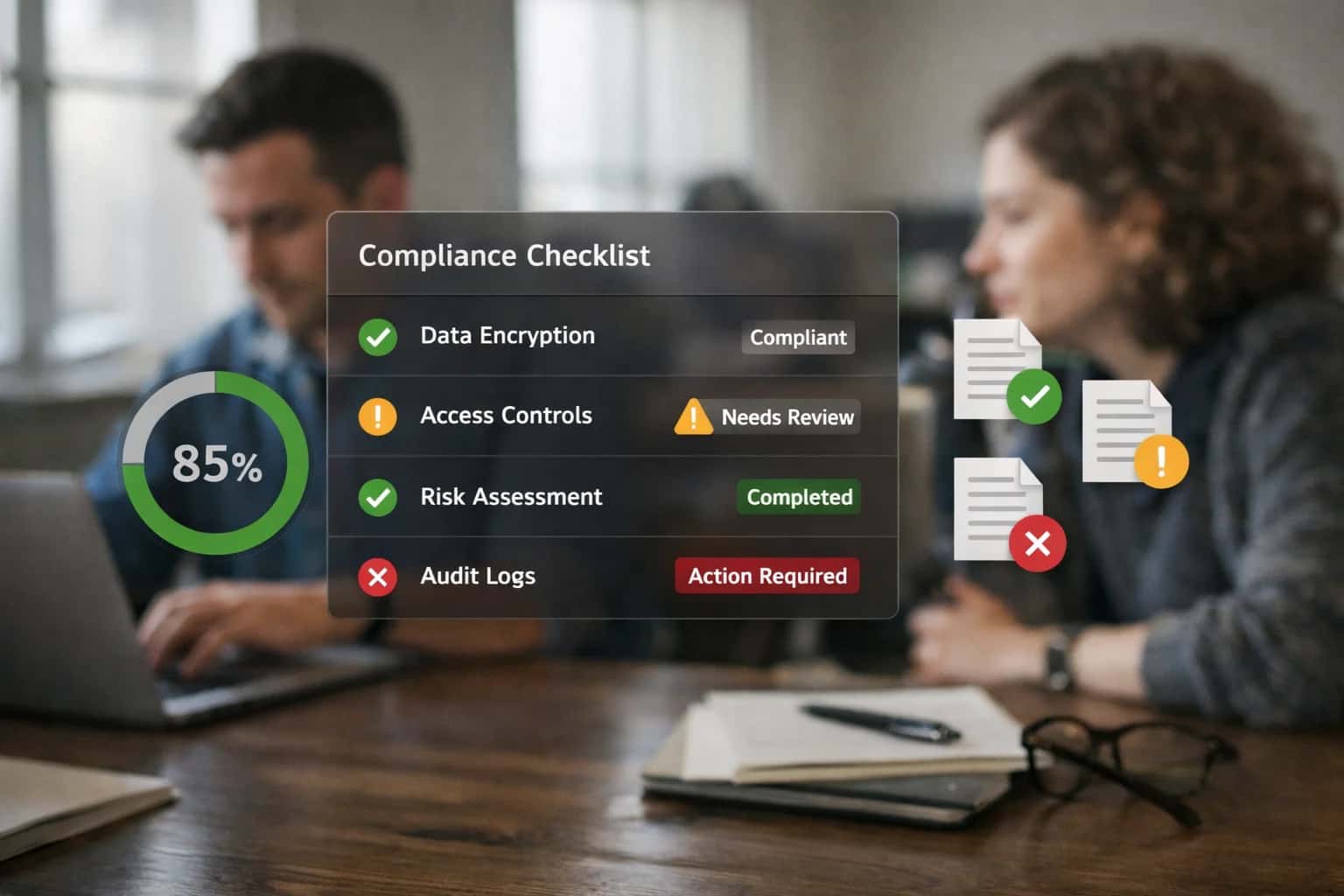
Security engineer reviewing FedRAMP compliance dashboard on ultrawide monitor, home office with city views, casual work session.
AI INTEGRATION FOR PALO ALTO CORTEX XDR DASHBOARD

From Static Dashboards to Intelligent Security Command Centers

Transform the Cortex XDR dashboard from a passive reporting surface into an active, AI-driven command center that prioritizes analyst attention and accelerates response.

The native Cortex XDR dashboard provides a consolidated view of alerts, incidents, and endpoint health, but its static widgets require manual interpretation. An AI integration layers intelligence directly onto this surface by injecting dynamic, context-aware modules. These can include:

  • Campaign Activity Summaries: AI widgets that cluster related alerts across endpoints and time, describing the likely attack chain (e.g., "Phishing link → Credential theft → Lateral movement via RDP") in plain language.
  • Analyst Workload Heatmaps: Visualizations powered by AI that predict case load based on alert severity trends, incoming threat intel feeds, and historical triage times, helping managers pre-allocate resources.
  • MTTR Commentary & Predictions: Widgets that analyze the mean time to respond (MTTR) for closed incidents, using AI to highlight bottlenecks (e.g., "Enrichment delays from external APIs") and forecast resolution times for active cases based on similarity to past events.


Implementation connects to the Cortex XDR Public API (primarily the Incidents, Alerts, and XQL endpoints) to pull real-time and historical data. A middleware service—often deployed as a containerized microservice—hosts the AI models (LLMs for summarization, classical ML for forecasting) and serves processed insights back to the dashboard via the API or a custom iframe/app. Key architectural considerations include:

  • Data Synchronization: Using webhooks for real-time alert ingestion and scheduled XQL queries for batch analysis of historical trends.
  • Model Governance: Ensuring all AI-generated commentary is logged with confidence scores and can be traced back to the source alerts for audit purposes.
  • Performance: Caching frequent query results (like daily MTTR calculations) to avoid impacting the live XDR environment during peak periods.

Rollout should start with a single, high-value widget—like the campaign summary—deployed to a pilot SOC team. Governance is critical: these AI insights are decision-support tools, not autonomous actions. Establish a review process where analysts can flag inaccurate summaries to continuously fine-tune the prompts and underlying models. The final architecture should treat the AI layer as a force multiplier for the analyst, making the dashboard a proactive starting point for investigations rather than a passive summary of what already happened.

INTEGRATION SURFACES

Where AI Connects to the Cortex XDR Dashboard

The Primary Analyst Workspace

The Cortex XDR incident dashboard is the central console for security investigations. AI integration here focuses on augmenting the analyst's workflow by injecting contextual intelligence directly into the case view.

Key integration points include:

  • Incident Summary Widgets: AI can generate a concise, plain-language narrative of the attack chain, synthesizing data from alerts, endpoint telemetry, and network logs. This replaces manual timeline reconstruction.
  • Entity Risk Context Panels: Next to each host or user in an incident, an AI-powered panel can display a dynamic risk score, recent anomalous behavior, and linked vulnerabilities, pulling from internal CMDBs and scanners.
  • Recommended Actions Feed: Based on the incident's MITRE ATT&CK mapping and environmental context, AI can suggest specific, sequenced response steps (e.g., "Isolate host X", "Revoke session for user Y") with direct links to execute them via XSOAR.

This transforms the dashboard from a data aggregator into an intelligent investigation co-pilot.

PALO ALTO CORTEX XDR

High-Value AI Use Cases for XDR Dashboards

Transform your Cortex XDR dashboard from a static reporting tool into an interactive AI co-pilot. These integrations embed actionable intelligence directly into analyst workflows, reducing MTTR and surfacing hidden risks.

01

Attack Campaign Narrative Generator

Automatically generates a plain-English summary of a multi-alert attack campaign directly on the dashboard. It synthesizes alerts, endpoint telemetry, and network flows into a chronological narrative, mapping TTPs to the MITRE ATT&CK framework. Analysts get the full story in seconds, not hours.

Hours -> Minutes
Investigation time
02

Analyst Workload & Burnout Predictor

An AI-powered widget that analyzes open incident volume, complexity scores, and individual analyst resolution times to predict team burnout and queue overload. It provides recommendations for workload balancing and highlights cases likely to exceed SLA, enabling proactive SOC management.

Proactive
SLA management
03

MTTR Trend Explainer with Root Cause

Goes beyond showing MTTR graphs. This widget uses AI to analyze the components of resolution time for past incidents—identifying common bottlenecks like slow evidence collection, external tool latency, or approval workflows. It provides actionable commentary on how to improve specific phases of your response process.

Targeted
Process improvement
04

Dynamic Alert Enrichment & Triage Panel

Replaces static alert lists with an AI-enriched panel. As new alerts hit the Cortex XDR dashboard, this integration calls internal APIs (CMDB, vulnerability scanners, HR systems) and external threat intel to append context: asset criticality, user role, exploit availability, and related past incidents. It provides a pre-calculated priority score for immediate triage.

Batch -> Real-time
Context enrichment
05

Natural Language Query for XQL Data Lake

Embed a chat interface directly into the dashboard that allows analysts to ask questions in plain English like "Show me all endpoints that contacted this malicious domain in the last 48 hours." The AI translates this into an optimized Cortex XDR Query Language (XQL) query, executes it against the Data Lake, and returns results in a dashboard widget or table.

No-code hunting
Analyst efficiency
06

Automated Post-Incident Report Draft

At incident closure, this widget uses AI to compile a draft post-mortem report. It pulls data from the incident timeline, analyst notes, executed XSOAR playbooks, and resolved alerts to generate sections on impact, root cause, containment actions, and lessons learned. Analysts review and finalize in minutes instead of drafting from scratch.

Same day
Report readiness
PALO ALTO CORTEX XDR

Example AI-Enhanced Dashboard Workflows

These workflows demonstrate how AI agents and models can be integrated directly into Cortex XDR dashboards to automate analysis, generate insights, and trigger actions. Each example outlines a concrete automation flow, from trigger to system update.

Trigger: A new, high-severity Cortex XDR incident is created and linked to 10+ related alerts.

Context/Data Pulled:

  • The incident's alert details, including MITRE ATT&CK tactics, involved endpoints (hostnames, IPs), and user accounts.
  • Related XQL query results for the past 24 hours to capture the full scope.
  • External threat intelligence via API (e.g., VirusTotal, AlienVault OTX) on associated IOCs.

Model/Agent Action: An AI agent is invoked via webhook. It synthesizes the data into a structured JSON payload and sends it to a large language model (LLM) with a prompt like:

code
You are a senior SOC analyst. Given the following incident data, produce a concise campaign summary for the dashboard. Include:
1. A likely attacker objective.
2. The key progression of techniques used (TTPs).
3. The estimated initial compromise vector.
4. Three high-confidence next steps for containment.

System Update/Next Step: The LLM's generated summary is posted as a rich-text widget on a dedicated "Active Campaigns" dashboard view. Simultaneously, the agent creates a task in the linked Cortex XSOAR playbook for the lead analyst to review and approve the recommended containment steps.

Human Review Point: The analyst must approve any automated containment actions (like endpoint isolation) suggested by the AI before they are executed.

FROM DATA INGESTION TO ACTIONABLE INSIGHTS

Implementation Architecture: Data Flow and Integration Patterns

A practical blueprint for wiring AI analytics into the Cortex XDR dashboard to enhance situational awareness and decision velocity.

The integration architecture centers on the Cortex XDR API and Cortex Data Lake as the primary data sources. AI models, typically hosted in a secure cloud environment like Azure ML or AWS SageMaker, are invoked via a middleware orchestration layer (e.g., a dedicated microservice or serverless function). This layer performs three core functions: 1) It queries the XDR API for recent incidents, alerts, and agent telemetry on a scheduled basis or via webhook triggers. 2) It processes this data—summarizing attack campaigns, calculating analyst workload metrics, and analyzing MTTR trends—using a combination of LLMs for narrative generation and traditional ML for time-series forecasting. 3) It posts the synthesized results back to the Cortex XDR dashboard as custom widgets via the Dashboard API or injects them as contextual notes into specific incidents and cases.

Key integration patterns include:

  • Scheduled Enrichment Jobs: A nightly batch process that analyzes the past 24 hours of data, generating executive summaries of attack activity and updating trend widgets.
  • Real-time Alert Augmentation: A webhook-driven flow where new high-severity alerts trigger an immediate AI analysis, fetching related events and appending a concise assessment to the alert details in XDR.
  • Analyst Copilot Query: An embedded UI element within the XDR console that allows an analyst to ask a natural language question (e.g., "Show me all lateral movement linked to this host"), which is routed to the AI service. The service translates this into XQL queries, executes them against the Data Lake, and returns a summarized answer. Governance is managed through strict API key rotation, query result caching to control costs, and a human review loop for AI-generated commentary before it is published to production dashboards used for reporting.

Rollout follows a phased approach: start with read-only dashboard widgets for a pilot SOC team to validate accuracy and utility. Subsequently, integrate AI-generated context into the incident object model for use in automated playbooks. The final phase enables proactive recommendations, where the AI service suggests specific investigative steps or containment actions directly within the XDR case workspace, requiring clear approval gates before any automated response is executed. This architecture ensures AI augments—rather than disrupts—the existing analyst workflow within the native Palo Alto interface.

AI-ENRICHED DASHBOARD WIDGETS

Code and Payload Examples

Defining a Custom AI Widget

To inject AI-generated insights into the Cortex XDR dashboard, you typically interact with its widget API or a custom app framework. The configuration payload defines the data source, refresh interval, and the AI service endpoint that will supply the summarized content.

Below is an example JSON payload for registering a new widget that displays a summary of active attack campaigns. The ai_service_endpoint points to your orchestration layer, which queries Cortex Data Lake, runs analysis, and returns formatted HTML or markdown.

json
{
  "widget_type": "custom_html",
  "title": "AI Campaign Summary",
  "description": "Summarizes top attack campaigns by severity and prevalence.",
  "refresh_interval": 300,
  "size": "medium",
  "config": {
    "data_source": "cortex_data_lake",
    "query_template": "type_id=8001 AND severity>=70 | stats count by attack_technique, src_ip",
    "ai_service_endpoint": "https://your-ai-service/inferencesystems/cortex/summarize",
    "ai_parameters": {
      "format": "html",
      "include_recommendations": true,
      "timeframe": "last_24_hours"
    }
  }
}

This payload would be sent via a POST request to the Cortex XDR dashboard API or configured within a custom dashboard application.

AI-ENHANCED DASHBOARD WIDGETS

Realistic Time Savings and Operational Impact

How AI-generated widgets on the Cortex XDR dashboard reduce manual analysis time and improve decision velocity for SOC managers and analysts.

MetricBefore AIAfter AINotes

Attack campaign summary generation

Manual review of 10+ alerts across tabs

Single widget with narrative and key IOCs

Analyst reviews AI summary, then drills down

Analyst workload heatmap analysis

Manual tally in spreadsheet from assignment logs

Dynamic widget showing case load & backlog trends

Enables proactive shift balancing and resource planning

MTTR trend commentary

Weekly manual report compilation

Daily automated insight on resolution time drivers

Highlights process bottlenecks (e.g., evidence collection delays)

Alert-to-case clustering rationale

Analyst intuition and manual timeline review

Widget explains AI-suggested grouping based on TTPs & entities

Improves investigation consistency and reduces duplicate work

High-priority case identification

Manual triage based on static severity scores

Widget surfaces cases with rising risk scores or executive exposure

Focuses analyst attention on cases most likely to escalate

External context enrichment

Manual lookup in threat intel platforms

Widget auto-appends relevant TI links and CVEs to campaign view

Saves 2-3 minutes per investigation for initial context

Shift handover briefing prep

15-20 minutes compiling notes from resolved cases

5-minute review of AI-generated shift summary widget

Ensures critical context is not lost between teams

ARCHITECTING CONTROLLED, POLICY-AWARE AI DEPLOYMENT

Governance, Security, and Phased Rollout

Integrating AI into a critical security dashboard like Cortex XDR requires a controlled, policy-aware approach that maintains operational integrity and analyst trust.

AI widgets in the Cortex XDR dashboard must operate within strict data access and RBAC boundaries. This means mapping AI queries to the same user permissions, ensuring a SOC analyst only sees AI-generated summaries for incidents and assets within their purview. All AI-generated commentary should be logged as a distinct data type within Cortex Data Lake, creating a clear audit trail of what was suggested, by which model, and on what data. API calls to external LLMs or internal model endpoints should be routed through a secure gateway that enforces data loss prevention (DLP) policies, stripping any sensitive PII or proprietary threat intelligence before external processing.

A phased rollout is critical for adoption and validation. Start with a read-only, advisory phase: deploy widgets that summarize closed incidents and MTTR trends in a dedicated "AI Insights" dashboard panel. This allows analysts to evaluate the quality and relevance of AI commentary without disrupting their workflow. Phase two introduces contextual enrichment for open cases: embedding AI-generated attack chain hypotheses and related IOCs directly into the incident investigation pane, clearly marked as "AI-Assisted Context." The final phase enables interactive, workflow-triggered AI: allowing analysts to right-click on an alert or entity and request an AI-driven threat hunt hypothesis or a draft response action, which then must be approved before any orchestration step is executed via Cortex XSOAR.

Governance is maintained through continuous feedback loops and model oversight. Every AI widget should include a simple feedback mechanism (e.g., "Was this helpful?") to collect implicit signals. These signals, along with explicit analyst overrides of AI suggestions, should feed a model evaluation pipeline to detect drift or degradation in recommendation quality. Furthermore, the prompts and data retrieval logic powering these widgets should be version-controlled and reviewed as part of the SOC's standard playbook and detection rule change management process, ensuring AI operations are as governed as any other critical security control.

AI INTEGRATION FOR PALO ALTO CORTEX XDR DASHBOARD

Frequently Asked Questions

Common questions about implementing AI-driven widgets and analytics within the Cortex XDR dashboard to enhance SOC visibility, reduce MTTR, and provide actionable insights.

AI-powered widgets can process and correlate data from multiple streams within and beyond Cortex XDR to generate contextual summaries and trends. Key sources include:

  • Cortex XDR telemetry: Process, network, and file events from the endpoint agents.
  • Incident and Alert Data: The timeline, severity, status, and analyst actions from XDR incidents.
  • External Threat Intelligence: Integrated feeds (e.g., VirusTotal, commercial TI) via API to provide campaign context.
  • Identity Data: User context from integrated IdPs (e.g., Entra ID, Okta) to link alerts to specific identities.
  • Vulnerability Data: From Cortex XDR's own vulnerability module or integrated scanners to highlight exploited weaknesses.
  • Performance Metrics: Data on analyst workload, case open/close times, and alert volume from the XDR backend.

The AI models synthesize this data to produce dashboard widgets that show, for example, "Top Attack Campaigns This Week" with a summary of associated techniques, affected departments, and recommended next steps, directly on the main SOC dashboard.

Prasad Kumkar

About the author

Prasad Kumkar

CEO & MD, Inference Systems

Prasad Kumkar is the CEO & MD of Inference Systems and writes about AI systems architecture, LLM infrastructure, model serving, evaluation, and production deployment. Over 5+ years, he has worked across computer vision models, L5 autonomous vehicle systems, and LLM research, with a focus on taking complex AI ideas into real-world engineering systems.

His work and writing cover AI systems, large language models, AI agents, multimodal systems, autonomous systems, inference optimization, RAG, evaluation, and production AI engineering.


