
Inferensys

Integration

AI Integration for Microsoft Sentinel SOAR Automation

Embed AI directly into Microsoft Sentinel SOAR playbooks to automate decision logic, enrich incidents with context, and orchestrate intelligent response actions, reducing manual analyst steps and accelerating mean time to respond (MTTR).
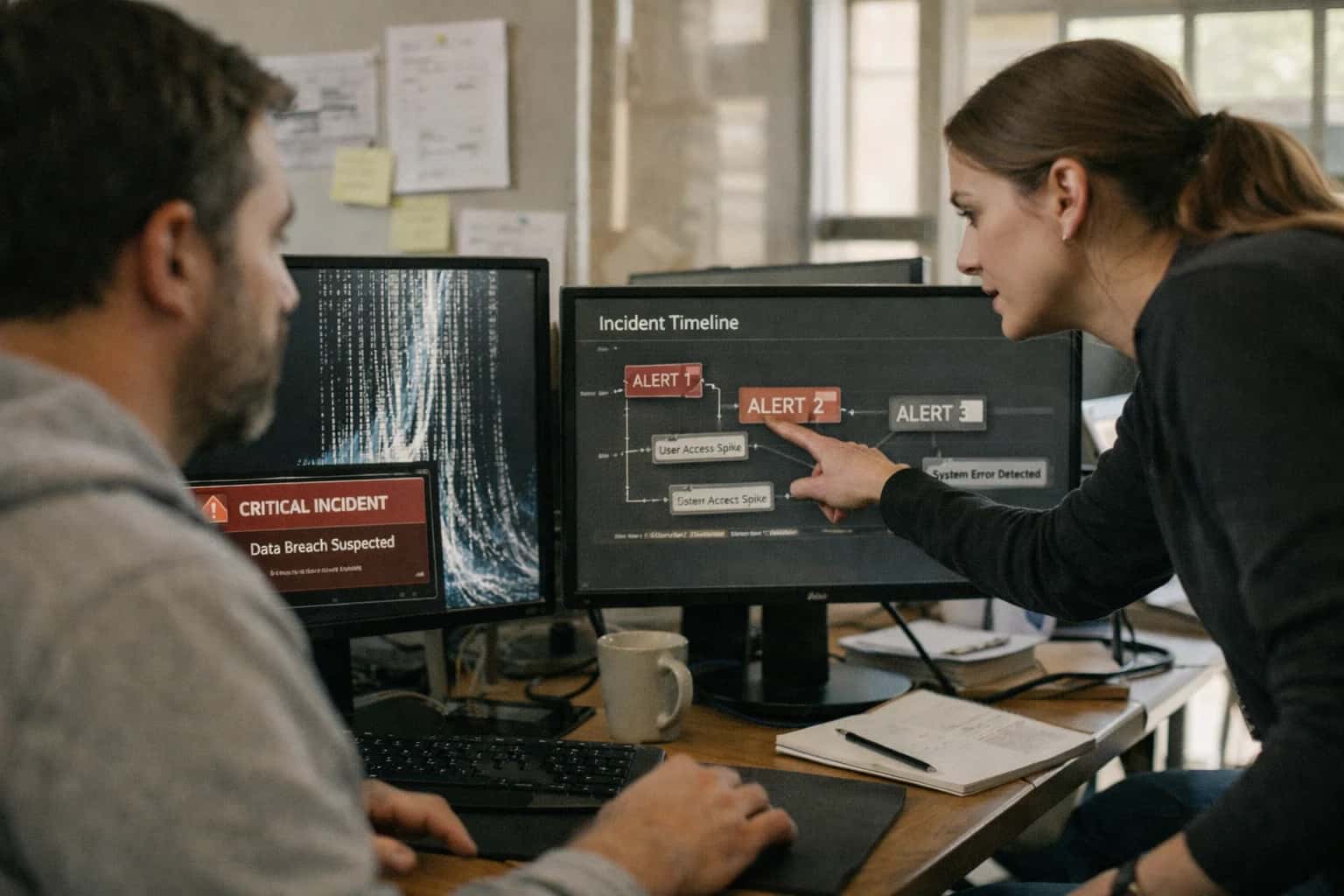
Incident responder handling AI system issue on laptop, logs and alerts visible, late night on-call session.
ARCHITECTURE & ROLLOUT

Where AI Fits into Sentinel SOAR Workflows

Integrating AI into Microsoft Sentinel SOAR transforms static playbooks into dynamic, context-aware workflows that adapt to real-time threat intelligence and entity risk.

AI integration targets the core automation surfaces within Microsoft Sentinel's SOAR capabilities, primarily Logic Apps playbooks and the Automation Rules engine. The key insertion points are:

  • Dynamic Variable Assignment: Using LLMs to analyze alert context (e.g., raw log entries, user/entity data) to populate playbook variables with extracted IOCs, risk scores, or narrative summaries.
  • Conditional Branching Logic: Replacing hard-coded if-then gates with AI models that evaluate the totality of an incident—including external threat intel, asset criticality from a CMDB, and recent attack patterns—to decide the next response step (e.g., Isolate Host, Require Manager Approval, Close as False Positive).
  • Automated Evidence Collection: Triggering AI agents to query disparate data sources (internal ticketing systems, vulnerability scanners, EDR platforms) via their APIs to gather relevant context before an analyst even opens the case, appending findings to the Sentinel incident.


A production implementation typically wires an AI orchestration layer (hosted in Azure Container Instances or as an Azure Function) between Sentinel and the playbooks. This layer:

  1. Listens for webhook triggers from Sentinel Automation Rules or specific playbook steps.
  2. Calls configured LLM APIs (e.g., Azure OpenAI, Anthropic) with a carefully engineered prompt and relevant context fetched from the Sentinel incident, Log Analytics workspace, or connected data stores.
  3. Returns a structured JSON payload back to the playbook, containing decisions, extracted data, or generated text.
  4. Logs all prompts, responses, and model metadata to a dedicated Log Analytics table for audit, cost tracking, and continuous prompt refinement.

This architecture keeps the core SOAR workflow intact while injecting intelligence at critical decision points, moving from if alert_severity == 'High' to if ai_risk_assessment(incident) > 0.7 and asset_type == 'Domain Controller'.

Rollout requires a phased, use-case-driven approach. Start with low-risk, high-volume automation such as using AI to generate a plain-language summary for every incident, reducing triage time. Next, implement assisted decision-making where AI recommends an action but requires human approval (e.g., "AI suggests blocking IP 192.168.1.1 based on correlation with known threat feed. Approve?"). Finally, graduate to fully autonomous actions for high-confidence, pre-authorized scenarios like quarantining a user session flagged with 99% confidence as credential theft. Governance is critical: establish a review board for prompt changes, implement strict RBAC on the AI orchestration layer, and maintain a human-in-the-loop for any action that modifies production systems or sensitive data. For teams managing this complexity, our service offering at /services/security-automation provides the architectural blueprint and operational guardrails.

SOAR AUTOMATION

Key Integration Surfaces in Microsoft Sentinel

Logic Layer for AI-Driven Decisions

Automation Rules and Azure Logic Apps playbooks form the primary execution surface for SOAR. This is where you inject AI to make conditional decisions that static logic cannot handle.

Key Integration Points:

  • Condition Triggers: Use AI to evaluate incident entities (users, IPs, hosts) against behavioral baselines or threat intelligence to determine if a rule should run.
  • Dynamic Variable Assignment: Instead of hard-coded values, call an AI service to set playbook variables. For example, assign a riskScore based on the sentiment of incident comments or the novelty of observed TTPs.
  • Branching Logic: Implement AI-powered If conditions. A model can analyze alert groupings to decide whether to branch to a Containment path or a Deep Investigation path.

Example Workflow: An Automation Rule triggers a playbook when a high-severity incident is created. The first action calls an AI endpoint to analyze the incident's entities and assign a predictedCategory (e.g., CredentialTheft, LateralMovement). Subsequent playbook steps use this category to route the incident and pre-fetch relevant response runbooks.

MICROSOFT SENTINEL AUTOMATION

High-Value AI Use Cases for Sentinel SOAR

Integrate AI directly into Microsoft Sentinel's Security Orchestration, Automation, and Response (SOAR) playbooks to move beyond static logic. Use large language models to analyze unstructured data, make context-aware decisions, and automate complex investigative steps, reducing manual analyst workload and accelerating mean time to respond (MTTR).

01

Dynamic Playbook Branching

Replace hard-coded if-then logic with AI-driven decision points. A playbook can analyze the description, entities, and raw log snippets of a Sentinel incident using an LLM to determine the most likely attack tactic (e.g., credential access vs. lateral movement) and automatically branch to the appropriate containment or evidence collection workflow.

1 sprint
Implementation time
02

Automated Evidence Summarization

Enrich incidents by having AI read and summarize key evidence collected by playbooks. After a playbook gathers raw logs, Azure resource configurations, or endpoint process trees, an LLM can synthesize this data into a concise, plain-language summary appended to the incident comments, giving analysts immediate context.

Batch -> Real-time
Analysis speed
03

Intelligent Variable Assignment

Use AI to parse unstructured data and populate playbook variables accurately. For example, when a playbook retrieves a suspicious email or a user's comment from a ticketing system, an LLM can extract key entities (IPs, filenames, usernames) and assign them to structured variables for use in subsequent automation steps, like blocking an IOC.

04

Natural Language to KQL / ARM

Embed a co-pilot within playbooks that translates analyst intent or threat intelligence descriptions into executable code. An LLM can generate Kusto Query Language (KQL) hunts based on a TTP description or craft Azure Resource Manager (ARM) templates for remediation (e.g., 'disable public access on storage account X'), which the playbook then deploys.

Hours -> Minutes
Query/script creation
05

Post-Incident Report Generation

Automate the closure workflow by having AI draft a structured post-mortem report. A playbook can feed the incident timeline, analyst actions, and final resolution into an LLM to generate a draft report with sections for root cause, impact, and corrective actions, stored in SharePoint or a ServiceNow knowledge article.

06

Context-Aware Alert Clustering

Augment Sentinel's incident grouping logic with semantic analysis. Before triggering a playbook, an AI step can analyze alert names and descriptions across multiple raw alerts to determine if they describe the same underlying event (e.g., 'Impossible Travel' and 'Suspicious PowerShell' for a single compromised account), improving incident quality and reducing noise.

SOAR AUTOMATION BLUEPRINTS

Example AI-Enhanced Sentinel Playbook Workflows

These concrete workflows illustrate how to embed AI decision points into Microsoft Sentinel SOAR playbooks, moving beyond static logic to dynamic, context-aware automation that reduces analyst workload and accelerates response.

Trigger: A new incident is created in Microsoft Sentinel.

AI Action:

  1. The playbook calls an AI model (via Azure OpenAI or a custom endpoint) with the incident's raw alert data, entity information (users, hosts, IPs), and any related hunting bookmarks.
  2. The model is prompted to analyze the data and output a structured JSON payload containing:
    • A confidence score (0-1) indicating likelihood of a true positive.
    • A proposed severity (Informational, Low, Medium, High, Critical) based on potential business impact.
    • A recommended assignment group (e.g., Identity Team, Endpoint Team, Cloud Security) based on the primary attack vector.
    • A brief, plain-language summary of the suspected threat.

System Update:

  • The playbook uses the AI output to dynamically set the incident's Severity, Owner, and Description fields.
  • If confidence is below a configured threshold (e.g., <0.6), the incident is automatically tagged with Requires Human Review and assigned to a general queue.
  • The AI-generated summary is appended to the incident comments for analyst context.

Human Review Point: The confidence threshold and assignment logic should be reviewed and tuned regularly by SOC leads based on false positive rates.

SOAR PLAYBOOK ENHANCEMENT

Typical Implementation Architecture & Data Flow

A production-ready architecture for embedding AI decision points into Microsoft Sentinel SOAR workflows.

The integration is typically deployed as a secure, containerized microservice that sits between Microsoft Sentinel's Logic Apps or Azure Functions and your chosen LLM provider (e.g., Azure OpenAI Service). When a Sentinel playbook reaches a decision branch, it calls the inference service via a REST API, passing relevant context such as incident entities, alert details, and enriched data from the SecurityGraph or Watchlists. The service structures this data into a precise prompt, calls the LLM for a reasoned judgment (e.g., 'Is this user's behavior consistent with credential theft?'), and returns a structured JSON response—like a risk score, a recommended action, or a dynamic variable—back to the playbook for conditional execution.

Key data flows include: 1) Entity Risk Evaluation: The service fetches the user or host's historical activity from Log Analytics to provide temporal context for the AI. 2) Evidence Collection: Based on the AI's request for more data, the playbook can trigger sub-workflows to gather additional logs, run KQL queries, or pull records from integrated systems like Microsoft Defender for Endpoint. 3) Audit Trail Generation: Every AI call, its input context, the model's reasoning (if supported), and the final decision are logged back to a dedicated Sentinel table for compliance review and model performance monitoring.

Rollout follows a phased approach: start with low-risk, high-volume playbooks like alert triage or false-positive filtering, where AI suggests an incident severity or closure reason. Governance is critical; implement a human-in-the-loop approval step for any AI-recommended action that modifies system state (e.g., isolating a device). Use Azure's built-in Managed Identity and RBAC to strictly control the inference service's access to Sentinel data, and establish a regular review cycle to evaluate the AI's decision accuracy against SOC analyst outcomes, retraining prompts as needed.

MICROSOFT SENTINEL SOAR AUTOMATION

Code & Payload Examples for Common AI Tasks

AI-Driven Playbook Variable Logic

In SOAR playbooks, static thresholds often fail. Use an AI model to analyze the incident's context—such as user role, affected asset criticality, and recent threat intel—to dynamically set variables like severity, escalation_path, or containment_urgency. This moves playbooks from rule-based to context-aware.

Example: Python Logic for Azure Function (Playbook Action)

This function, called from a Sentinel Automation Rule, uses the incident payload and queries internal APIs to generate a dynamic risk score, which is then passed back to the playbook.

python
import json
import logging
import azure.functions as func
from inference_client import SecurityAIClient  # Hypothetical client

def main(req: func.HttpRequest) -> func.HttpResponse:
    incident_payload = req.get_json()
    
    # Extract key context from Sentinel incident
    entities = incident_payload.get('entities', [])
    alert_titles = [alert['title'] for alert in incident_payload.get('alerts', [])]
    
    # Call AI service for risk assessment
    ai_client = SecurityAIClient()
    risk_assessment = ai_client.assess_soar_risk(
        entities=entities,
        alert_context=alert_titles,
        tenant_id=incident_payload['tenantId']
    )
    
    # Determine dynamic variable values
    containment_urgency = 'HIGH' if risk_assessment['score'] > 0.8 else 'MEDIUM'
    auto_assign = risk_assessment.get('recommended_team', 'SOC_Tier_2')
    
    # Return JSON for playbook variable assignment
    output = {
        'dynamic_variables': {
            'containmentUrgency': containment_urgency,
            'assignedTeam': auto_assign,
            'ai_confidence': risk_assessment['score']
        }
    }
    return func.HttpResponse(json.dumps(output), status_code=200)
AI-ENHANCED SOAR PLAYBOOKS

Realistic Time Savings & Operational Impact

How AI-driven decision points in Microsoft Sentinel SOAR playbooks accelerate response and reduce manual overhead.

Playbook StageManual / Rule-Based ProcessAI-Augmented ProcessImpact & Notes

Dynamic Variable Assignment

Static mapping from predefined fields

Context-aware extraction from alert narrative

Reduces misconfigured automation due to schema variations

Conditional Branching Logic

Simple if-then rules based on severity

Entity risk scoring and behavioral context

Routes high-risk incidents to senior analysts, low-risk to automated closure

Evidence Collection & Enrichment

Manual API queries or script execution

Automated API calls with intelligent parameter selection

Cuts evidence gathering from 15-30 minutes to under 2 minutes per incident

Entity Correlation & Expansion

Analyst manually reviews related alerts

AI suggests related entities and hunts for similar activity

Surfaces connected threats an analyst might miss, improving investigation depth

Remediation Action Recommendation

Analyst selects from a static list of actions

AI ranks actions by predicted effectiveness and business impact

Guides analysts to the most appropriate containment step, reducing collateral damage risk

Playbook Selection & Initiation

Analyst chooses a playbook from a catalog

AI recommends the optimal playbook based on incident attributes

Ensures the right automation is triggered from the start, saving 5-10 minutes of triage

Post-Execution Documentation

Manual entry into incident notes

AI generates a summary of actions taken and context for audit trail

Automates compliance logging, saving 10+ minutes per closed case

ARCHITECTING FOR CONTROL AND CONFIDENCE

Governance, Security, and Phased Rollout

Integrating AI into Microsoft Sentinel SOAR requires a framework that prioritizes security, maintains auditability, and enables controlled adoption.

A production-ready architecture for AI-driven SOAR automation must be built on Microsoft Sentinel's native security and governance controls. This means:

  • Identity and Access Management: All AI service principals and managed identities used for API calls must operate under the principle of least privilege, scoped to specific Log Analytics workspaces, playbook resource groups, and action permissions (e.g., Microsoft.SecurityInsights/incidents/write).
  • Secure Credential Handling: Secrets for external AI model APIs (e.g., OpenAI, Azure OpenAI) must be stored in Azure Key Vault, with playbooks referencing them via managed identities to avoid hardcoded keys in Logic App definitions.
  • Audit Trail Integrity: Every AI-generated decision or content modification (e.g., a dynamic variable set, a playbook branch taken) must be logged as a custom event back to the Sentinel workspace. This creates an immutable record of the AI's "reasoning" and actions for compliance and incident review.
  • Data Boundary Enforcement: For sensitive investigations, implement conditional logic in playbooks to route data only to AI endpoints deployed within your approved Azure regions or private networks, ensuring data residency and egress control.

A successful rollout follows a phased, risk-aware approach, starting with assistive use cases before progressing to autonomous actions.

  1. Phase 1: Analyst-in-the-Loop (Weeks 1-4): Implement AI to generate context summaries and recommended next steps within playbooks. The output is presented to the analyst in the incident comments or a Teams card for approval before any automated action is taken. This builds trust and provides a feedback loop for tuning prompts.
  2. Phase 2: Conditional Automation (Weeks 5-8): Introduce AI-driven dynamic variable assignment and playbook branching. For example, a model can analyze alert entity relationships to assign a risk_score variable, which then determines if the playbook routes the incident to a high-priority queue or a standard one. All branching logic is logged, and high-severity paths retain a mandatory approval step.
  3. Phase 3: Policy-Guided Autonomous Actions (Weeks 9+): For well-defined, high-confidence/low-risk scenarios, enable fully automated actions, such as tagging an incident with specific MITRE ATT&CK tactics based on AI analysis. These actions are gated by explicit, pre-reviewed policy rules (e.g., "only auto-tag if confidence score > 0.9 and affected asset tier is 'low'") and are limited to non-disruptive tasks.

Continuous governance is critical. Establish a cross-functional review board (SecOps, IT, Compliance) to:

  • Evaluate AI Model Output: Regularly sample and review AI-generated summaries and decisions for accuracy, bias, and relevance.
  • Manage Prompt Lifecycle: Treat prompts as security content. Version-control them, test changes in a development workspace, and implement approval workflows for deployment to production playbooks.
  • Monitor for Drift: Use Azure Monitor to track the performance and latency of AI service calls. Set alerts for increased error rates or changes in response patterns that could indicate model drift or API changes.
  • Plan for Human Override: Ensure every automated workflow has a clear, documented procedure for human analysts to pause, override, or roll back AI-influenced decisions, maintaining ultimate human control over the security response.
MICROSOFT SENTINEL SOAR AUTOMATION

Frequently Asked Questions (FAQ)

Practical questions about integrating AI agents and large language models into Microsoft Sentinel's Security Orchestration, Automation, and Response (SOAR) capabilities to create dynamic, intelligent playbooks.

AI integrates as a decision-making layer within Azure Logic Apps, the engine behind Sentinel playbooks. Instead of static Condition blocks, you call an AI model via the Azure OpenAI Service connector or a custom HTTP action to a model endpoint.

Typical Integration Pattern:

  1. Trigger: A Sentinel incident is created or an alert is generated.
  2. Context Gathering: The playbook extracts entities (IPs, users, hosts), alert names, and custom details.
  3. AI Call: This context is formatted into a structured prompt and sent to the LLM via an API call.
  4. Structured Output: The LLM returns a JSON object with decisions, e.g., {"risk_score": 85, "recommended_action": "isolate_host", "confidence": "high"}.
  5. Playbook Branching: The playbook uses the Parse JSON action and then Condition blocks to execute different automation paths (e.g., high-risk path triggers endpoint isolation, medium-risk path sends for analyst review).

This moves playbooks from if-then rules to analyze-then-act workflows.

Prasad Kumkar

About the author

Prasad Kumkar

CEO & MD, Inference Systems

Prasad Kumkar is the CEO & MD of Inference Systems and writes about AI systems architecture, LLM infrastructure, model serving, evaluation, and production deployment. Over 5+ years, he has worked across computer vision models, L5 autonomous vehicle systems, and LLM research, with a focus on taking complex AI ideas into real-world engineering systems.

His work and writing cover AI systems, large language models, AI agents, multimodal systems, autonomous systems, inference optimization, RAG, evaluation, and production AI engineering.


