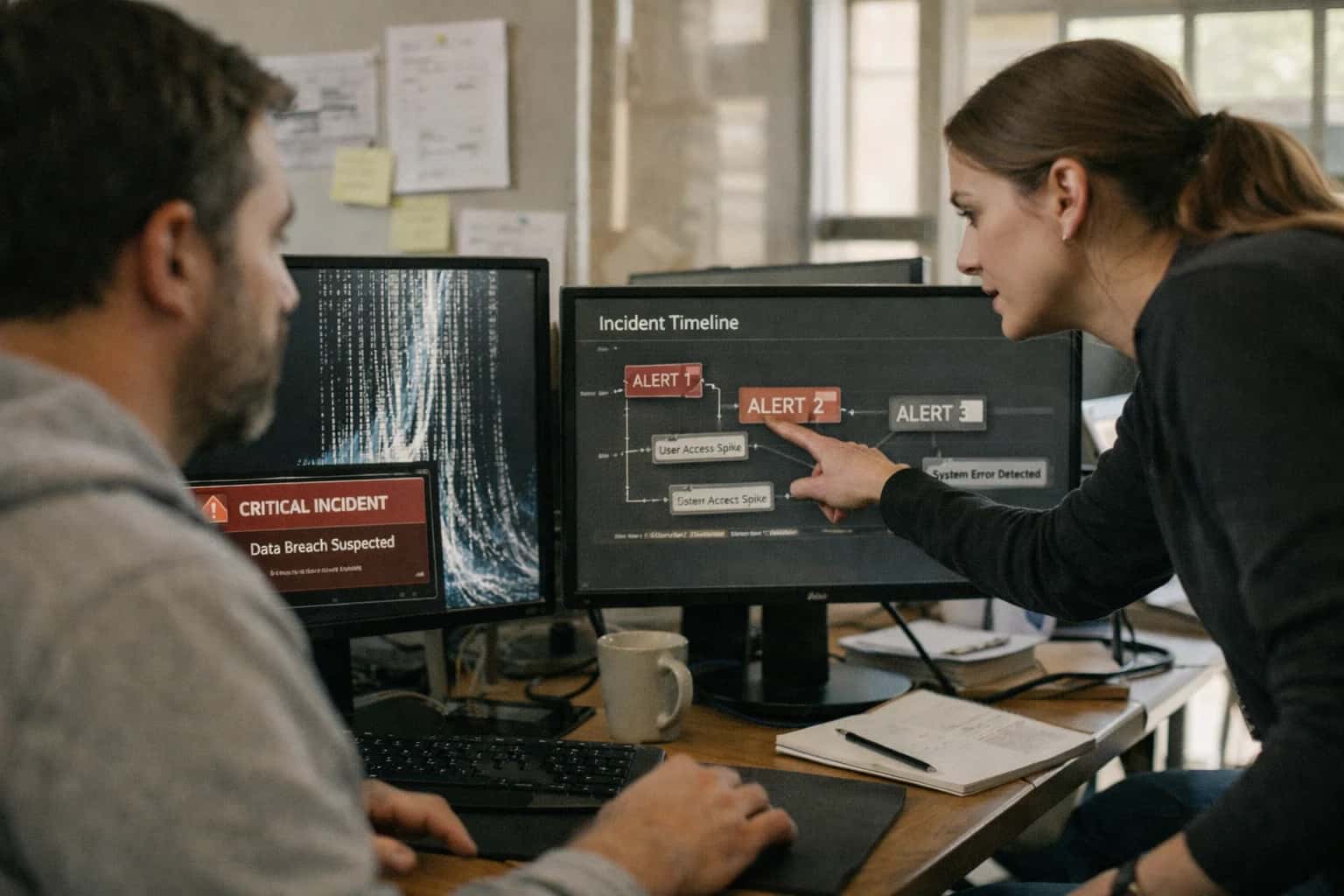
AI integration targets the Incidents queue and Incident details pane in Microsoft Sentinel. The workflow begins when an incident is created from correlated alerts. An AI agent, triggered via an Automation Rule or Logic App, ingests the incident's raw data: the alert names, descriptions, entities (users, IPs, hosts), and related raw log entries from the Incident Timeline. It synthesizes this disparate data into a concise, plain-language summary that answers the core questions: What happened, to whom, from where, and what was the potential impact? This summary is written back to the incident's Description or a custom field, providing immediate context for the assigned analyst.

Integration
AI Integration for Microsoft Sentinel Incident Summaries
Automate the synthesis of Microsoft Sentinel alerts, entities, and logs into concise, actionable incident narratives. Reduce analyst onboarding time from 15-30 minutes to seconds and improve reporting consistency.
ARCHITECTURE & ROLLOUT
Where AI Fits into Microsoft Sentinel Incident Management
Integrating AI for incident summaries transforms raw alert data into actionable narratives, accelerating analyst triage and reporting.
Implementation requires secure API calls from Azure to your chosen LLM (e.g., Azure OpenAI Service). The architecture typically involves a serverless function (Azure Function) that uses the Microsoft Sentinel REST API to fetch incident context and the Log Analytics API to retrieve relevant raw logs. The prompt sent to the LLM is engineered with Sentinel-specific context, instructing it to structure the output, avoid hallucination by grounding in provided logs, and highlight high-risk entities. Governance is critical: all summaries should be logged for audit, and a human-in-the-loop approval step can be configured for high-severity incidents before the summary is committed. This reduces manual note-taking from 15-30 minutes per complex incident to near-zero, allowing analysts to focus on investigation and response.
Rollout should be phased. Start with low-severity incidents (Sev 3) to validate summary quality and tune prompts. Use Sentinel Workbooks to monitor metrics like analyst feedback on summary usefulness and time-to-acknowledge. A key success factor is integrating this AI summary into downstream workflows—such as populating the initial post in a Microsoft Teams war room or auto-filling the "Description" field in a connected ServiceNow ticket. This creates a cohesive narrative thread from detection to resolution. For teams managing our related service, see our guide on Generative AI for Microsoft Sentinel Incidents for deeper implementation patterns.
AI FOR INCIDENT SUMMARIZATION
Integration Touchpoints Within Microsoft Sentinel
Incident Queue & Entity Enrichment
AI integration for incident summarization primarily targets the Incidents blade and the underlying Incident entity. The goal is to automate the synthesis of raw alert data, related entities (hosts, accounts, IPs), and log context into a concise, actionable narrative at incident creation or update.
Key integration surfaces include:
- Incident Trigger: Hooking into the
Microsoft.SecurityInsights/incidentsARM resource or theIncidentsAPI to invoke an AI summarization workflow when a new incident is created or its severity changes. - Entity Graph: Pulling data from the incident's
relatedEntitiesand the broader Entity store (via theEntitiesAPI) to provide context on involved users, hosts, and IP addresses. - Comment Automation: Using the
Incident CommentsAPI to append the AI-generated summary as an internal analyst note, providing immediate context without requiring deep log diving.
MICROSOFT SENTINEL
High-Value Use Cases for AI-Powered Summarization
Transform raw Microsoft Sentinel alerts, entities, and logs into concise, actionable incident narratives. These AI-driven workflows accelerate analyst onboarding, improve reporting accuracy, and free up SOC resources for higher-value investigation and response tasks.
01
Automated Incident Triage & Assignment
AI analyzes the raw alert data, related entities (hosts, users, IPs), and log context from a new Sentinel incident to generate a concise summary and initial severity assessment. This summary is used to auto-populate the incident description and tags, and can trigger Logic Apps or Automation Rules to route the ticket to the correct analyst queue based on content, reducing manual triage from the first alert.
Minutes
From alert to assigned
02
Shift Handover & War Room Briefing
At the start of a shift or during a major incident, an AI agent queries all active and recent high-severity incidents in the Sentinel workspace. It synthesizes key details—attack vector, impacted assets, current response status, and open questions—into a single briefing document or Teams message. This ensures seamless continuity and gets new responders up to speed instantly.
Hours -> Minutes
Onboarding time
03
Executive & Compliance Reporting
Instead of manually compiling data from multiple incidents and workbooks, an AI workflow runs scheduled KQL queries to pull resolved incident data for a period (e.g., weekly, monthly). It then generates a structured narrative report covering volume trends, top threat categories, mean time to respond (MTTR), and lessons learned, formatted for leadership or audit reviews.
1 sprint
Report automation timeline
04
Enrichment for SOAR Playbooks
Within a Microsoft Sentinel SOAR playbook (via Logic Apps or Azure Functions), call an AI model to summarize the collected evidence—such as raw logs from Azure Storage, entity timelines, and threat intel results—before a human review step. This provides the analyst with a distilled narrative, highlighting the most relevant data points and potential connections, speeding up decision-making for containment actions.
Context-Rich
Playbook inputs
05
Hunting Query Explanation & Documentation
When a security analyst creates a complex KQL hunting query that yields interesting results, an AI co-pilot can analyze the query logic and result set to generate a plain-English explanation of what the search is detecting and why it might be significant. This documentation is automatically attached to the saved query or hunting bookmark, improving knowledge sharing and auditability.
06
Post-Incident Retrospective Synthesis
After an incident is closed, an automated process gathers all artifacts: the incident timeline, analyst comments, attached bookmarks, and playbook run histories. AI synthesizes this disparate data into a cohesive root-cause analysis and narrative timeline, forming the first draft of the post-mortem report. This ensures critical details are captured while the event is fresh and reduces the documentation burden on responders.
Same day
Report draft ready
MICROSOFT SENTINEL
Example AI Summarization Workflows
These workflows illustrate how AI can be integrated into Microsoft Sentinel's incident lifecycle to automate narrative creation, pulling context from alerts, entities, logs, and external sources to produce actionable summaries for analysts.
Trigger: A new Microsoft Sentinel incident is created with a medium or high severity.
Data Pulled:
- Incident alerts, entities (IPs, users, hosts), and raw log events via the
IncidentandAlertARM APIs. - Related hunting bookmark data and watchlist matches.
- Asset criticality from a connected CMDB (via Logic Apps or Azure Function).
AI Action: A pre-configured Azure AI Studio flow or deployed model is invoked via webhook. The prompt instructs the LLM to:
- Identify the primary attack technique (mapped to MITRE ATT&CK).
- List the key entities involved and their roles (attacker, target, pivot).
- Summarize the sequence of events from the raw logs.
- State the current containment status (e.g., "User session active," "IP not yet blocked").
System Update:
The generated markdown summary is posted back to the Sentinel incident's Comments via the Graph Security API or Incidents ARM API. The incident's description is updated with the AI-generated headline.
Human Review Point: The analyst reviews the summary upon opening the incident, using it to rapidly understand scope and decide on immediate next steps (escalate, investigate, close).
FROM LOGS TO NARRATIVE
Typical Implementation Architecture
A production-ready architecture for generating AI-powered incident summaries in Microsoft Sentinel.
The integration is typically built as a secure, serverless workflow triggered by the Microsoft Sentinel Incidents API. When a new incident is created or reaches a defined severity threshold (e.g., High or Medium), an Azure Logic App or Azure Function is invoked. This function retrieves the full incident context, including the raw alerts, entities (hosts, users, IPs), and related log data from the Azure Log Analytics workspace using Kusto Query Language (KQL). This raw, often disparate, data is then packaged into a structured prompt for a large language model (LLM).
The LLM call—using Azure OpenAI Service for data residency and security compliance—synthesizes the technical details into a concise, plain-language summary. The prompt is engineered to focus on the "who, what, when, and where": the affected user or host, the primary alert type and MITRE ATT&CK tactic, the timeline of key events, and the potential scope or impact. The generated summary, along with key extracted indicators, is then written back to the incident's comments or custom details fields via the Sentinel API, providing immediate value to the investigating analyst without requiring them to leave the console.
Governance and safety are wired into the architecture. All prompts and model outputs are logged to a dedicated audit Log Analytics table for review. A human-in-the-loop approval step can be inserted for critical incidents before the summary is posted. The system is designed for incremental rollout, starting with a subset of alert product names (e.g., "Microsoft Defender for Endpoint") to validate summary quality and analyst feedback before scaling to the entire incident queue.
IMPLEMENTATION PATTERNS
Code and Payload Examples
Summarizing Sentinel Incidents with AI
The core logic involves querying the Sentinel incident, its related alerts, entities, and comments, then synthesizing a concise narrative. This pattern uses the Microsoft Graph Security API or Azure Logic Apps to retrieve data, then calls an LLM via the Azure OpenAI service.
Key data points to include in the prompt:
- Incident title, severity, and status.
- List of related alerts with their product names and titles.
- Extracted entities (users, hosts, IPs, files).
- Analyst comments and investigation notes.
- The goal is a 3-5 sentence summary covering: what happened, what was affected, the current state, and suggested next steps. This summary is then written back to the incident's description or a custom field.
AI-POWERED INCIDENT SUMMARIZATION
Realistic Time Savings and Operational Impact
This table illustrates the operational impact of integrating AI for automated incident summarization in Microsoft Sentinel, based on typical SOC workflows before and after deployment.
| Metric | Before AI | After AI | Notes |
|---|---|---|---|
Initial incident review time | 15-30 minutes per analyst | 2-5 minutes to review AI summary | AI synthesizes alerts, entities, and logs into a narrative, eliminating manual log correlation. |
Onboarding new analysts | Days to weeks for proficiency | Hours to understand AI-summarized context | Summaries provide immediate situational awareness, reducing ramp-up time. |
Handoff between shifts | Manual briefing or lengthy notes | Concise, structured summary in the incident | Reduces information loss and ensures continuity of investigation. |
Executive/Stakeholder reporting | Manual compilation post-incident | Draft narrative available in real-time | SOC leads can generate initial reports from the AI summary, saving hours per major incident. |
False positive triage | Full log review required | Quick scan of AI summary often sufficient | Summaries highlight key anomalies and context, allowing rapid dismissal of noise. |
Audit trail for compliance | Manual extraction from comments and logs | Structured summary appended to incident record | Provides a clear, auditable narrative of analyst reasoning and findings. |
Cross-team collaboration (e.g., IT, Legal) | Time-consuming explanations and data sharing | Shared summary provides common operational picture | Reduces back-and-forth and ensures all teams start from the same understanding. |
ARCHITECTING A CONTROLLED IMPLEMENTATION
Governance, Security, and Phased Rollout
A production-ready AI integration for Microsoft Sentinel requires careful planning around data security, model governance, and incremental deployment to ensure value and maintain control.
The integration architecture typically involves a secure, serverless function (like an Azure Function) triggered by a Microsoft Sentinel Automation Rule when a new incident is created. This function calls an AI inference endpoint—hosted in your Azure tenant for data residency—passing only the necessary, anonymized context from the incident's alerts, entities, and related log data. The AI service returns a structured summary, which is appended to the incident's Comments or a custom field via the Sentinel API. All data flows stay within your Azure environment, and API calls are authenticated using Azure Managed Identities, avoiding hard-coded secrets.
A phased rollout is critical for adoption and tuning. Start with a monitoring-only phase: deploy the integration to a single, low-severity incident queue (e.g., Informational or Low). The AI-generated summaries are written to a log for review without modifying live incidents. This allows SOC leads to validate accuracy, refine the prompt templates, and establish a baseline. Next, move to an assistive phase, where summaries are written to a custom incident field visible to analysts, who can choose to use or ignore them. Finally, after confidence is built, enable the automation phase where high-fidelity summaries are automatically posted to all incidents in designated queues, reducing manual work.
Governance is built around the AI model's behavior and data handling. Implement prompt management to version-control and audit the instructions sent to the LLM, ensuring they avoid hallucinations and stick to factual synthesis from the provided context. Establish a human review loop for edge cases by routing low-confidence summaries (based on model scoring or anomaly detection) to a senior analyst for approval. All summary generation activity should be logged to a dedicated Log Analytics workspace for an audit trail, capturing the incident ID, timestamp, prompt version, and any user feedback. This creates a closed-loop system where the integration's performance can be continuously measured and improved, ensuring it remains a reliable force multiplier for the SOC.
Enabling Efficiency, Speed & Accuracy
Intelligent Analysis, Decision & Execution
We build AI systems for teams that need search across company data, workflow automation across tools, or AI features inside products and internal software.
Talk to Us
Search across company data
Give teams answers from docs, tickets, runbooks, and product data with sources and permissions.
Useful when people spend too long searching or get different answers from different systems.
Enterprise searchRAGPermissions
Read more
Automate internal workflows
Use AI to route work, draft outputs, trigger actions, and keep approvals and logs in place.
Useful when repetitive work moves across multiple tools and teams.
AI agentsWorkflow automationGovernance
Read more
Add AI to products and internal tools
Build assistants, guided actions, or decision support into the software your team or customers already use.
Useful when AI needs to be part of the product, not a separate tool.
AI integrationDecision supportModel routing
Read moreMICROSOFT SENTINEL AI INTEGRATION
Frequently Asked Questions
Practical questions about implementing AI for automated incident summarization in Microsoft Sentinel, covering architecture, security, and operational impact.
The integration is built using Microsoft Sentinel's Automation Rules and Logic Apps (or Azure Functions for more complex orchestration).
Typical Trigger & Flow:
- Trigger: A new Microsoft Sentinel incident is created or updated, meeting defined criteria (e.g., severity is Medium or higher).
- Context Retrieval: The automation calls the Microsoft Sentinel API to fetch the incident details, including all related alerts, entities (hosts, users, IPs), and any custom details from the
IncidentInfoandAlertInfotables. - AI Action: This enriched context is sent to a configured AI model endpoint (e.g., Azure OpenAI, a fine-tuned model, or a secure Inference Systems gateway). The model synthesizes the data into a concise narrative.
- System Update: The generated summary is posted back to the incident as a comment and/or written to a custom incident table field (like
IncidentSummary). - Human Review Point: The summary is presented to the analyst as an aid. All actions are logged in Azure Monitor for auditability.

About the author
Prasad Kumkar
CEO & MD, Inference Systems
Prasad Kumkar is the CEO & MD of Inference Systems and writes about AI systems architecture, LLM infrastructure, model serving, evaluation, and production deployment. Over 5+ years, he has worked across computer vision models, L5 autonomous vehicle systems, and LLM research, with a focus on taking complex AI ideas into real-world engineering systems.
His work and writing cover AI systems, large language models, AI agents, multimodal systems, autonomous systems, inference optimization, RAG, evaluation, and production AI engineering.
LinkedIn
Limited slotsGet a Free AI Consultation
Partnered with leading AI, data, and software stack.





How We Work
Custom AI workflows for your Business
One-fit-all AI don't work for modern businesses. At Inferensys, we aim to understand your business & custom requirements; which we use to define most efficient agentic workflows, the data, and the tools for your business.
01
Review the use case
We understand the task, the users, and where AI can actually help.
Read more02
Pick the right approach
We define what needs search, automation, or product integration.
Read more03
Build the first useful version
We implement the part that proves the value first.
Read more04
Improve from there
We add the checks and visibility needed to keep it useful.
Read moreThe first call is a practical review of your use case and the right next step.
Talk to Us