RAG systems connect directly to the data lake or operational database of your retail execution platform. The primary data sources are: audit_history, task_comments, photo_metadata, playbook_documents, and compliance_manuals. These are indexed into a vector store (like Pinecone or Weaviate) alongside structured records like store_id, audit_score, and rep_id. This creates a searchable knowledge layer that grounds AI responses in your specific operational history and rules.

Integration
AI Integration for Retail Execution RAG Implementation
A technical implementation guide for building Retrieval-Augmented Generation (RAG) systems using retail execution platform data (manuals, audit history, playbooks) to power accurate, grounded field assistant chatbots.
ARCHITECTURE BLUEPRINT
Where RAG Fits into Retail Execution Platforms
A practical guide to implementing Retrieval-Augmented Generation (RAG) for field teams using data from Repsly, Zipline, YOOBIC, and Movista.
In practice, a field rep using a Zipline or Repsly mobile app can ask, "What's the correct fixture height for Brand X in a grocery endcap?" The RAG system retrieves the relevant playbook section, past audit photos demonstrating correct execution, and any recent exception reports for that store. The LLM synthesizes a concise, actionable answer, citing its sources. This moves guidance from a manual search across PDFs and past reports to a seconds-long, context-aware interaction directly within the field workflow.
Rollout is typically phased: start with a read-only chatbot for managers to query historical data, then embed contextual copilots into task assignment and audit review screens. Governance is critical: implement RBAC to control data access by region or role, maintain audit logs of all queries and retrieved documents, and establish a human review loop for any AI-generated task assignments or compliance flags before they trigger automated workflows in the core platform.
RAG IMPLEMENTATION BLUEPRINT
Key Data Sources and Integration Points
Audit Notes, Photos, and Playbooks
This is the primary fuel for a retail execution RAG system. It includes the unstructured text and visual data collected by field teams during store visits.
Key Sources:
- Audit Comments & Notes: Free-text observations from reps on compliance, merchandising, and store conditions.
- Task Completion Notes: Explanations for delays, issues encountered, or resolutions provided.
- Digital Playbooks & Manuals: PDFs, Word docs, and knowledge base articles containing standard operating procedures (SOPs), planogram guides, and safety protocols.
- Captured Images: Photos of shelves, displays, promotions, and store signage submitted as audit evidence.
Integration Pattern: These assets are typically stored as file attachments or in large text fields within platform objects (e.g., Audit, Task, Visit). A batch ingestion job extracts text via OCR (for images) and PDF parsing, chunks the content, and indexes it into a vector database. This creates a searchable knowledge corpus for the assistant.
RETAIL EXECUTION PLATFORMS
High-Value RAG Use Cases for Field Operations
Deploying Retrieval-Augmented Generation (RAG) on your retail execution data turns unstructured field notes, audit histories, and operational playbooks into a dynamic knowledge layer for field teams and managers. These are the most impactful patterns we implement for platforms like Repsly, Zipline, YOOBIC, and Movista.
01
Field Assistant Chatbot
Deploy a secure chatbot that lets reps ask natural language questions against the entire corpus of store data. Workflow: A rep in a store asks, 'What were the top three compliance issues for this location last quarter?' The RAG system queries past audit summaries, playbooks, and corrective action notes from the platform's database to provide a concise, sourced answer within the team's messaging app or mobile interface.
Minutes vs. Manual Search
Time to answer
02
Automated Audit Summary & Root Cause Analysis
Transform raw audit data—checklists, photos, notes—into executive-ready summaries with identified trends. Workflow: After a district manager completes a store audit in Repsly, an AI agent is triggered via webhook. It analyzes all submitted data, compares findings against historical results and brand standards, and generates a paragraph summary highlighting critical fails, probable root causes (e.g., training gap, signage shortage), and suggested next steps, posted as a comment on the audit.
Batch -> Real-time
Report generation
03
Dynamic Playbook & Resolution Guidance
Provide context-aware guidance by retrieving the most relevant SOPs for a field-identified issue. Workflow: A rep flags a 'planogram mismatch' in YOOBIC and uploads a photo. The RAG system retrieves the official planogram document, recent similar issues from other stores, and the approved resolution workflow from the knowledge base. It surfaces a step-by-step guide and the correct form to submit for vendor chargeback, all within the task interface.
Reduce Escalations
First-contact resolution
04
Manager Copilot for Performance Coaching
Equip district managers with AI-driven insights to coach reps effectively. Workflow: A manager reviews a rep's performance dashboard in Zipline. The copilot, powered by RAG over the rep's audit history, completion rates, and feedback notes, suggests personalized talking points: 'Consider reviewing planogram adherence with Jane; her score is 15% below district average. Here are two training modules from the LMS that address common gaps.'
Data-Driven
Coaching prep
05
Compliance Query Engine for Legal & Ops
Enable rapid investigation into compliance status across regions by querying natural language against audit archives. Workflow: A compliance officer needs to prepare for a regulatory visit. Instead of manually running reports, they ask the RAG system: 'Show all stores in Region West that failed food safety audit section 4.2B in the last 90 days and the corrective actions taken.' The system returns a structured list with links to audit records and evidence, compiling in seconds what used to take hours.
Hours -> Minutes
Investigation time
06
Intelligent Onboarding & Knowledge Retrieval
Accelerate new hire ramp-up with a searchable knowledge base built from years of field data. Workflow: A new merchandiser encounters an unfamiliar promotional setup. They ask the field assistant, 'How do we execute the summer beverage endcap promotion?' The RAG system retrieves the official playbook, images of correctly executed setups from top-performing stores, and common pitfalls noted by veteran reps, delivering a comprehensive guide to the user's mobile device.
Reduce Ramp Time
Time to proficiency
RETAIL EXECUTION IMPLEMENTATION PATTERNS
Example RAG-Powered Workflows
These workflows illustrate how Retrieval-Augmented Generation (RAG) connects to retail execution platforms like Repsly, Zipline, YOOBIC, and Movista. Each pattern shows a concrete automation path from trigger to resolution, using platform data to ground AI responses in actual store history, manuals, and playbooks.
Trigger: A store audit is submitted in Repsly/YOOBIC with an overall score below the compliance threshold (e.g., <85%).
Context Retrieval: The RAG system queries:
- The specific audit form, questions, and photo evidence for the failed store.
- Historical audit results for the same store and same audit type.
- The retailer's playbook or compliance manual sections relevant to the failed questions (e.g., "Planogram Execution Standards").
- Past corrective action tasks created for similar failures.
Agent Action: An LLM agent analyzes the context and generates:
- A root-cause summary (e.g., "Primary failure due to out-of-stock on SKU #12345 in Aisle 7, secondary issue with promotional signage not displayed.").
- A corrective action plan with 2-3 specific steps.
- A pre-populated follow-up task for the field rep or store manager, including due date and reference photos.
System Update: Via the platform's API (e.g., Repsly Tasks API), the system:
- Creates the new task in the platform, assigned to the appropriate party.
- Posts the root-cause summary as a comment on the original audit.
- Updates a dashboard flag for the district manager.
Human Review Point: The district manager receives an alert and can modify or approve the auto-generated task before it's assigned.
A PRODUCTION BLUEPRINT FOR RETAIL EXECUTION
RAG System Architecture and Data Flow
A practical guide to building a Retrieval-Augmented Generation (RAG) system that grounds AI responses in your retail execution platform's data.
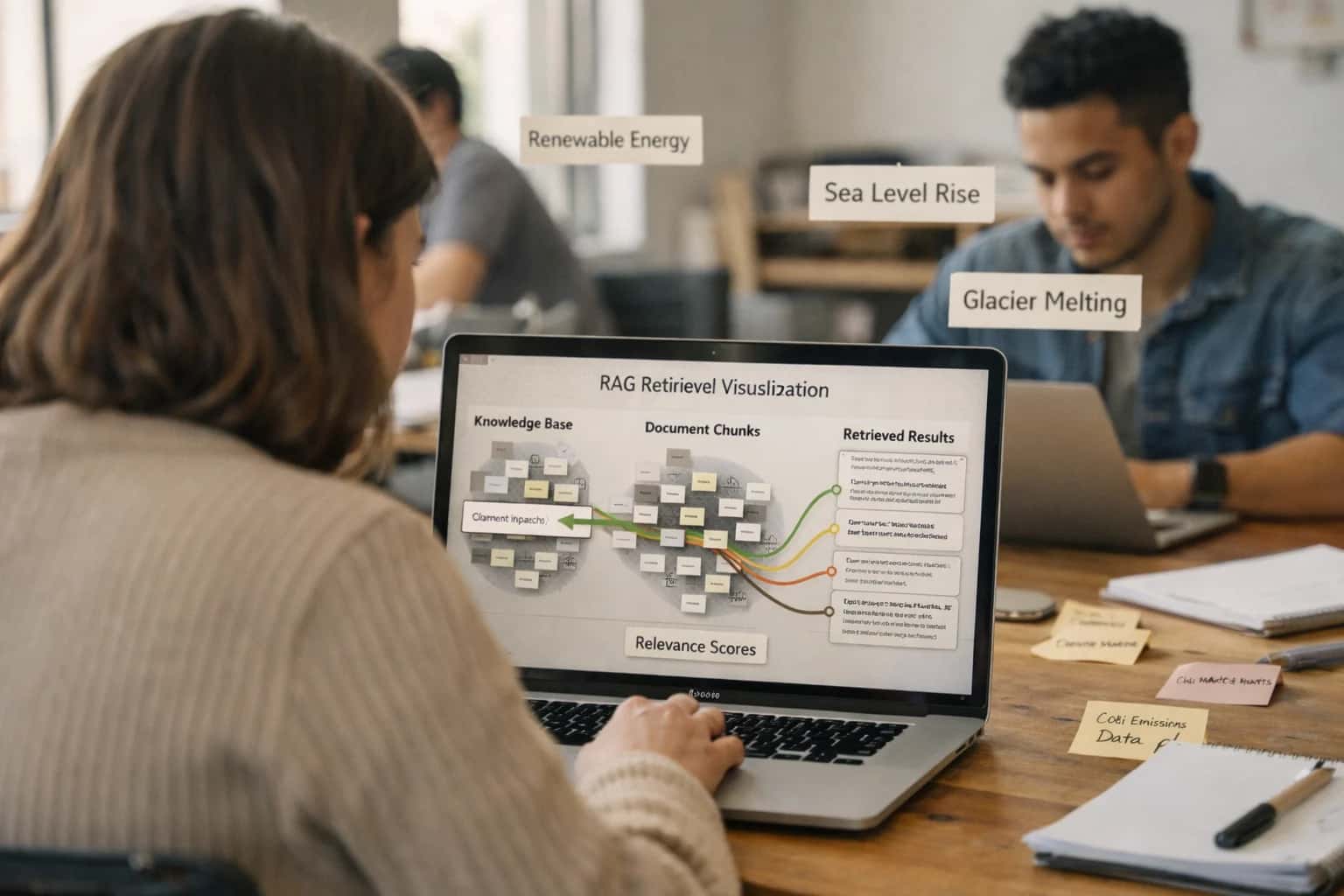
A production RAG system for retail execution platforms like Repsly, Zipline, YOOBIC, or Movista connects three core layers: a data ingestion pipeline, a vector knowledge base, and an orchestration agent. The pipeline continuously processes unstructured data from platform modules—store audit notes, compliance manuals, task resolution comments, uploaded planogram PDFs, and historical playbooks—using embeddings models to create searchable vectors. This transforms tribal knowledge locked in comment fields and file stores into a queryable asset for field teams and managers.
The workflow begins when a user—a field rep in a store or a district manager—asks a question via an integrated chat interface (e.g., within Zipline's mobile app or a separate dashboard). An orchestration agent, such as a tool built with CrewAI or n8n, receives the query, enriches it with context (user role, store ID, current task), and performs a semantic search against the vector store (e.g., Pinecone or Weaviate). The system retrieves the top 3-5 most relevant document chunks—such as a snippet from a frozen food safety manual, a similar past audit resolution, or a playbook for a specific promotion—and injects them into a carefully engineered prompt for an LLM like GPT-4 or Claude. The LLM synthesizes a grounded, actionable answer, citing its sources, which is then delivered back to the user and logged for audit.
Rollout and governance are critical. Start with a pilot module, such as compliance Q&A or merchandising support, using a subset of historical audit data. Implement a human-in-the-loop review system where initial AI-generated responses are flagged for manager validation within the retail platform's task queue before being added to a trusted knowledge base. Ensure the architecture respects data privacy by never sending PII or store imagery directly to external LLM APIs; instead, use local embedding models or a private cloud deployment. This RAG pattern turns your retail execution platform from a system of record into a system of intelligence, reducing time-to-answer for field queries from hours of manual search to seconds.
RAG IMPLEMENTATION PATTERNS
Code and Payload Examples
Ingesting Retail Playbooks and Manuals
The first step is to process unstructured documents (PDFs, Word files, wikis) from your retail execution platform's asset library or connected storage. Use a pipeline that extracts text, splits it into semantically meaningful chunks, and generates embeddings for vector search.
Key Considerations:
- Chunk by logical sections (e.g., audit procedures, product specs, safety protocols) to preserve context.
- Attach metadata like
document_source,store_format,effective_date, andregionto each chunk for filtered retrieval. - Handle images within documents using OCR for text extraction and multimodal models for visual instruction analysis.
python# Example: Chunking a PDF audit guide from langchain.text_splitter import RecursiveCharacterTextSplitter from langchain.document_loaders import PyPDFLoader loader = PyPDFLoader("path/to/retail_audit_guide.pdf") documents = loader.load() # Split by sections marked by headers text_splitter = RecursiveCharacterTextSplitter( chunk_size=1000, chunk_overlap=200, separators=["\n\n", "\n", ".", "!", "?", ",", " ", ""] ) chunks = text_splitter.split_documents(documents) # Attach metadata for filtered retrieval for chunk in chunks: chunk.metadata.update({ "doc_type": "audit_procedure", "platform": "Repsly", "category": "Food_Safety" })
RETAIL EXECUTION RAG IMPLEMENTATION
Realistic Operational Impact and Time Savings
A comparison of manual processes versus an AI-integrated RAG system for field support, showing realistic time savings and operational improvements for retail leaders.
| Workflow / Metric | Before AI (Manual Process) | After AI (RAG-Enabled) | Implementation Notes |
|---|---|---|---|
Field Rep Query Resolution | Search multiple PDFs/portals; 15-45 min avg. | Chatbot provides cited answer in <1 min. | Answers grounded in manuals, audit history, and playbooks. |
Compliance Audit Review | Manager reviews 50+ audit notes; 2-4 hours weekly. | AI summarizes exceptions & root causes in 10 min. | Human final approval required; focuses review on high-risk items. |
New Policy Rollout Support | Email blast; reps search inbox for FAQs. | Context-aware agent pushes relevant excerpts to rep's mobile feed. | Integrated with Zipline/Repsly comms; tracks comprehension. |
Merchandising Playbook Lookup | Flip through physical binder or slow intranet site. | Upload planogram image, get step-by-step guidance via chat. | Uses RAG on visual guides and past execution photos. |
Root Cause Analysis for Failed Audits | Manual correlation of audit history across stores; next-day report. | AI identifies patterns & suggests probable causes in <30 min. | Analyst validates findings before action. |
Field Training Material Search | Rep asks manager; manager searches shared drive. | Natural language query returns exact video clip or procedure doc. | Indexes training libraries, webinar transcripts, and SOPs. |
Regional Performance Reporting | Ops analyst consolidates data from 3 platforms; 1 day monthly. | Automated report drafted in 2 hours, highlighting anomalies. | Pulls from RAG-enriched data lake; human edits final version. |
ARCHITECTING FOR PRODUCTION
Governance, Security, and Phased Rollout
A secure, governed rollout is critical for AI systems handling sensitive retail field data.
A production RAG system for retail execution must be built with data sovereignty and role-based access from the start. This means architecting the integration to respect the existing user permissions and data segregation in platforms like Repsly, Zipline, or YOOBIC. The vector store and LLM context windows should be scoped by tenant, region, and user role, ensuring a field rep can only query data from their assigned stores. All AI-generated outputs should be logged with a full audit trail—linking the response to the source audit documents, prompts used, and the user who requested it—for compliance and model improvement.
Security is non-negotiable. Implement the integration using the platform's official APIs and webhooks over secure channels. For processing, use a dedicated, isolated environment. Personally Identifiable Information (PII) from notes or images should be redacted or tokenized before embedding. For public cloud LLMs, ensure a zero-data retention agreement is in place, or opt for a private deployment. Consider a hybrid retrieval strategy where sensitive operational playbooks are kept in a private vector database, while public knowledge (e.g., product manuals) can use a managed service, balancing cost with control.
Roll this out in phases to manage risk and demonstrate value. Phase 1: Pilot a single workflow, such as audit summarization for a specific region. This limits scope, allows for prompt tuning, and builds trust. Phase 2: Expand use cases and data sources, adding task guidance and connecting to more document types. Phase 3: Scale horizontally, enabling the chatbot for all field teams and integrating AI insights back into platform dashboards and alerting systems. Each phase should include a human-in-the-loop review step initially, with automated workflows gated by confidence scoring. This measured approach ensures the AI augments—rather than disrupts—critical retail operations.
For long-term governance, establish a cross-functional team (Retail Ops, IT, Compliance) to oversee the AI system. They will manage the knowledge base curation (retiring outdated playbooks), monitor for model drift (e.g., declining answer quality as new product launches change terminology), and handle escalation workflows when the AI is uncertain. This operationalizes the integration, turning a technical project into a sustained capability. For related architectural patterns, see our guide on AI Integration for Retail Execution Platform APIs.
Enabling Efficiency, Speed & Accuracy
Intelligent Analysis, Decision & Execution
We build AI systems for teams that need search across company data, workflow automation across tools, or AI features inside products and internal software.
Talk to Us
Search across company data
Give teams answers from docs, tickets, runbooks, and product data with sources and permissions.
Useful when people spend too long searching or get different answers from different systems.
Enterprise searchRAGPermissions
Read more
Automate internal workflows
Use AI to route work, draft outputs, trigger actions, and keep approvals and logs in place.
Useful when repetitive work moves across multiple tools and teams.
AI agentsWorkflow automationGovernance
Read more
Add AI to products and internal tools
Build assistants, guided actions, or decision support into the software your team or customers already use.
Useful when AI needs to be part of the product, not a separate tool.
AI integrationDecision supportModel routing
Read moreRETAIL EXECUTION RAG IMPLEMENTATION
Frequently Asked Questions
Practical questions from technical leaders and retail operations teams planning to build Retrieval-Augmented Generation (RAG) systems using their retail execution platform data.
Focus on unstructured and semi-structured data that field teams already create. High-value sources include:
- Audit notes and comments: Free-text observations from store visits.
- Task resolution details: Explanations of how issues were fixed.
- Playbooks and SOPs: PDFs or knowledge base articles for compliance, merchandising, and safety.
- Historical audit summaries: Past reports that contain context on recurring issues.
- Image metadata and captions: Descriptions of photos taken during audits.
Implementation note: You'll need to use the platform's REST APIs (e.g., GET /audits, GET /tasks) or webhook streams to extract this data. Structure your RAG ingestion pipeline to pull incremental updates to avoid full re-indexing.

About the author
Prasad Kumkar
CEO & MD, Inference Systems
Prasad Kumkar is the CEO & MD of Inference Systems and writes about AI systems architecture, LLM infrastructure, model serving, evaluation, and production deployment. Over 5+ years, he has worked across computer vision models, L5 autonomous vehicle systems, and LLM research, with a focus on taking complex AI ideas into real-world engineering systems.
His work and writing cover AI systems, large language models, AI agents, multimodal systems, autonomous systems, inference optimization, RAG, evaluation, and production AI engineering.
LinkedIn
Limited slotsGet a Free AI Consultation
Partnered with leading AI, data, and software stack.





How We Work
Custom AI workflows for your Business
One-fit-all AI don't work for modern businesses. At Inferensys, we aim to understand your business & custom requirements; which we use to define most efficient agentic workflows, the data, and the tools for your business.
01
Review the use case
We understand the task, the users, and where AI can actually help.
Read more02
Pick the right approach
We define what needs search, automation, or product integration.
Read more03
Build the first useful version
We implement the part that proves the value first.
Read more04
Improve from there
We add the checks and visibility needed to keep it useful.
Read moreThe first call is a practical review of your use case and the right next step.
Talk to Us