Traditional POS dashboards in platforms like Toast, Square for Restaurants, or Clover provide static reports on sales, labor, and inventory. An AI integration layers a conversational interface on top of these existing APIs—such as Toast’s Reporting API or Square’s Labor API—allowing finance managers and GMs to ask natural language questions like 'Why did labor cost spike 22% last Tuesday?' or 'Show me top-selling menu items by profitability this month.' The AI agent parses the intent, constructs the appropriate API call to fetch the underlying data (e.g., timecards, sales mix, prime cost), and returns a synthesized, plain-English answer with relevant charts or deep-dive links.

Integration
AI Integration for Restaurant Reporting and Analytics
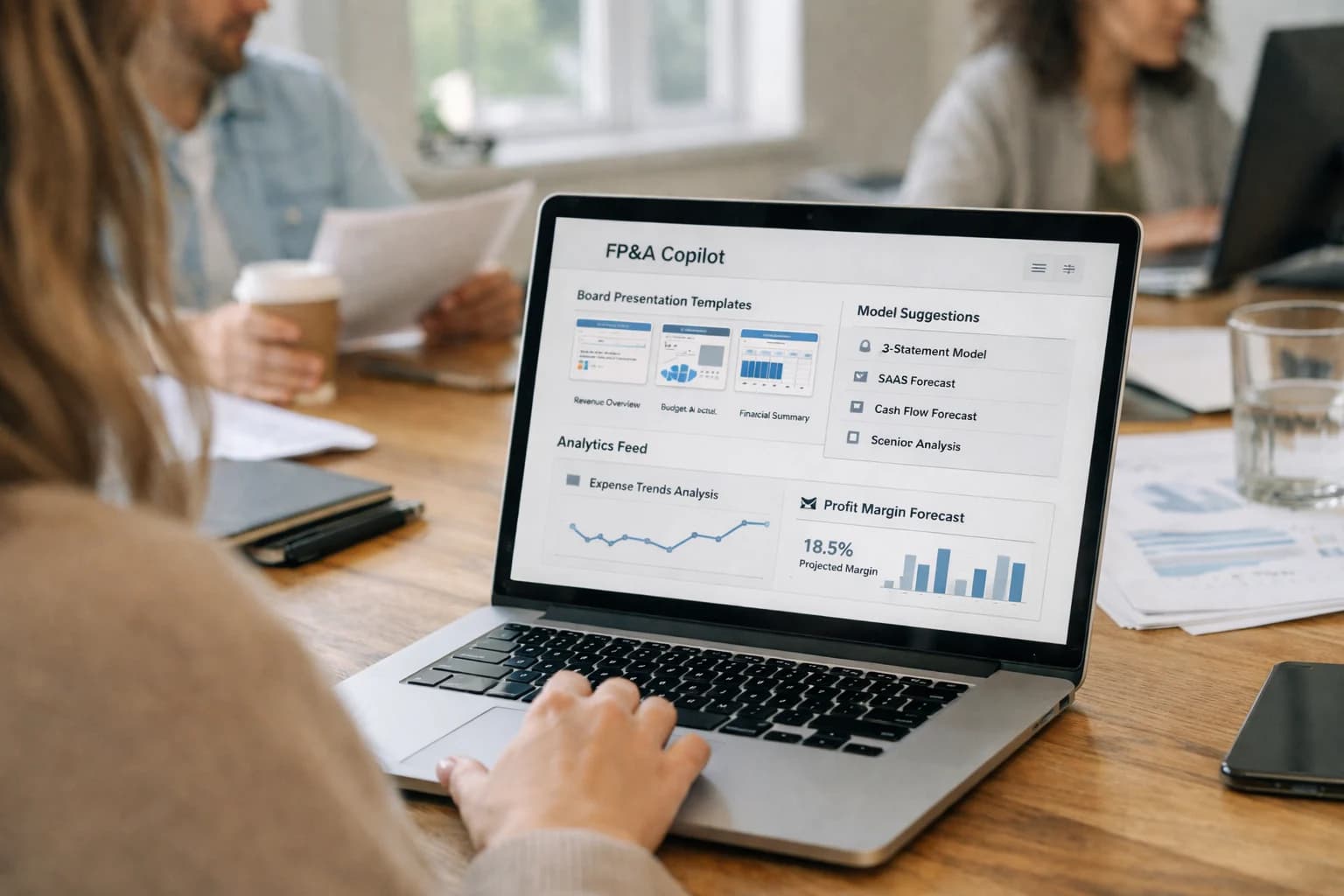
Build AI copilots that connect to POS reporting APIs (Toast, Square, TouchBistro, Clover) to answer natural language queries, detect anomalies, and generate automated daily digests for finance and GM roles.
ARCHITECTURE & ROLLOUT
From Static Reports to Conversational Intelligence
A technical blueprint for building AI copilots that connect directly to your POS reporting APIs, transforming raw data into actionable, conversational insights.
Implementation begins by establishing a secure data pipeline. Using OAuth 2.0, the integration authenticates with the POS platform to pull daily aggregates or real-time streams into a dedicated data store. An AI orchestration layer (built with frameworks like LangChain or CrewAI) maps common queries to specific API endpoints and data objects: 'labor' queries trigger calls to the Labor API and join with Sales Data; 'waste' questions pull from Inventory Counts and Waste Logs. For complex analysis—like predicting next week's covers—the system can call external models using the POS's historical transaction data as context. All queries and generated insights are logged with user IDs for a full audit trail.
Rollout should be phased, starting with a pilot group of managers. Begin with read-only queries against a mirrored production dataset to build trust and refine prompt grounding. Phase two introduces anomaly detection workflows, where the AI automatically analyzes end-of-day reports and sends Slack alerts for outliers in food cost percentage or server discounting. The final phase enables prescriptive actions, such as allowing the AI to generate and submit a suggested prep list to the kitchen management system based on forecasted sales. Governance is critical: establish clear RBAC so that only authorized roles can access financials, and implement a human review step for any AI-generated action that would write back to the POS (e.g., adjusting a par level).
AI-READY DATA SOURCES
POS Reporting APIs & Data Surfaces
Transaction Logs and Sales APIs
This is the foundational data layer for any restaurant AI copilot. POS platforms expose detailed transaction records via APIs, typically including:
- Item-level detail: SKU, modifiers, price, time, server ID, table number.
- Payment data: Tender types, tips, discounts, and void/refund records.
- Tax and fee breakdowns.
For AI reporting, you'll ingest this data to answer questions like "What were our top 3 margin items last night?" or "Show me all checks with a discount over 20% this week." The key is structuring these raw logs into a time-series database or data warehouse where an AI agent can perform semantic search and aggregation. Use webhooks for real-time alerting on anomalies like sudden drops in average check size.
FOR FINANCE AND GENERAL MANAGERS
High-Value AI Reporting Use Cases
Move beyond static dashboards. Connect AI directly to your POS reporting APIs to enable conversational analytics, automated insight generation, and proactive anomaly detection—turning raw transaction data into actionable operational intelligence.
01
Natural Language P&L Investigation
Empower managers to ask questions in plain English like 'Why did labor cost spike last Tuesday?' or 'Show me top-selling items by margin last month.' An AI copilot queries the POS database, joins relevant datasets (sales, labor, schedules), and returns a narrative summary with supporting data points, eliminating manual report drilling.
Hours -> Minutes
Investigation time
02
Automated Daily Digest & Anomaly Alerts
Replace manual morning report compilation. An AI agent runs at close, analyzes the day's POS data against forecasts and history, and generates a concise email or Slack digest highlighting key wins, concerning variances (e.g., high waste, low check averages), and recommended actions. Flags critical issues for immediate review.
Batch -> Real-time
Insight delivery
03
Predictive Labor vs. Sales Reconciliation
AI continuously compares scheduled labor (from the POS labor module) against actual sales velocity. It identifies over/under-staffing patterns by daypart and role, providing a rolling forecast to adjust upcoming schedules automatically. Integrates with scheduling APIs in Toast or Square to suggest optimizations.
1-2%
Typical labor cost optimization
04
Menu Item Performance & Contribution Analysis
Go beyond sales volume. An AI model analyzes each menu item's profit contribution, ingredient cost volatility, preparation time, and impact on table turnover. It surfaces recommendations to re-price, promote, or re-engineer items, with integration points to the POS for menu updates and combo creation.
05
Customer Cohort & Lifetime Value Reporting
Segment your POS customer database dynamically using AI. Automatically identify high-LTV regulars, at-risk customers, and occasion-based visitors. Generate reports on cohort behavior, predict next visit likelihood, and trigger personalized marketing workflows in integrated platforms like Clover or Toast Loyalty.
06
Multi-Location Benchmarking & Roll-up
For groups, an AI layer aggregates data from multiple POS instances (Toast, Square, etc.) to create normalized performance benchmarks. Automatically flags underperforming locations or dayparts, identifies best practices from top performers, and generates consolidated financial and operational reports for leadership.
Same day
Consolidated reporting
PRACTICAL IMPLEMENTATION PATTERNS
Example AI Reporting Workflows
These workflows illustrate how AI agents connect to your POS reporting APIs, transforming raw data into actionable intelligence. Each pattern is designed to be triggered by a schedule, user query, or system event, executing a series of steps to deliver insights without manual reporting.
This workflow automates the creation and distribution of a morning financial snapshot for the General Manager and owner.
- Trigger: Scheduled daily at 6:00 AM.
- Context Pulled: The AI agent calls the POS API (e.g., Toast's
Sales Reportsendpoint, Square'sV1 PaymentsAPI) for the previous day's data. It also fetches labor data from the scheduling module and weather data from a public API. - Agent Action: The model analyzes the dataset, identifying key metrics and anomalies:
- Calculates sales vs. forecast and prior week/day.
- Computes labor cost as a percentage of sales, flagging any variance >2%.
- Identifies top 5 and bottom 5 selling menu items by margin.
- Correlates sales dips/spikes with weather events or local happenings.
- System Update: The agent generates a concise, narrative summary (3-4 paragraphs) and a bulleted list of "Actions to Consider." It formats this into an email or a Slack message.
- Human Review Point: Before sending, the summary can be configured for a quick manager review in a web dashboard, or sent directly to a designated distribution list.
Example Payload to POS API:
json{ "location_ids": ["abc123"], "time_range": { "start_at": "2024-05-14T00:00:00Z", "end_at": "2024-05-14T23:59:59Z" }, "group_by": ["ITEM"] }
FROM RAW TRANSACTIONS TO ACTIONABLE INTELLIGENCE
Implementation Architecture: Data Flow & Agent Layer
A practical blueprint for connecting AI agents to your POS reporting APIs to automate financial analysis and operational insights.
The core of this integration is a scheduled data pipeline that extracts raw transaction, labor, and inventory data from your POS platform's reporting APIs (e.g., Toast's Labor API, Square's Labor Reports API). This data is normalized, enriched with external context like weather or local events, and stored in a time-series database or data warehouse. An orchestration agent manages this ETL process, handles API rate limits, and logs any sync failures for review. The resulting dataset serves as the single source of truth for all subsequent AI analysis.
The intelligence layer consists of specialized analytics agents that operate on this prepared data. For example, a Labor Cost Agent runs daily, comparing scheduled hours against sales to flag anomalies and generate a digest. A Menu Performance Agent analyzes item-level sales and cost data weekly to suggest underperforming SKUs. These agents use predefined prompts and analytical logic—like calculating (Actual Labor Cost / Net Sales)—to generate insights. For natural language queries (e.g., 'why did labor spike last Tuesday?'), a Query Agent uses Retrieval-Augmented Generation (RAG) against the stored data and past report summaries to provide a grounded, cited answer.
Finally, an Action & Delivery Agent formats findings and routes them. High-confidence, routine insights (like a daily sales digest) are automatically pushed as formatted reports to the GM's email or a Slack channel. Anomalies that exceed a governance threshold (e.g., a 15% labor overage) can trigger a workflow that creates a task in your operations platform (like a checklist in 7shifts) or flags the issue in a manager dashboard for human review. This layered approach ensures AI augments decision-making without uncontrolled automation, keeping finance and operations leaders in the loop.
ARCHITECTURAL BLUEPRINTS FOR POS DATA
Code & Integration Patterns
Connecting to POS Reporting APIs
To build an AI copilot for analytics, you first need reliable, structured access to sales, labor, and inventory data. Modern restaurant POS platforms like Toast and Square for Restaurants provide robust REST APIs for this purpose.
A typical ingestion pipeline involves:
- Scheduled Extraction: Using a service like Apache Airflow or a serverless function to pull daily sales summaries, labor hours, and product mix reports on a cron schedule.
- Real-time Webhooks: Subscribing to webhook events for high-value, time-sensitive data like voided transactions or labor clock-ins/outs to enable real-time anomaly detection.
- Data Normalization: Transforming the raw API JSON into a unified schema (e.g., a
restaurant_facttable) to simplify downstream AI model consumption.
python# Example: Fetching daily sales data from Toast API import requests def fetch_toast_sales_report(api_key, restaurant_id, date): headers = {"Authorization": f"Bearer {api_key}"} # Toast's Reporting API endpoint for sales detail url = f"https://api.toasttab.com/v2/reports/salesDetail" params = { "restaurantGuid": restaurant_id, "businessDate": date, "pageSize": 1000 } response = requests.get(url, headers=headers, params=params) return response.json() # Returns list of transaction objects
This foundational layer ensures your AI models operate on clean, timely data.
AI-Powered Reporting for Restaurant Finance & Operations
Realistic Time Savings & Business Impact
This table illustrates the operational impact of integrating an AI copilot with your POS reporting APIs, moving from manual data wrangling to automated, conversational insights.
| Reporting Task | Before AI Integration | After AI Integration | Implementation Notes |
|---|---|---|---|
Daily P&L Review | Manual export, spreadsheet reconciliation (45-60 mins) | Automated digest delivered via email/Slack (5 mins review) | AI aggregates data from POS, inventory, and labor APIs overnight |
Investigating Cost Variances | Ad-hoc query building, cross-tabulating reports (2-3 hours) | Natural language query: 'Why did labor cost spike last Tuesday?' (10 mins) | Copilot parses structured data, identifies anomalies, and suggests root causes |
Menu Item Performance Analysis | Weekly manual report generation, comparing sales vs. food cost (3-4 hours) | On-demand analysis: 'Show top 5 margin items by location last month' (Instant) | AI connects live sales data to recipe and inventory cost databases |
Labor Compliance Reporting | Manual audit of time punches vs. schedules for breaks/overtime (4-5 hours weekly) | Automated alerting for potential violations, with summarized report (30 mins review) | System monitors POS labor data against rules, flags exceptions for manager review |
Sales Forecasting for Ordering | Historical spreadsheet trend analysis, gut-check adjustments (2 hours weekly) | AI-generated forecast with confidence intervals, factoring in events/weather (20 mins review) | Model consumes POS sales history, reservation data, and external signals |
Generating Board/Owner Reports | Collating data from 5+ sources, manual slide creation (1-2 days monthly) | Automated report generation with narrative insights and key charts (2-3 hours refinement) | AI assembles data, writes executive summary, and populates template |
Ad-hoc Operational Queries | IT ticket or analyst request, delayed by days | Immediate answer via chat: 'What was our average check size for patio vs. dining room?' | Empowers GMs and shift leads with self-service, reducing IT/analyst backlog |
ARCHITECTING FOR TRUST AND SCALE
Governance, Security & Phased Rollout
A production-ready AI integration for restaurant reporting must be built on secure data pipelines, role-based access, and a controlled rollout plan.
Your AI copilot interacts with sensitive financial and operational data from your POS (Toast, Square, TouchBistro, Clover). The architecture must enforce strict role-based access control (RBAC), ensuring a General Manager can query labor cost spikes, while a line cook cannot. All queries and AI-generated insights should be logged to an immutable audit trail, linking each 'why did labor cost spike?' question to the user, session, and underlying data queries for full traceability. Data flows from your POS reporting APIs through a secure middleware layer where PII can be tokenized before being processed by the AI model.
A phased rollout minimizes risk and maximizes adoption. Start with a read-only pilot for your finance lead, enabling natural language queries against last month's closed books. This validates data accuracy and builds trust. Phase two introduces anomaly detection, sending daily Slack digests to the GM flagging unusual variances in prime cost or sales mix. The final phase activates prescriptive workflows, where the AI doesn't just flag a labor spike but automatically drafts an adjusted schedule for the upcoming week in your POS labor module, pending manager approval.
Governance is critical. Establish a review panel (GM, Finance, Ops) to evaluate the AI's insights weekly, catching any drift or inaccuracies. Implement a human-in-the-loop for any automated action, like generating purchase orders. Use your POS's existing approval workflows (e.g., Toast Manager Approval) as the gate. This controlled, incremental approach ensures the AI augments—never replaces—your team's expertise, turning data into decisive action without compromising security or operational control.
Enabling Efficiency, Speed & Accuracy
Intelligent Analysis, Decision & Execution
We build AI systems for teams that need search across company data, workflow automation across tools, or AI features inside products and internal software.
Talk to Us
Search across company data
Give teams answers from docs, tickets, runbooks, and product data with sources and permissions.
Useful when people spend too long searching or get different answers from different systems.
Enterprise searchRAGPermissions
Read more
Automate internal workflows
Use AI to route work, draft outputs, trigger actions, and keep approvals and logs in place.
Useful when repetitive work moves across multiple tools and teams.
AI agentsWorkflow automationGovernance
Read more
Add AI to products and internal tools
Build assistants, guided actions, or decision support into the software your team or customers already use.
Useful when AI needs to be part of the product, not a separate tool.
AI integrationDecision supportModel routing
Read moreIMPLEMENTATION AND OPERATIONS
Frequently Asked Questions
Practical questions from finance managers, GMs, and technical teams planning AI integrations for restaurant reporting.
Secure integration follows a layered approach:
- API Authentication: Use OAuth 2.0 or API keys provisioned through your POS platform's developer portal (e.g., Toast Developer Portal, Square Developer Dashboard). Credentials are never hard-coded.
- Data Pipeline Architecture: Deploy a lightweight integration service (often in your cloud) that:
- Polls the POS API on a schedule (e.g., for daily sales, labor data).
- Listens to POS webhooks for real-time events (e.g., a large void, end-of-day close).
- Transforms and anonymizes data before sending it to the AI layer.
- AI Layer Access: The AI model or agent (e.g., a RAG system) queries this processed data store, not the POS directly. This abstracts the core system.
- Audit & RBAC: All queries are logged with user ID, timestamp, and data scope. Role-based access ensures a server can't ask for P&L details.
Example Payload for a Secure Query:
json{ "user_id": "gm_12345", "role": "general_manager", "query": "Why did labor cost spike last Tuesday?", "data_scope": ["labor_reports", "sales_reports"], "timestamp": "2024-05-21T14:30:00Z" }
The system checks the role against permissions for data_scope before executing.

About the author
Prasad Kumkar
CEO & MD, Inference Systems
Prasad Kumkar is the CEO & MD of Inference Systems and writes about AI systems architecture, LLM infrastructure, model serving, evaluation, and production deployment. Over 5+ years, he has worked across computer vision models, L5 autonomous vehicle systems, and LLM research, with a focus on taking complex AI ideas into real-world engineering systems.
His work and writing cover AI systems, large language models, AI agents, multimodal systems, autonomous systems, inference optimization, RAG, evaluation, and production AI engineering.
LinkedIn
Limited slotsGet a Free AI Consultation
Partnered with leading AI, data, and software stack.





How We Work
Custom AI workflows for your Business
One-fit-all AI don't work for modern businesses. At Inferensys, we aim to understand your business & custom requirements; which we use to define most efficient agentic workflows, the data, and the tools for your business.
01
Review the use case
We understand the task, the users, and where AI can actually help.
Read more02
Pick the right approach
We define what needs search, automation, or product integration.
Read more03
Build the first useful version
We implement the part that proves the value first.
Read more04
Improve from there
We add the checks and visibility needed to keep it useful.
Read moreThe first call is a practical review of your use case and the right next step.
Talk to Us