
Inferensys

Integration

AI Integration for Restaurant Kitchen Display Systems (KDS)

A technical blueprint for injecting AI logic between your POS and Kitchen Display System to optimize fire times, sequence orders based on complexity, and alert chefs about errors—turning your KDS from a passive screen into an intelligent kitchen command center.
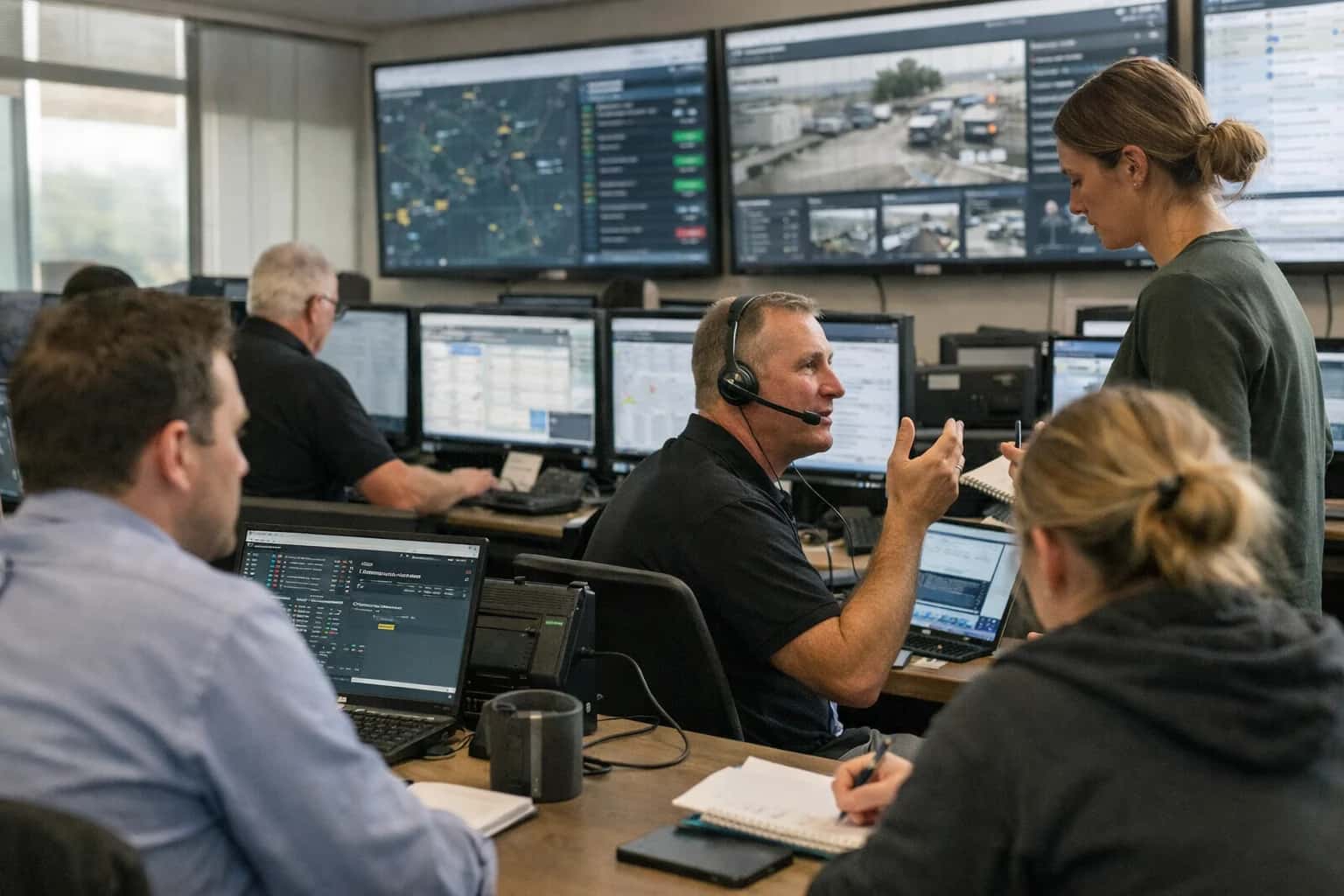
Command center environment coordinating high-volume workflows across multiple systems.
ARCHITECTURE BLUEPRINT

Where AI Fits Between Your POS and Kitchen Display

A technical guide to injecting AI logic into the order flow between your POS and KDS to optimize fire times, sequence, and accuracy.

The integration point is the order object and its associated webhook stream. When a server sends an order from a Toast, Square for Restaurants, or Clover POS, it creates a payload containing items, modifiers, special instructions, and timing metadata. This payload is sent to the Kitchen Display System (KDS) via an API. An AI layer intercepts this stream, acting as a smart router that applies logic before the order appears on the screen. Key data surfaces include:

  • items[] with cook_time_estimate and prep_station
  • modifiers[] for allergies, doneness, or substitutions
  • order_fire_time and course designations
  • Real-time KDS station load from pending order queues.

The AI agent executes a multi-step workflow on each incoming order:

  1. Complexity Scoring: Analyzes the item list and modifiers against a restaurant-defined rule set (e.g., well-done steak + gluten-free bun + extra sauce = high complexity).
  2. Station Sequencing: Calculates the optimal preparation sequence based on dynamic cook times and current load at each KDS station (grill, fry, salad).
  3. Intelligent Fire Timing: For multi-course tables, it can hold appetizers or delay firing mains based on the progress of earlier items, using the POS's table_status API.
  4. Error & Alerting: Scans for potential errors like incompatible modifiers (e.g., "gluten-free" on a regular bun item) or unusually high quantities, flagging them for expo or manager review before the kitchen acts. The output is an enriched order object with suggested sequencing and alerts, pushed to the KDS via its native API. Impact is operational: reducing ticket times by 10-20%, minimizing remake costs, and smoothing peak-hour kitchen load.

Rollout is phased. Start in monitor-only mode, where the AI suggests sequencing but doesn't modify the KDS stream, logging its decisions versus actual outcomes. Use this to tune rules and build confidence with the kitchen staff. Phase two enables auto-sequencing for low-risk items (e.g., sides, drinks). Full automation requires integrating with a human-in-the-loop approval surface, like a manager tablet dashboard, for high-complexity or high-value orders. Governance is critical: all AI-suggested modifications must be logged with a full audit trail—original order, AI logic applied, and final KDS instruction—tied to the POS transaction ID for accountability. This ensures the AI augments, not disrupts, the chef's command of the line.

ARCHITECTURAL BLUEPRINT

Integration Surfaces for Major POS & KDS Platforms

Real-Time Order Ingestion & Dispatch

The primary integration surface is the KDS order feed, typically exposed via REST APIs or webhooks. AI logic intercepts the order stream to perform real-time optimization before items are displayed to the kitchen line.

Key Integration Points:

  • Order Posting Endpoint: Ingest the full order payload (items, modifiers, timestamps, table/guest info).
  • Order Update Webhooks: Listen for modifications, cancellations, or fires to dynamically re-sequence the queue.
  • Status Push API: Send optimized firing instructions, priority flags, or alerts back to the KDS display.

Example Workflow: An AI agent consumes the order JSON, calculates estimated cook times per item based on historical kitchen data, and posts a re-sequenced ticket list to the KDS, grouping items by station and complexity to smooth the workload.

INTEGRATION PATTERNS

High-Value AI Use Cases for KDS Optimization

Injecting AI logic between the POS and Kitchen Display System unlocks operational precision by making real-time decisions on order sequencing, timing, and quality control.

01

Dynamic Order Sequencing & Fire Times

AI analyzes incoming POS orders in real-time, considering cook duration, ingredient prep status, and table course flow to calculate optimal KDS fire times. It sequences complex dishes with longer cook times ahead of simpler ones, smoothing kitchen throughput.

Batch -> Real-time
Decision logic
02

Allergy & Modification Alerting

As orders fire to the KDS, an AI layer cross-references modification notes against a centralized allergen database. It surfaces high-risk alerts (e.g., 'gluten-free fryer required') directly on the KDS ticket and can suggest corrective actions to the chef.

Pre-service
Risk mitigation
03

Expediter Copilot & Quality Gates

An AI agent monitors the KDS queue and plate completion photos (via integrated camera) to act as a virtual expediter. It alerts the expo line to potential errors (missing garnish, wrong plate) and provides real-time wait time updates to FOH staff via integrated comms.

Same-day
Error reduction
04

Predictive Prep & Par Level Triggers

By analyzing the live KDS order queue against historical sales velocity, AI predicts ingredient depletion within the next 30-60 minutes. It automatically generates prep list alerts for the line cooks and can trigger low-stock notifications to the inventory system.

Hours -> Minutes
Lead time
05

Course Timing for Large Parties

For multi-table events or large reservations, AI groups orders by table and calculates staggered fire times for appetizers, mains, and desserts. It syncs this schedule across the KDS and server handhelds, ensuring synchronized course delivery without kitchen overload.

1 sprint
Implementation
06

Root-Cause Delay Analytics

AI correlates KDS ticket timestamps, POS modification flags, and ingredient prep logs to identify systemic slowdowns. It generates daily reports (e.g., 'Modifications add 4.2 min avg to burger cook time') for managers to optimize menus or station layouts.

Actionable Insights
Output
ARCHITECTURAL PATTERNS

Example AI-Driven KDS Workflows

These workflows illustrate how to inject AI logic between your POS and Kitchen Display System to optimize timing, sequencing, and accuracy. Each pattern uses real-time data from the POS and returns actionable instructions to the KDS via API or webhook.

Trigger: A new order is sent from the POS to the KDS.

Context Pulled: The AI agent ingests the order ticket and queries:

  • Current KDS queue status and estimated completion times for all active tickets.
  • Historical prep times for each ordered item from the restaurant's data lake.
  • Real-time kitchen sensor data (e.g., grill/oven temperatures from IoT feeds, if available).
  • Table status (e.g., appetizers served, course pacing) from the POS.

Agent Action: A fine-tuned model calculates the optimal "fire time" for each item or course. It sequences items to maximize parallel cooking, minimize ticket times, and align with the table's dining pace. It avoids firing a 20-minute risotto immediately if the appetizer course just started.

System Update: The agent sends a structured payload to the KDS API to adjust the displayed fire time or add a visual hold indicator.

json
{
  "ticket_id": "TBL7-102",
  "updates": [
    { "item_id": "RISOTTO", "action": "delay_fire", "minutes": 12 },
    { "item_id": "STEAK", "action": "fire_now" }
  ]
}

Human Review Point: The chef can override the AI-suggested delay. All overrides are logged to retrain the model on kitchen preferences.

CONNECTING AI TO THE KDS WORKFLOW

Implementation Architecture: Data Flow & System Design

A production-ready architecture for injecting AI logic between your POS and Kitchen Display System to optimize order flow and kitchen operations.

The integration architecture establishes the KDS as an intelligent orchestration layer, not just a passive screen. It begins by capturing the order payload from the POS (Toast, Square, TouchBistro) via a secure webhook. This payload—containing items, modifiers, timestamps, and table/guest info—is immediately enriched with contextual data: historical cook times for each menu item, real-time kitchen station load (e.g., grill, fryer, salad), and any allergy or special request flags. An AI agent processes this enriched data to make two key decisions: optimal fire time (when to send the order to the kitchen) and intelligent sequencing across KDS monitors.

The core logic is executed by a rules-based AI agent that prioritizes orders based on a weighted model of item complexity, estimated cook duration, and dining course timing. For example, a four-top with two well-done steaks and two salads might have the steaks fired immediately to the grill station while holding the salads, ensuring all plates are ready simultaneously. The agent outputs a structured command to the KDS API, which updates the order queue and station-specific views. This system also includes a feedback loop: completion timestamps from the KDS or expo are fed back to the model to continuously refine its time estimates and sequencing logic.

Rollout is typically phased, starting with a shadow mode where AI recommendations are logged but not acted upon, allowing for calibration against actual kitchen performance. Governance is critical; a human-in-the-loop override console allows expediters or chefs to manually reprioritize the queue during rushes or equipment failures. All AI decisions are logged with an audit trail, linking them to the original POS ticket for performance review. This architecture is designed for resilience—if the AI service is unavailable, the system fails over to the standard FIFO KDS queue, ensuring uninterrupted kitchen operations.

KITCHEN DISPLAY SYSTEM INTEGRATION

Code & Payload Examples

Optimizing Fire Times with AI

Injecting AI between the POS and KDS allows you to sequence orders based on cook time, ingredient prep, and station load. The core logic consumes the order payload, enriches it with prep time estimates from a menu knowledge base, and outputs a prioritized sequence to the KDS.

Example Python Pseudocode:

python
# Pseudocode for AI-powered order sequencer
def sequence_orders(pos_webhook_payload, menu_knowledge_base):
    """Takes POS order data, returns optimized KDS sequence."""
    orders = parse_webhook(pos_webhook_payload)
    
    for order in orders:
        # Enrich with estimated cook & prep times
        order['total_prep_mins'] = estimate_prep_time(order['items'], menu_knowledge_base)
        # Score complexity (e.g., special requests, modifications)
        order['complexity_score'] = assess_complexity(order['notes'])
        # Factor in station capacity from real-time KDS feed
        order['station_load'] = get_station_load(order['station'])
    
    # Apply sequencing algorithm
    sequenced_orders = apply_sequencing_algorithm(
        orders,
        weights={'prep_time': 0.5, 'complexity': 0.3, 'station_load': 0.2}
    )
    
    # Return payload formatted for KDS API
    return format_for_kds_api(sequenced_orders)

This logic helps balance speed and quality, reducing ticket times during rushes.

KDS INTEGRATION IMPACT

Realistic Operational Impact & Time Savings

This table illustrates the tangible operational improvements achievable by injecting AI logic between your POS and Kitchen Display System. It compares manual processes against AI-assisted workflows, focusing on time savings, error reduction, and kitchen throughput.

Workflow / MetricBefore AI (Manual)After AI (AI-Assisted)Implementation Notes

Order Sequencing & Fire Times

Chef intuition or fixed rules; frequent expeditor intervention

Dynamic sequencing based on item cook time & complexity

AI analyzes POS order stream; suggests optimal sequence to KDS; reduces ticket times by 15-25%

Special Request / Allergy Alerting

Manual flagging by server; relies on memory & written notes

Auto-highlight on KDS based on POS modifiers; audible/visual alert

Integrates with POS modifier API; critical for compliance & safety; reduces error-related remakes

Prep List Generation

Manager review of previous day sales; 30-45 minute manual task

AI-generated list based on forecasted sales & current inventory

Pulls from POS historical data & inventory APIs; list pushed to KDS or printer; saves 4-5 hours weekly

Rush Hour Load Balancing

Reactive expediting; stations become bottlenecks

Predictive load alerts & suggested station reassignment

AI monitors order velocity; sends pre-emptive alerts to manager tablet 10-15 mins before peak

Modification & Void Workflow

Chef walks to expo to clarify; order remakes cause delays

Contextual reason displayed on KDS (e.g., 'Customer allergy: dairy')

POS void/modification webhook triggers AI to append context to KDS ticket; reduces clarification trips

Multi-Course Timing for FSR

Expeditor manually tracks table courses; risk of timing gaps

AI groups courses by table; suggests staggered fire times to KDS

Links POS table numbers to KDS orders; aims for ideal course pacing; improves guest experience

Kitchen Communication for 86'd Items

Expo shouts updates; servers may not hear; wrong items fired

Auto-86 alert on KDS; prevents firing of unavailable items

AI syncs with POS 86'd menu; instantly updates all KDS screens; reduces waste & customer disappointment

CONTROLLED DEPLOYMENT FOR KITCHEN OPERATIONS

Governance, Safety, and Phased Rollout

A practical approach to deploying AI in a high-stakes kitchen environment, ensuring safety, accuracy, and chef adoption.

Integrating AI into the Kitchen Display System (KDS) workflow requires a controlled, audit-first approach. The initial phase should focus on read-only monitoring and alerting. An AI agent consumes order data from the POS via webhook and KDS status updates via API, but its outputs are limited to sending non-blocking alerts to a separate manager dashboard or Slack channel. This allows the kitchen to validate AI suggestions—like predicted delay alerts or potential allergen cross-contamination warnings—without disrupting the live fire and expedite line. All AI inferences, input data (order ID, modifiers, timestamps), and suggested actions must be logged to an immutable audit trail linked to the POS transaction record.

The second phase introduces assistive, opt-in features. With chef trust established, the system can surface intelligent suggestions directly on the KDS interface or a companion tablet, such as dynamically re-sequencing tickets based on real-time cook time analysis or highlighting special requests. These are recommendations only, requiring a manual chef override (e.g., a swipe or button press) to execute. This phase often involves configuring a human-in-the-loop approval step for any action that modifies an order's core attributes (like splitting a ticket) or communicates with the front-of-house. The AI's role is to reduce cognitive load, not assume control.

A full production rollout, where AI automatically adjusts KDS sequencing or fires supplemental orders, should be gated by role-based access controls (RBAC) and environmental safeguards. This means the automation is only active during specific managers' shifts or within defined service dayparts (e.g., lunch rush only). Furthermore, the system must be built with circuit breakers: if the AI service is unreachable, the KDS must default to its standard FIFO or manual sequencing logic. A final governance layer involves continuous evaluation against key operational metrics (e.g., order accuracy, ticket time variance) to detect model drift or unintended consequences, ensuring the AI adapts to menu changes or new kitchen workflows.

IMPLEMENTATION DETAILS

Frequently Asked Questions

Practical questions for technical teams planning to inject AI logic between the POS and Kitchen Display System (KDS) to optimize fire times, order sequencing, and kitchen operations.

The connection is typically built using a middleware layer that subscribes to POS webhooks and pushes instructions to the KDS API.

Standard Architecture:

  1. Trigger: The POS (Toast, Square, Clover) fires a new_order webhook containing the order JSON.
  2. Context Enrichment: The middleware agent enriches this with:
    • Real-time KDS queue status (via KDS API poll)
    • Historical prep times for each menu item from your data lake
    • Current kitchen staffing levels from the labor API
  3. AI Action: An LLM or rules-based model processes this context to:
    • Calculate an optimal fire time (when to start cooking)
    • Determine the cooking sequence across stations (grill, fry, salad)
    • Flag potential errors (e.g., "uncommon modifier for burger, confirm with expo")
  4. System Update: The middleware calls the KDS API to:
    • Place the order in the queue with a calculated hold_until timestamp.
    • Apply visual tags or alerts for special requests.
    • Optionally, send a summary to an expo tablet or manager dashboard.

Key APIs:

  • POS: POST /orders webhook payload, GET /menu/items for prep time metadata.
  • KDS: POST /kds/orders to submit with timing, GET /kds/queue for live status.
Prasad Kumkar

About the author

Prasad Kumkar

CEO & MD, Inference Systems

Prasad Kumkar is the CEO & MD of Inference Systems and writes about AI systems architecture, LLM infrastructure, model serving, evaluation, and production deployment. Over 5+ years, he has worked across computer vision models, L5 autonomous vehicle systems, and LLM research, with a focus on taking complex AI ideas into real-world engineering systems.

His work and writing cover AI systems, large language models, AI agents, multimodal systems, autonomous systems, inference optimization, RAG, evaluation, and production AI engineering.



