In a QSR environment, AI should act as a real-time copilot layered on top of the existing POS, KDS, and inventory systems. The primary integration points are the platform's APIs and webhooks, which stream transaction data, order events, and inventory counts. AI models consume this data to execute specific, high-impact tasks: predicting the next 30 minutes of drive-thru demand to optimize prep, detecting potential order errors before they reach the kitchen display system (KDS), or triggering automated purchase orders when par levels for high-velocity items like fries or buns hit a dynamic threshold. The goal is to inject intelligence at the precise moment a decision is made, using the POS as the system of record.

Integration
AI Integration for Quick Service Restaurant (QSR) POS
A technical blueprint for embedding AI into high-velocity QSR operations. Learn how to connect AI to POS APIs for drive-thru voice ordering, real-time combo optimization, speed-of-service analytics, and automated inventory depletion alerts.
ARCHITECTURE AND ROLLOUT
Where AI Fits in the QSR Tech Stack
A practical blueprint for integrating AI into high-velocity Quick Service Restaurant (QSR) operations without disrupting core POS workflows.
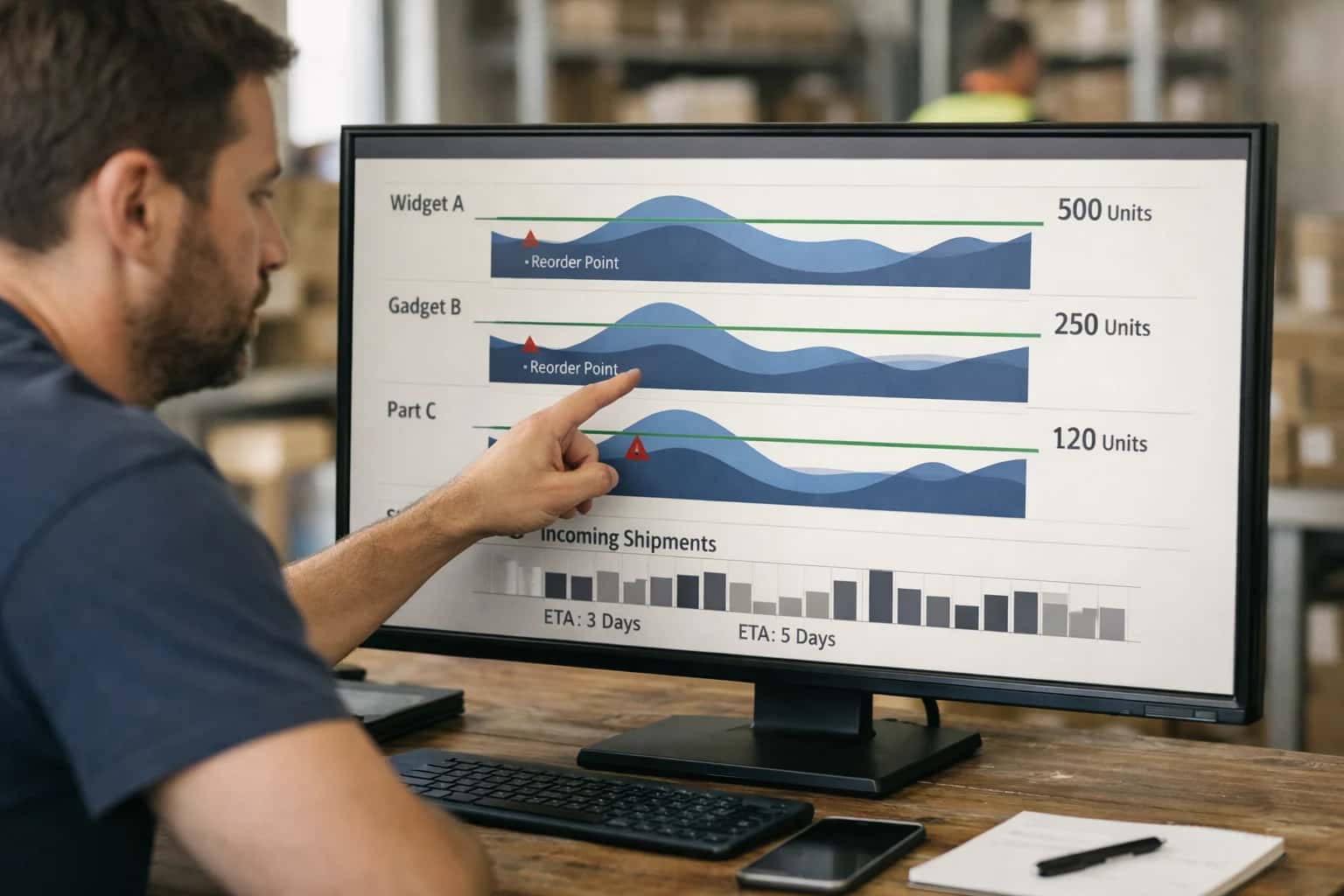
A production rollout typically follows a phased, workflow-specific approach. For example, start with a low-risk, high-volume use case like automated inventory depletion alerts. Connect your AI service to the Toast or Square for Restaurants inventory API to monitor real-time usage against sales velocity. When a threshold is breached, the AI can execute a pre-approved workflow: sending a Slack alert to a manager, generating a purchase order in your procurement system, or even placing a direct order via a supplier API. This creates immediate ROI without altering the cashier's screen. Subsequent phases can target combo meal optimization, where AI analyzes real-time order patterns to suggest dynamic bundle offers on the POS screen, or speed-of-service analytics, where AI processes KDS fire times and payment logs to identify kitchen bottlenecks.
Governance is critical. All AI actions should be logged in an audit trail linked to the original POS transaction ID. Implement a human-in-the-loop approval step for any action that modifies a core record (like voiding a check) or spends money (like a large inventory order). Use role-based access controls (RBAC) to ensure only authorized managers can approve AI-suggested schedule changes or price overrides. Start in a single location, validate the AI's decisions against historical outcomes, and then scale. The architecture must be resilient to POS API rate limits and offline scenarios, often using a message queue to buffer events. For a deeper dive into building these resilient data pipelines, see our guide on Restaurant API and Data Pipeline Architecture.
QUICK SERVICE RESTAURANT (QSR) FOCUS
Key POS Integration Surfaces for AI
Real-Time Order Flow and Data Ingestion
Integrating AI into the high-velocity QSR order stream requires tapping into the POS's real-time transaction APIs and webhooks. This surface includes endpoints for new orders, modifications, voids, and payment finalization. By subscribing to these events, an AI layer can perform immediate analysis and trigger workflows.
Key integration points:
- Order Creation Webhooks: Ingest order details (items, modifiers, time) for real-time upselling, allergy flagging, or combo meal optimization.
- Modification Streams: Monitor changes to adjust kitchen instructions or update predictive prep lists.
- Tender APIs: Post-payment, analyze basket composition for loyalty scoring and personalized future offers.
This data feed powers AI agents that act on the "now"—optimizing the current transaction and preparing the kitchen for the next.
DRIVE-THRU, KITCHEN, & BACK-OFFICE AUTOMATION
High-Value AI Use Cases for QSR Operations
For Quick Service Restaurants, AI integration with the POS is about injecting intelligence into high-velocity workflows to improve speed, accuracy, and cost control. These are practical, API-first patterns that connect to platforms like Toast, Square for Restaurants, and Clover.
01
Drive-Thru Voice AI Order Taker
Integrate a voice AI agent (e.g., OpenAI Whisper + GPT) with the POS order API. The agent listens to the customer, confirms the order, applies modifications, and pushes a structured order ticket directly into the KDS queue via the POS. Workflow: Voice stream → AI agent → POS Create Order API → KDS. Value: Reduces order-taking time, improves accuracy during peak hours, and allows staff to focus on assembly and quality check.
30s -> 15s
Avg. order time
02
Real-Time Combo Meal & Upsell Optimization
Deploy an AI model that analyzes the current order in the POS cart alongside historical transaction data to predict the highest-probability, highest-margin add-on. Trigger a context-aware suggestion on the cashier screen or customer-facing kiosk. Integration: Hook into the POS Order object pre-transaction, call AI model, return suggestion. Value: Increases average check size with personalized, data-driven prompts instead of generic 'would you like fries?'
Batch -> Real-time
Suggestion logic
03
Automated Speed-of-Service Analytics & Alerting
Use POS webhooks for order timestamps (received, prepared, served) to feed an AI model that monitors drive-thru and counter service times. The model identifies slowdowns by station (e.g., fryer, beverage) and sends automated alerts to manager tablets or Slack. Architecture: POS webhook → event queue → AI anomaly detection → alert via API. Value: Enables proactive intervention to maintain throughput goals and identifies chronic equipment or training issues.
Same day
Issue identification
04
Predictive Inventory Depletion & Auto-Purchase Orders
Connect AI to the POS inventory module (e.g., Toast Inventory API) and sales forecasts. The system predicts depletion for key items (buns, chicken) hours before a standard reorder point and can draft purchase orders in integrated systems like MarketMan or directly email suppliers. Workflow: POS sales + inventory levels → forecasting model → low-stock alert → PO draft generation. Value: Prevents 86'd items during rush periods and optimizes cash flow by reducing over-ordering.
Hours -> Minutes
Replenishment lead time
05
AI-Powered Cashier & Manager Support Agent
Build a chatbot (Slack/Teams or on a tablet) that connects to the POS knowledge base and transaction APIs. Staff can ask: 'How do I refund a mobile order?' or 'Why is the register short $20?' The agent retrieves SOPs or analyzes shift data to provide grounded answers. Integration: Uses RAG over internal docs and safe querying of POS reporting APIs. Value: Reduces manager interruptions for procedural questions and speeds up issue resolution.
1 sprint
Typical deployment
06
Dynamic Labor Scheduling from POS Traffic Patterns
Ingest minute-by-minute POS transaction counts and forecast data (weather, events) to generate and push optimized labor schedules to platforms like Homebase or the POS's native scheduling module. The AI model aligns staff with predicted demand curves. Pattern: POS data pipeline → forecasting model → schedule generation → POST to scheduling API. Value: Matches labor to demand more precisely, controlling costs while maintaining service levels.
Hours -> Minutes
Schedule generation
HIGH-VELOCITY OPERATIONS
Example AI-Powered Workflows for QSR
For Quick Service Restaurants, AI integration with the POS must be fast, reliable, and directly tied to transaction velocity. These workflows illustrate how to connect AI agents to Toast, Square, Clover, or TouchBistro APIs to automate high-impact, repetitive tasks without disrupting the rush.
Trigger: Customer speaks order into drive-thru headset.
Context Pulled:
- Real-time menu availability from POS inventory API.
- Current promotional items and combo rules.
- Customer's past order history (if loyalty ID is recognized).
Agent Action:
- Speech-to-text service transcribes audio.
- LLM parses the transcript, extracting items, modifications, and quantities.
- Agent validates items against the live menu, suggests alternatives for 86'd items, and applies optimal combo pricing.
- Agent structures a clean order JSON payload.
System Update:
- Payload is sent via the POS Order API (e.g.,
POST /v2/orders) to create a pending order. - Order ID and summary are pushed to the Kitchen Display System (KDS) and the confirmation screen.
Human Review Point:
- Agent flags low-confidence interpretations (e.g., unusual modifications) and holds the order, playing a clarifying prompt to the customer ("Did you want the spicy or regular chicken?").
Example Payload to POS:
json{ "order_type": "drive_thru", "items": [ { "id": "menu_item_abc123", "name": "Classic Burger Combo", "quantity": 1, "modifiers": [ { "name": "No Onion" }, { "name": "Add Bacon" } ] } ], "tenders": [ { "type": "cash", "amount": 9.99 } ] }
BUILDING A REAL-TIME AI LAYER FOR HIGH-VELOCITY QSR OPERATIONS
Typical Implementation Architecture
A production-ready AI integration for a QSR POS sits as a middleware orchestration layer, ingesting real-time transaction streams and triggering automated workflows without disrupting the core checkout experience.
The architecture typically involves a cloud-based AI service layer that connects to the QSR POS (Toast, Square for Restaurants, Clover) via its Order & Transaction APIs and webhook subscriptions. This layer ingests a high-velocity stream of events: order.created, item.modified, payment.tendered, and inventory.updated. For drive-thru voice AI, a separate low-latency stream from the voice assistant is fused with this POS data to create a unified order context before the transaction is committed. The AI service maintains a real-time view of the store's state—current order queue, ingredient levels, kitchen ticket times—enabling sub-second decisions for combo suggestions or depletion alerts.
Key workflows are executed through targeted API calls back into the POS or adjacent systems. For example, an AI agent analyzing order velocity and kitchen load might call the POS's modifier API to automatically suggest a 'Fries & Drink' upsell for a sandwich order if the system predicts the fryer has capacity. Similarly, a real-time inventory agent, monitoring inventory.updated webhooks and scale integrations, can trigger an automated purchase order in the vendor management system or push an alert to the KDS when a key item (e.g., chicken patties) hits a par-level threshold. All AI-driven modifications or alerts are logged with a distinct source: ai_agent flag in the POS audit trail for governance.
Rollout follows a phased, menu-item-first approach. We start by connecting the AI layer to a sandbox POS environment, then pilot with a single, high-margin workflow—like automated combo optimization during peak lunch hours—on a limited set of menu items. Governance is critical: all AI-suggested modifications are initially configured as staff-approved overrides, requiring a cashier or manager tap-to-confirm on the POS screen. This builds trust and provides a human-in-the-loop audit. Once validated, rules can be set to auto-apply suggestions only under specific, low-risk conditions (e.g., adding a cookie to a kid's meal). The final architecture is designed for resilience, with the POS remaining fully operational if the AI layer experiences latency, ensuring the core transaction flow is never blocked.
QSR POS INTEGRATION PATTERNS
Code & Payload Examples
Real-Time Order Creation via Voice AI
Integrate a voice AI system (e.g., for drive-thru) with your QSR POS by processing transcribed orders into structured JSON payloads. The AI agent validates items, checks inventory in real-time, suggests combos, and posts directly to the POS order API. This pattern requires low-latency calls to avoid customer wait times.
Example Payload to POS POST /orders:
json{ "location_id": "LOC_QSRA1", "order_type": "drive_thru", "items": [ { "pos_item_id": "BURG_DBL_CHE", "quantity": 2, "modifiers": [ {"modifier_id": "NO_ONION"}, {"modifier_id": "EXT_PICKLE"} ] }, { "pos_item_id": "MEAL_DEAL_3", "quantity": 1, "components": [ {"component_id": "FRIES_MED"}, {"component_id": "DRINK_LG_COKE"} ] } ], "metadata": { "voice_session_id": "vs_abc123", "confidence_score": 0.92 } }
The POS returns an order number and estimated prep time, which the voice AI can relay to the customer.
QSR OPERATIONS
Realistic Operational Impact & Time Savings
This table illustrates the tangible, near-term improvements achievable by integrating AI with your QSR POS system. It focuses on high-velocity workflows where AI can augment decision-making and automate routine tasks.
| Workflow / Metric | Before AI | After AI | Key Impact & Notes |
|---|---|---|---|
Drive-thru order confirmation & upsell | Static combo prompts, manual cashier repetition | Dynamic, context-aware suggestions based on order & time of day | Increase average check size by 3-5%; reduce order confirmation errors. |
Daily prep list generation | Manager review of yesterday's sales, manual entry (45-60 mins) | AI-generated list based on sales forecast, waste data, and par levels (10 mins) | Reduce manager daily planning time by 75%; cut ingredient waste by 8-12%. |
Speed of Service (SoS) anomaly detection | End-of-day report review, reactive problem identification | Real-time alerts for line slow-downs with root-cause suggestions (e.g., item prep delay) | Identify and resolve bottlenecks same-shift, improving SoS by 5-10%. |
Inventory depletion alerting | Daily manual count or weekly system check triggering rush orders | Predictive alerts 2-3 days before stock-out, with automated PO draft | Eliminate emergency supplier fees; maintain 99%+ item availability. |
Combo meal performance analysis | Weekly sales report review to guess popular pairings | Daily AI analysis of item affinity, suggesting new combos and retiring poor performers | Optimize menu board in 1-2 weeks vs. quarterly; lift combo penetration. |
Employee shift call-out coverage | Manager scramble to call replacements, often leading to understaffing | AI suggests optimal replacements based on skills, availability, and overtime risk | Fill 80% of last-minute call-outs within 30 minutes, protecting labor budget. |
Customer complaint triage (linked to transaction) | Manual cross-reference of receipt # with review text | Auto-correlation of negative reviews to specific POS transactions and staff | Enable personalized recovery outreach same-day; identify training gaps faster. |
ARCHITECTING FOR PRODUCTION
Governance, Security, and Phased Rollout
Deploying AI in a high-velocity QSR environment requires a controlled, secure approach that prioritizes operational stability.
In a QSR POS environment, AI integrations must be built with zero-trust API principles. This means AI agents and workflows operate with scoped, read/write-only permissions to specific POS objects like Order, MenuItem, InventoryItem, and Employee. For instance, a drive-thru voice AI agent should only have permission to create and modify orders via the POST /orders endpoint, not access financial reports. All API calls are logged to a separate audit trail, correlating AI actions with POS transaction IDs for full traceability. Data in transit between the POS (Toast, Square) and inference layers is encrypted, and sensitive PII is masked or tokenized before being processed by LLMs.
A phased rollout is critical. Start with a read-only analysis phase in a single location, where AI models consume POS webhook data to generate predictions (e.g., combo meal suggestions, inventory depletion alerts) but take no autonomous action. Output is reviewed in a dashboard. Phase two introduces human-in-the-loop approval for low-risk actions, like sending an automated low-inventory alert to a manager's Slack for confirmation before a purchase order is drafted in the POS. The final phase enables fully automated, bounded workflows for high-confidence, repetitive tasks—such as auto-voiding duplicate drive-thru orders or adjusting prep-list quantities—with clear circuit-breakers to revert to manual control if anomaly thresholds are breached.
Governance focuses on continuous monitoring of key metrics: AI suggestion acceptance rates, order accuracy post-AI modification, and system latency against QSR speed-of-service targets. Establish a weekly review with operations leads to calibrate models based on new menu items or promotional events. Rollback plans are pre-defined; for example, if the combo optimization agent begins suggesting out-of-stock items, it can be disabled via a feature flag, instantly reverting to the POS's standard upselling logic without disrupting the transaction flow.
Enabling Efficiency, Speed & Accuracy
Intelligent Analysis, Decision & Execution
We build AI systems for teams that need search across company data, workflow automation across tools, or AI features inside products and internal software.
Talk to Us
Search across company data
Give teams answers from docs, tickets, runbooks, and product data with sources and permissions.
Useful when people spend too long searching or get different answers from different systems.
Enterprise searchRAGPermissions
Read more
Automate internal workflows
Use AI to route work, draft outputs, trigger actions, and keep approvals and logs in place.
Useful when repetitive work moves across multiple tools and teams.
AI agentsWorkflow automationGovernance
Read more
Add AI to products and internal tools
Build assistants, guided actions, or decision support into the software your team or customers already use.
Useful when AI needs to be part of the product, not a separate tool.
AI integrationDecision supportModel routing
Read moreQSR POS AI INTEGRATION
Frequently Asked Questions
Practical questions for QSR operators and technical teams evaluating AI integration for high-velocity POS environments like Toast, Square, and Clover.
A production drive-thru AI integration uses a secure, low-latency architecture:
- Trigger & Ingestion: A dedicated voice processing device (e.g., Raspberry Pi with mic array) captures audio, converts it to text locally or via a secure API, and sends the text payload to your integration layer.
- Context Enrichment: Your middleware queries the POS API for real-time context before calling the LLM:
- Current menu availability (e.g.,
GET /v1/items?available=true) - Ongoing promotions
- Customer order history (if loyalty ID is provided)
- Current menu availability (e.g.,
- Agent Action: The LLM (e.g., GPT-4, Claude) is prompted to structure the order into a POS-native JSON payload. It handles modifications ("no pickle"), combo logic ("make it a meal"), and upselling ("add a cookie").
- System Update: The validated payload is sent to the POS Order API (e.g.,
POST /v1/orders). A unique order ID is returned. - Human Review Point: The order appears on the KDS with an "AI-Generated" flag. The expeditor has a physical button to confirm or flag for correction before firing. All audio and decision logs are stored for quality review.
Security Note: The AI service never has direct POS database access. It interacts via scoped API tokens with permissions limited to order:create and menu:read. Voice audio is processed ephemerally and not stored.

About the author
Prasad Kumkar
CEO & MD, Inference Systems
Prasad Kumkar is the CEO & MD of Inference Systems and writes about AI systems architecture, LLM infrastructure, model serving, evaluation, and production deployment. Over 5+ years, he has worked across computer vision models, L5 autonomous vehicle systems, and LLM research, with a focus on taking complex AI ideas into real-world engineering systems.
His work and writing cover AI systems, large language models, AI agents, multimodal systems, autonomous systems, inference optimization, RAG, evaluation, and production AI engineering.
LinkedIn
Limited slotsGet a Free AI Consultation
Partnered with leading AI, data, and software stack.





How We Work
Custom AI workflows for your Business
One-fit-all AI don't work for modern businesses. At Inferensys, we aim to understand your business & custom requirements; which we use to define most efficient agentic workflows, the data, and the tools for your business.
01
Review the use case
We understand the task, the users, and where AI can actually help.
Read more02
Pick the right approach
We define what needs search, automation, or product integration.
Read more03
Build the first useful version
We implement the part that proves the value first.
Read more04
Improve from there
We add the checks and visibility needed to keep it useful.
Read moreThe first call is a practical review of your use case and the right next step.
Talk to Us