AI integrates with Smartsheet capacity planning by connecting to three primary surfaces: Resource Sheets, Project Timelines (Gantt charts), and Historical Data Reports. The integration uses the Smartsheet API to read Resource Management columns (like Allocated Hours, Skills, Availability), project sheet date columns, and custom fields tracking past project velocity. An AI agent acts as a capacity copilot, analyzing this structured data to forecast demand against supply, identifying where a team will be over-allocated weeks in advance, not days. This moves planning from reactive spreadsheet formulas to predictive modeling.

Integration
AI Integration with Smartsheet for Capacity Planning
A technical blueprint for embedding AI-driven forecasting into Smartsheet to transform manual resource planning into predictive, automated capacity management.
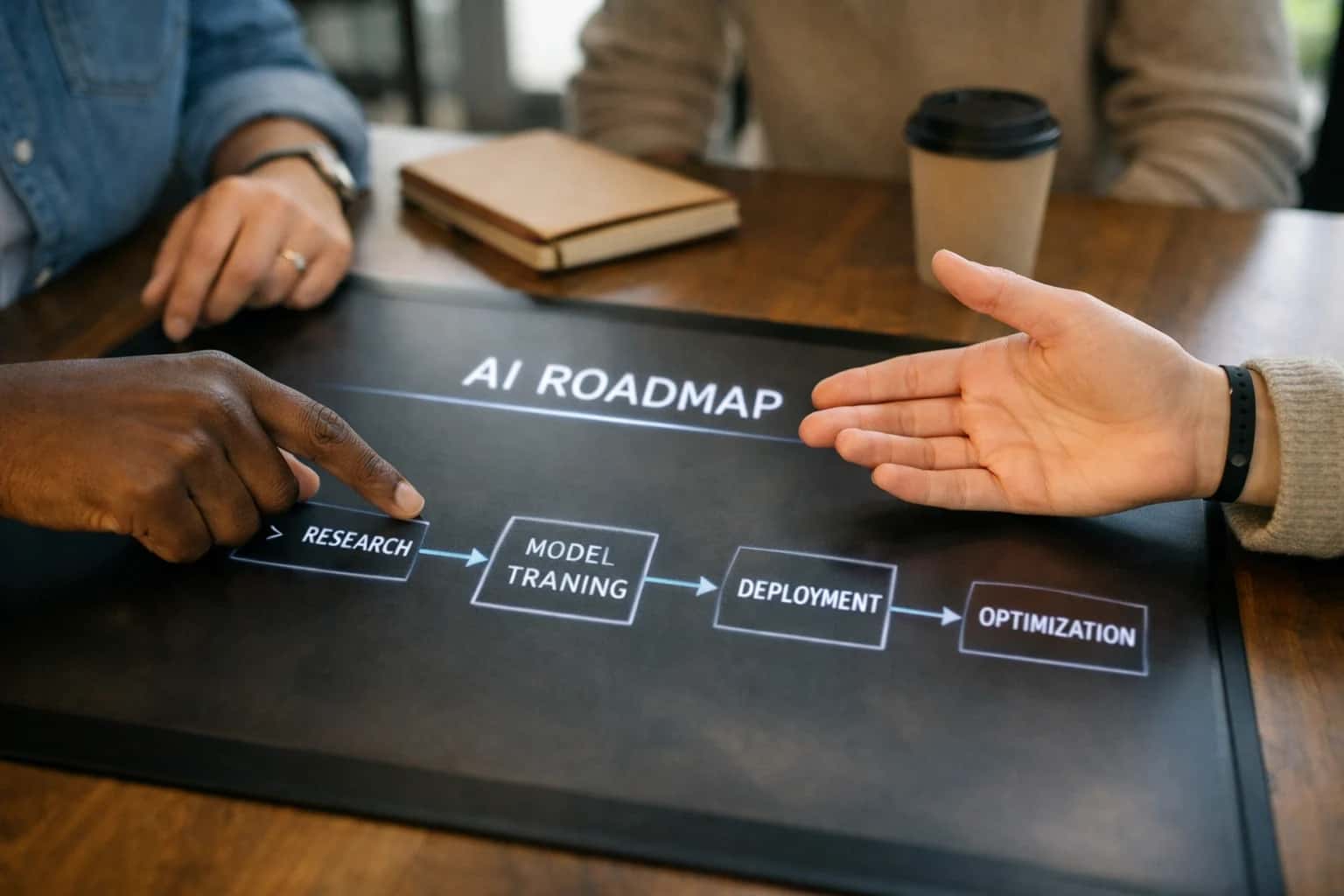
ARCHITECTURE & ROLLOUT
Where AI Fits into Smartsheet Capacity Planning
A practical blueprint for embedding AI-driven forecasting into Smartsheet's resource grids and project timelines to predict bottlenecks and optimize allocations.
Implementation typically involves a scheduled workflow: a secure service account polls key sheets via the API, feeds the data into a forecasting model (often a lightweight time-series or regression model), and writes recommendations back into dedicated columns like AI Forecasted Load or AI Allocation Suggestion. High-impact use cases include:
- Scenario Planning: "If we take on Project X, how does it impact Q3 capacity for the design team?"
- Skill-Gap Detection: Flagging projects where required skills (tagged in custom fields) don't match available team member profiles.
- Bottleneck Prediction: Analyzing task dependencies and durations in timeline views to predict which resource will become the critical path constraint. Results are actionable—recommendations appear directly in the Smartsheet grid, enabling planners to drag-and-drop assignments or adjust project start dates with confidence.
Rollout focuses on governance and incremental trust. Start with a read-only pilot in a single portfolio, where the AI writes forecasts to a separate AI Sandbox sheet for manager review before any automated writes to live sheets. Use Smartsheet's Activity Log and Proof features to maintain an audit trail of AI-generated suggestions. A successful pattern is to embed the AI as a Smartsheet DataMesh source or use webhooks on column changes to trigger real-time re-forecasts. This keeps the system responsive without constant full-sheet syncs. The goal isn't full autonomy but a human-in-the-loop system where AI handles the complex math of multi-project, multi-resource forecasting, and managers make the final, context-aware decisions.
CAPACITY PLANNING
Key Smartsheet Surfaces for AI Integration
The Primary Data Layer for AI
Resource sheets are the core integration point for capacity models. AI systems ingest these grids via the Smartsheet API to analyze assignments, allocations, and availability columns.
Key columns for AI analysis:
- Person/Resource: The unique identifier for each team member.
- Project/Task: What work is assigned.
- Allocated Hours/Capacity: Planned effort (e.g.,
40h). - Actual Hours: Logged time, often pulled from integrations like Harvest.
- Skill/Tags: Custom columns defining capabilities (e.g.,
Python,UX Design). - Start/End Dates: The assignment window.
AI models process this structured data to detect overallocation, forecast future bottlenecks, and recommend optimal staffing. Webhooks can trigger real-time analysis when a sheet is updated, allowing the AI to write back insights like a Risk Score or Suggested Reallocation into new custom columns.
INTEGRATION PATTERNS
High-Value AI Use Cases for Smartsheet Capacity
These practical AI integration patterns connect directly to Smartsheet's grid model, API, and automation layer to transform static capacity plans into dynamic, predictive systems.
01
Predictive Bottleneck Detection
AI models analyze Resource Sheets, Timeline columns, and historical project data to forecast capacity shortfalls 2-4 weeks out. The system flags overallocated resources or understaffed projects via Smartsheet alerts or dedicated Dashboard widgets, enabling proactive adjustments.
Weeks -> Days
Lead time on shortages
02
Intelligent Allocation Recommendations
For new project requests, an AI agent reviews the Skills Matrix column, current utilization from Resource Sheets, and project priority to recommend the best-fit assignee. Recommendations are written back to a Dropdown column for manager review, streamlining the staffing workflow.
1 sprint
Faster ramp-up
03
Automated Forecast Updates
Connect AI to Sheet webhooks that trigger on timeline or effort changes. The model recalculates remaining capacity across all linked projects and updates Forecast columns in a master capacity sheet. This keeps forecasts synchronized without manual reconciliation.
Batch -> Real-time
Forecast refresh
04
Scenario Planning for New Work
An AI copilot interface allows managers to ask "What if we take on Project X?" The system simulates the impact on existing Gantt charts and resource loading, presenting trade-offs via a summary written to a Smartsheet Report. This supports data-driven go/no-go decisions.
05
Skills Gap Analysis
AI cross-references future project demand (from pipeline sheets) against the Skills and Proficiency columns in your resource roster. It generates a gap analysis report, highlighting areas for hiring or training, and can create follow-up tasks in a Learning & Development tracker sheet.
06
Capacity Reporting Agent
An automated agent uses the Smartsheet API to pull data from multiple Project and Resource sheets at a scheduled interval. It synthesizes a narrative summary of utilization, risks, and recommendations, posting it to a Dashboard text widget or sending it via email for executive review.
Hours -> Minutes
Report generation
IMPLEMENTATION PATTERNS
Example AI-Powered Capacity Workflows
These workflows illustrate how AI connects to Smartsheet's data model via its API and webhooks to automate forecasting, alerting, and optimization for resource managers and project leads.
Trigger: A scheduled job runs every Monday at 6 AM.
Context/Data Pulled:
- The AI agent queries the Smartsheet API for all active Resource Sheets and Project Timeline Sheets.
- It extracts key columns:
Person,Role,Allocated Hours,Project,Start Date,End Date,Task Effort Estimate. - It pulls historical
Actual Hoursdata from linked time-tracking sheets for the past 8 weeks.
Model/Agent Action: A forecasting model analyzes the data:
- Calculates projected demand for each person over the next 4 weeks.
- Compares against a
Max Weekly Capacitythreshold (e.g., 40 hours). - Identifies individuals at risk of overallocation (>100%) or underutilization (<60%).
- Flags projects where demand spikes exceed available role-based capacity.
System Update/Next Step: The agent writes back to Smartsheet:
- Creates or updates a Capacity Forecast Report sheet with weekly projections.
- Adds a
Forecasted Overallocation %column to the main Resource Sheet. - Triggers a Smartsheet alert to the resource manager for any person exceeding 110% capacity, including a summary of conflicting projects.
Human Review Point: The resource manager reviews the alert and the forecast report to manually adjust allocations or initiate conversations with project managers.
HOW TO WIRE AI INTO SMARTSHEET FOR CAPACITY FORECASTING
Implementation Architecture: Data Flow & System Design
A production-ready technical blueprint for connecting AI models to Smartsheet's grid-based data model to predict bottlenecks and optimize resource allocation.
The integration architecture centers on Smartsheet's API and webhooks as the primary conduit. A dedicated integration service, often deployed as a cloud function or containerized microservice, acts as the orchestration layer. This service periodically polls or receives webhook events from key Resource Sheets and Project Sheets, extracting structured data from columns like Assigned To, Estimated Hours, Start Date, Due Date, % Complete, and custom fields for skills or priority. This data is transformed into a time-series dataset, enriched with historical completion rates from past sheets, and sent to a forecasting model. The AI model—typically a regression or time-series algorithm—analyzes this data to predict future capacity utilization, identify overallocation weeks, and flag projects at risk of missing deadlines due to resource constraints.
The output of the AI model is written back into Smartsheet to drive action. This can be implemented in several ways: creating a dedicated Forecast Dashboard sheet with model outputs, writing recommendations into a Capacity Notes column on resource rows, or using Smartsheet Automation to trigger alerts or adjust Assignment columns based on predicted bottlenecks. For governance, all AI-generated recommendations should be written to an AI Recommendation column with a linked Approval Status column, allowing a resource manager to review and accept adjustments. The integration service must implement robust error handling for API rate limits, maintain an audit log of all reads and writes, and support a manual override mode to pause AI-driven updates during planning cycles.
Rollout follows a phased approach: start with a read-only analysis of a single team's resource sheet to build trust in the forecasts, then progress to writing pilot recommendations to a sandbox sheet. Final production deployment connects the AI service to master resource and portfolio sheets, with key stakeholders receiving scheduled email reports generated from the forecast dashboard. This architecture ensures the AI augments—rather than replaces—the planner's workflow, providing data-driven insights directly within the familiar Smartsheet environment. For a broader view of AI patterns across project management platforms, see our guide on AI Integration for Project Management Platforms.
SMARTSHEET CAPACITY PLANNING
Code & Payload Examples
Reading Resource Allocation Data
The core of capacity planning is analyzing Smartsheet resource sheets. These sheets typically map people to projects with columns for Hours Allocated, Skills, Project, and Week. An AI agent uses the Smartsheet API to fetch this structured data, calculate utilization, and flag conflicts.
Example Python call to retrieve sheet data:
pythonimport requests def get_resource_sheet(sheet_id, api_token): url = f"https://api.smartsheet.com/2.0/sheets/{sheet_id}" headers = {"Authorization": f"Bearer {api_token}"} response = requests.get(url, headers=headers) sheet_data = response.json() # Extract rows and column map for 'Hours', 'Person', 'Project' columns = {col['title']: col['id'] for col in sheet_data['columns']} rows = sheet_data['rows'] return columns, rows
This data forms the basis for forecasting models that predict bottlenecks weeks in advance.
AI-POWERED CAPACITY FORECASTING
Realistic Time Savings & Operational Impact
How AI integration transforms manual, reactive capacity planning in Smartsheet into a predictive, data-driven process, freeing managers for strategic work.
| Workflow / Activity | Before AI Integration | After AI Integration | Implementation Notes |
|---|---|---|---|
Weekly capacity review & forecast | 4-6 hours manual analysis across resource sheets | 30-minute review of AI-generated forecast & recommendations | AI analyzes historical allocation, project timelines, and skills matrices |
Identifying resource bottlenecks | Reactive discovery, often after project delay | Proactive alerts 1-2 sprints ahead of predicted shortfall | AI flags conflicts in Smartsheet Gantt charts and resource sheets |
Scenario planning for new project intake | Manual what-if analysis takes 1-2 days per scenario | AI-generated scenarios and impact reports in under 1 hour | Leverages Smartsheet API to simulate allocations and timeline shifts |
Generating executive capacity reports | Half-day manual compilation from multiple reports | Automated report generation & narrative summary in 15 minutes | AI synthesizes data from Smartsheet Control Center and dashboards |
Adjusting allocations for schedule slips | Manual rebalancing across sheets, risk of oversight | AI suggests optimal reallocation options to minimize disruption | Considers task dependencies, skills, and priority from custom fields |
Onboarding forecast for new hires | Gut-feel estimate based on current workload | Data-driven ramp-up plan based on team velocity and project pipeline | AI analyzes similar historical onboarding within Smartsheet records |
Quarterly portfolio capacity planning | Week-long collaborative planning session | 2-day session focused on reviewing and refining AI-driven baseline plan | AI provides initial allocation model for PMO to validate and adjust |
ARCHITECTING FOR CONTROL AND CONFIDENCE
Governance, Security & Phased Rollout
A production-ready AI integration for Smartsheet capacity planning requires deliberate governance, secure data handling, and a phased rollout to ensure adoption and measurable impact.
Data Governance & Access Control: The integration operates within Smartsheet's existing permission model. Your AI agent will only access sheets, reports, and workspaces to which its service account has been explicitly granted viewer or editor permissions. We architect the solution to treat Smartsheet as the single source of truth—AI models analyze data in real-time via the API but do not create a permanent, separate copy of your project data unless required for historical trend analysis, in which case we implement a secure, isolated vector store. All prompts and AI-generated recommendations are logged with user context, sheet IDs, and timestamps for a full audit trail, ensuring you can trace any capacity suggestion back to the source data and logic that produced it.
Implementation & Phased Rollout: A typical implementation follows a three-phase approach to de-risk and demonstrate value:
- Phase 1: Read-Only Analysis & Alerting. The AI system is connected to key resource sheets and project timelines in a single department or portfolio. It runs scheduled analyses to forecast bottlenecks and generates summary reports or posts alerts to a dedicated Smartsheet dashboard or a Slack/Teams channel. This phase validates data quality and model accuracy without any automated writes back to your sheets.
- Phase 2: Assisted Recommendations with Human-in-the-Loop. The system begins writing its forecasts and allocation suggestions into dedicated "AI Recommendation" columns in your resource sheets. Project managers review and approve these suggestions via a simple Smartsheet approval workflow or checkbox before any automated reassignments occur. This builds trust in the AI's logic.
- Phase 3: Conditional Automation. For high-confidence scenarios (e.g., flagging a resource as over-allocated by >20%), the system can be permitted to execute pre-defined actions, such as updating a "Staffing Status" column or creating a discussion thread in the sheet to prompt review. All automated writes are governed by rules defined in your Smartsheet automation layer or our orchestration platform, ensuring business logic is enforced.
Why This Architecture Works for Smartsheet: This approach leverages Smartsheet's core strengths—its grid-based data model, column-level formulas, and cell history—as the control plane. The AI acts as an intelligent assistant that populates cells with insights, but all final decisions, permissions, and workflow triggers remain native to Smartsheet. This keeps your team in a familiar environment and avoids creating a shadow system. For teams managing complex portfolios, this integration can shift capacity planning from a monthly, manual spreadsheet exercise to a continuous, data-informed process, helping to identify resource conflicts weeks earlier. Explore our broader framework for AI Integration for Project Management Platforms to see how these patterns apply across Asana, Monday.com, and Wrike.
Enabling Efficiency, Speed & Accuracy
Intelligent Analysis, Decision & Execution
We build AI systems for teams that need search across company data, workflow automation across tools, or AI features inside products and internal software.
Talk to Us
Search across company data
Give teams answers from docs, tickets, runbooks, and product data with sources and permissions.
Useful when people spend too long searching or get different answers from different systems.
Enterprise searchRAGPermissions
Read more
Automate internal workflows
Use AI to route work, draft outputs, trigger actions, and keep approvals and logs in place.
Useful when repetitive work moves across multiple tools and teams.
AI agentsWorkflow automationGovernance
Read more
Add AI to products and internal tools
Build assistants, guided actions, or decision support into the software your team or customers already use.
Useful when AI needs to be part of the product, not a separate tool.
AI integrationDecision supportModel routing
Read moreAI INTEGRATION WITH SMARTSHEET
Frequently Asked Questions
Practical questions and workflow walkthroughs for implementing AI-driven capacity planning in Smartsheet. These answers cover technical patterns, security, rollout, and common automation flows.
A production AI agent for Smartsheet capacity planning typically follows this flow:
- Trigger: A scheduled job (e.g., nightly) or a webhook from Smartsheet when a key resource sheet is updated.
- Context Pull: The agent calls the Smartsheet API to fetch:
- Resource Sheets: Containing team members, roles, availability (FTE%), and skills.
- Project Sheets: With tasks, assigned resources, estimated effort (hours), start/end dates, and status.
- Historical Data: Past project sheets for velocity and estimation accuracy analysis.
- Model Action: The data is sent to an LLM (like GPT-4) or a custom forecasting model with a structured prompt to:
- Calculate projected load for each resource across a rolling 8-12 week window.
- Identify overallocation/underutilization bottlenecks.
- Compare demand against available capacity, considering time-off data.
- Generate allocation recommendations (e.g., "Shift Task X from Jane to John in week 45").
- System Update: The agent writes back to Smartsheet via API:
- Updates a Forecast Load column in the resource sheet.
- Sets a Capacity Risk status (Red/Yellow/Green) for each resource.
- Optionally, creates a row in a Recommendations sheet with the suggested adjustments.
- Human Review: A summary email is sent to resource managers, linking them to the updated Smartsheet dashboard. Recommendations are flagged for manual approval before any automated reassignment occurs.

About the author
Prasad Kumkar
CEO & MD, Inference Systems
Prasad Kumkar is the CEO & MD of Inference Systems and writes about AI systems architecture, LLM infrastructure, model serving, evaluation, and production deployment. Over 5+ years, he has worked across computer vision models, L5 autonomous vehicle systems, and LLM research, with a focus on taking complex AI ideas into real-world engineering systems.
His work and writing cover AI systems, large language models, AI agents, multimodal systems, autonomous systems, inference optimization, RAG, evaluation, and production AI engineering.
LinkedIn
Limited slotsGet a Free AI Consultation
Partnered with leading AI, data, and software stack.





How We Work
Custom AI workflows for your Business
One-fit-all AI don't work for modern businesses. At Inferensys, we aim to understand your business & custom requirements; which we use to define most efficient agentic workflows, the data, and the tools for your business.
01
Review the use case
We understand the task, the users, and where AI can actually help.
Read more02
Pick the right approach
We define what needs search, automation, or product integration.
Read more03
Build the first useful version
We implement the part that proves the value first.
Read more04
Improve from there
We add the checks and visibility needed to keep it useful.
Read moreThe first call is a practical review of your use case and the right next step.
Talk to Us