AI integrates into Asana roadmapping by connecting to three primary surfaces: the Goals hierarchy, Portfolios with custom timeline fields, and the API/webhook layer for real-time data flow. The integration acts as a co-pilot for strategic planners, ingesting data from linked projects, tasks, and custom fields (like Estimated Effort, Confidence Score, Strategic Value) to model different roadmap scenarios. For instance, an AI agent can analyze the impact of adding a new strategic initiative by simulating its effect on existing dependencies, team Workload views, and milestone dates across the portfolio.

Integration
AI Integration for Asana Roadmapping
A technical guide to embedding AI into Asana's strategic roadmapping workflows. Use timeline and goal data to simulate scenarios, assess feasibility, and generate narrative updates—turning static roadmaps into dynamic planning engines.
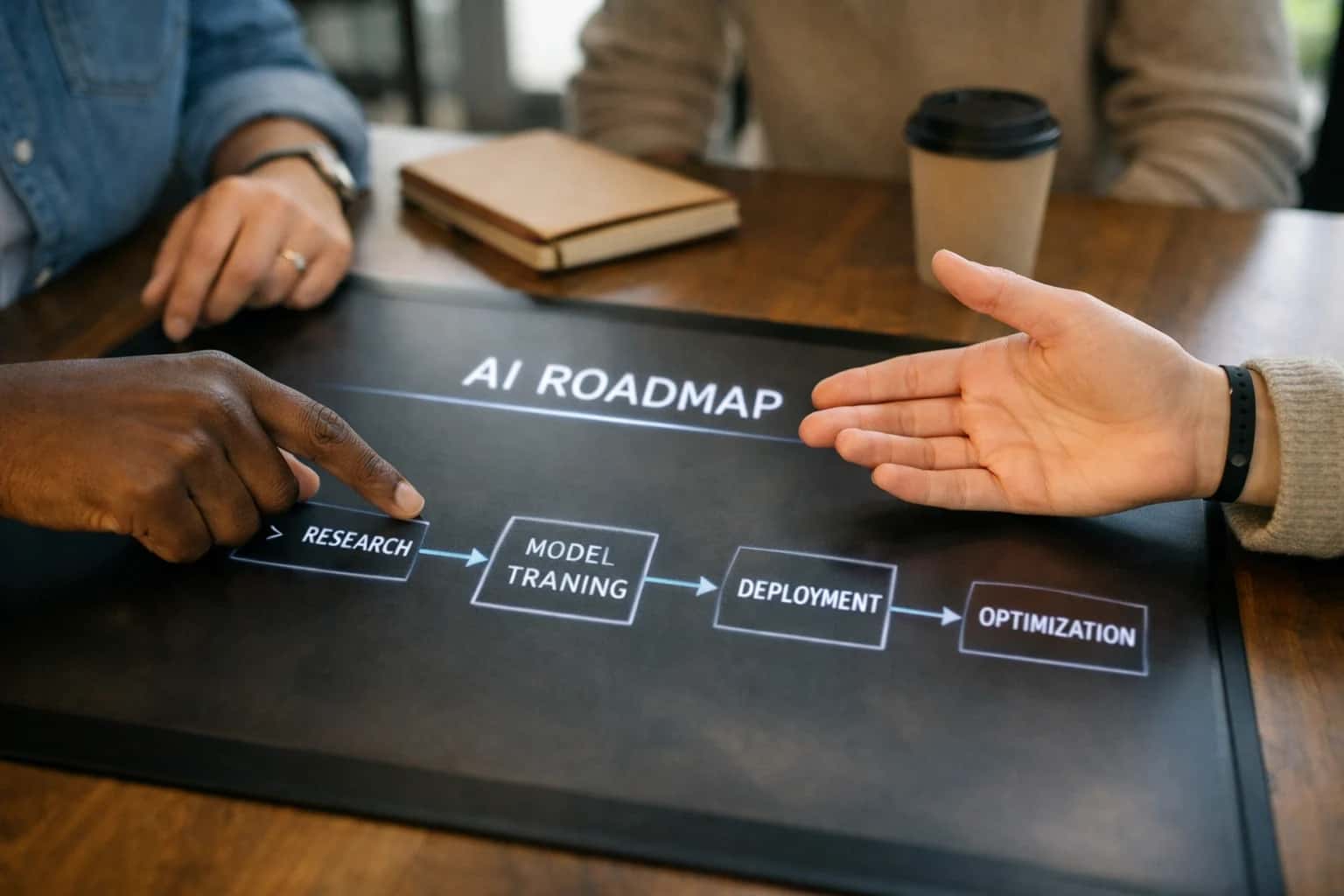
ARCHITECTURE AND ROLLOUT
Where AI Fits into Asana Roadmapping
A practical blueprint for integrating AI into Asana's strategic roadmapping workflows to simulate scenarios, assess feasibility, and automate stakeholder communications.
Implementation typically involves a middleware service that polls the Asana API for changes to key roadmap objects or listens via webhooks. This service feeds structured data—goal progress, timeline shifts, resource allocations—into an AI model. The model's outputs, such as a revised timeline confidence score or a narrative update on strategic trade-offs, are written back into Asana via the API into dedicated custom fields (e.g., AI-Generated Scenario Summary, Feasibility Score). This creates a closed-loop system where the roadmap is not just a static document but an intelligent, living model. Key workflows include automated quarterly roadmap reviews, where AI synthesizes project performance data to recommend reprioritization, and stakeholder briefing generation, which pulls from goal narratives and progress to draft update communications.
Rollout should be phased, starting with a single portfolio or product line. Governance is critical: establish clear RBAC for who can trigger AI simulations and approve AI-suggested changes. Implement an audit trail logging all AI-generated recommendations and the human decisions made on them. Use Asana's built-in approval workflows or custom status fields to require human sign-off before any AI-suggested timeline changes are committed. This ensures the AI augments human judgment without automating strategic decisions. For teams using Asana's Forms for intake, AI can be added to triage and preliminarily scope new roadmap requests, estimating effort and slotting them into simulated timeline scenarios before they ever become a formal project.
ARCHITECTURAL INTEGRATION POINTS
Key Asana Surfaces for AI Roadmapping
Strategic Alignment Layer
Asana Portfolios and Goals provide the primary data model for strategic roadmapping. AI integration here focuses on analyzing the hierarchical relationship between strategic objectives (Goals) and the projects and tasks (within Portfolios) intended to achieve them.
Key integration surfaces:
- Goal Progress & Confidence: AI models can ingest current progress percentages, linked project statuses, and custom field data to calculate a predictive confidence score for goal attainment, flagging strategic risks early.
- Portfolio Health Aggregation: Instead of manual roll-ups, an AI agent can continuously analyze all projects within a Portfolio. It evaluates timeline variance, budget status, and resource allocation from custom fields to generate a dynamic health score and narrative summary.
- Alignment Analysis: By processing Goal descriptions and linked project details, AI can identify projects that are misaligned or redundant, suggesting consolidation or reprioritization to executive teams.
This layer turns static goal-setting into an intelligent, predictive system for strategic oversight.
FOR ASANA
High-Value AI Roadmapping Use Cases
Strategic roadmapping in Asana involves managing complex timelines, goals, and dependencies. AI integration transforms this from a static planning exercise into a dynamic, predictive system. These cards detail specific workflows where AI analyzes Asana's timeline and goal data to simulate scenarios, assess feasibility, and generate narrative updates.
01
Scenario Simulation for Timeline Adjustments
AI analyzes the Asana timeline, task dependencies, and resource assignments to model the impact of adding a new feature, delaying a milestone, or reallocating a team member. It runs multiple 'what-if' scenarios and writes back a summary of projected completion dates and critical path changes to a dedicated custom text field in the roadmap project.
1 sprint
Analysis time saved
02
Feasibility Scoring for New Initiatives
When a new initiative is proposed via an Asana Form, an AI agent evaluates the request against existing portfolio goals, current team capacity (from Asana Workload), and historical delivery data. It auto-populates a custom number field with a feasibility score (e.g., 1-10) and a text field with key constraints or prerequisites, enabling faster, data-informed intake decisions.
03
Automated Narrative Updates for Stakeholders
AI synthesizes progress from linked Asana Goals, milestone tasks, and status updates across the portfolio. On a scheduled basis, it generates a concise, narrative-driven summary—tailored for executive, engineering, or product audiences—and posts it as a project status update or sends it via a connected email automation, replacing manual report drafting.
Hours -> Minutes
Report generation
04
Dependency Risk Detection & Alerting
An AI model continuously monitors task dependencies and timeline columns within the roadmap. It identifies tasks at high risk of delay, calculates the potential cascade effect on downstream milestones, and automatically creates a subtask under the relevant milestone with a description of the risk and suggested mitigation, triggering an Asana rule to notify the owner.
05
Goal Attainment Forecasting
AI connects to Asana Goals linked to roadmap projects. By analyzing the progress of contributing tasks and historical velocity, it predicts the likelihood and estimated date of goal completion. This forecast is written to a custom field on the Goal, and significant deviations trigger an automation to update the roadmap's timeline or alert the goal owner.
06
Cross-Portfolio Resource Conflict Analysis
For organizations using Asana Portfolios, AI examines multiple roadmaps to identify shared resources (teams or individuals) assigned to concurrent high-priority milestones. It flags potential conflicts in a dedicated portfolio custom field and recommends timeline adjustments or capacity shifts, providing portfolio managers with a proactive view of contention points.
Batch -> Real-time
Conflict visibility
STRATEGIC PLANNING AUTOMATION
Example AI Roadmapping Workflows
These workflows demonstrate how AI can be embedded into Asana's roadmapping surfaces—specifically Portfolios, Goals, and Timeline projects—to automate analysis, scenario planning, and stakeholder communication.
Trigger: A daily scheduled job or a webhook from Asana when a milestone date changes in a Portfolio.
Context Pulled: The AI agent fetches data for all projects within the target Portfolio via the Asana API, including:
- Current vs. planned milestone dates
- Task completion rates
- Custom field values for
Priority,RAG Status, andConfidence - Recent status updates and comments from project owners
Model Action: A classification model analyzes the aggregated data to assign a weekly Portfolio Health Score (0-100) and flags projects with a high probability of delay (>70%). It generates a concise summary of top risks, citing specific projects and changed dates.
System Update: The agent writes back to Asana:
- Updates a custom
AI Health Scorenumber field on the Portfolio. - Creates a subtask under a dedicated "AI Insights" task within the Portfolio, titled "Weekly Risk Alert: [Date]", containing the summary.
- Tags the Portfolio owner via a comment for immediate review.
Human Review Point: The Portfolio owner reviews the alert and summary. They can adjust project priorities, reassign resources, or use the insight to preemptively communicate with stakeholders.
FROM ASANA DATA TO STRATEGIC INSIGHTS
Implementation Architecture: Data Flow & Guardrails
A production-ready blueprint for connecting AI to Asana's roadmapping surfaces to simulate scenarios and generate stakeholder narratives.
The integration architecture centers on Asana's Goals, Portfolios, and Timeline features as the primary data sources. A secure middleware service, authenticated via OAuth 2.0, polls the Asana API on a scheduled basis (e.g., hourly) to extract goal progress, linked project statuses, custom field values (like Confidence Score, Strategic Priority), and timeline dependencies. This raw project data is transformed and enriched—for instance, calculating schedule variance or aggregating portfolio-level resource allocation—before being sent to a dedicated AI orchestration layer. This layer uses the enriched data as context for LLM prompts designed for strategic analysis, not task management.
High-value workflows executed by this architecture include:
- Feasibility Simulation: The AI model analyzes a proposed new goal or milestone against current portfolio timelines and resource workloads in Asana, generating a impact report on existing deliverables.
- Narrative Reporting: For quarterly reviews, the system synthesizes progress across all goals in a Portfolio, writing a cohesive executive summary that highlights achievements, risks (pulled from linked project
Riskcustom fields), and recommended adjustments. - Stakeholder-Specific Updates: Using role tags from Asana custom fields, the AI tailors the depth and focus of generated roadmapping updates—technical detail for engineering leads, high-level timeline shifts for executives.
Results are written back to Asana via the API into dedicated Roadmap Update tasks within relevant Projects or as summaries attached to Goal records, creating a closed-loop audit trail.
Governance is built into the data flow. All AI-generated content is initially written to a "Draft" custom field or a dedicated Approval Task for product or portfolio manager review before being published to broader stakeholder comments. The middleware maintains full logs of all data sent to and received from the AI model, enabling traceability. Rollout typically follows a pilot on a single high-visibility portfolio, using a human-in-the-loop approval step, before automating updates for lower-risk goals. This controlled approach ensures the AI augments strategic decision-making without creating unvetted communication or schedule changes.
ASANA ROADMAPPING INTEGRATION SURFACES
Code & Payload Examples
Analyzing Strategic Goals for Roadmap Feasibility
The Asana Goals API (/goals) provides the strategic context for your roadmap. An AI integration can analyze goal progress, linked projects, and custom fields to assess roadmap alignment and predict attainment likelihood.
Example Use Case: Before a quarterly roadmap review, an AI agent fetches all active Goals, analyzes the completion status of linked Projects in the Portfolio, and generates a confidence score for each goal. This informs which roadmap initiatives are strategically viable.
Example API Call (Python):
pythonimport requests # Fetch goals for a specific portfolio response = requests.get( 'https://app.asana.com/api/1.0/goals', headers={'Authorization': 'Bearer YOUR_TOKEN'}, params={'portfolio': 'PORTFOLIO_GID', 'opt_fields': 'name,current_status_update,metric,linked_projects'} ) goals_data = response.json() # Pass to LLM for analysis analysis_prompt = f"""Analyze these Asana goals for roadmap planning: {goals_data} For each goal, estimate the likelihood of achievement based on linked project statuses. """
AI-ASSISTED ROADMAPPING
Realistic Time Savings & Operational Impact
This table illustrates the operational impact of integrating AI into Asana's strategic roadmapping workflows, focusing on time savings, improved decision quality, and stakeholder alignment.
| Workflow | Before AI | After AI | Implementation Notes |
|---|---|---|---|
Scenario Analysis & Feasibility Checks | Manual spreadsheet modeling, 4-8 hours per scenario | AI-generated simulations in 15-30 minutes | AI analyzes timeline data, resource sheets, and dependencies to model outcomes |
Quarterly Roadmap Narrative Generation | Manager drafts over 1-2 days, seeks input | AI drafts initial narrative in 1 hour, human refines | Synthesizes progress from Goals, Portfolios, and project updates into a stakeholder-ready story |
Timeline Conflict Detection | Manual review during sync meetings, often missed | Proactive alerts on resource or date conflicts | AI monitors Asana dependencies and custom date fields across the portfolio |
Stakeholder Update Preparation | Manual data pull and slide creation, 3-5 hours | Automated report generation in 30 minutes | AI tailors depth and format (email, PDF, slide) based on stakeholder role from a single data source |
Goal Progress Synthesis & Confidence Scoring | Manual calculation and subjective assessment | Automated weekly scoring and trend analysis | AI links project task completion to Asana Goals, providing predictive attainment likelihood |
Initiative Prioritization Support | Leadership debate based on incomplete data | Data-driven scoring against strategic criteria | AI scores new requests using custom fields (e.g., strategic alignment, estimated ROI) for faster consensus |
Roadmap Change Communication | Manual updates to multiple documents and teams | Automated change summaries and task updates | AI detects timeline shifts, generates comms, and updates linked Asana tasks via API |
ARCHITECTING FOR CONTROLLED ADOPTION
Governance, Security & Phased Rollout
A strategic AI integration for Asana roadmapping requires a controlled rollout and clear governance to manage change and ensure data security.
Governance starts with defining the AI's operational scope within your Asana instance. This involves creating a dedicated Asana Project or Portfolio to serve as the AI's 'workspace' for scenario simulations, feasibility assessments, and generated narrative drafts. Access is controlled via Asana's native Teams, Projects, and Task permissions, ensuring only authorized portfolio managers and stakeholders can view or trigger AI analyses. All AI-generated content—such as timeline adjustments, confidence scores, or stakeholder updates—should be written to designated Asana Custom Fields (e.g., AI Scenario Summary, Feasibility Score, Generated Narrative) or posted as comments, creating a clear audit trail within the existing task and goal records.
For security, the integration operates via a service account using Asana OAuth with scoped permissions, typically default for reading/writing tasks and projects within its designated workspace. The AI service itself should be deployed in your cloud environment (e.g., AWS, Azure) where it can process Asana data via the API without persisting sensitive roadmapping details. Key implementation patterns include:
- Using Asana Webhooks to trigger AI analysis only on specific events, like a milestone date change in a Goal or a status update in a linked Portfolio.
- Implementing a human-in-the-loop approval step for any AI-suggested timeline changes before they are committed to the live roadmap.
- Logging all AI actions (prompts, Asana object IDs, outputs) to a separate audit system for performance review and compliance.
A phased rollout mitigates risk and builds trust:
- Phase 1: Read-Only Analysis (Weeks 1-2) – The AI connects to a sandbox Asana project, analyzing timeline and goal data to generate internal-only feasibility reports and scenario summaries, with no writes back to Asana.
- Phase 2: Assisted Drafting (Weeks 3-4) – The AI begins writing draft narrative updates to a
Draft Updatecustom field on Asana Goals, requiring manual review and publish by the portfolio manager. - Phase 3: Conditional Automation (Weeks 5+) – With established confidence, the AI is permitted to auto-update low-risk fields (e.g., a
Last Analyzeddate) and post scheduled summary comments, while major timeline simulations still require explicit approval. This crawl-walk-run approach, coupled with Asana's built-in permissions and a clear data flow, ensures the integration enhances strategic planning without disrupting existing governance.
Enabling Efficiency, Speed & Accuracy
Intelligent Analysis, Decision & Execution
We build AI systems for teams that need search across company data, workflow automation across tools, or AI features inside products and internal software.
Talk to Us
Search across company data
Give teams answers from docs, tickets, runbooks, and product data with sources and permissions.
Useful when people spend too long searching or get different answers from different systems.
Enterprise searchRAGPermissions
Read more
Automate internal workflows
Use AI to route work, draft outputs, trigger actions, and keep approvals and logs in place.
Useful when repetitive work moves across multiple tools and teams.
AI agentsWorkflow automationGovernance
Read more
Add AI to products and internal tools
Build assistants, guided actions, or decision support into the software your team or customers already use.
Useful when AI needs to be part of the product, not a separate tool.
AI integrationDecision supportModel routing
Read moreIMPLEMENTATION AND WORKFLOW
Frequently Asked Questions
Practical questions for teams planning to integrate AI into Asana for strategic roadmapping, focusing on architecture, data flow, and rollout.
The integration primarily uses the Asana API to read and write data to specific objects key for roadmapping:
-
Primary Data Sources:
- Goals & Portfolios: For strategic objectives and high-level progress.
- Projects with Timeline/Dates: For milestone and dependency data.
- Custom Fields: For storing AI-generated outputs like
Feasibility Score,Confidence Level, orScenario Tag. - Tasks & Subtasks: For granular work items linked to roadmap milestones.
-
Typical Architecture:
python# Example flow: AI analyzes a portfolio for timeline risks portfolio_data = asana_api.get_portfolio(portfolio_gid) projects = asana_api.get_projects_in_portfolio(portfolio_gid) # AI model analyzes dates, dependencies, and progress risk_analysis = ai_model.analyze_timeline_risk(projects) # Write back insights to a custom field or as a comment asana_api.update_custom_field(portfolio_gid, 'ai_risk_summary', risk_analysis) -
Orchestration: A middleware service (often built with tools like n8n or a custom Node.js/Python app) handles API calls, manages the AI model invocation, and executes the update logic on a schedule or via webhook.

About the author
Prasad Kumkar
CEO & MD, Inference Systems
Prasad Kumkar is the CEO & MD of Inference Systems and writes about AI systems architecture, LLM infrastructure, model serving, evaluation, and production deployment. Over 5+ years, he has worked across computer vision models, L5 autonomous vehicle systems, and LLM research, with a focus on taking complex AI ideas into real-world engineering systems.
His work and writing cover AI systems, large language models, AI agents, multimodal systems, autonomous systems, inference optimization, RAG, evaluation, and production AI engineering.
LinkedIn
Limited slotsGet a Free AI Consultation
Partnered with leading AI, data, and software stack.





How We Work
Custom AI workflows for your Business
One-fit-all AI don't work for modern businesses. At Inferensys, we aim to understand your business & custom requirements; which we use to define most efficient agentic workflows, the data, and the tools for your business.
01
Review the use case
We understand the task, the users, and where AI can actually help.
Read more02
Pick the right approach
We define what needs search, automation, or product integration.
Read more03
Build the first useful version
We implement the part that proves the value first.
Read more04
Improve from there
We add the checks and visibility needed to keep it useful.
Read moreThe first call is a practical review of your use case and the right next step.
Talk to Us