Orchestrating work between Asana and Jira typically involves brittle, rule-based field mapping that breaks when context changes. An AI integration layer treats this as a translation and routing problem, using the Asana API and Jira REST API as primary surfaces. The AI agent monitors specific triggers: new Asana tasks in a 'Development Ready' project, updates to Asana custom fields like Epic Link or Story Points, or comments tagged for sync. Instead of simple one-to-one field copying, the model analyzes the Asana task's title, description, attachments, and linked custom fields to intelligently populate Jira's summary, description, issue type (Story, Bug, Task), labels, story points, and epic link. This context-aware mapping reduces manual triage and ensures Jira tickets are created with the detail developers need.

Integration
AI Integration for Asana and Jira Integration
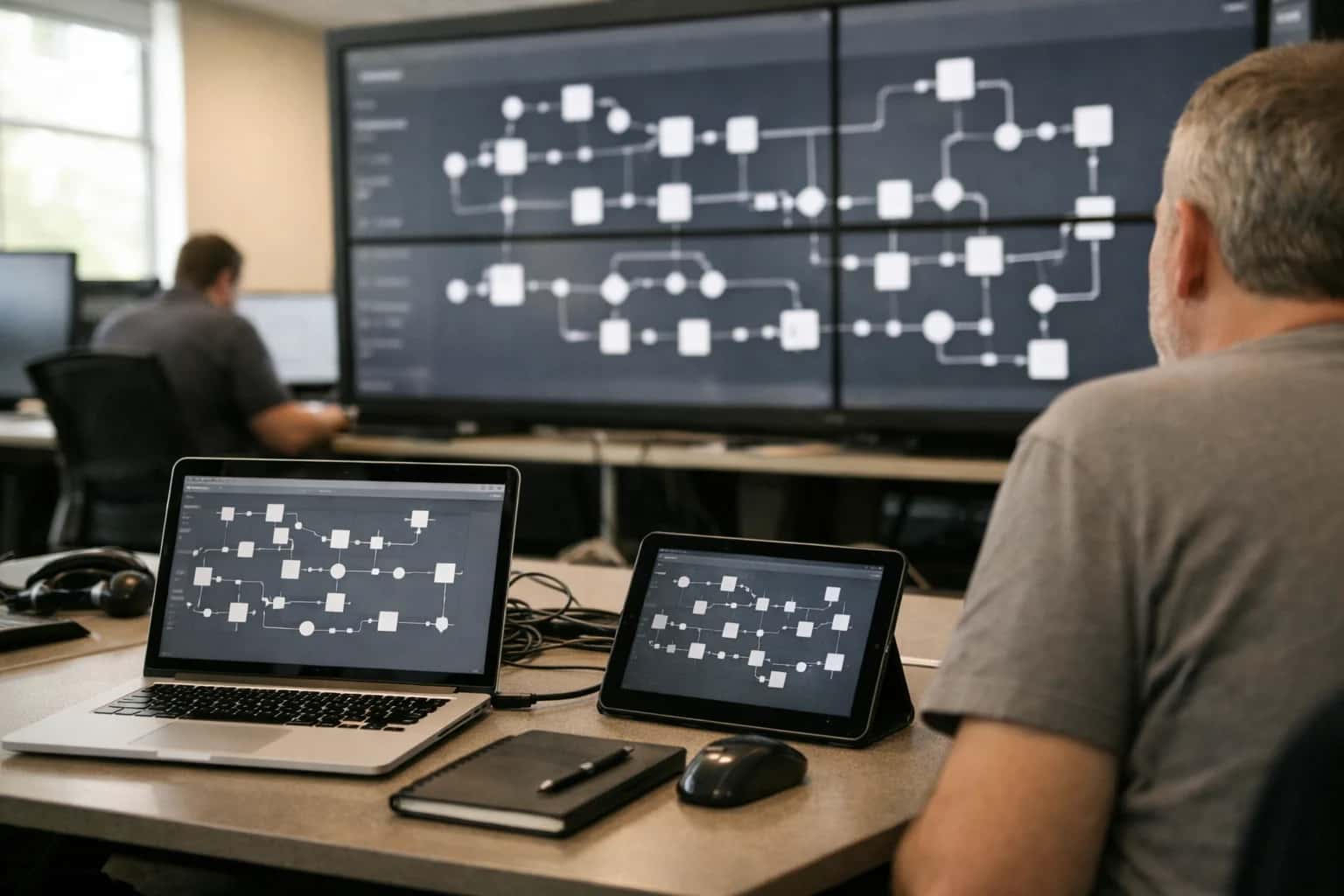
AI-Powered Orchestration Between Asana and Jira
A technical blueprint for using AI to automate and govern the sync between project management in Asana and development execution in Jira.
The core implementation involves a middleware service that subscribes to Asana webhooks and maintains a sync state table. When a configured Asana task is created or updated, the service calls an LLM with a structured prompt containing the Asana payload and the target Jira project's schema. The LLM's role is to interpret intent and apply business rules: for example, an Asana task with 'bug' in the title and a screenshot attachment should become a Jira Bug with the attachment linked; a high-priority task with a large story point estimate might auto-flag for architectural review. After creation, the service stores the bidirectional ID mapping (Asana task GID <-> Jira issue key) in a control database, enabling closed-loop updates. This allows the AI to later summarize Jira comment threads and post status summaries back to the originating Asana task, keeping product managers informed without context switching.
Governance is critical for production rollout. We recommend implementing a human-in-the-loop approval step for the first 100 ticket creations, logging the AI's proposed Jira field mappings for review. This audit trail, combined with configurable validation rules (e.g., 'always require PM approval for Epics'), controls risk. The integration should also include a reconciliation agent that runs nightly, comparing Asana and Jira statuses for mapped items and flagging drifts (e.g., a Jira issue marked 'Done' where the Asana task is still 'In Progress'). This pattern moves integration from a fragile point-to-point pipe to an intelligent, observable workflow layer that adapts to process changes. For teams using both platforms, this AI orchestration can cut the manual overhead of keeping delivery in sync from hours per sprint to minutes, while drastically reducing miscommunication and rework.
Key Integration Surfaces for AI Orchestration
Core Data Flow Automation
The primary integration surface is the bidirectional sync of work items. In Jira, this means Issues (Epics, Stories, Bugs, Tasks). In Asana, these map to Tasks within Projects. An AI orchestration layer sits between the platforms to handle the complex translation of fields, statuses, and context.
Key AI Functions:
- Intelligent Field Mapping: Translates Jira fields (
Assignee,Status,Priority,Story Points) to Asana custom fields and vice-versa, accounting for differing data models. - Context-Aware Sync: Analyzes issue/task descriptions, comments, and attachments to determine what to sync and when, preventing notification spam. For example, a comment tagged
@engineeringin Asana might trigger a sync to the linked Jira issue. - Conflict Resolution: When statuses diverge (e.g., "In Progress" in Jira but "On Hold" in Asana), AI suggests the correct resolution based on workflow rules and recent activity, prompting a human if uncertain.
High-Value AI Use Cases for Asana-Jira Sync
Moving work between Asana and Jira is more than a data sync—it's a workflow translation. These AI-powered patterns automate the mapping of tasks, statuses, and context, ensuring development and business teams stay aligned without manual overhead.
Intelligent Epic & Story Creation
AI analyzes new Asana projects or high-level initiatives, reviews linked documents and goals, and automatically creates corresponding Epics and linked Stories in Jira with pre-populated descriptions, acceptance criteria, and story points based on historical data.
Automated Two-Way Status Sync
An AI agent monitors status changes in both systems (e.g., Jira 'In Progress' to 'Done', Asana 'On Track' to 'Complete'), interprets the workflow context, and updates the linked record in the other platform with a relevant comment, maintaining a coherent narrative.
Context-Aware Field Translation
Instead of rigid field mapping, AI translates and enriches data between platforms. It converts Asana custom fields (e.g., 'Business Impact: High') into appropriate Jira fields (e.g., sets Priority, adds labels, populates a 'Stakeholder Summary' custom field), preserving intent.
Comment & Attachment Synthesis
AI summarizes lengthy Jira comment threads or technical PR links and posts a concise, non-technical update to the linked Asana task for stakeholders. Conversely, it can bundle Asana feedback and attach relevant mockups to the corresponding Jira ticket for developers.
Risk & Blocker Triage
AI monitors for high-risk signals in either system—like a Jira blocker flag, a missed Asana due date, or a comment mentioning a 'dependency'—and creates a linked alert in the other platform, ensuring both project managers and engineering leads have visibility.
Release Note & Stakeholder Report Generation
At the end of a sprint, AI queries Jira for all completed stories linked to Asana initiatives, synthesizes the changes, and automatically generates a draft release note or stakeholder update in the corresponding Asana project or portfolio, ready for review.
Example AI Orchestration Workflows
These workflows demonstrate how an AI orchestration layer can act as an intelligent bridge between Asana and Jira, translating context, automating sync, and ensuring strategic alignment between project management and development execution.
Trigger: A new project is created in an Asana "Strategic Portfolio" with a Platform: Engineering custom field.
AI Action:
- The AI agent analyzes the Asana project's description, goals, and attached brief using an LLM.
- It identifies key user stories, technical components, and success criteria.
- It maps this to Jira's hierarchy: creates a corresponding Epic in the designated Jira project.
- It then breaks down the initiative into logical Features or large user stories as child issues of the Epic.
- For each Feature, it populates the Jira description with a distilled summary from the Asana context and sets initial labels (e.g.,
source:asana,portfolio-id:{Asana Project GID}).
System Update:
- The AI posts a comment on the Asana project with links to the created Jira Epic and a list of the generated Features.
- It updates an Asana custom field
Jira Epic Keywith the EPIC-123 value.
Human Review Point: The engineering manager reviews the AI-generated Feature breakdown in Jira for accuracy and technical feasibility before tasking begins.
Implementation Architecture: The AI Orchestration Layer
A technical blueprint for deploying an AI orchestration layer to manage the complex, bidirectional flow of data between Asana and Jira.
The core of this integration is a dedicated AI orchestration service that sits between the Asana and Jira APIs. This service acts as a stateful middleware, continuously polling or receiving webhooks from both platforms. Its primary functions are to map data models (e.g., Asana tasks to Jira issues, subtasks to sub-tasks), translate field values (e.g., Asana custom status to Jira status category), and enforce business logic (e.g., only sync 'In Progress' items). The service maintains a lightweight sync ledger to prevent feedback loops and handle conflicts, using rulesets that can be overridden by AI-driven decisions.
For intelligent workflows, the orchestration layer integrates a reasoning agent. This agent analyzes the content and context of items being synced. For example, when a new feature request is logged in Jira, the agent can read the epic, description, and acceptance criteria to auto-populate the corresponding Asana project's custom fields for effort scoring, team assignment, and milestone mapping. Conversely, when a project manager updates a risk score in an Asana portfolio, the agent can evaluate the impact and automatically create or update linked Jira issues with blocker flags or priority changes. This moves the integration beyond simple field copying into context-aware synchronization.
Rollout and governance are critical. We recommend a phased approach: start with a one-way, read-only sync for reporting, then enable one-way writes for non-critical fields, before graduating to full bidirectional orchestration for a single project team. The orchestration service should include audit logging for every sync event, manual override controls, and a human-in-the-loop approval queue for high-impact actions like status changes on critical Jira issues. This controlled deployment ensures the AI enhances—rather than disrupts—existing development and project management rhythms. For related architectural patterns, see our guides on AI Integration for Asana API and AI Integration for Application Lifecycle Management Platforms.
Code and Payload Examples
Intelligent Ticket Creation and Field Mapping
When a high-priority Jira issue is created or updated, an AI agent can analyze its description, labels, and comments to create a corresponding task in Asana with enriched context and proper field mapping. This process involves extracting key details, estimating effort, and selecting the appropriate Asana project and assignee.
Example Payload & Logic:
json// Webhook payload from Jira (simplified) { "event": "jira:issue_updated", "issue": { "key": "PROJ-123", "fields": { "summary": "API latency spike in checkout service", "description": "Customers reporting 5s delays during peak hours. Logs show database connection pool exhaustion. This is a P1 issue impacting revenue.", "priority": {"name": "Highest"}, "labels": ["backend", "p1", "revenue-critical"] } } } // AI Agent Logic: // 1. Classify: Is this a bug, feature, or operational task? // 2. Extract: Identify service ('checkout'), symptom ('latency'), root cause ('db pool'). // 3. Map: Jira 'Highest' -> Asana 'High' priority; 'revenue-critical' label -> 'Impact: Revenue' custom field. // 4. Enrich: Suggest Asana project 'Platform Stability' and assign to 'Backend Team' section.
The agent uses this analysis to call the Asana API, creating a well-structured task that development and project management teams can act on immediately.
Realistic Time Savings and Operational Impact
This table illustrates the tangible operational improvements when AI manages the sync, translation, and governance of tasks and tickets between Asana (project management) and Jira (development tracking).
| Workflow | Manual Process | AI-Orchestrated Process | Key Notes |
|---|---|---|---|
Ticket Creation from Project Request | Product owner manually recreates Asana task in Jira, translating fields | AI agent parses Asana custom fields/description, auto-creates Jira issue with mapped labels, story points | Eliminates copy-paste errors, ensures consistent metadata |
Status Synchronization | Daily standup updates require manual status change in both systems | AI monitors Jira transitions (e.g., 'In Progress' to 'Done') and updates linked Asana task status automatically | Maintains a single source of truth, reduces status meeting overhead |
Field Translation & Mapping | Manual mapping of Asana priority to Jira priority, Asana assignee to Jira assignee | AI uses configurable rules and historical data to intelligently map fields, handling team-specific conventions | Adapts to team workflows, learns from past corrections |
Dependency & Blockers Alerting | Project manager manually reviews both systems to identify cross-platform blockers | AI analyzes linked tasks, detects when a Jira blocker impedes an Asana milestone, and alerts both teams | Proactive risk mitigation, reduces project delay |
Retrospective & Reporting Data Merge | Manual export/merge of data from both platforms for sprint reviews | AI automatically consolidates velocity, cycle time, and completion data from Jira with project health metrics from Asana | Provides unified analytics in hours, not days |
Bidirectional Comment Sync | Developers and PMs must check both systems for relevant discussion updates | AI selectively syncs key comments (e.g., blocker explanations, requirement clarifications) between platforms, maintaining context | Keeps teams aligned without notification fatigue |
Rollout & Governance Overhead | IT/Admin manually manages integration rules and handles exception tickets | AI provides a central dashboard for monitoring sync health, suggesting rule optimizations, and flagging exceptions for human review | Shifts admin role from firefighting to strategic oversight |
Governance, Security, and Phased Rollout
A secure, governed approach to deploying AI across your Asana and Jira ecosystem.
A production-grade AI integration must operate within your existing security and governance frameworks. For Asana and Jira, this means treating the AI layer as a privileged system that interacts with APIs using service accounts scoped to specific projects, teams, or custom fields. Key controls include:
- API Scoping & RBAC: The integration service should use dedicated OAuth tokens or API keys with the minimal necessary permissions—typically
tasks:read/writein Asana andissues:read/writein Jira—restricted to the specific projects or portfolios involved in the sync. - Data Flow Governance: All data passed to LLMs for analysis (e.g., ticket summaries for field mapping) should be scrubbed of PII and sensitive internal data via a pre-processing layer before leaving your VPC.
- Audit Trail: Every AI-generated action—like creating a linked Jira issue from an Asana task—should log the source data, the AI's reasoning (via tracing), and the resulting API call to a separate audit system for compliance and debugging.
A successful rollout follows a phased, value-driven approach to build confidence and refine workflows:
- Phase 1: Read-Only Analysis & Alerts: Deploy agents that monitor specific Asana portfolios and Jira projects for sync conflicts or priority mismatches, sending summary reports via Slack or email without making any writes.
- Phase 2: Assisted Creation with Human-in-the-Loop: Activate agents that suggest Jira issue creation from Asana tasks (or vice-versa), presenting the proposed ticket with mapped fields (e.g.,
Asana Priority→Jira Severity) in a review queue within a tool like n8n or a custom dashboard for a manager to approve with one click. - Phase 3: Conditional Autopilot for Defined Rules: For high-volume, low-risk workflows—like syncing status updates on
Closedtasks—enable fully automated syncs, but only after establishing clear business rules (e.g., "only auto-sync tasks taggedType: Bug") and monitoring accuracy over a full sprint cycle.
Ultimately, governance is about maintaining human oversight where it matters. Establish clear escalation paths and a rollback plan. Designate integration owners in both the project management and development teams to review the AI's sync logs weekly. Use the phased rollout to gather data on the AI's accuracy in field translation and timing, which can then be used to fine-tune the underlying prompts and decision logic. This controlled, iterative approach de-risks the integration while delivering compounding efficiency gains, turning a complex cross-platform workflow into a managed, intelligent system.
Enabling Efficiency, Speed & Accuracy
Intelligent Analysis, Decision & Execution
We build AI systems for teams that need search across company data, workflow automation across tools, or AI features inside products and internal software.
Talk to Us
Search across company data
Give teams answers from docs, tickets, runbooks, and product data with sources and permissions.
Useful when people spend too long searching or get different answers from different systems.

Automate internal workflows
Use AI to route work, draft outputs, trigger actions, and keep approvals and logs in place.
Useful when repetitive work moves across multiple tools and teams.

Add AI to products and internal tools
Build assistants, guided actions, or decision support into the software your team or customers already use.
Useful when AI needs to be part of the product, not a separate tool.
Frequently Asked Questions
Practical questions and workflow blueprints for teams implementing AI to orchestrate workflows between Asana and Jira, ensuring intelligent sync, field translation, and cross-platform consistency.
A production-ready sync agent typically follows this event-driven pattern:
- Trigger: A webhook from Jira (e.g., issue updated) or Asana (e.g., task modified) fires to your integration middleware.
- Context Enrichment: The agent fetches the full context. For a Jira issue, this includes
summary,description,status,assignee,priority, and custom fields likeStory Points. For an Asana task, it pullsname,notes,assignee,due_on, and custom fields. - Intelligent Mapping & Translation: The LLM analyzes the change and determines:
- Is this a sync-worthy update? (Filters out noise like minor comment additions).
- How should fields map? Jira
priority(Highest,High) might map to an Asana custom dropdownPriority(P0,P1). - What's the narrative? Translates Jira's technical
descriptioninto a project-focused Asananotesupdate, or vice-versa.
- System Update: The agent calls the destination API (Asana or Jira) to create or update the linked record, populating the translated fields.
- Audit Trail: A log entry is written to a sync log table, recording the source, destination, decision rationale, and timestamp for governance.
Key Consideration: Implement a deduplication layer using a external_id custom field in both systems to prevent loops and ensure record linkage.

About the author
Prasad Kumkar
CEO & MD, Inference Systems
Prasad Kumkar is the CEO & MD of Inference Systems and writes about AI systems architecture, LLM infrastructure, model serving, evaluation, and production deployment. Over 5+ years, he has worked across computer vision models, L5 autonomous vehicle systems, and LLM research, with a focus on taking complex AI ideas into real-world engineering systems.
His work and writing cover AI systems, large language models, AI agents, multimodal systems, autonomous systems, inference optimization, RAG, evaluation, and production AI engineering.
Partnered with leading AI, data, and software stack.





How We Work
Custom AI workflows for your Business
One-fit-all AI don't work for modern businesses. At Inferensys, we aim to understand your business & custom requirements; which we use to define most efficient agentic workflows, the data, and the tools for your business.
01
Review the use case
We understand the task, the users, and where AI can actually help.
Read more02
Pick the right approach
We define what needs search, automation, or product integration.
Read more03
Build the first useful version
We implement the part that proves the value first.
Read more04
Improve from there
We add the checks and visibility needed to keep it useful.
Read moreThe first call is a practical review of your use case and the right next step.
Talk to Us