AI Integration for Engineering Knowledge Retrieval in PLM
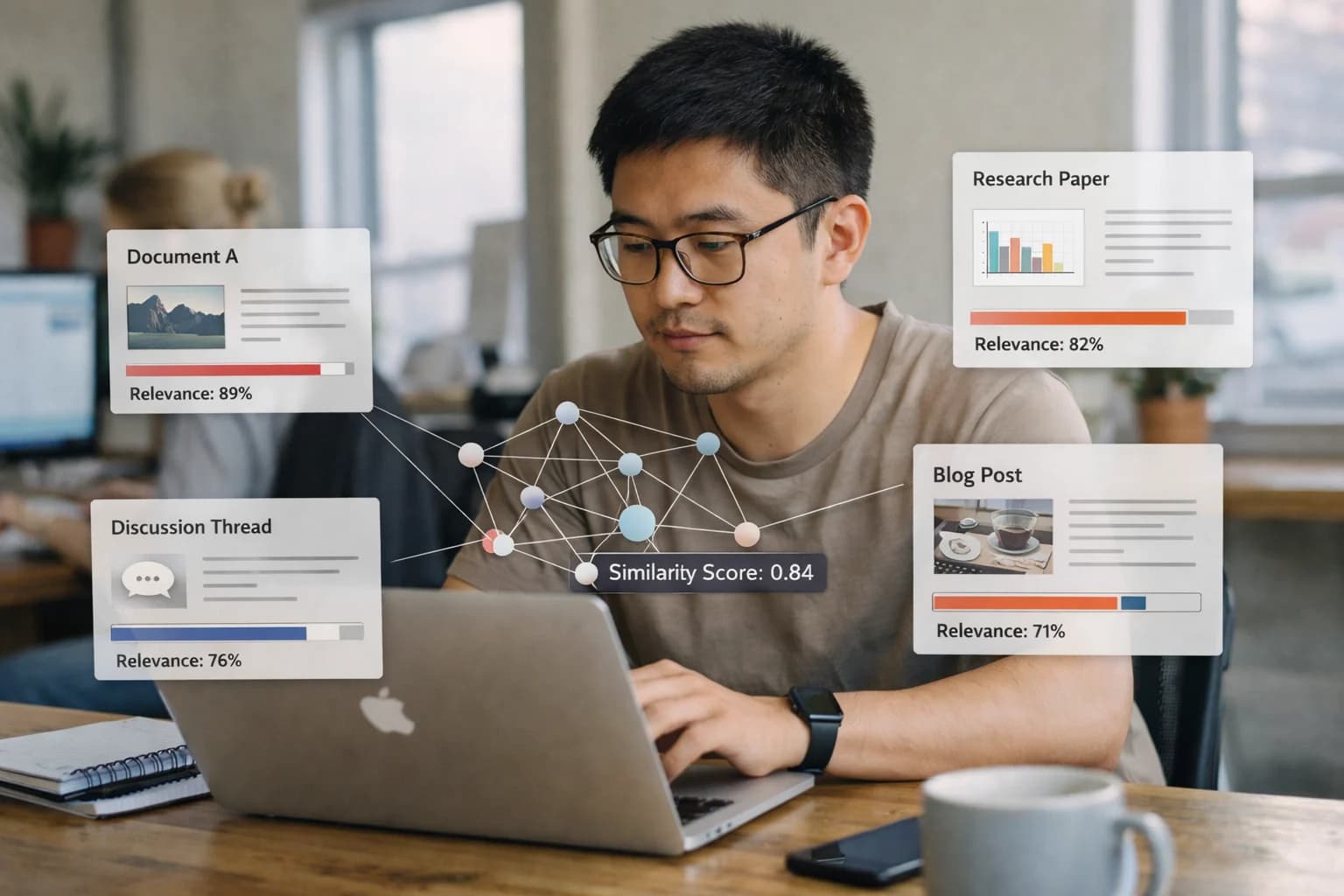
Build a RAG-powered semantic search layer across Siemens Teamcenter, PTC Windchill, and other PLM systems to find parts, specs, and lessons learned from unstructured documents and CAD metadata.
A practical blueprint for adding a RAG-powered semantic search layer to Siemens Teamcenter, PTC Windchill, and other PLM systems to find parts, specs, and lessons learned.
The core integration surfaces are the PLM vault and its metadata. An AI agent connects via the system's APIs (e.g., Teamcenter SOA, Windchill REST) to index both structured records—like Item Masters, BOMs, and Change Objects—and unstructured documents such as CAD model metadata, PDF specifications, test reports, and meeting notes. This creates a unified vector index that sits alongside, not inside, the production PLM database, enabling queries across previously siloed data types without impacting transactional performance.
Implementation focuses on high-value engineering workflows: a designer searching for "all corrosion-resistant brackets used in outdoor assemblies under 500g" or a quality engineer asking "show me past failure reports for this seal material." The AI layer processes these natural language queries, performs semantic search across the vector store, and returns ranked results with citations back to the source PLM objects (e.g., a ItemRevision UID or a Dataset file path). Results can be surfaced through a chat interface embedded in the PLM portal or via a separate copilot application that engineers access during design reviews and troubleshooting sessions.
Rollout is phased, starting with a pilot vault of high-activity projects or a specific document type like material certifications. Governance is critical: the system must log all queries and results for audit, respect existing PLM access controls (ACLs) to ensure users only see results they are permitted to, and include a human review step for any AI-generated summaries before they are attached to formal records. This architecture turns the PLM system from a system of record into a system of insight, reducing the time engineers spend searching from hours to minutes while keeping all data lineage and compliance intact.
ENGINEERING KNOWLEDGE RETRIEVAL
PLM Data Surfaces for AI Integration
Structured Part and Assembly Records
The core of any PLM system is its structured item master and Bill of Materials (BOM). This includes part numbers, revisions, descriptions, classifications, and parent-child relationships. AI integration surfaces this data for:
Semantic Search: Enable engineers to find parts using natural language queries like "find all corrosion-resistant brackets used in outdoor assemblies" instead of exact part numbers.
Design Reuse: An AI agent can analyze new designs against the item master to suggest existing, qualified components, reducing part proliferation and procurement costs.
Impact Analysis: When a change is proposed, AI can traverse the BOM to instantly identify all affected parent assemblies and downstream manufacturing processes, far faster than manual queries.
Integration typically occurs via PLM REST APIs or SOA services (e.g., Teamcenter SOA, Windchill REST) to fetch item attributes, BOM structures, and where-used information in real-time.
ENGINEERING KNOWLEDGE RETRIEVAL
High-Value Use Cases for Engineering Teams
Deploying a RAG-powered semantic search layer across your PLM vaults transforms how engineers find parts, specifications, and lessons learned. These use cases connect AI directly to Siemens Teamcenter, PTC Windchill, and Dassault Systèmes to accelerate design cycles and reduce rework.
01
Find Equivalent & Alternate Parts
Engineers query natural language like "find a 10mm stainless steel shoulder bolt with corrosion resistance" against the PLM item master and supplier catalogs. The AI agent returns ranked matches with metadata, 3D model previews, and obsolescence status, reducing manual BOM scrubbing from hours to minutes.
Hours -> Minutes
Part search time
02
Semantic Search Across Unstructured Documents
Index PDF specs, test reports, FMEA worksheets, and meeting notes stored in PLM document modules. Enable queries like "show me vibration test results for aluminum alloy 6061 under 5g load" to surface exact excerpts and source files, bypassing manual folder navigation.
Batch -> Real-time
Document discovery
03
Lessons Learned & Failure Analysis
Build a knowledge graph linking past ECOs, quality non-conformances, and field service reports to part numbers and assemblies. New projects can ask "what were the root causes for motor failures in product line X?" to proactively avoid repeating past design flaws.
1 sprint
Avoided rework cycle
04
CAD Metadata & Design Intent Retrieval
Extract and index parameters, features, and material properties from native CAD files (SolidWorks, NX, CATIA) managed in PLM. Support queries for designs by intent: "find all brackets designed for a minimum safety factor of 2.5" to enable rapid design reuse.
Same day
Design reuse identification
05
Compliance & Specification Cross-Reference
Parse regulatory documents (REACH, RoHS) and internal standards, then link clauses to affected components in the PLM BOM. Automatically flag items during change workflows that violate updated specs, ensuring compliance checks are integrated into the design process.
06
Supplier Technical Document Analysis
When a new component submission is uploaded to the PLM supplier collaboration module, an AI agent reviews the attached datasheets and test certificates. It extracts key parameters, compares them against requirements, and highlights gaps for the quality engineer's review.
Hours -> Minutes
Initial review time
PLM-SPECIFIC IMPLEMENTATION PATTERNS
Example AI-Powered Knowledge Retrieval Workflows
These workflows illustrate how a RAG (Retrieval-Augmented Generation) layer connects to Siemens Teamcenter, PTC Windchill, or Dassault Systèmes to answer complex engineering questions, find relevant historical data, and accelerate decision-making. Each pattern is triggered by a user action or system event, queries a vectorized knowledge base, and returns grounded, actionable information within the PLM interface.
Trigger: An engineer initiates creation of a new part/item in the PLM system.
Context Pulled: The engineer provides a natural language description (e.g., "bracket for mounting sensor in high-vibration environment") and key attributes (material: aluminum, environment: outdoor).
AI Agent Action:
The query is embedded and used to perform a semantic search across:
Existing part master records (metadata).
Attached CAD model files and STEP/IGES metadata.
Past failure reports and test documents linked to similar parts.
Engineering change orders (ECOs) that modified comparable components.
The top 5-10 most relevant items are retrieved, with similarity scores.
An LLM synthesizes a summary, highlighting:
Direct Reuse Candidates: Parts with >90% similarity, ready for revision or copy.
Lessons Learned: Any linked quality incidents or performance notes.
Regulatory Flags: Compliance status (e.g., RoHS) of similar legacy parts.
System Update/Next Step: The summary is displayed in a side-panel within the part creation UI. The engineer can click to navigate directly to the suggested reusable parts, or proceed with a new design, informed by the historical context.
Human Review Point: The engineer validates the suggestions. The system logs the query and whether a reuse occurred for continuous model improvement.
BUILDING A RAG LAYER FOR PLM
Implementation Architecture: Data Flow & APIs
A production-ready semantic search integration connects AI services to PLM APIs, orchestrates data pipelines, and embeds results into engineering workflows.
The core architecture is a RAG (Retrieval-Augmented Generation) pipeline that sits alongside your PLM system. It typically involves:
Data Ingestion Connectors: Polling or listening for events from PLM APIs (e.g., Teamcenter SOA, Windchill REST) to extract documents, item attributes, and CAD metadata.
Chunking & Embedding Service: Splitting large documents (PDF specs, test reports) into logical chunks, generating vector embeddings using models like OpenAI's text-embedding-3-small, and indexing them in a vector database (Pinecone, Weaviate).
Query Orchestrator: A service that accepts natural language queries, performs a hybrid search (semantic + keyword) across the vector index and PLM's structured database, and retrieves the most relevant context.
Response Generation & Grounding: An LLM (like GPT-4) synthesizes the retrieved chunks into a concise answer, strictly citing source PLM item IDs and document numbers to ensure traceability.
Integration points are critical for user adoption. The AI layer connects to:
PLM Web UI: Injects a conversational search bar or copilot panel into the Teamcenter or Windchill interface using custom widgets or iframes.
CAD Environments: Via add-ins for SOLIDWORKS or CATIA, allowing engineers to query related parts and standards without leaving their design workspace.
Change Workflows: As an ECO is drafted, an AI agent can be triggered via webhook to analyze the change description, automatically search for and list potentially affected items and documents, and attach the analysis to the change record.
Mobile & Field Apps: Provides a simplified query API for service technicians needing to find assembly instructions or compatible spare parts using a part number or symptom description.
Governance and rollout require a phased approach. Start with a read-only, audit-logged pilot on a non-critical data set (e.g., archived project documents). Implement:
API Gateways & Rate Limiting: To manage load and costs when calling external LLM services.
Role-Based Access Control (RBAC): Ensures search results respect PLM object-level permissions; a designer shouldn't see results for projects they're not authorized to access.
Human-in-the-Loop (HITL) Review: For high-stakes queries (e.g., compliance-related), the system can flag responses for engineer verification before use, logging the interaction for continuous model improvement.
Feedback Loop: A simple 'thumbs up/down' mechanism on AI responses feeds into a fine-tuning dataset, improving accuracy for your specific engineering lexicon and part taxonomy over time. For a deeper technical dive on building these secure connections, see our guide on PLM System Integration and APIs.
IMPLEMENTATION PATTERNS
Code & Payload Examples
Querying Engineering Documents with Semantic Search
This pattern uses a Retrieval-Augmented Generation (RAG) pipeline to find relevant information across PDFs, Word files, and CAD metadata stored in the PLM vault. The system chunks documents, generates embeddings, and stores them in a vector database. When an engineer asks a natural language question, the system retrieves the most relevant chunks and uses an LLM to generate a grounded answer.
python
# Example: Querying for lessons learned on a specific material
from inference_systems.plm_client import PLMVectorStore
from inference_systems.llm_orchestrator import LLMOrchestrator
# Initialize connection to vectorized PLM document store
vector_store = PLMVectorStore(
connection_string="plm+windchill://tenant.company.com",
collection_name="engineering_docs"
)
# Natural language query from engineer
query = "What are the known fatigue failure modes for 7075-T6 aluminum in high-vibration environments?"
# Retrieve relevant document chunks
relevant_chunks = vector_store.similarity_search(
query=query,
k=5,
filter={"metadata.doc_type": "test_report"}
)
# Generate a concise, sourced answer
orchestrator = LLMOrchestrator(model="gpt-4")
answer = orchestrator.generate_grounded_response(
query=query,
context_chunks=relevant_chunks,
system_prompt="You are an engineering assistant. Answer based only on the provided PLM documents. Cite source document IDs."
)
# Return answer with citations to the PLM document IDs
print(f"Answer: {answer.text}")
print(f"Sources: {answer.source_docs}")
This enables engineers to find buried knowledge without knowing exact file names or keywords.
ENGINEERING KNOWLEDGE RETRIEVAL
Realistic Time Savings & Operational Impact
This table illustrates the practical impact of adding a RAG-powered semantic search layer to your PLM system, focusing on measurable improvements to engineering workflows and data operations.
Metric
Before AI
After AI
Notes
Finding a specific part or spec
Manual keyword search across vaults (15-45 min)
Natural language query with ranked results (<2 min)
Searches across CAD metadata, PDFs, and structured item records
Researching lessons learned for a failure
Manual review of past ECOs & quality reports (2-4 hours)
AI-summarized history with cited sources (20-30 min)
Connects failure modes to past design changes and test data
Automated compliance flagging with evidence snippets (5-10 min)
Cross-references part attributes against REACH/RoHS rules in PLM
Onboarding an engineer to a complex assembly
Weeks of tribal knowledge transfer & document review
Interactive copilot for Q&A on system history & design intent
Reduces ramp-up time by surfacing critical context on-demand
Preparing for a design review meeting
Manual compilation of relevant documents & changes (3-5 hours)
AI-generated briefing packet with linked artifacts (30-45 min)
Automatically pulls latest models, specs, and related ECOs
Responding to a supplier RFQ with technical data
Manual extraction of drawings, specs, and compliance docs (4-8 hours)
Automated dossier generation from PLM records (1 hour)
Ensures consistency and reduces risk of outdated document versions
Conducting a root cause analysis for a quality issue
Cross-referencing disparate systems (PLM, QMS, MES) (1-2 days)
Unified search across connected digital thread data (2-4 hours)
AI correlates incidents with BOM versions, test results, and change history
IMPLEMENTING AI IN REGULATED ENGINEERING ENVIRONMENTS
Governance, Security & Phased Rollout
Deploying AI for engineering knowledge retrieval requires a controlled, phased approach that prioritizes data security, auditability, and user trust.
Start with a pilot on non-critical, high-volume data. A common first phase is to deploy a RAG system against a controlled set of documents, such as archived test reports, past project lessons learned, or public standards libraries. This allows the AI to index and retrieve from PDFs, CAD metadata, and change order descriptions without touching live, controlled design data. The pilot is typically scoped to a single team or product line within Siemens Teamcenter or PTC Windchill, using a sandbox or development instance to validate search relevance, performance, and user adoption before any production data is exposed.
Architect for security-first data access. In production, the AI retrieval layer must respect the PLM system's native permissions. We implement the integration so that every user query is executed within the context of their existing Teamcenter or Windchill roles and access controls. The AI agent acts as a proxy, never storing a separate copy of sensitive IP. All queries and retrieved documents are logged to the PLM's audit trail, creating a traceable record of who asked what and what information was surfaced. For highly regulated industries (A&D, Medical Devices), the architecture can be deployed on-premises or within a private cloud VPC, ensuring data never leaves the corporate network.
Govern through phased enablement and human review. Rollout follows a clear enablement path: 1) Assisted Search – The AI suggests relevant documents and parts, but the engineer makes the final selection. 2) Automated Summarization – For approved document sets, the AI generates summaries of long reports or change histories. 3) Proactive Alerting – The system monitors new document check-ins and flags potentially relevant items to subscribed engineers based on their projects. Each phase includes defined review gates, user training, and feedback loops to tune prompts and retrieval logic. An oversight workflow ensures any AI-generated content (like a summary) can be flagged for human verification before being used in a formal process like an ECO.
This governance model turns AI from a black box into a managed tool. By integrating with the PLM's existing security model and audit capabilities, and rolling out functionality in controlled phases, engineering organizations can capture the productivity gains of semantic search—reducing part search time from hours to minutes—while maintaining strict control over intellectual property and compliance. The end state is a governed AI layer that feels like a natural extension of the Teamcenter or Windchill interface, not a separate, risky application.
Enabling Efficiency, Speed & Accuracy
Intelligent Analysis, Decision & Execution
We build AI systems for teams that need search across company data, workflow automation across tools, or AI features inside products and internal software.
IMPLEMENTATION AND OPERATIONS
Frequently Asked Questions
Common technical and strategic questions about building a RAG-powered semantic search layer for Siemens Teamcenter, PTC Windchill, and other PLM systems.
Indexing requires a secure, read-only service account with scoped permissions. The typical pattern involves:
Authentication & Connection: Using PLM-specific APIs (e.g., Teamcenter SOA, Windchill REST) with a service principal that has read access to vaults, items, and datasets.
Incremental Crawling: Setting up a scheduled job to poll for new or modified documents and item revisions, using system timestamps or change management logs to detect deltas.
Content Extraction: Processing files in a secure, isolated environment:
CAD Metadata: Extracting attributes (material, mass, custom properties) from neutral formats like JT, STEP, or via CAD integration kits.
Unstructured Documents: Using OCR for scanned PDFs and parsers for specs, test reports, and change orders to extract text.
Vectorization & Storage: Chunking the extracted text, generating embeddings, and storing them in a dedicated vector database (e.g., Pinecone, Weaviate) alongside reference metadata (PLM Item ID, Revision, File Path).
Access Control Sync: Maintaining an access control list (ACL) in the vector store, synced from PLM folder or item permissions, to enforce search results security at query time.
All data remains within your cloud or on-premises environment; embeddings are never sent to external LLM providers unless explicitly configured for a private instance.
About the author
Prasad Kumkar
CEO & MD, Inference Systems
Prasad Kumkar is the CEO & MD of Inference Systems and writes about AI systems architecture, LLM infrastructure, model serving, evaluation, and production deployment. Over 5+ years, he has worked across computer vision models, L5 autonomous vehicle systems, and LLM research, with a focus on taking complex AI ideas into real-world engineering systems.
His work and writing cover AI systems, large language models, AI agents, multimodal systems, autonomous systems, inference optimization, RAG, evaluation, and production AI engineering.
Partnered with leading AI, data, and software stack.
How We Work
Custom AI workflows for your Business
One-fit-all AI don't work for modern businesses. At Inferensys, we aim to understand your business & custom requirements; which we use to define most efficient agentic workflows, the data, and the tools for your business.
The first call is a practical review of your use case and the right next step.