Integrating a voice assistant with an MDM platform like Jamf Pro, Microsoft Intune, or VMware Workspace ONE requires a secure, event-driven architecture. The core components are: a voice interface (e.g., a custom mobile app or integration with platforms like Microsoft Teams or Zoom), a speech-to-text service, an AI orchestration layer that processes the intent and calls the appropriate MDM REST API, and a text-to-speech service for the response. The AI agent must be granted specific, least-privilege API permissions (e.g., read-only for queries, scoped write for commands) and should log all interactions to the MDM's audit trail or a separate SIEM for compliance.

Integration
AI-Powered Voice Assistants for IT Support
Build voice-enabled AI assistants that integrate with MDM platforms like Jamf, Intune, and Workspace ONE. Enable IT staff to query device status, execute commands, and automate support workflows hands-free while on the move or in data centers.
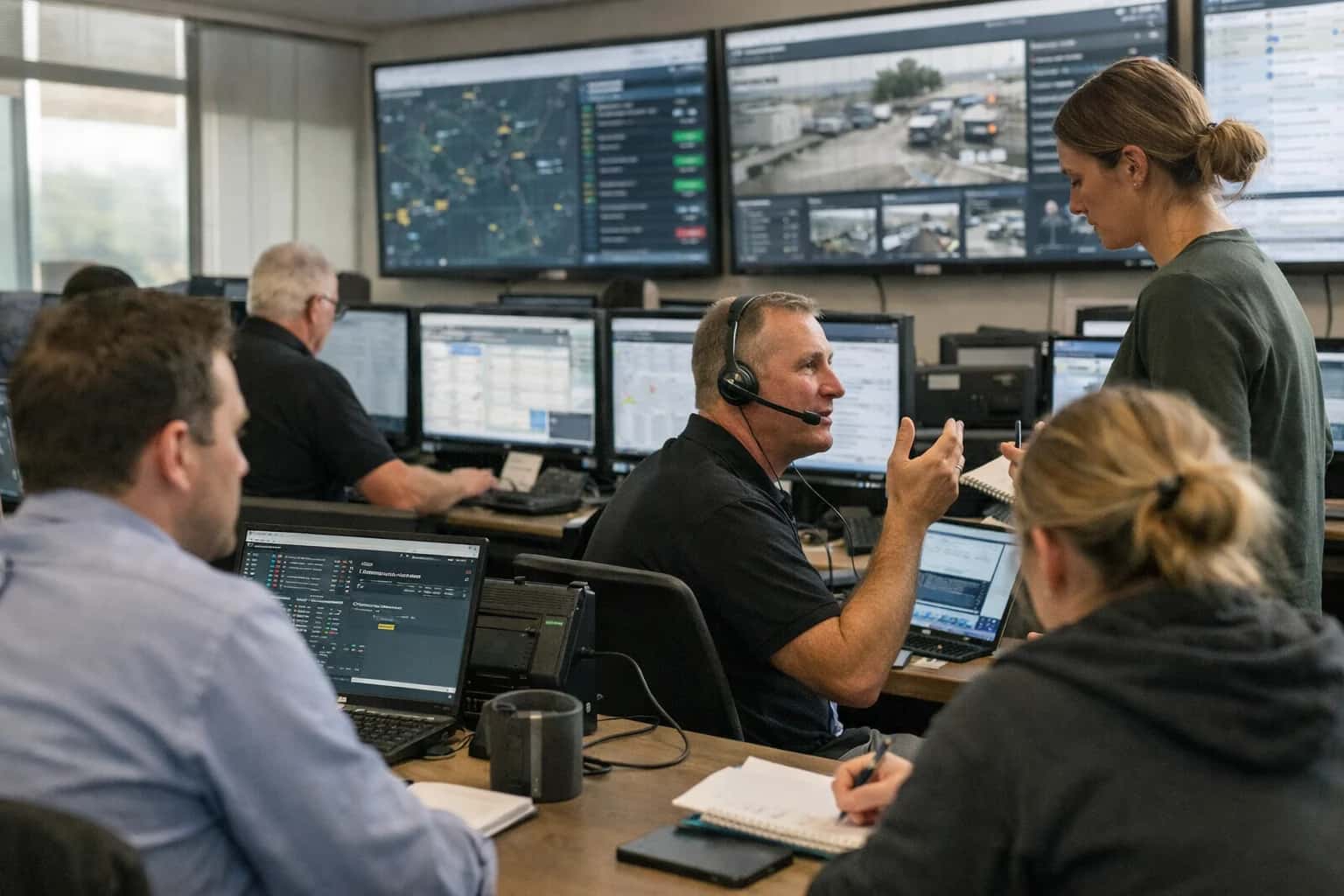
ARCHITECTURE GUIDE
Voice-Enabled IT Support: Hands-Free MDM Operations
Build voice-enabled AI assistants that integrate with MDM APIs, allowing IT staff to query device status or execute simple commands while hands-free.
High-value, hands-free use cases include: querying a device's compliance status, battery health, or last check-in time; executing pre-approved remediation commands like triggering a remote wipe on a reported lost device or pushing a specific configuration profile; and initiating remote support sessions via a linked tool. For example, a technician in a data center could ask, "What's the encryption status for device serial number XYZ123?" and receive a spoken summary, or command, "Initiate a remote restart for the iPad in conference room 5B," triggering an API call to the MDM to send a restart command.
Rollout requires careful governance. Start with a pilot group of IT admins and limit initial voice commands to read-only queries to build trust and validate accuracy. Use role-based access control (RBAC) to ensure voice agents only have permissions aligned with the user's role in the MDM console. Implement a confirmation step for destructive actions (e.g., "Please confirm you want to wipe the device") and consider a secondary approval via a mobile push notification for high-risk commands. Monitor for potential hallucinations or misinterpretations in voice-to-intent mapping, especially with technical device names or serial numbers, and have a fallback to the admin console for complex tasks.
This integration shifts IT support from reactive, screen-bound tasks to proactive, situational awareness. Technicians can perform triage and execute routine fixes while physically handling hardware or walking a floor, reducing mean time to resolution (MTTR) for physical device issues. For a deeper dive on building secure API integrations with specific platforms, see our guides on AI Integration for Jamf Pro and AI Integration with Intune for Automated Policy Enforcement.
ARCHITECTING HANDS-FREE IT SUPPORT
MDM API Surfaces for Voice Integration
Querying Real-Time Device State
The foundation of a voice assistant is the ability to answer questions about device health and configuration. Integrate with the MDM's core inventory APIs to enable queries like:
- "What's the battery health of John's iPhone?"
- "List all non-compliant devices in the Sales department."
- "Is laptop SERIAL-12345 encrypted?"
Key API surfaces include:
- Device Listing Endpoints (
GET /api/v1/devices): Retrieve the full device catalog with filters for user, group, or OS. - Device Detail Endpoints (
GET /api/v1/devices/{id}): Fetch granular data like battery percentage, storage capacity, last check-in time, and installed OS version. - Compliance Status Endpoints: Determine if a device meets all assigned security policies (encryption, passcode, etc.).
The voice agent uses this data to construct natural-language responses, pulling from the most recent inventory sync.
HANDS-FREE MDM OPERATIONS
High-Value Voice Assistant Use Cases for IT Support
Voice-enabled AI assistants allow IT staff to query device status, execute commands, and resolve issues while physically handling hardware or multitasking. These use cases integrate with MDM APIs like Jamf, Intune, and Workspace ONE to turn voice queries into actionable data and automated workflows.
01
Hands-Free Device Diagnostics
Technicians performing hardware repairs or depot intake can ask, "What's the battery health of device serial XYZ123?" The assistant queries the MDM inventory via API, returning charge cycles, capacity, and recent crash logs. This eliminates the need to juggle a laptop while inspecting physical devices.
Batch -> Real-time
Diagnostic access
02
Voice-Triggered Compliance Remediation
An IT admin, reviewing a report, can verbally command, "Remediate all non-compliant devices in the Finance group." The assistant uses the MDM API to identify devices failing policies (like disk encryption), then executes pre-approved remediation scripts—such as pushing a configuration profile or triggering a BitLocker encryption—and confirms completion.
Hours -> Minutes
Remediation cycle
03
On-The-Go User Support Triage
A support agent walking the office floor can ask, "Show me the last five applications installed on Jane Doe's iPhone." The voice assistant fetches the user's device record from the MDM, summarizes installed apps and dates, and reads them aloud. This provides immediate context for troubleshooting without returning to a desk.
Same day
Issue resolution
04
Voice-Controlled Security Actions
Upon receiving a report of a lost device, a security officer can command, "Initiate lost mode on the iPad assigned to Conference Room 5B." The assistant locates the device in the MDM by assigned user or asset tag, then uses the Remote Lock or Lost Mode API endpoint to secure it, providing a verbal confirmation with the device's last known location.
Minutes -> Seconds
Response time
05
Inventory Audits via Conversational Query
During a physical audit, an IT manager can ask, "How many Windows devices are on build 22H2 in the New York office?" The assistant parses the query, constructs an API call to the MDM (e.g., Intune filters for OS version and city attribute), and returns the count and a list of serial numbers, enabling real-time verification against the physical shelf.
1 sprint
Audit duration
06
Voice-Guided New Hire Provisioning
An IT coordinator setting up a workstation can say, "Provision a standard MacBook profile for the new engineer starting Monday." The assistant validates the user in the HRIS, checks for an available device in the MDM pool, and initiates the zero-touch enrollment workflow—assigning the correct prestage enrollment, apps, and network configurations—then confirms the device is ready for pickup.
Hours -> Minutes
Setup time
MDM-ENABLED AUTOMATION
Example Voice Assistant Workflows for IT Support
Practical voice-enabled workflows that allow IT staff to query device status or execute commands hands-free by integrating AI assistants with MDM APIs from platforms like Jamf, Intune, and Workspace ONE.
Trigger: IT technician asks, "Hey Assistant, what's the status of Sarah Chen's laptop?"
Context/Data Pulled:
- The voice assistant uses speech-to-text and entity recognition to identify the user (
Sarah Chen) and device type (laptop). - It queries the MDM platform's API (e.g., Jamf Pro's
/computersendpoint or Microsoft Graph's/deviceManagement/managedDevices) to find the specific device assigned to that user. - It retrieves key health metrics: battery health percentage, storage space, last check-in time, and compliance status.
Model/Agent Action: A large language model (LLM) synthesizes the raw API data into a natural-language summary.
System Update/Next Step:
- Response: The assistant responds via voice: "Sarah Chen's MacBook Pro is compliant, has 87% battery health, 45 GB of free storage, and last checked in 15 minutes ago."
- Optional Action: If a critical issue is found (e.g., storage < 5%), the assistant can ask for permission to run a remediation script via the MDM API.
Human Review Point: The summary is presented audibly. The technician can ask follow-up questions ("Is it on the latest OS?") to drill down before deciding on any action.
HANDS-FREE IT SUPPORT AUTOMATION
Implementation Architecture: From Voice to MDM Action
A technical blueprint for building voice-enabled AI assistants that securely query and command MDM platforms like Jamf, Intune, or Workspace ONE.
The architecture connects a voice interface layer to your MDM's REST API through a secure, policy-aware AI orchestration engine. A typical flow begins with an IT technician issuing a voice command like "Jamf, what's the battery health for device serial ABC123?" or "Intune, push the compliance policy to the finance team group." The voice stream is processed by a speech-to-text service (e.g., Azure Speech, Google Speech-to-Text) and passed to an LLM-based agent. This agent is configured with a tool-calling capability specifically for your MDM platform—it understands the intent, validates the user's permission via your identity provider, and constructs the appropriate API call to Jamf Pro, Microsoft Graph for Intune, or Workspace ONE UEM.
The AI agent acts as a secure broker, never storing credentials and operating within a strict RBAC model mirroring your MDM admin roles. For queries, it calls endpoints like GET /api/v1/computers-inventory in Jamf or GET /deviceManagement/managedDevices in Microsoft Graph, then uses the LLM to summarize the JSON response into a natural-language answer delivered via text-to-speech. For actions—such as remote lock, policy push, or script execution—the agent validates the command against a pre-approved allowlist of low-risk operations, executes the POST request, and confirms completion. All voice sessions, transcribed commands, API calls, and outcomes are logged to an audit trail for compliance, linking back to the original admin and device.
Rollout starts with a pilot group of IT support staff, focusing on read-only queries for device inventory, compliance status, and user details to build trust. The assistant is typically accessed via a dedicated mobile app or a Teams/Zoom integration for hands-free use in datacenters or during hardware repairs. Governance is critical: implement a human-in-the-loop approval step for any write operation (like a remote wipe) during initial phases, and establish clear voice command patterns to avoid ambiguity. This architecture reduces time spent navigating MDM consoles for common tasks, turning minutes of manual lookup into seconds of spoken inquiry, while keeping all execution within the existing security and change control boundaries of your MDM platform.
ARCHITECTURE FOR VOICE-ENABLED IT SUPPORT
Code Patterns and API Integration Examples
Processing Voice Commands into MDM Actions
This layer converts natural language queries into structured API calls to the MDM platform. The system must first transcribe speech to text, then use an LLM to extract intent and parameters (e.g., device identifier, command type). The agent then maps this intent to the correct MDM API endpoint.
A key pattern is context enrichment: before querying the MDM, the system should validate the requesting IT staff member's permissions via your identity provider and correlate their voice profile to allowed device groups or scopes within the MDM (e.g., Jamf Pro API tokens with scoped privileges). The response from the MDM must then be formatted into a concise, natural-language summary for the voice response.
python# Example: Voice Intent to Jamf Pro Device Search import openai import requests # 1. Hypothetical transcribed query from voice user_query = "What's the battery health of John's iPhone?" # 2. LLM extracts intent and parameters response = openai.chat.completions.create( model="gpt-4", messages=[ {"role": "system", "content": "Extract MDM query intent. Return JSON with keys: 'action', 'device_identifier', 'attribute'."}, {"role": "user", "content": user_query} ] ) intent = json.loads(response.choices[0].message.content) # intent = {'action': 'query_device', 'device_identifier': 'John iPhone', 'attribute': 'battery_percentage'} # 3. Map to MDM API (Jamf Pro example) jamf_headers = {"Authorization": "Bearer YOUR_TOKEN"} search_url = f"https://your.jamf.instance/JSSResource/mobiledevices/match/{intent['device_identifier']}" search_resp = requests.get(search_url, headers=jamf_headers) device_id = search_resp.json()['mobile_devices'][0]['id'] # 4. Fetch specific attribute detail_url = f"https://your.jamf.instance/JSSResource/mobiledevices/id/{device_id}" detail_resp = requests.get(detail_url, headers=jamf_headers) battery_level = detail_resp.json()['mobile_device']['hardware']['battery_percentage'] # 5. Format for voice response voice_response = f"John's iPhone shows a battery level of {battery_level} percent."
AI-POWERED VOICE ASSISTANTS FOR IT SUPPORT
Time Savings and Operational Impact
Quantifying the operational shift from manual, screen-based device management to voice-enabled, hands-free IT support workflows.
| Workflow | Before AI Voice Assistant | After AI Voice Assistant | Impact Notes |
|---|---|---|---|
Device Status Query | Log into MDM console, navigate to device inventory, search, review details (3-5 min) | Voice query: "What's the compliance status of device ABC123?" (15-30 sec) | Eliminates context switching; enables support while on-site or in meetings |
Simple Command Execution (e.g., remote lock) | Navigate to device, find action menu, confirm lock command (1-2 min) | Voice command: "Lock device serial XYZ789" (10 sec) | Critical for rapid security response to reported lost/stolen devices |
Bulk Device Group Compliance Check | Export report, filter, analyze in spreadsheet (15-30 min) | Voice query: "Show me all non-compliant devices in the Sales group" (1 min) | Shifts analysis from periodic reporting to real-time, on-demand insight |
Troubleshooting Step Guidance | Search internal wiki or knowledge base, read steps, apply (5-10 min) | Voice query: "Steps to remediate Wi-Fi issue on iOS 17" (1 min, with step-by-step readback) | Keeps hands free for physical device handling; reduces cognitive load |
Ticket Logging from Field | Switch to laptop or phone, fill out ITSM form with device details (5-7 min) | Voice command: "Log a ticket for device DEF456, issue: battery not charging" (1 min) | Auto-populates ticket with device context from MDM API; ensures timely logging |
Policy or Profile Verification | Cross-reference user, group, and applied profiles in console (2-4 min) | Voice query: "Which configuration profiles are on Jane's iPad?" (30 sec) | Accelerates root-cause analysis during user support calls |
On-Call After-Hours Support | Require VPN and full console access for any inquiry (5-15 min response) | Secure voice query from authenticated mobile device (1-2 min response) | Reduces mean time to resolution (MTTR) for urgent after-hours issues |
ARCHITECTING FOR ENTERPRISE CONTROL
Governance, Security, and Phased Rollout
A voice assistant for IT support must be built with strict security boundaries, auditability, and a controlled deployment path.
Voice interactions are transcribed and processed by an AI agent that operates within a strictly defined permission scope using the MDM platform's API (e.g., Jamf Pro, Microsoft Intune, or Workspace ONE). The agent should only have read access for queries (e.g., GET /api/v1/computers) and highly restricted, pre-approved write access for simple commands (e.g., POST /api/v1/computers/{id}/send-remote-lock). All API calls must be authenticated via service accounts with role-based access control (RBAC) and logged to a centralized audit trail, linking the voice request's session ID to the executed MDM action.
A production rollout follows a phased approach: 1) Pilot with read-only queries (e.g., "What's the battery health of device XYZ?") for a small group of Level 2/3 technicians. 2) Introduce approved, low-risk commands (e.g., remote lock, sync device) with a mandatory human-in-the-loop confirmation via the technician's authenticated mobile app or dashboard. 3) Gradual expansion to broader teams and more complex workflows, continuously monitoring error rates and user feedback. This minimizes disruption and builds trust in the system's reliability.
Governance is enforced through a central policy layer that sits between the voice AI and the MDM API. This layer validates every request against rules: Is the technician authorized for this device group? Is the requested action allowed during business hours? Has this device already been locked in the last 24 hours? All voice sessions and decision logs are stored for compliance. For highly sensitive environments, consider a fully air-gapped deployment where the voice processing and LLM inference run on-premises, ensuring no device or user data leaves the internal network. Explore our guide on AI Governance and LLMOps Platforms for more on managing these lifecycle controls.
Enabling Efficiency, Speed & Accuracy
Intelligent Analysis, Decision & Execution
We build AI systems for teams that need search across company data, workflow automation across tools, or AI features inside products and internal software.
Talk to Us
Search across company data
Give teams answers from docs, tickets, runbooks, and product data with sources and permissions.
Useful when people spend too long searching or get different answers from different systems.
Enterprise searchRAGPermissions
Read more
Automate internal workflows
Use AI to route work, draft outputs, trigger actions, and keep approvals and logs in place.
Useful when repetitive work moves across multiple tools and teams.
AI agentsWorkflow automationGovernance
Read more
Add AI to products and internal tools
Build assistants, guided actions, or decision support into the software your team or customers already use.
Useful when AI needs to be part of the product, not a separate tool.
AI integrationDecision supportModel routing
Read moreVOICE ASSISTANT IMPLEMENTATION
Frequently Asked Questions
Practical questions for IT leaders planning voice-enabled AI assistants that integrate with MDM platforms like Jamf, Intune, or Workspace ONE for hands-free device support.
The assistant uses a layered security model:
- Initial User Authentication: The voice interface (e.g., a mobile app or smart speaker skill) authenticates the user via corporate identity (e.g., Microsoft Entra ID, Okta) using OAuth 2.0. Only pre-authorized IT roles can proceed.
- Command Context & Intent Parsing: The spoken command is transcribed and the intent (e.g.,
"check device status for laptop ABC123") is extracted. No direct MDM API calls are made yet. - RBAC Enforcement via API Gateway: The parsed intent is sent to a secure backend service. This service checks the user's permissions against a policy engine (e.g., using Open Policy Agent) that maps IT roles to allowed MDM operations (e.g.,
helpdesk_agentcanreaddevice inventory but cannotexecutea remote wipe). - Audited API Execution: If authorized, the backend service uses a service account with appropriate MDM API privileges (scoped via the MDM platform's RBAC) to execute the query or command. The entire flow—user, intent, timestamp, and result—is logged to a SIEM for audit.
Example Payload to MDM API:
json{ "action": "getDeviceDetails", "deviceId": "ABC123", "requestor": "service-account-mdm-read", "audit_id": "va-audit-2025-04-10-xyz" }

About the author
Prasad Kumkar
CEO & MD, Inference Systems
Prasad Kumkar is the CEO & MD of Inference Systems and writes about AI systems architecture, LLM infrastructure, model serving, evaluation, and production deployment. Over 5+ years, he has worked across computer vision models, L5 autonomous vehicle systems, and LLM research, with a focus on taking complex AI ideas into real-world engineering systems.
His work and writing cover AI systems, large language models, AI agents, multimodal systems, autonomous systems, inference optimization, RAG, evaluation, and production AI engineering.
LinkedIn
Limited slotsGet a Free AI Consultation
Partnered with leading AI, data, and software stack.





How We Work
Custom AI workflows for your Business
One-fit-all AI don't work for modern businesses. At Inferensys, we aim to understand your business & custom requirements; which we use to define most efficient agentic workflows, the data, and the tools for your business.
01
Review the use case
We understand the task, the users, and where AI can actually help.
Read more02
Pick the right approach
We define what needs search, automation, or product integration.
Read more03
Build the first useful version
We implement the part that proves the value first.
Read more04
Improve from there
We add the checks and visibility needed to keep it useful.
Read moreThe first call is a practical review of your use case and the right next step.
Talk to Us