Kandji's API-first architecture and granular device inventory provide the perfect surfaces for AI integration. The primary connection points are the Device API (for real-time inventory and compliance state), the Library API (for managing and executing Auto Apps and scripts), and the Webhooks system (for event-driven triggers). AI models can consume this data to identify patterns, predict issues, and orchestrate automated responses. Key data objects include device records with detailed hardware/software attributes, blueprint assignments that define a device's configuration state, and library_item payloads that contain the remediation logic.

Integration
AI Integration for Kandji
Connect AI to Kandji's REST API to automate compliance audits, manage script libraries, and remediate security misconfigurations across your Mac fleet. Reduce manual review from hours to minutes.
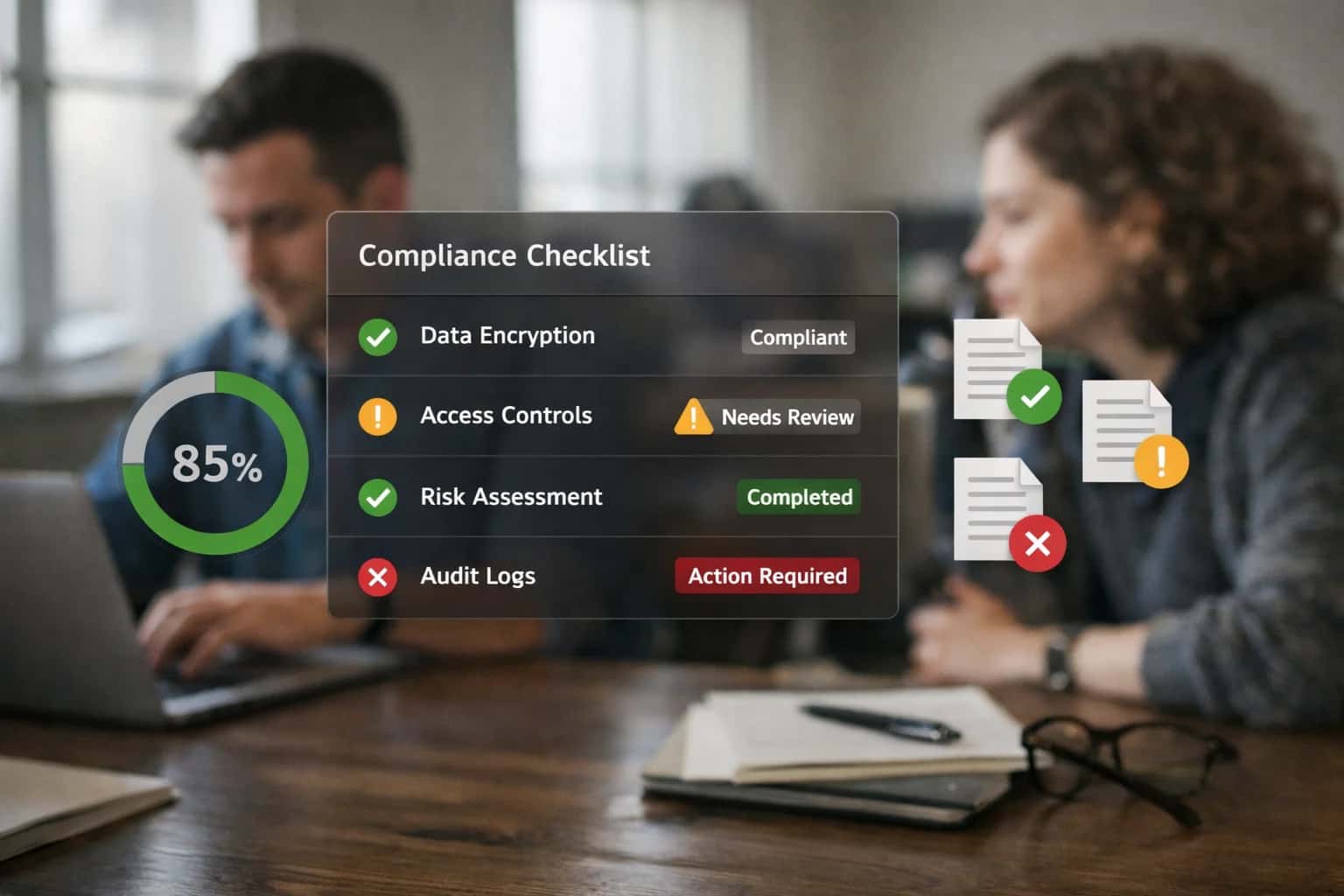
ARCHITECTURE FOR AUTOMATED MAC MANAGEMENT
Where AI Fits in Kandji's Mac-Focused MDM
A practical guide to integrating AI with Kandji's API-first platform to automate compliance audits, script library management, and security remediation for macOS fleets.
High-value use cases center on transforming reactive, manual tasks into proactive, automated workflows. For example, an AI agent can continuously analyze device inventory against security benchmarks (like CIS), detect misconfigurations such as missing FileVault or weak firewall settings, and automatically deploy the correct remediation script from the Kandji Library. Another pattern involves AI-powered script library management, where the system analyzes script execution logs and success rates to suggest optimizations, flag deprecated commands, or even generate new scripts for common issues, keeping the IT team's toolkit effective and up-to-date.
A production implementation is typically wired as a middleware service that sits between Kandji and your AI/LLM provider. This service listens to Kandji webhooks for events like device.non_compliant or device.checkin, fetches enriched context via the Device API, and passes it to an AI model for analysis and decision-making. Approved actions—like applying a blueprint, executing a library item, or sending a custom notification—are then executed back through Kandji's API. Governance is critical: implement approval gates for high-risk actions (like remote wipes), maintain a full audit trail of AI-triggered activities, and use Kandji's built-in scope tags and role-based access control (RBAC) to ensure the AI only acts within its authorized boundaries.
Rollout should follow a phased approach. Start with a pilot blueprint and a limited set of library items, using AI to monitor and report before granting execution permissions. Focus initially on low-risk, high-volume tasks like automated compliance reporting or intelligent software update scheduling. This builds trust in the system's decision-making before expanding to more autonomous remediation workflows. The goal is to shift IT from manual firefighting to overseeing an intelligent, self-healing endpoint estate.
MAC-FOCUSED MDM AUTOMATION
Kandji API Surfaces for AI Integration
Core Data for AI-Driven Compliance
The /v1/devices and /v1/devices/{id} endpoints provide the foundational telemetry for AI models. This includes real-time inventory of hardware specs, installed software, security settings (Gatekeeper, SIP, FileVault status), and assigned Blueprint compliance states.
AI systems consume this data to:
- Predict compliance violations by analyzing trends in security settings drift across similar device groups.
- Automate audit reporting by synthesizing device compliance statuses into narrative summaries for SOC2 or HIPAA audits.
- Trigger dynamic remediation by identifying devices that fall out of compliance and queueing them for automated script execution via the Kandji API.
This surface is critical for building a proactive, self-healing Mac fleet where AI identifies risks before they trigger manual help desk tickets.
MAC-FOCUSED MDM AUTOMATION
High-Value AI Use Cases for Kandji
Integrate AI with Kandji's API-first platform to automate compliance audits, manage script libraries, and enable self-healing endpoints for your Apple fleet. These use cases target IT operations, security teams, and support staff managing macOS devices at scale.
01
Automated Compliance Audit & Remediation
AI agents continuously analyze Kandji inventory data and extension attributes against security benchmarks (CIS, NIST). When a drift is detected—like a missing firewall rule or outdated encryption setting—the system auto-generates and executes a Kandji script or remediation to restore compliance, logging all actions for audit trails.
Batch -> Real-time
Compliance monitoring
02
Intelligent Script Library Management
Transform your library of shell scripts and custom attributes into a searchable knowledge base. An AI copilot helps admins find, test, and generate new scripts for common macOS management tasks (e.g., "disable Bluetooth for kiosks"), reducing manual scripting effort and improving remediation success rates.
1 sprint
Script development time
03
Predictive Patching & Update Orchestration
AI models analyze Kandji patch reports, device readiness (storage, battery), and external threat intelligence to prioritize and schedule macOS updates. The system can automate phased rollouts via Kandji's patch management, pausing deployments if anomalous failure rates are detected, minimizing vulnerability windows and user disruption.
Hours -> Minutes
Update decision logic
04
AI-Powered Root Cause Analysis
When a device shows issues in Kandji (failed enrollment, policy conflicts), an AI layer ingests logs, Blueprint assignments, and device events to diagnose the probable cause. It suggests specific fixes to admins or, for known issues, triggers an automated remediation workflow via the Kandji API.
Same day
MTTR reduction
05
Dynamic Blueprint Assignment
Move beyond static device grouping. An AI agent evaluates new device attributes (user role, department, serial number pattern) and automatically assigns the optimal Kandji Blueprint during enrollment. This enables true zero-touch configuration for diverse user personas (developers, finance, executives).
Batch -> Real-time
Profile deployment
06
Proactive Device Health & Lifecycle Scoring
AI consumes Kandji telemetry (battery health, storage pressure, kernel panics) to predict hardware failures and lifecycle state. The system generates preemptive work orders for support, recommends refresh candidates to procurement, and can auto-tag devices in Kandji for easier filtering and reporting.
Weeks -> Days
Failure prediction lead time
PRACTICAL AUTOMATION PATTERNS
Example AI-Driven Workflows for Kandji
These workflows illustrate how AI can be integrated with Kandji's API and automation surfaces to move from reactive device management to proactive, self-healing operations. Each pattern is designed to be implemented as a secure, governed agent that reads from and writes to the Kandji platform.
This workflow continuously monitors device compliance against security benchmarks (like CIS) and automatically remediates drift using Kandji's Custom Scripts and Blueprints.
- Trigger: Scheduled agent run (e.g., every 6 hours) or webhook from Kandji's
device.compliance.failedevent. - Context Pulled: The AI agent queries the Kandji API for:
- Device inventory details (
/v1/devices) - Specific compliance check results (e.g., FileVault status, firewall settings, SSH configuration).
- The device's assigned Blueprint and available Script library.
- Device inventory details (
- AI Action: An LLM (like GPT-4) analyzes the failure context. It cross-references the misconfiguration against a knowledge base of macOS security best practices and past remediation scripts. The agent then:
- Generates or selects a remediation shell script.
- Predicts impact (e.g., "requires restart," "user session interruption").
- Creates a human-readable summary of the issue and proposed fix.
- System Update: For low-risk, high-confidence remediations (e.g., enabling a disabled security setting), the agent automatically:
- Posts the new script to the Kandji Script library via
POST /v1/scripts. - Executes the script on the target device via
POST /v1/devices/{device_id}/scripts.
- Posts the new script to the Kandji Script library via
- Human Review Point: For high-risk actions (e.g., modifying kernel extensions) or repeated failures, the agent creates a ticket in the connected ITSM (like Jira Service Management) with the analysis and pauses, awaiting admin approval before execution.
A PRACTICAL BLUEPRINT FOR MAC-FOCUSED AUTOMATION
Implementation Architecture: Connecting AI to Kandji
A production-ready architecture for layering AI automation onto Kandji's Mac management workflows, focusing on compliance, scripting, and remediation.
A robust AI integration for Kandji connects at three key layers: the REST API for inventory and policy management, the Script Library for automated remediation, and the Compliance Engine for continuous audit and reporting. The core AI agent acts as an orchestration layer, consuming Kandji's device inventory (serial numbers, extension attributes, installed software, security settings) and external threat feeds. It then makes decisions—like flagging a device for a compliance violation or identifying a misconfigured setting—and executes corrective actions by pushing new scripts, adjusting configuration profiles, or triggering automated workflows in connected systems like Jira Service Management or Slack.
For high-value use cases, the architecture enables:
- Predictive Compliance Audits: AI models analyze historical compliance data and real-time inventory to predict which devices are likely to fall out of compliance (e.g., disk encryption disabled, firewall turned off), auto-generating remediation scripts and scheduling their deployment before the next audit cycle.
- Intelligent Script Management: An AI copilot assists IT admins by analyzing common support tickets, suggesting new scripts for the Kandji library, or optimizing existing scripts for performance and reliability. It can also auto-tag scripts with relevant metadata (e.g.,
#security,#performance,#onboarding) for easier discovery. - Automated Remediation Workflows: When a device triggers a security alert (e.g., from a connected EDR platform), the AI layer can automatically execute a predefined Kandji script—such as isolating the device from the network, forcing a security update, or collecting forensic data—and log the action back to the ITSM platform for audit.
Rollout requires a phased approach, starting with a read-only integration for AI-driven reporting and anomaly detection, then progressing to supervised automation for low-risk remediations (e.g., cleaning up temporary files), and finally to fully automated workflows for high-confidence, high-frequency tasks. Governance is critical: all AI-initiated actions should be logged to a separate audit trail with a clear chain of custody (AI Agent → Kandji API → Device), and high-impact actions (like a remote wipe) should remain gated by human-in-the-loop approval within the existing IT change control process.
KANDJI API INTEGRATION PATTERNS
Code and Payload Examples
Automated Remediation for Compliance Violations
This pattern uses Kandji's API to fetch device inventory, evaluate compliance against a dynamic policy, and execute a remediation script if a violation is detected. It's ideal for automating fixes for common security misconfigurations like outdated SSH settings or missing disk encryption.
Key API endpoints used:
GET /api/v1/devicesto retrieve device details and extension attributes.POST /api/v1/devices/{device_id}/remote-commandsto execute a shell script payload on the target Mac.
The AI layer analyzes the compliance_status and custom extension attributes to decide which remediation script to trigger. For example, if a device is missing a required security profile, the AI can call the API to install it, then verify the action succeeded.
AI-ENHANCED MDM OPERATIONS
Realistic Time Savings and Operational Impact
This table illustrates the operational impact of integrating AI with Kandji's Mac-focused MDM platform, showing how AI-driven automation transforms manual, reactive tasks into proactive, intelligent workflows.
| Metric | Before AI | After AI | Notes |
|---|---|---|---|
Compliance Audit Execution | Manual script runs and report review (Hours) | Automated, continuous scanning and alerting (Minutes) | AI identifies drift and auto-generates remediation tickets. |
Security Misconfiguration Remediation | Reactive, ticket-based manual script execution (Next day) | Proactive, automated script execution upon detection (Same day) | AI selects and pushes appropriate Kandji scripts via API. |
Script Library Management | Manual categorization and testing of custom scripts | AI-assisted tagging, version suggestion, and conflict detection | Reduces script sprawl and improves reuse; human final approval. |
Endpoint Health Triage | Manual review of inventory for battery, storage, and crash reports | AI-prioritized dashboard of at-risk devices for admin review | Focuses admin effort on devices predicted to fail. |
Policy Deployment Validation | Phased manual rollout with post-deployment user feedback | AI-simulated impact analysis on a test group before rollout | Predicts user impact and configuration conflicts, reducing rollbacks. |
New macOS Update Risk Assessment | Manual review of release notes and community forums | AI-summarized CVEs and compatibility warnings for your fleet | Provides a prioritized patch schedule based on your specific software inventory. |
Security Incident Response | Manual correlation of MDM logs with security alerts | AI-triggered automated actions (e.g., quarantine, remote lock) | Executes pre-approved Kandji workflows based on threat severity. |
ARCHITECTING CONTROLLED AI DEPLOYMENT
Governance, Security, and Phased Rollout
A practical blueprint for implementing AI in Kandji with appropriate guardrails, security controls, and a phased rollout strategy.
Production AI integrations with Kandji must be built on a foundation of secure API access, audit trails, and change control. Start by establishing a dedicated service account in Kandji with scoped API permissions—limiting access to the specific endpoints needed for your AI workflows, such as GET /v1/devices, POST /v1/scripts, or PATCH /v1/profiles. All AI-initiated actions should be logged with a distinct audit source (e.g., source: "ai-remediation-agent") in Kandji's activity logs, and payloads should be validated against a schema before any configuration changes are pushed to live devices. For sensitive actions like remote lock or wipe, implement a human-in-the-loop approval step via a webhook to your ITSM platform before the Kandji API call is executed.
A phased rollout is critical to manage risk and measure impact. Begin with a read-only analysis phase, where AI models consume Kandji inventory data (device details, compliance states, installed applications) to generate insights and predictions—such as flagging devices likely to fall out of compliance—without taking any action. Next, move to a supervised execution phase in a test device group. Here, AI can generate remediation scripts or profile adjustments, but a human admin must review and manually trigger the Kandji API call. Finally, after validating success rates, proceed to limited autonomous execution for low-risk, high-volume tasks. For example, an AI agent could automatically push a configuration profile to fix a common Wi-Fi misconfiguration on devices tagged with a specific blueprint, but only after confirming the device is not currently in use by checking its last check-in time.
Governance extends to the AI models themselves. Implement a prompt management system to version-control and audit the instructions given to LLMs that generate Kandji scripts or analyze compliance data. Use a vector database to ground AI responses in your organization's official Kandji blueprints and script library, reducing hallucinations. Establish a regular review cycle where the outputs of autonomous AI actions—like the success/failure rates of AI-generated scripts—are analyzed by the IT team to refine prompts and adjust guardrails. This creates a feedback loop where the AI system becomes more accurate and trustworthy over time, while maintaining the operational control required for enterprise Mac management.
Enabling Efficiency, Speed & Accuracy
Intelligent Analysis, Decision & Execution
We build AI systems for teams that need search across company data, workflow automation across tools, or AI features inside products and internal software.
Talk to Us
Search across company data
Give teams answers from docs, tickets, runbooks, and product data with sources and permissions.
Useful when people spend too long searching or get different answers from different systems.
Enterprise searchRAGPermissions
Read more
Automate internal workflows
Use AI to route work, draft outputs, trigger actions, and keep approvals and logs in place.
Useful when repetitive work moves across multiple tools and teams.
AI agentsWorkflow automationGovernance
Read more
Add AI to products and internal tools
Build assistants, guided actions, or decision support into the software your team or customers already use.
Useful when AI needs to be part of the product, not a separate tool.
AI integrationDecision supportModel routing
Read moreKANDJI AI INTEGRATION
Frequently Asked Questions
Practical questions for IT leaders and engineers planning AI integration with Kandji's Mac-focused MDM platform.
A production integration requires a dedicated service account with scoped API permissions, not a user's personal token.
- Create a Service Account in Kandji: In the Kandji web console, navigate to Settings > API and create a new API token. Assign it a descriptive name like
AI_Orchestrator_Service. - Scope Permissions Minimally: Grant only the permissions needed for the intended workflows. Common scopes include:
GET /devicesfor inventory and compliance data.GET /library-itemsto read script libraries.POST /devices/{device_id}/commandsto execute remediation scripts.GET /blueprintsto read policy configurations.
- Secure the Credential: Store the API token in a secrets manager (e.g., AWS Secrets Manager, HashiCorp Vault). Your AI orchestration layer (like n8n or a custom service) retrieves it at runtime. Never hardcode it.
- Implement Robust Error Handling: Your integration must handle Kandji API rate limits and timeouts gracefully, with retry logic and alerting for persistent failures.
This pattern ensures the AI system acts as a controlled, auditable actor within your MDM environment.

About the author
Prasad Kumkar
CEO & MD, Inference Systems
Prasad Kumkar is the CEO & MD of Inference Systems and writes about AI systems architecture, LLM infrastructure, model serving, evaluation, and production deployment. Over 5+ years, he has worked across computer vision models, L5 autonomous vehicle systems, and LLM research, with a focus on taking complex AI ideas into real-world engineering systems.
His work and writing cover AI systems, large language models, AI agents, multimodal systems, autonomous systems, inference optimization, RAG, evaluation, and production AI engineering.
LinkedIn
Limited slotsGet a Free AI Consultation
Partnered with leading AI, data, and software stack.





How We Work
Custom AI workflows for your Business
One-fit-all AI don't work for modern businesses. At Inferensys, we aim to understand your business & custom requirements; which we use to define most efficient agentic workflows, the data, and the tools for your business.
01
Review the use case
We understand the task, the users, and where AI can actually help.
Read more02
Pick the right approach
We define what needs search, automation, or product integration.
Read more03
Build the first useful version
We implement the part that proves the value first.
Read more04
Improve from there
We add the checks and visibility needed to keep it useful.
Read moreThe first call is a practical review of your use case and the right next step.
Talk to Us