AI integrates with Apple Business Essentials by connecting to its REST API and webhook system, acting on key data objects like Managed Apple IDs, device enrollment records, configuration profiles, and inventory reports. The primary surfaces for automation are the support ticket queue for user issues, the device health dashboard for predictive alerts, and the compliance reporting module for policy enforcement. An AI layer can monitor these surfaces to trigger automated workflows—like a scripted fix for a common Wi-Fi configuration issue or a pre-staged replacement for a device with a failing battery—without requiring manual admin intervention.

Integration
AI Integration for Apple Business Essentials
Add AI-driven automation to Apple's cloud-based MDM for small businesses. Automate support, predict device failures, simplify compliance, and reduce manual IT overhead.
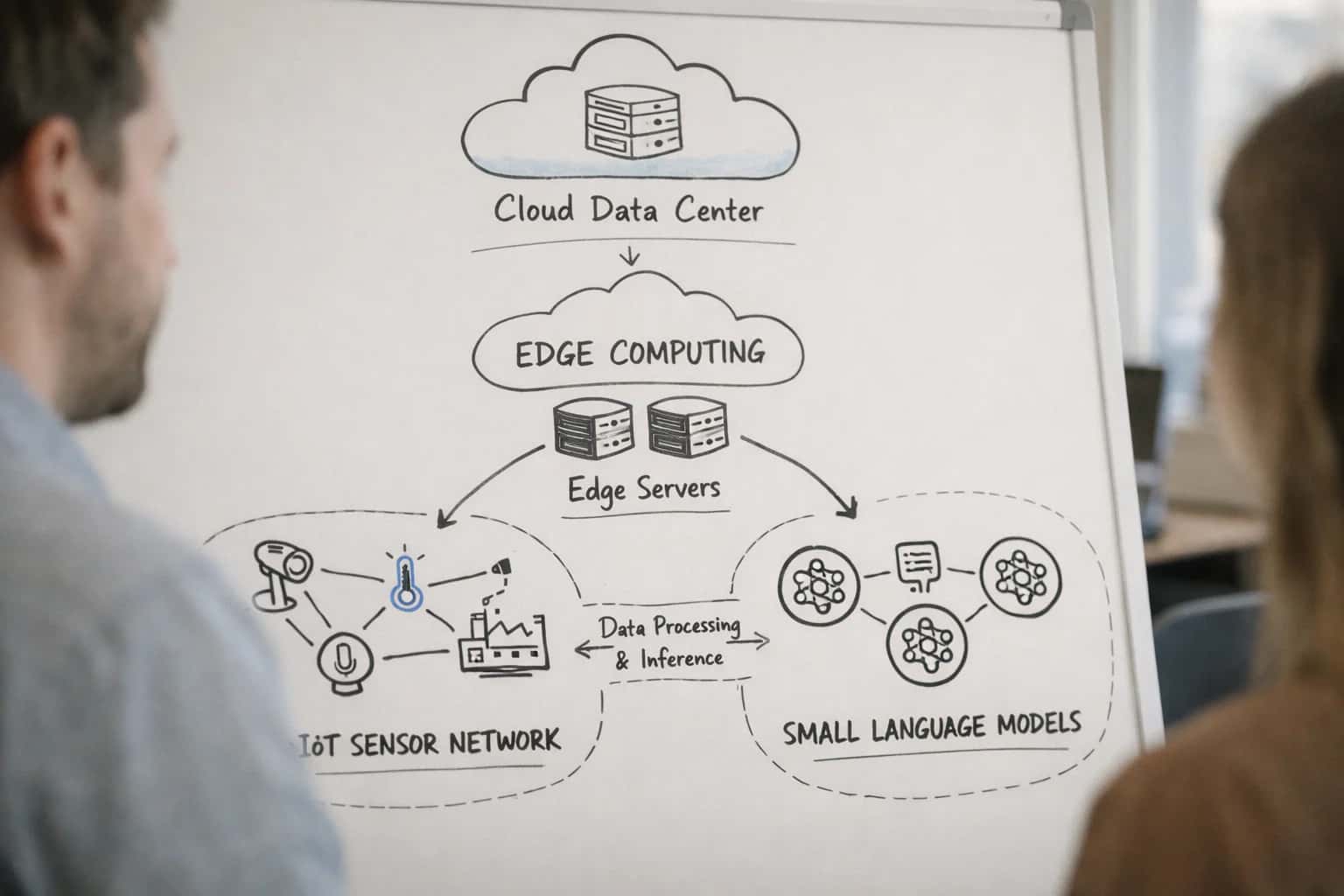
ARCHITECTURE FOR SMALL BUSINESS AUTOMATION
Where AI Fits in Apple Business Essentials
A practical blueprint for adding AI-driven support, predictive maintenance, and compliance automation to Apple's cloud-based device management service.
Implementation typically involves a lightweight middleware agent that polls the Business Essentials API for new events (e.g., a user-submitted support request via the Apple Business Essentials app) and enriches them with contextual data from the device inventory. For example, an AI agent can:<br>- Triage support tickets: Read a user's description ("my Mac won't connect to the printer"), cross-reference their device model and macOS version from the inventory, and either push a pre-approved configuration profile fix or route a detailed diagnostic summary to a human technician.<br>- Predict device retirement: Analyze battery cycle count and storage health trends from inventory reports to flag devices likely to fail within the next quarter, auto-generating a procurement alert in your ITAM system.<br>- Simplify compliance: Continuously check devices against a policy baseline (encryption status, OS version) and automatically apply remediation scripts or notify users via automated messages to update their software.
Rollout should start with a single, high-volume workflow—like automated responses to frequent password reset or app installation requests—deployed to a pilot user group. Governance is critical: all AI-initiated actions (profile pushes, script runs) must be logged back to the Business Essentials audit trail and require approval gates for high-risk changes. Because Business Essentials is designed for simplicity, the AI integration should augment, not complicate, the admin experience. The goal is to reduce the daily "noise" of device management for small IT teams, turning reactive support tasks into proactive, automated operations that keep Apple fleets secure and users productive with minimal overhead.
AI AUTOMATION SURFACES
Key Integration Surfaces in Apple Business Essentials
Automating Setup for New Hires
Apple Business Essentials (ABE) manages device enrollment through Automated Device Enrollment (ADE) and user assignment. AI can integrate here to streamline onboarding for small businesses.
Key API Surfaces & Workflows:
- ADE Profiles & Assignments: Use ABE's APIs to automate profile assignment logic. An AI agent can analyze the new hire's role (from an HRIS webhook) and dynamically assign the appropriate ABE enrollment profile, app suite, and configuration.
- Naming Conventions & Grouping: Automate device naming (
{{user-last-name}}-{{device-type}}-{{serial-tail}}) and dynamic group assignment within ABE based on department, location, or purchased plan. - User Communication: Trigger personalized welcome emails or messages with setup instructions, leveraging ABE's assignment status as a trigger.
Example AI Workflow:
- HRIS event triggers "new hire."
- AI agent selects optimal ABE plan and config.
- Agent reserves a device in ABE, pushes assignment.
- Agent sends setup email to user with a unique, ABE-generated enrollment link.
APPLE BUSINESS ESSENTIALS INTEGRATION
High-Value AI Use Cases for Small Business IT
Apple Business Essentials simplifies device and user management for small teams. Integrating AI unlocks proactive support, automated compliance, and intelligent lifecycle operations directly within its streamlined workflows.
01
Automated Device Onboarding & Configuration
An AI agent listens for new user creation in Apple Business Essentials and automates the entire provisioning workflow: assigning the correct device enrollment program (DEP) profile, pushing role-specific apps from the App Store, and configuring Wi-Fi/email settings. This turns a multi-step manual process into a zero-touch experience for new hires.
1 hour -> 5 minutes
Setup time per user
02
Predictive Support & Self-Healing
AI analyzes aggregated device health data (battery, storage, crash reports) from Apple Business Essentials inventory. It identifies devices at risk of failure or performance issues and automatically executes remediation via a custom script payload—like clearing caches or recommending a restart—before the user files a ticket.
Proactive
Issue resolution
03
Intelligent Compliance Monitoring
Instead of manually checking reports, an AI system continuously evaluates device compliance against policies (e.g., OS version, encryption, passcode). It flags anomalies, groups related violations, and suggests targeted actions. For critical issues, it can automatically push a configuration profile update to non-compliant devices.
Batch -> Real-time
Compliance visibility
04
AI-Powered Help Desk Copilot
Embed an AI assistant in your IT portal that connects to the Apple Business Essentials API. When a user reports an issue, the copilot pulls the device's management context—apps, profiles, last check-in—and suggests troubleshooting steps. It can even draft and send a custom configuration command for admin approval.
Context-aware
Support interactions
05
Smart App License Optimization
AI reviews app installation data from managed devices to identify unused or underutilized paid App Store licenses. It provides clear reclamation recommendations within Apple Business Essentials, helping small businesses avoid unnecessary subscription costs for apps like Microsoft 365 or Adobe Creative Cloud.
Reduce waste
Software spend
06
Automated Lifecycle & Refresh Planning
An AI model uses purchase dates and warranty information from asset tags alongside battery health and performance metrics. It predicts optimal replacement timing and generates a pre-approved procurement list, syncing with Apple Business Essentials to schedule automated device retirement workflows.
Predictive
Capital planning
FOR APPLE BUSINESS ESSENTIALS
Example AI Automation Workflows
These workflows illustrate how AI can automate common support, compliance, and lifecycle tasks for small businesses managing Apple devices through Apple Business Essentials. Each flow connects to the platform's APIs to trigger actions or enrich data.
Trigger: New user creation in Apple Business Essentials (via SCIM sync from HRIS or manual add).
AI Agent Actions:
- Context Pull: Agent reads the new user's role (e.g., "Sales," "Marketing") from the HRIS integration or a custom attribute.
- Dynamic Profile Assignment: Based on the role, the AI selects the appropriate configuration profile(s) from a predefined library (e.g., sales gets CRM and VPN apps; marketing gets design software).
- Automated Enrollment: The agent uses the Apple Business Essentials API to:
- Assign the selected profiles to the user.
- Pre-stage a device from inventory or trigger a zero-touch enrollment email for a BYOD scenario.
- Generate and send a personalized welcome email with setup instructions and links to role-specific resources.
Human Review Point: For executive roles or custom hardware requests, the workflow can pause and create a task in a project management tool (e.g., Asana) for IT admin approval before proceeding.
AUTOMATED SUPPORT AND COMPLIANCE FOR SMALL BUSINESS DEVICES
Implementation Architecture: How to Wire It Together
A practical blueprint for connecting AI agents to Apple Business Essentials APIs to automate support, predict device issues, and simplify compliance.
The integration connects at two primary layers: the Apple Business Essentials API for device and user management, and the MDM protocol for configuration payloads. Core data objects include managed Apple IDs, device inventory records, and configuration profiles. An AI orchestration layer, typically hosted in a cloud service like Azure Functions or AWS Lambda, polls the API for key events—such as new device enrollment, storage warnings, or battery health degradation—and triggers automated workflows. For example, a low storage alert can automatically push a cleanup script payload via the MDM channel, while a device nearing its expected lifecycle can trigger a pre-emptive support ticket in your help desk system.
High-value workflows are built around predictive support and simplified compliance. An AI model can analyze historical device data (battery cycles, storage trends, crash reports) to predict failures and auto-schedule service. For compliance, AI agents can continuously evaluate device settings against a security baseline (e.g., encryption status, passcode requirements) and automatically apply corrective configuration profiles. This is implemented using a queue system (like Amazon SQS or Azure Service Bus) to handle webhook events from Business Essentials, ensuring reliable processing even during API rate limits or transient errors.
Rollout should start with a pilot group of non-critical devices. Governance is critical: all AI-initiated MDM actions (like remote lock or profile pushes) should route through an approval step or be limited to a sandbox configuration for the first 30 days. Audit logs must capture the AI agent's decision rationale, the API call made, and the resulting device state. This architecture ensures the integration augments IT operations without introducing risk, turning reactive device management into a proactive, automated function that scales with a small business's growth.
AI INTEGRATION PATTERNS FOR APPLE BUSINESS ESSENTIALS
Code and Payload Examples
Automating Support Ticket Creation and Triage
Integrate AI with Apple Business Essentials' device events and user support requests to automate ticket logging and initial triage. Use the Apple Business Essentials API to fetch device health alerts (e.g., storage.critical, battery.health) and user-submitted help requests. An AI agent can analyze the event description, classify the issue (e.g., software, hardware, account), assign a priority, and create a structured ticket in your connected ITSM like ServiceNow or Jira.
Example JSON Payload to AI Model for Classification:
json{ "event_type": "user.help_request", "source": "Apple Business Essentials", "user_message": "My MacBook is very slow and apps keep crashing.", "device_context": { "model": "MacBook Air (M2)", "os_version": "macOS 14.5", "storage_free_gb": 5.2, "battery_cycles": 420 } }
The AI returns a structured classification, which your middleware uses to call the ITSM's API to create a ticket with the correct category, priority, and suggested troubleshooting steps pre-populated.
AI INTEGRATION FOR APPLE BUSINESS ESSENTIALS
Realistic Time Savings and Business Impact
How AI-driven automation transforms common administrative and support workflows for small businesses using Apple's cloud-based management service.
| Workflow / Metric | Before AI Integration | After AI Integration | Implementation Notes |
|---|---|---|---|
Device Enrollment & Onboarding | Manual profile assignment and naming (15-30 min per device) | AI-driven zero-touch profile assignment based on user role (<5 min) | Leverages ABE APIs to automate naming conventions and policy application |
Support Ticket Triage for Device Issues | Manual review of user-submitted tickets (Next-business-day response) | AI-assisted categorization and initial diagnosis (Same-day triage) | AI analyzes device inventory and logs; human agent reviews recommendations |
Compliance Policy Audit | Manual quarterly review of device settings against policy (8-16 hours) | Continuous AI monitoring with automated exception reports (1-2 hours review) | AI flags non-compliant devices in ABE dashboard for immediate action |
Software Update Management | Manual scheduling and user communication for updates | AI-optimized scheduling based on user calendar and usage patterns | Reduces disruption; update success rate increases via intelligent timing |
Predictive Device Retirement | Reactive replacement based on hardware failure or user complaint | Proactive alerts based on AI analysis of battery health and performance trends | Enables planned procurement, reduces unexpected downtime for key users |
Security Incident Response | Manual investigation and remote lock/wipe command issuance | AI evaluates incident context, suggests action, automates command via API | Human approval required for wipe; reduces response time from hours to minutes |
Basic End-User Self-Service | IT staff handles common password resets and app install requests | AI chatbot in company portal answers queries using ABE device context | Deflects ~30% of tier-1 tickets; integrates with ABE via secure API calls |
CONTROLLED AUTOMATION FOR SMALL BUSINESS IT
Governance and Phased Rollout Strategy
A practical approach to introducing AI into Apple Business Essentials without disrupting daily operations.
Start with a pilot focused on support ticket automation, the highest-impact, lowest-risk surface. Configure an AI agent to monitor the Apple Business Essentials support inbox via API or email connector. The agent should be trained on your specific device models, common macOS/iOS issues, and internal knowledge base articles. Implement a human-in-the-loop approval step where the agent's drafted responses or suggested troubleshooting steps are reviewed by an admin before being sent to the end-user. This builds trust and provides a crucial feedback loop for prompt refinement.
Phase two automates predictive device retirement alerts. Connect the AI system to the Device Inventory API to analyze battery health cycles, storage capacity trends, and macOS version support windows. The AI should generate a weekly report flagging devices likely to require replacement in the next 90 days, with a confidence score and rationale. This report can be delivered via a scheduled email or posted to a dedicated Slack/Teams channel for the IT lead, enabling proactive budgeting and procurement without any automated actions taken on the devices themselves.
The final phase introduces automated compliance workflows. Here, governance is critical. Configure the AI to monitor the Compliance Status of devices against your defined policies (e.g., encryption, passcode, latest OS). For devices falling out of compliance, the AI can be authorized to execute a predefined, non-disruptive remediation sequence via the Commands API, such as triggering a DeviceLock followed by a ScheduleOSUpdate command. All actions must be logged to a separate audit trail, and a threshold-based escalation should notify an admin if more than 5% of a user group is affected, allowing for manual intervention.
Throughout all phases, maintain a centralized audit log that records every AI-initiated query to the Apple Business Essentials API, every generated recommendation, and every executed command. This log is essential for troubleshooting, demonstrating compliance, and iterating on the AI's performance. Rollback is straightforward: simply disable the AI agent's API credentials in Apple Business Essentials, and all management reverts to the standard admin console, ensuring business continuity is never at risk.
Enabling Efficiency, Speed & Accuracy
Intelligent Analysis, Decision & Execution
We build AI systems for teams that need search across company data, workflow automation across tools, or AI features inside products and internal software.
Talk to Us
Search across company data
Give teams answers from docs, tickets, runbooks, and product data with sources and permissions.
Useful when people spend too long searching or get different answers from different systems.
Enterprise searchRAGPermissions
Read more
Automate internal workflows
Use AI to route work, draft outputs, trigger actions, and keep approvals and logs in place.
Useful when repetitive work moves across multiple tools and teams.
AI agentsWorkflow automationGovernance
Read more
Add AI to products and internal tools
Build assistants, guided actions, or decision support into the software your team or customers already use.
Useful when AI needs to be part of the product, not a separate tool.
AI integrationDecision supportModel routing
Read moreAI INTEGRATION FOR APPLE BUSINESS ESSENTIALS
Frequently Asked Questions
Practical questions for small business owners and IT managers evaluating AI-driven automation for their Apple device fleet.
An AI support agent integrates with Apple Business Essentials via its REST API and webhooks to listen for common employee issues. Here’s a typical workflow:
- Trigger: An employee sends a message to a Slack/Microsoft Teams channel or submits a form saying "My MacBook is slow."
- Context Pull: The AI agent uses the API to pull the user's device inventory from Apple Business Essentials, checking for low storage, high memory usage, or pending updates.
- Agent Action: The LLM analyzes the data and crafts a personalized response: "I see your MacBook 'Finance-Mac-12' has less than 10% storage free. Let's clear some cache. I can run a safe cleanup script for you—shall I proceed?"
- System Update: Upon user approval, the agent uses the API to push a predefined, approved shell script to the device via a configuration profile to clear user cache.
- Human Review Point: If the script fails or the issue persists, the agent automatically creates a ticket in your help desk with all context and escalates to a human technician.
This reduces repetitive "have you tried turning it off and on again" tasks for your IT person.

About the author
Prasad Kumkar
CEO & MD, Inference Systems
Prasad Kumkar is the CEO & MD of Inference Systems and writes about AI systems architecture, LLM infrastructure, model serving, evaluation, and production deployment. Over 5+ years, he has worked across computer vision models, L5 autonomous vehicle systems, and LLM research, with a focus on taking complex AI ideas into real-world engineering systems.
His work and writing cover AI systems, large language models, AI agents, multimodal systems, autonomous systems, inference optimization, RAG, evaluation, and production AI engineering.
LinkedIn
Limited slotsGet a Free AI Consultation
Partnered with leading AI, data, and software stack.





How We Work
Custom AI workflows for your Business
One-fit-all AI don't work for modern businesses. At Inferensys, we aim to understand your business & custom requirements; which we use to define most efficient agentic workflows, the data, and the tools for your business.
01
Review the use case
We understand the task, the users, and where AI can actually help.
Read more02
Pick the right approach
We define what needs search, automation, or product integration.
Read more03
Build the first useful version
We implement the part that proves the value first.
Read more04
Improve from there
We add the checks and visibility needed to keep it useful.
Read moreThe first call is a practical review of your use case and the right next step.
Talk to Us