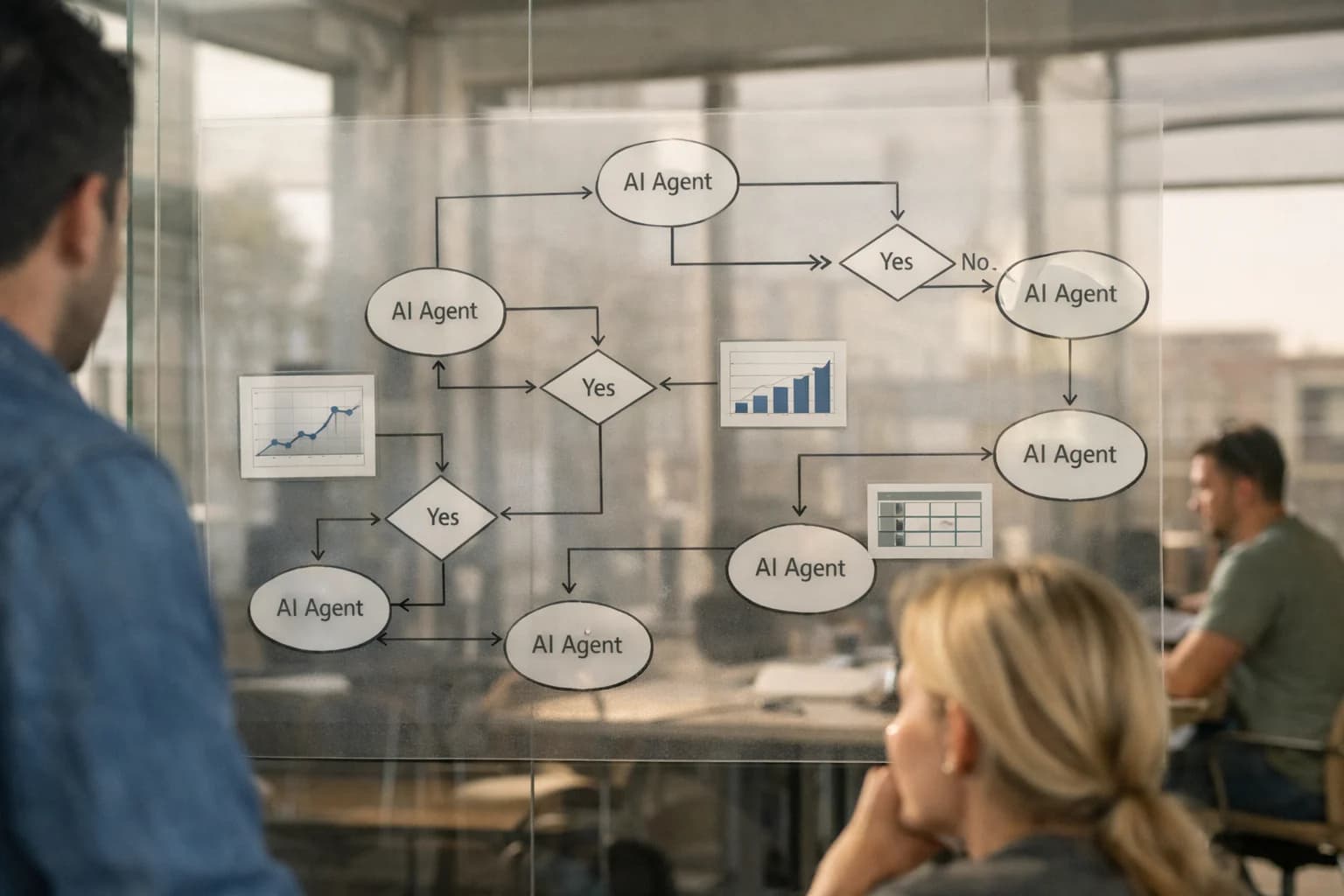
AI Integration with Oracle Eloqua | Inference Systems
Integration
AI Integration with Oracle Eloqua
Embed AI directly into Oracle Eloqua's program canvas and asset workflows to automate B2B campaign orchestration, generate dynamic nurture content, and power complex account-based scoring models.
Where AI Fits into Oracle Eloqua's B2B Marketing Stack
A practical guide to embedding AI agents and workflows within Eloqua's program canvas, asset management, and lead scoring models.
AI integration for Oracle Eloqua focuses on three core surfaces: the Program Canvas for dynamic journey orchestration, the Asset Library for content automation, and the Lead Scoring Engine for predictive account modeling. Instead of replacing Eloqua, AI acts as a co-pilot, injecting intelligence into existing campaign objects, contact lists, and data extensions. Key integration points include the REST API for real-time data sync, Program Builder for conditional logic enhancement, and Custom Objects for storing AI-generated insights like engagement propensity scores or next-best-content recommendations.
Implementation typically wires a central AI orchestration layer—using tools like CrewAI or n8n—to Eloqua's event triggers. For example, when a contact reaches a 'Decision' step in a nurture canvas, an agent can analyze their recent activity, select a personalized email variant from the asset library, and update their lead score before the program proceeds. This moves personalization from static segments to real-time, 1:1 logic. For B2B account-based scoring, AI can enrich Eloqua contact records with firmographic and intent data from external sources, then feed a predictive model back into Eloqua's Account Scoring module, helping marketers prioritize outreach from 'account-level' down to 'individual lead'.
Rollout should be phased, starting with a single high-value program like a webinar nurture stream. Governance is critical: all AI-generated content should route through an approval workflow in Eloqua before sending, and score overrides should be logged in a custom object for audit. Use Eloqua's User Permissions to control which marketers can trigger AI agents. This controlled approach minimizes risk while demonstrating clear impact, such as reducing manual content assembly from hours to minutes or improving lead-to-MQL conversion by identifying engaged accounts earlier. For a deeper look at orchestrating these multi-step workflows, see our guide on AI Agent Builder Platforms.
PLATFORM SURFACES
Key Eloqua Surfaces for AI Integration
Program Canvas & Campaigns
The Program Canvas is Eloqua's visual workflow engine for multi-step, multi-channel campaigns. AI integration here focuses on automating decision logic and content assembly.
Key Integration Points:
Decision Steps: Replace static rules with AI-driven branching. Use models to score lead engagement, predict next-best-action, or determine channel preference based on real-time behavior and profile data.
Wait Steps: Dynamically adjust wait times based on predicted lead responsiveness or time-of-day optimization models.
Campaign Triggers: Initiate programs via API from external AI systems analyzing website intent, support ticket sentiment, or sales call transcripts.
Example Workflow: An AI model analyzes a lead's recent content downloads and firmographic data to predict their "research stage." The Program Canvas uses this score to branch the lead into a targeted nurture stream with technical whitepapers instead of a generic top-of-funnel series.
B2B CAMPAIGN ORCHESTRATION
High-Value AI Use Cases for Eloqua
Embed AI directly into Eloqua's program canvas and asset workflows to automate complex B2B campaign logic, personalize at scale, and accelerate lead-to-revenue cycles.
01
Dynamic Content Generation for Nurture Streams
Automate the creation of personalized email and landing page variants within Eloqua's Content Manager. Use AI to generate industry-specific messaging, value propositions, and CTAs based on lead score, job role, and recent engagement. This turns batch-and-blast nurture programs into dynamic, 1:1 conversations.
Batch -> Real-time
Content Assembly
02
Predictive Lead & Account Scoring Models
Enhance Eloqua's native scoring with AI models that analyze engagement patterns, firmographic data, and intent signals. Prioritize accounts for ABM plays and route high-propensity leads directly to sales within Program Builder automations, reducing manual list building and improving sales acceptance rates.
Same day
Scoring Updates
03
Automated Campaign Briefs & Program Setup
Use AI to analyze past campaign performance and generate detailed program briefs and setup instructions for Eloqua's Program Canvas. This includes suggested segments, send logic, A/B test parameters, and asset requirements, accelerating campaign launch from planning to execution.
1 sprint
Planning Acceleration
04
Intelligent Form & Landing Page Optimization
Integrate AI with Eloqua's Form Processor and Landing Page modules to dynamically adjust form fields and page content based on known visitor data and predictive friction points. Reduce abandonment by presenting shorter, more relevant forms to known contacts.
05
Sentiment-Driven Campaign Triggers
Connect AI to Eloqua's Listen tool or integrated social/chat data. Analyze sentiment in real-time and trigger Program Canvas steps—like a sales alert or a nurturing email—based on detected positive interest or negative feedback, closing the loop between social listening and campaign execution.
06
Campaign Performance Insight Synthesis
Automate the analysis of Eloqua's Program Performance reports. AI can summarize key wins, identify underperforming segments, and recommend optimizations (e.g., "Segment A saw 40% lower open rates; test subject line personalization"), turning raw data into actionable insights for marketers.
Hours -> Minutes
Report Analysis
IMPLEMENTATION PATTERNS
Example AI-Augmented Eloqua Workflows
These workflows illustrate how AI agents and models can be embedded into Eloqua's program canvas, data model, and asset management to automate complex B2B campaign orchestration and lead nurturing tasks.
Trigger: A contact enters a nurture program based on a lead score threshold or form submission.
Context Pulled: The system retrieves the contact's profile (industry, title, company size from Eloqua Contact/Company objects), recent engagement history (email opens, clicks, webinar attendance), and declared content interests from form data.
AI Agent Action: An AI model analyzes the context to select the optimal next asset from a pre-approved content library. It drafts a personalized email body by:
Selecting a relevant case study or whitepaper based on inferred pain points.
Generating 2-3 personalized opening lines referencing the contact's role or recent activity.
Proposing a subject line variant optimized for similar audience segments.
System Update: The selected asset ID and generated copy are passed via Eloqua's API to a Program Builder step. A human-in-the-loop step can be configured for final review before the email is assembled and sent.
Next Step: The contact's engagement with this email (open, click, download) is fed back into the model to refine future content selection within the stream.
ENTERPRISE B2B CAMPAIGN ORCHESTRATION
Implementation Architecture: Wiring AI into Eloqua
A technical blueprint for embedding AI agents and RAG workflows into Oracle Eloqua's program canvas and data model.
Integrating AI with Eloqua focuses on three primary surfaces: the Program Canvas for dynamic journey logic, the Asset Library for content generation and tagging, and the Contact & Account Data Model for predictive scoring. Implementation typically involves a middleware layer (often a lightweight service or an MCP-compatible agent platform) that sits between Eloqua's APIs and your chosen LLM. This layer listens for Eloqua events—like a contact entering a program step, a form submission, or an asset publish—and uses the event context to call AI services for tasks such as generating a personalized email variant, scoring lead engagement, or suggesting the next best program action.
A common production pattern uses Eloqua's REST API and webhook capabilities to push contact and program context to a queue. An AI orchestration service processes these events, potentially enriching them with data from a connected CRM like Salesforce, before calling an LLM. The results—a score, a content block, a segmentation flag—are written back to Eloqua via custom Contact/Account Data Fields or used to trigger Program Step Decisions. For RAG workflows, a separate pipeline ingests approved marketing collateral, product documentation, and past campaign performance data into a vector store, enabling AI agents within programs to retrieve grounded information for hyper-personalized messaging.
Governance and rollout require careful planning. Start with a single, high-impact program—like a lead nurturing stream for a specific product line—and implement a human-in-the-loop approval step for all AI-generated content before it's deployed. Use Eloqua's Program Summary and Response Reporting to establish a baseline, then A/B test AI-driven logic against the control. Key technical considerations include managing API rate limits, implementing idempotent writes back to Eloqua, and setting up audit logs for all AI-generated decisions and content to ensure brand safety and compliance. For a deeper dive on orchestrating multi-step AI agents, see our guide on AI Agent Builder Platforms.
ELOQUA INTEGRATION PATTERNS
Code and Payload Examples
Automating Multi-Step Nurture Journeys
Integrate AI directly into Eloqua's Program Builder to dynamically adjust campaign logic. Use webhooks triggered by program steps to call an AI service that evaluates lead engagement scores, content consumption, and firmographic data. The AI can return a decision payload instructing Eloqua to branch the contact to a new path, update a custom data field, or trigger a sales alert.
Example Use Case: A contact in a "Top-of-Funnel" program downloads a whitepaper. The AI service analyzes their company's technographics and engagement velocity, then instructs Eloqua via a Cloud Connector to move the contact into an "ABM Target" program and set their Lead_Score_Tier to Strategic.
python
# Pseudo-webhook handler for Program Step Decision
import requests
def evaluate_lead_for_program_step(contact_id, program_id, step_id):
# Fetch Eloqua contact & activity data
contact_data = eloqua_api.get_contact(contact_id)
activities = eloqua_api.get_activities(contact_id)
# Call AI decision service
ai_payload = {
"contact": contact_data,
"recent_activities": activities,
"program_context": {"id": program_id, "step": step_id}
}
decision = requests.post(AI_ENDPOINT, json=ai_payload).json()
# Execute Eloqua action based on AI output
if decision["action"] == "branch":
eloqua_api.update_program_membership(
contact_id,
program_id,
step_id,
next_step_id=decision["next_step"]
)
elif decision["action"] == "update_field":
eloqua_api.update_contact(contact_id, decision["field_updates"])
AI-ENHANCED ELOQUA OPERATIONS
Realistic Time Savings and Operational Impact
This table illustrates the practical workflow improvements and time savings from integrating AI into Oracle Eloqua's core surfaces, focusing on B2B campaign orchestration and lead management.
Metric
Before AI
After AI
Notes
Lead scoring model refresh
Quarterly manual review
Continuous, automated updates
Scores adapt to changing engagement patterns without analyst intervention
Nurture stream content creation
Manual drafting per segment
Assisted generation of variants
Marketer reviews and refines AI-drafted email copy and landing page text
Program canvas audience building
Manual segment rules based on static fields
Predictive segment suggestions
AI suggests high-propensity audiences based on engagement history and firmographic signals
Campaign performance analysis
Weekly manual report compilation
Daily automated insight summaries
AI highlights top/underperforming programs and suggests optimization levers
Asset tagging and organization
Manual keyword entry for DAM
Automated metadata generation
AI scans and tags images, documents, and emails for improved search and compliance
Complex account-based scoring
Spreadsheet-based model outside Eloqua
Integrated predictive model within Eloqua
Scores sync directly to contact/account records for use in smart campaigns and reporting
A/B test hypothesis generation
Manual brainstorming and past performance review
Data-driven variant suggestions
AI analyzes historical performance to recommend subject lines, send times, and content elements to test
ENTERPRISE B2B MARKETING AUTOMATION
Governance, Security, and Phased Rollout
A practical approach to implementing AI in Oracle Eloqua with controlled risk and measurable impact.
Integrating AI into Oracle Eloqua requires a security-first architecture that respects the platform's data model and access controls. A production implementation typically involves a dedicated middleware layer or secure cloud function that acts as a bridge. This layer securely pulls data from Eloqua's REST APIs—such as Contact, Account, and Program Member objects—and sends it to an AI service for processing, returning enriched data or generated content back into designated custom fields or assets. All data flows must be encrypted in transit, and API keys must be managed via a secure vault, not hardcoded. The integration should leverage Eloqua's existing user roles and permissions, ensuring AI-generated actions like sending an email or updating a score are logged in the platform's audit trail for full visibility.
A phased rollout is critical for managing change and proving value. We recommend starting with a single, high-impact workflow in a controlled environment. For example:
Phase 1: Content Augmentation. Integrate AI to generate personalized email body copy or subject line variants within a single nurture program. Use a dedicated Program Canvas for testing, with human-in-the-loop approval before any sends.
Phase 2: Lead Scoring Enhancement. Layer AI-driven predictive scoring on top of Eloqua's native scoring. Ingest activity and demographic data to output a secondary "AI Propensity Score" to a custom field, allowing marketers to compare and gradually shift logic.
Phase 3: Orchestrated Journeys. Implement AI to dynamically determine the next-best-action or content asset within a multi-step Program Canvas, using real-time behavioral signals to adjust the path for anonymous and known contacts.
Governance is established through a combination of technical guardrails and process. Implement content filters and moderation prompts to ensure brand safety in all AI-generated outputs. Define a clear rollback plan for each phase, including the ability to disable AI features via a configuration flag without disrupting core Eloqua operations. Establish a cross-functional steering committee—including Marketing Operations, IT Security, and Legal—to review AI model outputs, update data usage policies, and approve the expansion of use cases. This controlled, iterative approach de-risks the investment and builds organizational confidence, turning Eloqua from a campaign execution engine into an intelligent, adaptive marketing hub.
Enabling Efficiency, Speed & Accuracy
Intelligent Analysis, Decision & Execution
We build AI systems for teams that need search across company data, workflow automation across tools, or AI features inside products and internal software.
IMPLEMENTATION QUESTIONS FOR B2B MARKETING TEAMS
AI Integration with Oracle Eloqua: FAQ
Practical answers for marketing operations leaders and architects planning to embed AI into Eloqua's campaign orchestration and lead management workflows.
AI connects to Eloqua primarily through its REST APIs and listens for key events via webhooks. The integration pattern focuses on three core surfaces:
Program Canvas & Smart Campaigns: AI agents can be triggered by campaign steps (e.g., "Wait" steps, form submissions) to execute dynamic logic. For example, an agent can analyze a lead's recent engagement and company firmographics to decide the next program path or adjust a lead score in real-time.
Contact & Custom Object Data: AI reads from and writes back to Eloqua's Contact and Custom Object tables. This is used to store AI-generated insights (e.g., predicted_engagement_score, next_best_content_topic) as contact fields for use in segmentation.
Asset Management: AI can generate or personalize email, landing page, and form content by calling the Assets API, often working within Eloqua's built-in content personalization tokens.
A typical implementation uses a middleware layer (like n8n or a custom service) to manage API calls, prompt orchestration, and audit logs, ensuring marketing governance is maintained.
About the author
Prasad Kumkar
CEO & MD, Inference Systems
Prasad Kumkar is the CEO & MD of Inference Systems and writes about AI systems architecture, LLM infrastructure, model serving, evaluation, and production deployment. Over 5+ years, he has worked across computer vision models, L5 autonomous vehicle systems, and LLM research, with a focus on taking complex AI ideas into real-world engineering systems.
His work and writing cover AI systems, large language models, AI agents, multimodal systems, autonomous systems, inference optimization, RAG, evaluation, and production AI engineering.
Partnered with leading AI, data, and software stack.
How We Work
Custom AI workflows for your Business
One-fit-all AI don't work for modern businesses. At Inferensys, we aim to understand your business & custom requirements; which we use to define most efficient agentic workflows, the data, and the tools for your business.
The first call is a practical review of your use case and the right next step.