AI integration for SAP Digital Manufacturing for Supply Chain focuses on three critical data surfaces: the Production Order, the Material Consumption Document, and the Production Confirmation. These objects, exposed via OData APIs, become the primary triggers for AI agents. For example, a real-time material shortage prediction model can listen for MaterialConsumption events, cross-reference live inventory levels from SAP EWM, and immediately generate a Purchase Requisition or a Stock Transport Order in SAP S/4HANA—all before the line stops. This closes the loop between shop floor execution and supply chain planning, turning SAP DM from a system of record into a system of intelligent action.

Integration
AI Integration for SAP Digital Manufacturing for Supply Chain
A practical guide for integrating AI into SAP Digital Manufacturing's supply chain workflows to predict shortages, analyze supplier risk, and coordinate inbound logistics using real-time shop floor data.
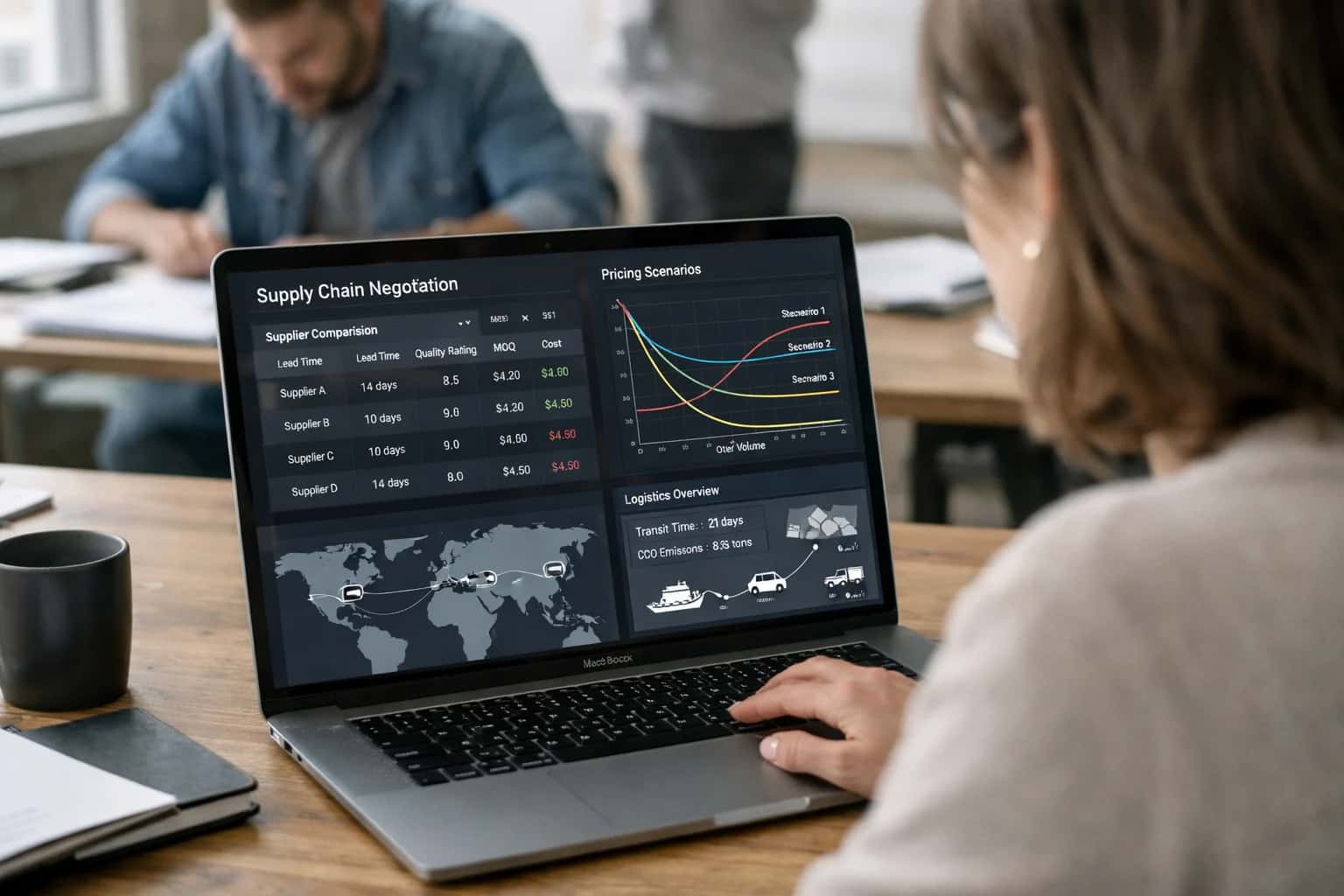
ARCHITECTURE AND ROLLOUT
Where AI Fits in SAP DM for Supply Chain
Integrating AI into SAP Digital Manufacturing for Supply Chain transforms reactive logistics into a predictive, self-optimizing network.
Implementation requires a workflow engine (like n8n or a custom microservice) to orchestrate between SAP DM's event-driven architecture and AI inference endpoints. A typical pattern involves:
- Event Capture: Using SAP DM's webhook or messaging service to push
ProductionOrderReleasedorMaterialShortageDetectedevents to a queue. - Context Enrichment: An agent retrieves related data—supplier lead times from SAP Ariba, inbound shipment status from SAP TM, and alternative component availability from the PLM system.
- Inference & Action: A fine-tuned model predicts risk and recommends an optimal response (e.g., expedite a shipment, substitute a material, or resequence the production order). The agent then executes via SAP DM's API or creates a task in SAP's Fiori Launchpad for planner approval.
- Audit Loop: All AI-driven recommendations and actions are logged back to SAP DM's audit trail, maintaining full traceability for compliance and model retraining.
Rollout should be phased, starting with high-impact, low-risk workflows like inbound logistics coordination. Begin by deploying an AI agent that monitors GoodsReceipt delays and automatically notifies carriers and updates the production schedule in SAP DM. Govern this with a human-in-the-loop approval step for the first 30 days. Success metrics should be operational, not just accuracy: measure reduction in line-side stock-outs, decrease in expedited freight costs, and improvement in planner productivity (e.g., hours saved on manual supplier calls). This pragmatic, API-first approach ensures AI augments the existing SAP investment without a disruptive rip-and-replace, delivering supply chain resilience that scales from a single plant to a global network.
AI-READY DATA FLOWS AND AUTOMATION POINTS
Key Integration Surfaces in SAP DM for Supply Chain
Real-Time Material Intelligence
Integrate AI directly with SAP DM's material management surfaces to predict shortages and optimize flow. Key integration points include:
- Material Consumption Events: Trigger AI analysis when components are issued to a production order, comparing actual usage against the bill of materials (BOM) to forecast future shortfalls.
- Inventory Posting Interfaces: Analyze real-time stock level updates in SAP DM's inventory management to generate predictive replenishment signals for SAP EWM or external WMS.
- Goods Receipt Data: Process inbound quality and quantity data from supplier deliveries to assess lead time reliability and automatically adjust safety stock parameters.
AI models can be invoked via SAP DM's OData APIs or event-driven webhooks, providing recommendations that appear as alerts in Fiori apps or directly update material reservation tables.
SAP DIGITAL MANUFACTURING FOR SUPPLY CHAIN
High-Value AI Use Cases for Supply Chain Coordination
Integrate AI directly into SAP Digital Manufacturing for Supply Chain to transform reactive supply chain signals into predictive, coordinated actions. These use cases leverage the platform's real-time event streams, material ledger, and supplier collaboration surfaces to reduce shortages, optimize inbound logistics, and improve production stability.
01
Material Shortfall Prediction & Automated Replenishment
AI analyzes real-time consumption rates from the shop floor, open production orders, and supplier lead time variability to predict material shortages days before they impact the line. The system can automatically trigger purchase requisitions in SAP S/4HANA, escalate to planners via Fiori notifications, or suggest alternative components from approved substitution lists.
Days -> Hours
Early warning lead time
02
Supplier Lead Time Risk Analysis
Integrate AI with SAP's supplier data and external logistics feeds to continuously score supplier delivery risk. Models evaluate factors like historical on-time performance, port congestion data, and weather events to assign a dynamic risk score to each open purchase order. High-risk POs are flagged in the Digital Manufacturing cockpit for proactive expediting or sourcing of safety stock.
Batch -> Real-time
Risk scoring
03
Inbound Logistics Coordination Triggered by Shop Floor Events
Connect AI to real-time production events (e.g., a work order start confirmation or a machine downtime alert) to dynamically adjust inbound logistics. For example, if a line goes down, the system can automatically contact carriers via integrated APIs to delay deliveries, preventing yard congestion and demurrage charges. Conversely, a line running ahead of schedule can trigger an expedited shipment request.
Reactive -> Proactive
Logistics mode
04
Cross-Plant Material Allocation & Transfer Optimization
For multi-plant operations, AI evaluates material demand signals and on-hand inventory across all connected SAP Digital Manufacturing instances. When a shortage is predicted at Plant A, the system can recommend and initiate an inter-plant stock transfer from Plant B, considering transfer lead times, transportation costs, and the impact on Plant B's own production schedule. Allocations are proposed within the existing material ledger framework.
Manual -> Automated
Allocation workflow
05
Supplier Quality & Performance Intelligence
Augment SAP's supplier evaluation with AI-driven insights. Models analyze incoming inspection data from the shop floor, non-conformance reports (NCRs), and delivery metrics to generate a holistic supplier performance score. This intelligence feeds back into the sourcing process within SAP Ariba or S/4HANA and can automatically adjust inspection levels or trigger supplier development workflows.
06
Dynamic Safety Stock & Reorder Point Calculation
Move beyond static MRP parameters. AI models continuously learn from demand volatility, supply reliability, and production schedule adherence to dynamically calculate and recommend updated safety stock levels and reorder points for critical components. These recommendations can be reviewed and approved within the Digital Manufacturing interface before being pushed to SAP ERP master data.
Static -> Adaptive
Inventory policy
SAP DIGITAL MANUFACTURING FOR SUPPLY CHAIN
Example AI-Enhanced Supply Chain Workflows
These workflows illustrate how to embed AI agents and models into SAP Digital Manufacturing's supply chain modules, creating closed-loop intelligence between the shop floor and upstream logistics. Each example connects real-time production events to predictive and prescriptive actions for material, supplier, and inbound operations.
Trigger: A production order is released to the shop floor in SAP Digital Manufacturing.
Context/Data Pulled:
- The system queries the Material Consumption Forecast model, which analyzes the order's bill of materials (BOM), historical material usage variance, and current line rate.
- It cross-references real-time inventory levels from integrated SAP EWM (Extended Warehouse Management) and checks for any active quality holds on raw material lots.
- It pulls the latest supplier lead times and transportation status from the SAP Ariba or SAP TM (Transportation Management) integration.
Model/Agent Action: An AI agent evaluates the risk of a material shortage before the line is scheduled to consume it. It uses a time-series forecasting model to predict the exact hour a shortage might occur based on the production schedule and current consumption rates.
System Update/Next Step: If a high-risk shortage is predicted (e.g., >80% probability within the next 8 hours), the agent automatically:
- Creates a Material Shortage Alert in the SAP Digital Manufacturing alert console, tagged to the specific work center and order.
- Generates a draft Purchase Requisition in SAP S/4HANA with suggested expedited shipping options.
- Sends a notification via SAP Fiori or Microsoft Teams to the procurement planner with the recommended action.
Human Review Point: The procurement planner must approve the expedited purchase requisition. The AI provides a confidence score and rationale for the recommendation.
CONNECTING AI TO SUPPLY CHAIN EVENTS
Implementation Architecture: Data Flow & APIs
A practical blueprint for integrating AI agents with SAP Digital Manufacturing for Supply Chain (DMfSC) to predict shortages, analyze lead time risks, and coordinate inbound logistics.
The integration is built on SAP DMfSC's event-driven architecture and OData APIs. AI models are triggered by key manufacturing events published via the ManufacturingEvent API, such as a production order release, a material consumption posting, or a work center status change. For supply chain use cases, the primary data objects are Material, ProductionOrder, PurchaseRequisition, and Supplier. The AI service subscribes to these events, enriching them with real-time context from SAP's manufacturing data warehouse and external data sources (e.g., weather, carrier APIs) to assess supply risk.
A typical workflow for material shortage prediction involves: 1) An event signals a production order is starting. 2) The AI agent calls the MaterialAvailability service to check component stock and open POs. 3) Using historical consumption patterns and current supplier lead times, a model scores shortage probability within the next 48 hours. 4) If risk is high, the agent can automatically create an alert in SAP's Notification module, generate a draft PurchaseRequisition, or post a message to a logistics coordinator's Fiori inbox—all via the respective OData services. This shifts response time from reactive, daily checks to proactive, event-driven minutes.
Governance and rollout require a phased approach. Start with a read-only integration in a staging environment, using DMfSC's APIs to pull historical event data for model training. For production, implement the AI service as a containerized microservice that authenticates via SAP's OAuth 2.0 and writes all actions (like alert creation) with a dedicated service user for audit trails. Critical actions, such as auto-creating purchase documents, should be gated by a human-in-the-loop approval step configured in SAP's workflow engine. This architecture ensures the AI augments existing SAP workflows without disrupting core procurement or production planning processes.
SAP DM FOR SUPPLY CHAIN
Code & Payload Examples
Predicting Shortages from Shop Floor Events
This example listens for ProductionOrderReleased events from SAP DM's OData API. It aggregates real-time material consumption against planned BOM requirements and warehouse stock levels. The AI model predicts a shortage risk score and triggers a proactive alert to procurement, including suggested alternate suppliers from SAP Ariba.
Key integration points:
- SAP DM OData API (
/sap/opu/odata/sap/API_PRODUCTION_ORDER_SRV): To monitor order status and component reservations. - SAP EWM or Inventory API: For live stock level checks.
- AI Model Endpoint: A hosted service that ingests the payload and returns a risk score and recommendation.
python# Example: Triggering a shortage prediction import requests # Payload from SAP DM webhook on order release event_payload = { "eventType": "ProductionOrderReleased", "orderId": "1000001234", "material": "MAT-5678", "plannedQuantity": 500, "components": [ {"material": "COMP-001", "requiredQty": 10, "warehouse": "WH1"}, {"material": "COMP-002", "requiredQty": 25, "warehouse": "WH2"} ] } # Enrich with real-time stock from SAP EWM for comp in event_payload["components"]: stock_response = requests.get( f"{EWM_API}/stock?material={comp['material']}&warehouse={comp['warehouse']}", auth=(USER, PASS) ) comp["availableStock"] = stock_response.json().get("quantity", 0) # Call AI prediction service prediction = requests.post( AI_ENDPOINT + "/predict/shortage", json=event_payload ).json() # Result includes risk score and action # {"riskScore": 0.87, "component": "COMP-002", "daysUntilShortage": 2, "recommendedAction": "Expedite PO#45001 from Supplier B"}
AI-ENHANCED SUPPLY CHAIN COORDINATION
Realistic Time Savings & Operational Impact
This table shows the typical impact of integrating AI agents with SAP Digital Manufacturing for Supply Chain, focusing on material flow, supplier risk, and inbound logistics workflows triggered from shop floor events.
| Supply Chain Workflow | Before AI Integration | After AI Integration | Key Notes |
|---|---|---|---|
Material Shortage Prediction | Reactive alerts after stock-out | Proactive risk alerts 3-5 days prior | Uses production schedule, consumption rates, and supplier lead times |
Supplier Lead Time Risk Analysis | Manual review of supplier scorecards | Automated daily risk scoring & alerting | Correlates supplier performance, weather, and logistics data |
Inbound Logistics Coordination | Manual calls/emails for ETA updates | Automated carrier communication & dock scheduling | Triggers from production order release and line-side inventory |
Exception Handling for Delayed Materials | Expeditor manually finds alternatives | AI suggests alternate suppliers or routings | Integrates with SAP Ariba or external supplier networks |
Production Schedule Feasibility Check | Planner manually validates material availability | Real-time schedule validation against AI-predicted arrivals | Prevents releasing orders for at-risk materials |
Supplier Performance Reporting | Monthly manual report compilation | Automated weekly insights with trend analysis | Highlights top drivers of variance for procurement team |
Cross-Dock & Staging Instructions | Warehouse supervisor creates manual plans | Dynamic staging plans based on production sequence | Sent directly to mobile devices via SAP DM Fiori apps |
IMPLEMENTATION BLUEPRINT
Governance, Security, and Phased Rollout
A practical guide to deploying AI in SAP Digital Manufacturing for Supply Chain with control, security, and measurable progress.
Integrating AI into SAP Digital Manufacturing for Supply Chain requires a governance-first approach, as the platform orchestrates critical supply, production, and logistics data. Start by defining a clear data access perimeter for your AI agents, mapping them to specific SAP DM objects like ProductionOrder, Material, Supplier, LogisticsOrder, and ShopFloorEvent. Use SAP's OData APIs and event-driven architecture to create read-only data feeds for AI analysis, ensuring a clear audit trail. Implement role-based access control (RBAC) at the AI layer, mirroring SAP DM user roles (e.g., Production Supervisor, Planner, Logistics Manager) to ensure agents only access and act on data relevant to their defined workflow, such as material shortage prediction or supplier risk analysis.
For security, deploy AI inference within your private cloud or VPC, using secure service accounts for API authentication to SAP DM. All prompts, model outputs, and agent decisions should be logged to a separate audit database, keyed to the original SAP transaction ID (e.g., ProductionOrder number). This creates an immutable chain of custody for AI-influenced decisions, crucial for regulated environments. For high-stakes workflows like automated purchase order suggestions, implement a human-in-the-loop approval step within the SAP Fiori interface, where the AI's recommendation and reasoning are presented for a planner's review and final release.
Adopt a phased rollout to de-risk and demonstrate value. Phase 1 could target a single, high-impact use case like inbound logistics coordination, where an AI agent monitors ShopFloorEvent signals for production starts and analyzes real-time carrier data to predict and alert on delivery delays. This confines the initial integration surface to a few APIs and a specific user group. Phase 2 expands to material shortage prediction, connecting the AI to Material reservations and Supplier lead time histories to generate proactive alerts in the planner's dashboard. Each phase should include a parallel run where AI recommendations are logged but not acted upon, allowing you to measure accuracy and refine prompts before enabling automated actions or notifications.
Finally, establish a model performance and drift monitoring regimen. Since SAP DM data patterns can shift with new products or suppliers, track the accuracy of your AI's predictions (e.g., shortage alerts) against actual outcomes recorded back in SAP. Use this feedback loop to retrain models or adjust prompts. This controlled, iterative approach ensures the AI integration enhances operational resilience without introducing unmanaged risk into your core manufacturing and supply chain operations. For related architectural patterns, see our guides on AI Integration for SAP Digital Manufacturing Cloud and AI Integration with Ignition for IIoT.
Enabling Efficiency, Speed & Accuracy
Intelligent Analysis, Decision & Execution
We build AI systems for teams that need search across company data, workflow automation across tools, or AI features inside products and internal software.
Talk to Us
Search across company data
Give teams answers from docs, tickets, runbooks, and product data with sources and permissions.
Useful when people spend too long searching or get different answers from different systems.
Enterprise searchRAGPermissions
Read more
Automate internal workflows
Use AI to route work, draft outputs, trigger actions, and keep approvals and logs in place.
Useful when repetitive work moves across multiple tools and teams.
AI agentsWorkflow automationGovernance
Read more
Add AI to products and internal tools
Build assistants, guided actions, or decision support into the software your team or customers already use.
Useful when AI needs to be part of the product, not a separate tool.
AI integrationDecision supportModel routing
Read moreAI INTEGRATION FOR SAP DIGITAL MANUFACTURING FOR SUPPLY CHAIN
Frequently Asked Questions
Common questions about implementing AI agents and workflows to enhance supply chain visibility, risk prediction, and inbound logistics within SAP Digital Manufacturing for Supply Chain (DMfSC).
SAP DMfSC uses an event-driven architecture based on OData APIs and webhooks. AI integration typically follows this pattern:
- Trigger: A shop floor event (e.g.,
WorkOrder.Started,MaterialConsumption.Posted) is published by DMfSC. - Context Pull: An AI agent listens via webhook, then calls DMfSC OData services to fetch related context:
Materialdetails and supplier info fromMaterialMaster.- Open
PurchaseOrderandPurchaseRequisitiondata. - Related
ProductionOrderandRoutingdata.
- Agent Action: The agent analyzes the event context against external data (e.g., weather, port delays, supplier risk scores) using an LLM or predictive model.
- System Update: The agent can:
- Create a
SupplyChainAlertorNotificationin DMfSC via OData. - Update a custom
RiskScorefield on theMaterialorPurchaseOrder. - Trigger an automated
PurchaseRequisitionfor safety stock via the integration layer to SAP S/4HANA.
- Create a
- Human Review: High-risk predictions or automated purchase requests are routed to a planner's Fiori inbox for approval before system updates are finalized.

About the author
Prasad Kumkar
CEO & MD, Inference Systems
Prasad Kumkar is the CEO & MD of Inference Systems and writes about AI systems architecture, LLM infrastructure, model serving, evaluation, and production deployment. Over 5+ years, he has worked across computer vision models, L5 autonomous vehicle systems, and LLM research, with a focus on taking complex AI ideas into real-world engineering systems.
His work and writing cover AI systems, large language models, AI agents, multimodal systems, autonomous systems, inference optimization, RAG, evaluation, and production AI engineering.
LinkedIn
Limited slotsGet a Free AI Consultation
Partnered with leading AI, data, and software stack.





How We Work
Custom AI workflows for your Business
One-fit-all AI don't work for modern businesses. At Inferensys, we aim to understand your business & custom requirements; which we use to define most efficient agentic workflows, the data, and the tools for your business.
01
Review the use case
We understand the task, the users, and where AI can actually help.
Read more02
Pick the right approach
We define what needs search, automation, or product integration.
Read more03
Build the first useful version
We implement the part that proves the value first.
Read more04
Improve from there
We add the checks and visibility needed to keep it useful.
Read moreThe first call is a practical review of your use case and the right next step.
Talk to Us