Plex's analytics stack is built on its manufacturing data model, which consolidates real-time production, quality, and machine data into structured tables and pre-built dashboards. AI integration connects at three key layers: 1) Data Ingestion, using Plex's APIs or direct database access to feed time-series data (e.g., OEE, cycle times, defect counts) into AI models. 2) Model Inference, where models analyze trends to predict labor efficiency drops, machine utilization bottlenecks, or quality deviations before they appear in standard reports. 3) Insight Delivery, where predictions are written back to Plex as custom data fields or surfaced through existing report modules like Production Performance or Quality Analytics, ensuring managers see AI insights within their familiar workflow.

Integration
AI Integration for Plex Shop Floor Analytics
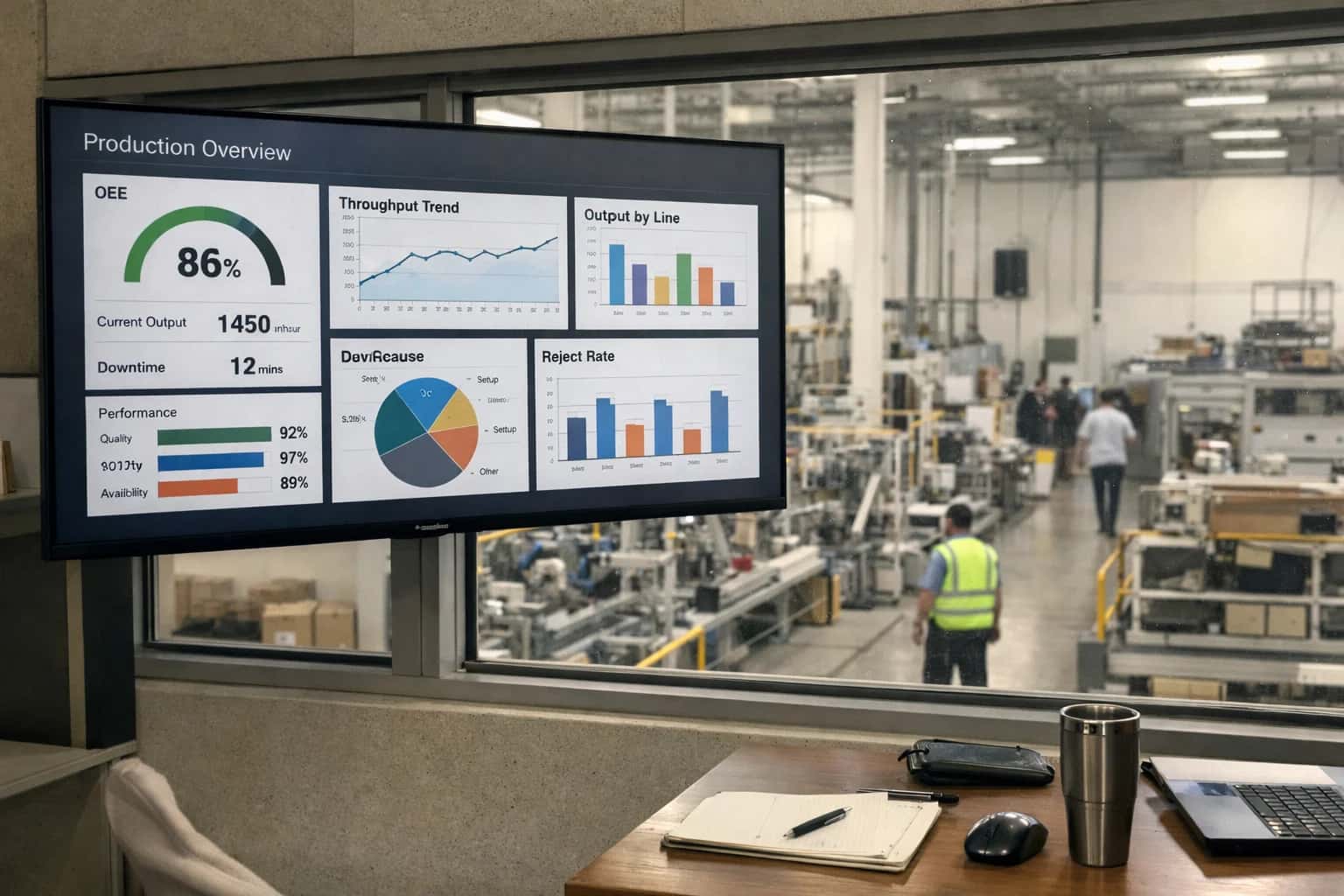
Where AI Fits into Plex's Analytics Stack
Augmenting Plex's built-in reporting with AI-driven predictive insights for operations managers.
A practical implementation wires an AI service to listen for Plex's event-driven webhooks—like a work order completion or a quality test result—triggering near-real-time inference. For example, an AI model could analyze the last 50 cycles from a machining center to predict tool wear and recommend a maintenance window, injecting this alert as a note into the associated equipment record. Governance is critical: all AI-generated insights should be logged with a confidence score and a human-review flag in Plex's audit trail, and initial rollouts typically focus on a single high-value workflow, such as predicting end-of-shift labor efficiency based on real-time attendance and job transaction data.
This approach avoids replacing Plex's core analytics. Instead, it layers predictive intelligence on top, turning historical dashboards into forward-looking decision tools. Operations managers gain the ability to act on signals like 'predicted 15% efficiency drop on Line B next shift based on current staffing and order mix' directly within their existing Plex reports, reducing reaction time from hours to minutes and shifting focus from reporting what happened to preventing what might.
Key Plex Data Surfaces for AI Integration
Production Orders & Work Centers
This is the core transactional surface for real-time performance analytics. AI models can connect to Plex's production order tables (ProductionOrder, ProductionOrderOperation) and work center master data to analyze efficiency.
Key Data Points for AI:
- Order start/complete timestamps and quantities for cycle time calculation.
- Work center setup and run times for utilization analysis.
- Operator labor codes and skill levels attached to operations.
- Scrap and rework quantities logged against specific operations.
AI Integration Pattern: Stream this data to a time-series database or data lake. Train models to predict order completion times based on work center load and operator assignment. Deploy inference to flag orders at risk of missing schedule or exceeding standard cost. Results can be written back to custom Plex tables or surfaced via API to dashboards.
Example Workflow: An AI agent monitors real-time order progress, compares it to historical patterns for similar products, and alerts the supervisor via Plex's notification engine if a 20% delay is predicted, suggesting a potential re-route.
High-Value AI Use Cases for Plex Analytics
Plex's native analytics provide a solid foundation for shop floor visibility. These AI integration patterns inject predictive intelligence and automated insight generation directly into existing reports and dashboards, helping operations managers move from reactive monitoring to proactive decision-making.
Predictive Labor Efficiency Scoring
Augment Plex's labor tracking reports with AI models that analyze work center performance, operator certifications, and job complexity to predict task completion times. The system flags jobs at risk of exceeding standard hours before they start, allowing for dynamic resource reallocation.
Automated OEE Root Cause Attribution
Connect AI to Plex's OEE data streams to automatically classify downtime events. Instead of manually reviewing logs, the system analyzes event descriptions, machine states, and parallel process data to attribute losses to categories like setup, breakdown, or material wait with >90% accuracy, enriching standard OEE reports.
Quality Trend Forecasting
Integrate AI with Plex's quality modules (NCRs, inspections) to predict defect spikes. Models correlate real-time process parameters from the shop floor with historical quality outcomes, generating early warnings in quality trend dashboards up to 24 hours before a statistical control limit breach.
Dynamic Material Consumption Insights
Enhance Plex's material usage reports with AI that compares planned vs. actual consumption at the work order level. The system identifies patterns of waste or deviation, suggesting adjustments to bill-of-material (BOM) allowances or highlighting supplier lot variability directly within the inventory analytics module.
Intelligent Production Schedule Risk Scoring
Layer AI on top of Plex's scheduling data to assess the risk of meeting promised ship dates. Models evaluate machine availability, labor constraints, and quality history for each production order, outputting a risk score and recommended mitigation actions (e.g., expedite, split lot) into the production coordination dashboard.
Automated Shift Handover Summaries
Use AI to synthesize data from Plex's production logs, Andon events, and quality alerts into a concise, narrative shift summary. This replaces manual notetaking, ensuring critical issues and pending actions are communicated consistently between shift supervisors via the existing reporting interface.
Example AI-Augmented Analytics Workflows
These workflows illustrate how to inject AI-driven intelligence into Plex's existing analytics surfaces, transforming raw OEE, quality, and utilization data into predictive insights and automated actions for operations managers.
Trigger: Plex's real-time production monitoring module logs a downtime event exceeding a predefined threshold (e.g., 15 minutes).
Context/Data Pulled:
- The AI agent queries Plex's
ProductionTransactionandMachineEventtables for the last 24 hours of data for the affected work center. - It pulls related data: recent maintenance work orders from the
MaintenanceRequestmodule, operator skill certifications, and material lot properties from theInventorytable. - It accesses the last 50 similar downtime events from the data warehouse for pattern matching.
Model/Agent Action:
A classification model analyzes the multivariate context to assign a probable root cause category (e.g., Tool Wear, Material Jam, PLC Fault, Operator Error). A reasoning agent then generates a natural language summary:
"Downtime on Work Center 12 (Press #5) likely caused by progressive tool wear on Die A. Correlation: 82%. Supporting signals: Cycle time increased 8% over last 200 cycles; last preventive maintenance was 45 days ago against a 30-day recommended interval."
System Update/Next Step:
The insight and root cause code are written back to a custom AI_Insights table in Plex, linked to the original downtime record. An alert is pushed to:
- The Andon board/real-time dashboard.
- The maintenance team's queue via a webhook to their CMMS, suggesting a tool inspection.
- The shift supervisor's Plex report sidebar.
Human Review Point: The maintenance supervisor can confirm or reject the AI's root cause assignment within the CMMS, providing feedback that retrains the model.
Typical Implementation Architecture
Integrating AI with Plex for shop floor analytics requires a layered architecture that respects the MES as the system of record while injecting intelligence at key operational surfaces.
The integration typically connects to Plex's Production Data Model via its REST API or direct database connections to access time-series data from work centers, labor transactions, and quality events. Core objects include Production Orders, Work Centers, Labor Efficiency records, and Quality Results. An event-driven pipeline ingests this data into a separate analytics layer—often a cloud data warehouse or a real-time processing engine—where AI models for predictive OEE, utilization forecasting, and defect trend analysis are applied. The results are then served back to operations managers through two primary channels: augmented Plex reports (via API-driven data injection or custom report widgets) and standalone dashboards that provide predictive alerts and prescriptive recommendations.
A practical workflow might involve an AI model analyzing real-time machine state and labor data to predict a 15% efficiency drop in the next shift. This insight is formatted as a contextual alert and pushed into a Plex dashboard via a custom API call. Simultaneously, a summary is queued for the shift supervisor via email or Teams, with a link to a detailed analysis in a companion BI tool. The architecture maintains a clear separation: Plex handles transactional execution and data capture, while the AI layer performs heavy computational analysis and insight generation, ensuring no impact on Plex's core performance for shop floor operators.
Rollout is phased, starting with a single high-impact production line or work center. Governance is critical: all AI-generated insights should be logged with an audit trail linking back to the source Plex transaction IDs. A human-in-the-loop review period is standard, where supervisors validate AI recommendations before they trigger automated actions in Plex, such as adjusting labor assignments or flagging a work order for quality review. This controlled approach builds trust and ensures the AI augments, rather than disrupts, established Plex workflows.
Code and Payload Examples
Predictive OEE Root Cause Analysis
Enhance Plex's built-in OEE dashboards by integrating AI models that analyze downtime events, machine states, and production logs to predict and attribute root causes. Instead of manual post-mortems, the system can automatically classify stoppages (e.g., Unplanned Maintenance, Material Shortage, Quality Hold) and suggest corrective actions.
A typical integration involves querying Plex's ProductionEvent and MachineState tables via its API, then passing the structured data to an inference endpoint. The response can be written back to a custom Plex table or used to trigger automated alerts in connected systems like a CMMS or team chat.
python# Example: Fetch recent downtime events from Plex API import requests plex_api_url = "https://your-plex-instance.plex.com/api/v1" headers = {"Authorization": "Bearer YOUR_API_TOKEN"} # Query for events in the last 2 hours params = { "resource": "ProductionEvent", "filter": "EventType='Downtime' and StartTime gt '2024-05-15T10:00:00Z'", "top": 50 } response = requests.get(f"{plex_api_url}/query", headers=headers, params=params) downtime_events = response.json()["value"] # Prepare payload for AI root cause service payload = { "events": downtime_events, "context": { "work_center": "WC-101", "shift": "A" } } # Send to Inference Systems endpoint for classification ai_response = requests.post("https://api.inferencesystems.com/v1/plex/downtime-analysis", json=payload) root_cause = ai_response.json()["predicted_root_cause"] recommendation = ai_response.json()["recommended_action"]
Realistic Time Savings and Operational Impact
How augmenting Plex's built-in reporting with AI-driven insights changes daily operations for plant managers and supervisors.
| Metric | Before AI | After AI | Notes |
|---|---|---|---|
Downtime Root Cause Analysis | Manual log review, 2-4 hours per major event | Automated correlation & suggestion in <15 minutes | AI cross-references machine logs, operator notes, and maintenance history |
Daily OEE & Performance Report Generation | Manual data pull and spreadsheet work, 1-2 hours daily | Automated narrative & insight generation at shift end | Report includes AI-highlighted anomalies and trend explanations |
Quality Deviation Trend Detection | Weekly review of SPC charts, reactive identification | Daily automated alerts on emerging patterns | Flags subtle shifts across multiple parameters before spec breach |
Labor Efficiency Analysis per Work Center | Monthly review, manual time study samples | Continuous, AI-scored efficiency with daily driver insights | Identifies training gaps and process bottlenecks in real-time |
Production Schedule Feasibility Check | Gut-feel based on historical averages | Predictive analysis of schedule vs. real-time constraints | Factors in current machine state, material availability, and crew skill |
Shift Handover Summary Preparation | Supervisor compiles notes, 30-45 minutes | AI-generated summary of key events, issues, and priorities | Ensures consistency and captures all relevant data points |
Ad-hoc Operational 'Why' Analysis | Data exports, multiple pivot tables, hours of investigation | Natural language query to analytics copilot, minutes to answer | e.g., 'Why did yield drop on Line 3 last Thursday?' |
Governance, Security, and Phased Rollout
Integrating AI into Plex's shop floor analytics requires a deliberate approach to data governance, model security, and controlled rollout to ensure reliable, trusted insights.
Governance starts with defining which Plex data objects power the AI models. This typically includes Production Orders, Work Centers, Labor Transactions, Machine Events, and Quality Results. Access is controlled via Plex's existing role-based permissions, ensuring AI models only query data the requesting operations manager can already see. All AI-generated insights—like a predicted labor efficiency drop or a machine utilization trend—are written back to Plex as annotated records or linked to existing dashboards, creating a full audit trail of the AI's inputs and outputs for traceability.
Security is implemented at the integration layer. AI inference calls are routed through a secure middleware service that sits between Plex's APIs and the model endpoints. This service handles authentication, encrypts payloads containing Plex record IDs and aggregated metrics, and applies strict rate limiting. Sensitive raw data, like individual operator names, is pseudonymized before model processing. The AI system never stores a full copy of Plex's transactional database; it operates on real-time queries and cached aggregates, minimizing data footprint and exposure.
A phased rollout is critical for adoption and model tuning. Phase 1 targets read-only analytics augmentation, where AI generates predictive insights on a single, high-impact metric—like Overall Equipment Effectiveness (OEE)—and surfaces them alongside Plex's standard reports for a pilot production line. Phase 2 expands to multi-metric correlation (e.g., linking quality scrap codes to specific machine parameters) and introduces interactive copilot features for supervisors. Phase 3 enables prescriptive workflows, where high-confidence AI recommendations, such as a preventive maintenance alert, can automatically create a draft work order in Plex, pending human review. Each phase includes a feedback loop where operator and manager actions (or overrides) are used to retrain and improve the models.
Enabling Efficiency, Speed & Accuracy
Intelligent Analysis, Decision & Execution
We build AI systems for teams that need search across company data, workflow automation across tools, or AI features inside products and internal software.
Talk to Us
Search across company data
Give teams answers from docs, tickets, runbooks, and product data with sources and permissions.
Useful when people spend too long searching or get different answers from different systems.

Automate internal workflows
Use AI to route work, draft outputs, trigger actions, and keep approvals and logs in place.
Useful when repetitive work moves across multiple tools and teams.

Add AI to products and internal tools
Build assistants, guided actions, or decision support into the software your team or customers already use.
Useful when AI needs to be part of the product, not a separate tool.
Frequently Asked Questions
Practical questions about integrating AI with Plex's shop floor analytics, covering data access, model deployment, workflow automation, and governance for operations teams.
AI models connect to Plex's manufacturing data through a combination of its REST APIs and direct database connections, depending on the required latency and data volume.
Typical Integration Architecture:
- For Real-Time Inference (seconds): Use Plex's
Production MonitoringAPIs (e.g.,/api/v1/production/orders/active) to fetch live OEE, cycle times, and machine states. This data is streamed to an inference endpoint via a lightweight middleware service. - For Batch Analytics & Training (hours/daily): Connect directly to Plex's underlying SQL Server or PostgreSQL database (with proper permissions) to extract historical datasets for model training on labor efficiency, utilization trends, and quality deviations.
- For Event-Triggered Workflows: Configure Plex's webhook capabilities or monitor database transaction logs to trigger AI analysis when key events occur, such as a work order completion or a quality nonconformance (NCR) being logged.
Security Note: All connections should use service accounts with role-based access control (RBAC) scoped to specific plant, work center, and data object permissions within Plex.

About the author
Prasad Kumkar
CEO & MD, Inference Systems
Prasad Kumkar is the CEO & MD of Inference Systems and writes about AI systems architecture, LLM infrastructure, model serving, evaluation, and production deployment. Over 5+ years, he has worked across computer vision models, L5 autonomous vehicle systems, and LLM research, with a focus on taking complex AI ideas into real-world engineering systems.
His work and writing cover AI systems, large language models, AI agents, multimodal systems, autonomous systems, inference optimization, RAG, evaluation, and production AI engineering.
Partnered with leading AI, data, and software stack.





How We Work
Custom AI workflows for your Business
One-fit-all AI don't work for modern businesses. At Inferensys, we aim to understand your business & custom requirements; which we use to define most efficient agentic workflows, the data, and the tools for your business.
01
Review the use case
We understand the task, the users, and where AI can actually help.
Read more02
Pick the right approach
We define what needs search, automation, or product integration.
Read more03
Build the first useful version
We implement the part that proves the value first.
Read more04
Improve from there
We add the checks and visibility needed to keep it useful.
Read moreThe first call is a practical review of your use case and the right next step.
Talk to Us