AI integration for Plex production monitoring focuses on three core data surfaces: the real-time production dashboard, the OEE (Overall Equipment Effectiveness) calculation engine, and the shift log/event history. Instead of replacing these modules, AI acts as an analytical layer that consumes their streaming data—machine states, cycle times, downtime codes, and quality counts—to generate predictive alerts and root-cause narratives. The integration typically connects via Plex's REST API or a direct SQL bridge to the underlying manufacturing database, pulling time-series data into a vector store for pattern matching against historical incidents.

Integration
AI Integration for Plex Production Monitoring
Enhance Plex's real-time dashboards and OEE calculations with AI-driven insights for automated downtime root cause analysis, performance benchmarking, and shift-level reporting.
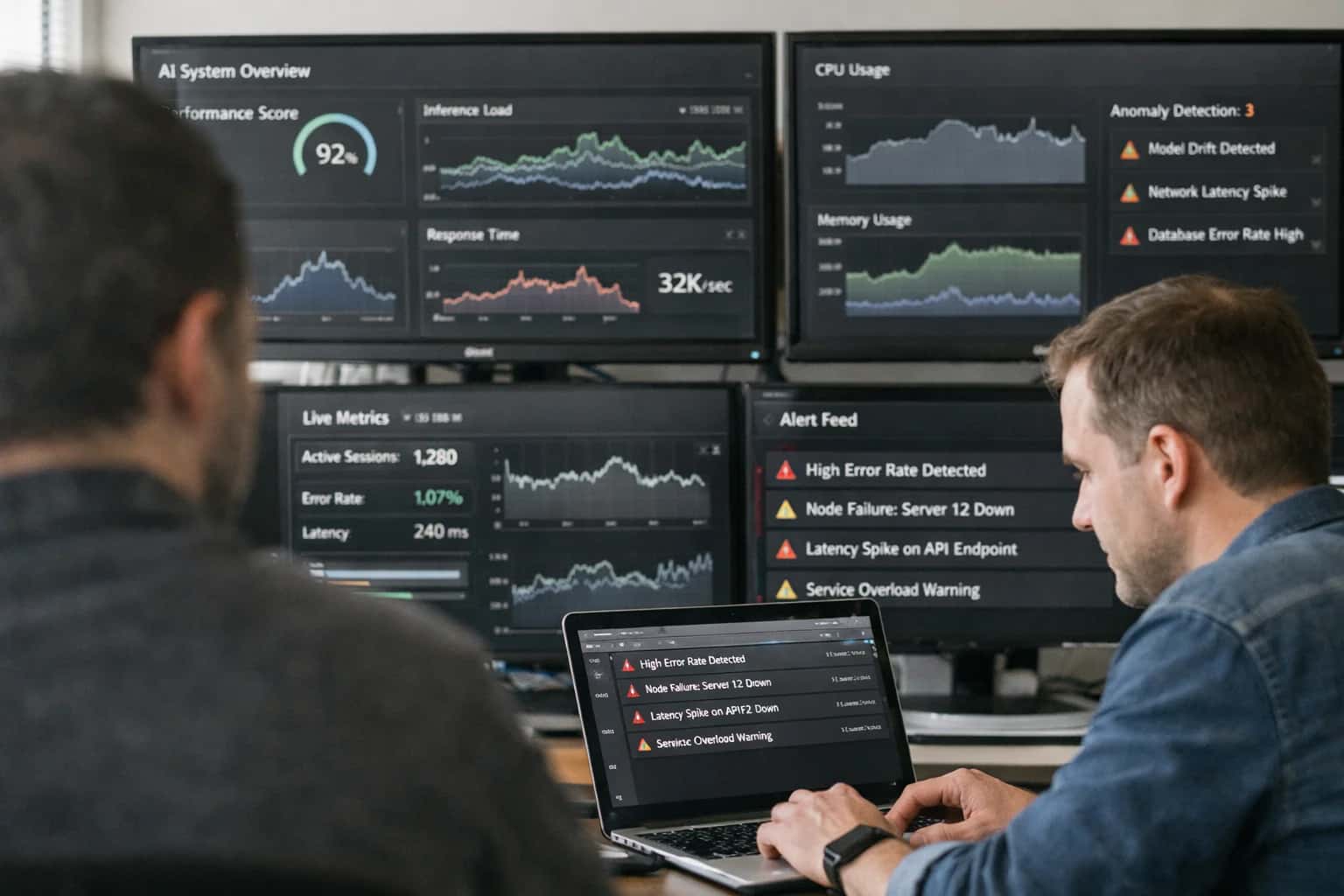
ARCHITECTURE FOR REAL-TIME INTELLIGENCE
Where AI Fits into Plex Production Monitoring
A practical blueprint for injecting AI-driven insights into Plex's real-time dashboards and OEE calculations.
High-value use cases include predictive downtime attribution, where AI correlates subtle parameter shifts (e.g., rising motor temperature, slight cycle time elongation) with impending failures before a formal downtime event is logged. Another is automated shift reporting: at shift change, an AI agent can synthesize OEE components, top downtime reasons, and quality yield into a natural-language summary, highlighting anomalies against benchmarks. For quality monitoring, AI can analyze real-time SPC data flowing into Plex to detect multi-variate out-of-control patterns that a traditional univariate chart would miss, triggering an Andon or work order automatically.
A production rollout follows a phased approach: start with a read-only inference pipeline that analyzes historical data to build credibility, then progress to real-time alerting integrated into Plex's notification center or a custom dashboard tile. Governance is critical; all AI-generated insights should be logged as auditable events within Plex's transaction history, and key recommendations (like a predicted root cause) should require operator confirmation before triggering automated actions. This ensures the AI augments, rather than disrupts, existing shop floor accountability and workflows.
PRODUCTION MONITORING
Key Plex Surfaces for AI Integration
Augmenting Plex's OEE Calculations
Plex's Overall Equipment Effectiveness (OEE) dashboards are the primary surface for production health. AI integration here focuses on moving from descriptive to predictive and prescriptive analytics.
Key Integration Points:
- OEE API Feeds: Inject AI-generated root cause attribution directly into OEE component breakdowns (Availability, Performance, Quality). Instead of just showing a loss, the system can suggest the most likely cause (e.g., 'Tool Change', 'Material Jam', 'Operator Wait').
- Real-Time Data Streams: Connect AI models to Plex's real-time production data feeds (machine states, cycle times, counts) to perform instant anomaly detection. Flag subtle performance drifts before they become major downtime events.
- Predictive Loss Forecasting: Use historical OEE trends and production schedules to forecast expected losses for the next shift or week, enabling proactive countermeasures.
Implementation Pattern: AI models consume Plex's OEE and event log APIs, analyze patterns against historical data, and post enriched insights back to custom dashboard widgets or alert queues within the Plex interface.
REAL-TIME SHOP FLOOR INTELLIGENCE
High-Value AI Use Cases for Plex Monitoring
Transform Plex's real-time dashboards and OEE calculations from passive displays into active decision engines. These AI integrations inject predictive insights directly into production workflows, enabling teams to move from reactive monitoring to proactive optimization.
01
Automated Downtime Root Cause Attribution
AI analyzes Plex downtime event logs, machine state data, and operator notes to automatically classify stoppages and assign probable causes (e.g., tooling, material, maintenance). This replaces manual logbook reviews, providing shift supervisors with prioritized action lists at shift-end.
Hours -> Minutes
Analysis time
02
Predictive OEE Loss Forecasting
Models trained on historical Plex performance, maintenance schedules, and material quality data predict likely OEE losses for upcoming shifts. Integrates with Plex dashboards to show expected vs. target performance and recommend pre-emptive countermeasures like preventative maintenance or operator reassignment.
Same day
Actionable forecast
03
Intelligent Shift Handover & Reporting
An AI agent consumes Plex production data, quality alerts, and downtime events to generate a narrative shift summary. It highlights key deviations, flags unresolved issues for the next shift, and auto-populates management reports, eliminating manual data compilation.
1 sprint
Implementation cycle
04
Anomaly Detection in Real-Time Sensor Streams
AI models monitor IIoT data streams (vibration, temperature, pressure) connected to Plex via its APIs or Ignition bridges. Detects subtle deviations before they trigger hard alarms, providing early warnings for equipment health issues that impact OEE and quality.
Batch -> Real-time
Detection mode
05
Cross-Machine Performance Benchmarking
AI analyzes OEE, cycle times, and quality rates across similar work centers in Plex to identify top-performing parameter sets and operator techniques. Surfaces actionable insights for standardizing best practices and balancing line loads dynamically.
06
Automated Andon Escalation & Triage
Enhances Plex's Andon system by using AI to contextualize stoppage alerts. Based on issue type, duration, and affected line, it automatically routes tickets to the correct support group (maintenance, quality, materials) and suggests relevant troubleshooting steps from past resolutions.
Minutes saved
Per escalation
PLEX PRODUCTION MONITORING
Example AI-Augmented Workflows
These workflows illustrate how AI models can be integrated with Plex's real-time data streams and OEE dashboards to move from passive monitoring to proactive, insight-driven operations. Each example outlines a concrete automation path from trigger to action.
Trigger: Plex's OEE module logs a downtime event exceeding a configurable threshold (e.g., 5 minutes).
Context/Data Pulled: The AI agent is triggered via a webhook and queries Plex's API for contextual data from the 15 minutes preceding the stop:
- Machine state logs (speed, temperature, pressure)
- Recent quality inspection results for parts from that station
- Active operator and shift information
- Recent maintenance work orders for the asset
- Material lot numbers in use
Model or Agent Action: A classification model analyzes the multivariate time-series and transactional data to assign a probable root cause category (e.g., Tool Wear, Material Jam, Operator Error, Program Fault). It generates a natural language summary: "Downtime on Press 07 likely caused by gradual tool wear, based on increasing cycle time and a recent spike in rejected parts for dimensional variance."
System Update or Next Step: The agent creates a draft Non-Conformance Report (NCR) in Plex with the AI-summarized root cause pre-populated. It also updates the downtime event record in Plex with the attributed cause code and summary.
Human Review Point: The drafted NCR is routed to the shift supervisor for review and final approval before triggering any corrective actions. The supervisor can accept, modify, or reject the AI's attribution.
CONNECTING AI INFERENCE TO PLEX'S REAL-TIME DATA FABRIC
Implementation Architecture: Data Flow & APIs
A production-ready AI integration for Plex Production Monitoring requires a secure, event-driven architecture that respects Plex's data model and operational cadence.
The integration typically uses Plex's REST API and webhook capabilities as the primary ingress. Key data objects for monitoring include ProductionOrders, WorkCenters, MachineEvents, ProductionTransactions, and OEE calculations. An event listener service subscribes to Plex webhooks for critical state changes—like a machine downtime event or a production order completion—triggering an immediate AI inference call. For high-frequency sensor data not exposed via API, a parallel stream is established by connecting directly to the underlying SQL Server database (with appropriate read-replica and governance) to feed time-series data into feature stores for model input.
The AI service layer, hosted in your cloud or on-premises, receives this contextualized payload. It executes pre-trained models for tasks like downtime root cause classification or performance anomaly detection. The results—a predicted cause code, a confidence score, and supporting evidence—are posted back to Plex via API, often writing to custom User-Defined Fields on the relevant MachineEvent or ProductionOrder record. This creates a closed-loop where AI insights become actionable attributes within the native Plex interface for supervisors. For shift reporting, a scheduled agent queries aggregated OEE and transaction data at shift-end, uses an LLM to generate a narrative summary highlighting key deviations and trends, and posts this as a note or attaches a PDF report to the shift record.
Governance is wired into the flow. All AI inferences are logged with a unique correlation ID back to the source Plex transaction. A human-in-the-loop review queue can be implemented for low-confidence predictions before they update Plex master data. Rollout follows a phased approach: start with a single pilot work center, shadowing existing OEE calculations without altering core processes, to validate model accuracy and operational impact before scaling to additional lines or enabling automated corrective action workflows.
IMPLEMENTATION PATTERNS
Code & Payload Examples
Real-Time Downtime Classification
This pattern uses Plex's event stream or OEE transaction tables to classify downtime events as they occur, moving beyond simple reason codes to AI-driven root cause attribution. The model analyzes correlated data points like machine state, preceding quality checks, operator log entries, and material lot IDs.
A Python service subscribes to Plex's real-time data feed, enriches the event with contextual data via API calls, and passes it to a trained classification model. The result is written back to a custom Plex table or used to trigger automated workflows, such as dispatching a maintenance technician or updating a shift supervisor's dashboard.
python# Example: Enriching a Plex downtime event for AI classification import requests def enrich_downtime_event(plex_event): """Fetch contextual data from Plex APIs for model inference.""" # Get machine history machine_url = f"{PLEX_API}/machines/{plex_event['machineId']}/lastJobs" machine_hist = requests.get(machine_url, headers=auth_headers).json() # Get recent quality data for the work center quality_url = f"{PLEX_API}/quality/checks?workCenterId={plex_event['workCenterId']}&limit=5" quality_data = requests.get(quality_url, headers=auth_headers).json() # Assemble payload for AI model model_payload = { "event": plex_event, "context": { "machine_last_jobs": machine_hist, "recent_quality_checks": quality_data } } # Call classification service prediction = ai_client.classify_downtime(model_payload) return prediction['root_cause_category'], prediction['confidence']
AI-ENHANCED PRODUCTION MONITORING
Realistic Time Savings & Operational Impact
This table shows the typical operational impact of integrating AI-driven insights into Plex's existing production monitoring dashboards, OEE calculations, and shift-level reporting workflows. Metrics are based on pilot implementations in discrete manufacturing environments.
| Workflow / Metric | Before AI Integration | After AI Integration | Implementation Notes |
|---|---|---|---|
Downtime Root Cause Analysis | Manual review of logs & operator notes (1-3 hours per major event) | AI-suggested root causes with supporting data (15-30 minutes review) | AI correlates machine alarms, sensor trends, and recent maintenance; human validation required for final classification. |
Shift-Level Performance Report Generation | Supervisor compiles data from multiple screens, writes narrative (45-90 minutes per shift) | Automated draft report with key anomalies and trends highlighted (10-15 minutes review/edit) | AI aggregates OEE components, flags deviations from targets, and drafts narrative summaries for supervisor approval. |
Performance Benchmarking (Machine/Line) | Weekly manual spreadsheet analysis comparing lines (2-4 hours) | Daily automated alerts on underperforming assets with peer comparison (5-minute review) | AI continuously calculates efficiency baselines and identifies outliers, triggering alerts via existing Plex dashboards. |
Quality Deviation Early Warning | Reactive after final inspection or customer complaint | Predictive alerts based on correlated process parameter drift (proactive, same-shift) | AI models analyze real-time sensor data against historical quality outcomes to flag potential deviations before bad parts are made. |
Production Coordination Handovers | Verbal/email handoff with potential information gaps | AI-generated shift summary with pending actions and context (structured, consistent) | Pulls data from open work orders, active quality holds, and equipment status to create a standardized handover brief. |
OEE Loss Categorization | Manual attribution based on operator entry, often generic (e.g., 'Unplanned Downtime') | AI-assisted categorization with specific suggested reasons (e.g., 'Tool Wear', 'Material Jam') | Improves data quality for continuous improvement programs by providing more granular, actionable loss codes. |
Regulatory & Audit Reporting Prep | Manual data extraction and compilation for periodic audits (Days of effort) | Automated data pulls and anomaly flagging for common audit checks (Hours of validation) | AI monitors key parameters (e.g., temperature for sensitive processes) and pre-fills compliance reports, reducing prep time. |
ARCHITECTING FOR PRODUCTION
Governance, Security, and Phased Rollout
A controlled, secure rollout is critical for AI in manufacturing, where uptime and data integrity are non-negotiable.
Inference Systems implements AI integrations with a zero-trust data model. AI models query Plex via secure, read-only API service accounts, and any write-back actions—like updating a downtime reason code or creating a quality alert—are executed through Plex's standard automation framework or a dedicated middleware queue. This ensures all data modifications are logged in Plex's native audit trail, maintaining a clear lineage between an AI's suggestion and the resulting system action. Sensitive production formulas or proprietary process parameters are masked or excluded from model context by policy.
We recommend a three-phase rollout to de-risk adoption and demonstrate value incrementally. Phase 1 (Read-Only Insights) deploys AI models that analyze historical and real-time OEE, downtime, and quality data from Plex's Production Data and Equipment Monitoring modules to generate root cause hypotheses and predictive alerts, surfaced in a separate dashboard. Phase 2 (Assisted Workflows) integrates these insights into Plex's user interface via custom widgets or email digests, enabling supervisors to review and approve AI-suggested actions—like reclassifying a downtime event—with a single click that triggers a Plex workflow. Phase 3 (Closed-Loop Automation) targets high-confidence, low-risk use cases, such as auto-generating shift performance summaries or triggering predefined maintenance checklists in Plex based on predictive equipment health scores, with human-in-the-loop oversight configurable by role.
Governance is maintained through a centralized prompt and model registry, allowing manufacturing engineers to audit and version the logic driving AI behavior. For example, the prompt defining "downtime root cause analysis" can be reviewed and tuned without redeploying code. Performance is continuously evaluated against key guardrails, such as the precision of downtime predictions or operator acceptance rates of suggestions, ensuring the AI remains a reliable copilot. This structured approach allows you to scale AI from a single production line to the entire plant floor with confidence, aligning every capability with your existing Plex change management and operational review processes.
Enabling Efficiency, Speed & Accuracy
Intelligent Analysis, Decision & Execution
We build AI systems for teams that need search across company data, workflow automation across tools, or AI features inside products and internal software.
Talk to Us
Search across company data
Give teams answers from docs, tickets, runbooks, and product data with sources and permissions.
Useful when people spend too long searching or get different answers from different systems.
Enterprise searchRAGPermissions
Read more
Automate internal workflows
Use AI to route work, draft outputs, trigger actions, and keep approvals and logs in place.
Useful when repetitive work moves across multiple tools and teams.
AI agentsWorkflow automationGovernance
Read more
Add AI to products and internal tools
Build assistants, guided actions, or decision support into the software your team or customers already use.
Useful when AI needs to be part of the product, not a separate tool.
AI integrationDecision supportModel routing
Read moreIMPLEMENTATION AND WORKFLOWS
Frequently Asked Questions
Practical questions for teams planning to add AI-driven insights to Plex's production monitoring dashboards and OEE calculations.
The integration typically uses Plex's REST API or direct database access to stream production event data to an inference service. A common pattern involves:
- Trigger: A new downtime event is logged in Plex's
ProductionEventorMachineStatustables. - Context Pull: The integration service fetches the last 24 hours of related data for that work center:
MachineCycleTimesOperatorLogs- Recent
QualityTestResults MaterialLotinformation for the active job
- Model Action: A pre-trained model (e.g., for classification or regression) analyzes the multivariate time-series and text data to predict the most likely root cause category (e.g.,
Tooling_Wear,Material_Issue,Operator_Error,Unplanned_Maintenance). - System Update: The inference and supporting evidence are written back to a custom Plex table (e.g.,
AI_DowntimeAnalysis) and linked to the original event record. - Human Review: The result is surfaced in a Plex dashboard widget with a confidence score. Supervisors can confirm or correct the AI's finding, creating a feedback loop to retrain the model.

About the author
Prasad Kumkar
CEO & MD, Inference Systems
Prasad Kumkar is the CEO & MD of Inference Systems and writes about AI systems architecture, LLM infrastructure, model serving, evaluation, and production deployment. Over 5+ years, he has worked across computer vision models, L5 autonomous vehicle systems, and LLM research, with a focus on taking complex AI ideas into real-world engineering systems.
His work and writing cover AI systems, large language models, AI agents, multimodal systems, autonomous systems, inference optimization, RAG, evaluation, and production AI engineering.
LinkedIn
Limited slotsGet a Free AI Consultation
Partnered with leading AI, data, and software stack.





How We Work
Custom AI workflows for your Business
One-fit-all AI don't work for modern businesses. At Inferensys, we aim to understand your business & custom requirements; which we use to define most efficient agentic workflows, the data, and the tools for your business.
01
Review the use case
We understand the task, the users, and where AI can actually help.
Read more02
Pick the right approach
We define what needs search, automation, or product integration.
Read more03
Build the first useful version
We implement the part that proves the value first.
Read more04
Improve from there
We add the checks and visibility needed to keep it useful.
Read moreThe first call is a practical review of your use case and the right next step.
Talk to Us