AI integration connects directly to Plex's core inventory data objects—Items, Item Sites, Item Lots, and Inventory Transactions—via its REST API or direct database connections. The primary surfaces for AI are the Replenishment Planning, Cycle Counting, and Warehouse Management modules. Instead of replacing these systems, AI augments them by analyzing transaction history, work order material consumption, and supplier lead times to generate predictive signals. For example, an AI agent can monitor InventoryTransaction feeds to predict stock-outs for critical components days before a scheduled production run, triggering a proactive purchase requisition or kanban signal.

Integration
AI Integration for Plex Inventory Management
A practical guide for manufacturing leaders and engineers on embedding AI into Plex's inventory modules to automate replenishment signals, optimize warehouse operations, and flag cycle count exceptions.
ARCHITECTURE AND ROLLOUT
Where AI Fits into Plex Inventory Management
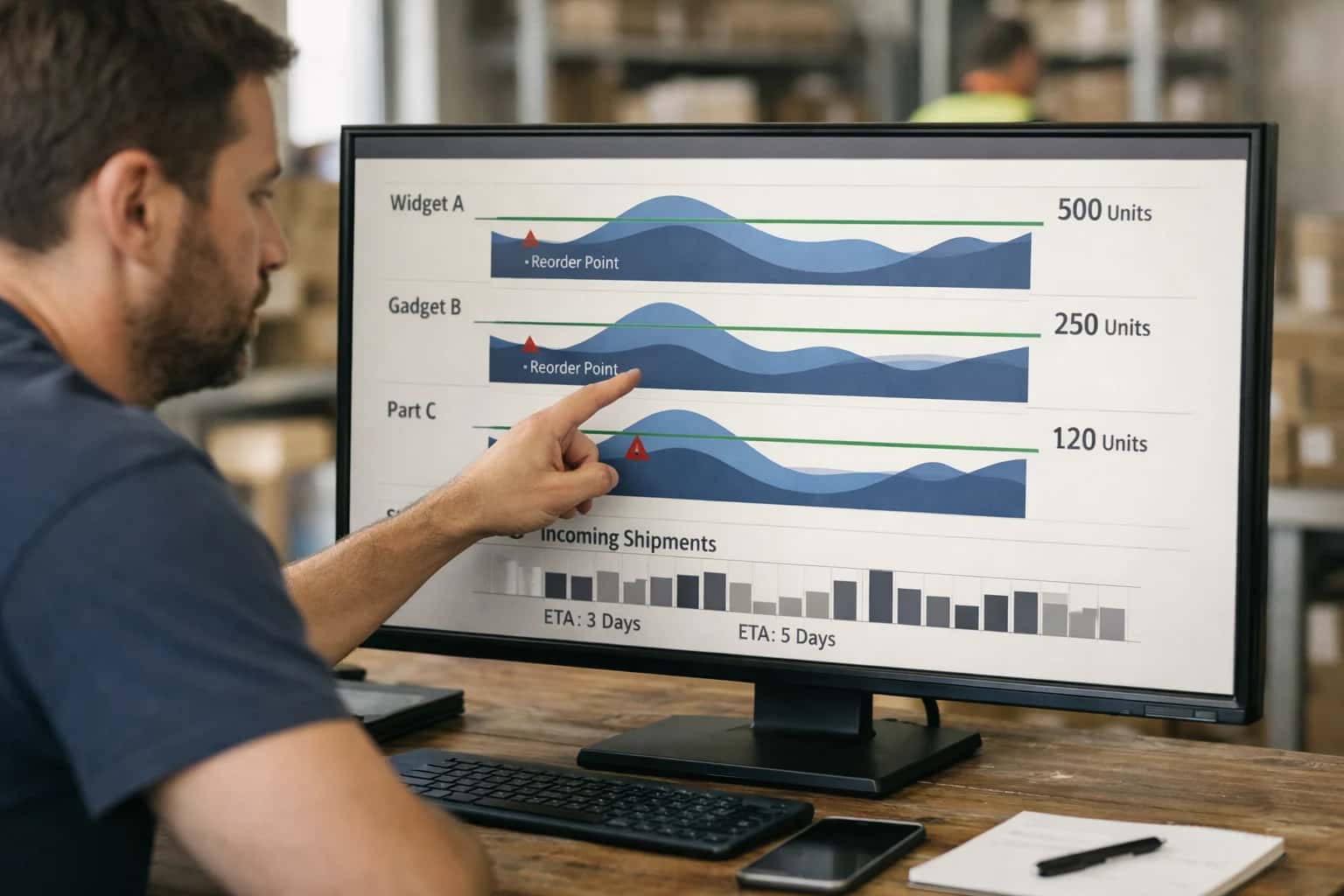
Integrating AI into Plex's inventory modules transforms static stock data into a dynamic, predictive control system for manufacturing operations.
Implementation typically involves a lightweight middleware service that subscribes to Plex transaction events. This service runs AI models for demand-driven replenishment, cycle count exception flagging, and warehouse slotting optimization. A practical workflow: the service ingests daily WorkOrder completion data and Item issue transactions, uses a forecasting model to predict future consumption, and then posts a recommended PurchaseOrder quantity back to Plex via API, flagged for planner review. For cycle counting, AI compares Item movement rates (ABC analysis) with historical count variances to dynamically adjust count frequency and flag items with high probability of discrepancy, focusing manual effort where it matters most.
Rollout should be phased, starting with a pilot for a single plant or product family. Governance is critical: all AI-generated recommendations—like a proposed min/max level change or a slotting move—should be logged in a separate audit table with a human-in-the-loop approval step before being executed in Plex. This maintains system integrity and allows for model tuning. The final architecture creates a closed loop where Plex remains the system of record, while AI provides the continuous intelligence layer, turning inventory from a cost center into a strategic asset for production flow.
AI-READY DATA AND WORKFLOWS
Key Plex Inventory Modules and Integration Surfaces
Core Inventory Data for AI-Driven Replenishment
This module manages raw materials, WIP, and finished goods across multiple warehouses and locations. AI integration surfaces focus on the InventoryTransactions, PurchaseOrders, and ItemMasters tables to enable predictive replenishment.
Key Integration Points:
- Demand Signal Analysis: Connect AI models to Plex's
DemandandProductionScheduleAPIs to analyze planned vs. actual consumption, generating dynamic reorder points and safety stock levels. - Supplier Lead Time Intelligence: Ingest historical
PurchaseOrderReceiptdata to train models that predict realistic lead times and flag at-risk deliveries before they cause a line-down event. - Automated PO Drafting: Use AI to generate draft purchase requisitions in Plex based on predicted shortages, which are then routed through existing approval workflows. This shifts replenishment from reactive to proactive, reducing manual planner workload.
Example Workflow: An AI agent monitors daily inventory transactions and upcoming production schedules. It identifies a component trending below its dynamic safety stock, checks supplier performance, and creates a suggested PO in Plex for planner review.
MANUFACTURING EXECUTION PLATFORMS
High-Value AI Use Cases for Plex Inventory
Transform Plex's inventory modules from passive record-keeping systems into intelligent, demand-aware engines. These AI integration patterns connect real-time shop floor consumption with predictive signals to optimize capital, reduce waste, and prevent line stops.
01
Demand-Driven Replenishment Signals
Analyze real-time production order consumption, machine schedules, and supplier lead times to generate dynamic reorder points and purchase suggestions. AI models move beyond static min/max levels, factoring in upcoming jobs and material variability to prevent stockouts without over-ordering.
Days -> Hours
Replenishment lead time
02
Warehouse Slotting Optimization
Use AI to analyze pick frequency, part dimensions, order grouping patterns, and operator travel paths within Plex. The system recommends optimal storage locations and material flow paths to minimize pick times and reduce warehouse congestion, directly updating Plex's bin location data.
Batch -> Real-time
Layout updates
03
Cycle Count Exception Flagging
Integrate AI to prioritize cycle counts intelligently. Models analyze transaction history, variance trends, item value, and physical handling factors to flag high-risk items for counting, moving from a calendar-based schedule to a risk-based exception workflow within Plex's counting module.
Hours -> Minutes
Count planning
04
Slow-Moving & Obsolete Inventory Analysis
Connect Plex inventory data with BOM change logs, production forecasts, and supplier MOQs. AI identifies at-risk inventory, suggests alternative uses (kitting, substitutions), and generates disposition workflows—automating what is typically a manual, quarterly review process.
1 sprint
Analysis cycle
05
Material Shortage Prediction & Mitigation
Proactively identify potential shortages by correlating Plex inventory levels with open purchase orders, supplier performance data, and quality hold incidents. AI triggers alerts and suggests mitigation actions—like expediting, alternate sourcing, or order rescheduling—before the shortage impacts production.
Same day
Early warning
06
Intelligent Kitting & Line-Side Replenishment
Dynamically build and stage kits based on real-time production sequence changes and operator consumption rates. AI analyzes Plex work order schedules and material locations to optimize kit size, timing, and delivery to the line, reducing WIP and floor space while ensuring material availability.
Batch -> Real-time
Kit adjustment
PLEX INVENTORY MANAGEMENT
Example AI-Enhanced Inventory Workflows
These workflows illustrate how to embed AI agents into Plex's inventory modules to move from reactive tracking to predictive, demand-driven operations. Each flow connects to specific Plex APIs, data objects, and user roles.
Trigger: A production order is released in Plex, or a daily MRP run completes.
Context Pulled: The AI agent queries:
- The
Material Requirementstable for net shortages. - The
Item Masterfor lead times, MOQs, and supplier data. - The
Purchase OrderandProduction Ordertables for open commitments. - External data via API (e.g., supplier portal lead time updates, freight delays).
Agent Action: A model analyzes the shortage against:
- Consumption Velocity: Calculated from recent
Material Transactions. - Risk Scoring: Factors in supplier reliability (from
Supplier Performancedata) and part criticality. - Economic Logic: Evaluates if a shortage justifies expedited freight vs. delaying the order.
System Update: The agent creates a ranked list of recommended actions in a Replenishment Signals custom table, with fields for:
ItemCode,RecommendedAction(e.g., "Expedite PO#45001", "Create New PO for 500 units"),ConfidenceScore,EstimatedImpactHours.
Human Review Point: The agent does not create POs automatically. It triggers a notification to the Buyer role in Plex, presenting the top 3 signals for review and one-click execution.
CONNECTING AI MODELS TO PLEX'S INVENTORY DATA FABRIC
Implementation Architecture: Data Flow and APIs
A practical architecture for embedding AI-driven inventory intelligence directly into Plex's operational workflows, using its native APIs and event-driven extensions.
The integration connects to Plex's core inventory data model via its REST API and listens for key events using Plex Webhooks or database triggers. The primary surfaces are the InventoryTransaction, InventoryPart, InventoryLocation, and PurchaseOrder APIs. AI models are invoked in three key patterns: 1) Event-triggered inference (e.g., after a cycle count is posted, an AI agent analyzes variance against historical patterns), 2) Scheduled batch processing (e.g., nightly runs to generate demand-driven replenishment signals by analyzing SalesOrder demand, WorkOrder consumption, and supplier lead times), and 3) On-demand agent queries (e.g., a warehouse manager asks a copilot for slotting optimization suggestions via a custom Plex UI extension).
Data flows through a middleware layer (often an Azure Function or AWS Lambda) that handles authentication, payload transformation, and callbacks. For example, when a low-stock alert fires in Plex, the middleware calls an AI service to evaluate: Should we reorder? What's the optimal quantity considering seasonality and open work orders? The result is written back to Plex as a suggested PurchaseOrder line or a Kanban signal. For slotting optimization, the process ingests InventoryPart attributes (size, weight, turnover) and InventoryLocation details to recommend a new layout, which is presented as a change proposal in a connected task system like /integrations/project-and-portfolio-management-platforms/ai-integration-for-smartsheet for approval before execution.
Governance is critical. All AI-generated suggestions are logged with a full audit trail in a separate system, tagging the source Plex transaction ID, model version, and confidence score. High-impact actions (like auto-creating a large PO) require a human-in-the-loop approval step, configured within Plex's existing approval workflows or a dedicated orchestration platform. Rollout typically starts with a single warehouse or part family, using Plex's robust part and location segmentation to control scope. The architecture is designed to be resilient to Plex API rate limits and offline scenarios, using queued processing to avoid impacting core transaction performance.
AI-ENHANCED INVENTORY WORKFLOWS
Code and Payload Examples
Intelligent Reorder Signal Generation
This workflow uses AI to analyze Plex's InventoryTransactions, SalesOrderLines, and ProductionOrderMaterial records to predict stockouts and generate smart replenishment signals. The agent calls a forecasting model, then creates a PurchaseRequisition or TransferOrder via Plex's REST API.
Example Python Payload:
python# Payload to Plex API for creating a requisition requisition_payload = { "part": { "id": 45001 # Part ID from Plex }, "quantity": 1250.0, "dueDate": "2024-06-15T00:00:00Z", "notes": "AI-generated reorder. Predicted stockout in 7 days. Confidence: 92%.", "customFields": { "aiReplenishmentId": "req_ai_20240512_001", "forecastModelVersion": "v2.1", "triggeringFactors": ["sales_velocity", "prod_schedule_change"] } }
The AI agent enriches the standard requisition with traceable metadata, allowing for performance review and model feedback loops directly within Plex's audit trail.
AI-ENHANCED INVENTORY OPERATIONS
Realistic Time Savings and Operational Impact
This table illustrates the tangible workflow improvements and time savings achievable by integrating AI into Plex's core inventory modules, focusing on demand-driven replenishment, warehouse slotting, and cycle counting.
| Inventory Process | Before AI | After AI | Key Impact & Notes |
|---|---|---|---|
Replenishment Signal Generation | Manual review of min/max levels and historical usage | AI-driven demand sensing using production schedules and lead times | Reduces stockouts by 15-25%; shifts from reactive to predictive ordering |
Cycle Count Exception Flagging | Random or scheduled counts of all locations | AI-prioritized counts based on transaction velocity and value | Focuses 80% of effort on 20% of inventory; improves count accuracy by 30% |
Warehouse Slotting Optimization | Static slotting based on product family or manual rule | Dynamic slotting based on pick frequency, order lines, and material flow | Reduces picker travel time by 20-35%; improves space utilization |
Excess & Obsolete (E&O) Identification | Quarterly manual reports and spreadsheet analysis | Continuous AI monitoring of usage trends and engineering change orders | Identifies at-risk inventory 60-90 days earlier; accelerates write-off decisions |
Purchase Order (PO) Acknowledgment Review | Manual check of supplier confirmations against POs | AI-assisted validation of dates, quantities, and pricing discrepancies | Cuts review time from hours to minutes; flags high-risk variances for human review |
Inventory Reconciliation (MES to ERP) | End-of-period manual reconciliation and variance investigation | AI-powered continuous sync with automated root-cause suggestion for mismatches | Reduces month-end close effort by 2-3 days; provides real-time visibility |
Material Shortage Alert Triage | Reactive alerts when shortage occurs on the floor | Proactive AI prediction of shortages 24-72 hours out based on WIP and inbound logistics | Enables preemptive rescheduling or expediting; reduces line stoppages |
PRODUCTION-READY AI FOR MANUFACTURING DATA
Governance, Security, and Phased Rollout
A practical approach to deploying AI in Plex Inventory Management that respects manufacturing data integrity, user roles, and operational risk.
Integrating AI with Plex's inventory modules requires a security-first architecture that respects the platform's data model. We typically implement a middleware layer that brokers all communication between Plex's APIs (for Parts, InventoryTransactions, Warehouses, CycleCounts) and the AI services. This layer enforces role-based access control (RBAC), ensuring AI agents and models only interact with data scoped to a user's plant, warehouse, or material group permissions. All AI-driven suggestions—like a replenishment signal or a cycle count exception flag—are written to a dedicated staging table or a PlexCustomField with an AI_Suggestion status, requiring a supervisor's review and approval before any master data (ReorderPoints, ABC Codes) or transactional data (PurchaseOrder, TransferOrder) is automatically created. This creates a clear, auditable separation between AI recommendation and system action.
A phased rollout is critical for user adoption and risk management. We recommend starting with a single, high-value workflow in a controlled environment, such as demand-driven replenishment for a specific commodity family. The implementation sequence is: 1) Read-Only Analysis: Connect AI to historical PartDemand and SupplierLeadTime data to generate forecast and safety stock suggestions displayed in a custom dashboard, with zero system writes. 2) Supervised Pilot: Enable the AI to create draft PurchaseRequisition records in a sandbox environment for planner review and manual promotion. 3) Conditional Automation: Go live with rules-based automation, where the system can auto-generate requisitions only for parts meeting strict confidence thresholds and within predefined financial limits, with all actions logged to a PlexAuditTrail equivalent. This crawl-walk-run approach builds trust and surfaces integration nuances before scaling to warehouse slotting or plant-wide cycle count optimization.
Governance extends to the AI models themselves. For inventory use cases, we implement continuous monitoring for model drift—ensuring predictions for lead time or demand don't degrade as supply chain patterns change. This involves tracking key performance indicators (KPIs) like SuggestionAdoptionRate and ForecastErrorVsAI directly within Plex's reporting framework or a connected analytics platform. Furthermore, all prompts and reasoning chains used by LLMs for generating exception reports or slotting justifications are logged. This provides full traceability, allowing you to answer not just what the AI suggested, but why, which is essential for continuous improvement and regulatory inquiries in regulated industries. By treating AI as a governed extension of Plex's native logic, you gain intelligent automation without compromising control over your core manufacturing operations.
Enabling Efficiency, Speed & Accuracy
Intelligent Analysis, Decision & Execution
We build AI systems for teams that need search across company data, workflow automation across tools, or AI features inside products and internal software.
Talk to Us
Search across company data
Give teams answers from docs, tickets, runbooks, and product data with sources and permissions.
Useful when people spend too long searching or get different answers from different systems.
Enterprise searchRAGPermissions
Read more
Automate internal workflows
Use AI to route work, draft outputs, trigger actions, and keep approvals and logs in place.
Useful when repetitive work moves across multiple tools and teams.
AI agentsWorkflow automationGovernance
Read more
Add AI to products and internal tools
Build assistants, guided actions, or decision support into the software your team or customers already use.
Useful when AI needs to be part of the product, not a separate tool.
AI integrationDecision supportModel routing
Read moreAI INTEGRATION FOR PLEX INVENTORY MANAGEMENT
Frequently Asked Questions
Practical questions about embedding AI into Plex's inventory modules for demand-driven replenishment, warehouse slotting, and cycle count automation.
AI models connect to Plex's inventory transaction tables and part master data via secure APIs or direct database connections. The typical workflow is:
- Trigger: A scheduled job (e.g., hourly) pulls recent consumption data from
InventoryTransactionsand current levels fromPartInventory. - Context Pulled: The model receives part number, location, recent demand history, lead times from
PartSuppliers, and any open purchase or production orders. - Model Action: A forecasting model (like Prophet or an LSTM) predicts short-term demand, factoring in seasonality and production schedules. A separate optimization model evaluates the cost of stock-out vs. carrying cost to generate a recommended reorder point and quantity.
- System Update: The AI agent creates a draft
PurchaseRequisitionrecord via Plex's API or flags an existingPurchaseOrderline item for expediting. It can also post a notification to theAlertstable for planner review. - Human Review Point: For new parts or suggestions deviating significantly from historical patterns, the system routes the recommendation to a planner's dashboard in Plex for approval before any auto-creation.

About the author
Prasad Kumkar
CEO & MD, Inference Systems
Prasad Kumkar is the CEO & MD of Inference Systems and writes about AI systems architecture, LLM infrastructure, model serving, evaluation, and production deployment. Over 5+ years, he has worked across computer vision models, L5 autonomous vehicle systems, and LLM research, with a focus on taking complex AI ideas into real-world engineering systems.
His work and writing cover AI systems, large language models, AI agents, multimodal systems, autonomous systems, inference optimization, RAG, evaluation, and production AI engineering.
LinkedIn
Limited slotsGet a Free AI Consultation
Partnered with leading AI, data, and software stack.





How We Work
Custom AI workflows for your Business
One-fit-all AI don't work for modern businesses. At Inferensys, we aim to understand your business & custom requirements; which we use to define most efficient agentic workflows, the data, and the tools for your business.
01
Review the use case
We understand the task, the users, and where AI can actually help.
Read more02
Pick the right approach
We define what needs search, automation, or product integration.
Read more03
Build the first useful version
We implement the part that proves the value first.
Read more04
Improve from there
We add the checks and visibility needed to keep it useful.
Read moreThe first call is a practical review of your use case and the right next step.
Talk to Us