An effective AI copilot for iManage Work must be native to the user's workflow, not a separate tab. This means embedding the assistant's interface—a chat panel, a toolbar button, or a right-click menu option—directly within the iManage Work 10 or Cloud web interface. The copilot's primary context is the active matter, folder, or document the user is viewing, allowing it to answer questions like "Summarize the key arguments in this brief" or "Draft an email to the client about the status of Smith v. Jones." This context is pulled via the iManage REST API, using the user's existing authentication and permissions to ensure the AI only accesses data the user is authorized to see.

Integration
AI Assistant for iManage User Productivity
Embed an AI assistant directly into iManage Work to help attorneys and staff summarize documents, draft emails from matter context, and automate routine tasks, cutting hours from daily workflows.
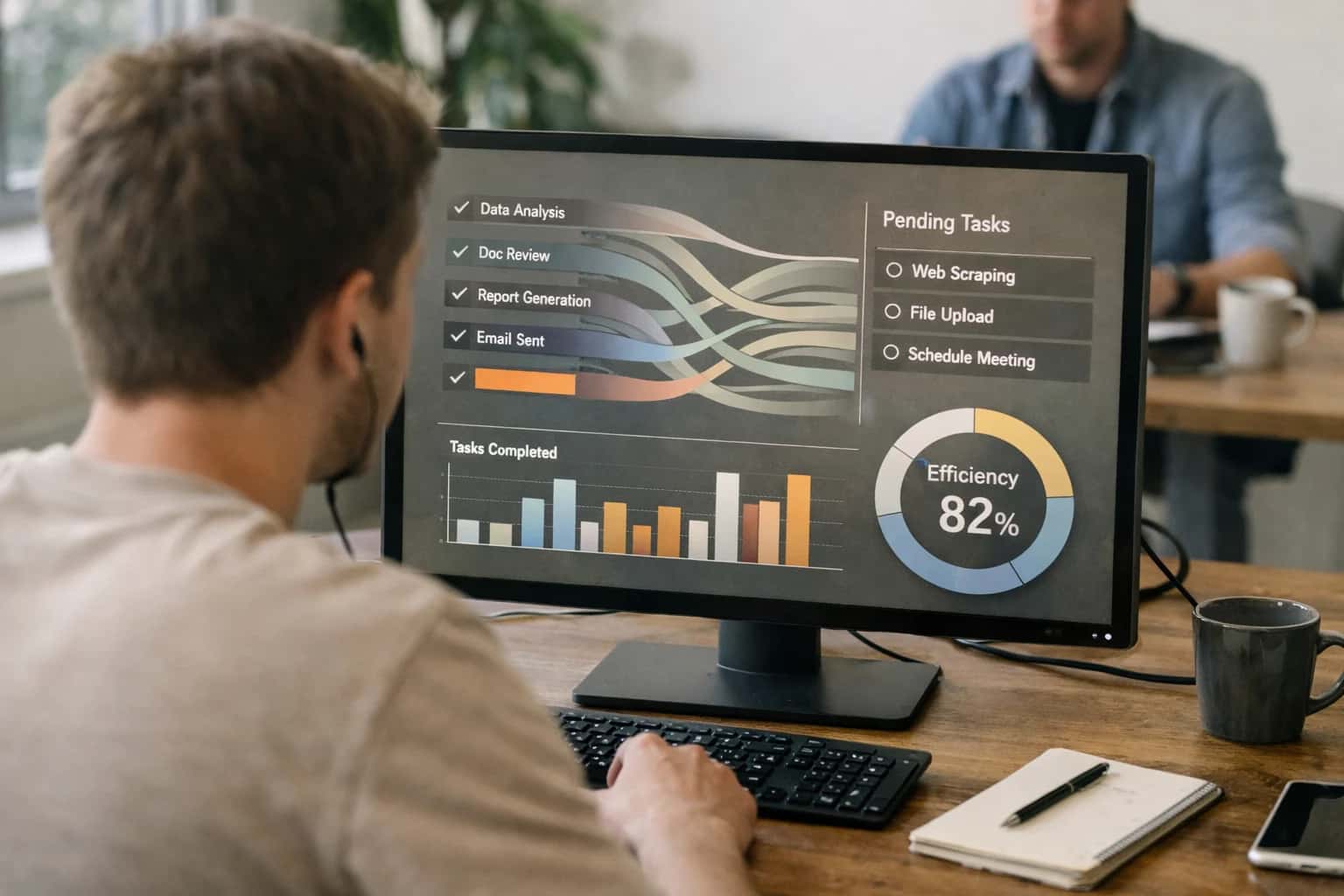
ARCHITECTURE AND ROLLOUT
Embedding an AI Copilot in iManage Work
A practical guide to deploying a governed, context-aware AI assistant directly within the iManage Work user interface.
Implementation follows a secure, event-driven pattern. User queries are routed from the embedded UI to a backend service that first enriches the prompt with relevant context: the current document's text (fetched via API), metadata from the matter folder, and recent related emails or tasks. This enriched prompt is sent to a governed LLM (like GPT-4 or a private model), and the response is logged for audit. High-value workflows include:
- Document Summarization: Generate a one-page executive summary of a 100-page deposition transcript.
- Email Drafting from Matter Context: "Draft a status update to the client, Jane Doe, incorporating the key dates from the case chronology."
- Task Automation: "Based on this executed agreement, create a checklist of post-closing obligations and assign them in iManage Work."
Rollout requires a phased, role-based approach. Start with a pilot group of paralegals and associates for defined tasks like summarization, where the impact is immediate (reducing review time from hours to minutes). Govern the rollout with prompt templates to ensure consistency, human review gates for critical outputs like client communications, and comprehensive audit logs tracking which user asked what question of which document. The goal is not to replace judgment but to augment it, turning iManage from a document repository into an active intelligence layer that accelerates routine work and surfaces insights from deep within the matter file.
INTEGRATION SURFACES
Where the AI Assistant Connects to iManage
In-Context User Assistance
The AI assistant integrates directly into the iManage Work 10 desktop and web interfaces, providing contextual help without switching applications. Key connection points include:
- Document Ribbon: A custom button in the iManage ribbon triggers the assistant for the active document, enabling summarization, clause lookup, or drafting tasks.
- Matter Context Panel: The assistant can be invoked from the matter workspace, using the entire matter's document set and metadata as context for research or email drafting.
- Search Results Page: After a search, users can ask the assistant to "explain the relevance" of a result or "summarize the key points" across the top documents.
This surface layer uses iManage's extensibility framework (iManage Work API) to read the active document ID, matter number, and user permissions, ensuring the assistant operates within the user's existing security context.
USER PRODUCTIVITY
High-Value Use Cases for an iManage AI Assistant
An integrated AI assistant transforms iManage Work from a document repository into an active productivity partner. These workflows target the daily tasks that consume attorney and paralegal time, delivering in-context assistance directly within the matter workspace.
01
In-Context Document Summarization
Generate executive summaries of lengthy briefs, deposition transcripts, or due diligence reports directly from the iManage document preview pane. The assistant uses the matter's existing documents as context, highlighting key arguments, findings, and obligations. Workflow: Right-click a document > 'Summarize with AI' > receive a bulleted summary in a sidebar or via email.
Hours -> Minutes
Review time
02
Email & Correspondence Drafting
Draft client updates, status letters, or internal memos using the matter's document history and metadata as context. The assistant pulls relevant case names, dates, and procedural postures from the iManage matter folder to create a first draft. Workflow: Click 'Draft Email' from the matter workspace > specify recipient and intent > AI generates a draft in Outlook with relevant matter # and attachments pre-linked.
Same day
Turnaround for routine comms
03
Automated Document Comparison & Redlining
Compare successive versions of a contract or pleading stored in iManage's version history. The AI highlights material changes beyond simple text differences, suggesting redlines based on firm playbook language and flagging substantive shifts in position or risk. Workflow: Select two document versions > 'AI Compare' > receive a markup with narrative explanations of key changes in a side-by-side view.
Batch -> Real-time
Review cycle
04
Matter-Specific Research Synthesis
Answer natural language questions about the matter's document corpus. "What are the key deadlines in this case?" or "Summarize the expert opinions on liability." The assistant performs a semantic search across all matter documents in iManage and synthesizes a concise answer, citing source documents. Workflow: Type a question into the matter's AI chat interface > receive an answer with links to the relevant source documents in iManage.
1 sprint
Saved on manual doc review
05
Task & Deadline Extraction
Automatically scan newly filed court orders, opposing counsel letters, or contract drafts uploaded to a matter folder to identify action items, dates, and responsible parties. The assistant creates or updates tasks in iManage Work 10 or integrated systems like Microsoft To Do. Workflow: A new order is saved to iManage > AI parses it, creates a task for 'File Response by [date]' and assigns it based on matter team metadata.
Manual -> Automated
Task logging
06
Clause & Precedent Retrieval
Find relevant precedent language or standard clauses across the firm's entire iManage repository. "Find a well-drafted force majeure clause from a recent M&A deal." The assistant uses RAG over the approved precedent library, returning the clause text, its source matter, and any relevant usage notes. Workflow: In a draft document, highlight a section > 'Find Similar Clauses' > browse results from the firm's knowledge bank within iManage.
Hours -> Minutes
Precedent search
CONCRETE IMPLEMENTATION PATTERNS
Example AI Assistant Workflows in iManage
These workflows illustrate how an integrated AI assistant can augment iManage Work users by automating high-frequency, low-value tasks, pulling context directly from matter documents, emails, and metadata.
Trigger: A new matter folder is created in iManage with a defined set of initial documents (engagement letter, client background, prior correspondence).
Context/Data Pulled: The AI agent is triggered via an iManage webhook or scheduled scan. It retrieves:
- All documents in the new matter folder.
- Matter metadata (client name, matter number, responsible attorney, practice area).
- Related emails from the last 30 days via iManage Email Management integration.
Model/Agent Action: A multi-step agent:
- Summarizes the engagement letter's scope, fees, and key parties.
- Extracts key entities (company names, individuals, dates, jurisdictions) from the client background doc.
- Synthesizes the email thread to identify open questions and action items.
System Update/Next Step: The agent creates a new Matter Onboarding Summary.docx in the matter root folder, structured with sections for Scope, Key Contacts, Open Items, and Relevant Precedents (linked). It then posts a notification to the matter's activity feed and sends a Slack/Teams alert to the responsible attorney and paralegal.
Human Review Point: The summary is flagged as a draft. The responsible attorney reviews, edits if necessary, and marks it as final, which triggers an automatic email to the client with the approved summary attached.
HOW THE AI ASSISTANT CONNECTS TO IMANAGE WORK
Implementation Architecture: Data Flow & Integration Points
A production-ready AI assistant for iManage Work integrates at three key layers: the user interface, the event-driven automation layer, and the core document repository.
The assistant connects to iManage's REST API for core document operations—reading matter context, retrieving documents, and writing summaries or metadata back to the system. For real-time user interactions, such as in-context drafting or summarization requests, the assistant is exposed via a custom web panel within the iManage Work interface or a Microsoft Teams/Outlook add-in, using the logged-in user's iManage session for authentication and matter context. This ensures the AI operates within the user's existing permissions and matter boundaries.
Behind the scenes, an event-driven pipeline listens to iManage's webhook notifications or monitors designated workspace folders. When a new document is added (e.g., a lengthy deposition transcript), the system automatically triggers a summarization job, posts the summary as a linked annotation, and can notify the matter team via email or Teams. For email drafting, the assistant pulls matter numbers, client names, and key dates from the iManage matter record via API to pre-populate draft communications, ensuring consistency and reducing manual lookups.
Governance is built into the architecture. All AI-generated content is watermarked and logged in a separate audit trail, linking the source document ID, the user who triggered the action, the prompt used, and the model version. Sensitive documents can be routed through a human-in-the-loop approval step before summaries are persisted. The system uses iManage's native security profiles to respect matter confidentiality, ensuring the AI only processes documents the requesting user is authorized to access. Rollout typically begins with a pilot group and a limited set of document types (e.g., contracts, transcripts) before expanding firm-wide.
AI ASSISTANT INTEGRATION PATTERNS
Code & Configuration Examples
Summarization via iManage Webhook
Trigger an AI summary when a document is finalized in a matter workspace. Use iManage's event subscription to call an external service, process the document text, and post the summary back as a comment or custom property.
Example Webhook Payload (iManage → Your Service):
json{ "event": "document.checkedin", "document_id": "DOC-12345", "library_id": "LIB-001", "matter_id": "MAT-2024-001", "document_name": "Deposition_Transcript_Jones_v_Smith.pdf", "version": 2, "callback_url": "https://your-imanage-instance/api/v1/documents/DOC-12345/comments" }
Python Service Handler:
python# Pseudo-service endpoint @app.post('/summarize') def handle_imanage_webhook(payload): doc_id = payload['document_id'] # Fetch document via iManage REST API doc_text = fetch_document_content(doc_id) # Call LLM for summary summary = llm_client.chat( model="gpt-4o", messages=[{"role": "user", "content": f"Summarize this legal document:\n{doc_text}"}] ) # Post summary back to iManage as a comment imanage_api.post_comment(doc_id, f"AI Summary: {summary}") return {"status": "processed"}
AI ASSISTANT FOR IMANAGE
Realistic Time Savings & Operational Impact
Estimated impact of embedding an AI assistant into iManage Work for common attorney and paralegal tasks, based on typical workflows and pilot deployments.
| Task / Workflow | Before AI | After AI | Implementation Notes |
|---|---|---|---|
Document Summarization for Case Review | Manual skim of 50+ page documents | AI-generated summary in 30 seconds | Summaries are draft; attorney review and finalization required. |
Email Drafting from Matter Context | Manual composition referencing multiple files | AI-assisted first draft with key matter details | Drafts pull from matter metadata and recent documents; user edits before sending. |
Task Automation from Meeting Notes | Manual entry of action items into iManage Tasks | AI parses notes, suggests tasks with due dates | Tasks are created as drafts; user approves and assigns. |
Clause Retrieval Across Matters | Manual search across folders and precedents | Semantic search returns relevant clauses in under a minute | Integrated into iManage search interface; results ranked by relevance. |
Initial Document Review & Triage | Hourly review to categorize incoming documents | AI pre-classifies document type and suggested matter | Classification is a suggestion; final routing confirmed by staff. |
Research Synthesis for Memo Prep | Hours compiling notes from multiple sources | AI consolidates key points from selected documents into an outline | Outline serves as a starting point; attorney expands and cites. |
Client Update Communication | Manual compilation of matter status and next steps | AI generates a status bullet list from recent activity | Communications are reviewed and personalized before sharing with the client. |
ARCHITECTING FOR ENTERPRISE CONTROL
Governance, Security & Phased Rollout
A production-ready AI assistant for iManage Work requires a deliberate approach to data governance, user permissions, and controlled deployment.
The assistant must operate within the existing iManage security model, respecting matter-level permissions, folder access controls, and client confidentiality tags. All AI interactions should be scoped to the user's authenticated session and the documents they are authorized to view. We architect the integration to use iManage's REST API with the principle of least privilege, ensuring the AI service only retrieves documents and metadata for which the user has explicit access. All prompts, generated text, and document excerpts are logged to iManage's audit trail or a dedicated compliance log, creating a transparent chain of custody for every AI-assisted action.
A phased rollout is critical for user adoption and risk management. We recommend starting with a pilot group in a single practice area (e.g., Corporate or Litigation) and enabling one high-value, low-risk workflow, such as document summarization for matter research. This allows for controlled feedback, prompt tuning, and validation of the security model. Subsequent phases can introduce more complex workflows like email drafting from matter context or task automation, expanding user groups and integrating feedback from earlier phases. Each phase includes clear user training, defined acceptable use policies, and a feedback loop to the iManage administrators and practice group leaders.
Governance is maintained through a combination of technical and human oversight. We implement approval gates for certain AI-generated outputs before they are saved to iManage or sent to clients. For example, a draft client email generated from matter documents can be routed to a supervising attorney for review within the iManage workflow. Additionally, we establish a centralized prompt library and usage dashboard to monitor assistant activity, identify drift in output quality, and ensure the AI's guidance aligns with firm standards and precedents. This structured approach ensures the AI assistant enhances productivity without compromising the security, compliance, and professional standards inherent in legal document management.
Enabling Efficiency, Speed & Accuracy
Intelligent Analysis, Decision & Execution
We build AI systems for teams that need search across company data, workflow automation across tools, or AI features inside products and internal software.
Talk to Us
Search across company data
Give teams answers from docs, tickets, runbooks, and product data with sources and permissions.
Useful when people spend too long searching or get different answers from different systems.
Enterprise searchRAGPermissions
Read more
Automate internal workflows
Use AI to route work, draft outputs, trigger actions, and keep approvals and logs in place.
Useful when repetitive work moves across multiple tools and teams.
AI agentsWorkflow automationGovernance
Read more
Add AI to products and internal tools
Build assistants, guided actions, or decision support into the software your team or customers already use.
Useful when AI needs to be part of the product, not a separate tool.
AI integrationDecision supportModel routing
Read moreAI ASSISTANT FOR IMANAGE
Frequently Asked Questions
Common technical and operational questions about deploying an integrated AI assistant within iManage Work to boost attorney and paralegal productivity.
The assistant uses iManage's official REST API with OAuth 2.0 or service account authentication, adhering to the principle of least privilege. Implementation typically follows this secure pattern:
- Service Identity: A dedicated service account is created in iManage with permissions scoped only to the necessary matter libraries, folders, and document classes.
- Contextual Retrieval: When a user asks a question (e.g., "Summarize the key points from the Acme merger docs"), the assistant's backend:
- Validates the user's iManage session or token.
- Queries iManage Search API to find relevant documents within that user's accessible matter context.
- Retrieves document text via the API, never downloading files to an unsecured location.
- Data Handling: Text is sent to the LLM (e.g., Azure OpenAI) with strict data governance. Prompts are engineered to avoid retaining sensitive data. No document content is stored in the AI service's training data.
- Audit Trail: All API calls and document accesses are logged against the service account and can be correlated with the end-user's request for full auditability within iManage's native logging.

About the author
Prasad Kumkar
CEO & MD, Inference Systems
Prasad Kumkar is the CEO & MD of Inference Systems and writes about AI systems architecture, LLM infrastructure, model serving, evaluation, and production deployment. Over 5+ years, he has worked across computer vision models, L5 autonomous vehicle systems, and LLM research, with a focus on taking complex AI ideas into real-world engineering systems.
His work and writing cover AI systems, large language models, AI agents, multimodal systems, autonomous systems, inference optimization, RAG, evaluation, and production AI engineering.
LinkedIn
Limited slotsGet a Free AI Consultation
Partnered with leading AI, data, and software stack.





How We Work
Custom AI workflows for your Business
One-fit-all AI don't work for modern businesses. At Inferensys, we aim to understand your business & custom requirements; which we use to define most efficient agentic workflows, the data, and the tools for your business.
01
Review the use case
We understand the task, the users, and where AI can actually help.
Read more02
Pick the right approach
We define what needs search, automation, or product integration.
Read more03
Build the first useful version
We implement the part that proves the value first.
Read more04
Improve from there
We add the checks and visibility needed to keep it useful.
Read moreThe first call is a practical review of your use case and the right next step.
Talk to Us