AI integration for SLA management connects directly to the ticket object and SLA definition tables in your ITSM platform. Instead of relying on static timers, an AI agent continuously analyzes the ticket's description, comments, attachments, assignment group, and historical resolution data to predict the likelihood of a breach. This allows the system to flag at-risk tickets before they enter the final warning period, often identifying issues that manual monitoring would miss, such as complex tickets stuck in review or awaiting information from a third-party system.

Integration
AI-Powered SLA and Escalation Management
A technical blueprint for integrating AI into ServiceNow and Jira Service Management to predict SLA breaches and automate escalations, reducing manual oversight and improving resolution times.
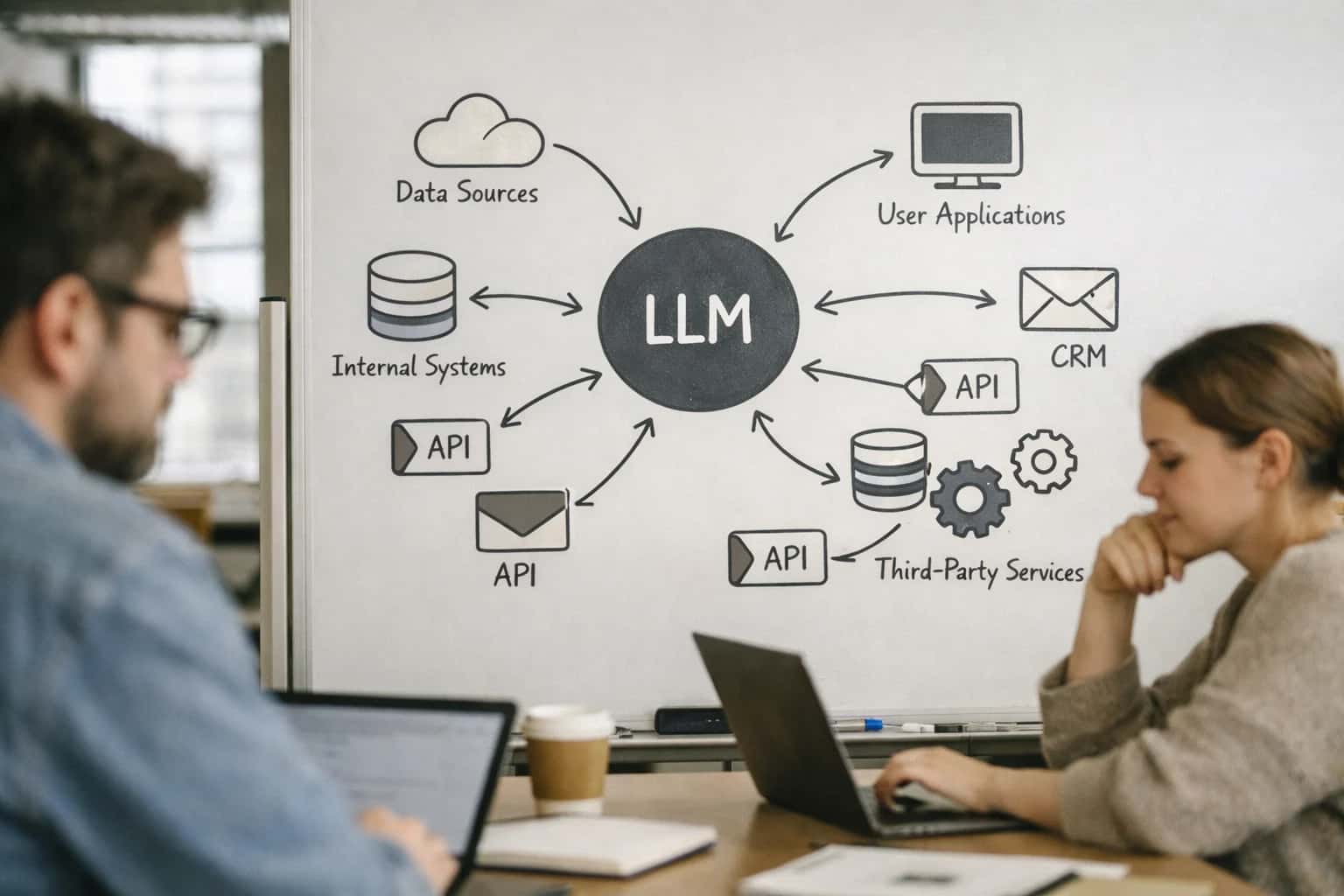
PREDICTIVE MONITORING AND AUTOMATED INTERVENTION
Where AI Fits into SLA and Escalation Workflows
A blueprint for using AI to monitor ticket queues in real-time, predict SLA breaches, and trigger automated escalations in platforms like ServiceNow and Jira Service Management.
When a high-risk prediction is made, the AI triggers platform-native automations. In ServiceNow, this could be a Flow Designer workflow or a Business Rule that automatically:
- Reassigns the ticket to a secondary group or specific expert based on skill matching.
- Creates a task for a manager in the Approval module for manual intervention.
- Posts an urgent comment and @mentions the assignee in the Activity Stream.
- Escalates the priority field and updates the SLA stage. In Jira Service Management, similar logic executes via Automation Rules or ScriptRunner, modifying the issue's status, adding a label, or notifying a team lead via webhook. The goal is to move from reactive, time-based alerts to proactive, context-aware interventions that keep SLAs on track.
Rollout requires a phased approach. Start by deploying the AI model in a monitor-only mode, logging its predictions against actual SLA outcomes to calibrate accuracy. Then, enable low-risk automated actions, like adding a predictive SLA flag custom field or sending a non-disruptive Slack alert to the team channel. Governance is critical: all AI-triggered escalations should be logged in the Audit table and reviewed in weekly operations meetings. This ensures the system augments, rather than disrupts, existing team workflows and accountability structures. For a deeper technical dive, see our guide on AI-Powered Predictive Analytics for IT Service Management.
AI-POWERED SLA AND ESCALATION MANAGEMENT
Integration Surfaces in ServiceNow and Jira Service Management
Core SLA Objects and AI Triggers
AI models integrate with the core SLA definition tables in both platforms to monitor conditions in real-time. In ServiceNow, this involves the task_sla and contract_sla tables, where AI can analyze ticket context, assignee workload, and historical resolution times to predict breaches before they occur. For Jira Service Management, the focus is on the SLA entity within the Jira schema, monitoring time-in-status and custom calendar conditions.
An AI agent subscribes to platform events (e.g., task_sla.warning or Jira's webhook for SLA updates) and enriches the prediction with live data from linked CMDB items, user sentiment in comments, and external system status (e.g., monitoring alerts). The output is a risk score and a recommended action—such as pausing the clock for external dependencies or triggering a pre-escalation notification—injected back into the SLA record via API.
IT SERVICE MANAGEMENT PLATFORMS
High-Value Use Cases for AI-Driven SLA Management
Proactive SLA management requires real-time analysis of ticket queues, agent capacity, and historical patterns. These AI integration patterns for ServiceNow, Jira Service Management, and Freshservice move teams from reactive firefighting to predictive operations.
01
Real-Time SLA Breach Prediction
AI models continuously analyze ticket age, priority, assigned group backlog, and agent availability to predict SLA breaches 30-60 minutes before they occur. The system triggers automated alerts in the platform console and via Slack/Teams to the responsible team lead, enabling preemptive action.
Reactive → Predictive
Operational shift
02
Automated Escalation & Reassignment
When a breach is predicted or occurs, an AI agent evaluates skill match, current workload, and historical resolution rates across available agents. It then automatically executes the platform's escalation API or reassigns the ticket to the optimal agent or group, with a comment explaining the rationale.
Manual → Auto
Assignment workflow
03
Dynamic Priority Re-Calibration
AI reviews incoming ticket descriptions, user sentiment, and linked CI (Configuration Item) criticality from the CMDB to suggest priority upgrades or downgrades. This ensures SLA clocks reflect true business impact. Integrates with ServiceNow's incident.priority or Jira SM's priority field via workflow automation.
Static → Contextual
Priority logic
04
SLA Exception & Pause Justification
For tickets awaiting vendor or user response, AI analyzes communication threads and activity logs to automatically justify SLA clock pauses. It drafts the pause reason, cites relevant platform timestamps, and submits the pause request via API, maintaining audit compliance and reducing manual admin.
Manual Logging → Auto-Documentation
Compliance overhead
05
Capacity-Based Queue Routing
Beyond simple round-robin, AI monitors real-time agent capacity (active tickets, average handle time) and dynamically routes new tickets to the agent with the soonest predicted availability. This smooths workload distribution in platforms like Freshservice, preventing individual agent overload that leads to SLA misses.
Batch → Real-time
Routing logic
06
SLA Performance Root Cause Analysis
At the end of each sprint or month, an AI agent analyzes all breached tickets to identify common themes—specific services, agent groups, or weekdays. It generates a natural-language report in the platform's analytics module, recommending workflow or training adjustments to improve future SLA adherence.
1-2 Days → Same Day
Analysis cycle
IMPLEMENTATION PATTERNS
Example AI-Powered Escalation Workflows
These concrete workflows illustrate how AI agents can be integrated into ServiceNow and Jira Service Management to monitor, predict, and act on SLA risks in real-time, moving beyond static timer-based rules.
Trigger: A new comment or attachment is added to an open P3/P4 ticket.
Context/Data Pulled: The AI agent retrieves:
- The full ticket thread and new update.
- Associated CI (Configuration Item) data from the CMDB.
- Historical resolution times for similar tickets.
- Current workload of the assigned individual/group.
Model/Agent Action: A lightweight classification model analyzes the update for severity indicators (e.g., 'outage', 'critical path blocked', 'multiple users affected'). If risk is detected, an LLM summarizes the new context and recommends a new priority (e.g., P3 → P1) and potentially a reassignment group.
System Update/Next Step: The agent uses the platform's API to:
- Update the ticket priority and add an internal note with the AI's reasoning.
- If reassignment is recommended, trigger an approval workflow to the current assignee's manager or automatically reassign to a predefined high-priority queue.
- Recalculate the SLA clock based on the new priority.
Human Review Point: Automatic reassignment can be gated by a manager approval step for the first 90 days post-implementation to build trust in the AI's judgment.
REAL-TIME TICKET MONITORING AND INTERVENTION
Implementation Architecture: Data Flow and System Design
A production-ready blueprint for connecting AI to ServiceNow and Jira Service Management to predict and prevent SLA breaches.
The core integration pattern involves an external AI agent that continuously polls the ITSM platform's REST API for tickets approaching their SLA breach thresholds. For ServiceNow, this means monitoring the incident, sc_task, and sc_req_item tables, focusing on fields like sla_due, priority, assignment_group, and state. In Jira Service Management, the agent queries the Jira REST API for issues filtered by SLA timeToBreach and currentStatus. The agent is not a passive monitor; it acts as an orchestration layer, analyzing ticket context, historical resolution data, and real-time agent availability to decide on an intervention—escalation, reassignment, or a priority bump.
When a high-risk ticket is identified, the AI agent executes a pre-defined action via the platform's automation API. In ServiceNow, this is typically done by creating a new wf_workflow context or triggering a Flow Designer flow via the /api/now/sp/trigger endpoint. The payload includes the target ticket sys_id and the recommended action (e.g., {"action": "escalate", "target_group": "sys_id_of_tier_3"}). For Jira Service Management, the agent uses the Jira API to add a comment, transition the issue, or modify the assignee field. All actions are logged to a dedicated audit table (ai_sla_audit in ServiceNow, a custom AI_Action issue type in Jira) for traceability and model feedback.
Rollout should follow a phased, rules-based approach. Start by deploying the agent in a 'monitor-only' mode for a pilot group (e.g., P1/P2 incidents), where it generates recommendations in a dashboard but requires manual approval. Use this phase to tune the AI's confidence thresholds and action logic. Governance is critical: establish a clear RBAC model so the AI agent's service account has only the necessary permissions (e.g., itil and automation_engineer roles in ServiceNow) and cannot modify closed tickets. Integrate the system with your existing Major Incident Management or war room protocols to ensure AI-driven escalations are communicated and coordinated, not just automated.
AI-POWERED SLA AND ESCALATION MANAGEMENT
Code and Payload Examples
Real-Time SLA Risk Detection
This Flow Designer subflow uses a scheduled trigger and a REST API call to an LLM to analyze ticket data and predict SLA breaches before they occur.
javascript// ServiceNow Flow Designer - Script Action (Node.js) // This script runs on a scheduled interval (e.g., every 5 minutes) (function execute() { // Query tickets nearing SLA breach (e.g., within next 30 mins) var ticketGr = new GlideRecord('incident'); ticketGr.addQuery('state', 'IN', '1,2,3'); // New, In Progress, On Hold ticketGr.addQuery('sla_due', '<=', gs.minutesAgoStart(-30)); // Due in next 30 mins ticketGr.query(); while (ticketGr.next()) { var ticketContext = { number: ticketGr.getValue('number'), short_description: ticketGr.getValue('short_description'), priority: ticketGr.getValue('priority'), assignment_group: ticketGr.getDisplayValue('assignment_group'), time_to_breach_minutes: calculateMinutesToDue(ticketGr.sla_due), recent_activity: getRecentWorkNotes(ticketGr.sys_id) }; // Call external AI service for risk assessment var aiResponse = callAIService(ticketContext); if (aiResponse.risk_score > 0.7) { // High risk - trigger escalation workflow triggerEscalation(ticketGr, aiResponse.recommended_action); } } return true; })();
The AI service returns a JSON payload with a risk_score (0-1) and a recommended_action (e.g., "reassign_to_tier_3", "notify_manager").
AI-POWERED SLA AND ESCALATION MANAGEMENT
Realistic Operational Impact and Time Savings
This table illustrates the tangible operational shifts and time savings achieved by integrating AI for real-time SLA monitoring and automated escalation workflows in platforms like ServiceNow and Jira Service Management.
| Workflow / Metric | Before AI | After AI | Implementation Notes |
|---|---|---|---|
SLA Breach Detection | Manual queue review at shift handoff | Real-time prediction of at-risk tickets | AI monitors ticket age, priority, assignee workload, and historical patterns |
Escalation Trigger | Manager manually flags after breach or user complaint | Automated alert to manager 1-2 hours before predicted breach | System suggests reassignment or priority bump; requires manager approval |
Ticket Reassignment | Time-consuming search for available, skilled agent | AI recommends top 3 available agents based on skills & load | Integrates with CMDB skills data and agent capacity calendars |
Priority Adjustment | Static rules based on keywords; often missed | Dynamic priority scoring based on sentiment, user role, and business impact | Flags high-severity tickets from VIPs or critical systems automatically |
SLA Reporting & Analysis | Weekly manual report compilation | Daily automated digest of SLA performance & risk factors | Report includes root-cause analysis for near-misses and trends |
On-Call Paging | Manual call after breach confirmation | Automated pre-breach notification to on-call engineer for critical items | Pages only for tickets meeting defined criticality thresholds |
Post-Breach Review | Ad-hoc analysis after major incidents | Automated report on every breached ticket with context & timeline | Used for process refinement and agent coaching; feeds into problem management |
CONTROLLED DEPLOYMENT FOR CRITICAL OPERATIONS
Governance, Security, and Phased Rollout
A blueprint for implementing AI-driven SLA and escalation management with audit trails, role-based controls, and a phased rollout to mitigate risk.
Integrating AI into SLA and escalation workflows requires careful governance, especially when the system can automatically reassign tickets or trigger alerts. In ServiceNow, this means building AI actions as scoped applications or custom workflow activities that log all decisions to the sys_audit table. For Jira Service Management, AI agents should interact via the REST API with service accounts that have explicitly defined project permissions, and all automated actions (like changing assignee or priority) must create a comment for traceability. The core architecture involves a dedicated queue or a custom AI Decision record that stores the model's input, output, confidence score, and the final human-approved or system-executed action.
A phased rollout is critical for managing change and building trust. Phase 1 (Monitor-Only): Deploy AI agents to analyze incoming tickets in real-time, predict potential SLA breaches based on queue load and priority, and post these predictions as internal notes or to a dedicated dashboard—no automated actions are taken. Phase 2 (Human-in-the-Loop): Enable the system to suggest specific actions (e.g., "Escalate to L2," "Reassign to Team B") within the agent workspace, requiring a one-click approval from a service desk lead before execution. Phase 3 (Guarded Automation): For high-confidence, rule-based scenarios (e.g., a P1 ticket with no assignee after 5 minutes), allow fully automated escalation, but implement a circuit-breaker dashboard and nightly review sessions to audit all automated decisions.
Security is paramount. AI models should never receive raw credentials or unrestricted database access. Instead, use middleware (like Inference Systems' orchestration layer) to broker requests, applying data masking for PII before sending context to the LLM and enforcing strict RBAC based on the agent's role and the ticket's assignment group. All prompts and model responses should be logged for performance evaluation and drift detection. Start with a single service queue or a specific Incident class, measure the reduction in manual monitoring time and the improvement in first-response SLA metrics, and then expand the coverage based on validated ROI and agent feedback.
Enabling Efficiency, Speed & Accuracy
Intelligent Analysis, Decision & Execution
We build AI systems for teams that need search across company data, workflow automation across tools, or AI features inside products and internal software.
Talk to Us
Search across company data
Give teams answers from docs, tickets, runbooks, and product data with sources and permissions.
Useful when people spend too long searching or get different answers from different systems.
Enterprise searchRAGPermissions
Read more
Automate internal workflows
Use AI to route work, draft outputs, trigger actions, and keep approvals and logs in place.
Useful when repetitive work moves across multiple tools and teams.
AI agentsWorkflow automationGovernance
Read more
Add AI to products and internal tools
Build assistants, guided actions, or decision support into the software your team or customers already use.
Useful when AI needs to be part of the product, not a separate tool.
AI integrationDecision supportModel routing
Read moreAI-POWERED SLA AND ESCALATION MANAGEMENT
Frequently Asked Questions
Practical questions for teams implementing AI to monitor, predict, and act on service level agreements in platforms like ServiceNow and Jira Service Management.
The system analyzes real-time and historical ticket data to calculate a dynamic risk score. It considers factors the platform's native SLA engine might not, such as:
- Ticket complexity: Analysis of description length, attachment count, and technical keyword density.
- Agent workload: Real-time queue depth and average handle time of the currently assigned group or individual.
- Historical patterns: Similar past tickets and their actual resolution times.
- External context: Correlated data from monitoring tools (e.g., a related system outage from Splunk) that could impact resolution.
The AI model generates a probability score for a breach. When this score exceeds a configured threshold (e.g., 85% likelihood), it triggers a pre-breach action workflow, often giving teams a 1-2 hour head start.

About the author
Prasad Kumkar
CEO & MD, Inference Systems
Prasad Kumkar is the CEO & MD of Inference Systems and writes about AI systems architecture, LLM infrastructure, model serving, evaluation, and production deployment. Over 5+ years, he has worked across computer vision models, L5 autonomous vehicle systems, and LLM research, with a focus on taking complex AI ideas into real-world engineering systems.
His work and writing cover AI systems, large language models, AI agents, multimodal systems, autonomous systems, inference optimization, RAG, evaluation, and production AI engineering.
LinkedIn
Limited slotsGet a Free AI Consultation
Partnered with leading AI, data, and software stack.





How We Work
Custom AI workflows for your Business
One-fit-all AI don't work for modern businesses. At Inferensys, we aim to understand your business & custom requirements; which we use to define most efficient agentic workflows, the data, and the tools for your business.
01
Review the use case
We understand the task, the users, and where AI can actually help.
Read more02
Pick the right approach
We define what needs search, automation, or product integration.
Read more03
Build the first useful version
We implement the part that proves the value first.
Read more04
Improve from there
We add the checks and visibility needed to keep it useful.
Read moreThe first call is a practical review of your use case and the right next step.
Talk to Us