Integrating AI into ServiceNow is about augmenting its core tables and workflows, not building a separate system. The primary surfaces are the Incident, Change, Problem, and Request tables, where AI can triage, summarize, and suggest actions. The Knowledge Base (kb_knowledge) is a natural target for Retrieval-Augmented Generation (RAG) to ground responses in approved articles. For automation, the Flow Designer and Integration Hub provide the orchestration layer to call external LLM APIs, process returns, and update records. The Virtual Agent framework allows you to replace or enhance scripted dialog with a conversational LLM, while the Service Portal can embed AI-powered search and guided resolution.

Integration
AI Integration for ServiceNow
A technical blueprint for embedding generative AI and LLMs into the ServiceNow Now Platform to automate ticket workflows, enhance the Virtual Agent, and accelerate IT service delivery.
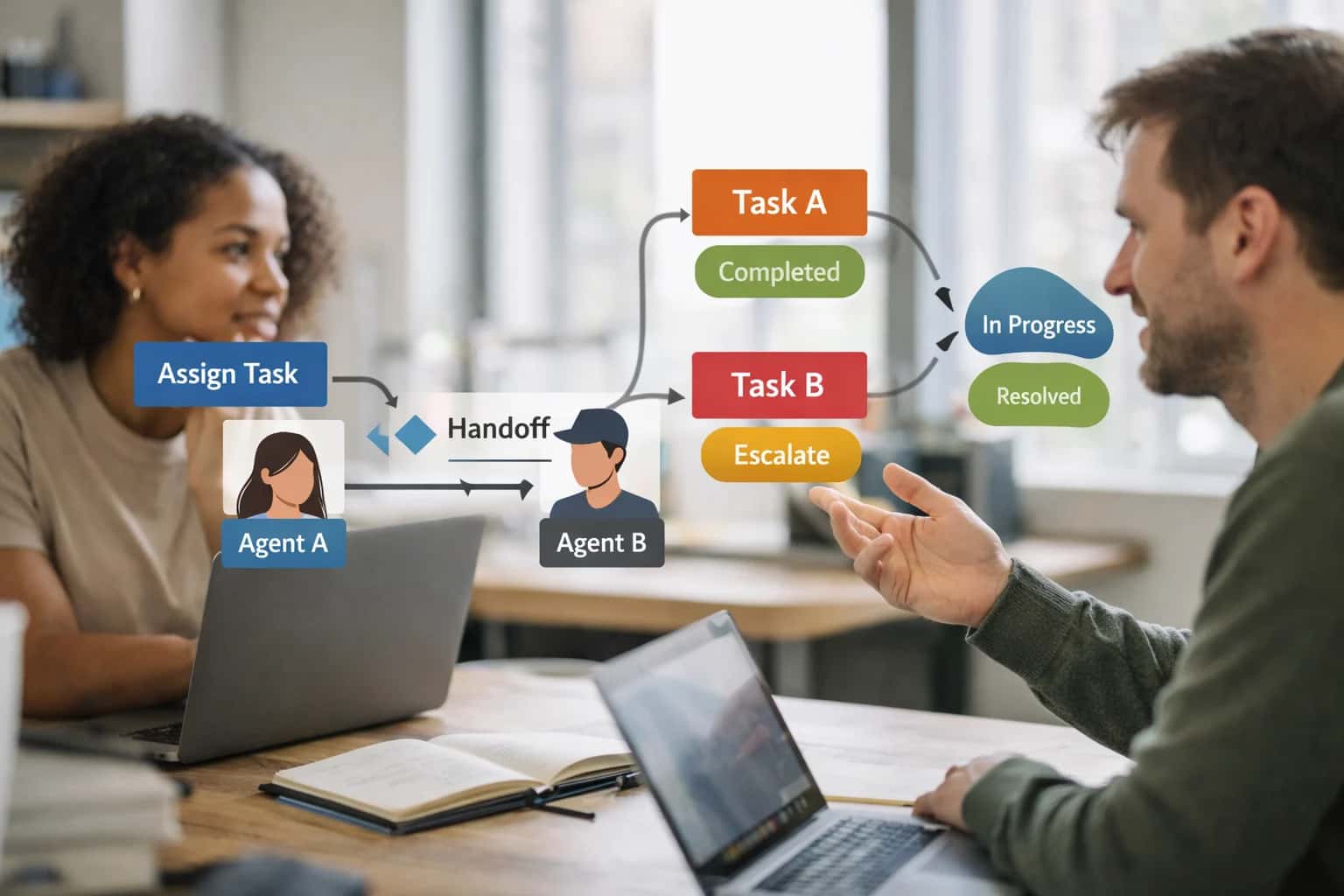
ARCHITECTURE AND SURFACE AREAS
Where AI Fits into the ServiceNow Platform
A practical blueprint for embedding generative AI into the Now Platform's data model, automation layer, and user interfaces.
Implementation typically follows a hub-and-spoke pattern: a central AI gateway service (often external for model flexibility) connected via REST API to ServiceNow. Key workflows include:
- Ticket Intake: An inbound email or portal trigger fires a Flow that calls an LLM to classify the
short_description, setpriority, and suggest anassignment_groupbased on CMDB context. - Agent Copilot: A UI Action on the Incident form calls an AI service to summarize the
work_notes, extract key error codes, and draft a next-step resolution, which the agent can approve and post. - Change Risk Assessment: A Business Rule on the Change Request form triggers an AI analysis of the
implementation_planagainst historical failure data, generating a risk score and recommended CAB reviewers. - Virtual Agent Escalation: When the native VA hits its limits, it passes the conversation context to an LLM via Integration Hub, which can handle complex, multi-turn troubleshooting before optionally creating a human-touch ticket.
Rollout requires a phased, use-case-driven approach, starting with a single module like Incident triage in a specific assignment group. Governance is critical: all AI-generated content should be logged in an ai_audit table, and high-risk actions (like auto-closing tickets) should require human-in-the-loop approval via the Approval Engine. Data privacy means ensuring PII and sensitive CMDB data is scrubbed or tokenized before leaving the platform. For a deeper technical dive on connecting these workflows, see our guide on AI-Powered Ticket Triage for ServiceNow.
ARCHITECTURE BLUEPRINTS
Key Integration Surfaces in the Now Platform
Core Modules for AI Injection
The most immediate AI value is found in the modules handling high-volume user interactions and operational data.
- Incident, Problem, and Change Management: Use LLMs to auto-categorize incoming tickets, draft risk assessments for change requests, and summarize problem investigation threads. Integrate via Flow Designer to call AI services before record inserts or updates.
- Virtual Agent: Extend the native conversational engine with a more capable LLM for complex, multi-turn dialogues. Use the VA's framework to handle intent recognition and delegate detailed resolution logic to an external AI agent via REST API.
- Knowledge Management: Implement a RAG (Retrieval-Augmented Generation) pipeline to ground LLM responses in your KB articles. Use AI to generate article summaries, suggest related solutions, or auto-create draft knowledge from resolved ticket data.
- Service Catalog: Build an AI recommender that analyzes a user's department, role, and request history to surface the most relevant catalog items, reducing browse time and mis-routed requests.
PRODUCTION INTEGRATION PATTERNS
High-Value AI Use Cases for ServiceNow
These are proven integration points where generative AI and LLMs connect directly to the Now Platform's data model, automation layer, and user surfaces to accelerate workflows and reduce manual effort.
01
Intelligent Incident Triage & Routing
An AI agent analyzes incoming incident descriptions, attachments, and user history to auto-categorize, assign priority, and route to the correct assignment group. Integrates with ServiceNow's Incident table via Flow Designer or inbound email scripts, using CMDB data for context. Reduces manual assignment backlog.
Hours -> Minutes
Assignment time
02
Virtual Agent Augmentation with RAG
Supercharge the native ServiceNow Virtual Agent with a RAG (Retrieval-Augmented Generation) layer connected to the Knowledge Base (KB) and CMDB. Enables conversational, context-aware self-service that answers complex questions, references known errors, and guides resolution steps, increasing deflection rates.
Batch -> Real-time
Knowledge retrieval
03
Change Plan Drafting & Risk Assessment
Integrate an LLM into the Change Management (CHG) module. The agent ingests change RFC details and auto-generates a structured implementation/backout plan. It can also analyze historical change data to flag potential risk factors for CAB review, populating the Risk and Impact Assessment field.
1 sprint
Documentation time
04
AI-Powered Problem Root Cause Analysis
An AI workflow periodically analyzes closed incident records to identify potential problem records (PRB) and suggest common root causes. It clusters similar incidents based on description, work notes, and CI relationships, then creates or enriches Problem tickets with its findings, linking related incidents.
Same day
Pattern detection
05
Automated Ticket Summarization
A background script triggered on ticket update uses an LLM to generate a concise, actionable summary of long threads and attachments. The summary is written to a dedicated field (e.g., 'AI Summary') for quick agent review, especially useful during shift handoffs or escalations to L2/L3 teams.
Minutes -> Seconds
Agent review time
06
CMDB Data Enrichment & Hygiene
Connect AI to the CMDB (Configuration Management Database) to analyze discovery data, suggest relationship mappings, and auto-populate CI attributes from unstructured sources. An agent reviews CI records for completeness, flags inconsistencies, and proposes updates, improving data accuracy for impact analysis.
Ongoing
Data maintenance
PRACTICAL IMPLEMENTATION PATTERNS
Example AI-Augmented Workflows in ServiceNow
These concrete examples illustrate how generative AI and LLM agents connect to the Now Platform's APIs, Flow Designer, and data model to automate and enhance core IT service workflows.
Trigger: A new Incident (incident table) is created via email, portal, API, or integration.
Context Pulled: The agent retrieves the incident's short description, description, and attached files. It also queries the CMDB (cmdb_ci table) for the reported Configuration Item and the sys_user table for the caller's department and location.
AI Agent Action: Using a classification model (e.g., via OpenAI's API), the agent:
- Categorizes the incident (e.g.,
Hardware / Laptop,Software / Microsoft 365). - Assigns a priority based on description sentiment, keyword detection (e.g., "outage," "can't work"), and the CI's business criticality.
- Recommends an assignment group by matching the classified category and CI support group against the
sys_user_grouptable.
System Update: The agent uses a Flow Designer action or REST API call to update the incident record:
javascript// Example REST API PATCH payload { "category": "Hardware", "subcategory": "Laptop", "priority": 2, "assignment_group": "{\"link\":\"https://instance.service-now.com/api/now/table/sys_user_group/123456\",\"value\":\"123456\"}" }
Human Review Point: The assignment is suggested as a "proposed assignment" in a journal entry. An agent can override with one click. For high-confidence classifications (e.g., >90%), the system can auto-assign.
ARCHITECTING AI WITHIN THE NOW PLATFORM
Typical Implementation Architecture
A production-ready AI integration for ServiceNow connects LLMs to the platform's data model, automation layer, and user interfaces through a secure, governed pattern.
The core integration pattern leverages ServiceNow's Flow Designer and Integration Hub to orchestrate calls to external LLM APIs (like OpenAI or Anthropic) or internal models. Key touchpoints include:
- Incident, Service Request, and Change Request tables for ticket automation.
- Knowledge Base and Service Catalog modules for retrieval-augmented generation (RAG).
- Virtual Agent for enhanced conversational self-service.
- REST API and Scripted REST API for bidirectional data flow. A typical flow is triggered by a new ticket comment, where an automation rule calls an AI agent to analyze the description, suggest a category and assignment group, and post a summary back to the Work Notes.
Implementation requires a middleware layer—often a lightweight containerized service—to handle prompt engineering, context retrieval from ServiceNow GlideRecord queries, and response processing. This service sits outside the Now Platform for security and model flexibility, communicating via authenticated REST webhooks. For example, an AI agent for problem management might:
- Query the
incidenttable for related records using thecmdb_cirelationship. - Retrieve relevant solutions from the
kb_knowledgetable via semantic search. - Call an LLM to synthesize a root cause hypothesis and suggested fix.
- Return structured JSON to create a Problem record and link associated incidents via Flow Designer.
Governance and rollout are critical. Start with a pilot Scoped Application in a development instance to isolate customizations. Implement:
- Role-based access controls (RBAC) to restrict which users or groups can trigger AI actions.
- Audit logs on all AI-generated content and decisions within the
sys_audittable. - Human-in-the-loop approval steps in Flow Designer for high-risk actions like change plans or critical communications.
- Usage metering and cost tracking integrated with the
cmdb_ci_cloud_service_accounttable for FinOps visibility. Progressive rollout might begin with AI-assisted ticket summarization for L2/L3 teams, then expand to Virtual Agent enhancements and predictive SLA analytics, ensuring each phase delivers measurable agent time savings and reduced mean time to resolution (MTTR).
SERVICE NOW INTEGRATION PATTERNS
Code and Payload Examples
Automating Ticket Triage with Flow Designer
Integrate an LLM into a ServiceNow Flow to categorize and route incoming incidents. The Flow triggers on a new incident record, sends the description to your AI service via a REST step, and updates the record based on the JSON response.
Example Flow Step Configuration:
- Action: REST API: Send a POST request to your AI endpoint.
- Request Body:
{"ticket_text": "${current.description}", "user_department": "${current.caller_id.department}"} - Response Handling: Parse the JSON to set
category,assignment_group, andpriority.
This pattern moves ticket assignment from hours to minutes by using AI to interpret the issue and apply business rules, reducing manual triage work for the service desk team.
AI-ENHANCED SERVICENOW WORKFLOWS
Realistic Time Savings and Operational Impact
This table illustrates the operational impact of integrating generative AI into core ServiceNow modules, showing how AI augments existing workflows to reduce manual effort and accelerate resolution times.
| ServiceNow Module / Workflow | Before AI Integration | After AI Integration | Implementation Notes |
|---|---|---|---|
Incident Triage & Assignment | Manual reading and categorization by L1/L2 agents | AI-assisted categorization, priority scoring, and suggested assignment group | Leverages Flow Designer and Now Platform API; human agent reviews and confirms. |
Knowledge Article Creation | Agent manually drafts article post-resolution, 30-60 minutes per article | AI generates draft article from resolved ticket thread and attachments | Generated draft is routed for SME review and approval in the Knowledge Base module. |
Virtual Agent Deflection | Scripted, rule-based responses handle simple FAQs | LLM-powered conversational handling of complex, multi-step user queries | Integrates with Virtual Agent via a custom integration hub spoke; fallback to human agent. |
Change Request Documentation | Change implementer manually writes implementation plan and risk assessment | AI suggests implementation steps and auto-generates a risk summary based on CMDB data | Output populates the Change Management record; CAB reviewer uses it as a starting point. |
Service Catalog Request Intake | User must navigate complex catalog tree to find correct item | AI-powered natural language search recommends catalog items based on user's query and role | Enhances the Service Portal UI; integrates with user criteria and catalog APIs. |
Major Incident Communication | Comms lead manually drafts and sends status updates to stakeholders | AI drafts initial outage notification and subsequent updates based on incident timeline | Triggered from Incident Management workflow; human approves all communications before sending. |
Problem Management RCA | Problem manager manually reviews linked incidents to hypothesize root cause | AI analyzes incident descriptions, work notes, and CMDB relationships to suggest common causes | Suggests related CIs and known errors; analyst investigates AI-generated leads. |
ARCHITECTING CONTROLLED AI DEPLOYMENTS
Governance, Security, and Phased Rollout
A practical guide to implementing AI in ServiceNow with enterprise-grade controls and a low-risk adoption path.
A production AI integration for ServiceNow must be built on the platform's native security and automation fabric. This means leveraging ServiceNow's API layer with proper OAuth scopes, executing logic within Flow Designer or Business Rules to maintain data context, and storing sensitive configurations like LLM API keys in ServiceNow Credentials. AI agents should interact with platform data—Incident, Change, CMDB, Knowledge—through the standard GlideRecord API, ensuring all actions respect existing Access Control Lists (ACLs) and generate a complete sys_audit trail. For retrieval-augmented generation (RAG), vector embeddings of Knowledge Base articles or CMDB data can be stored externally, but the query context and final response assembly should occur within a secured, platform-managed script execution environment.
A phased rollout is critical for user adoption and risk management. Start with a closed pilot in a single support group, targeting a high-volume, low-risk workflow like auto-categorizing incoming incidents using the short_description and description fields. Next, expand to agent-assist features, such as an AI sidebar that suggests Knowledge Base solutions (kb_suggestion) or drafts standard communications. Finally, introduce fully automated resolutions for well-defined request types, using AI to parse requirements and execute fulfillment via Service Catalog orchestration. Each phase should include a human-in-the-loop approval step (e.g., agent review before sending an AI-drafted response) and be coupled with A/B testing to measure impact on metrics like Mean Time to Resolve (MTTR) and first-contact resolution rates.
Governance is non-negotiable. Establish a prompt management registry within ServiceNow to version-control and audit all LLM instructions. Implement content filters to screen AI outputs for policy violations before they reach users or execute actions. For workflows impacting system changes, integrate AI suggestions into existing Change Advisory Board (CAB) approval workflows. Continuous monitoring should track AI usage metrics, error rates, and user feedback directly within ServiceNow Performance Analytics. This controlled approach ensures AI augments—rather than disrupts—the mature ITIL processes and compliance frameworks your ServiceNow instance already enforces.
Enabling Efficiency, Speed & Accuracy
Intelligent Analysis, Decision & Execution
We build AI systems for teams that need search across company data, workflow automation across tools, or AI features inside products and internal software.
Talk to Us
Search across company data
Give teams answers from docs, tickets, runbooks, and product data with sources and permissions.
Useful when people spend too long searching or get different answers from different systems.
Enterprise searchRAGPermissions
Read more
Automate internal workflows
Use AI to route work, draft outputs, trigger actions, and keep approvals and logs in place.
Useful when repetitive work moves across multiple tools and teams.
AI agentsWorkflow automationGovernance
Read more
Add AI to products and internal tools
Build assistants, guided actions, or decision support into the software your team or customers already use.
Useful when AI needs to be part of the product, not a separate tool.
AI integrationDecision supportModel routing
Read moreAI INTEGRATION FOR SERVICENOW
Frequently Asked Questions
Practical answers to common technical and strategic questions about embedding generative AI into the Now Platform.
Secure integration typically follows a pattern of controlled data egress and API-based interaction.
- Architecture: Deploy your LLM (e.g., Azure OpenAI, Anthropic) in your own cloud tenancy. Use ServiceNow's REST API or IntegrationHub to send context to the model and receive responses.
- Data Governance: Never send full database dumps. Use scoped queries to pull only the necessary context for a specific task (e.g., a single ticket's notes, a few relevant Knowledge Base articles). Implement Data Loss Prevention (DLP) checks on outbound payloads.
- Authentication & RBAC: Leverage ServiceNow's OAuth or basic auth with dedicated integration users. Crucially, enforce ServiceNow Access Controls (ACLs) within your integration logic. The AI should only see data the requesting user or integration account is permitted to access.
- Audit Trail: Log all AI interactions (request, context sent, response) as records in ServiceNow, linking them to the source ticket or workflow for full traceability.
This approach keeps sensitive CMDB, user, and incident data within your governance perimeter while enabling AI capabilities.

About the author
Prasad Kumkar
CEO & MD, Inference Systems
Prasad Kumkar is the CEO & MD of Inference Systems and writes about AI systems architecture, LLM infrastructure, model serving, evaluation, and production deployment. Over 5+ years, he has worked across computer vision models, L5 autonomous vehicle systems, and LLM research, with a focus on taking complex AI ideas into real-world engineering systems.
His work and writing cover AI systems, large language models, AI agents, multimodal systems, autonomous systems, inference optimization, RAG, evaluation, and production AI engineering.
LinkedIn
Limited slotsGet a Free AI Consultation
Partnered with leading AI, data, and software stack.





How We Work
Custom AI workflows for your Business
One-fit-all AI don't work for modern businesses. At Inferensys, we aim to understand your business & custom requirements; which we use to define most efficient agentic workflows, the data, and the tools for your business.
01
Review the use case
We understand the task, the users, and where AI can actually help.
Read more02
Pick the right approach
We define what needs search, automation, or product integration.
Read more03
Build the first useful version
We implement the part that proves the value first.
Read more04
Improve from there
We add the checks and visibility needed to keep it useful.
Read moreThe first call is a practical review of your use case and the right next step.
Talk to Us