AI connects to workforce planning at three critical data junctions: the HRIS (Workday, UKG, SAP SuccessFactors), the financial planning system (Anaplan, Oracle EPM, Workday Adaptive Planning), and external labor market feeds. The integration surfaces at the module level, augmenting core planning objects like Position, Job Family, Cost Center, and Forecast Scenario. AI agents don't replace the planner; they act as a copilot within the planning interface, suggesting adjustments based on predictive signals from attrition models, skills gap analyses, and financial forecast variances.

Integration
AI Integration for Workforce Planning Platforms
Augment strategic workforce planning with AI for scenario modeling, headcount forecasting, and skills gap analysis using HRIS and financial data.
ARCHITECTURE & ROLLOUT
Where AI Fits into Strategic Workforce Planning
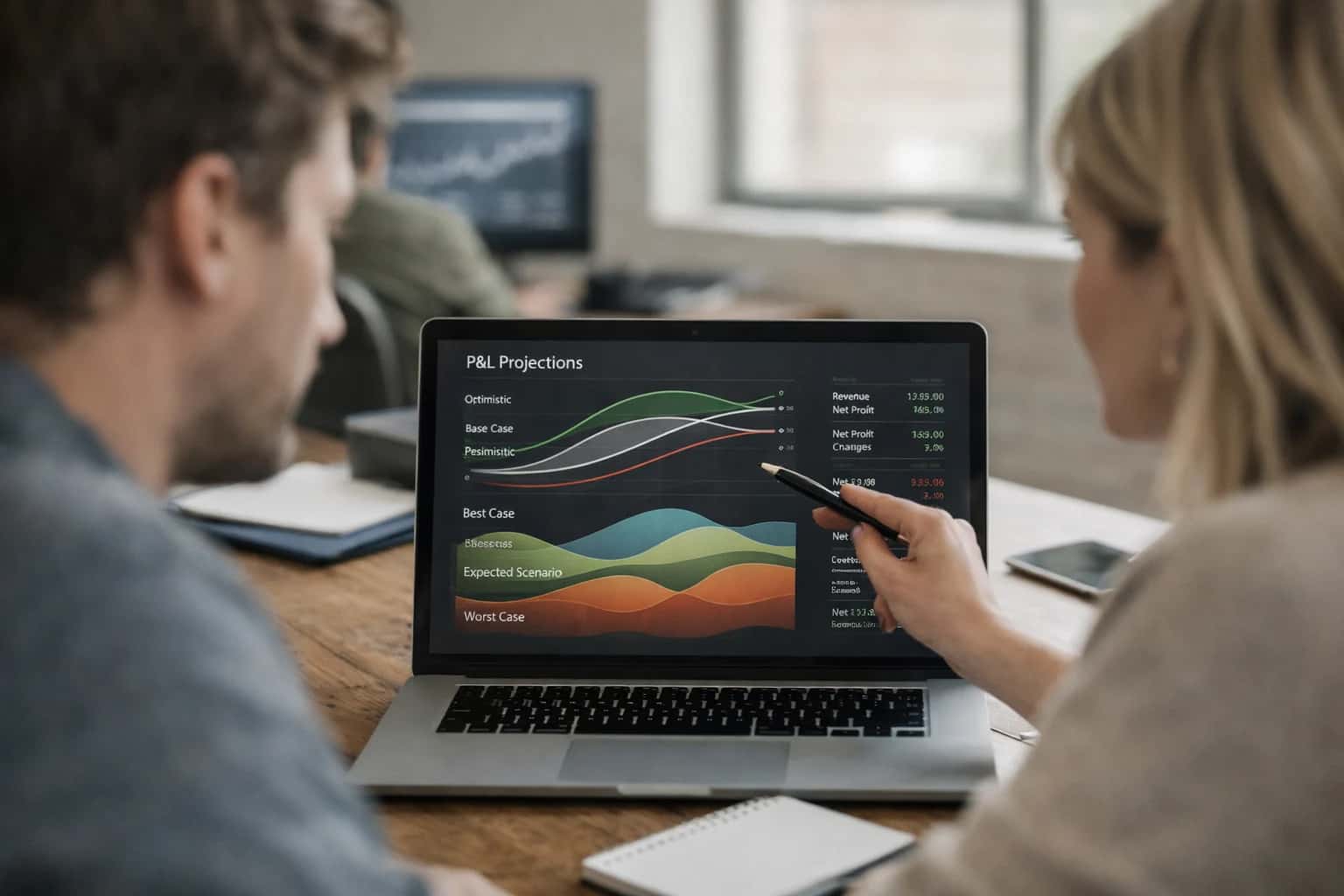
Integrating AI into strategic workforce planning transforms static headcount models into dynamic, predictive engines for business agility.
Implementation centers on a middleware orchestration layer that securely queries HRIS APIs for current workforce composition, ingests financial plan data, and runs AI models for scenario simulation. High-value workflows include:
- Dynamic headcount forecasting: Using AI to adjust quarterly hiring plans based on predicted attrition rates and pipeline conversion lag times.
- Skills gap-driven hiring: Analyzing project demand from PPM tools against internal skills inventories (e.g., Workday Skills Cloud) to generate precise, justified requisitions.
- Cost scenario modeling: Simulating the financial impact of different hiring strategies, promotion rates, or geographic shifts in real-time. Impact is measured in planning cycle time (weeks to days) and the quality of plans, moving from rear-view mirror adjustments to proactive, data-driven workforce shaping.
Rollout requires a phased, use-case-led approach, starting with a single business unit or job family. Governance is critical: AI recommendations should be explainable, logging the data sources and logic used for each suggestion. All proposed changes to the official plan should route through existing approval workflows in the HRIS or financial system, maintaining audit trails and RBAC. Begin by integrating AI as a read-only analytics layer, providing insights and "what-if" models before enabling write-back capabilities that can create draft positions or adjust FTE counts. This controlled approach builds trust and ensures the AI augments—rather than disrupts—critical financial and people processes.
WHERE AI CONNECTS TO DATA AND WORKFLOWS
Integration Surfaces in Workforce Planning Platforms
Core Planning Objects and APIs
AI for workforce planning operates on the master data models within your HRIS and financial systems. Key integration points include:
- Headcount and Position Management APIs: Read current and approved future positions from objects like Workday's
Positionor UKG Pro'sJob. AI uses this to model hiring velocity and open requisition impact. - Employee and Worker APIs: Access detailed records for skills, tenure, performance ratings, and compensation history to assess internal mobility and flight risk.
- Financial Plan and Cost Center Data: Connect to budgeting modules (e.g., Workday Financials, SAP) to align headcount forecasts with financial constraints and department budgets.
- Skills and Competency Frameworks: Ingest taxonomies like the Workday Skills Cloud to map current capabilities against future role requirements for gap analysis.
Integration typically involves scheduled batch syncs or real-time API calls to build a unified analytics layer, enabling AI to run scenario simulations against a live data foundation.
INTEGRATION PATTERNS
High-Value AI Use Cases for Workforce Planning
Strategic workforce planning is shifting from annual spreadsheets to continuous, data-driven scenarios. These AI integration patterns connect directly to your HRIS (Workday, UKG, ADP) and financial systems to automate forecasting, model impacts, and close skills gaps.
01
Dynamic Headcount Forecasting
Integrate AI with Workday Prism Analytics, UKG Pro, or ADP DataCloud to ingest historical trends, financial plans, and market signals. The model generates rolling 12-18 month forecasts by department, location, and job family, updating automatically with each new data sync.
Weeks -> Days
Forecast cycle
02
Scenario Modeling for M&A or Restructuring
Build a secure AI agent that connects to HRIS APIs and financial planning systems. Model 'what-if' scenarios for acquisitions, divestitures, or reorganizations—simulating headcount impacts, cost synergies, and retention risks before decisions are finalized.
03
Skills Gap Analysis & Internal Mobility
Leverage Workday Skills Cloud or UKG Pro Learning data. An AI model maps current employee skills against future role requirements, identifying critical gaps and recommending internal candidates for open roles or upskilling paths, surfaced directly in manager dashboards.
Same day
Talent match
04
Labor Cost Optimization & Budget Allocation
Connect AI to HRIS compensation modules and ERP general ledgers. Analyze planned hires, promotions, and merit increases against budget constraints. The system recommends optimal allocation across teams to maximize impact while staying within financial guardrails.
05
Attrition Risk Forecasting for Critical Roles
Operationalize predictive models by integrating with HRIS employee records and engagement data (e.g., Workday Peakon). Score flight risk for mission-critical positions and trigger automated workflows in the HRIS to alert leaders and suggest retention interventions.
06
Compliance & Diversity Planning Assistant
An AI copilot for planners that reviews proposed hiring and promotion plans against EEO/OFCCP benchmarks and internal diversity goals stored in the HRIS. It flags potential compliance issues and suggests adjustments to meet representation targets.
IMPLEMENTATION PATTERNS
Example AI-Augmented Workforce Planning Workflows
Strategic workforce planning requires synthesizing data from HRIS, financial systems, and operational forecasts. These workflows demonstrate how AI agents can automate analysis, generate scenarios, and recommend actions directly within your planning platform.
Trigger: A financial planning cycle begins, or a business leader requests a new headcount scenario (e.g., "Model impact of 10% growth in APAC").
Workflow:
- Context Pull: An AI agent retrieves the current workforce plan, historical attrition rates by department/region from the HRIS (e.g., Workday Workforce Planning), and the latest financial forecast from the ERP (e.g., NetSuite).
- Model Action: The agent uses a reasoning model to generate multiple scenarios. It calculates required hires, internal transfers, and associated costs (salary, benefits, hiring spend) for each scenario, factoring in lead times for critical roles.
- System Update: The agent creates a new scenario draft within the workforce planning module via API, populating the projected headcount and cost tables.
- Human Review Point: The scenario is flagged for review by the Head of Workforce Planning and the CFO. The agent provides a natural language summary of key assumptions and trade-offs.
- Next Step: After human approval, the agent can publish the scenario to a shared dashboard or trigger downstream workflows for talent acquisition.
CONNECTING AI TO STRATEGIC WORKFORCE PLANNING
Implementation Architecture: Data Flow and Model Layer
A practical blueprint for integrating AI models with workforce planning platforms to enable predictive scenario modeling and skills intelligence.
Effective AI integration for workforce planning requires a three-layer data architecture that connects your HRIS (like Workday HCM or UKG Pro), financial systems, and external labor market data. The foundation is a unified data pipeline that extracts, cleans, and harmonizes key objects: Employee records (tenure, role, skills, performance), Position and Headcount plans, Financial forecasts, and Market Intelligence (compensation benchmarks, talent supply data). This pipeline feeds a central analytics layer, often a cloud data warehouse or the planning platform's own analytics module (e.g., Workday Prism), which serves as the single source of truth for AI models.
The AI model layer operates on this prepared data to execute core planning functions. This typically involves a combination of specialized models: a time-series forecasting model for headcount and cost projections under different growth scenarios; a skills inference and gap analysis model that maps current employee competencies to future role requirements; and a scenario simulation engine that allows planners to ask "what-if" questions (e.g., impact of a hiring freeze or a new office opening). These models are accessed via a REST API layer, allowing the workforce planning platform's UI to call for predictions, visualize outcomes, and update planning workbooks without manual data manipulation.
For rollout, we recommend a phased implementation starting with a single business unit or geography. Governance is critical: establish a review committee (HR, Finance, IT) to validate model outputs before they influence official plans. All data flows and AI-driven recommendations should be audit-logged within the planning platform for traceability. The final architecture should enable planners to shift from quarterly manual exercises to continuous, data-driven scenario planning, reducing the cycle for a full workforce plan review from weeks to days.
AI INTEGRATION FOR WORKFORCE PLANNING
Code and Payload Examples
Scenario Modeling API
Integrate AI directly into your workforce planning platform to generate and compare strategic scenarios. This pattern uses the platform's API to fetch current headcount and financial data, passes it to an LLM for analysis, and writes the modeled scenarios back as planning objects.
Example Python API Call:
pythonimport requests # 1. Fetch current planning data from HRIS/Financial System planning_api_url = "https://api.your-planning-platform.com/v1/scenarios/current" headers = {"Authorization": "Bearer YOUR_API_KEY"} current_data = requests.get(planning_api_url, headers=headers).json() # 2. Construct prompt for scenario generation scenario_prompt = f""" Based on the following workforce and financial data: - Headcount: {current_data['headcount']} - Revenue Plan: ${current_data['revenue_plan']} - Attrition Rate: {current_data['attrition_rate']}% Generate three strategic workforce scenarios for the next fiscal year: 1. Conservative Growth 2. Aggressive Expansion 3. Efficiency Optimization For each, provide headcount projections by department and a brief rationale. """ # 3. Call LLM (e.g., via Inference Systems' orchestration layer) llm_response = inference_client.complete( prompt=scenario_prompt, model="gpt-4o", temperature=0.3 ) # 4. Parse and post scenarios back to planning platform for scenario in parse_scenarios(llm_response): requests.post(planning_api_url, json=scenario, headers=headers)
AI-AUGMENTED WORKFORCE PLANNING
Realistic Operational Impact and Time Savings
This table illustrates the tangible operational improvements when integrating AI with workforce planning platforms like Workday, UKG, and ADP. It focuses on time savings, process efficiency, and enhanced decision-making for strategic HR and finance teams.
| Workflow | Before AI | After AI | Implementation Notes |
|---|---|---|---|
Headcount scenario modeling | Manual spreadsheet modeling, 2-3 days per scenario | AI-generated scenarios in 2-4 hours | AI queries HRIS and financial data, human planners review and adjust assumptions |
Skills gap analysis | Quarterly manual audit, relies on self-reported data | Continuous, automated analysis of job histories and learning records | AI infers skills from HRIS data, flags critical gaps for planning cycles |
Labor cost forecasting | Static budget vs. actuals, updated monthly | Dynamic forecasts with external data (e.g., market rates, attrition risk) | AI model integrates HRIS payroll data with predictive signals, forecasts updated weekly |
Succession readiness assessment | Annual calibration meetings, manual review of talent profiles | AI-prioritized candidate lists with readiness scores and risk factors | AI analyzes performance, skills, and career path data; leaders make final decisions |
Workforce demand planning | Departmental headcount requests, often unlinked to business drivers | Driver-based forecasts (e.g., revenue, projects) generating role-level demand | AI correlates historical hiring with business metrics, planners validate outputs |
Attrition risk prediction | Reactive analysis after exit interviews | Proactive, monthly risk scoring for employee segments | AI model runs on HRIS data, alerts managers to high-risk cases for retention actions |
Plan vs. actual variance analysis | Manual reconciliation at quarter-end, 1-2 week delay | Automated variance detection and root-cause suggestions in same-day reports | AI continuously monitors hiring, attrition, and cost data against plan, flags anomalies |
ARCHITECTING FOR ENTERPRISE CONTROL
Governance, Security, and Phased Rollout
A practical approach to deploying AI for workforce planning with security, auditability, and controlled impact.
Integrating AI into Workday Strategic Workforce Planning, UKG Pro Workforce Management, or ADP DataCloud requires a governance-first architecture. This means implementing AI agents that interact with HRIS data through read-only API connections or dedicated sandbox environments for initial scenario modeling. All AI-generated forecasts or recommendations should be treated as advisory inputs, requiring manager approval workflows before any headcount or budget changes are committed to the live system. A secure middleware layer manages authentication, logs all AI queries and data accesses for audit trails, and enforces role-based access control (RBAC) to ensure planners only see data relevant to their org hierarchy.
A phased rollout is critical for adoption and risk management. Start with a pilot cohort, such as modeling headcount for a single business unit or analyzing skills gaps for a specific job family. Use this phase to validate the AI's output quality, tune prompts against your internal data models, and establish a human-in-the-loop review process. Successful pilots can then scale to broader forecasting (e.g., financial-integrated scenario planning) and more complex use cases like predictive attrition modeling. Each phase should have clear success metrics (e.g., reduction in manual data consolidation time, improved forecast accuracy) and a rollback plan.
Security is paramount when blending sensitive people data with external AI models. Our implementations use techniques like data masking for personally identifiable information (PII) in prompts, zero-data retention agreements with LLM providers, and vectorized retrieval of internal policies and historical plans to ground recommendations in your proprietary context. For organizations with stringent data residency requirements, we architect solutions using private cloud deployments or bring-your-own-model (BYOM) approaches. The goal is to augment strategic planning with AI intelligence while maintaining the integrity, privacy, and compliance standards of your core HR and financial systems.
Enabling Efficiency, Speed & Accuracy
Intelligent Analysis, Decision & Execution
We build AI systems for teams that need search across company data, workflow automation across tools, or AI features inside products and internal software.
Talk to Us
Search across company data
Give teams answers from docs, tickets, runbooks, and product data with sources and permissions.
Useful when people spend too long searching or get different answers from different systems.
Enterprise searchRAGPermissions
Read more
Automate internal workflows
Use AI to route work, draft outputs, trigger actions, and keep approvals and logs in place.
Useful when repetitive work moves across multiple tools and teams.
AI agentsWorkflow automationGovernance
Read more
Add AI to products and internal tools
Build assistants, guided actions, or decision support into the software your team or customers already use.
Useful when AI needs to be part of the product, not a separate tool.
AI integrationDecision supportModel routing
Read moreIMPLEMENTATION AND ARCHITECTURE
Frequently Asked Questions
Practical questions for technical leaders evaluating AI integration for strategic workforce planning within platforms like Workday, UKG, SAP SuccessFactors, or Oracle HCM.
AI integration typically connects at the API and data warehouse layer of your HRIS and financial systems.
Primary Connection Points:
- HRIS APIs: Pull structured data on headcount, roles, locations, compensation, skills, and historical attrition from modules like Workday Strategic Workforce Planning, UKG Pro, or SAP SuccessFactors.
- Financial Planning Systems: Connect to systems like Anaplan, Oracle EPM, or Adaptive Insights via API to ingest budget forecasts, cost centers, and hiring plans.
- Internal Data Lakes: For advanced modeling, AI agents can query a centralized data lake containing enriched, historical workforce data.
Data Flow Example:
- A scheduled job extracts a snapshot of employee and position data via the HRIS API.
- This data is combined with financial forecast data in a secure processing environment.
- An AI model runs scenario analysis (e.g., "Impact of a 10% hiring freeze in Q3").
- Results are written back as a structured report via API or loaded into a dashboard connected to the planning platform.
Security and access are governed by the existing permissions (RBAC) in your source systems.

About the author
Prasad Kumkar
CEO & MD, Inference Systems
Prasad Kumkar is the CEO & MD of Inference Systems and writes about AI systems architecture, LLM infrastructure, model serving, evaluation, and production deployment. Over 5+ years, he has worked across computer vision models, L5 autonomous vehicle systems, and LLM research, with a focus on taking complex AI ideas into real-world engineering systems.
His work and writing cover AI systems, large language models, AI agents, multimodal systems, autonomous systems, inference optimization, RAG, evaluation, and production AI engineering.
LinkedIn
Limited slotsGet a Free AI Consultation
Partnered with leading AI, data, and software stack.





How We Work
Custom AI workflows for your Business
One-fit-all AI don't work for modern businesses. At Inferensys, we aim to understand your business & custom requirements; which we use to define most efficient agentic workflows, the data, and the tools for your business.
01
Review the use case
We understand the task, the users, and where AI can actually help.
Read more02
Pick the right approach
We define what needs search, automation, or product integration.
Read more03
Build the first useful version
We implement the part that proves the value first.
Read more04
Improve from there
We add the checks and visibility needed to keep it useful.
Read moreThe first call is a practical review of your use case and the right next step.
Talk to Us