AI integration for time and attendance focuses on three core functional surfaces: the timesheet submission and approval queue, the exception and policy engine, and the labor data warehouse. In platforms like UKG Dimensions or ADP Time, this means connecting AI agents to APIs for TimeCards, PayRules, Schedules, and AuditLogs. The primary goal is to intercept manual review steps—like a manager checking 50 weekly timesheets for errors—and automate the initial triage, flagging only the exceptions that require human judgment.

Integration
AI Integration for Time and Attendance Systems
Add AI to UKG Dimensions, ADP Time, and Workday to automate timesheet review, enforce policies, approve exceptions, and forecast overtime. Reduce manual review from hours to minutes.
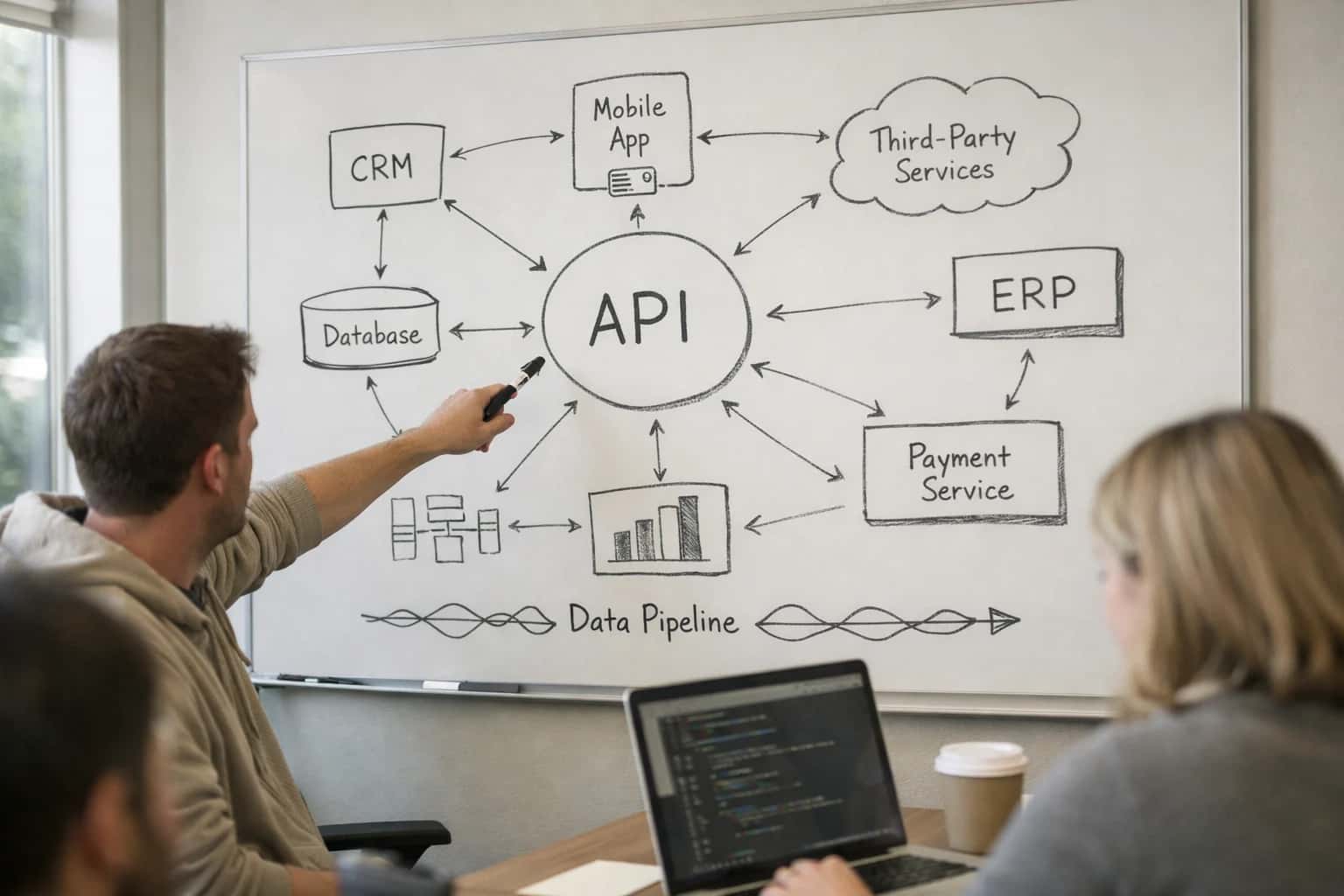
ARCHITECTURE & ROLLOUT
Where AI Fits into Time and Attendance Workflows
A practical guide to integrating AI into systems like UKG Dimensions and ADP Time for automated review, exception handling, and forecasting.
A production implementation typically involves a middleware agent that subscribes to webhooks for new or submitted TimeCard records. The agent uses a rules-based LLM call to check for common errors (e.g., missed punches, overtime miscalculations, conflicting pay codes) against the company's policy library. It can then either auto-approve clean cards via API, route flagged cards to a manager's queue with a pre-written explanation, or escalate potential policy violations to HR. For forecasting, a separate process analyzes historical LaborDistribution data and upcoming schedules to predict overtime hotspots or staffing gaps, pushing alerts to workforce managers.
Rollout requires careful governance. Start with a pilot group where the AI acts as a copilot, suggesting approvals for manager confirmation, before moving to full automation for low-risk populations. Audit trails are critical: every AI action must write a log entry back to the AuditLog object with the reasoning chain. This ensures compliance for wage and hour regulations. The business impact is operational: reducing the weekly timesheet review cycle from hours to minutes for managers and cutting down on costly retroactive pay adjustments due to late-caught errors.
WHERE AI CONNECTS TO WORKFORCE DATA
Integration Surfaces in Major Time & Attendance Systems
Core Data Entry Points
AI integration starts with the raw time data. Key surfaces include:
- Timesheet APIs: Systems like UKG Dimensions and ADP Time expose APIs to retrieve submitted timesheets, including regular hours, overtime, and special pay codes. AI can be triggered on submission to review for common errors (e.g., missed punches, rounding inconsistencies).
- Punch Data Streams: Real-time clock-in/out events via webhooks allow AI to flag potential policy violations immediately, such as early clock-ins requiring approval or missed meal breaks.
- Exception Queues: Most platforms have a module for manager-approved exceptions (e.g., 'Forgot to Punch'). AI can pre-screen these requests, suggest approvals based on historical patterns, and route only complex cases to human reviewers.
Example Workflow: An AI agent listens for a timesheet_submitted webhook, fetches the record, checks it against labor rules and the employee's schedule, and either auto-approves or creates an exception task for the manager in the T&A system.
INTELLIGENT WORKFORCE MANAGEMENT
High-Value AI Use Cases for Time and Attendance
Integrating AI directly into time and attendance systems like UKG Dimensions, ADP Time, or Workday Time Tracking automates high-volume, error-prone tasks, enforces policy at scale, and provides predictive insights to control labor costs.
01
Automated Timesheet Review & Exception Handling
An AI agent reviews submitted timesheets against company policies, pay rules, and scheduled hours. It flags discrepancies (e.g., unapproved overtime, missed punches, conflicting project codes) and can either auto-correct based on rules or route exceptions to managers for approval via the system's API. Typical workflow: Agent polls the time system's API for new submissions, analyzes each entry, creates a correction ticket or approval task, and logs all actions.
Batch -> Real-time
Review cadence
02
Predictive Overtime & Labor Cost Forecasting
AI analyzes historical time data, demand forecasts, and schedule patterns to predict weekly overtime risk before it occurs. It alerts managers to potential budget overruns and suggests schedule adjustments (e.g., shifting hours, leveraging part-time staff) through the workforce management console. This integrates via the platform's analytics or reporting APIs to consume live data.
1 sprint
Lead time for alerts
03
Intelligent Punch Validation & Compliance Guardrails
Deploy AI to validate clock-in/out events in real-time. It checks for compliance with labor laws (meal breaks, rest periods), union rules, and geofencing policies. For frontline workers using mobile apps, the AI can prompt the employee to correct an issue immediately or notify a supervisor, reducing corrective payroll runs. This connects to the time system's transaction layer via webhooks.
Hours -> Minutes
Issue resolution
04
Manager Copilot for Schedule Approval & Labor Optimization
An AI copilot embedded in the manager's schedule approval interface summarizes labor metrics for their team, highlights approval items needing attention, and suggests optimal staffing levels based on sales or order data. It reduces managerial admin time and improves schedule quality. This is built as a custom UI extension or chatbot that queries the time system's API.
Same day
Schedule finalization
05
Automated Absence & Leave Pattern Analysis
Continuously analyze absence trends (sick leave, PTO) to identify patterns that may indicate burnout, team coverage issues, or policy abuse. The AI generates insights for HR business partners and can trigger automated well-being check-ins or schedule reviews. This integration consumes anonymized time-off data from the attendance system's data warehouse or reporting endpoints.
06
Voice & Chat-Based Time Entry for Frontline Workers
Enable hands-free time entry for employees in warehouses, healthcare, or retail via a conversational AI agent. Workers can clock in/out, report tasks, or request schedule changes using natural voice or chat commands (e.g., "Hey assistant, log my lunch break"). The agent validates the request and executes the transaction via the time system's secure API, updating records in real-time.
Batch -> Real-time
Data entry mode
IMPLEMENTATION PATTERNS
Example AI-Powered Time & Attendance Workflows
These concrete workflows illustrate how AI agents can be integrated with platforms like UKG Dimensions or ADP Time to automate review, enforce policy, and provide predictive insights, moving time and attendance from a reactive audit process to a proactive, intelligent operation.
Trigger: An employee submits a timesheet for approval in UKG Dimensions or ADP Time.
Context Pulled: The AI agent retrieves the submitted timesheet data, the employee's schedule, historical punch patterns, approved PTO, and company pay rules (e.g., overtime thresholds, rounding rules).
Agent Action: The agent analyzes the submission for common anomalies:
- Incorrect Punch Pairing: Flags potential missed punches (e.g., only a clock-in) by comparing to schedule.
- Overtime Miscalculation: Calculates correct regular/overtime hours based on pay rules and state laws.
- Policy Violations: Identifies early clock-ins, excessive breaks, or working unauthorized hours.
- PTO Overlap: Checks if logged hours overlap with approved PTO.
System Update: For simple corrections (e.g., applying automatic punch for a missed clock-out based on schedule), the agent can propose an edit via the platform's API. For complex issues or violations, it creates a task in the manager's queue with a clear summary: "Timesheet for Jane Doe requires review: Potential missed punch on Thursday, and 0.5 hours of unapproved overtime calculated."
Human Review Point: All proposed edits and flagged violations are presented to the manager for final approval before the timesheet is finalized for payroll. The agent provides an audit trail of its analysis.
PRODUCTION-READY INTEGRATION
Implementation Architecture: Data Flow and Guardrails
A secure, governed architecture for adding AI to time and attendance systems like UKG Dimensions or ADP Time.
A production AI integration for timekeeping connects to the system's core APIs for punch data, scheduled hours, pay rules, and exception queues. The typical data flow is event-driven: a new timesheet submission or a punch outside scheduled hours triggers an AI review. The agent analyzes the record against configured policies (e.g., overtime thresholds, meal break compliance, union rules) and historical patterns. It can then take one of three actions: 1) Auto-approve the record if it's clean, 2) Flag for review with a specific reason and suggested correction, routing it to a manager's queue, or 3) Request clarification from the employee via a chat interface, with the response fed back into the system. This loop operates on a punch → review → decision → audit cycle, ensuring every AI-influenced action is logged against the original record.
Guardrails are critical for compliance and trust. The architecture must enforce role-based access control (RBAC), ensuring AI suggestions are only actionable by authorized managers. All AI decisions should generate an immutable audit trail linking the original data, the AI's reasoning (e.g., "flagged for potential overtime violation based on projected hours"), and the human approver. For sensitive payroll data, implement data masking in prompts and use secure, VPC-deployed inference endpoints. Furthermore, a human-in-the-loop (HITL) escalation path must be preserved for all exceptions above a configurable risk score or for any employee dispute, ensuring the AI augments—rather than replaces—human oversight.
Rollout follows a phased, rules-first approach. Start by deploying the AI to monitor a single, high-volume exception type—like missed punch detection—in a supervised "shadow mode." Here, the AI makes suggestions but requires manual approval, allowing you to calibrate its accuracy against your specific pay rules and workforce patterns. Gradually expand to more complex workflows like overtime forecasting or schedule adherence scoring. Governance is maintained through a centralized prompt registry and regular bias audits on the AI's flagging rates across different departments or worker groups to ensure equitable application. This controlled, iterative deployment minimizes risk while delivering immediate value in reducing manual review time from hours to minutes.
AI INTEGRATION FOR TIME AND ATTENDANCE
Code and Payload Examples
Automated Policy Enforcement
Integrate an AI agent to review timesheet submissions via the time system's API before final approval. The agent checks for common errors (e.g., missed punches, overtime violations, conflicting PTO) and flags exceptions for manager review.
Example API Payload (Inbound to AI Service):
json{ "timesheet_id": "TS-2024-5678", "employee_id": "E12345", "period": "2024-05-20", "entries": [ { "date": "2024-05-20", "in_punch": "09:00", "out_punch": "17:30", "hours": 8.5, "pay_code": "REGULAR" } ], "policy_rules": ["max_daily_hours", "meal_break_required"] }
Agent Response Payload:
json{ "review_status": "requires_attention", "violations": [ { "rule": "meal_break_required", "message": "Shift exceeds 6 hours without a 30-minute meal break.", "suggested_action": "Add unpaid meal break or adjust out-punch." } ], "confidence": 0.92 }
This structured output can automatically create a case in the HR service delivery platform or post a comment directly to the timesheet for the manager.
AI FOR TIME AND ATTENDANCE
Realistic Time Savings and Operational Impact
How AI integration for systems like UKG Dimensions and ADP Time transforms manual, reactive processes into automated, proactive operations.
| Process | Before AI | After AI | Key Impact |
|---|---|---|---|
Timesheet Exception Review | Manual audit by manager or payroll, 2-4 hours weekly | AI flags high-risk exceptions for review, 15-30 minutes weekly | Focuses human effort on complex cases, reduces payroll errors |
Overtime Forecasting | Reactive analysis after payroll period closes | AI predicts overtime spend 1-2 weeks ahead based on schedules | Enables proactive labor cost management and budget adherence |
Policy Violation Detection | Spot checks or post-audit discovery | Real-time AI monitoring of punches against union rules, meal breaks, etc. | Shifts compliance from audit to prevention, reducing penalty risk |
Manager Approval Workflow | Manual inbox triage and follow-ups for missing approvals | AI nudges managers via Teams/Slack for pending items, auto-escalates | Cuts approval cycle time from days to hours, ensures payroll readiness |
Employee Inquiries on Pay | HR/Payroll manually looks up timesheets and explains discrepancies | AI-powered self-service agent answers common questions instantly | Reduces support ticket volume by 40-60%, improves employee experience |
Schedule vs. Actual Reconciliation | Spreadsheet comparison at period-end, prone to errors | AI continuously aligns scheduled hours with actual punches, flags gaps | Provides real-time visibility into labor variance for operations |
Absenteeism & Tardiness Pattern Analysis | Quarterly manual report generation | AI identifies trends by team, shift, or individual with weekly alerts | Enables targeted manager coaching to improve attendance |
ARCHITECTING FOR AUDITABILITY AND CONTROL
Governance, Security, and Phased Rollout
Integrating AI into time and attendance systems requires a deliberate approach to data security, policy enforcement, and controlled adoption.
A production-ready architecture for UKG Dimensions or ADP Time must treat the timekeeping system as the single source of truth. AI agents should operate as a read-and-suggest layer, never directly writing approved hours. Instead, they interact via secure APIs to fetch timesheet data, apply policy logic, and return flagged exceptions or suggested corrections to a dedicated review queue within the system. All AI-generated recommendations must include an audit trail linking back to the source data and the specific policy rule invoked, ensuring full transparency for payroll audits and labor compliance reviews.
Rollout should follow a phased, risk-based approach. Start with non-exempt, rule-based exception detection—like identifying missed punches or overtime threshold alerts—where the AI's logic is easily validated against existing business rules. This builds trust and surfaces data quality issues. Phase two introduces predictive forecasting, using historical data to alert managers to potential overtime or scheduling conflicts before the pay period closes. The final phase involves policy-aware approval routing, where the AI can recommend approval or denial of exception requests (e.g., PTO during blackout periods) based on employee history and configured rules, always requiring a human manager's final sign-off in the system.
Governance is critical. Establish a clear RBAC (Role-Based Access Control) model so AI agents only access the employee data cohorts they are authorized for (e.g., a store manager's agent only sees their team). Implement a human-in-the-loop review queue for all AI-suggested changes before they are applied to the official record. Regularly audit the AI's flagging accuracy against a sample of manually reviewed timesheets to monitor for drift and bias, ensuring the system reduces rather than amplifies payroll errors. This controlled, audit-first approach minimizes risk while delivering operational gains, turning time and attendance from a reactive compliance task into a proactive, intelligent operation.
Enabling Efficiency, Speed & Accuracy
Intelligent Analysis, Decision & Execution
We build AI systems for teams that need search across company data, workflow automation across tools, or AI features inside products and internal software.
Talk to Us
Search across company data
Give teams answers from docs, tickets, runbooks, and product data with sources and permissions.
Useful when people spend too long searching or get different answers from different systems.
Enterprise searchRAGPermissions
Read more
Automate internal workflows
Use AI to route work, draft outputs, trigger actions, and keep approvals and logs in place.
Useful when repetitive work moves across multiple tools and teams.
AI agentsWorkflow automationGovernance
Read more
Add AI to products and internal tools
Build assistants, guided actions, or decision support into the software your team or customers already use.
Useful when AI needs to be part of the product, not a separate tool.
AI integrationDecision supportModel routing
Read moreIMPLEMENTATION BLUEPRINT
FAQ: AI Integration for Time and Attendance
Practical answers for technical leaders planning to add AI to systems like UKG Dimensions, ADP Time, or Workday Time Tracking for automated review, exception handling, and forecasting.
A production integration requires a secure, governed API layer. The typical architecture involves:
- Service Account & API Gateway: Create a dedicated, least-privilege service account in your time system (e.g., UKG Dimensions, ADP) with scoped permissions (read/write for timesheets, read for pay rules). Route all AI traffic through an API gateway for logging, rate limiting, and security policy enforcement.
- Event-Driven Triggers: Use webhooks or poll the system's audit log for events like
Timesheet.SubmittedorPunch.Exception.Created. This is more efficient than constant polling. - Context Enrichment: When an event fires, the agent pulls the relevant timesheet record and enriches it with context from other systems via a middleware layer (e.g., work schedule from the HRIS, project codes from the ERP, prior approvals).
- Audit Trail: Every AI-initiated action (e.g.,
FlagForReview,AutoApprove) must write a detailed audit log entry back to the time system or a dedicated log store, citing the agent ID, reasoning, and confidence score.
Example Payload for Context Enrichment:
json{ "event": "Timesheet.Submitted", "timesheet_id": "TS-2024-5678", "employee_id": "E12345", "period_end_date": "2024-05-10", "required_context": ["employee_shift_pattern", "project_budget_status", "prior_week_ot_approvals"] }

About the author
Prasad Kumkar
CEO & MD, Inference Systems
Prasad Kumkar is the CEO & MD of Inference Systems and writes about AI systems architecture, LLM infrastructure, model serving, evaluation, and production deployment. Over 5+ years, he has worked across computer vision models, L5 autonomous vehicle systems, and LLM research, with a focus on taking complex AI ideas into real-world engineering systems.
His work and writing cover AI systems, large language models, AI agents, multimodal systems, autonomous systems, inference optimization, RAG, evaluation, and production AI engineering.
LinkedIn
Limited slotsGet a Free AI Consultation
Partnered with leading AI, data, and software stack.





How We Work
Custom AI workflows for your Business
One-fit-all AI don't work for modern businesses. At Inferensys, we aim to understand your business & custom requirements; which we use to define most efficient agentic workflows, the data, and the tools for your business.
01
Review the use case
We understand the task, the users, and where AI can actually help.
Read more02
Pick the right approach
We define what needs search, automation, or product integration.
Read more03
Build the first useful version
We implement the part that proves the value first.
Read more04
Improve from there
We add the checks and visibility needed to keep it useful.
Read moreThe first call is a practical review of your use case and the right next step.
Talk to Us