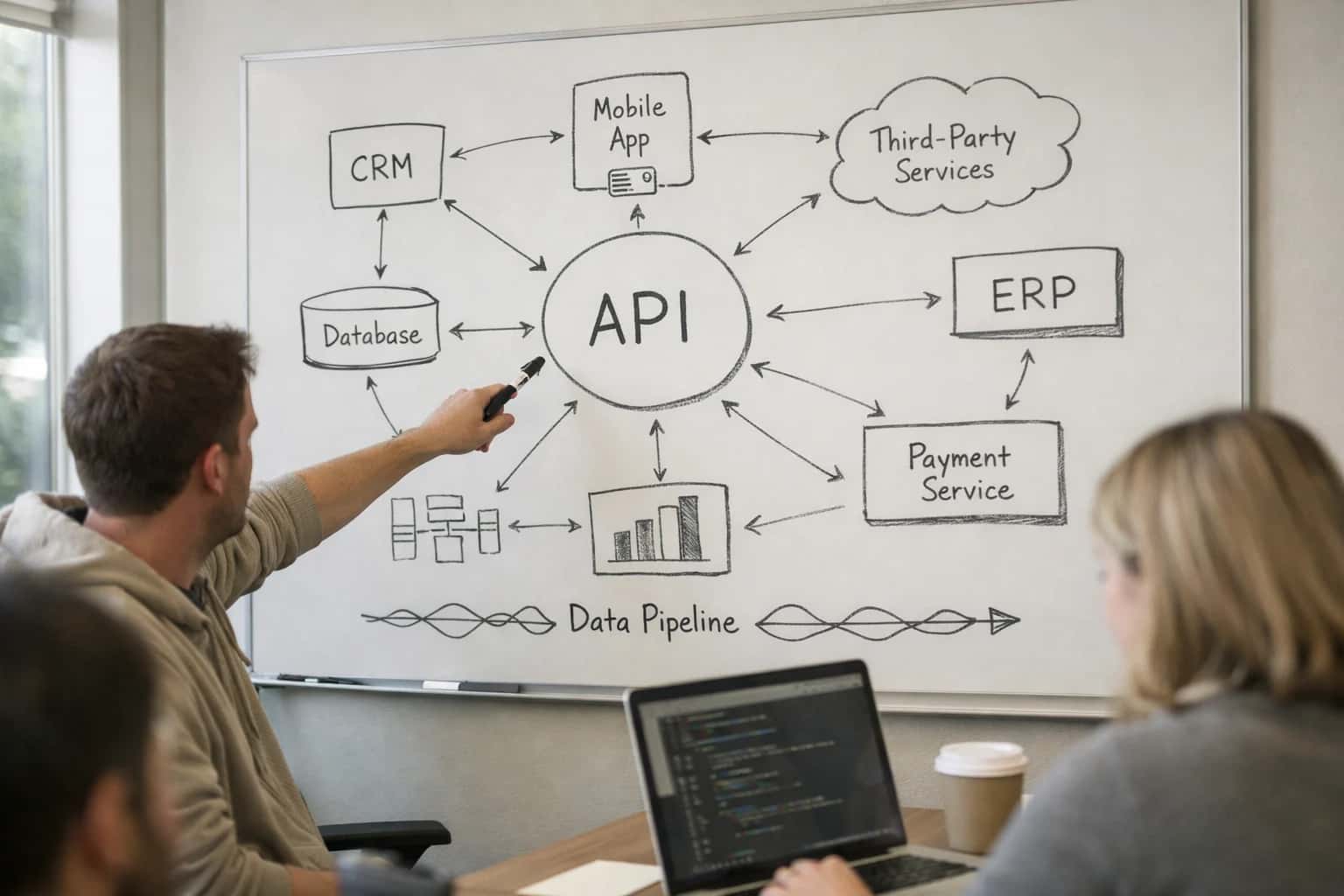
AI integrates into the payroll stack at three primary layers: pre-processing, in-cycle operations, and post-payroll support. For platforms like Workday Payroll, ADP Workforce Now, or UKG Pro, this means connecting to core objects such as Payroll Inputs, Earnings, Deductions, Tax Data, and Payroll Calculation Results via their native APIs or webhooks. The goal is to augment, not replace, the core payroll engine by automating high-volume, rule-based tasks and providing intelligent assistance where human judgment is required.

Integration
AI Integration for Payroll Systems
A technical blueprint for augmenting enterprise payroll platforms (Workday, ADP, UKG) with AI for error prevention, employee self-service, and compliance automation.
ARCHITECTURE & ROLLOUT
Where AI Fits into the Payroll Stack
A practical guide to integrating AI into enterprise payroll systems like Workday, ADP, and UKG, focusing on automation, compliance, and employee support.
Key integration points include:
- Anomaly Detection: An AI agent monitors the
Payroll Inputqueue before finalization, flagging outliers in hours, overtime, or deduction amounts against historical patterns and company policy. - Interactive Pay Slip Explanations: A conversational interface, often deployed as a chatbot or within an employee portal, allows workers to ask natural language questions (e.g., "Why is my net pay different?" or "Show my YTD 401k contributions") by querying the payroll system's data via a secure API layer.
- Tax Compliance Monitoring: An automated workflow scans
Employee Tax DataandJurisdictiontables for changes, cross-references them against updated regulatory feeds, and creates review tasks in the payroll team's queue for potential withholding adjustments.
A production rollout requires careful governance. AI agents should operate in a read-only or proposal-only mode initially, with all changes to master data or calculated results routed through existing approval workflows and audit trails. For example, a detected payroll anomaly might generate a Case in the HR service management system for analyst review, rather than auto-correcting the input. Implementation typically starts with a single, high-impact use case—like pre-payroll audit—deployed to a pilot group before scaling. This phased approach builds trust, validates the ROI in reduced manual review hours, and ensures the integration complements the payroll platform's built-in controls and compliance frameworks.
ARCHITECTURAL BLUEPRINT
AI Integration Points by Payroll Platform
Pay Slip Explanation & Inquiry Handling
Integrate AI directly into the employee portal or via a secure chatbot to field pay-related questions. The agent connects to the payroll system's API (e.g., Workday Payroll, ADP Workforce Now) to retrieve gross-to-net calculations, tax withholdings, and deduction details.
Key Integration Points:
- Payroll Calculation APIs: Fetch real-time pay statement data for a given period.
- Employee Data Objects: Access employee profile, tax elections, and benefit deductions for context.
- Case Management: Log complex inquiries that require human review as tickets in the HR service delivery platform.
Example Workflow: An employee asks, "Why was my net pay lower this period?" The AI agent retrieves the pay statement, identifies a one-time garnishment, and explains the impact in plain language, citing the specific deduction code.
PRACTICAL INTEGRATION PATTERNS
High-Value AI Use Cases for Payroll Systems
Integrating AI into platforms like Workday Payroll, ADP, and UKG transforms high-volume, manual payroll operations into intelligent workflows. These patterns focus on connecting to core payroll objects, APIs, and reconciliation data to automate detection, explanation, and compliance tasks.
01
Anomaly Detection & Pre-Flight Review
An AI agent continuously monitors the payroll calculation data in the Payroll Input or Payroll Journal tables before finalization. It flags outliers in gross-to-net calculations, unusual tax withholdings, or duplicate payments by comparing against historical patterns and employee master data. This shifts error detection from post-payroll corrections to pre-processing review.
Batch -> Real-time
Review cadence
02
Interactive Pay Slip Explanations
Deploy a secure chatbot in the employee self-service portal that answers pay-specific questions. The agent retrieves the employee's earnings statement via the payroll API, explains deductions (e.g., 'Why is my 401k contribution different?'), calculates pro-rata amounts, and cites policy documents. This deflects 40-60% of routine payroll support tickets.
Hours -> Minutes
Resolution time
03
Tax Compliance Monitoring & Alerts
AI monitors payroll runs against jurisdictional tax tables and employee withholding certificates (e.g., W-4, W-9). It alerts administrators to potential misclassifications, expired tax IDs, or nexus risks for remote employees. The system can generate draft adjustment journals or cases in the HR service management module for review.
Proactive Alerts
Risk mitigation
04
Garnishment & Deduction Workflow Automation
Automate the intake and processing of court-ordered garnishments. An AI agent extracts key details (case number, amount, employee ID) from incoming legal documents, validates them against the employee record, creates the deduction code in the payroll system, and sets up the payment schedule, notifying the payroll specialist for final approval.
1-2 Days -> Same Day
Processing time
05
Payroll Reconciliation & Variance Analysis
Post-payroll, an AI agent compares the general ledger feed from the payroll system against the company's ERP (e.g., NetSuite, SAP). It identifies and explains variances (departmental accruals vs. actuals, benefit account discrepancies) and generates a plain-language summary for the finance team, linking to source transactions.
Manual Review -> Automated Report
Close support
06
Multi-State & Local Tax Guidance
For employees working across state lines or in new localities, an AI copilot assists payroll administrators. It analyzes the employee's work location history against a maintained rule set, suggests the correct tax jurisdictions and reciprocity agreements, and can pre-fill the setup screens in the payroll platform to ensure compliant withholding.
Reduce Manual Research
Setup accuracy
PRACTICAL IMPLEMENTATION PATTERNS
Example AI-Powered Payroll Workflows
These workflows illustrate how AI agents can be integrated directly with payroll platforms like Workday Payroll, ADP Workforce Now, or UKG Pro to automate high-volume tasks, reduce errors, and provide instant employee support. Each pattern connects to core payroll APIs and data objects.
Trigger: A payroll calculation batch is submitted for final approval in the payroll system (e.g., Workday Payroll, ADP).
Context/Data Pulled: The AI agent retrieves the pending payroll batch via API, focusing on key fields:
- Employee ID, department, regular hours, overtime hours, gross pay
- Comparison to prior period pay for the same employee
- Tax withholding changes exceeding a configurable threshold
- New hires or terminated employees in the batch
Model or Agent Action: A lightweight model analyzes the data for outliers and policy violations:
- Flags employees with a >15% pay variance from their 3-month average.
- Identifies potential missed overtime for non-exempt employees based on submitted hours.
- Checks for duplicate payments or employees on leave status.
- Generates a plain-English summary of detected anomalies, ranked by risk and financial impact.
System Update or Next Step: The agent creates a task in the payroll manager's queue (e.g., in ServiceNow, Jira, or directly in the payroll system's task list) with the analysis summary and links to the specific employee records requiring review.
Human Review Point: The payroll manager reviews the flagged items. The agent does not auto-correct; it only surfaces potential issues for human verification before the payroll is finalized.
CONNECTING AI TO PAYROLL ENGINES
Implementation Architecture & Data Flow
A secure, event-driven architecture for augmenting payroll systems like Workday, ADP, and UKG with intelligent agents and anomaly detection.
A production-ready AI integration for payroll connects at three key layers: the core payroll calculation engine, the employee self-service portal, and the compliance and reporting module. The most common pattern is an event-driven architecture where the AI layer acts as a middleware service. For example, when a payroll cycle is initiated in Workday Payroll, a webhook can trigger an AI agent to perform a pre-flight anomaly scan across Earning, Deduction, and Tax records, flagging outliers like unusual bonus amounts or missing tax jurisdictions before final submission. Similarly, employee queries in ADP Workforce Now about net pay can be routed to an AI assistant that retrieves the user's Pay Statement record via API, explains line-item deductions in natural language, and suggests relevant self-service actions.
The data flow is bi-directional and governed. Payroll data is highly sensitive, so AI interactions are typically read-only for explanations and generate write actions only through approved, audited workflows. A secure implementation uses a vector-embedded cache of anonymized, aggregated payroll policy documents and historical pay slip data to power a RAG (Retrieval-Augmented Generation) system for employee Q&A, ensuring answers are grounded in source material without exposing live PII. For anomaly detection, batch jobs run against a mirrored slice of payroll data in a secure analytics environment, comparing current run values against historical patterns and configured business rules. Detected issues create Alert records in the payroll system's case management or audit log, triggering standard review workflows for payroll administrators.
Rollout is phased, starting with low-risk, high-volume use cases like interactive pay slip explanations to reduce HR ticket load, before progressing to real-time anomaly detection in test payroll cycles. Governance is critical; all AI-generated insights or suggested actions should be logged with a full audit trail linking back to the source data and model version. This architecture ensures the payroll system remains the single source of truth, with AI acting as an intelligent, governed copilot that enhances accuracy, speed, and employee understanding without disrupting core financial operations.
PRACTICAL INTEGRATION PATTERNS
Code & Payload Examples
Real-Time Anomaly Detection
This pattern involves a scheduled job that queries the payroll system's API for recent batch data, uses an AI model to flag outliers, and creates a case in a service management platform for review.
Typical Workflow:
- Extract gross-to-net, tax withholdings, or bonus data via the payroll provider's reporting API.
- Run a statistical or ML model to detect deviations from historical patterns or peer groups.
- For high-confidence anomalies, automatically create a ticket with context in ServiceNow or Jira.
Example Payload for API Call:
json{ "report_type": "payroll_summary", "period": "2024-04", "company_code": "US001", "fields": [ "employee_id", "gross_pay", "net_pay", "federal_tax", "overtime_hours" ] }
The AI service processes this data, and if an anomaly is detected (e.g., an outlier in net-to-gross ratio), it triggers a downstream workflow for human review.
AI-ENHANCED PAYROLL OPERATIONS
Realistic Time Savings & Operational Impact
This table illustrates the tangible efficiency gains and operational improvements when integrating AI into payroll systems like Workday, ADP, and UKG. It focuses on realistic, high-frequency tasks where AI assists human operators.
| Payroll Workflow | Before AI | After AI | Implementation Notes |
|---|---|---|---|
Payroll anomaly detection | Manual audit of reports post-run | Pre-run flagging of outliers & exceptions | AI scans gross-to-net calculations, tax withholdings, and deductions for patterns |
Employee pay slip inquiries | HR/ Payroll team researches & responds | AI agent provides instant, data-grounded explanations | Agent queries live payroll data via API; human escalates for complex cases |
Tax compliance monitoring | Periodic manual review of regulatory updates | Automated alerts on relevant rule changes | AI scans regulatory feeds; flags impacted payroll groups & workflows |
Garnishments & deduction setup | Manual data entry from court/agency documents | AI-assisted data extraction & form pre-fill | Document AI extracts key fields; payroll specialist reviews & approves |
Multi-state payroll reconciliation | Manual review of jurisdiction-level reports | AI highlights discrepancies across state filings | Focuses analyst time on flagged variances vs. full-report review |
Year-end tax form review (W-2/1099) | Sample-based quality checks | AI-driven 100% review for common error patterns | Checks for SSN/name mismatches, fringe benefit inclusion, and withholding totals |
Payroll journal entry validation | Manual match between payroll register & GL | AI pre-matches entries and flags variances | Reduces finance close time by pre-validating accruals and allocations |
ARCHITECTING FOR TRUST AND CONTROL
Governance, Security & Phased Rollout
Integrating AI into payroll demands a security-first architecture and a controlled rollout to protect sensitive financial data and ensure compliance.
A production-grade integration for Workday Payroll, ADP Workforce Now, or UKG Pro must treat payroll data as a P1 security asset. This means implementing a zero-trust data flow where the AI agent or anomaly detection service never stores raw payroll data. Instead, it operates via secure API calls to the payroll platform, using tokenized access with scoped permissions (e.g., read-only for Payroll Input and Payroll Output objects). All queries and generated explanations should be logged to a separate audit system, creating an immutable trail of which AI action was taken, by whom, and on which employee record.
A phased rollout is critical for user adoption and risk management. Start with a read-only pilot focused on anomaly detection and interactive explanations. For example, deploy an AI agent that can answer employee questions like "Why is my net pay different?" by securely querying the payroll system's APIs and generating a plain-language summary of deductions and earnings. This provides immediate value without transactional risk. Phase two introduces supervised automation, such as AI-generated flags for potential payroll errors (e.g., outlier overtime, tax withholding mismatches) that are routed to a human analyst in the payroll platform's case queue for review and approval before any data is corrected.
Governance is enforced through role-based access control (RBAC) integrated with the payroll platform's existing security model. The AI system should inherit permissions, ensuring a manager can only query payroll details for their direct reports. For tax compliance monitoring use cases, any AI-generated alert or suggestion must be paired with a citable source—like the specific regulatory code or internal policy clause—and require a human-in-the-loop approval before triggering a workflow in the payroll system to amend a filing or adjust a calculation.
Enabling Efficiency, Speed & Accuracy
Intelligent Analysis, Decision & Execution
We build AI systems for teams that need search across company data, workflow automation across tools, or AI features inside products and internal software.
Talk to Us
Search across company data
Give teams answers from docs, tickets, runbooks, and product data with sources and permissions.
Useful when people spend too long searching or get different answers from different systems.
Enterprise searchRAGPermissions
Read more
Automate internal workflows
Use AI to route work, draft outputs, trigger actions, and keep approvals and logs in place.
Useful when repetitive work moves across multiple tools and teams.
AI agentsWorkflow automationGovernance
Read more
Add AI to products and internal tools
Build assistants, guided actions, or decision support into the software your team or customers already use.
Useful when AI needs to be part of the product, not a separate tool.
AI integrationDecision supportModel routing
Read moreAI INTEGRATION FOR PAYROLL
Frequently Asked Questions
Practical questions about implementing AI for anomaly detection, employee support, and compliance in platforms like Workday Payroll, ADP, and UKG.
An AI agent monitors payroll data in near-real-time by connecting to your payroll system's APIs or data warehouse. A typical workflow includes:
- Trigger: A payroll preview or final submission event in Workday, ADP, or UKG.
- Context Pulled: The agent retrieves key data for the pay period: gross-to-net calculations, tax withholdings, bonus payments, and overtime hours, comparing them against historical patterns and configured rules.
- Model Action: A machine learning model scores each transaction for outlier risk (e.g., an employee's pay is 200% of normal, a tax jurisdiction change is missing).
- System Update: High-confidence anomalies (e.g., duplicate payment) can trigger an automatic hold in the payroll system via API. Medium-risk items are routed to a human review queue in the payroll admin's dashboard with an explanation.
- Governance: All detections and actions are logged with a full audit trail, including the data points used and the model's confidence score.

About the author
Prasad Kumkar
CEO & MD, Inference Systems
Prasad Kumkar is the CEO & MD of Inference Systems and writes about AI systems architecture, LLM infrastructure, model serving, evaluation, and production deployment. Over 5+ years, he has worked across computer vision models, L5 autonomous vehicle systems, and LLM research, with a focus on taking complex AI ideas into real-world engineering systems.
His work and writing cover AI systems, large language models, AI agents, multimodal systems, autonomous systems, inference optimization, RAG, evaluation, and production AI engineering.
LinkedIn
Limited slotsGet a Free AI Consultation
Partnered with leading AI, data, and software stack.





How We Work
Custom AI workflows for your Business
One-fit-all AI don't work for modern businesses. At Inferensys, we aim to understand your business & custom requirements; which we use to define most efficient agentic workflows, the data, and the tools for your business.
01
Review the use case
We understand the task, the users, and where AI can actually help.
Read more02
Pick the right approach
We define what needs search, automation, or product integration.
Read more03
Build the first useful version
We implement the part that proves the value first.
Read more04
Improve from there
We add the checks and visibility needed to keep it useful.
Read moreThe first call is a practical review of your use case and the right next step.
Talk to Us