AI integration targets the core payroll objects and calculation engine within platforms like Workday Payroll, ADP Workforce Now, or UKG Pro. The system operates by subscribing to payroll preview data—such as gross-to-net calculations, deduction batches, and off-cycle payment runs—via the platform's APIs or webhook events. This allows for real-time analysis of each payroll cycle against historical patterns, employee master data, and configured business rules. Key surfaces for detection include employee-level pay rate changes, unusual overtime or bonus amounts, tax withholding anomalies, and duplicate payment records.

Integration
AI Integration for Payroll Anomaly Detection
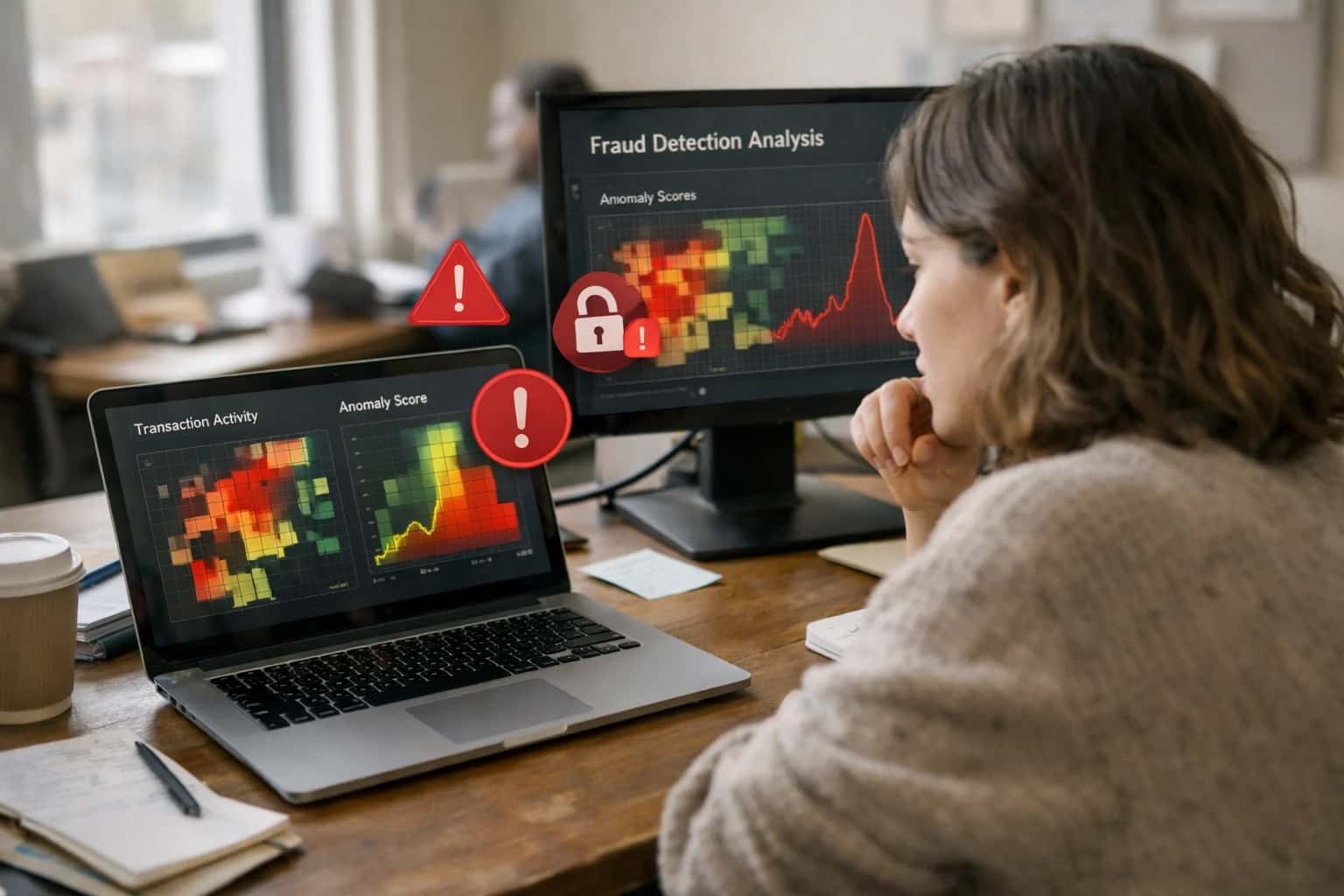
Add real-time AI monitoring to your HRIS payroll module to detect errors, outliers, and fraudulent patterns before payroll is finalized. Practical integration patterns for Workday, UKG, ADP, and BambooHR.
ARCHITECTURE & ROLLOUT
Where AI Fits into Payroll Operations
Integrating AI for payroll anomaly detection connects directly to the HRIS data model to monitor transactions before finalization.
A production implementation typically involves a dedicated service that ingests payroll data, runs it through a detection model, and routes flagged anomalies to a review queue. For example, an AI agent can be configured to analyze the Payroll_Input and Earning_Result objects in Workday, comparing them to the employee's Job_Profile and past Payroll_Run totals. High-confidence anomalies can trigger automated workflows to pause a payment, create a case in the HR service management module, or notify the payroll analyst via Slack or Teams. Lower-confidence flags are logged for post-payroll audit and model retraining, creating a continuous feedback loop.
Rollout requires careful governance: start with a pilot on a single legal entity or employee group, focusing on high-impact, low-risk anomaly types like duplicate hourly entries. Access must be controlled via the HRIS's existing RBAC, and all AI actions should generate audit trails within the payroll system's change log. The goal is not full automation but augmentation—reducing manual review from hundreds of transactions to a handful of high-probability exceptions, turning a reactive, post-payroll correction process into a proactive, pre-approval checkpoint. For related patterns on connecting AI to broader HR operations, see our guide on AI Integration for HR Operations Automation.
PAYROLL ANOMALY DETECTION
Integration Points by HRIS Platform
Core Payroll Calculation Engine
Integrate AI directly with the Payroll Calculation Engine and Payroll Input objects to monitor transactions before finalization. Anomaly detection models can be triggered via Workday Extend APIs to analyze gross-to-net calculations, deduction patterns, and off-cycle payments against historical trends.
Key surfaces include the Payroll Result and Payroll Input web services. Implement a pre-submission validation step that flags outliers—such as unusual tax withholdings, outlier bonus amounts, or mismatched earning codes for an employee's job profile. The AI agent can create a Payroll Audit Case in Workday for manual review, preventing errors from reaching the bank file. This integration requires careful handling of Worker Data privacy and should be governed within Workday's security model.
AI-ENHANCED COMPLIANCE & COST CONTROL
High-Value Payroll Anomaly Detection Use Cases
Integrating AI directly into your HRIS payroll module enables real-time monitoring to catch errors, fraud, and compliance risks before pay runs finalize. These use cases target specific payroll data objects and workflows within platforms like Workday, UKG, and ADP.
01
Real-Time Overtime & Wage Law Compliance
AI agents monitor timesheet submissions against configured pay rules (FLSA, state-specific OT, union contracts). The system flags potential violations—like misclassified overtime or missed meal breaks—for review before payroll calculation, preventing costly penalties and retroactive pay adjustments.
Batch -> Real-time
Monitoring shift
02
Anomalous Pay Rate & Bonus Detection
Continuously analyzes employee master data and payroll inputs for outliers. Detects unauthorized pay rate changes, duplicate bonus payments, or off-cycle adjustments by comparing against historical patterns, job architecture, and approval workflows. Alerts finance and HR for immediate validation.
Same day
Detection lead time
03
Multi-State Tax Withholding Validation
For distributed workforces, AI validates employee tax setup (W-4, state/local forms) against reported work locations. Flags inconsistencies—like an employee living in a high-tax locality but having no local withholding—reducing year-end correction filings and employee refund delays. Integrates with ADP SmartCompliance or Workday Payroll data.
1 sprint
Implementation scope
04
Duplicate Payment & Ghost Employee Screening
Scans each pay run for duplicate bank accounts, employee IDs, or vendor payments. Uses pattern recognition to identify potential 'ghost employee' setups by checking for inactive employees receiving pay, or accounts without recent login/activity data synced from the HRIS.
Pre-payrun
Checkpoint
05
Benefits Deduction Reconciliation
Monitors alignment between payroll deductions and benefits carrier feeds. Detects discrepancies in medical, 401(k), or HSA contributions that could lead to compliance issues (e.g., 401(k) limits) or employee coverage lapses. Automatically creates reconciliation tickets in the HR service desk.
Hours -> Minutes
Reconciliation time
06
Predictive Payroll Error Forecasting
Leverages historical payroll correction data to predict periods or employee groups at high risk for errors (e.g., during open enrollment or after a system upgrade). Proactively alerts payroll administrators and suggests audit checks, shifting focus from reactive correction to preventive oversight.
Proactive
Posture shift
PRODUCTION-READY PATTERNS
Example AI-Powered Payroll Monitoring Workflows
These workflows illustrate how AI agents connect to HRIS payroll modules (Workday, UKG, ADP) to monitor for anomalies, flag potential errors, and initiate corrective actions before payroll is finalized. Each pattern is designed for secure, auditable integration via APIs.
Trigger: Scheduled job 24-48 hours before payroll finalization.
Context Pulled: The AI agent queries the HRIS payroll preview data via API (e.g., GET /payrollInputs/currentRun). It retrieves key objects:
- Gross-to-net calculations for the period
- Employee-level changes (new hires, terminations, promotions)
- Unusual overtime or hours data
- Tax withholding updates
- Benefit deduction amounts
Agent Action: A rules-based LLM agent analyzes the dataset against historical patterns and configured business rules. It looks for:
- Employees with a >30% variance in net pay from the prior period without a corresponding job/rate change.
- Overtime hours exceeding a department's historical 95th percentile.
- Missing or invalid tax jurisdictions for remote employees.
- Benefit deductions that sum to zero for eligible employees.
System Update: The agent generates a summary report and creates prioritized cases in the HR service management platform (e.g., UKG HR Service Delivery) or flags records directly in the HRIS via PATCH for review. High-severity items trigger immediate Slack/Teams alerts to the payroll manager.
Human Review Point: All flagged items require manual review and approval by a payroll specialist before the 'finalize' step is enabled in the HRIS. The agent's reasoning is logged as an audit comment on the case.
PRODUCTION-READY INTEGRATION PATTERNS
Implementation Architecture: Data Flow & Guardrails
A secure, governed architecture for real-time AI monitoring of payroll data within your HRIS.
The integration connects directly to the HRIS payroll module's APIs (e.g., Workday Payroll, ADP Workforce Now, UKG Pro) to ingest key data objects in near real-time. This includes finalized payroll registers, employee master data, time and attendance records, and historical pay statements. The core AI engine—typically a containerized service—processes this data through a pipeline of specialized models trained to detect anomalies like out-of-pattern overtime, duplicate payments, tax withholding errors, or unusual bonus allocations. Detections are scored for confidence and routed to a dedicated review queue within a system like ServiceNow or Jira, or back into the HRIS as a flagged case.
To ensure safety and compliance, the architecture is built with mandatory guardrails. All AI inferences operate on a read-only copy of production data, with no direct write-backs to the live payroll system. A human-in-the-loop approval step is required before any potential error is escalated to a payroll administrator. Every detection, review action, and override is logged to an immutable audit trail, linking back to the source transaction ID for full traceability. Role-based access controls (RBAC) ensure only authorized payroll managers and HR operations leads can view and act on flagged items.
Rollout follows a phased approach: starting with a shadow mode that runs detection algorithms in parallel with live payroll cycles for several periods to calibrate accuracy and minimize false positives. Governance is maintained through a weekly review of the detection log with key stakeholders from HR, Finance, and Internal Audit. This controlled implementation minimizes disruption while building trust in the AI's recommendations, ultimately shifting the payroll review process from a manual, post-payment audit to a proactive, pre-finalization checkpoint.
IMPLEMENTATION PATTERNS
Code & Payload Examples
Ingesting Payroll Events
To detect anomalies in real-time, you need to capture payroll data as it moves through the system. Most modern HRIS platforms like Workday, UKG, and ADP support webhooks for key payroll events such as PayrollSubmission, PayrollFinalization, or PayComponentChange. A Python FastAPI listener can capture these events, validate the payload, and queue them for analysis.
pythonfrom fastapi import FastAPI, Request import json from datetime import datetime app = FastAPI() @app.post("/webhook/payroll-event") async def handle_payroll_webhook(request: Request): payload = await request.json() event_type = payload.get("eventType") employee_id = payload.get("employeeId") payroll_data = payload.get("payrollDetails") # Log and validate the incoming event log_entry = { "timestamp": datetime.utcnow().isoformat(), "event": event_type, "employee": employee_id, "source": "HRIS" } # Place the validated payload into an analysis queue (e.g., Redis, SQS) # await queue.send(json.dumps({"log": log_entry, "data": payroll_data})) return {"status": "received", "event": event_type}
This pattern ensures you have a real-time feed of payroll transactions to analyze without batch delays.
PAYROLL ANOMALY DETECTION
Realistic Time Savings & Operational Impact
How AI integration transforms manual, reactive payroll review into a proactive, automated control layer within your HRIS.
| Metric | Before AI | After AI | Notes |
|---|---|---|---|
Anomaly Detection Cycle | Monthly, post-payroll | Continuous, pre-payroll | Shifts from finding errors to preventing them |
Initial Data Review Time | 2-4 hours per pay cycle | Automated in minutes | AI scans all transactions; analysts review only flagged exceptions |
False Positive Rate in Manual Checks | High (investigate many non-issues) | Reduced by 60-80% | AI models learn from historical corrections to improve precision |
Time to Investigate a Flag | 30-60 minutes per item | 10-15 minutes with AI context | AI provides probable cause, relevant policy, and similar past cases |
Regulatory or Policy Violation Catch Rate | Spot-check dependent | Near 100% for configured rules | AI enforces complex rule combinations (e.g., overtime + location + union code) |
Audit Trail & Documentation | Manual notes in spreadsheets | Auto-generated case log in HRIS | Each flag and resolution is recorded for compliance within the system of record |
Team Capacity Reallocation | Reactive firefighting | Proactive analysis & process improvement | Team focuses on root cause analysis and strategic payroll optimization |
CONTROLLED DEPLOYMENT FOR PAYROLL INTEGRITY
Governance, Security & Phased Rollout
A secure, phased implementation ensures AI enhances payroll accuracy without disrupting core operations or compromising sensitive data.
A production-ready integration for payroll anomaly detection is built on a read-only data pipeline and a multi-stage review workflow. The AI agent connects to the HRIS (e.g., Workday, UKG, ADP) via secure APIs to pull payroll preview data—gross-to-net calculations, tax withholdings, benefit deductions, and hours—into an isolated processing environment. The system performs vector similarity searches against historical payroll runs and applies statistical models to flag outliers, such as unusual overtime spikes, tax code mismatches, or deduction amounts outside expected ranges. All flagged anomalies are logged with a confidence score and supporting evidence, then routed to a dedicated review queue within your existing payroll operations platform or ticketing system (like ServiceNow or Jira), never allowing the AI to autonomously modify live payroll records.
Rollout follows a three-phase pilot approach to build confidence and refine detection logic. Phase 1 (Shadow Mode): The AI runs in parallel with the current process for a single pay group, generating reports of potential anomalies that are manually reviewed by the payroll team to calibrate accuracy and false-positive rates. Phase 2 (Guided Review): For a broader set of departments, the system actively surfaces flagged items in the payroll team's workflow, reducing manual audit time. Phase 3 (Manager Self-Service): For trusted anomaly types (e.g., expense report outliers), the system can generate automated alerts to department managers for pre-approval, creating a collaborative correction layer before payroll finalization. This phased method de-risks the integration and allows for tuning prompts and thresholds based on real feedback.
Governance is enforced through role-based access control (RBAC), comprehensive audit trails, and a human-in-the-loop mandate for any corrective action. Access to the AI's findings and configuration is scoped to payroll managers, HRIS administrators, and internal audit roles. Every AI-generated flag, along with the underlying data snippet and reasoning, is immutably logged for compliance (e.g., SOC 2, SOX). The system is designed for explainability, allowing auditors to trace why an item was flagged. Data remains within your cloud tenancy, and all calls to foundational models (like OpenAI or Anthropic) can be configured to exclude sensitive PII, using hashed or tokenized identifiers instead. This architecture ensures payroll integrity is enhanced while maintaining strict control, security, and regulatory compliance.
Enabling Efficiency, Speed & Accuracy
Intelligent Analysis, Decision & Execution
We build AI systems for teams that need search across company data, workflow automation across tools, or AI features inside products and internal software.
Talk to Us
Search across company data
Give teams answers from docs, tickets, runbooks, and product data with sources and permissions.
Useful when people spend too long searching or get different answers from different systems.
Enterprise searchRAGPermissions
Read more
Automate internal workflows
Use AI to route work, draft outputs, trigger actions, and keep approvals and logs in place.
Useful when repetitive work moves across multiple tools and teams.
AI agentsWorkflow automationGovernance
Read more
Add AI to products and internal tools
Build assistants, guided actions, or decision support into the software your team or customers already use.
Useful when AI needs to be part of the product, not a separate tool.
AI integrationDecision supportModel routing
Read moreIMPLEMENTATION & WORKFLOW
Frequently Asked Questions
Practical questions for technical teams planning an AI integration to detect payroll anomalies in systems like Workday, UKG, or ADP.
The integration connects via the HRIS platform's secure APIs (e.g., Workday Web Services, UKG Pro API, ADP Workforce Now API) to pull payroll data for analysis. A typical architecture involves:
- Scheduled Extraction: A secure service runs on a schedule (e.g., nightly during the payroll cycle) to fetch relevant data payloads. This includes gross pay, deductions, tax withholdings, hours, and rate data for the current pay period.
- Event-Driven Triggers: For real-time monitoring, webhooks can be configured to send data on key events, such as when a timesheet is submitted or a payroll batch is finalized for preview.
- Data Payload Example: The system ingests a structured JSON payload. A simplified example for analysis might look like:
json{ "employee_id": "E12345", "pay_period": "2024-05-01", "regular_hours": 80, "overtime_hours": 10, "hourly_rate": 50.00, "calculated_gross": 4500.00, "entered_gross": 5000.00, "withholding_changes": ["state_tax_code_updated"] }
- Security: All connections use OAuth 2.0 or certificate-based authentication, with data encrypted in transit. The AI system only requests read-only access to necessary payroll objects.

About the author
Prasad Kumkar
CEO & MD, Inference Systems
Prasad Kumkar is the CEO & MD of Inference Systems and writes about AI systems architecture, LLM infrastructure, model serving, evaluation, and production deployment. Over 5+ years, he has worked across computer vision models, L5 autonomous vehicle systems, and LLM research, with a focus on taking complex AI ideas into real-world engineering systems.
His work and writing cover AI systems, large language models, AI agents, multimodal systems, autonomous systems, inference optimization, RAG, evaluation, and production AI engineering.
LinkedIn
Limited slotsGet a Free AI Consultation
Partnered with leading AI, data, and software stack.





How We Work
Custom AI workflows for your Business
One-fit-all AI don't work for modern businesses. At Inferensys, we aim to understand your business & custom requirements; which we use to define most efficient agentic workflows, the data, and the tools for your business.
01
Review the use case
We understand the task, the users, and where AI can actually help.
Read more02
Pick the right approach
We define what needs search, automation, or product integration.
Read more03
Build the first useful version
We implement the part that proves the value first.
Read more04
Improve from there
We add the checks and visibility needed to keep it useful.
Read moreThe first call is a practical review of your use case and the right next step.
Talk to Us