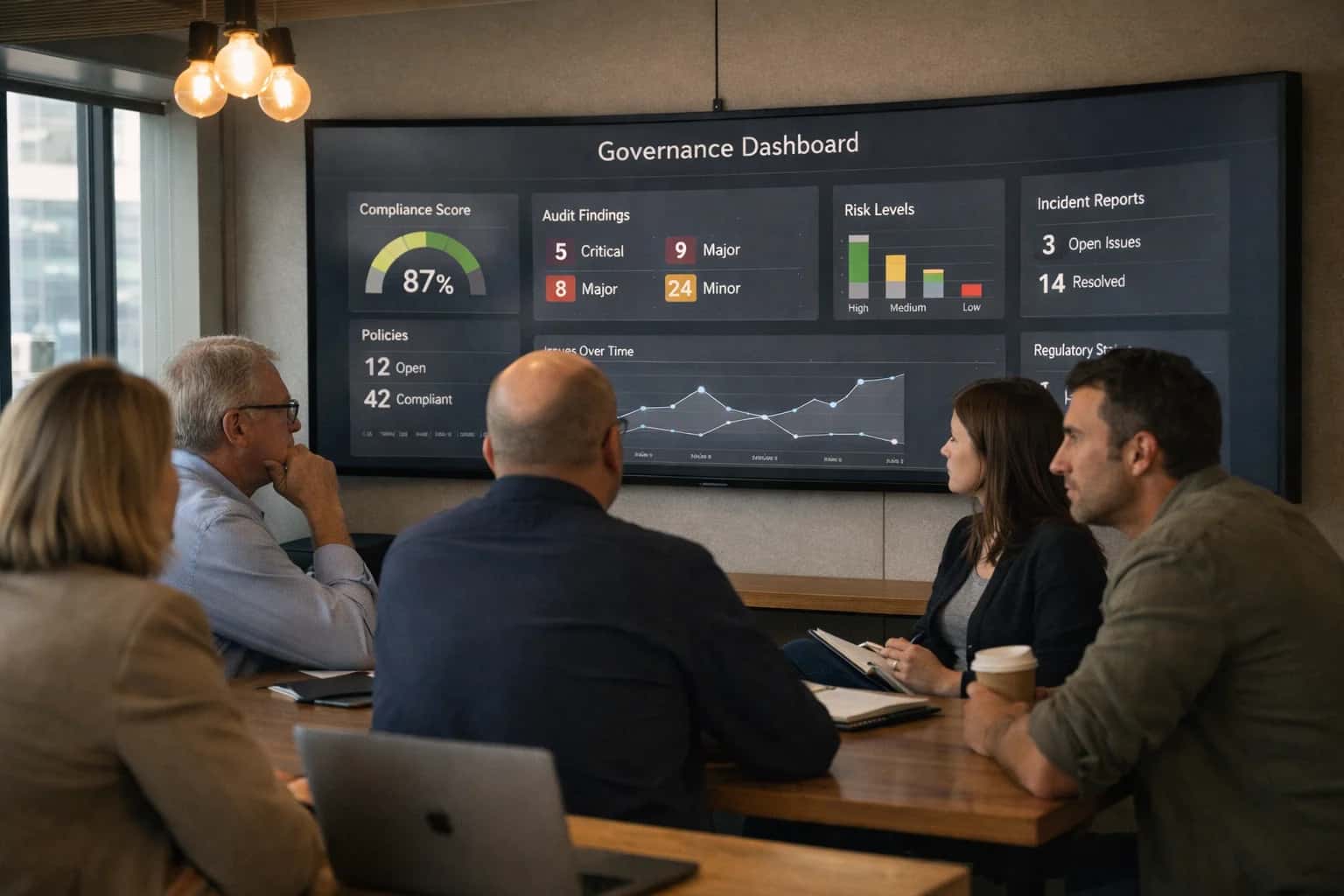
Fluxx dashboards are powerful, but often require manual configuration by administrators to surface relevant KPIs for different user roles like Program Officers, Grant Managers, Reviewers, and Finance Controllers. An AI integration analyzes user activity logs, data access patterns, and the specific objects they interact with—such as Applications, Awards, Payments, and Reports—to automatically suggest and generate personalized dashboard widgets. For example, a Program Officer who frequently filters by Strategic Initiative and Application Status might receive a widget forecasting pipeline volume by initiative, while a Finance Controller gets a widget highlighting Budget vs. Actual variances across active grants.

Integration
AI Integration for Fluxx Dashboard Customization
Use AI to automatically generate personalized dashboard widgets and KPIs in Fluxx for program officers, reviewers, executives, and grantees based on their role, activity, and data access.
FLUXX DASHBOARD CUSTOMIZATION
From Static Reports to Intelligent, Personalized Dashboards
Transform standard Fluxx dashboards into dynamic, role-specific intelligence hubs using AI-powered widget generation and KPI suggestion.
Implementation involves connecting to Fluxx's REST API to read user metadata and object relationships, then using a lightweight AI service to process this context. The service can call a configured LLM to generate widget suggestions (e.g., "Top 5 Grantees by Spend Rate") and even draft the underlying report configuration using Fluxx's reporting engine. This is deployed as a background process or a custom Fluxx module that injects recommended widgets into a user's dashboard view, with an approval or one-click accept workflow. The system respects Fluxx's native role-based permissions (RBAC), ensuring suggested widgets only reference data the user is authorized to see.
Rollout should start with a pilot group, using their acceptance/rejection of AI-suggested widgets to fine-tune the recommendation model. Governance is critical: maintain an audit log of all AI-generated suggestions and user interactions for transparency. This turns a static reporting interface into a proactive copilot, reducing the time staff spend building views and ensuring key insights aren't buried in standard reports. For related architectural patterns, see our guide on Fluxx API Development and Fluxx Analytics and Dashboards.
ARCHITECTURAL SURFACES FOR PERSONALIZED INSIGHTS
Where AI Connects to Fluxx's Dashboard Engine
Program Officer vs. Finance Dashboards
AI can analyze user role, historical interactions, and data access patterns to suggest and generate personalized KPI widgets. For a Program Officer, the system might prioritize widgets showing application pipeline status, reviewer workload, and portfolio diversity metrics. For a Finance Director, it would surface disbursement timelines, budget vs. actuals, and payment exception reports.
Implementation involves querying Fluxx's user and permission APIs to understand role context, then using an LLM to map common analytical intents to available report objects and custom fields. The AI suggests widget configurations (chart type, data source, filters) which are then created via the Fluxx Dashboard API.
python# Pseudocode for role-based widget suggestion user_role = fluxx_api.get_user_role(user_id) common_queries = llm.generate( f"Top 5 data questions for a {user_role} in grant management" ) # Map queries to Fluxx report objects and suggest widget suggested_widgets = map_query_to_fluxx_report(common_queries)
FLUXX DASHBOARD CUSTOMIZATION
High-Value AI Dashboard Use Cases for Grantmaking Teams
AI can analyze user roles, activity logs, and data access patterns to dynamically suggest and generate personalized dashboard widgets and KPIs within Fluxx, moving from static reports to role-specific, actionable intelligence.
01
Executive Portfolio Overview
AI synthesizes data from active grants, disbursements, and outcome reports to generate a CEO/Board-level dashboard with widgets for portfolio health, DEI metrics, and predictive impact forecasts. Automatically surfaces anomalies and strategic alignment scores.
Batch -> Real-time
Insight refresh
02
Program Officer Workload Dashboard
Dynamically creates a personalized view showing application queue status, upcoming report deadlines, and grantee communication alerts. AI prioritizes tasks based on risk, applicant history, and program rules, reducing context-switching.
1 sprint
Setup time
03
Reviewer Performance & Calibration
For program managers overseeing external reviewers. AI generates widgets tracking reviewer scoring consistency, turnaround times, and comment sentiment against benchmarks. Flags reviewers needing calibration or support.
Hours -> Minutes
Calibration prep
04
Finance & Compliance Tracking
AI-driven dashboard for finance officers, pulling from Fluxx custom fields and payment modules. Widgets show budget vs. actual spend, payment schedule adherence, and compliance flag trends. Automatically highlights variances requiring approval.
Same day
Variance detection
05
Grantee Relationship Health
Generates a relationship intelligence dashboard for grants managers. Widgets aggregate communication frequency, report submission punctuality, and sentiment from open-text feedback. Predicts risk of churn or need for capacity support.
06
Natural Language Query Widget
Embeds a conversational interface directly into the Fluxx dashboard. Users can ask, "Show me all environment grants in the Southwest overdue for a report" and AI generates a filtered list widget or chart on the fly, saved for future use.
FLUXX INTEGRATION PATTERNS
Example AI-Driven Dashboard Customization Workflows
Fluxx dashboards are powerful but static. AI can analyze user roles, activity logs, and data access patterns to suggest and generate personalized widgets and KPIs. Below are concrete workflows for implementing dynamic, role-aware dashboards.
Trigger: A user logs into Fluxx or a new program is assigned to them.
Context Pulled: The AI service queries Fluxx's API for:
- The user's role (e.g., Program Officer, Grants Manager, Finance Analyst).
- The specific programs, grants, or portfolios they have access to.
- The user's recent activity (e.g., reports reviewed, applications scored, payments processed).
- Historical dashboard interaction data (if available).
Agent Action: A lightweight AI model analyzes this context against a library of KPI templates and business rules. It ranks and suggests 3-5 most relevant widgets, such as:
- For a Program Officer: 'My Open Reviews', 'Portfolio Spend vs. Budget', 'Upcoming Report Deadlines'.
- For a Finance Analyst: 'Pending Disbursements', 'Grant Expense Variance Flags', 'Quarterly Cash Flow Forecast'.
System Update: Suggestions are presented in a 'Customize Your Dashboard' panel. When a user accepts a suggestion, the system calls Fluxx's API to add the corresponding widget to their dashboard layout.
Human Review Point: The initial KPI template library and ranking logic is configured and validated by a super-user or admin during implementation. The system can log which suggestions are accepted to refine future rankings.
BUILDING A PERSONALIZED DASHBOARD ENGINE
Implementation Architecture: Data Flow, APIs, and the AI Layer
A practical blueprint for connecting AI to Fluxx's data model and UI to generate role-specific dashboards.
The integration connects to Fluxx's REST API to ingest user activity logs, permission sets, and key data objects (e.g., Applications, Grants, Tasks, Reports). An AI orchestration layer—hosted as a secure microservice—processes this data to identify patterns: a Program Officer frequently views pending_reviews and budget_variance metrics, while a Finance Manager's activity centers on disbursement_schedules and expense_reports. This analysis fuels a recommendation engine that suggests relevant KPI widgets, chart types, and data filters for each user role.
When a user loads their Fluxx dashboard, a call is made to this AI service via a secure server-side integration or a client-side widget. The service returns a structured payload specifying widget configuration (e.g., type: "bar_chart", data_source: "applications_by_status", timeframe: "current_fiscal_year"). These configurations are then rendered using Fluxx's native dashboard builder or a custom UI component, ensuring a seamless experience. The system can also generate natural-language insights (e.g., "Review load is 20% above average this month") to accompany the visualizations.
Rollout is phased, starting with a pilot role (e.g., Grant Managers) and a curated set of AI-suggested widgets. Governance is critical: all AI suggestions are logged with an audit trail linking the recommendation to the underlying user activity data. A feedback loop allows users to accept, dismiss, or modify suggestions, continuously training the model. This approach ensures the dashboard remains a useful productivity tool, not a black box, while significantly reducing the manual effort administrators spend on dashboard configuration and maintenance across large, diverse teams.
FLUXX DASHBOARD CUSTOMIZATION
Code Patterns and API Payload Examples
Generating Role-Based Widget Recommendations
An AI service can analyze a user's activity logs, permissions, and frequently accessed records to suggest relevant KPI widgets. This involves querying Fluxx's audit and object APIs, then using an LLM to map patterns to widget types.
Example Python payload to Fluxx's Activity API:
pythonimport requests # Fetch recent user activity for analysis headers = {'Authorization': 'Bearer YOUR_FLUXX_TOKEN'} params = { 'user_id': 'usr_abc123', 'limit': 100, 'object_types': ['proposal', 'report', 'payment'] } response = requests.get( 'https://your-instance.fluxx.io/api/v2/activities', headers=headers, params=params ) user_activities = response.json() # Send to AI service for pattern analysis ai_payload = { 'activities': user_activities, 'user_role': 'program_officer', 'available_widgets': ['portfolio_summary', 'report_status', 'budget_burn_rate', 'review_queue'] } # LLM returns ranked widget suggestions with confidence scores
The AI returns a list like [{'widget': 'review_queue', 'reason': 'User has 12 pending reviews'}, ...] which your integration can use to prompt the user or auto-provision a dashboard.
AI-DRIVEN DASHBOARD CUSTOMIZATION
Realistic Time Savings and Operational Impact
How AI-suggested widgets and KPIs reduce manual configuration time and improve role-specific visibility in Fluxx.
| Metric | Before AI | After AI | Notes |
|---|---|---|---|
Dashboard setup for new program | 2-3 days of manual KPI selection and widget placement | 1-2 hours with AI-generated starter templates | AI analyzes similar programs and user roles to suggest relevant charts, lists, and metrics. |
Monthly KPI refresh for leadership | Manual data pull and chart rebuild, 4-6 hours per report | Automated insight generation and widget updates, 30-60 minutes | AI monitors data changes and suggests new visualizations or alerts for significant trends. |
Role-specific view creation (e.g., Reviewer vs. Finance) | Generic dashboards requiring user training and manual filtering | Personalized widgets surfaced based on user activity and permissions | Reduces cognitive load and support tickets by showing only relevant data. |
Ad-hoc analysis request fulfillment | IT/Admin ticket, 1-3 business day turnaround | Self-service via natural language query to suggested widgets, same-day | AI interprets the query and recommends existing or new widget configurations. |
Dashboard adoption and utilization | Low; users often revert to exported reports | High; personalized views increase daily logins and engagement | Measured by reduced report export volume and increased time-in-dashboard. |
Cross-program insight discovery | Manual comparison across multiple dashboards | AI surfaces comparative widgets and anomaly alerts automatically | Helps program directors identify best practices and outliers across portfolios. |
Compliance & audit dashboard maintenance | Quarterly manual review and update of control views | Continuous monitoring with AI-driven alert widgets for data gaps | Proactively flags views with missing required data or outdated filters. |
IMPLEMENTING AI-DRIVEN DASHBOARDS IN FLUXX
Governance, Security, and Phased Rollout
A practical guide to deploying AI-powered dashboard customization in Fluxx with controlled access, data security, and iterative value delivery.
Implementing AI-driven dashboard personalization in Fluxx requires careful governance over data access and widget logic. Since dashboards pull from sensitive applicant records, financial data, and reviewer comments, the AI system must respect Fluxx's native role-based permissions (RBAC). Each suggested widget or KPI should be scoped to the user's existing data visibility—for example, a program officer should only see AI-generated insights for grants within their portfolio. The integration typically connects via Fluxx's REST API, using service accounts with minimal, auditable permissions to fetch aggregated data for analysis, never raw PII, before returning personalized widget configurations (e.g., a new chart object) to the user's dashboard via the API.
A phased rollout mitigates risk and builds trust. Start with a pilot group, such as portfolio managers, enabling AI to suggest one or two non-critical widgets like "Top 5 Grantees by Reporting Timeliness" or "Program Area Funding Distribution." Use this phase to calibrate the AI's suggestions against user feedback and establish a review workflow where users can accept, modify, or reject AI-proposed widgets. This creates a human-in-the-loop approval step, logged in Fluxx's audit trail. Subsequent phases can introduce more dynamic widgets, such as natural language query interfaces ("Show me applications at risk of budget overrun") or predictive KPIs, each rolled out to broader user roles after validation.
Security is paramount. All AI processing should occur in a secure, isolated environment (e.g., a private cloud service) where Fluxx data is transiently processed and not persisted. Implement strict input/output validation to prevent prompt injection or data leakage. Furthermore, align the AI's operational governance with your grantmaking policies—ensure any automated insight generation, especially for scoring or risk flags, is explainable and can be overridden by staff. This controlled, phased approach ensures the AI augments Fluxx's intelligence without compromising security or operational control, turning dashboard customization from a static admin task into a responsive, role-aware asset.
Enabling Efficiency, Speed & Accuracy
Intelligent Analysis, Decision & Execution
We build AI systems for teams that need search across company data, workflow automation across tools, or AI features inside products and internal software.
Talk to Us
Search across company data
Give teams answers from docs, tickets, runbooks, and product data with sources and permissions.
Useful when people spend too long searching or get different answers from different systems.
Enterprise searchRAGPermissions
Read more
Automate internal workflows
Use AI to route work, draft outputs, trigger actions, and keep approvals and logs in place.
Useful when repetitive work moves across multiple tools and teams.
AI agentsWorkflow automationGovernance
Read more
Add AI to products and internal tools
Build assistants, guided actions, or decision support into the software your team or customers already use.
Useful when AI needs to be part of the product, not a separate tool.
AI integrationDecision supportModel routing
Read moreIMPLEMENTATION BLUEPRINT
FAQ: AI for Fluxx Dashboard Customization
Practical answers for technical leaders and system administrators planning to embed AI-generated insights and personalized widgets into Fluxx dashboards.
The AI system analyzes three primary data streams from Fluxx to build a personalized widget profile:
- User Role & Permissions: The system reads the user's Fluxx role (e.g., Program Officer, Reviewer, Finance Manager, Executive) and associated data access scopes to filter for relevant objects like
Applications,Awards,Payments, orReports. - Interaction History: It processes audit logs and clickstream data (via Fluxx API or exported logs) to identify the modules, records, and report types the user accesses most frequently.
- Portfolio Context: For users tied to specific programs or funds, the AI cross-references the status, volume, and key metrics of their assigned portfolio.
Example Logic: For a Program Officer with high interaction on "Application Review" and a portfolio showing many late reports, the AI might suggest:
- A widget showing
Applications Pending Review (Last 7 Days) - A KPI card for
% of Grantees with Overdue Reports - A trend chart for
Average Score by Reviewerfor their active programs
The suggestions are served via a secure API, and the final addition to the dashboard requires a one-click user approval, ensuring control and relevance.

About the author
Prasad Kumkar
CEO & MD, Inference Systems
Prasad Kumkar is the CEO & MD of Inference Systems and writes about AI systems architecture, LLM infrastructure, model serving, evaluation, and production deployment. Over 5+ years, he has worked across computer vision models, L5 autonomous vehicle systems, and LLM research, with a focus on taking complex AI ideas into real-world engineering systems.
His work and writing cover AI systems, large language models, AI agents, multimodal systems, autonomous systems, inference optimization, RAG, evaluation, and production AI engineering.
LinkedIn
Limited slotsGet a Free AI Consultation
Partnered with leading AI, data, and software stack.





How We Work
Custom AI workflows for your Business
One-fit-all AI don't work for modern businesses. At Inferensys, we aim to understand your business & custom requirements; which we use to define most efficient agentic workflows, the data, and the tools for your business.
01
Review the use case
We understand the task, the users, and where AI can actually help.
Read more02
Pick the right approach
We define what needs search, automation, or product integration.
Read more03
Build the first useful version
We implement the part that proves the value first.
Read more04
Improve from there
We add the checks and visibility needed to keep it useful.
Read moreThe first call is a practical review of your use case and the right next step.
Talk to Us