AI integration for Workday HCM for Government focuses on three primary surfaces: the Employee Self-Service portal, the Manager Dashboard, and the backend Business Process Framework. Key modules for initial AI augmentation include Benefits, Time & Attendance, Talent & Performance, and Recruiting. For example, an AI copilot can be embedded in the self-service portal to handle common inquiries about leave balances, policy interpretation, or open enrollment, pulling real-time data via Workday's SOAP and REST APIs to provide accurate, instant responses and reducing HR service desk volume.

Integration
AI Integration with Workday Human Capital Management for Government
Implement AI copilots within Workday HCM for Government to automate employee inquiries, analyze attrition risk, streamline onboarding, and support performance reviews, reducing HR operational burden.
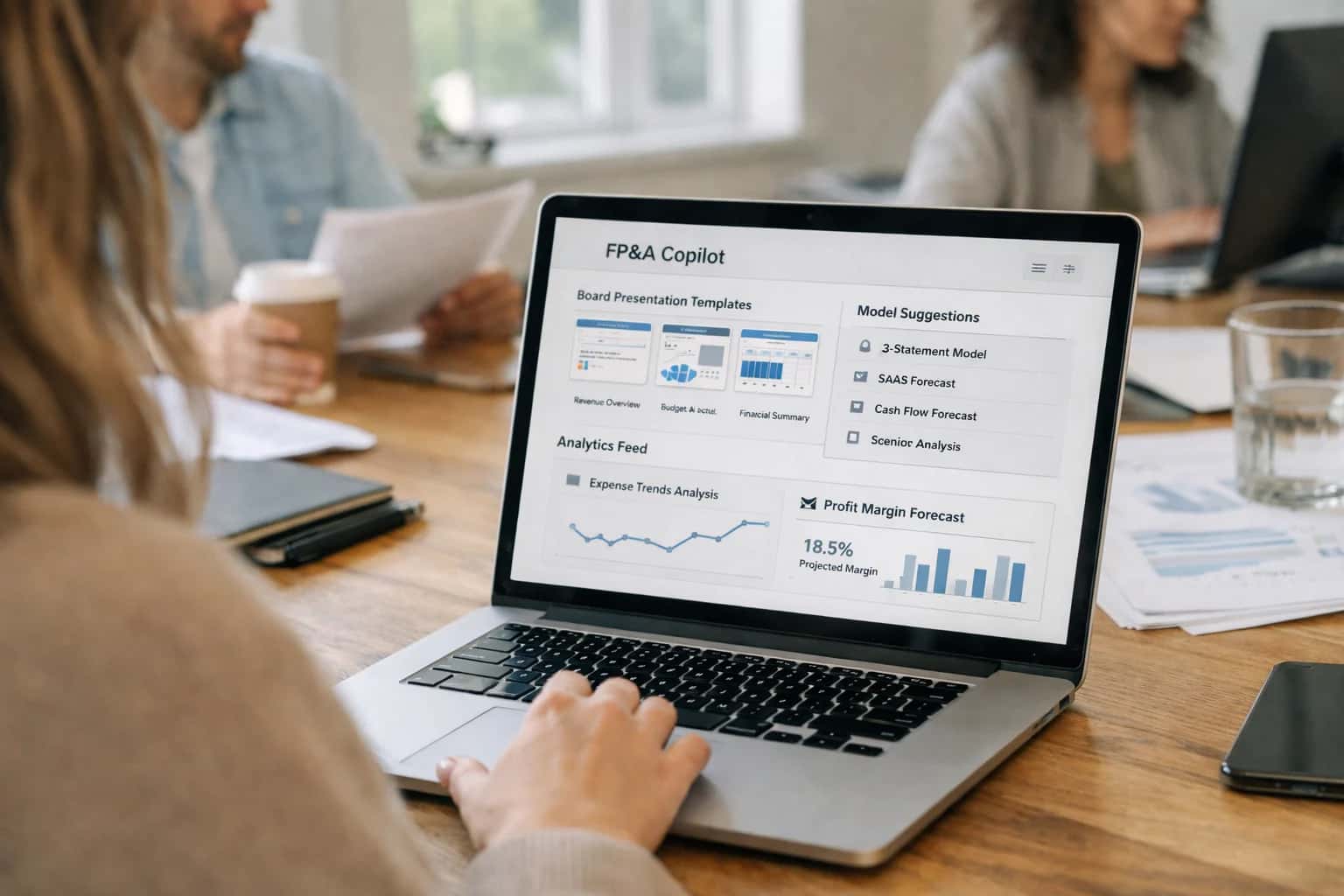
ARCHITECTURE FOR PUBLIC SECTOR HR OPERATIONS
Where AI Fits into Workday HCM for Government
A practical blueprint for integrating AI agents and copilots into Workday HCM for Government to automate service delivery, enhance workforce planning, and support civil servants.
Implementation typically involves deploying a secure AI orchestration layer that sits between the user interface and Workday's core. This layer uses Workday's Event Notifications and Web Services to trigger AI workflows. A high-impact use case is automating the onboarding checklist: an AI agent can monitor the Onboarding_Event for a new hire, proactively message the employee via Workday Inbox to complete forms, assign training based on their Worker_Profile, and notify the hiring manager of delays—all while logging actions back to the Business_Process_Transaction for audit. For performance reviews, AI can analyze historical Review_Content to draft narrative summaries for managers, suggest development goals based on Skill_Profile gaps, and flag potential bias in language for human review.
Rollout requires a phased, role-based approach, starting with a pilot for non-sensitive workflows like FAQ handling or document checklist automation. Governance is critical; all AI interactions must respect public sector data sovereignty rules and be configured within Workday's existing Security Groups and Domain Security Policies. AI-generated recommendations or actions should be logged as Audit_Log_Entry records and routed through the standard Approval Workflow for sensitive changes (e.g., compensation adjustments). By integrating at the process level, agencies can achieve measurable impact—shifting HR service resolution from hours to minutes, reducing manual data entry in talent reviews, and providing 24/7 support for distributed workforces—without replacing the trusted Workday system of record.
GOVERNMENT-SPECIFIC MODULES
Key Integration Surfaces in Workday HCM
Core HR Service Portals and Inbox
AI copilots integrate directly into Workday's Employee and Manager Self-Service portals and the Inbox to handle high-volume, repetitive inquiries. This surface is ideal for a conversational agent that answers policy questions, guides users through processes like leave requests or W-4 updates, and automates ticket creation for complex issues.
Key integration points include the Workday Web Services API for real-time data retrieval (e.g., fetching leave balances, pay stubs) and the Business Process Framework to initiate or approve transactions. For government, this reduces call center volume for HR Shared Services and ensures 24/7 access for employees across shifts, including first responders and public works staff. Implementation requires careful grounding in civil service rules, bargaining unit agreements, and public sector compliance guides.
WORKDAY HCM INTEGRATION PATTERNS
High-Value AI Use Cases for Public Sector HR
Integrating AI agents directly into Workday HCM for Government transforms manual, reactive HR operations into proactive, automated services. These patterns connect to Workday's APIs, Business Process Framework, and data model to deliver immediate impact.
01
Employee Service Agent
Deploy a 24/7 AI agent integrated with Workday's Employee Self-Service and Knowledge Base APIs. Handles common inquiries on leave balances, pay stubs, W-4 updates, and policy questions, reducing HR service desk volume. The agent executes authenticated, read-only API calls to fetch personal data, ensuring responses are grounded in the user's actual Workday record.
Tier-1 Inquiries
Automated Resolution
02
Automated Onboarding Orchestration
AI coordinates the Onboarding Business Process by triggering tasks, sending personalized reminders, and verifying document submission via Workday's Onboarding API. It parses I-9 and W-4 forms using document intelligence, pre-populates fields for HR review, and flags discrepancies—cutting manual data entry and reducing time-to-productivity for new hires.
Hours -> Minutes
Setup per hire
03
Attrition Risk & Retention Insights
Connect AI analytics to Workday's Worker Data and Performance APIs to identify flight-risk employees. Models analyze promotion velocity, compensation ratios, engagement survey sentiment, and manager history. High-risk flags are written back to custom Workday objects, triggering proactive retention workflows for managers and HRBP review.
Proactive Alerts
30-60 day lead time
04
Performance Review Copilot
AI assists managers during the Performance Review cycle by analyzing goal progress, feedback comments, and peer reviews via Workday APIs. It generates draft narratives, suggests development areas, and ensures alignment with competency models. The copilot operates within the manager's Workday session, offering in-context suggestions without leaving the platform.
1 sprint
Draft preparation
05
Skills Gap & Workforce Planning
Leverage Workday's Skills Cloud and Headcount Planning APIs. AI analyzes current workforce skills against future project demands and strategic objectives. It recommends internal mobility opportunities, identifies critical gaps, and generates data-backed narratives for budget justifications, feeding directly into Adaptive Planning scenarios.
Strategic Alignment
Data-driven plans
06
HR Policy & Compliance Agent
An AI agent trained on civil service rules, union contracts (CBAs), and agency policies integrates with Workday's Condition Rules and Audit Trail. It answers complex policy questions, checks proposed personnel actions (e.g., promotions, transfers) for compliance, and generates audit-ready explanations, reducing compliance risk and manager errors.
Batch -> Real-time
Compliance check
WORKDAY HCM FOR GOVERNMENT
Example AI-Augmented Workflows
These workflows illustrate how AI agents and copilots can be embedded into core Workday HCM processes for government agencies, automating routine tasks, providing instant support, and surfacing data-driven insights for managers and HR staff.
Trigger: A new hire's start date is confirmed in Workday.
Context/Data Pulled: The AI agent retrieves the new hire's profile, assigned department, location, role, and any pre-defined onboarding task templates (e.g., for IT, facilities, security). It also checks for required government-specific forms (I-9, ethics disclosures).
Model/Agent Action: The agent uses a rules engine combined with an LLM to:
- Generate a personalized, day-by-day onboarding schedule.
- Draft and send personalized welcome emails to the new hire and their manager.
- Create and assign specific tasks in Workday to IT (for system access), Facilities (for badge/desk), and the hiring manager (for orientation meetings).
- Populate government form data where possible and flag sections requiring employee input.
System Update/Next Step: Tasks are created in Workday Business Processes and assigned to the relevant parties. The new hire receives a consolidated checklist in their Workday inbox. The agent monitors task completion and sends reminders for overdue items.
Human Review Point: The hiring manager reviews and can adjust the generated schedule before it's finalized. All government forms require final employee signature and HR verification.
GOVERNED AI ORCHESTRATION FOR WORKDAY HCM
Implementation Architecture & Data Flow
A secure, API-first architecture for integrating AI agents and copilots directly into Workday HCM for Government workflows.
The integration is built on a governed AI orchestration layer that sits outside Workday's core infrastructure, connecting via the Workday Web Services API and Workday Extend. This layer acts as a secure broker, handling authentication via Workday's OAuth 2.0, enforcing role-based access control (RBAC) mirroring Workday security groups, and maintaining a full audit trail of all AI interactions. Key data objects flow bidirectionally: Worker, Recruiting_Event, Onboarding_Checklist, Performance_Review, and Compensation_Plan records are queried to provide context to AI agents, while AI-generated outputs—like draft performance feedback or onboarding task summaries—are posted back as Business_Process_Background_Process tasks or Workday_Studio integrations for manager review and approval.
For a typical use case like automated onboarding support, the data flow is event-driven: 1) A Hire_Event triggers a webhook from Workday to the orchestration layer. 2) The layer retrieves the new hire's Onboarding_Checklist, Position, and Supervisory_Organization data via API. 3) An AI agent synthesizes this into a personalized welcome message and task list, which is pushed to the worker's Workday inbox via the Notification API and also creates follow-up tasks in the Onboarding module. 4) The agent monitors task completion via periodic API polls, offering proactive nudges to the hire or their manager. All prompts are grounded in official policy documents stored in Workday Document_of_Record, ensuring responses align with government HR regulations.
Rollout follows a phased, risk-aware deployment. Phase 1 targets read-only Q&A agents for common employee inquiries (leave balances, policy clarification), using Retrieval-Augmented Generation (RAG) against Workday Report data and policy PDFs. Phase 2 introduces write-back capabilities for low-risk, high-volume tasks like timesheet reminder generation and Open_Position description drafting. Phase 3 enables predictive analytics, such as attrition risk scoring by analyzing historical Worker_History and Compensation data, with outputs surfaced as alerts in manager dashboards. Governance is maintained through a human-in-the-loop design for all personnel decisions; AI provides drafts and recommendations, but any change to a Worker record requires a manager-initiated Business Process in Workday. This architecture ensures compliance with public sector data sovereignty and records retention policies, keeping authoritative data within Workday while leveraging external AI models for augmentation.
IMPLEMENTATION PATTERNS
Code & Payload Examples
Handling Benefits Inquiries via Workday Extend
An AI agent can be deployed as a microservice via Workday Extend to answer employee questions about benefits, policies, and pay. The agent uses RAG over Workday's official documentation and the employee's specific record (via secure API calls) to provide personalized, compliant answers.
Typical Integration Flow:
- Employee query arrives via chatbot embedded in the Workday homepage.
- Agent calls Workday SOAP API (
Get_Workers) with the employee's ID for context (e.g., enrollment status, plan types). - Query + context is used to retrieve relevant snippets from a vector store of policy PDFs and knowledge articles.
- LLM synthesizes a grounded answer, which is logged for compliance before being delivered.
python# Example: Secure API call to fetch employee context response = requests.post( f"{WORKDAY_BASE_URL}/ccx/service/{tenant}/Staffing/v{version}/Get_Workers", headers={"Authorization": f"Bearer {token}"}, json={ "Request_References": { "Worker_Reference": [{ "ID": { "_value_1": employee_id, "type": "Employee_ID" } }] }, "Response_Group": { "Include_Reference": True, "Include_Personal_Information": True, "Include_Employment_Information": True, "Include_Compensation": False, "Include_Benefits": True # Fetch benefits data for context } } )
AI COPILOTS FOR WORKDAY HCM GOVERNMENT
Realistic Time Savings & Operational Impact
Expected efficiency gains and operational improvements from integrating AI agents and copilots into core Workday HCM for Government workflows.
| Workflow / Metric | Before AI | After AI | Implementation Notes |
|---|---|---|---|
Employee Policy & Pay Inquiry Resolution | Manual search by HR staff: 15-45 minutes | AI-powered knowledge retrieval & draft response: 2-5 minutes | Agent provides sourced answer; HR reviews & sends. Reduces Tier 1 ticket volume. |
New Hire Onboarding Task Completion | Manual checklist assignment & follow-up: 1-2 hours per hire | AI agent automates task assignment & sends nudges: 15-30 minutes setup | Agent integrates with Workday Onboarding to trigger tasks, I-9 reminders, and system access requests. |
Performance Review Draft Generation | Manager writes from scratch: 60-90 minutes | AI generates draft from goals & feedback: 10-15 minutes review/edit | Copilot pulls from Workday Performance data. Manager retains full editorial control. |
Voluntary Turnover Risk Identification | Quarterly manual report analysis | Continuous monitoring with monthly risk cohort alerts | AI model analyzes Workday trends (engagement, comp ratio, promotion history). Flags for manager review. |
Open Enrollment Support Inquiries | HR team overwhelmed with repetitive questions | AI chatbot handles 60-70% of common plan questions | Bot integrated with Workday Benefits data. Complex cases escalated to human agents. |
Position Description Creation & Update | HR Business Partner drafts: 3-5 hours | AI-assisted drafting with competency library: 1-2 hours | Copilot suggests standard language, FLSA codes, and required skills based on similar roles. |
Leave of Absence Case Intake & Routing | HR Specialist manually reviews forms & assigns | AI classifies case type & routes to correct specialist: <1 minute | Agent extracts data from uploaded forms (FMLA, military) into Workday Absence case. |
ENSURING CONTROLLED, SECURE AI ADOPTION
Governance, Security & Phased Rollout
A practical framework for deploying AI within Workday HCM for Government with appropriate controls, security, and a phased approach to manage risk and build trust.
Integrating AI into a government HCM system requires a governance-first architecture. This means establishing clear policies for data access, prompt management, and audit trails before the first agent is deployed. Key controls include:
- Role-Based Access Control (RBAC) Alignment: AI agents and copilots must inherit permissions from Workday's existing security groups (e.g.,
Employee Self-Service,HR Specialist,Benefits Administrator). An agent answering benefits questions should only access data the requesting employee can see. - Prompt Governance & Versioning: All prompts used for tasks like generating onboarding checklists or analyzing attrition risk are managed in a secure registry, versioned, and reviewed for bias, accuracy, and compliance with public sector HR policy.
- Immutable Audit Logs: Every AI-generated suggestion, data query, and automated action is logged with a traceable chain back to the source user, prompt version, and underlying data accessed, creating a defensible record for oversight and public records requests.
A phased rollout is critical for managing change and measuring impact. Start with a low-risk, high-volume use case to build confidence:
- Phase 1: Internal HR Support Agent: Deploy a chatbot for HR staff to query policy documents (e.g., union agreements, FMLA rules) and generate first drafts of standard communications. This operates in a
read-onlymode, surfaces source documents, and requires human review before any system-of-record update. - Phase 2: Employee Inquiry Automation: Expand to a secure employee-facing copilot for common questions about leave balances, pay stubs, and open enrollment. Integrate via Workday's Notifications or Inbox framework, ensuring all interactions are logged within the existing HCM audit trail.
- Phase 3: Process Automation: Introduce AI into core workflows, such as auto-populating Onboarding Tasks based on job profile, drafting Performance Review summaries from feedback, or flagging potential attrition risks in Talent Pools. These actions should be gated by existing Workday Business Process approval steps.
Security is non-negotiable. All AI interactions should be brokered through a secure integration layer that enforces:
- Data Minimization: Queries to LLMs use only the necessary, de-identified data (e.g., "employee in role X for Y years" not "John Smith at 123 Main St.").
- Zero Data Retention with External Vendors: Ensure contracts with model providers prohibit training on your government HR data.
- Fail-Safe Human Review Loops: For any action that could alter a Worker Record, initiate a Workday Business Process that requires a human manager or HR specialist to review and approve the AI's suggested change. This controlled rollout minimizes risk, demonstrates tangible efficiency gains (e.g., reducing HR case resolution from hours to minutes), and builds the operational maturity needed for broader AI adoption across public sector HR functions.
Enabling Efficiency, Speed & Accuracy
Intelligent Analysis, Decision & Execution
We build AI systems for teams that need search across company data, workflow automation across tools, or AI features inside products and internal software.
Talk to Us
Search across company data
Give teams answers from docs, tickets, runbooks, and product data with sources and permissions.
Useful when people spend too long searching or get different answers from different systems.
Enterprise searchRAGPermissions
Read more
Automate internal workflows
Use AI to route work, draft outputs, trigger actions, and keep approvals and logs in place.
Useful when repetitive work moves across multiple tools and teams.
AI agentsWorkflow automationGovernance
Read more
Add AI to products and internal tools
Build assistants, guided actions, or decision support into the software your team or customers already use.
Useful when AI needs to be part of the product, not a separate tool.
AI integrationDecision supportModel routing
Read moreIMPLEMENTATION AND GOVERNANCE
Frequently Asked Questions
Practical questions for government IT and HR leaders planning AI integration with Workday HCM.
AI integrations must enforce Workday's native security model. Implementation involves:
- Service Account with Constrained Roles: Create a dedicated integration system user (ISU) with a custom security group. This group grants read/write access only to the specific business objects, domains, and reports required for the AI use case (e.g.,
Worker Data: Contact Information,Onboarding Event). - API Governance: Use Workday's SOAP or REST APIs with OAuth 2.0. All AI prompts and queries are executed through this authenticated channel, inheriting the ISU's permissions.
- Data Minimization in Context: The AI agent should only receive the specific data fields needed for a task. For example, an onboarding copilot receives the new hire's name, start date, and role—not their entire worker profile.
- Audit Trail Integration: All AI-initiated transactions (e.g., updating a task, creating a comment) are logged in Workday's audit trail as performed by the ISU, providing a clear lineage.
- Zero Data Retention: Configure the AI service to not persist Workday data beyond the duration of a single session or transaction, unless for explicitly governed analytics use cases.

About the author
Prasad Kumkar
CEO & MD, Inference Systems
Prasad Kumkar is the CEO & MD of Inference Systems and writes about AI systems architecture, LLM infrastructure, model serving, evaluation, and production deployment. Over 5+ years, he has worked across computer vision models, L5 autonomous vehicle systems, and LLM research, with a focus on taking complex AI ideas into real-world engineering systems.
His work and writing cover AI systems, large language models, AI agents, multimodal systems, autonomous systems, inference optimization, RAG, evaluation, and production AI engineering.
LinkedIn
Limited slotsGet a Free AI Consultation
Partnered with leading AI, data, and software stack.





How We Work
Custom AI workflows for your Business
One-fit-all AI don't work for modern businesses. At Inferensys, we aim to understand your business & custom requirements; which we use to define most efficient agentic workflows, the data, and the tools for your business.
01
Review the use case
We understand the task, the users, and where AI can actually help.
Read more02
Pick the right approach
We define what needs search, automation, or product integration.
Read more03
Build the first useful version
We implement the part that proves the value first.
Read more04
Improve from there
We add the checks and visibility needed to keep it useful.
Read moreThe first call is a practical review of your use case and the right next step.
Talk to Us