
Inferensys

Integration

AI Integration for Fleet Mobile App Experiences

A technical blueprint for embedding AI directly into driver-facing mobile applications like Samsara Driver and Motive Driver to reduce administrative burden, improve safety, and deliver personalized, contextual support.
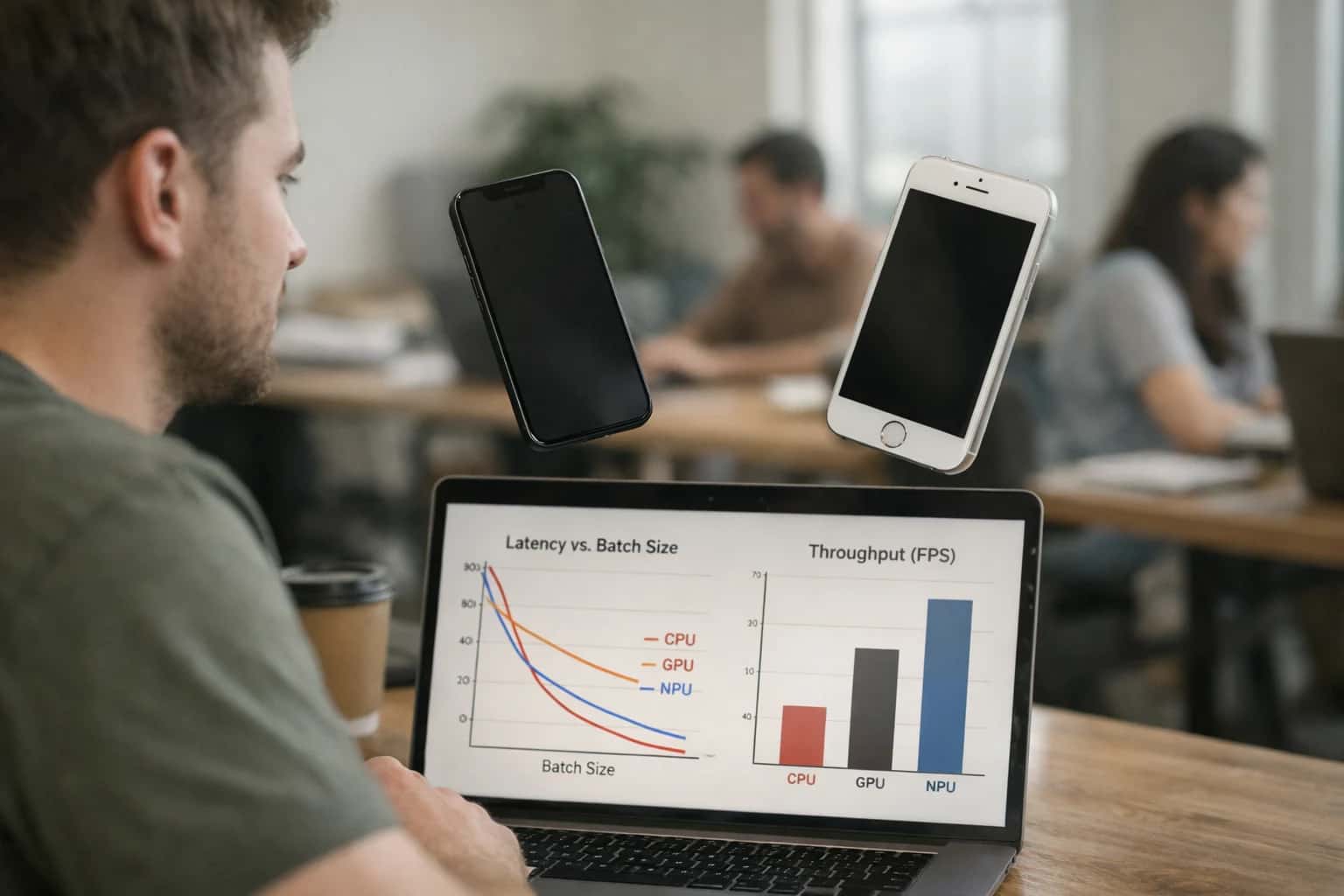
Developer testing AI inference on mobile phone in hand, laptop with optimization code visible, casual tech review moment.
ARCHITECTURE AND ROLLOUT

Where AI Fits into the Driver's Mobile Workflow

A technical blueprint for embedding AI agents and copilots directly into driver-facing mobile applications like Samsara Driver and Motive Driver.

AI integration targets specific surfaces within the driver's mobile app to augment, not replace, the core workflow. Key touchpoints include:

  • Pre-Trip and DVIR: An AI copilot can guide the inspection using the device camera, using computer vision to identify potential defects on tires, lights, or brakes and auto-populate the Digital Vehicle Inspection Report.
  • In-Cab Communications: A voice-activated or chat-based assistant allows for hands-free logging of delays, incidents, or HOS status changes, triggering automatic notifications to dispatch.
  • Post-Trip Feedback: After a trip concludes, the app can surface a personalized AI-generated summary analyzing safety events (harsh braking, speeding), fuel efficiency for the route, and specific coaching tips, turning raw telematics data into actionable insight.


Implementation hinges on secure, low-latency API calls from the mobile app to backend AI services. The typical pattern involves:

  1. The mobile app captures an event (e.g., a voice query, a dash cam video clip, a completed trip) and sends a payload to a secure backend queue.
  2. An AI agent processes the payload—using a combination of computer vision for images, speech-to-text for audio, or an LLM for text—and calls the necessary tools (e.g., the Samsara API to fetch a driver's last 7-day scorecard).
  3. The processed result (a completed DVIR form, a summarized incident report, a natural language feedback summary) is returned to the app via a push notification or within the app's UI, often requiring driver acknowledgment for audit trails. Critical here is designing for offline resilience, where the app can queue requests when cellular service is lost, and syncing them once connectivity is restored.

Rollout and governance require a phased, driver-centric approach. Start with a single, high-value use case like AI-assisted DVIRs for a pilot group, measuring adoption rates and time saved per inspection. Use feature flags within the mobile app to control access. Governance is paramount: all AI-generated outputs, especially those related to safety or compliance, should be clearly labeled as 'AI-assisted,' require driver review/confirmation before submission, and be logged with full traceability (original input, AI model version, prompt used, user who approved). This ensures the AI acts as a copilot, with the driver remaining the responsible actor in the workflow.

DRIVER-FACING AI EXPERIENCES

Integration Surfaces in Fleet Mobile Apps

Conversational Driver Copilot

Embed a voice or chat-based AI assistant directly into the driver app (e.g., Samsara Driver, Motive Driver). This surface connects to the platform's real-time APIs to provide contextual, hands-free support.

Key Integration Points:

  • Trip Context: Pull active route, next stop, and HOS status via the Fleet Management API.
  • Vehicle Data: Access real-time diagnostics (fuel level, tire pressure, fault codes) to answer driver queries.
  • Navigation Layer: Integrate with the app's mapping SDK to request route alternatives or locate nearby facilities (fuel, rest stops, scales).

Example Workflow: A driver asks, "How much drive time do I have left?" The AI agent fetches the current HOS log, calculates available hours, and reads it aloud, suggesting a potential rest stop if time is low.

DRIVER-FACING MOBILE APP INTEGRATIONS

High-Value AI Use Cases for Driver Apps

Enhance Samsara Driver, Motive Driver, and Geotab Drive apps with AI features that improve safety, reduce administrative burden, and provide real-time support directly to the driver.

01

Conversational Dispatch & Route Assistant

Integrate a voice or chat-based AI agent into the driver app that answers questions about loads, delivery windows, and facility instructions. The agent uses RAG over dispatch notes, shipper details from the TMS, and real-time ETA data from the telematics platform to provide instant, context-aware answers, reducing radio calls to dispatch.

Batch -> Real-time
Information access
02

Smart DVIR & Pre-Trip Automation

Use AI to automate the Driver Vehicle Inspection Report (DVIR) process. Drivers can take photos of tires, lights, or leaks; a vision model analyzes the images and pre-populates the inspection checklist in the Samsara or Motive app. Defects are automatically flagged and can trigger a work order in the connected CMMS.

Minutes -> Seconds
Inspection time
03

Personalized, In-Cab Coaching

Deliver hyper-contextual safety feedback directly in the driver app. After a harsh event, an AI model analyzes the dash cam snippet, telematics data (speed, weather, location), and the driver's historical patterns to generate a brief, personalized coaching message—not just a generic alert—explaining the risk and how to avoid it.

1 sprint
To pilot
04

Document Capture & Data Entry

Enable drivers to photograph bills of lading, delivery receipts, or fuel tickets. An AI pipeline extracts key fields (PO numbers, quantities, odometer readings) using OCR and LLMs, validates them against the load data, and auto-populates the corresponding forms in the fleet platform, eliminating manual keying and errors.

Hours -> Minutes
Document processing
05

Predictive Rest Break & Parking Guidance

An AI agent integrated into the driver app analyzes real-time HOS status, historical parking availability at upcoming locations, and current traffic to proactively suggest optimal rest breaks and available parking spots. It can even pre-reserve a spot via integrated APIs, reducing stress and HOS violations.

Same day
Planning horizon
06

Voice-Activated Logging & Incident Reporting

Allow drivers to use hands-free voice commands to log delays, report incidents, or start/end trips. The AI transcribes and structures the voice note, tags it with location and vehicle data from the telematics SDK, and creates the appropriate record in the fleet management platform, ensuring accurate, timely reporting.

Real-time
Compliance logging
FLEET MOBILE APP INTEGRATIONS

Example AI-Driven Workflows for Drivers

These workflows illustrate how AI agents, integrated directly into driver-facing mobile apps like Samsara Driver or Motive Driver, can automate tasks, provide real-time guidance, and improve safety without disrupting the driver's primary focus on the road.

Trigger: Driver opens the mobile app and taps 'Start Inspection'.

Workflow:

  1. Context Pull: The AI agent retrieves the vehicle's last known inspection report and any open defects from the fleet platform's API.
  2. Guided Walkthrough: Using the device's camera and voice interface, the AI provides a conversational, step-by-step guide: "Let's start with the left front tire. Please show me the tread." It can use basic computer vision to confirm the tire is in frame.
  3. Defect Logging: The driver describes an issue verbally: "There's a deep cut on the sidewall." The AI transcribes the note, classifies it as a critical tire defect, and prompts for a photo.
  4. System Update & Next Step: The completed DVIR, with photos, notes, and a severity tag, is posted via the fleet platform's API. If critical, the AI immediately creates a work order in the connected CMMS (e.g., MaintainX) and notifies the dispatcher, suggesting a replacement vehicle.
  5. Human Review Point: A maintenance supervisor receives the flagged inspection for final review and parts ordering before the work is dispatched to a shop.
DRIVER-FACING AI AGENTS

Implementation Architecture: Connecting AI to the Mobile Layer

A technical blueprint for embedding AI assistants, smart capture, and personalized feedback directly into fleet mobile applications like Samsara Driver and Motive Driver.

Integrating AI into the driver mobile layer requires connecting to three primary surfaces: the in-cab mobile application, the driver's operational workflow, and the platform's backend APIs. The key is to augment, not disrupt, the driver's existing tasks. For Samsara Driver or Motive Driver, this means injecting AI capabilities into modules for Electronic Logging Device (ELD) logs, Driver Vehicle Inspection Reports (DVIR), messaging/communications, and trip feedback dashboards. AI features are delivered via a secure, low-latency API layer that sits between the mobile app and the fleet platform's cloud, allowing for real-time interactions and asynchronous processing of images, voice, and structured data.

A practical implementation involves several concurrent workflows. For a conversational trip assistant, an AI agent uses Retrieval-Augmented Generation (RAG) over the driver's schedule, route details from the TMS, and real-time traffic/weather APIs to answer questions via voice or text within the app. For smart document capture, computer vision models process photos of bills of lading or inspection forms taken through the app, extracting key fields (PO numbers, weights, defects) and automatically populating corresponding records in the backend via POST calls to the Samsara or Motive API. Personalized feedback is generated post-trip by an analytics pipeline that consumes telematics data (harsh events, fuel usage) and outputs tailored coaching notes pushed to the driver's 'Scorecard' or 'Coaching' module within the mobile interface.

Rollout and governance are critical. Start with a pilot group, using feature flags in the mobile app to control access. All AI interactions should be logged with a session ID, driver ID, and timestamp for audit trails and model improvement. Implement a human-in-the-loop review for high-stakes outputs like automated violation classifications before they affect a driver's score. Architecturally, ensure the mobile SDK or secure webview calls a dedicated API gateway that handles authentication (using the driver's existing OAuth tokens), rate limiting, and sensitive data masking before passing requests to the AI orchestration layer. This keeps the driver's primary app stable while adding intelligent, context-aware support.

AI-ENHANCED DRIVER APP ARCHITECTURE

Code and Payload Examples

In-App Chat for Dispatch & Compliance

Integrate a voice or text-based AI assistant directly into the driver app (e.g., Samsara Driver or Motive Driver). This agent uses Retrieval-Augmented Generation (RAG) over fleet policies, load details, and real-time telematics to answer driver questions.

Example Use Case: A driver asks, "Am I close to my HOS limit?" The agent queries the platform's Hours of Service API, considers current location and traffic, and responds: "You have 1.5 driving hours remaining. The next recommended rest stop is 15 miles ahead at the Petro."

Key Integration Points:

  • Platform APIs: GET /v1/hours-of-service (Samsara), GET /driver/hos/status (Motive).
  • Mobile SDK: Embed a chat UI component that securely calls your AI backend.
  • Context: Fuse driver ID, vehicle ID, and trip context into the agent's system prompt for personalized, grounded responses.
DRIVER MOBILE APP EXPERIENCES

Realistic Time Savings and Operational Impact

How AI integration transforms manual, reactive tasks into proactive, automated workflows within driver-facing mobile applications like Samsara Driver and Motive Driver.

Driver & Dispatcher TaskBefore AI IntegrationAfter AI IntegrationImplementation Notes

Pre-Trip Inspection (DVIR)

Manual paper checklist or basic digital form

AI-assisted visual defect detection via dash cam or phone camera

Flags potential issues from images; final human verification required.

Hours of Service (HOS) Logging

Manual driver entry and compliance self-check

Voice-activated logging and proactive violation alerts

Reduces clerical errors; integrates with ELD data for real-time status.

Incident & Exception Reporting

Driver calls dispatch; manual note-taking

Automated first report from dash cam video + telematics data

AI generates initial summary with timestamps, G-force, location for claims.

Route Guidance & Delay Updates

Static turn-by-turn; driver calls in delays

Dynamic re-routing based on real-time traffic + AI-generated ETA updates for customer

Uses telematics and external APIs; automates customer notifications.

Document Capture (BOL, Delivery Proof)

Manual photo upload; dispatcher manually matches to order

AI extracts and validates data (PO#, signatures) from photos

Automatically attaches to correct load in TMS; flags discrepancies.

Driver Coaching & Feedback

Generic weekly scorecards; manager-led reviews

Personalized, contextual feedback after each trip based on route difficulty and conditions

AI analyzes telematics against benchmarks; suggests specific improvements.

Finding Parking / Rest Stops

Driver relies on memory or separate apps

AI predicts availability based on historical stop data and real-time feeds

Integrated into navigation; suggests optimal, compliant break locations.

Vehicle Health Alerts

Check engine light; driver must call maintenance

Proactive, plain-language alert: 'Left rear tire pressure trending low, schedule service at next hub'

Analyzes fault codes and sensor trends; prioritizes alerts by severity.

ARCHITECTING FOR SCALE AND CONTROL

Governance, Security, and Phased Rollout

A practical guide to deploying AI in driver-facing mobile apps with the security, oversight, and incremental value delivery that enterprise fleets require.

Integrating AI into a fleet mobile app like Samsara Driver or Motive Driver requires a security-first architecture that respects the sensitivity of driver PII, vehicle location data, and operational commands. Core considerations include:

  • API Key & Token Management: AI services should call fleet platform APIs (e.g., Samsara's /driver, /vehicles endpoints) using scoped OAuth tokens with least-privilege access, never storing raw credentials in mobile code.
  • Data Flow Governance: Establish clear pipelines where AI processing occurs in a secure cloud layer. Driver voice queries or document images are sent encrypted to your AI service, which fetches contextual telematics data via API, processes it, and returns structured responses—never persisting full driver logs unnecessarily.
  • Audit Trails: Log all AI interactions (query, context fetched, response) tied to driver ID, vehicle ID, and timestamp, enabling review of AI-suggested actions and ensuring compliance with safety policies.

A phased rollout mitigates risk and builds organizational trust. A typical progression starts with read-only, assistive features before enabling any write-back actions:

  1. Phase 1: Passive Intelligence – Deploy a conversational assistant that can answer FAQs about HOS rules or trip details by querying the platform's API. This validates the integration pattern without modifying system state.
  2. Phase 2: Assisted Workflows – Introduce features like AI-powered DVIR defect description generation from a photo, which creates a draft for the driver to review and manually submit within the Motive/Samsara app.
  3. Phase 3: Conditional Automation – Enable AI to perform automated actions, such as logging a minor incident report via API, but only after explicit driver voice confirmation ("Yes, log it") and within a strict policy envelope defined in your middleware.

For governance, implement a human-in-the-loop (HITL) review layer for high-stakes outputs. For example, AI-generated driver coaching feedback based on harsh event analysis can be queued for a safety manager's approval in a separate dashboard before being pushed to the driver's app. This ensures quality control and allows for coaching nuance. Furthermore, establish regular model performance reviews checking for response accuracy, latency, and user feedback, ensuring the AI remains a reliable tool that enhances, rather than disrupts, the driver's workflow. By treating the mobile app as a secure interface to a governed AI backend, fleets can innovate safely.

IMPLEMENTATION WORKFLOWS

Frequently Asked Questions

Explore common integration patterns for adding AI-powered features directly into driver-facing mobile applications like Samsara Driver or Motive Driver.

This workflow embeds an AI agent within the mobile app to handle common driver inquiries, reducing calls to dispatch.

  1. Trigger: Driver opens the 'Assistant' tab or uses a voice command (e.g., "Hey Samsara, where's my next stop?").
  2. Context Pulled: The agent's API call includes the driver's unique ID, active route ID, and vehicle ID from the mobile app session.
  3. Agent Action: The AI agent uses a Retrieval-Augmented Generation (RAG) system to query:
    • The driver's current route and next delivery details from the Samsara/Motive Routes API.
    • Relevant company policies (e.g., break rules, fueling procedures) from a vector database.
    • Real-time traffic or weather delays from a third-party service.
  4. System Update: The agent generates a concise, natural-language answer and speaks it back via text-to-speech or displays it in the chat interface.
  5. Human Review Point: If the agent's confidence is low or the query involves a complex exception (e.g., "My trailer is damaged"), it automatically creates a high-priority ticket in the dispatch console with the conversation transcript.
Prasad Kumkar

About the author

Prasad Kumkar

CEO & MD, Inference Systems

Prasad Kumkar is the CEO & MD of Inference Systems and writes about AI systems architecture, LLM infrastructure, model serving, evaluation, and production deployment. Over 5+ years, he has worked across computer vision models, L5 autonomous vehicle systems, and LLM research, with a focus on taking complex AI ideas into real-world engineering systems.

His work and writing cover AI systems, large language models, AI agents, multimodal systems, autonomous systems, inference optimization, RAG, evaluation, and production AI engineering.


