AI integration for dash cam video analysis connects directly to the video management APIs and event webhooks in platforms like Motive (AI Dashcam) and Samsara (Safety Cam). The primary workflow surfaces are the incident review queue, where safety managers triage flagged events, and the driver coaching module, where video clips are assigned for review. AI acts as a pre-processing layer, analyzing uploaded footage for specific triggers—such as collisions, near-misses, distracted driving, or seatbelt violations—using computer vision models. This analysis generates structured metadata (e.g., event_type, severity_score, involved_objects) that is appended to the incident record via the platform's API, transforming a raw video file into a searchable, actionable data point.

Integration
AI Dash Cam Video Analysis Integration
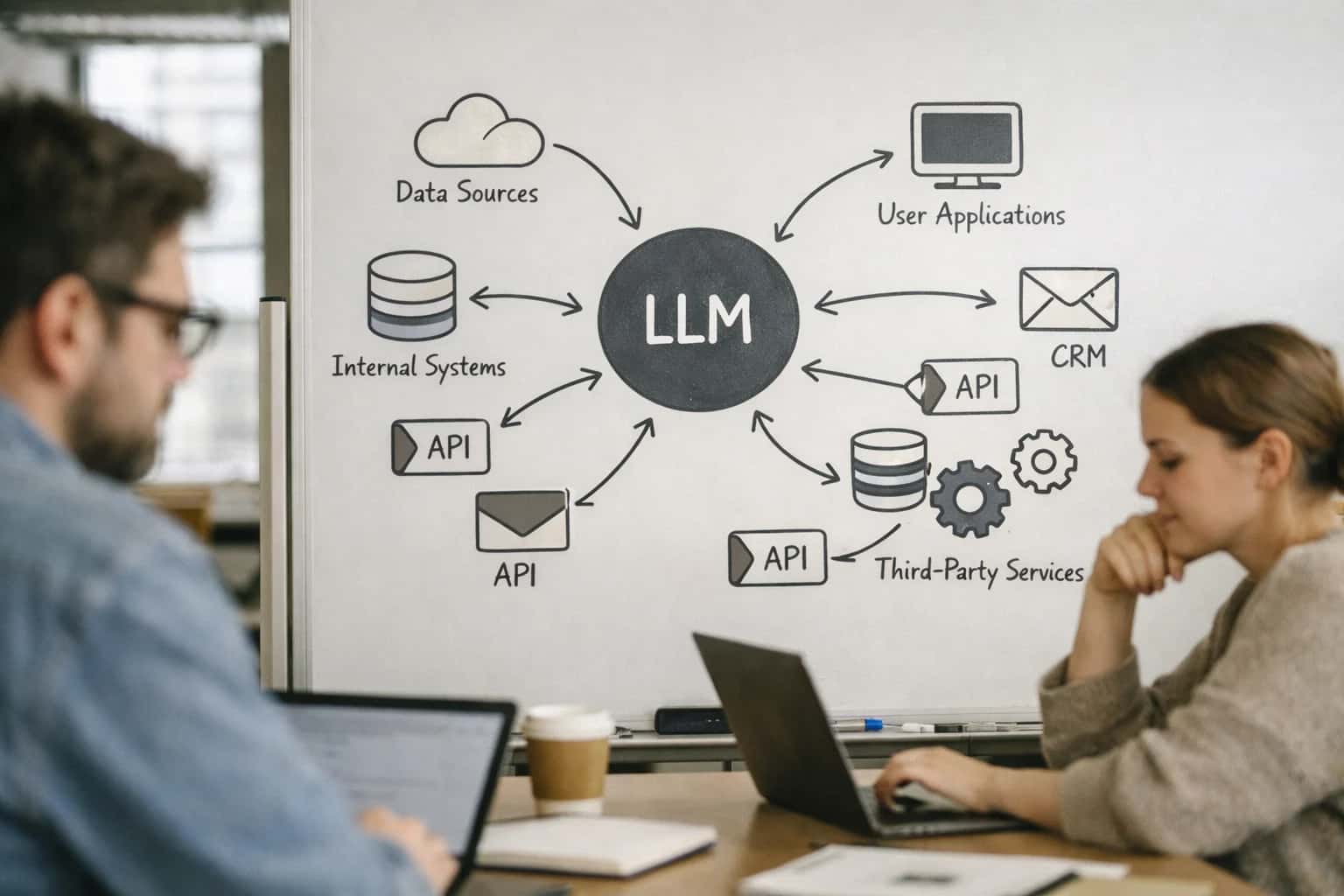
Where AI Fits into Dash Cam Video Workflows
A technical blueprint for integrating AI video analysis into Motive and Samsara dash cam systems to automate incident reporting, claims documentation, and driver coaching.
A production implementation typically involves a serverless pipeline: 1) A webhook listener catches new video events from the fleet platform. 2) Video files are securely pulled into a processing environment (e.g., cloud storage with VPC endpoints). 3) A vision model (like YOLO or a custom detector) scans frames for critical safety events. 4) An LLM agent then summarizes the visual findings into a natural-language description and suggests a coaching category (e.g., 'Following Distance' or 'Stop Sign Violation'). This enriched data is posted back to the platform, automatically populating the coaching recommendation field and linking the relevant video clip. The impact is operational: safety teams can prioritize the most severe incidents from hundreds of daily recordings, reducing manual review time from hours to minutes and ensuring consistent, evidence-based coaching.
Rollout and governance are critical. Start with a pilot on a specific event type, like collision detection, and use the fleet platform's RBAC to limit AI-generated recommendations to a test group of safety managers. Implement an audit trail that logs the AI's confidence score and the human reviewer's final action (e.g., 'coaching assigned' or 'false positive'). This creates a feedback loop to retrain models. Key considerations include data residency for video processing, cost management for high-resolution footage, and designing a human-in-the-loop step for severe incidents before any automated report is filed with insurers. For a deeper dive on connecting these video workflows to broader safety operations, see our guide on AI-Driven Driver Coaching for Fleet Safety.
Integration Surfaces in Motive and Samsara
AI for Automated Incident Reporting
Integrate AI directly into the Safety Hub (Samsara) or Safety Center (Motive) to automate the post-incident workflow. When a harsh event is triggered, the system can:
- Pull the relevant video clip via the Dash Cam API.
- Analyze footage using computer vision models to detect objects (other vehicles, pedestrians), actions (lane departure, following distance), and contextual details.
- Generate a structured incident summary using an LLM, including timestamp, probable cause, and severity assessment.
- Auto-populate incident reports in the platform, attaching the analyzed video and summary for the safety manager's review. This reduces manual review from hours to minutes and ensures consistent documentation for claims and coaching.
High-Value Use Cases for AI Dash Cam Video Analysis
Move beyond basic event detection. Integrate computer vision and LLMs directly with Samsara and Motive dash cam footage to automate high-touch workflows for safety, compliance, and claims teams.
Automated Incident Report Generation
AI analyzes the 30 seconds before and after a triggered event (harsh braking, collision). It transcribes audio, extracts key frames, summarizes context, and auto-populates a structured incident report in your safety platform, reducing manual documentation from 45+ minutes to under 5.
Coaching Clip Identification & Categorization
Instead of manually reviewing hours of footage, AI scans all video for specific, coachable behaviors: following distance, distracted driving (phone use), seatbelt compliance, and rolling stops. It tags and queues relevant clips in Motive/Samsara's coaching workflow with suggested feedback points.
Claims Documentation Package Assembly
Upon an incident, an AI agent pulls the relevant dash cam video, telematics data (speed, G-force), and geolocation. It generates a timestamped summary, extracts stills of key moments, and compiles a secure package formatted for insurance portals or legal teams, accelerating claim submission.
Contextual Risk Scoring & Trend Analysis
AI enriches basic event counts with video context. A 'harsh braking' event in clear traffic is scored higher risk than one avoiding a pedestrian. Over time, this creates a nuanced, contextual risk profile per driver and location, identifying root-cause patterns for targeted safety interventions.
Real-Time In-Cab Audio Alert Triage
Integrate AI audio analysis with live-stream capable cams (e.g., Samsara Dual-facing). Detect distressed driver vocal tones, excessive yelling, or signs of a medical event in real-time. The system can trigger a priority alert to dispatch or safety for immediate welfare check, beyond what video-only systems catch.
Preventive Maintenance Visual Inspection
Use AI to analyze forward-facing video during normal operation to identify potential vehicle issues like smoke from exhaust, loose debris, or abnormal trailer sway. These visual cues, correlated with fault codes, create proactive work orders in your CMMS before a breakdown occurs.
Example AI-Powered Dash Cam Workflows
These concrete workflows show how to connect computer vision and LLMs to Samsara or Motive AI Dash Cam footage to automate safety and risk operations. Each pattern details the trigger, data flow, AI action, and resulting system update.
Trigger: A dash cam records a harsh event (e.g., collision, hard braking) flagged by the platform's built-in AI.
Context Pulled:
- The 30-second video clip before and after the event.
- Telematics data: GPS location, speed, G-force, and vehicle identification.
- Driver and trip data from the ELD.
AI Action:
- A computer vision model analyzes the video to identify key objects (other vehicles, pedestrians, road signs) and actions (lane departure, sudden stop).
- An LLM synthesizes the video analysis and telematics data into a structured narrative.
System Update:
- A preliminary incident report is automatically created in the fleet platform's safety module or a connected case management system.
- The report includes timestamps, location map, speed data, and the AI-generated summary.
- The report is routed to the safety manager's queue for review and assignment of a severity level.
Human Review Point: The safety manager must review and approve the AI-generated report before it is finalized or shared with insurance.
Implementation Architecture: Data Flow & System Design
A technical blueprint for processing AI Dash Cam footage from platforms like Samsara and Motive to automate safety and compliance workflows.
The integration architecture connects directly to the fleet platform's Video API (e.g., Samsara's /videos endpoints or Motive's Safety API). When a safety event is triggered—such as a harsh braking incident—the platform generates a video clip and associated telematics metadata (GPS, speed, G-force). An AI agent, listening via webhook, immediately pulls this payload. The system then orchestrates a multi-step pipeline: first, computer vision models analyze the video frames for objects (vehicles, pedestrians, traffic signs), lane departures, and distracted driving cues (e.g., mobile phone use). Concurrently, an LLM processes the structured metadata and CV outputs to generate a narrative summary, classify incident severity, and determine if it meets reporting thresholds for internal review or external claims.
Processed insights are written back to the fleet platform as custom annotations or driver coaching notes, attaching the AI-generated report to the specific driver and event record. For high-severity incidents, the system can automatically trigger downstream workflows: creating a case in a safety management module, drafting a preliminary accident report for insurance, or generating a personalized coaching video clip in the driver's portal. The architecture is designed for auditability, with each step logged—including the raw video hash, model inferences, and final actions—to a secure audit trail, which is crucial for compliance and potential legal discovery.
Rollout is typically phased, starting with a pilot group of vehicles or specific event types (e.g., forward collisions only). Governance is managed through a human-in-the-loop review queue for high-confidence alerts before any automated coaching or reporting actions are finalized. This allows safety managers to validate AI inferences and adjust model thresholds within the fleet platform's existing rule engine. The entire pipeline runs on scalable, GPU-optimized infrastructure separate from the core telematics platform, ensuring performance isolation and the ability to process high volumes of video without impacting real-time fleet operations.
Code & Payload Examples
Processing Incoming Dash Cam Events
When a safety event (e.g., hard brake, collision) is detected by the dash cam AI, platforms like Samsara or Motive send a webhook payload. Your AI service needs to ingest this, trigger video analysis, and update records.
pythonimport json from inference_ai_service import analyze_video, generate_coaching_summary # Example webhook handler for a Motive AI Dash Cam event def handle_motive_webhook(request): payload = request.json # Extract critical event data event_id = payload.get('event_id') driver_id = payload.get('driver_id') vehicle_id = payload.get('vehicle_id') video_url = payload.get('media_urls', {}).get('video') event_type = payload.get('event_type') # e.g., 'HARD_BRAKE', 'FORWARD_COLLISION_WARNING' g_force = payload.get('g_force') timestamp = payload.get('timestamp') # Step 1: Download and analyze video clip analysis_result = analyze_video( video_url=video_url, event_type=event_type, g_force=g_force ) # Step 2: Generate contextual summary for coaching coaching_note = generate_coaching_summary( driver_id=driver_id, event_data=payload, video_analysis=analysis_result ) # Step 3: Update the safety event record in the fleet platform update_payload = { 'event_id': event_id, 'ai_processed': True, 'risk_score': analysis_result.get('risk_score'), 'coaching_summary': coaching_note, 'flagged_objects': analysis_result.get('detected_objects'), # e.g., ['pedestrian', 'stop_sign'] 'recommended_action': analysis_result.get('recommended_action') } # POST back to platform API to enrich the event # requests.post(f'{MOTIVE_API_BASE}/safety/events/{event_id}', json=update_payload) return {'status': 'processed', 'event_id': event_id}
This handler orchestrates the core workflow: receiving the trigger, analyzing the video, generating insights, and writing results back to the platform's safety module.
Realistic Time Savings & Operational Impact
How integrating computer vision and LLMs with platforms like Motive and Samsara transforms manual, reactive video review into automated, proactive safety and compliance operations.
| Workflow / Task | Before AI Integration | After AI Integration | Implementation Notes |
|---|---|---|---|
Incident Detection & Triage | Manual review of all flagged events (5-10 min per clip) | AI pre-screens and prioritizes high-risk clips (<1 min review) | AI scores clips for severity; safety team reviews only top 10-20% |
Accident Report Drafting | Safety manager compiles report from video, telematics, and driver statement (45-60 min) | AI auto-generates preliminary report with timestamps, G-force data, and video stills (5 min review) | Report is drafted in <2 min; human validates facts and adds context before submission |
Coaching Clip Identification | Weekly manual search for specific behaviors (harsh braking, distracted driving) | Daily automated feed of personalized clips for each driver based on risk profile | AI tags clips by behavior type and driver; integrates with coaching modules in the fleet platform |
Insurance Claim Documentation | Manual compilation of video evidence, logs, and forms for adjuster (30+ min per claim) | AI bundles relevant video segments, telematics data, and prefilled forms into a claim package | Package generated on-demand; reduces insurer follow-ups and speeds claim resolution |
Regulatory Compliance Logging | Manual logging of safety events for DOT record-keeping and potential audit | AI auto-logs all detected safety events into a searchable, time-stamped compliance database | Creates immutable audit trail; enables instant retrieval for DOT or internal audits |
Driver Feedback Loop | Generic monthly safety scorecards with limited context | Contextual, AI-generated feedback delivered via driver app within hours of an event | Feedback explains the 'why' behind the event (e.g., 'hard brake due to traffic slowdown ahead') |
Fleet-Wide Risk Trend Analysis | Quarterly manual analysis of incident reports to spot patterns | Weekly automated reports on emerging risk trends (e.g., specific location, time of day, driver cohort) | AI clusters similar events; enables proactive policy changes like route adjustments or targeted training |
Governance, Security & Phased Rollout
Deploying AI for dash cam video analysis requires a controlled, phased approach that prioritizes data security, driver privacy, and operational trust.
Phase 1: Pilot with High-Value, Low-Risk Workflows Start by integrating AI analysis for a single, high-confidence use case, such as automating the tagging of safety-critical events (e.g., forward collisions, distracted driving) from Motive or Samsara AI Dash Cam footage. This pilot should:
- Process video for a small, consenting driver group or specific vehicle class.
- Use AI to generate structured incident metadata (timestamp, event type, severity score) and push it as a custom event into the fleet platform's data model via its Events API.
- Implement a human-in-the-loop review queue where safety managers validate AI-generated tags in the fleet platform's dashboard before any automated reporting or coaching workflows are triggered.
- Establish baseline metrics for accuracy (precision/recall), processing latency, and analyst time saved.
Phase 2: Scale with Granular RBAC and Audit Trails Once the pilot validates accuracy and workflow fit, expand to broader vehicle groups and more complex analyses, such as identifying non-critical coaching moments (e.g., following distance, lane discipline). At this stage, governance is critical:
- Enforce Role-Based Access Control (RBAC) within the fleet platform to ensure only authorized safety personnel (e.g., Regional Safety Manager) can view raw video linked to AI analysis, while drivers see only anonymized, aggregated feedback.
- Maintain a cryptographically signed audit log for every video processed, recording the AI model version, input hash, analysis results, and any human reviewer actions. This log is essential for compliance, insurance disputes, and model performance tracking.
- Integrate AI outputs with the platform's existing driver scorecard and coaching module systems, ensuring AI-generated insights feed into established performance management workflows, not create parallel processes.
Phase 3: Automate Closed-Loop Workflows with Policy Guards At full scale, AI can trigger automated actions, but must operate within strict policy boundaries defined in the fleet platform's configuration.
- Implement policy-driven automation: For example, an AI-detected "severe distracted driving" event could automatically create a coaching task in Motive for the safety lead, while a "minor lane drift" might simply add to a weekly digest. These rules should be configurable within the fleet platform's rules engine.
- Ensure data residency and encryption: Video streams and analysis payloads should never be persistently stored outside the fleet platform's secure cloud environment (e.g., Samsara's or Motive's AWS/GCP infrastructure). All inferences should occur in a dedicated, isolated VPC with encryption in transit and at rest.
- Establish a continuous evaluation pipeline: Regularly sample AI outputs against human ground truth to monitor for model drift, especially as dash cam hardware or fleet operating regions change. Use this data to retrain and redeploy models without disrupting live operations.
A successful rollout transforms dash cam video from a reactive liability archive into a proactive safety asset, but only if the integration respects the technical and cultural fabric of existing fleet operations.
Enabling Efficiency, Speed & Accuracy
Intelligent Analysis, Decision & Execution
We build AI systems for teams that need search across company data, workflow automation across tools, or AI features inside products and internal software.
Talk to Us
Search across company data
Give teams answers from docs, tickets, runbooks, and product data with sources and permissions.
Useful when people spend too long searching or get different answers from different systems.

Automate internal workflows
Use AI to route work, draft outputs, trigger actions, and keep approvals and logs in place.
Useful when repetitive work moves across multiple tools and teams.

Add AI to products and internal tools
Build assistants, guided actions, or decision support into the software your team or customers already use.
Useful when AI needs to be part of the product, not a separate tool.
Frequently Asked Questions
Practical questions for safety, risk, and operations teams evaluating AI integration with Motive or Samsara AI Dash Cam footage.
The workflow connects to the dash cam's cloud API (e.g., Motive's Safety Center or Samsara's Video Library) to process triggered events. Here’s the typical flow:
- Trigger: A safety event (harsh braking, collision, manual driver trigger) uploads a video clip to the platform.
- Context Pull: The integration fetches the clip URL and metadata (timestamp, vehicle, GPS location, G-force data) via webhook or API poll.
- AI Action: A multi-model pipeline analyzes the footage:
- Computer Vision (CV): Detects objects (vehicles, pedestrians, traffic signs), classifies event type (rear-end, lane departure), and reads license plates.
- LLM / RAG: A language model synthesizes the CV outputs, telematics data, and map context to draft a structured incident narrative.
- System Update: The AI-generated report (with timestamps, probable cause, severity score) is posted back to the platform as a case note and can trigger:
- Automatic creation of a claim folder in a system like Guidewire or Riskonnect.
- An alert to the safety manager's dashboard with a priority score.
- Human Review: The report is flagged for manager review and correction in the dash cam platform's UI before final submission, ensuring governance.

About the author
Prasad Kumkar
CEO & MD, Inference Systems
Prasad Kumkar is the CEO & MD of Inference Systems and writes about AI systems architecture, LLM infrastructure, model serving, evaluation, and production deployment. Over 5+ years, he has worked across computer vision models, L5 autonomous vehicle systems, and LLM research, with a focus on taking complex AI ideas into real-world engineering systems.
His work and writing cover AI systems, large language models, AI agents, multimodal systems, autonomous systems, inference optimization, RAG, evaluation, and production AI engineering.
Partnered with leading AI, data, and software stack.





How We Work
Custom AI workflows for your Business
One-fit-all AI don't work for modern businesses. At Inferensys, we aim to understand your business & custom requirements; which we use to define most efficient agentic workflows, the data, and the tools for your business.
01
Review the use case
We understand the task, the users, and where AI can actually help.
Read more02
Pick the right approach
We define what needs search, automation, or product integration.
Read more03
Build the first useful version
We implement the part that proves the value first.
Read more04
Improve from there
We add the checks and visibility needed to keep it useful.
Read moreThe first call is a practical review of your use case and the right next step.
Talk to Us