AI integration for Cority regulatory reporting targets the end-to-end workflow from raw data to filed submission. The primary surfaces are the Environmental, Health, and Safety (EHS) modules where source data lives—incident logs, air/water monitoring results, waste manifests, chemical inventories, and training records. AI agents connect via Cority's API layer to ingest, validate, and transform this disparate data into the structured formats required for reports like OSHA 300 logs, EPA TRI (Toxics Release Inventory) Form R submissions, or state-specific discharge monitoring reports (DMRs). The integration acts as an intelligent middleware layer, sitting between Cority's data model and the regulatory agency portals or internal approval queues.

Integration
AI Integration for Cority Regulatory Reporting
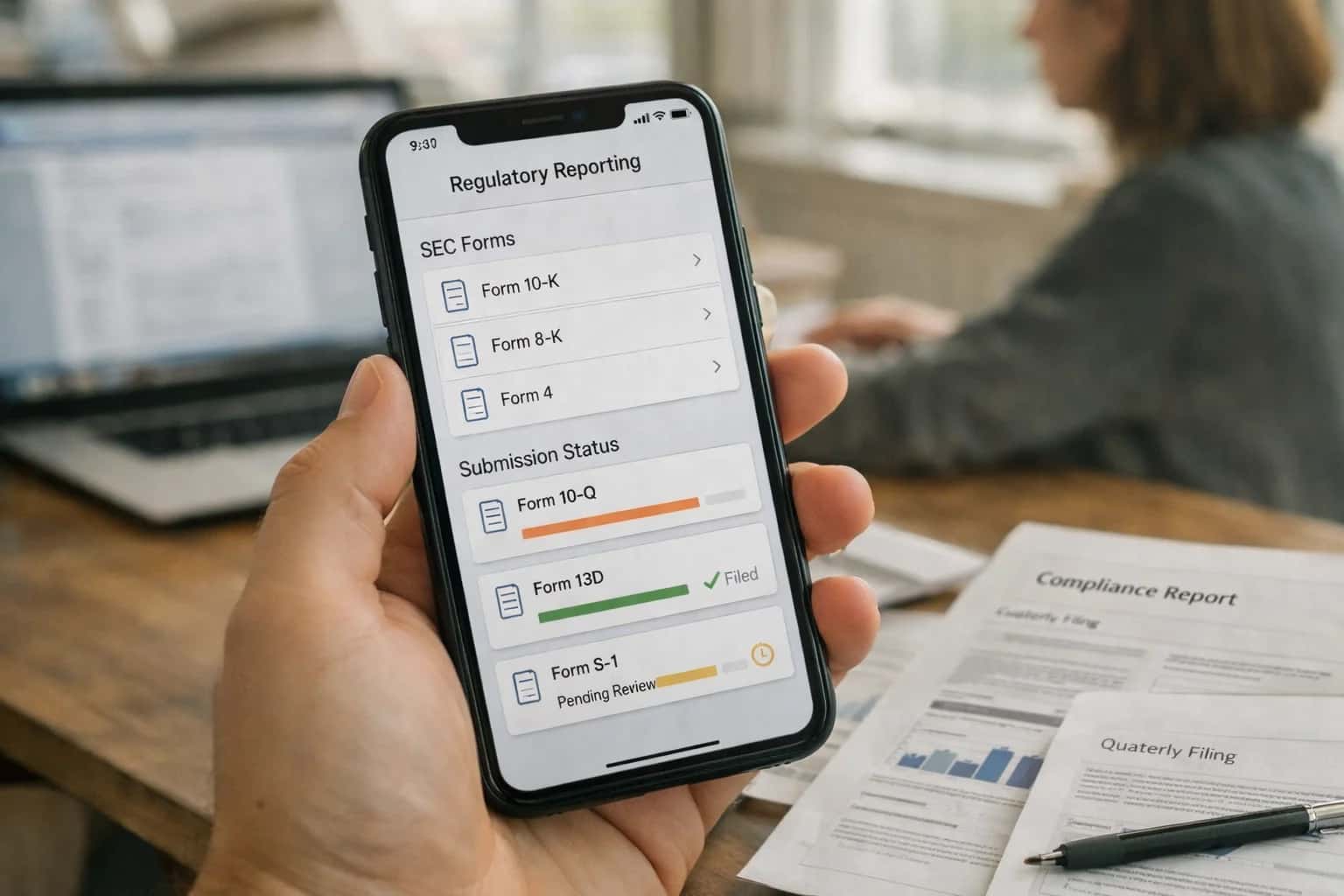
Where AI Fits into Cority's Regulatory Reporting Workflow
A practical blueprint for automating mandatory environmental, health, and safety reports from data validation to submission tracking.
Implementation focuses on three high-value automations: 1) Data Aggregation & Validation: An AI agent reviews source records for completeness, flags outliers against historical trends (e.g., a sudden spike in emissions), and requests clarifications from system users via automated tasks. 2) Form Intelligence & Population: Using retrieved data, a second agent maps values to the correct fields on complex government forms, generates required narrative sections (e.g., release prevention descriptions), and ensures calculations (like emissions factors) are applied consistently. 3) Submission Orchestration & Audit Trail: A workflow agent manages the approval chain, submits the final report via secure agency APIs or web portals where available, and logs every action—data source, transformation, approver, submission timestamp—back to a dedicated Cority object for a complete audit trail.
Rollout is typically phased, starting with the most repetitive, rule-based reports (e.g., monthly DMRs) to build trust in the automation before moving to annual, high-stakes submissions. Governance is critical: a human-in-the-loop review step is maintained for final submission approval, and the AI's form mappings and logic are version-controlled in a prompt library. The business impact is operational: reducing a multi-day, cross-departmental data chase to a same-day, system-driven workflow, minimizing late filing risks and freeing EHS specialists for higher-value analysis rather than manual consolidation.
Key Cority Modules and APIs for AI Integration
The Central Engine for Deadlines
This module is the system of record for all regulatory deadlines (e.g., OSHA 300A, EPA TRI, state-specific permits). AI integration here focuses on intelligent deadline management and data orchestration.
Key integration points:
- Obligation API: Pull the list of upcoming reports, their due dates, and associated data requirements (e.g.,
facility_id,reporting_period,parameters). - Task Assignment Engine: Automatically assign data collection tasks to site contacts or system owners weeks in advance.
- Status Webhooks: Receive real-time notifications when manual data entry tasks are completed or overdue, triggering AI-assisted follow-up.
An AI agent can use this module as its command center, querying GET /api/v1/obligations?status=pending to build its weekly reporting queue and track progress.
High-Value AI Use Cases for Cority Reporting
Transform the manual, error-prone process of generating mandatory reports into a streamlined, auditable workflow. These AI integration patterns connect directly to Cority's data model and automation layer to reduce compliance risk and administrative overhead.
Automated OSHA 300/300A Log Generation
AI monitors incident records in Cority, automatically determines OSHA recordability, and populates the 300 Log. It drafts the annual 300A summary, ensuring consistent classification and reducing manual review before submission deadlines.
EPA TRI & GHG Report Drafting
AI aggregates chemical usage and emissions data from Cority's environmental modules, performs the required calculations (e.g., for Form R, GHGRP), and generates first-draft reports with sourced data points, ready for engineer review.
Discharge Monitoring Report (DMR) Automation
For NPDES permits, AI validates incoming water quality lab data against permit limits in Cority, flags potential exceedances, and auto-fills DMR forms. It creates an audit trail linking each value back to its source sample record.
Regulatory Change Impact Analysis
When new regulations are published, AI cross-references the text with your Cority compliance calendar, permit conditions, and reporting templates. It highlights affected reports, suggests updates to calculations, and generates a change management task list.
Multi-Site Report Consolidation
AI orchestrates data pulls from multiple Cority site instances or modules (Incident, Environmental, Chemical). It normalizes units, de-duplicates entries, and compiles enterprise-wide reports (e.g., corporate sustainability, global injury rates) with consistent formatting.
Audit-Ready Submission Packages
For every submitted report, AI automatically creates a verification package within Cority. This includes the final report, all source data records, calculation logs, and approval workflows—organized for easy retrieval during agency audits or internal reviews.
Example AI-Automated Reporting Workflows
These workflows illustrate how AI agents can automate the most time-consuming and error-prone steps in generating mandatory regulatory reports within Cority, from data validation to form population and submission tracking.
Trigger: Scheduled annual workflow (e.g., January 1) or manual trigger by EHS manager.
Context/Data Pulled:
- Incident records from Cority for the prior calendar year flagged as OSHA recordable.
- Employee demographic and job title data from integrated HR system.
- Prior year's OSHA 300A submission for validation.
Model or Agent Action:
- Validation & Classification: AI reviews each incident record to confirm OSHA recordability logic (e.g., days away, job transfer, medical treatment). Flags ambiguous cases for human review.
- Data Aggregation: Automatically tallies total cases, totals for each injury/illness type, and calculates total days away/restricted/transferred.
- Form Population: Agent populates the digital OSHA 300A form (Sections K-V) with the aggregated data.
- Narrative Generation: For each recordable case, a concise, compliant narrative is generated from the incident description fields.
System Update or Next Step:
- Completed form is saved as a PDF in the Cority document repository, linked to the reporting module.
- A task is created for the authorized EHS leader to electronically sign and post.
- A calendar reminder is set for the February 1 posting deadline.
Human Review Point: The EHS manager receives a summary dashboard showing the finalized totals and a side-by-side comparison with the prior year. They must approve the form before the signature task is issued.
Implementation Architecture: Data Flow and Guardrails
A production-ready AI integration for Cority regulatory reporting connects data sources, applies validation logic, and ensures human oversight before submission.
The integration architecture typically establishes a dedicated reporting workflow queue within Cority, triggered by calendar deadlines or data-update events. An AI agent first aggregates required data from across Cority modules—incident records, exposure monitoring results, chemical inventories, and permit tracking logs—via the Cority API. It then validates this data against report-specific rules (e.g., OSHA recordability logic, EPA calculation methodologies) and flags anomalies or missing fields for review by the EHS specialist.
For form filling, the system uses a retrieval-augmented generation (RAG) pattern grounded in a vector store of past submitted reports, regulatory guidance documents, and approved corporate narratives. This ensures generated draft text—such as incident descriptions or emissions explanations—is consistent and compliant. The draft report and all source data are packaged into a human-in-the-loop approval task in Cority, where the responsible manager can review, edit, and digitally sign off before the system handles the final submission via EDI or web portal, logging the entire activity in Cority's audit trail.
Critical guardrails include configurable confidence thresholds for auto-population, mandatory review steps for high-severity incidents, and a full provenance log linking every data point in the final report back to its source record in Cority. Rollout is phased, starting with the most routine, formulaic reports (e.g., monthly DMRs) to build trust before automating complex annual submissions like OSHA 300A or TRI reports. This staged approach minimizes risk while delivering immediate time savings on high-frequency tasks.
Code and Payload Examples
Automated Data Collection and Cleansing
Before a report can be generated, AI orchestrates the retrieval and validation of data from across Cority modules and external sources. This involves calling Cority's REST API to fetch incident records, exposure monitoring results, and permit data, then using an LLM to check for completeness, flag outliers, and reconcile discrepancies against regulatory thresholds.
A typical workflow uses a Python service to query, validate, and prepare a clean dataset payload for the reporting engine.
python# Example: Fetch and validate OSHA recordable incident data import requests from inference_llm import validate_osha_recordability # Fetch incidents from Cority API cority_api_url = "https://your-instance.cority.com/api/v1/incidents" headers = {"Authorization": "Bearer YOUR_API_KEY"} params = {"startDate": "2024-01-01", "endDate": "2024-03-31"} response = requests.get(cority_api_url, headers=headers, params=params) incidents = response.json()['data'] # Validate each incident for OSHA 300 log criteria validated_incidents = [] for incident in incidents: validation_result = validate_osha_recordability( incident_description=incident['description'], treatment_type=incident['treatment'], days_away=incident['daysAwayFromWork'] ) if validation_result['is_recordable']: validated_incidents.append({ **incident, "osha_classification": validation_result['classification'] }) # Payload ready for report generation reporting_payload = { "report_type": "OSHA_300A", "period": "Q1 2024", "validated_incidents": validated_incidents }
Realistic Time Savings and Operational Impact
This table illustrates the operational impact of integrating AI into the end-to-end regulatory reporting workflow within Cority, from data aggregation to final submission. Metrics are based on typical workflows for reports like OSHA 300A, EPA TRI, or state-specific permits.
| Metric | Before AI | After AI | Notes |
|---|---|---|---|
Data Aggregation & Validation | 2-4 hours manual compilation | 30-60 minutes assisted review | AI cross-references incident, chemical, and exposure modules, flagging inconsistencies for human review. |
Form Population & Calculation | Manual entry and formula checks | Auto-population with audit trail | AI maps validated data to report fields and performs required calculations (e.g., TRIR, emissions totals). |
Narrative Generation for Variances | Drafted from scratch by specialist | First draft generated from data | AI creates context-aware summaries for exceedances or anomalies, which specialists edit and approve. |
Pre-Submission Quality Review | Peer review cycle (1-2 days) | Automated completeness & logic check | AI scans for missing fields, outlier values, and regulatory logic errors before final human sign-off. |
Submission Package Assembly | Manual document compilation | Automated bundle creation | AI pulls finalized report, supporting evidence, and cover letters into a submission-ready package. |
Deadline Tracking & Reminder Workflow | Calendar management with manual follow-ups | Dynamic tracking with predictive alerts | AI monitors report due dates based on jurisdiction and triggers proactive reminders to responsible parties. |
Post-Submission Agency Inquiry Response | Reactive manual data mining | Structured data retrieval for common queries | AI indexes submission context and related records, enabling rapid retrieval to address agency follow-up questions. |
Governance, Security, and Phased Rollout
A practical approach to deploying AI for regulatory reporting in Cority, balancing automation with control.
Integrating AI into Cority's regulatory reporting workflows requires a security-first architecture that respects the platform's existing data model and access controls. The AI layer should operate as a governed service, interacting with Cority's APIs to read from source objects like Incident, Exposure Monitoring, Chemical Inventory, and Permit records, and to write structured outputs to dedicated staging tables or custom objects for review. All AI-generated content—such as draft OSHA 300A summaries or EPA Tier II calculations—must be tagged with source data lineage and a confidence score, creating a clear audit trail from raw operational data to the proposed report submission.
A phased rollout is critical for managing risk and building organizational trust. Start with a pilot focused on a single, high-volume report type (e.g., monthly discharge monitoring reports) at one facility. In this initial phase, the AI acts as a drafting assistant, auto-populating forms and narratives for human review and approval within Cority's existing workflow engine. Subsequent phases can expand to more complex reports (like Form R or annual OSHA logs) and introduce automated validation checks, where the AI cross-references draft figures against historical submissions and regulatory thresholds to flag potential anomalies before submission.
Governance is maintained through a combination of technical and procedural controls. Implement role-based access (RBAC) so only authorized EHS specialists can approve AI-generated drafts for submission. Use Cority's native audit trail to log all AI interactions, and establish a regular review cycle where a cross-functional team (EHS, IT, Legal) evaluates the AI's performance, reviews any overrides or corrections, and refines the underlying prompts and data mappings. This controlled, iterative approach de-risks the integration, ensures compliance, and demonstrates tangible ROI by reducing the manual data consolidation and validation that typically turns regulatory reporting from a days-long process into a matter of hours.
Enabling Efficiency, Speed & Accuracy
Intelligent Analysis, Decision & Execution
We build AI systems for teams that need search across company data, workflow automation across tools, or AI features inside products and internal software.
Talk to Us
Search across company data
Give teams answers from docs, tickets, runbooks, and product data with sources and permissions.
Useful when people spend too long searching or get different answers from different systems.

Automate internal workflows
Use AI to route work, draft outputs, trigger actions, and keep approvals and logs in place.
Useful when repetitive work moves across multiple tools and teams.

Add AI to products and internal tools
Build assistants, guided actions, or decision support into the software your team or customers already use.
Useful when AI needs to be part of the product, not a separate tool.
Frequently Asked Questions for Technical Buyers
Practical questions for architects and EHS leaders planning an AI integration into Cority's regulatory reporting workflows.
The integration is built on Cority's REST API and leverages its core data objects for regulatory reporting. Key touchpoints include:
- Data Extraction: The AI agent queries the
RegulatoryReportobject,MonitoringDatarecords (e.g., emissions, discharge, waste),Facilitydetails, andPermitconditions via API calls. It also accesses theDocumentmodule for historical submissions and supporting evidence. - Context Enrichment: Before processing, the agent pulls relevant
RegulatoryRequirementrecords and pastSubmissionhistory to ensure context-aware generation. - Write-Back: Draft reports are created as new
RegulatoryReportrecords with aDraftstatus. The agent can also create associatedTaskrecords for review steps or populate specific data fields (e.g., calculated totals, narrative sections). - Governance Hook: All AI-generated content is tagged with metadata (
source: "ai_assist",model_version,timestamp) within the record's custom fields for full auditability.
A typical payload for triggering a report draft might look like:
json{ "report_type": "EPA_GHGRP", "facility_id": "FAC-1001", "reporting_year": 2024, "data_source_ids": ["MON-2024-Q1", "MON-2024-Q2", "MON-2024-Q3", "MON-2024-Q4"] }
The agent uses this to fetch the necessary context before calling the LLM.

About the author
Prasad Kumkar
CEO & MD, Inference Systems
Prasad Kumkar is the CEO & MD of Inference Systems and writes about AI systems architecture, LLM infrastructure, model serving, evaluation, and production deployment. Over 5+ years, he has worked across computer vision models, L5 autonomous vehicle systems, and LLM research, with a focus on taking complex AI ideas into real-world engineering systems.
His work and writing cover AI systems, large language models, AI agents, multimodal systems, autonomous systems, inference optimization, RAG, evaluation, and production AI engineering.
Partnered with leading AI, data, and software stack.





How We Work
Custom AI workflows for your Business
One-fit-all AI don't work for modern businesses. At Inferensys, we aim to understand your business & custom requirements; which we use to define most efficient agentic workflows, the data, and the tools for your business.
01
Review the use case
We understand the task, the users, and where AI can actually help.
Read more02
Pick the right approach
We define what needs search, automation, or product integration.
Read more03
Build the first useful version
We implement the part that proves the value first.
Read more04
Improve from there
We add the checks and visibility needed to keep it useful.
Read moreThe first call is a practical review of your use case and the right next step.
Talk to Us