Traditional ERP dashboards show you what happened. An AI analytics engine tells you what will happen, why it matters, and what to do next. This shift requires integrating AI directly with the core data objects and workflows of your ERP—be it SAP S/4HANA's OData services, NetSuite's SuiteTalk REST APIs, Oracle Cloud ERP's Financials modules, or Infor's ION event streams. The goal is to build a system where AI continuously analyzes transactional data—GL entries, sales orders, purchase receipts, production runs—to generate predictive insights (e.g., customer payment delays, machine downtime) and prescriptive recommendations that trigger workflows inside the ERP itself.

Integration
AI-Powered Analytics for ERP
Move beyond static dashboards. Build predictive insights, automated narrative reporting, and prescriptive recommendations directly on your ERP data for finance, supply chain, and operations teams.
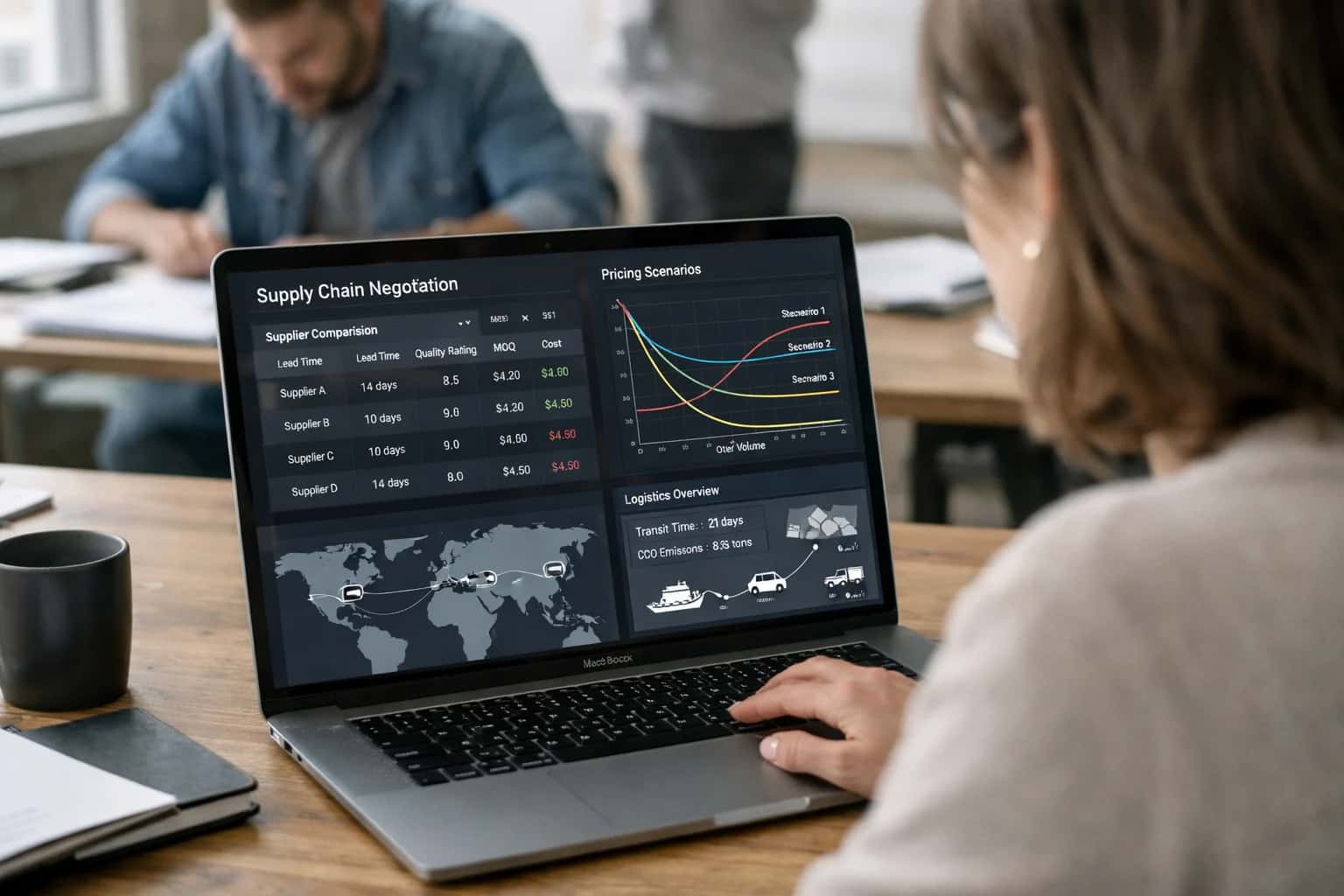
FROM REACTIVE REPORTING TO PROACTIVE OPERATIONS
Beyond Dashboards: AI as Your ERP Analytics Engine
Move from static dashboards to an AI-powered analytics engine that connects ERP data to operational actions.
Implementation focuses on three layers: 1) The Data Layer, where change data capture (CDC) or eventing APIs stream real-time data from key tables (OE_ORDER_HEADERS_ALL, FBL5N, Transaction lines) to a vector store for semantic search and time-series analysis. 2) The Intelligence Layer, where fine-tuned or RAG-augmented models generate narrative reports ("Weekly Cash Flow Forecast: Key Risks"), detect anomalies in journal entry patterns, or predict inventory stock-outs by correlating ERP data with external signals like weather or port delays. 3) The Action Layer, where insights are operationalized via the ERP's automation tools—creating a ServiceNow incident for a predicted asset failure, routing a high-risk vendor invoice to a manager in Coupa, or suggesting a manual journal entry in the general ledger with a full audit trail of the AI's reasoning.
Rollout is use-case driven. Start with a high-impact, contained workflow like automated financial commentary for the monthly close, where AI drafts variance explanations for P&L lines by querying the ERP GL and sub-ledger data. Govern this with a human-in-the-loop approval step within the existing ERP journal entry workflow. Then expand to predictive procurement analytics, where AI scores supplier risk by enriching ERP vendor master data with external financial feeds, triggering a contract review workflow in Ironclad for high-risk suppliers. The architecture must enforce RBAC from the ERP, maintain a full prompt and inference audit log, and allow for model confidence thresholds to route low-confidence predictions for human review, ensuring the AI engine augments—rather than disrupts—established financial and operational controls.
ARCHITECTURE SURFACES
Where AI Analytics Connects to Your ERP Stack
Core Transactional and Master Data
AI-powered analytics require clean, structured access to the ERP's central data model. This includes:
- General Ledger & Sub-ledgers: For trend analysis, anomaly detection, and predictive forecasting of revenue, expenses, and cash flow.
- Sales Orders & Inventory: To fuel demand sensing models, safety stock optimization, and predictive insights into fulfillment bottlenecks.
- Procurement & Supplier Data: For spend analytics, supplier risk scoring, and predictive insights into price volatility or delivery delays.
- Asset & Maintenance Records: To build predictive maintenance models that forecast equipment failures and optimize spare parts inventory.
Connections are typically made via OData APIs, RESTful web services, or direct database replication to create a unified analytics layer, ensuring AI models operate on a real-time or near-real-time view of business operations.
PREDICTIVE & PRESCRIPTIVE INSIGHTS
High-Value AI Analytics Use Cases for ERP
Move beyond descriptive dashboards. Embed AI-driven analytics directly into SAP, Oracle, NetSuite, and Infor workflows to predict outcomes, prescribe actions, and automate narrative reporting—turning ERP data into a competitive intelligence layer.
01
Predictive Cash Flow Forecasting
Integrates AI with ERP AR, AP, and treasury modules. Analyzes payment history, open invoices, purchase commitments, and seasonal trends to generate short-term (7-30 day) cash position forecasts. Flags potential liquidity gaps and recommends optimal payment timing or collection strategies for treasury managers.
Days -> Hours
Forecast cycle
02
Automated Financial Narrative Generation
Connects to the ERP data warehouse and GL. For each period close, AI automatically drafts the Management Discussion & Analysis (MD&A) section of reports. It explains variances in revenue, margins, and expenses by linking to operational events (e.g., a sales campaign, a supply chain delay), saving FP&A teams days of manual analysis.
1-2 Days
Time saved per report
03
Anomaly-Driven Operational Alerts
Uses real-time CDC streams from ERP transaction tables (production orders, shipments, journal entries). AI establishes normal behavioral baselines and sends prescriptive alerts to role-specific inboxes when anomalies are detected—like a spike in manufacturing scrap rates or an unusual intercompany journal—with root-cause suggestions.
Batch -> Real-time
Insight delivery
04
Predictive Customer & Supplier Risk Scoring
Enriches ERP master data (customer/vendor records) with external financial, geopolitical, and ESG signals via API. AI continuously calculates and updates a composite risk score within the ERP, triggering proactive alerts in procurement or credit management workflows for high-risk entities, enabling preemptive action.
05
Prescriptive Inventory Optimization
Leverages AI on top of ERP inventory, sales order, and procurement data. Goes beyond basic reorder points to provide SKU-level prescriptive actions: 'Delay this PO due to slowing demand,' 'Expedite this item for a key customer order,' or 'Mark this for promotional clearance.' Integrates directly with planner workflows in SAP EWM or Oracle WMS.
5-15%
Potential carrying cost reduction
06
Natural Language Query for Executives & Analysts
Deploys a secure chat interface connected to the ERP's semantic layer or data warehouse. Allows users to ask questions like, 'What were Q3 sales in Europe by product line versus forecast?' and receive a formatted table with a narrative summary. Drastically reduces dependency on IT for ad-hoc reports and empowers data-driven decisions.
FROM REACTIVE REPORTING TO PREDICTIVE OPERATIONS
Example AI Analytics Workflows in Action
These are not dashboards. They are AI-driven workflows that analyze ERP data, generate predictive insights, and trigger operational actions—all within the context of your existing financial, supply chain, and manufacturing modules.
Trigger: Daily batch job after ERP financial transaction postings.
Context Pulled:
- Open Accounts Receivable (AR) invoices and their due dates from the
AR_TRANSACTIONStable. - Open Accounts Payable (AP) invoices and payment terms from the
AP_INVOICEStable. - Recent sales orders and their expected fulfillment dates from
SALES_ORDERS. - Historical payment patterns by customer from the
CUSTOMER_MASTERand payment history.
Agent Action:
- An AI model analyzes the aggregated data to forecast daily cash inflows and outflows for the next 30 days.
- It identifies a high-probability shortfall in 14 days due to a cluster of large AP payments and delayed collections from two key customers.
- The agent generates a narrative summary: "Cash forecast indicates a potential shortfall of ~$250K on [Date]. Primary drivers: Payment from Customer A (Invoice #INV-1001) is 5 days past typical pattern, and large scheduled payment to Vendor B ($150K)."
System Update / Next Step:
- An alert is created in the ERP's workflow inbox for the Treasury Manager and CFO.
- The alert includes recommended actions: "1) Initiate dunning workflow for Customer A. 2) Evaluate early payment discount for Vendor B payment. 3) View detailed forecast in Cash Management module."
- Clicking the first action link pre-populates a collections task in the ERP's AR workspace for the specified invoice.
Human Review Point: The treasury manager reviews the alert and the AI's reasoning, then approves the triggered workflow steps with one click.
FROM DATA WAREHOUSE TO ACTIONABLE INSIGHTS
Architecture: How to Wire AI Analytics to Your ERP
A practical blueprint for connecting AI analytics to ERP data, enabling predictive insights and automated narrative reporting.
The foundation is connecting your AI layer to the ERP's data warehouse or operational data store. For platforms like SAP S/4HANA (via CDS Views), Oracle Cloud ERP (via ADW or OAC), NetSuite (via SuiteAnalytics Connect), or Infor (via Birst or Infor Data Lake), this typically involves:
- Establishing a secure, read-only data pipeline using OData, REST APIs, or JDBC connectors.
- Replicating key fact and dimension tables for General Ledger, Sales Orders, Inventory, Procurement, and Project Accounting.
- Implementing a change data capture (CDC) mechanism or batch schedule to keep the analytics layer current, balancing latency needs with system load.
On this data foundation, the AI analytics engine performs three core functions:
- Predictive Modeling: Training models on historical ERP data to forecast outcomes like customer churn risk, machine downtime, or cash flow gaps. This often requires joining ERP data with external signals (e.g., market indices, weather data).
- Prescriptive Recommendations: Using optimization and simulation to suggest actions—such as reorder quantities, maintenance schedules, or collection strategies—and surfacing them via APIs back to the ERP's workflow or notification engine.
- Automated Narrative Reporting: Generating plain-language summaries of period-end results, forecast variances, or operational KPIs by querying the aggregated data and applying a structured Large Language Model (LLM). These narratives can be pushed to executive dashboards, emailed reports, or directly into commentary fields in financial reports.
For production rollout, the architecture must include governance and operational controls:
- A vector database (like Pinecone or Weaviate) for efficient semantic search across historical reports and unstructured documents linked to ERP records.
- An orchestration layer (using tools like n8n or Apache Airflow) to manage the scheduled execution of data pulls, model inference, and insight distribution.
- Human-in-the-loop review steps integrated into existing approval workflows (e.g., in SAP Fiori or NetSuite SuiteFlow) for high-stakes recommendations before they trigger system actions.
- Comprehensive audit logging that traces each insight back to the source ERP transaction and the AI model version used, which is critical for compliance in regulated industries.
This setup transforms the ERP from a system of record into a system of intelligence, enabling operations where analysts move from manually building reports to reviewing and acting on AI-curated insights. For related implementation patterns, see our guides on /integrations/enterprise-resource-planning-platforms/ai-integration-for-erp-analytics-and-reporting and /integrations/business-intelligence-and-analytics-platforms.
ARCHITECTURE BLUEPRINTS
Code & Payload Patterns for ERP AI Analytics
Connecting AI to ERP Data Warehouses
Production AI analytics require a dedicated layer that sits between your ERP's operational database and end-user dashboards. The pattern involves:
- Event Capture: Use ERP-native CDC (Change Data Capture) or scheduled extracts to stream relevant transactional data (GL, sales orders, inventory movements) to a cloud data warehouse like Snowflake or BigQuery.
- Feature Engineering: Enrich raw ERP data with external signals (market indices, weather, commodity prices) and historical aggregations to create the feature sets needed for predictive models.
- Model Serving: Deploy trained models (e.g., for churn, downtime, cash flow) as containerized endpoints or use managed services like SageMaker, Vertex AI, or Databricks Model Serving.
Key Payload: The request from your analytics dashboard to the AI service typically includes a company_id, time_period, and an array of pre-aggregated KPIs derived from the ERP data warehouse.
json{ "analysis_request": { "company_id": "ACME_2024", "period": "2024-Q2", "metrics": [ {"name": "gross_margin", "value": 0.42, "trend": "down"}, {"name": "days_sales_outstanding", "value": 45, "trend": "up"} ], "model_context": "financial_health" } }
The AI service returns narrative insights, driver attribution, and prescriptive recommendations linked back to ERP transaction IDs or master data records for action.
AI-POWERED ANALYTICS FOR ERP
Realistic Operational Impact & Time Savings
This table illustrates the shift from manual, reactive reporting to proactive, AI-driven insights, showing how AI-powered analytics embedded in ERP systems like SAP, Oracle, NetSuite, and Infor can transform core operational and financial workflows.
| Analytics Workflow | Before AI | After AI | Implementation Notes |
|---|---|---|---|
Monthly Financial Variance Analysis | Manual data pull, spreadsheet analysis, 2-3 days per cycle | Automated narrative report generation with root-cause highlights, <1 hour | Connects to GL, sub-ledger APIs; human review of insights before distribution |
Demand Forecast Generation | Statistical models in separate tools, weekly batch updates | Dynamic, multi-signal forecasts with anomaly alerts, daily refresh | Integrates ERP sales history with external market data via API; planners adjust final numbers |
Customer Churn Risk Scoring | Quarterly analysis based on static reports | Real-time scoring of accounts with recommended retention actions | Leverages ERP order, payment, and support data; outputs feed CRM or service workflows |
Supplier Performance Reporting | Manual compilation of on-time delivery & quality metrics | Automated dashboard with predictive risk scores and trend analysis | Pulls from ERP procurement and quality modules; alerts trigger in procurement workflows |
Inventory Optimization Recommendation | Rule-based reorder points, reviewed monthly | AI-prescribed safety stock levels and obsolescence risk flags | Uses ERP inventory, demand, and lead time data; requires planner approval for system updates |
Machine Downtime Prediction | Reactive maintenance after failure or fixed schedule | Predictive alerts with probable cause and part recommendations | Integrates IoT sensor streams with ERP maintenance history; auto-creates draft work orders |
Executive Operational Summary | Manual slide deck creation, 8-10 hours weekly | Auto-generated narrative with key metrics and drill-down links | Queries ERP data warehouse; personalized for each executive's domain via RBAC |
ARCHITECTING FOR ENTERPRISE CONTROL
Governance, Security, and Phased Rollout
Deploying AI-powered analytics on ERP data requires a production-grade architecture that enforces governance, secures sensitive financial data, and enables controlled adoption.
An effective AI analytics layer for SAP, Oracle, NetSuite, or Infor must be architected as a secure middleware service, not a direct plugin. This service sits between your ERP's APIs (OData, SuiteTalk, REST) and the AI models, acting as a policy enforcement point. It handles authentication via your existing IAM, applies role-based access controls (RBAC) to limit data exposure—ensuring a cost center manager only sees their P&L forecasts—and logs all prompts, data queries, and model outputs to your SIEM for auditability. Sensitive data like financial forecasts or employee attrition risks is never sent to a model without first being pseudonymized or filtered through a secure data gateway.
The implementation follows a phased, value-driven rollout. Phase 1 typically focuses on a single, high-impact domain like predictive cash flow or inventory stock-out risk, connecting to a limited set of ERP tables (e.g., AR_Transactions, Inventory_SNAPSHOTS). We build the initial pipelines, a proof-of-concept dashboard, and a human-in-the-loop review step for all AI-generated recommendations. Phase 2 expands to adjacent workflows, such as adding narrative generation for monthly financial close packages or prescriptive alerts for procurement savings. Each phase incorporates feedback from finance, supply chain, and IT security teams, refining the guardrails and prompting strategies.
Governance is operationalized through a centralized prompt registry and a model performance dashboard. The registry version-controls all analytical queries (e.g., "Explain the top 3 drivers of variance in Q3 COGS") to ensure consistency and compliance. The performance dashboard monitors key metrics: accuracy of predictions against actuals (e.g., forecasted vs. real demand), data freshness from the ERP, and user engagement. This structured approach allows your Center of Excellence to manage the AI analytics layer as a governed enterprise service, scaling insights without compromising on the control required for core financial and operational systems. For related architectural patterns, see our guides on AI Integration for ERP Analytics and Reporting and Data Governance and Privacy Platforms.
Enabling Efficiency, Speed & Accuracy
Intelligent Analysis, Decision & Execution
We build AI systems for teams that need search across company data, workflow automation across tools, or AI features inside products and internal software.
Talk to Us
Search across company data
Give teams answers from docs, tickets, runbooks, and product data with sources and permissions.
Useful when people spend too long searching or get different answers from different systems.
Enterprise searchRAGPermissions
Read more
Automate internal workflows
Use AI to route work, draft outputs, trigger actions, and keep approvals and logs in place.
Useful when repetitive work moves across multiple tools and teams.
AI agentsWorkflow automationGovernance
Read more
Add AI to products and internal tools
Build assistants, guided actions, or decision support into the software your team or customers already use.
Useful when AI needs to be part of the product, not a separate tool.
AI integrationDecision supportModel routing
Read moreIMPLEMENTATION AND OPERATIONS
FAQ: AI-Powered Analytics for ERP
Practical answers for technical leaders planning to augment SAP, Oracle, NetSuite, or Infor with predictive and prescriptive AI analytics.
The standard pattern uses a change data capture (CDC) pipeline to replicate transactional and master data to a separate analytics environment, keeping operational load off the ERP.
Typical Architecture:
- Extract: Use native ERP tools (SAP ODP, Oracle GoldenGate, NetSuite SuiteAnalytics Connect) or third-party CDC to stream delta changes.
- Stage: Land data in a cloud data warehouse (Snowflake, BigQuery, Redshift) or data lake.
- Process: Apply AI/ML models in this separate environment using tools like Databricks or SageMaker.
- Write-back: Push insights (e.g., predicted churn score, recommended safety stock) back to the ERP via its REST or SOAP APIs, often as custom fields on customer or material master records.
Key Consideration: Implement read replicas or leverage ERP-specific analytics extracts for heavy historical data pulls to avoid hitting production OLTP tables directly.

About the author
Prasad Kumkar
CEO & MD, Inference Systems
Prasad Kumkar is the CEO & MD of Inference Systems and writes about AI systems architecture, LLM infrastructure, model serving, evaluation, and production deployment. Over 5+ years, he has worked across computer vision models, L5 autonomous vehicle systems, and LLM research, with a focus on taking complex AI ideas into real-world engineering systems.
His work and writing cover AI systems, large language models, AI agents, multimodal systems, autonomous systems, inference optimization, RAG, evaluation, and production AI engineering.
LinkedIn
Limited slotsGet a Free AI Consultation
Partnered with leading AI, data, and software stack.





How We Work
Custom AI workflows for your Business
One-fit-all AI don't work for modern businesses. At Inferensys, we aim to understand your business & custom requirements; which we use to define most efficient agentic workflows, the data, and the tools for your business.
01
Review the use case
We understand the task, the users, and where AI can actually help.
Read more02
Pick the right approach
We define what needs search, automation, or product integration.
Read more03
Build the first useful version
We implement the part that proves the value first.
Read more04
Improve from there
We add the checks and visibility needed to keep it useful.
Read moreThe first call is a practical review of your use case and the right next step.
Talk to Us