The invoice-to-pay workflow is a prime candidate for AI integration because it involves high-volume document processing, multi-system validations, and manual exception handling. AI fits into three key architectural layers within your ERP: 1) the document ingestion layer, where AI extracts line-item data from PDFs, emails, and scanned images; 2) the validation and matching engine, where AI handles complex exceptions beyond simple 2/3-way matching (e.g., partial receipts, price variances, non-PO invoices); and 3) the approval and posting layer, where AI analyzes context to dynamically route invoices, suggest GL coding, and generate audit-ready journal entries. This integration typically connects via the ERP's native APIs—like SAP's OData services, NetSuite's SuiteTalk REST APIs, or Oracle's Financials REST APIs—to read and write Invoice, Purchase Order, Vendor, and Journal Entry records.

Integration
AI Integration for ERP Invoice Processing
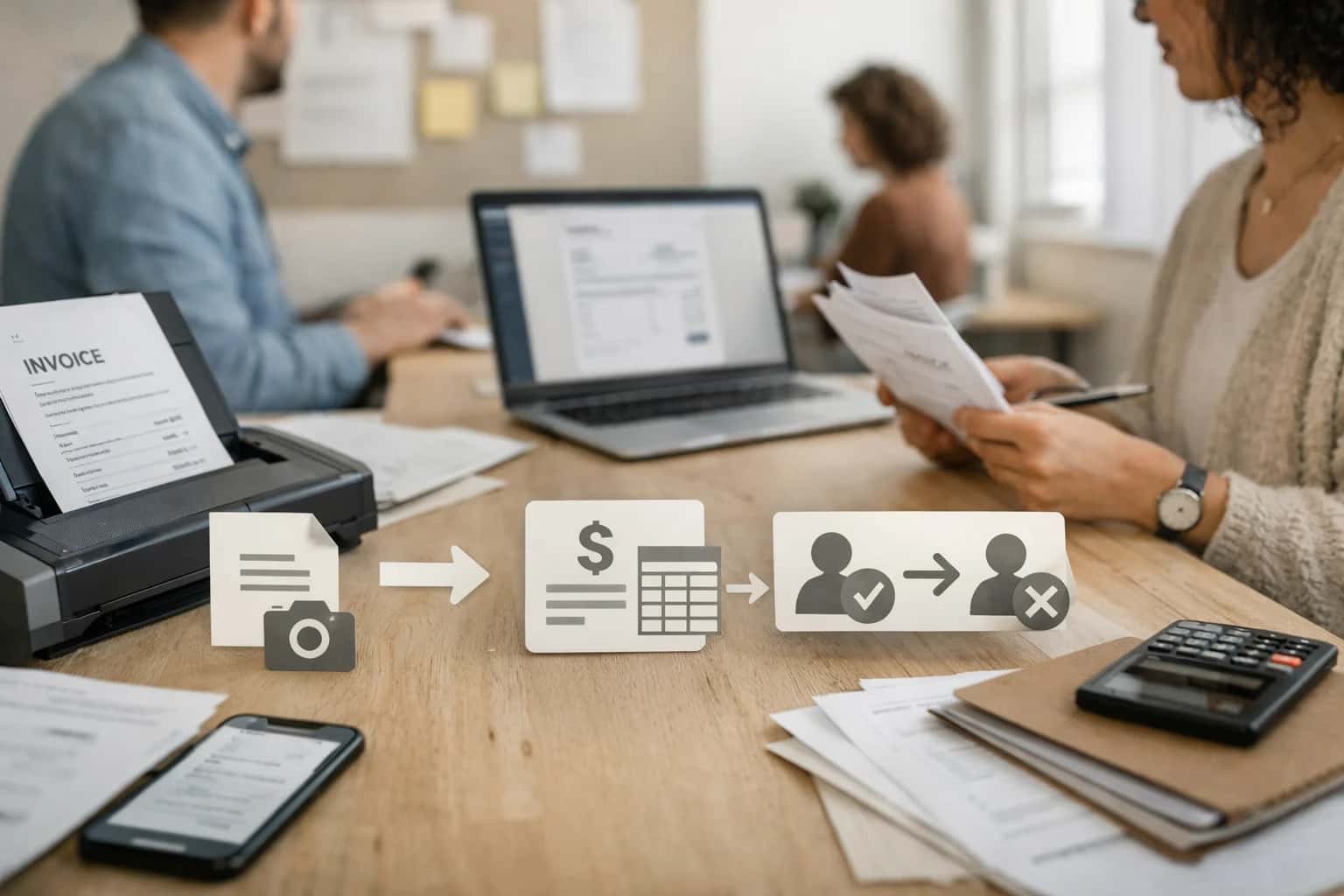
Where AI Fits in the ERP Invoice-to-Pay Workflow
A practical guide to embedding AI agents and workflows into the core AP modules of SAP, Oracle, NetSuite, and Infor.
A production implementation wires an AI orchestration layer between your document capture system and the ERP's AP module. Incoming invoices are routed to a vision/LLM model for extraction, creating a structured payload. This payload is first validated against ERP master data (Vendor, Item, GL Account). For matching exceptions, an AI agent reviews the transaction history, contract terms, and communication trails to propose a resolution (e.g., 'Accept variance under 2% based on prior history with Vendor-123'). Approved invoices are then coded using an AI model trained on your chart of accounts and past behavior, and a journal entry proposal is created via the ERP's Journal Entry API. The entire workflow is governed by a human-in-the-loop design, where high-risk or high-value exceptions are flagged for AP clerk review, and all AI decisions are logged to a dedicated audit table linked to the invoice record.
Rollout should be phased, starting with a low-risk vendor subset or a specific invoice type (e.g., utility bills). Success is measured by reduction in exception handling time (from hours to minutes) and increase in straight-through processing rate. Key governance considerations include maintaining a closed-loop feedback system where clerk overrides retrain the models, implementing RBAC to control which AI proposals can auto-post, and ensuring all data passed to external AI services is anonymized or stays within your VPC. For teams using platforms like Infor OS or SAP Cloud Platform, the AI agents can be deployed as microservices within the same cloud environment, keeping data movement and latency minimal.
ERP Platform Integration Surfaces for Invoice AI
Inbound Document Workflows
AI integration begins at the point of invoice receipt. Key ERP surfaces include:
- Vendor Portals & EDI Gateways: Ingest structured invoices but often lack support for PDFs or emails. AI can be injected here to parse unstructured attachments before data is passed to the AP module.
- Email Inboxes & Shared Drives: Configured as document sources (e.g., a dedicated AP email). AI agents monitor these sources, extract invoice data, and create draft AP records via REST API before full validation.
- ERP Document Management Systems (DMS): Such as SAP DMS or Oracle Content. AI can be triggered on document upload to classify, extract key fields (vendor, invoice #, amount, date), and populate staging tables.
Implementation Pattern: A cloud-based AI service listens to webhooks from these sources, processes documents via OCR and LLMs, and posts the extracted JSON payload to a custom REST endpoint or middleware layer that creates a pending invoice record in the ERP.
High-Value AI Use Cases for ERP Invoice Processing
Transform the procure-to-pay lifecycle by embedding AI directly into your ERP's AP module. These use cases target SAP, Oracle, NetSuite, and Infor, focusing on automating manual tasks, reducing exceptions, and accelerating cycle times for shared service centers and AP teams.
Intelligent Invoice Capture & Data Extraction
Automate the ingestion of invoices from email, portals, and scans directly into the ERP. AI extracts line-item details (vendor, PO number, amounts, taxes) with high accuracy, validates against the ERP's vendor master, and creates draft AP invoices in the system, eliminating manual data entry.
Automated 2-Way & 3-Way Matching
AI performs the matching logic between invoices, purchase orders, and goods receipts within the ERP. It intelligently handles exceptions—like price variances or quantity mismatches—by analyzing historical tolerances and contract terms, then routes only true exceptions for human review.
AI-Powered Exception Handling & Triage
When matching fails, AI classifies the exception type (e.g., 'missing GR', 'price variance'), retrieves relevant context from the ERP (PO history, vendor performance), and suggests a resolution or routes it to the correct role (buyer, receiver, AP). This reduces investigative time and misrouting.
Smart GL & Cost Center Coding
Eliminate manual account assignment. AI analyzes invoice line descriptions, vendor history, and project codes to predict the correct General Ledger account, cost center, and project ID according to your ERP's chart of accounts, ensuring compliance and reducing month-end reclass entries.
Vendor Inquiry Auto-Response
Deploy an AI agent integrated with the ERP's vendor portal and AP tables. It answers common vendor questions about invoice status, payment dates, and discrepancies in natural language, pulling real-time data from the system. This deflects 40-60% of routine AP support tickets.
Payment Proposal Optimization & Fraud Detection
AI analyzes cash flow, vendor payment terms, and early payment discounts to recommend an optimal weekly payment run within the ERP's payment program. It also cross-references vendor bank details against internal master data and external watchlists for anomaly detection before payment file generation.
Example AI-Powered Invoice Processing Workflows
These workflows detail how AI agents integrate directly with ERP APIs and data models to automate the invoice-to-pay lifecycle. Each pattern is designed for production, with clear triggers, system interactions, and human review gates.
Trigger: A new invoice image/PDF is uploaded to the ERP's document management system (e.g., SAP DMS, NetSuite File Cabinet) or arrives via a dedicated AP email inbox.
Workflow:
- Document Ingestion & Extraction: An AI agent is triggered via webhook. It uses a vision/LLM model to extract line-item data (vendor, invoice #, date, line amounts, taxes) and performs OCR confidence scoring.
- ERP Context Retrieval: The agent calls the ERP's REST/SOAP APIs to retrieve the related Purchase Order (PO) and Goods Receipt (GR) records using the extracted vendor and PO number.
- Intelligent Matching: The AI performs a fuzzy, context-aware 3-way match:
- PO Match: Validates items and prices against the PO.
- GR Match: Validates quantities received against the GR.
- Tolerance Analysis: Flags variances (e.g., quantity within 5%, price within 2%) and provides a reasoning ("Price increase due to agreed surcharge per amendment PO-456").
- System Update & Routing:
- If Full Match: Agent automatically creates an invoice record in the ERP (e.g.,
APInvoicein NetSuite,FB60document in SAP) in a "Ready for Payment" status, posting to the correct GL account. - If Exception: Agent creates the invoice record in an "On Hold" status, attaches the AI-generated exception report, and routes it via the ERP's approval workflow to the designated buyer or AP clerk. The report includes extracted data, variance details, and suggested resolution.
- If Full Match: Agent automatically creates an invoice record in the ERP (e.g.,
Human Review Point: All exceptions are routed for human review. The agent can also be configured to hold invoices above a certain monetary threshold for mandatory review, regardless of match status.
Implementation Architecture: Data Flow, APIs, and Guardrails
A practical guide to the data flows, integration points, and governance controls needed for a secure, scalable AI invoice processing pipeline within your ERP.
A production AI integration for ERP invoice processing connects three core layers: the document ingestion pipeline, the ERP transaction engine, and the AI decisioning service. The flow typically begins when an invoice PDF arrives via email, vendor portal, or AP scanning service. This triggers a webhook to a processing queue. An extraction service (using OCR or a pre-trained document AI model) parses the PDF, pulling key fields like vendor name, invoice number, date, line items, and totals. This raw extracted data, along with the original document, is then passed to the validation and enrichment agent. This agent calls your ERP's APIs—like NetSuite's SuiteTalk REST API for vendor records, SAP S/4HANA's OData API for purchase orders, or Oracle Cloud ERP's REST API for goods receipts—to fetch contextual data for 2-way or 3-way matching.
The AI's role is to resolve exceptions and automate coding. It compares extracted data to ERP records, flags discrepancies (e.g., price variances, quantity mismatches), and uses the transaction history and vendor master data to suggest a resolution. For clean invoices, it proposes the correct GL account, department, project, and cost center coding based on learned patterns from historically posted transactions. All suggestions, along with confidence scores and the reasoning trail, are written to a staging table or a custom object within the ERP (e.g., a 'Pending AI Invoice Approval' record in NetSuite) or sent to a workflow engine like n8n or Microsoft Copilot Studio for orchestration. The final step involves the approved transaction being posted via the ERP's native journal entry or invoice API, with the AI's decision log attached to the audit trail.
Governance is non-negotiable. Implement human-in-the-loop rules: any invoice over a predefined amount, with a low confidence score, or from a new vendor routes to an AP clerk's queue in the ERP's native interface. All AI suggestions and overrides are logged in an immutable audit trail linked to the ERP transaction ID. Access to override or train the model should be controlled via the ERP's existing RBAC (Role-Based Access Control). For data privacy, ensure the AI service is configured to never persist PII or sensitive financial data beyond the transaction lifecycle, and all calls between your ERP, vector store (like Pinecone for historical pattern retrieval), and LLM are encrypted. Start with a pilot on a single, high-volume vendor or business unit, measure reduction in touch time and exception rates, and then scale the integration using the ERP's built-in workflow tools or a middleware layer for broader orchestration.
Code and Payload Examples for Key Integration Points
Ingesting and Extracting Invoice Data
This initial step involves capturing invoices from various sources (email, portal, scanner) and extracting structured data. A common pattern is to use a webhook-triggered workflow that processes the document, calls a vision or document AI service, and posts the results to a staging table or custom object in the ERP.
Example Python payload for processing an uploaded PDF:
pythonimport requests import json # Payload to external document AI service extraction_payload = { "document_url": "https://your-storage/invoices/INV-2024-001.pdf", "features": ["text_detection", "form_parsing"], "entity_mapping": { "invoice_number": {"type": "regex", "pattern": r"INV-\\d+-\\d+"}, "vendor_id": {"type": "keyword", "keywords": ["Vendor", "Supplier"]}, "invoice_date": {"type": "date"}, "total_amount": {"type": "currency"}, "line_items": {"type": "table", "header_row": 1} } } response = requests.post( "https://api.your-ai-service.com/v1/extract", json=extraction_payload, headers={"Authorization": "Bearer YOUR_API_KEY"} ) extracted_data = response.json() # Result includes structured fields and confidence scores print(json.dumps(extracted_data, indent=2))
The extracted data, along with the original document ID, is then posted to a custom invoice_staging record in the ERP via its REST API, awaiting validation.
Realistic Time Savings and Operational Impact
A comparison of manual vs. AI-assisted invoice processing workflows within ERP systems like SAP, Oracle, NetSuite, and Infor, based on typical shared service center operations.
| Process Stage | Manual / Legacy Workflow | AI-Assisted Workflow | Key Impact & Notes |
|---|---|---|---|
Invoice Ingestion & Capture | Manual download from portals/email; OCR with high error rates | Automated multi-channel ingestion; AI-driven data extraction with validation | Processing time: Hours -> Minutes; Reduces data entry errors by 60-80% |
2/3-Way Matching & Validation | Manual line-by-line comparison of PO, receipt, and invoice | AI performs automated matching, flags exceptions with reasoning | Review focus shifts to 10-20% exception cases; matches in seconds |
Account Coding & GL Distribution | Manual lookup of cost centers/projects; prone to mis-coding | AI suggests coding based on history/vendor; learns from corrections | Coding accuracy improves; reduces rework and month-end corrections |
Approval Routing & Exception Handling | Static rules-based routing; manual investigation of holds | Dynamic routing based on amount, approver availability, context; AI summarizes issues | Cycle time: Next day -> Same day; approvers get pre-digested context |
Vendor Inquiry Resolution | AP staff manually search ERP and email trails for each query | AI chatbot provides instant status, document retrieval, draft responses | Frees 30-50% of AP inquiry volume; improves vendor satisfaction |
Payment Proposal & Fraud Check | Manual review of payment runs; basic duplicate invoice checks | AI optimizes payment timing for discounts; screens for anomalous patterns | Identifies early-pay discount opportunities; enhances fraud detection |
Month-End Close Reconciliation | Manual reconciliation of AP sub-ledger to GL; variance research | AI automates reconciliation, highlights and explains variances | Close task reduced from days to hours; provides audit-ready explanation trail |
Process Auditing & Compliance | Sample-based manual audits for policy adherence | Continuous AI monitoring of 100% of transactions for policy/SoD violations | Shifts audit to proactive, risk-based model; improves control visibility |
Governance, Security, and Phased Rollout Strategy
A production-grade AI integration for ERP invoice processing requires a deliberate strategy that prioritizes security, compliance, and incremental value delivery.
Start with a human-in-the-loop pilot on a single, high-volume vendor or business unit. Configure the AI agent to extract data from incoming invoices and populate a staging table or custom object in your ERP (e.g., a Pending Invoice record in NetSuite or a custom Z-table in SAP). The system should present its extracted fields—vendor ID, invoice number, line items, amounts, GL accounts—alongside a confidence score and the source document to an AP clerk for review and approval before any posting occurs. This phase validates accuracy, builds user trust, and creates the initial audit trail.
Governance is built into the integration architecture. All AI-generated data and proposed journal entries must be stamped with metadata: model_version, processing_timestamp, source_file_hash, and reviewer_id. Access to the AI orchestration layer should be controlled via the ERP's existing RBAC (Role-Based Access Control), ensuring only authorized AP managers can modify validation rules or approve high-value exceptions. For platforms like Oracle Cloud ERP or SAP S/4HANA, leverage native audit logging services to track every AI-initiated action from extraction to posting, creating an immutable chain of custody for auditors.
A phased rollout moves from assisted review to conditional autonomy. Phase 2 might introduce straight-through processing for invoices from pre-approved vendors where the AI's confidence score exceeds a defined threshold (e.g., 98%) and the amount is under a pre-set limit. These transactions are posted automatically, with notifications sent to the AP team. Phase 3 expands to handle complex exceptions—such as resolving mismatches between PO, receipt, and invoice—by routing them to a dedicated exception queue with AI-suggested resolutions, reducing investigator time from hours to minutes. Each phase is gated by accuracy KPIs and requires a formal change control procedure within the ERP's change management module.
Security is non-negotiable. Invoice data, often containing sensitive vendor banking details, must never be sent to a third-party LLM in its raw form. The integration should use a zero-data-exit architecture: deploy the extraction model on-premises or within your VPC, or use a licensed model via a private endpoint. Processed data is immediately structured and only the necessary fields (vendor code, amount) are passed via secure, authenticated REST APIs (like SuiteTalk or OData) into the ERP's core AP module. This approach keeps PII and financial data within your controlled environment, aligning with SOC 2, ISO 27001, and internal data residency policies.
Enabling Efficiency, Speed & Accuracy
Intelligent Analysis, Decision & Execution
We build AI systems for teams that need search across company data, workflow automation across tools, or AI features inside products and internal software.
Talk to Us
Search across company data
Give teams answers from docs, tickets, runbooks, and product data with sources and permissions.
Useful when people spend too long searching or get different answers from different systems.

Automate internal workflows
Use AI to route work, draft outputs, trigger actions, and keep approvals and logs in place.
Useful when repetitive work moves across multiple tools and teams.

Add AI to products and internal tools
Build assistants, guided actions, or decision support into the software your team or customers already use.
Useful when AI needs to be part of the product, not a separate tool.
Frequently Asked Questions for Technical Buyers
Practical answers to common technical and operational questions about implementing AI-driven invoice automation within SAP, Oracle, NetSuite, and Infor.
Connection is established via the ERP's native APIs, never through screen scraping. We use:
- Service Accounts with Minimal RBAC: Dedicated service accounts are provisioned with the least privilege required (e.g., read/write access to Vendor, Purchase Order, and Invoice tables/APIs).
- Secure API Gateways: Calls are routed through an API gateway (like Kong or Apigee) for authentication, rate limiting, and audit logging.
- Data in Transit/At Rest: All data is encrypted. Sensitive fields (like bank details) can be masked or tokenized before processing.
- VPC/VNet Peering: For cloud deployments, the AI processing service runs in a peered VPC/VNet to the ERP's environment, keeping traffic off the public internet.
This architecture ensures compliance with internal IT security policies and ERP vendor guidelines.

About the author
Prasad Kumkar
CEO & MD, Inference Systems
Prasad Kumkar is the CEO & MD of Inference Systems and writes about AI systems architecture, LLM infrastructure, model serving, evaluation, and production deployment. Over 5+ years, he has worked across computer vision models, L5 autonomous vehicle systems, and LLM research, with a focus on taking complex AI ideas into real-world engineering systems.
His work and writing cover AI systems, large language models, AI agents, multimodal systems, autonomous systems, inference optimization, RAG, evaluation, and production AI engineering.
Partnered with leading AI, data, and software stack.





How We Work
Custom AI workflows for your Business
One-fit-all AI don't work for modern businesses. At Inferensys, we aim to understand your business & custom requirements; which we use to define most efficient agentic workflows, the data, and the tools for your business.
01
Review the use case
We understand the task, the users, and where AI can actually help.
Read more02
Pick the right approach
We define what needs search, automation, or product integration.
Read more03
Build the first useful version
We implement the part that proves the value first.
Read more04
Improve from there
We add the checks and visibility needed to keep it useful.
Read moreThe first call is a practical review of your use case and the right next step.
Talk to Us