AI integration targets the extract, transform, load (ETL) pipeline that sits between legacy systems (e.g., SAP ECC, JD Edwards, custom databases) and the target ERP (SAP S/4HANA, NetSuite, Oracle Cloud ERP). The core surfaces are the source data extracts, mapping rulesets, and the validation queues pre-load. AI agents act on structured data (customer, vendor, item, GL account records) and unstructured documents (legacy spreadsheets, PDF reports) to automate high-effort, low-judgment tasks that bottleneck migration teams.

Integration
AI Integration for ERP Data Migration
A technical blueprint for data migration leads and architects to use AI for automating field mapping, data cleansing, validation, and transformation logic generation during ERP implementations, cutting weeks from project timelines.
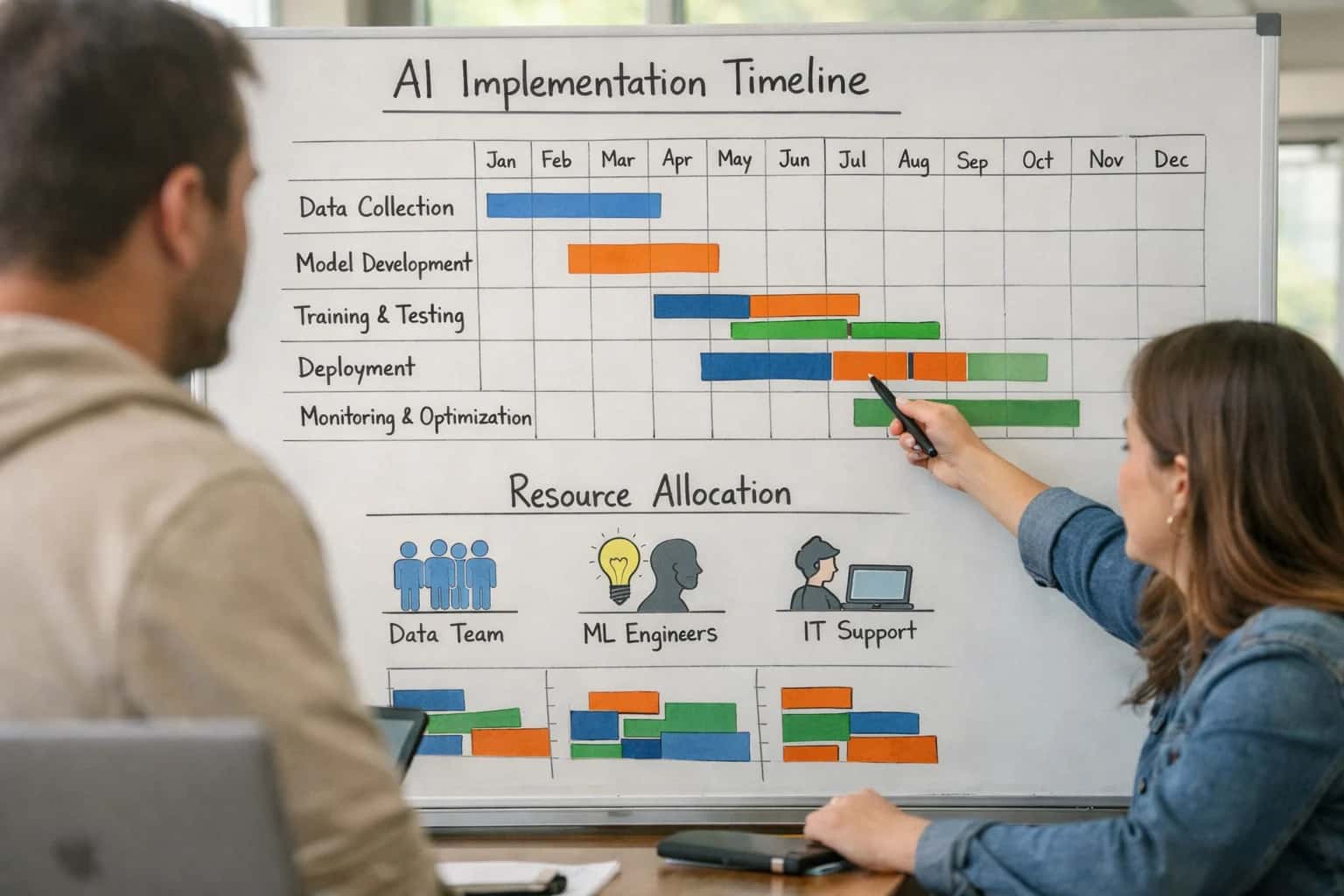
A PRACTICAL ARCHITECTURE FOR MIGRATION LEADS
Where AI Fits in the ERP Data Migration Workflow
A technical guide for using AI to de-risk and accelerate data migration during ERP implementations, focusing on mapping, cleansing, and validation.
Implementation typically involves a dedicated orchestration layer (often Python-based) that uses LLMs and classical ML for specific jobs: 1) Schema Mapping: Analyzing source field names and sample data to propose mappings to target ERP data model objects and attributes, reducing manual specification work. 2) Data Cleansing & Standardization: Identifying and fixing inconsistencies (e.g., address formats, unit of measure variants) by applying business rules enriched with contextual understanding. 3) Validation Rule Generation: Automatically creating test cases and reconciliation logic by comparing source-to-target business logic, flagging records with anomalous transformations for human review. This layer feeds cleansed, validated data into standard migration tools like SAP LSMW, Oracle Data Integrator, or middleware platforms.
For governance, AI outputs should feed into a human-in-the-loop approval workflow integrated with project management tools like Jira or Smartsheet. Each AI-suggested mapping, cleanse, or exception is logged with a confidence score and rationale, requiring sign-off from data stewards or functional leads. This creates an audit trail for migration compliance and allows the system to learn from corrections. Rollout is phased, starting with a single data domain (e.g., Customer Master) to validate accuracy before scaling to financial or inventory data. The result is a migration that shifts from manual, error-prone reconciliation to a supervised, AI-accelerated process, compressing timeline risk.
ERP DATA MIGRATION
AI Integration Surfaces Across Major ERP Platforms
Mapping Legacy Schemas to Target ERP
The most time-consuming phase of migration is mapping hundreds or thousands of legacy fields to the new ERP's data model. AI agents can analyze source database schemas, sample data, and target ERP documentation to propose intelligent mapping rules.
Key Integration Points:
- Source System APIs: Connect to legacy databases (e.g., JDBC/ODBC) or flat file exports to profile data.
- ERP Metadata APIs: Use platform-specific APIs (e.g., SAP's
MDG_API, NetSuite'sRecord Metadata) to understand required fields, data types, and validation rules. - Mapping Repository: Store proposed mappings in a central tool (like Collibra or a custom app) for governance review.
AI Workflow: An agent compares field names, sample values, and business glossaries to suggest matches, flagging complex transformations (e.g., splitting one legacy field into multiple ERP segments) for architect review.
ARCHITECTURE PATTERNS
High-Value AI Use Cases for ERP Data Migration
Moving to a new ERP is a high-risk, data-intensive project. These AI integration patterns help data migration leads and architects accelerate mapping, improve data quality, and de-risk cutover by automating manual analysis and rule generation.
01
Legacy-to-Target Field Mapping
AI analyzes source system metadata, sample data, and target ERP data models to propose initial field mappings. It flags complex transformations (e.g., concatenating three legacy fields into one standard address field) and suggests validation rules, reducing the manual schema analysis phase from weeks to days.
Weeks -> Days
Mapping timeline
02
Intelligent Data Cleansing & Validation
Instead of running static rules, AI profiles extracted data to identify anomalies, duplicates, and invalid entries specific to the migration context (e.g., future-dated transactions in a legacy system being retired). It generates targeted cleansing scripts and prioritizes records for business review, improving data readiness for load.
Targeted Rules
Cleansing efficiency
03
Transformation Logic Generation
For complex business logic (currency conversion, unit of measure changes, hierarchical roll-ups), AI drafts the initial transformation code (SQL, Python, or ERP-specific load tool scripts) based on documented requirements and sample input/output pairs. This provides a production-ready starting point for ETL developers.
1 sprint
Development acceleration
04
Migration Dry-Run Analysis
After test loads, AI compares the loaded data in the new ERP against expected outcomes and source system reports. It summarizes discrepancies by volume and financial impact, clusters errors by root cause (e.g., mapping vs. transformation logic), and recommends fixes. This turns a manual reconciliation sprint into a guided review.
Batch -> Guided
Reconciliation mode
05
Cutover Sequencing & Dependency Mapping
AI analyzes data dependencies (e.g., customers must load before sales orders) and transaction volumes to recommend an optimal cutover sequence and parallel load strategy. It simulates load times and identifies potential bottlenecks, helping architects plan a lower-risk go-live window.
Risk Reduction
Primary outcome
06
Post-Migration Data Quality Monitoring
Once live, AI agents monitor key data flows in the new ERP, comparing them to pre-migration baselines to detect silent data corruption or missed transformation rules. This provides an automated sanity check for the first few critical accounting periods, ensuring business continuity.
Same day
Issue detection
PRACTICAL AUTOMATIONS FOR MIGRATION TEAMS
Example AI-Augmented Migration Workflows
These workflows illustrate how AI agents can be integrated into standard ERP data migration tools and processes to accelerate mapping, cleansing, validation, and cutover planning.
Trigger: A migration analyst uploads a sample extract of legacy data (e.g., a CSV of customer records from an old AS/400 system) into the migration staging environment.
AI Agent Action:
- The agent ingests the sample file and the target ERP's data dictionary (e.g., NetSuite's record browser schemas).
- Using semantic understanding, it proposes field-to-field mappings, highlighting:
- Confident Matches:
CUST_NAME->Company Name - Probable Splits/Merges:
ADDR_LINEmay need to be split intoAddress 1,Address 2,City,State,Zip. - Unmapped Fields: Flags legacy fields with no obvious target for human review.
- Confident Matches:
- For complex transformations (e.g., converting
STATUS='A'toCustomer Status=Active), the agent drafts the initial transformation logic in the migration tool's syntax (e.g., a SQLCASEstatement or a Boomi mapping formula).
System Update: Proposed mappings and transformation rules are written to a staging table with a PENDING_REVIEW status. The migration lead's dashboard is updated with a task to review and approve the agent's proposals.
Human Review Point: The migration lead reviews, adjusts, and approves the rules. Approved logic is automatically promoted to the active mapping specification.
A PRACTICAL BLUEPRINT FOR MIGRATION TEAMS
Implementation Architecture: Data Flow & Integration Points
A technical overview of how AI agents integrate with ERP systems to automate and de-risk data migration projects.
A production-ready AI integration for ERP data migration is built on three core data flows: source system extraction, AI-powered transformation, and target ERP load simulation. The architecture typically connects to legacy source systems (e.g., flat files, older ERPs, custom databases) via secure APIs or file transfer, while simultaneously interfacing with the target ERP's staging environment using its native APIs—such as SAP's OData services, NetSuite's SuiteTalk REST APIs, Oracle Cloud ERP's REST endpoints, or Infor's ION API. The AI layer acts as a middleware orchestrator, consuming raw source data, applying transformation logic, and writing cleansed records to a staging area within the target ERP's data model for validation before final load.
Key integration points focus on the most complex migration objects: customer and vendor masters, material/item catalogs, open sales orders and purchase orders, and historical general ledger transactions. For each object, the AI performs a sequence of tasks: it first maps source fields to target ERP fields using learned rules and contextual understanding, then cleanses data by standardizing formats, deduplicating records, and validating against business rules (e.g., valid G/L account codes). Crucially, the system can generate and execute 'test loads' into a sandbox environment, using the target ERP's validation engine to identify rejection reasons. The AI analyzes these rejections to refine its transformation rules, creating a feedback loop that improves accuracy with each iteration.
Governance and rollout require a phased approach. Start with a pilot on a single, high-value data domain (e.g., Customer Master). Implement human-in-the-loop checkpoints where the AI's mapping suggestions and data quality scores are reviewed by migration architects before rules are locked. All AI-generated transformation logic, mapping decisions, and data quality exceptions should be logged to an audit trail linked to the migration project in tools like Jira or ServiceNow. This creates a reproducible, explainable process for compliance and knowledge transfer. For teams managing this complexity, our related guide on AI Integration for ERP Master Data Management provides deeper context on sustaining data quality post-go-live.
AI-ASSISTED DATA MIGRATION WORKFLOWS
Code & Payload Examples
Automated Schema Discovery & Mapping
AI agents analyze legacy system data dictionaries, sample extracts, and existing mapping documents to propose field-to-field mappings into the target ERP's data model. This reduces manual analysis from weeks to days.
Example Python payload for a mapping suggestion API call:
python{ "source_system": "legacy_crm", "source_field": "cust_acct_num", "source_sample_values": ["ACCT-1001", "ACCT-1002"], "target_erp": "NetSuite", "target_module": "Customer", "candidate_target_fields": ["entityId", "custentity_legacy_id"] }
The AI evaluates naming conventions, data types, and value patterns to return a confidence-scored mapping recommendation, which a data architect can review and approve in a governance UI.
AI-ASSISTED MIGRATION VS. MANUAL PROCESSES
Realistic Time Savings & Project Impact
This table compares typical manual data migration efforts against an AI-integrated approach, showing realistic time compression and risk reduction for ERP consolidation or implementation projects.
| Migration Phase | Manual Process | AI-Assisted Process | Impact & Notes |
|---|---|---|---|
Data Mapping & Schema Analysis | Weeks of workshops and manual spreadsheet work | Days of automated analysis and rule suggestion | AI proposes initial field mappings; architects review and refine. |
Data Cleansing & Validation | Manual sampling and scripting; issues found late | Continuous profiling with anomaly detection | Proactive identification of duplicates, outliers, and format inconsistencies. |
Transformation Rule Development | Iterative SQL/script writing and testing | Natural-language specification to generated code | Reduces developer time; rules are versioned and simulated before final build. |
Test Data Generation & Simulation | Limited due to time; high production risk | Full-volume dry runs with outcome prediction | Simulates load to forecast errors and performance bottlenecks pre-cutover. |
Cutover Execution & Monitoring | Reactive troubleshooting; lengthy downtime windows | Proactive anomaly alerts and rollback guidance | AI monitors data flow integrity, flagging deviations for immediate intervention. |
Post-Migration Reconciliation | Manual spot-checks over weeks | Automated comparison reports in days | AI-driven reconciliation highlights variances for targeted review, ensuring data fidelity. |
Documentation & Knowledge Transfer | Post-project effort, often outdated | Auto-generated lineage and mapping reports | Creates auditable migration artifacts and operational runbooks for sustainment teams. |
ARCHITECTING FOR CONTROL AND CONFIDENCE
Governance, Security, and Phased Rollout
A production-ready AI integration for ERP data migration requires a deliberate approach to security, governance, and incremental delivery to mitigate risk and ensure user adoption.
A secure integration architecture treats the migration project as a governed sandbox. AI agents should operate with service accounts scoped to a dedicated migration environment or a segregated set of legacy_data and staging tables, never directly in production ERP instances. All data flows—from legacy system extracts to the AI's transformation engine—should be encrypted in transit and at rest. API calls to LLMs must be configured to never log or retain sensitive payloads, and any vector embeddings of source data should be ephemeral, created for the session and purged post-migration. Access to the AI's configuration, prompts, and validation rules should be managed through the same RBAC (Role-Based Access Control) framework used for the ERP migration tools, ensuring only authorized data architects and leads can modify logic.
Rollout follows a phased, value-driven path to build confidence and refine the system:
- Phase 1: Discovery & Rule Generation. The AI analyzes a sample of legacy data (e.g., 10,000 customer records) to propose field mappings, data quality rules, and transformation logic. Outputs are reviewed and approved by SMEs before any load.
- Phase 2: Assisted Validation & Simulation. For a pilot business unit, the AI executes the approved rules to generate transformed data and load it into a sandbox ERP environment. It then runs comparison reports, highlighting potential anomalies (e.g., mismatched address formats, invalid GL codes) for human review. This phase validates the AI's logic without risk.
- Phase 3: Production Migration with Human-in-the-Loop. The AI orchestrates the full migration, but for high-risk or complex records (determined by confidence scores), it routes them to a validation queue within the migration management platform for manual sign-off before final posting to the target ERP. All decisions and overrides are logged to a full audit trail.
Governance is continuous. Establish a prompt registry and rule version control to track changes to the AI's mapping logic. Implement daily data quality scorecards post-migration to catch any drift or errors introduced during the cutover. This controlled, phased approach de-risks the migration, provides clear checkpoints for stakeholder approval, and turns a high-stakes project into a manageable, AI-accelerated workflow. For related architectural patterns, see our guides on /integrations/enterprise-resource-planning-platforms/ai-integration-for-erp-master-data-management and /integrations/data-integration-and-etl-platforms.
Enabling Efficiency, Speed & Accuracy
Intelligent Analysis, Decision & Execution
We build AI systems for teams that need search across company data, workflow automation across tools, or AI features inside products and internal software.
Talk to Us
Search across company data
Give teams answers from docs, tickets, runbooks, and product data with sources and permissions.
Useful when people spend too long searching or get different answers from different systems.
Enterprise searchRAGPermissions
Read more
Automate internal workflows
Use AI to route work, draft outputs, trigger actions, and keep approvals and logs in place.
Useful when repetitive work moves across multiple tools and teams.
AI agentsWorkflow automationGovernance
Read more
Add AI to products and internal tools
Build assistants, guided actions, or decision support into the software your team or customers already use.
Useful when AI needs to be part of the product, not a separate tool.
AI integrationDecision supportModel routing
Read moreAI-ASSISTED DATA MIGRATION
Frequently Asked Questions for Migration Architects
Common technical and operational questions from data migration leads and architects planning to leverage AI for ERP consolidation and implementation projects.
AI field mapping uses a combination of semantic analysis, historical pattern recognition, and interactive validation to create the initial mapping document.
Typical workflow:
- Ingest Metadata: The system ingests source system data dictionaries, sample records, and the target ERP's data model (e.g., SAP S/4HANA's CDS Views, NetSuite's record browser).
- Semantic Analysis: LLMs analyze field names, descriptions, and sample values to understand intent (e.g., "CUST_NAME", "CustomerName", "Client" →
Customer.Name). - Pattern Matching: Machine learning models trained on prior migrations identify common transformation patterns for data types, code values, and formats.
- Interactive Validation: The tool presents proposed mappings in a UI for the architect to confirm, reject, or provide rules. This feedback continuously improves the model.
- Rule Generation: Approved mappings are converted into executable transformation logic (e.g., SQL, Python, or ERP-specific load tool scripts).
Key output: A human-reviewed, version-controlled mapping specification and the initial set of data transformation scripts, reducing manual analysis by 60-80%.

About the author
Prasad Kumkar
CEO & MD, Inference Systems
Prasad Kumkar is the CEO & MD of Inference Systems and writes about AI systems architecture, LLM infrastructure, model serving, evaluation, and production deployment. Over 5+ years, he has worked across computer vision models, L5 autonomous vehicle systems, and LLM research, with a focus on taking complex AI ideas into real-world engineering systems.
His work and writing cover AI systems, large language models, AI agents, multimodal systems, autonomous systems, inference optimization, RAG, evaluation, and production AI engineering.
LinkedIn
Limited slotsGet a Free AI Consultation
Partnered with leading AI, data, and software stack.





How We Work
Custom AI workflows for your Business
One-fit-all AI don't work for modern businesses. At Inferensys, we aim to understand your business & custom requirements; which we use to define most efficient agentic workflows, the data, and the tools for your business.
01
Review the use case
We understand the task, the users, and where AI can actually help.
Read more02
Pick the right approach
We define what needs search, automation, or product integration.
Read more03
Build the first useful version
We implement the part that proves the value first.
Read more04
Improve from there
We add the checks and visibility needed to keep it useful.
Read moreThe first call is a practical review of your use case and the right next step.
Talk to Us