Subsidy management in Procare involves a high-touch, document-heavy workflow across several key surfaces: the Family Billing module for calculating co-pays, the Child & Family profiles for eligibility documentation, and the Reporting engine for generating claim forms. AI integration targets the manual bottlenecks within this flow: verifying eligibility documents (like pay stubs or award letters), tracking attendance against funded hours, and preparing error-free claim submissions for programs like CCDF or Head Start. By connecting to Procare's APIs—such as the FamilyFinancial API for billing adjustments and the Child API for record updates—an AI agent can act as a copilot, reducing the administrative burden from hours per family to minutes.

Integration
AI Integration for Procare Subsidy Management
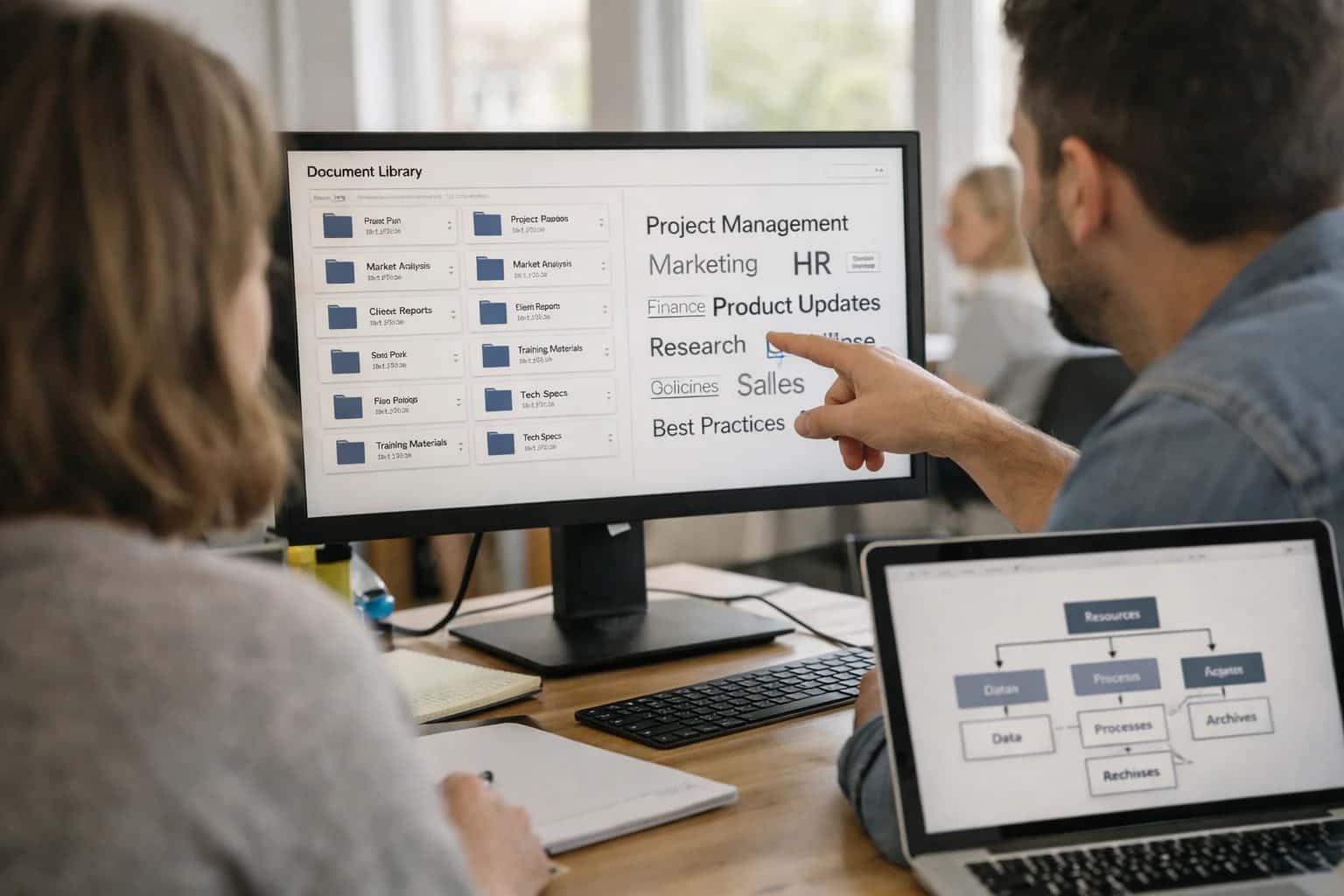
Where AI Fits into Procare Subsidy Workflows
A practical guide to automating state and federal childcare subsidy management by integrating AI directly into Procare's financial and child record modules.
A typical implementation wires an AI workflow engine to listen for webhooks from Procare, such as a new document upload to a child's file or a finalized attendance period. For example, when a PDF pay stub is uploaded, an AI service with OCR and comprehension extracts income data, cross-references it with family size and state sliding fee scales, and either auto-approves the subsidy tier or flags discrepancies for a human reviewer. The system then updates the family's billing rate in Procare and logs the decision in an audit trail. For claim generation, an RAG (Retrieval-Augmented Generation) system can be built on top of Procare's reporting data, using a vector database to ground the AI in specific state guidelines, ensuring each claim line item references the correct regulation and child attendance record.
Rollout should be phased, starting with a single subsidy program or center location. Governance is critical: all AI-generated adjustments or classifications should route through an approval queue in Procare's workflow tools or a separate dashboard before final submission. This human-in-the-loop design manages risk while still capturing the efficiency gains. Inference Systems architects these integrations with a focus on data security (PII in childcare records), explainability (clear audit logs for auditors), and seamless interoperability, ensuring the AI augments Procare's native workflows rather than creating a parallel, fragile system. For related architectural patterns, see our guides on AI Integration for Procare Government Reporting and AI Integration for Childcare Compliance Automation.
Key Procare Modules and APIs for Subsidy Integration
Core Data Model for Eligibility
Subsidy workflows start with the child and family profile data in Procare. AI agents need structured access to fields like Date of Birth, Household Size, Income, and Enrollment Status to verify initial and ongoing eligibility against state rules. The Procare API (GET /api/v1/children, GET /api/v1/families) provides this foundational data.
Key integration points include:
- Automated Eligibility Pre-Checks: An AI service can periodically poll these records to flag families approaching income re-verification dates or aging out of age-based programs.
- Document Association: Subsidy applications, pay stubs, and approval letters are often stored as attachments to child or family records. AI can use the Documents API to retrieve, classify, and extract data from these files for claim substantiation.
High-Value AI Use Cases for Subsidy Management
State and federal childcare subsidy programs are critical for center revenue, but managing eligibility, documentation, and claims is a manual, error-prone process. These AI integration patterns connect directly to Procare's family, attendance, and billing modules to automate verification, tracking, and submission workflows, reducing administrative burden and accelerating reimbursements.
Automated Eligibility Verification & Document Intake
AI agents monitor Procare's family records for subsidy status changes. When a family applies or renews, the agent uses OCR to extract data from uploaded pay stubs, tax forms, and state letters, validates it against program rules, and updates the Family and Child records in Procare. Missing or inconsistent documents trigger automated requests via Procare's messaging APIs.
Attendance-Based Claim Generation & Submission
Integrates with Procare's Attendance modules and Billing engine. Each billing cycle, an AI workflow aggregates verified attendance hours per subsidized child, applies state-specific rate tables and co-pay rules, and generates the precise claim data set. It can prepare and submit files via state portals or SFTP, logging the transaction back to the child's financial record in Procare.
Proactive Compliance Monitoring & Audit Trail
An AI layer continuously audits Procare data against subsidy program requirements. It flags potential compliance issues—like attendance gaps exceeding allowed absences, income changes not reflected in co-pays, or missing annual re-certifications—and creates prioritized task lists in Procare for center administrators. All AI actions and validations are logged as audit notes on relevant records.
Denial Management & Appeal Workflow Support
When a subsidy claim is denied (data pulled via Procare's billing interfaces or integrated payment gateways), AI parses the denial reason. It suggests corrective actions—like pulling specific attendance logs, retrieving archived documents, or adjusting billing codes—and can draft appeal letters using templated language and embedded evidence from Procare records. This turns a reactive, stressful process into a guided workflow.
Multi-Program Forecasting & Revenue Assurance
For centers managing blends of CCDF, Head Start, and private-pay families, AI models analyze Procare enrollment, attendance, and billing history. They forecast upcoming subsidy utilization, predict potential revenue shortfalls from under-utilization or compliance risks, and recommend actions—like adjusting enrollment mixes or initiating re-certifications early—to protect center revenue. Insights are surfaced in Procare dashboards or via scheduled reports.
Integrated Family Communication for Subsidy Updates
AI personalizes and automates subsidy-related communications through Procare's messaging channels. It sends timely reminders for document submission, explains co-pay changes based on new billing calculations, and provides status updates on claim submissions. By handling routine inquiries, it reduces front-desk calls and improves family experience regarding sensitive financial matters.
Example AI-Powered Subsidy Workflows
These workflows illustrate how AI agents can automate the most time-consuming and error-prone steps in state and federal childcare subsidy management within Procare, connecting directly to its family, attendance, and billing modules.
Trigger: A family submits a subsidy inquiry through the Procare parent portal or a staff member flags a family record for subsidy review.
AI Agent Action:
- Pulls the family's household size, income estimates (if provided), and child ages from the Procare family profile.
- Calls a configured LLM with the relevant state's latest eligibility guidelines (stored in a vector database for retrieval).
- Generates a preliminary eligibility likelihood (e.g., "Likely Eligible," "Borderline," "Requires Documentation") and a personalized checklist of required documents (tax returns, pay stubs, proof of residency).
- Automatically sends a secure, personalized message to the family via Procare's messaging API with the checklist and a link to upload documents directly to a secure, encrypted blob storage linked to their Procare record.
System Update: The family's Procare record is tagged with Subsidy Status: Pending Documentation. An internal task is created for the center administrator with the due date and checklist.
Implementation Architecture: Data Flow and System Design
A practical blueprint for connecting AI to Procare's subsidy modules to automate eligibility, documentation, and claim submission.
A robust integration connects to Procare's core data objects via its REST API and webhook system. The primary surfaces are the Child/Family Profile, Attendance Records, and Billing/Subsidy modules. The AI pipeline ingests real-time events—like a new child enrollment, daily check-ins, or a document upload—to trigger subsidy-specific workflows. For example, a webhook for a new ImmunizationRecord upload can kick off an AI agent to validate the document against state requirements, extract relevant dates and codes via OCR, and update the child's SubsidyEligibility status in Procare, all within the same transaction context.
The system design typically involves a middleware layer (often an event queue like Amazon SQS or Google Pub/Sub) to handle webhook payloads from Procare. An orchestration service routes events to specialized AI agents: an Eligibility Verification Agent cross-references family income data and child age against state rules; a Document Intelligence Agent processes scanned subsidy applications, W-2s, or approval letters; and a Claim Assembly Agent aggregates verified attendance data to populate state-specific claim forms (e.g., California's CCFP). Each agent writes results back to dedicated custom fields in Procare or attached notes, creating a full audit trail. Critical approvals, like a manually reviewed discrepancy, can be routed through Procare's internal tasking or comment system.
Rollout should be phased, starting with a single subsidy type (e.g., a state's Child Care Assistance Program) and a pilot center. Governance is key: implement RBAC so only authorized directors can override AI recommendations, and build daily reconciliation reports to flag mismatches between AI-processed claims and manual entries. This architecture reduces the manual data entry and cross-checking that plagues subsidy management, turning a multi-day, error-prone process into a same-day workflow with human oversight built in at the points of highest risk or value.
Code and Payload Examples
API-Driven Eligibility Check
This workflow uses Procare's family and child record APIs to fetch relevant data, then calls an AI service to assess subsidy eligibility against state-specific rules. The AI can parse complex household income, employment status, and family size data to provide a confidence score and flag missing documentation.
Example Python Payload to AI Service:
python# Payload built from Procare API data eligibility_payload = { "family_id": "FAM-2024-789", "state_code": "CA", "program": "CCDF", "household_data": { "gross_monthly_income": 4250.00, "household_size": 4, "income_sources": ["W2", "SNAP"], "employment_status": "full_time" }, "child_data": [ {"child_id": "CHD-001", "age": 3, "hours_needed": 40}, {"child_id": "CHD-002", "age": 5, "hours_needed": 30} ], "missing_docs": ["pay_stub_3", "utility_bill"] } # Call AI service for assessment response = ai_client.assess_eligibility(eligibility_payload) # Returns: {"eligible": True, "confidence": 0.87, "next_steps": ["Upload pay stub", "Submit SNAP verification"], "estimated_subsidy": 1200.00}
The result can be written back to a custom field in Procare to trigger a staff workflow for document collection.
Realistic Time Savings and Operational Impact
How AI integration reduces administrative burden and improves accuracy in state and federal childcare subsidy workflows within Procare.
| Workflow | Before AI | After AI | Key Impact |
|---|---|---|---|
Eligibility Document Review | Manual review of 10+ pages per family | AI extracts & flags key data points | Review time: 30 min → 5 min per application |
Attendance-Based Claim Compilation | Weekly manual export, pivot, and reformat | Automated daily sync and claim draft generation | Claim prep: 4 hours → 30 min per week |
Exception & Discrepancy Detection | Spot-checking during month-end close | AI monitors daily for mismatches between attendance and subsidy rules | Issues identified: At month-end → Within 24 hours |
Audit Trail & Documentation | Manual folder organization and file naming | AI auto-tags documents to child and funding source | Audit response prep: Days → Hours |
Family Communication on Missing Docs | Generic bulk emails or manual calls | Personalized, context-aware SMS/email nudges | Document collection rate: 60% → 85%+ |
Multi-State Rule Compliance | Director must memorize or manually look up varying state policies | AI references embedded rule sets for automated validation | Compliance errors caught: During audit → At submission |
Year-End Reporting & Reconciliation | Quarterly manual reconciliation with state portals | AI-driven continuous reconciliation with exception reports | Financial variance: Discovered months later → Identified weekly |
Governance, Security, and Phased Rollout
A practical guide to deploying AI for subsidy management with appropriate controls, auditability, and a low-risk rollout plan.
Integrating AI into Procare's subsidy workflows requires a governance-first approach, as you're handling sensitive Personally Identifiable Information (PII), financial data, and state-mandated documentation. The architecture should treat the AI as a decision-support layer, not an autonomous agent. Key controls include:
- API-Level Access Control: AI services should authenticate via Procare's API using service accounts with scoped permissions, limited to specific modules like
Child Records,Billing, andDocuments. - Human-in-the-Loop Gates: For high-stakes actions—like finalizing a subsidy claim submission or overriding an eligibility flag—the workflow must route through a Procare user's approval queue.
- Immutable Audit Logs: Every AI-generated suggestion, data retrieval, and system action must be logged with a traceable
session_idback to the original Procare record (e.g.,child_id,family_id,subsidy_application_id).
A phased rollout minimizes disruption and builds trust. Start with a read-only pilot in a single center or for a specific subsidy program (e.g., CCDF).
- Phase 1: Document Intelligence & Triage: Deploy AI to classify and extract data from uploaded PDFs (e.g., pay stubs, tax returns) into structured fields in Procare. This non-destructive step automates manual data entry and provides immediate ROI.
- Phase 2: Eligibility Pre-Screening: Activate AI to cross-reference extracted income data, attendance records, and family size against known subsidy program rules. Flag applications for
Likely Eligible,Requires Review, orLikely Ineligiblewith cited reasoning. - Phase 3: Claim Preparation & Submission Assist: In the final phase, the AI can draft entire claim packages by pulling verified attendance, calculating eligible hours, and pre-populating state-specific forms. A staff member reviews and submits the final packet from within Procare.
Security is paramount. All data in transit to and from AI models must be encrypted. For on-premise or VPC deployments, we recommend using private endpoints. For cloud-based AI services, ensure data is processed in a compliant environment and is not retained for model training. Implement regular drift detection on the AI's output to ensure changing state regulations don't lead to incorrect guidance. Finally, establish a clear rollback procedure; the integration should be designed to fail gracefully, reverting to fully manual processes within Procare if the AI service is unavailable.
Enabling Efficiency, Speed & Accuracy
Intelligent Analysis, Decision & Execution
We build AI systems for teams that need search across company data, workflow automation across tools, or AI features inside products and internal software.
Talk to Us
Search across company data
Give teams answers from docs, tickets, runbooks, and product data with sources and permissions.
Useful when people spend too long searching or get different answers from different systems.

Automate internal workflows
Use AI to route work, draft outputs, trigger actions, and keep approvals and logs in place.
Useful when repetitive work moves across multiple tools and teams.

Add AI to products and internal tools
Build assistants, guided actions, or decision support into the software your team or customers already use.
Useful when AI needs to be part of the product, not a separate tool.
Frequently Asked Questions
Common technical and operational questions about integrating AI to automate state and federal childcare subsidy workflows within Procare.
An AI agent automates the initial verification by connecting to multiple data sources via Procare's APIs.
Typical workflow:
- Trigger: A new family is enrolled or an existing family applies for a subsidy in Procare.
- Context Pull: The agent retrieves the family's application data, income statements, and household size from Procare's Family and Child modules.
- AI Action: The agent uses a language model to:
- Cross-reference application details with the latest state eligibility guidelines (from a maintained knowledge base).
- Perform OCR and data extraction on uploaded PDFs (pay stubs, tax returns, benefit letters).
- Flag missing documents or discrepancies in calculated income.
- System Update: The agent updates the Procare child/family record with:
- An eligibility confidence score.
- A checklist of verified and missing items.
- A comment log for the administrator.
- Human Review Point: The center administrator reviews flagged cases and the agent's notes before final approval in Procare.

About the author
Prasad Kumkar
CEO & MD, Inference Systems
Prasad Kumkar is the CEO & MD of Inference Systems and writes about AI systems architecture, LLM infrastructure, model serving, evaluation, and production deployment. Over 5+ years, he has worked across computer vision models, L5 autonomous vehicle systems, and LLM research, with a focus on taking complex AI ideas into real-world engineering systems.
His work and writing cover AI systems, large language models, AI agents, multimodal systems, autonomous systems, inference optimization, RAG, evaluation, and production AI engineering.
Partnered with leading AI, data, and software stack.





How We Work
Custom AI workflows for your Business
One-fit-all AI don't work for modern businesses. At Inferensys, we aim to understand your business & custom requirements; which we use to define most efficient agentic workflows, the data, and the tools for your business.
01
Review the use case
We understand the task, the users, and where AI can actually help.
Read more02
Pick the right approach
We define what needs search, automation, or product integration.
Read more03
Build the first useful version
We implement the part that proves the value first.
Read more04
Improve from there
We add the checks and visibility needed to keep it useful.
Read moreThe first call is a practical review of your use case and the right next step.
Talk to Us