AI integration for Brightwheel check-in/out focuses on three key surfaces: the check-in/out event API, the real-time webhook stream for attendance changes, and the family/child profile data. By connecting an AI agent to these endpoints, you can automate verification (e.g., cross-referencing authorized pickup persons against a photo or PIN), instantly analyze patterns (like identifying a child who is consistently picked up late), and trigger downstream actions. This moves attendance from a simple log to an intelligent, proactive workflow.

Integration
AI Integration for Brightwheel Check-in and Check-out
Automate attendance verification, late pick-up alerts, and smart access control by integrating AI with Brightwheel's check-in APIs and real-time event streams. Reduce front-desk workload and improve safety compliance.
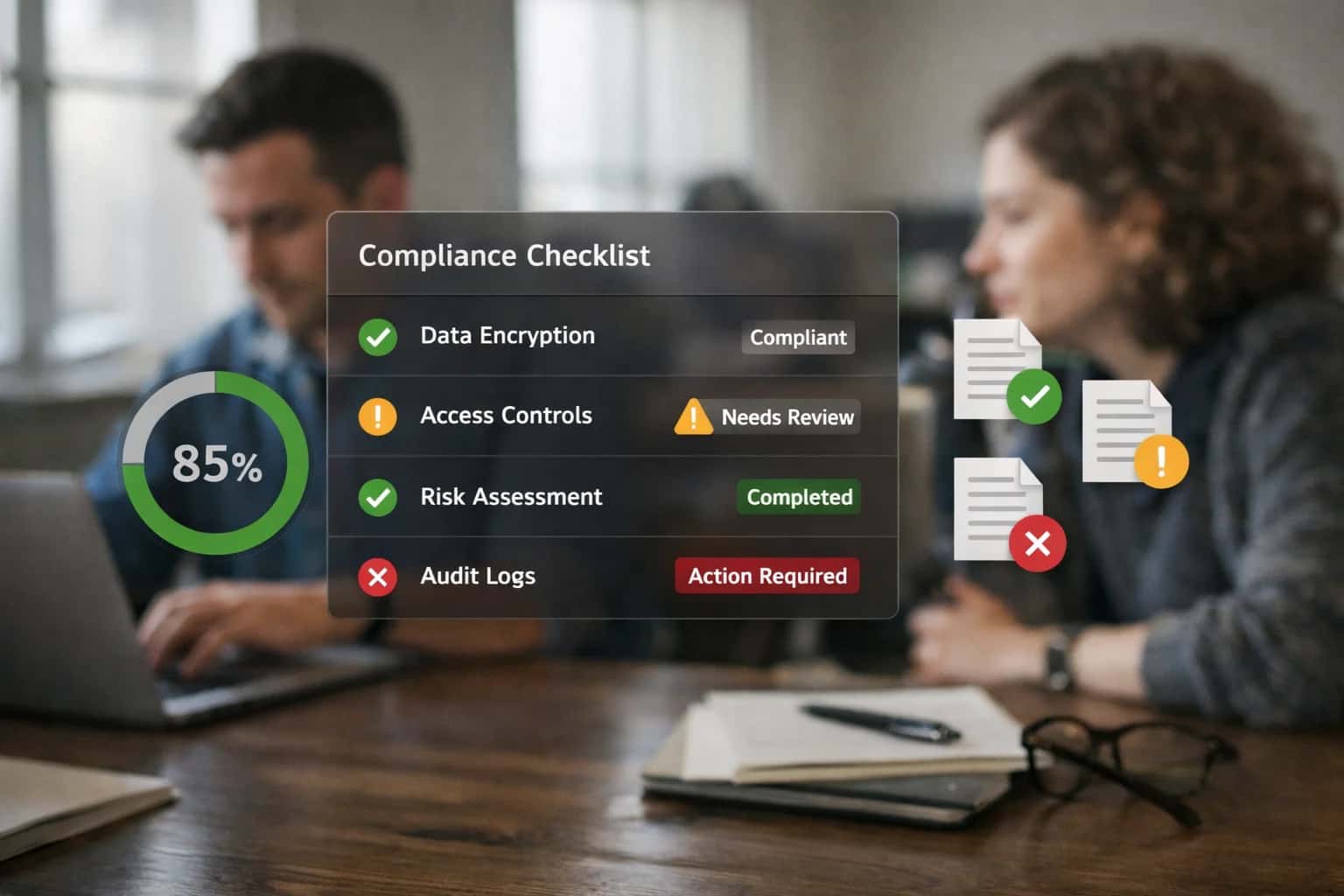
ARCHITECTURE & IMPLEMENTATION
Where AI Fits into Brightwheel Check-in/out Workflows
A practical guide to embedding AI into Brightwheel's core attendance workflows for enhanced verification, automated alerts, and operational efficiency.
A typical implementation wires a lightweight AI service—hosted on your infrastructure or a secure cloud—to listen for Brightwheel's check_in.created and check_out.created webhooks. For each event, the service can call an LLM with context (child details, family rules, historical data) to decide on an action. Examples include: generating a personalized late pick-up alert to the parent and assigning a staff member to supervise; triggering a compliance alert if a staff-to-child ratio is nearing a violation; or logging a note to the child's daily report summarizing the check-in interaction. This logic runs in seconds, attaching metadata back to the Brightwheel event or creating follow-up tasks via its API.
Rollout requires a phased approach: start with read-only pattern detection and alerts to a staff dashboard before enabling any automated outbound communication. Governance is critical—any automated messaging or access decisions should have a human-in-the-loop approval step initially, with clear audit logs. For centers using smart door locks or kiosks, the AI service can act as a decision layer, granting physical access only after verifying the check-in attempt against Brightwheel's roster and center policies. This creates a secure, automated attendance layer that reduces manual supervision while improving safety and parent experience.
ARCHITECTURAL SURFACES
Brightwheel APIs and Integration Surfaces for Check-in/out
Core Event Streams for Real-Time Automation
Brightwheel's REST API and webhook system provide the primary surfaces for integrating AI into check-in/out workflows. The POST /checkins and POST /checkouts endpoints allow programmatic creation of attendance records, while the GET /checkins endpoint retrieves historical data for pattern analysis.
Webhooks for events like checkin.created and checkout.created enable real-time AI reactions. For instance, an AI agent can subscribe to these events to:
- Trigger late pick-up alerts by comparing the
checkout.createdtimestamp against scheduled pickup times. - Initiate automated verification workflows (e.g., sending a photo confirmation to a secondary guardian).
- Update room-level dashboards for real-time ratio compliance monitoring.
This event-driven architecture is essential for building responsive, automated attendance systems that reduce manual teacher tasks.
BRIGHTWHEEL INTEGRATION PATTERNS
High-Value AI Use Cases for Check-in and Check-out
Integrate AI directly into Brightwheel's check-in/out workflows to automate verification, reduce manual tasks, and enhance safety. These patterns connect to Brightwheel's real-time event streams, check-in APIs, and family data to deliver immediate operational value.
01
Automated Late Pick-up Detection & Alerts
AI monitors the real-time check-out event stream against scheduled pickup times. It automatically identifies late pickups, assesses historical patterns for the family, and triggers a tiered alert sequence—first a polite reminder to the primary contact, then escalation to secondary contacts or staff. Integrates with Brightwheel's notification APIs to send SMS or in-app alerts.
Batch -> Real-time
Alerting mode
02
Intelligent Check-in Verification & Security
Enhances security by integrating AI-powered verification at kiosks or parent mobile apps. Uses computer vision APIs for optional photo matching against approved guardian photos stored in Brightwheel child profiles, or validates PINs with anomaly detection for suspicious access patterns. Logs all verification attempts with confidence scores to Brightwheel's custom fields via API for audit trails.
1 sprint
Pilot deployment
03
Smart Door Lock & Access Control Orchestration
AI acts as an orchestration layer between Brightwheel's check-in event webhooks and IoT-enabled smart door locks (e.g., Kisi, SALTO). Upon successful check-in/out, the system automatically triggers door unlock for pre-configured zones (e.g., main entrance, specific classroom) for a limited time. AI can also detect and alert on propped doors or unusual access patterns by correlating lock events with attendance logs.
Same day
Access logs synced
04
Attendance Exception Reporting & Compliance
Continuously analyzes check-in/out records to generate automated compliance reports. AI flags exceptions such as children checked in but not assigned to a room (violating ratio calculations), staff signing in from unauthorized devices, or irregular attendance patterns that may indicate a child's well-being concern. Reports are pushed to director dashboards or Slack via Brightwheel's API and webhooks.
Hours -> Minutes
Report generation
05
Contactless Health Screening Integration
Connects IoT health kiosks (temperature sensors, symptom surveys) to the Brightwheel check-in workflow. AI processes the screening data at the point of check-in. If results are within policy parameters, check-in proceeds automatically. If a fever or symptom is detected, the check-in is paused, parents are notified, and an incident report is drafted in Brightwheel, all without staff manual data entry.
Batch -> Real-time
Screening workflow
06
Predictive Staffing for Peak Check-in/out Times
AI models historical check-in/out traffic, day-of-week patterns, and special event calendars to forecast peak lobby congestion times. The system automatically generates staffing suggestions, sending proactive alerts to directors via Brightwheel to schedule extra front-desk support 30 minutes before predicted rushes, optimizing family experience and safety supervision.
Same day
Actionable forecast
PRACTICAL IMPLEMENTATION PATTERNS
Example AI-Augmented Check-in/out Workflows
These workflows demonstrate how to connect AI agents and automations to Brightwheel's check-in/out APIs and real-time event streams. Each pattern is designed to reduce manual effort, improve accuracy, and enhance safety without disrupting existing teacher or parent routines.
Trigger: A child remains checked in past their scheduled pick-up time.
Workflow:
- An AI agent monitors Brightwheel's
GET /events/checkinsAPI or subscribes to thecheckin.updatedwebhook for real-time status. - The agent cross-references the child's schedule (from the child's profile or a separate calendar integration) to determine the expected pick-up window.
- If late: The agent first checks for any pre-configured exceptions (e.g., "late pickup authorized for today") in a note field or custom attribute.
- Action: The agent executes a multi-step communication sequence:
- Step 1: Sends a polite, automated in-app message and SMS to the primary contact: "Hi [Parent Name], we noticed [Child Name] is still with us. Just checking in on your ETA?"
- Step 2 (5 mins later): If no response and still checked in, calls the secondary contact from the emergency list.
- Step 3: Logs a note to the child's Brightwheel timeline via
POST /children/{id}/notes: "AI Agent initiated late pick-up protocol at [time]. Contacted [list of names]."
- Human Review Point: If the agent cannot reach any contact after the protocol, it creates a high-priority alert in the director's dashboard or Slack channel for manual intervention.
AI-ENHANCED VERIFICATION AND AUTOMATED ALERTS
Implementation Architecture: Data Flow and System Design
A production-ready architecture for integrating AI into Brightwheel's check-in and check-out workflows to improve security, reduce manual oversight, and automate parent communications.
The integration connects to two primary Brightwheel surfaces: the Check-in/Check-out API for recording attendance events and the Real-time Event Streams (webhooks) for immediate processing. The core AI agent listens for child_checked_in and child_checked_out webhook events. For each event, the system executes a multi-step verification workflow: it first retrieves the child's profile, authorized pickup list, and recent attendance pattern from Brightwheel's REST API, then uses this context to evaluate the check-in/out action for anomalies.
High-value automations triggered by this evaluation include:
- Late Pick-up Detection & Alerts: If a check-out time exceeds the scheduled pick-up window, the system automatically dispatches a personalized SMS or in-app message to the parent via Brightwheel's messaging API, calculates any applicable late fees, and logs the incident.
- Authorized Pickup Verification: The AI cross-references the person conducting check-out (via staff input or integrated kiosk) against the authorized pickup list and flags mismatches for immediate staff review.
- Smart Lock Integration: For centers with electronic door systems, a verified check-in event can trigger an
unlockcommand via a secure webhook to the lock's API, granting temporary access.
Rollout is phased, starting with alerting-only mode where AI flags exceptions for human confirmation before any automated actions are taken. Governance is maintained through a dedicated audit log recording every AI evaluation, the data used, and the action taken (or overridden by staff). This ensures compliance and provides a clear lineage for incident review. The system is designed to fail gracefully; if the AI service is unavailable, check-in/out events continue to flow to Brightwheel, with exception processing queued for later analysis.
BRIGHTWHEEL CHECK-IN/OUT INTEGRATION PATTERNS
Code and Payload Examples
Handling Check-in/out Events
Brightwheel can send real-time webhooks for child_checked_in and child_checked_out events. An AI agent can subscribe to these events to trigger immediate workflows, such as verifying authorized pick-up persons or detecting late pick-ups.
Below is a Python FastAPI example for a webhook handler that processes these events and calls an AI service for verification.
pythonfrom fastapi import FastAPI, Request, HTTPException from pydantic import BaseModel from datetime import datetime import httpx app = FastAPI() class BrightwheelEvent(BaseModel): event_type: str # e.g., 'child_checked_in' child_id: str center_id: str timestamp: datetime checked_by_staff_id: str | None authorized_pickup_person_id: str | None metadata: dict @app.post("/webhooks/brightwheel-checkin") async def handle_checkin_event(request: Request): # Verify webhook signature (implementation omitted for brevity) payload = await request.json() event = BrightwheelEvent(**payload) # Route to appropriate AI logic if event.event_type == "child_checked_in": await trigger_verification_workflow(event) elif event.event_type == "child_checked_out": await trigger_late_pickup_check(event) return {"status": "processed"} async def trigger_verification_workflow(event: BrightwheelEvent): """Call AI service to verify check-in against authorized list.""" async with httpx.AsyncClient() as client: ai_payload = { "child_id": event.child_id, "verifier_id": event.checked_by_staff_id, "center_id": event.center_id, "action": "check_in" } response = await client.post( "https://ai-service.inferencesystems.com/verify", json=ai_payload ) # Log verification result or trigger alerts if response.status_code == 200: print(f"Verification passed for {event.child_id}") else: print(f"Verification issue for {event.child_id}")
AI-ENHANCED CHECK-IN/OUT
Realistic Time Savings and Operational Impact
This table illustrates the operational impact of integrating AI with Brightwheel's check-in/out APIs and event streams, focusing on time savings, error reduction, and improved family experience.
| Workflow | Before AI | After AI | Implementation Notes |
|---|---|---|---|
Check-in verification | Manual visual ID check by staff | AI-assisted photo matching or QR code + anomaly flag | Flags mismatches for staff review; integrates with Brightwheel's check-in API |
Late pick-up detection & alerts | Manual clock-watching and phone calls | Automated real-time alerts when check-out is overdue | Triggers Brightwheel notifications and SMS; configurable grace periods |
Attendance exception reporting | End-of-day manual review and spreadsheet | Real-time dashboard of anomalies (wrong room, late arrival) | Pushes alerts to director's Brightwheel feed or Slack |
Smart lock/kiosk integration | Separate keypad codes or physical keys | Automated door release upon successful Brightwheel check-in | Uses Brightwheel webhooks to trigger IoT actions; maintains audit trail |
Family pickup authorization | Staff memory or printed authorized pick-up list | On-screen authorization check with relationship notes | Pulls from Brightwheel's authorized contacts; shows special instructions |
Staff-to-child ratio monitoring | Periodic manual headcounts | Real-time room-level ratio alerts during check-in/out flux | Calculates from Brightwheel attendance stream; sends urgent alert to admin |
Incident log during transition | Paper log or separate app entry after the fact | Voice-to-text note logged directly to child's Brightwheel record | Uses NLP to tag incident type and severity; attaches to check-in/out event |
ARCHITECTING FOR TRUST AND SCALE
Governance, Security, and Phased Rollout
A secure, governed rollout is critical for AI features that interact with sensitive child data and daily center operations.
Integrating AI into Brightwheel's check-in/out workflows requires careful data governance from the start. The AI system should only access the specific data objects needed for its function—typically the Child, Guardian, CheckInEvent, and Room records via Brightwheel's REST API. All AI processing should occur in a secure, isolated environment, with PII (like child names and guardian contact info) pseudonymized or tokenized before being sent to an LLM. Audit logs must capture every AI-generated action (e.g., a late alert sent, a verification flag raised) and link it back to the source event in Brightwheel for full traceability. Role-based access controls (RBAC) from Brightwheel should be respected, ensuring staff only trigger or review AI actions for children in their assigned rooms.
A phased rollout minimizes risk and builds staff confidence. Phase 1 could deploy AI-powered late pick-up detection and alerts. This workflow monitors the checked_in_at timestamp against scheduled pickup times, uses a rules engine to account for early dismissals or schedule changes, and automatically sends a personalized SMS or app notification to the primary guardian via Brightwheel's messaging API. Staff receive a dashboard notification but maintain oversight. Phase 2 introduces automated verification support, where the AI analyzes check-in photos (if used) against a consent-based reference gallery to flag potential mismatches for staff review—never making autonomous access decisions. Phase 3 integrates with smart door locks or kiosk systems, where the AI acts as a recommendation engine, suggesting 'grant access' based on verified guardian identity and schedule, but requiring a staff member's final approval via a mobile alert before the lock disengages.
Continuous governance involves monitoring for model drift (e.g., changes in pick-up time patterns) and establishing a clear human-in-the-loop protocol for exceptions. All AI-generated communications should be reviewed and approved by center directors during a pilot period. A feedback loop where staff can flag incorrect AI suggestions directly within Brightwheel's interface is essential for ongoing tuning. This structured approach ensures the AI integration enhances safety and efficiency without compromising the trust and operational control that childcare centers require.
Enabling Efficiency, Speed & Accuracy
Intelligent Analysis, Decision & Execution
We build AI systems for teams that need search across company data, workflow automation across tools, or AI features inside products and internal software.
Talk to Us
Search across company data
Give teams answers from docs, tickets, runbooks, and product data with sources and permissions.
Useful when people spend too long searching or get different answers from different systems.
Enterprise searchRAGPermissions
Read more
Automate internal workflows
Use AI to route work, draft outputs, trigger actions, and keep approvals and logs in place.
Useful when repetitive work moves across multiple tools and teams.
AI agentsWorkflow automationGovernance
Read more
Add AI to products and internal tools
Build assistants, guided actions, or decision support into the software your team or customers already use.
Useful when AI needs to be part of the product, not a separate tool.
AI integrationDecision supportModel routing
Read moreAI INTEGRATION FOR BRIGHTWHEEL CHECK-IN AND CHECK-OUT
Frequently Asked Questions
Practical questions about implementing AI-enhanced verification, automated alerts, and smart device integrations for Brightwheel's attendance workflows.
An AI agent integrates with Brightwheel's check-in APIs and optional hardware (like a tablet kiosk or smart lock system) to perform multi-factor verification.
Typical workflow:
- Trigger: A parent or guardian initiates check-in via the Brightwheel parent app or a center kiosk.
- Context Pull: The agent calls Brightwheel's API to retrieve the child's profile, authorized pickup contacts, and recent check-in photos.
- AI Action: The agent can perform one or more automated checks:
- Photo Matching: Compare a live photo from the kiosk against the child's profile photo using a vision model.
- PIN/Code Validation: Verify a unique, dynamically generated check-in code sent to the parent's app.
- Voice Verification: For phone-in check-ins, use a voice model to match against a registered guardian's voiceprint.
- System Update: Upon successful verification, the agent calls
POST /api/v2/check_insto create the check-in record in Brightwheel in real-time. - Human Review Point: If verification confidence is below a set threshold (e.g., photo match < 90%), the event is flagged for staff review in a dashboard, and a manual override is required.

About the author
Prasad Kumkar
CEO & MD, Inference Systems
Prasad Kumkar is the CEO & MD of Inference Systems and writes about AI systems architecture, LLM infrastructure, model serving, evaluation, and production deployment. Over 5+ years, he has worked across computer vision models, L5 autonomous vehicle systems, and LLM research, with a focus on taking complex AI ideas into real-world engineering systems.
His work and writing cover AI systems, large language models, AI agents, multimodal systems, autonomous systems, inference optimization, RAG, evaluation, and production AI engineering.
LinkedIn
Limited slotsGet a Free AI Consultation
Partnered with leading AI, data, and software stack.





How We Work
Custom AI workflows for your Business
One-fit-all AI don't work for modern businesses. At Inferensys, we aim to understand your business & custom requirements; which we use to define most efficient agentic workflows, the data, and the tools for your business.
01
Review the use case
We understand the task, the users, and where AI can actually help.
Read more02
Pick the right approach
We define what needs search, automation, or product integration.
Read more03
Build the first useful version
We implement the part that proves the value first.
Read more04
Improve from there
We add the checks and visibility needed to keep it useful.
Read moreThe first call is a practical review of your use case and the right next step.
Talk to Us