The integration typically connects at three key surfaces in platforms like Shopmonkey, Tekmetric, or AutoLeap: the media upload API (for video ingestion), the estimate/repair order object (for data population), and the workflow automation engine (for routing and approvals). When a technician uploads a walk-around video via the shop platform's mobile app or portal, an AI agent is triggered via webhook. This agent performs concurrent tasks: it transcribes the technician's verbal notes using speech-to-text, analyzes the video frames for visual damage or wear patterns using computer vision models, and cross-references the vehicle's year/make/model against a parts and labor database.

Integration
AI Integration for Auto Repair Video Estimates
A technical blueprint for using AI to analyze walk-around video estimates, transcribe technician notes, identify visual issues, and auto-populate preliminary line items into your shop platform's estimate module.
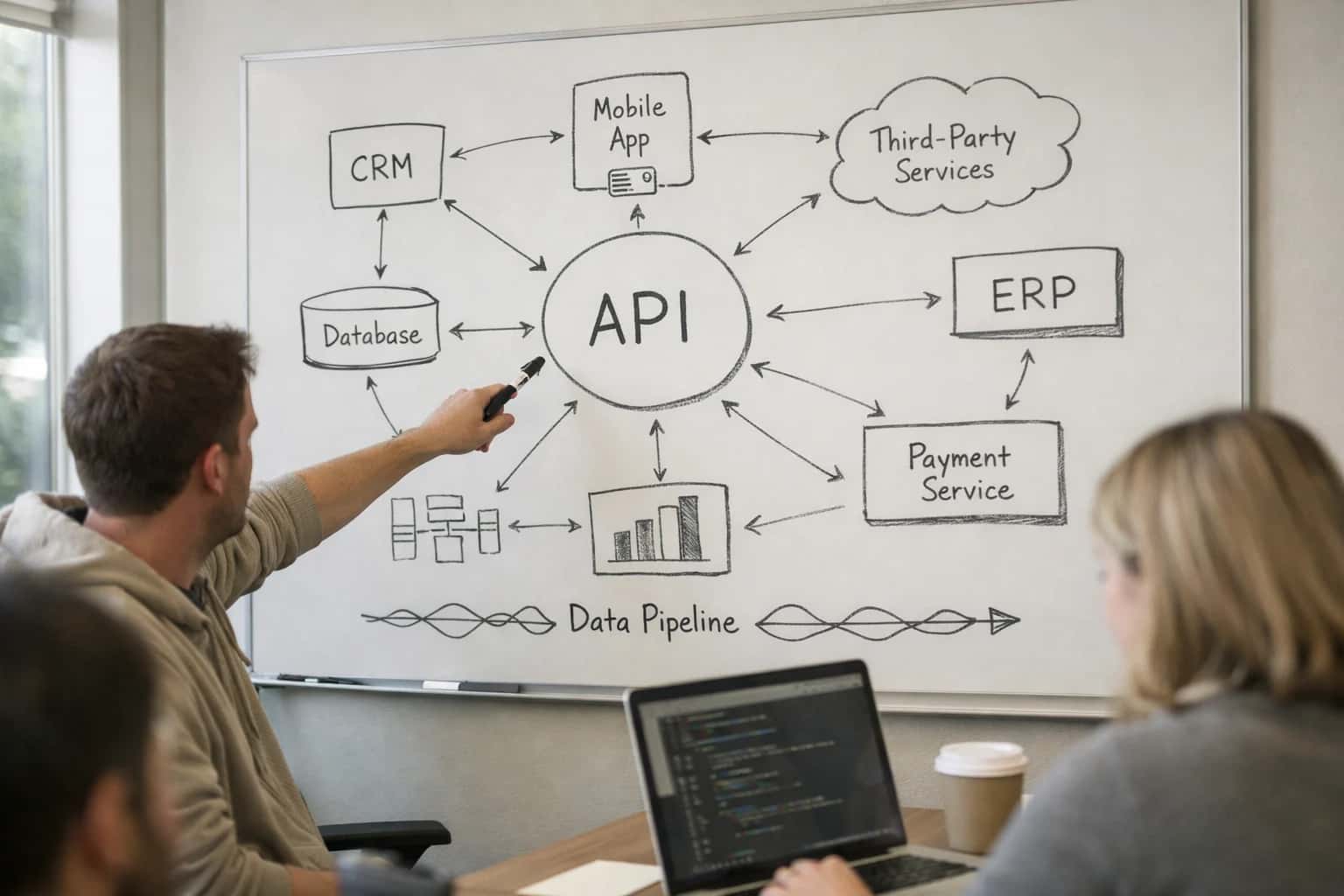
ARCHITECTURE AND ROLLOUT
Where AI Fits into the Video Estimate Workflow
A technical blueprint for embedding AI into the walk-around video estimate process, from upload to line-item creation.
The output is a structured, preliminary estimate payload containing identified issues (e.g., 'cracked windshield', 'worn brake pads'), suggested parts with OEM/aftermarket options, estimated labor times, and confidence scores for each detection. This payload is posted back to the shop platform's API, auto-populating line items in a draft estimate. The workflow then routes this draft based on business rules: high-confidence, low-cost items might auto-approve; items above a threshold dollar amount or with low confidence scores are flagged for advisor or manager review within the platform's queue. An audit trail logs all AI-suggested items, the source evidence (video timestamp, transcription snippet), and any human overrides.
Rollout is phased, starting with high-volume, lower-risk services like tire and brake inspections to build trust. Governance is critical: a human-in-the-loop approval step is mandatory for all initial estimates, with the AI acting as a copilot to reduce manual data entry from 20-30 minutes to under 5. Over time, as accuracy is validated, auto-approval thresholds can be adjusted. The system is designed for continuous learning, using reviewed estimates as ground-truth feedback to fine-tune the visual and parts-matching models, ensuring the integration becomes more precise with each shop's unique vehicle mix and service patterns.
AI FOR VIDEO ESTIMATES
Integration Surfaces in Your Shop Platform
The Core Integration Point
The Estimate module is the primary surface for AI-generated line items. When a technician uploads a walk-around video, an AI agent processes the visual and audio data, then creates or updates a preliminary estimate via the platform's REST API.
Key API Objects:
EstimateorRepairOrder(often a draft status)EstimateLineItemfor labor, parts, and sublet servicesVehicleandCustomerrecords for context
Typical Payload: The AI system POSTs a JSON array of suggested line items, including labor codes from the platform's database (e.g., LBR-1234), flagged parts needing approval, and transcribed technician notes attached as internal comments. This populates the estimate canvas for the service advisor's review and adjustment before customer presentation.
AUTOMATION PATTERNS
High-Value AI Use Cases for Video Estimates
Integrating AI with your shop management platform (Shopmonkey, Tekmetric, AutoLeap, Mitchell 1) transforms walk-around video estimates from a manual documentation task into an automated, data-rich workflow. These patterns show where AI connects to auto-populate line items, reduce write-up time, and improve estimate accuracy.
01
Automated Visual Damage Cataloging
AI analyzes the technician's walk-around video to identify and tag visual damage (dents, scratches, cracked glass, tire wear). It cross-references these findings with the vehicle's make/model/year to generate preliminary line items for bodywork, paint, and part replacement, auto-populating the estimate module.
15 min -> 2 min
Per estimate write-up
02
Transcription & Note-to-Line-Item Conversion
Converts the technician's spoken notes during the video into structured text. Using natural language understanding, the AI extracts mentioned issues (e.g., 'brakes grinding', 'AC not cold'), maps them to standard labor operations and part numbers from your platform's database, and drafts corresponding estimate lines.
Batch -> Real-time
Note processing
03
Intelligent Parts & Labor Lookup
For each identified issue, the AI agent queries the shop platform's internal parts catalog and integrated supplier APIs (NAPA, AutoZone) to suggest correct part numbers, list prices, and availability. It also references labor guide databases to recommend standard hours, creating a complete, actionable line item.
04
Preliminary Estimate Drafting & Customer Preview
The AI compiles all identified issues, parts, and labor into a pre-formatted estimate draft directly within the shop platform (e.g., Shopmonkey's Estimate module). It can also generate a plain-language summary for an immediate customer preview via SMS or email, accelerating the approval process.
Same day
Customer approval cycle
05
Historical Repair Pattern Integration
By connecting to the shop platform's vehicle history records, the AI cross-references the current video estimate with past repairs on the same VIN. It flags recurring issues, suggests complementary maintenance based on mileage/time, and ensures estimate consistency, improving customer trust and shop revenue.
06
Quality Assurance & Advisor Copilot
Acts as a copilot for the service advisor. Before the estimate is finalized, the AI reviews the auto-populated lines against platform-specific business rules (min/max labor, part markup). It flags potential oversights or inconsistencies from the video, ensuring a thorough and compliant estimate.
IMPLEMENTATION PATTERNS
Example AI-Powered Video Estimate Workflows
These workflows detail how AI agents connect to your shop platform's estimate module, analyze customer-submitted walk-around videos, and automate the creation of preliminary repair line items, reducing write-up time from hours to minutes.
Trigger: Customer submits a walk-around video via a branded mobile link (e.g., from a text reminder) or uploads it through the shop's customer portal.
Workflow:
- Context Pull: The AI system receives the video file and associated metadata (Customer ID, Vehicle ID, Odometer) from the shop platform (e.g., Shopmonkey's
estimatesorvehiclesAPI). - Multimodal Analysis: An AI agent processes the video using:
- Computer Vision: Identifies the vehicle make/model/year, detects visible damage (dents, scratches, cracked glass), notes tire wear, and checks for warning lights on the dash.
- Speech-to-Text: Transcribes the customer's or technician's verbal notes describing noises, symptoms, or concerns.
- Data Enrichment: The agent cross-references findings with:
- The vehicle's service history from the shop platform to flag recurring issues.
- A knowledge base of common repairs for the identified symptoms.
- Platform Action: The agent uses the shop platform's API (e.g.,
POST /estimates/{id}/line_items) to create a preliminary estimate with suggested line items. Each line item includes:- Description: "Front bumper cover - scratch repair & repaint (AI-detected from video)"
- Labor Time: Pre-populated based on standard guide times.
- Flag: A custom field like
source: ai_video_prelimfor auditability.
- Human Review Point: The estimate is saved in a "Draft - AI Review" status. A service advisor is notified to review, adjust, and approve the line items before sending to the customer.
FROM VIDEO UPLOAD TO ESTIMATE DRAFT
Implementation Architecture: Data Flow & System Design
A production-ready architecture for turning walk-around videos into structured, actionable line items inside your shop management platform.
The integration is triggered when a technician uploads a video file—typically via a mobile app connected to Shopmonkey, Tekmetric, AutoLeap, or Mitchell 1—and tags it to a vehicle or preliminary repair order. This event, captured via webhook or API call, places a job in a secure processing queue. The core AI pipeline then executes sequentially: 1) Audio Transcription extracts the technician's verbal notes; 2) Computer Vision analyzes the video frames to identify potential damage areas, part conditions, and existing modifications; 3) A multi-modal LLM synthesizes the audio and visual findings, cross-references common repair patterns, and generates a structured JSON output of suspected issues, affected parts, and recommended labor operations.
This structured output is then mapped to your shop platform's data model. The AI agent uses the platform's native API (e.g., the Estimate or Repair Order module) to create a draft line-item list. It populates fields like part_number, labor_code, description, and flagged_for_review. Crucially, the system is designed for human-in-the-loop validation; the draft estimate is created in a "Pending Review" status, requiring a service advisor or estimator to approve, modify, or reject each suggested item before it becomes part of the customer-facing estimate. This governance step is logged in the platform's audit trail, ensuring accountability.
Rollout follows a phased approach: start with a single service bay or advisor team to refine the AI's prompt engineering and mapping logic using real-world feedback. Key technical considerations include securing video data in transit and at rest, implementing rate limiting on API calls to avoid platform throttling, and designing the queue for resilience—failed processing jobs are automatically retried and, if persistent, flagged for manual intervention. The final architecture reduces the estimate creation cycle from hours to minutes, but its real value is consistency, capturing every verbal nuance and visual detail that might be missed in a rushed manual write-up.
IMPLEMENTATION PATTERNS
Code & Payload Examples
Ingesting and Processing Customer Videos
When a customer submits a walk-around video via a shop's portal or SMS link, the initial webhook payload from your frontend should contain metadata and a signed URL for the video file. This handler validates the shop and vehicle context, then initiates the AI analysis pipeline.
python# Example: Flask webhook handler for video estimate submission from flask import request, jsonify import boto3 from inference_systems.client import VideoEstimateClient @app.route('/api/v1/video-estimate/webhook', methods=['POST']) def handle_video_submission(): data = request.json # Payload from shop platform or frontend payload = { "shop_id": data['shop_id'], "customer_id": data['customer_id'], "vehicle_vin": data['vin'], "video_url": data['signed_video_url'], # e.g., S3 presigned URL "service_advisor_notes": data.get('advisor_notes', '') } # Initialize AI client for video analysis client = VideoEstimateClient(api_key=os.environ['INFERENCE_API_KEY']) # Process video: transcribe speech, detect visual issues analysis_result = client.analyze_video( video_url=payload['video_url'], context_notes=payload['service_advisor_notes'] ) # Result includes transcribed notes and preliminary line items return jsonify({ "analysis_id": analysis_result.id, "status": "processing_complete", "preliminary_line_items": analysis_result.line_items }), 202
This pattern keeps the shop platform responsive by handling video processing asynchronously, returning a job ID for status polling.
VIDEO ESTIMATE WORKFLOW
Realistic Time Savings & Operational Impact
How AI integration transforms the walk-around video estimate process, from customer submission to preliminary line items in your shop management platform.
| Process Step | Before AI | After AI | Key Notes |
|---|---|---|---|
Video Review & Triage | 15–30 minutes per video | 2–5 minutes for AI summary | Advisor reviews AI-generated summary instead of watching full video. |
Issue Identification & Transcription | Manual note-taking, 10–20 minutes | AI auto-transcribes notes & flags visual issues | Technician's spoken notes converted to text; AI highlights potential concerns like rust or damage. |
Preliminary Line Item Creation | Manual entry into estimate module, 15+ minutes | AI drafts line items, advisor reviews/edits, ~5 minutes | AI maps transcribed issues to common labor ops and parts from your platform's catalog. |
Customer Communication Draft | Manual drafting of estimate explanation | AI generates first draft of customer message | Draft includes plain-language summary of issues and proposed work for advisor to personalize. |
Estimate Approval Workflow | Manual follow-up via call/text | AI-triggered automated reminders & Q&A | System sends estimate link and can answer basic customer questions via SMS to speed approval. |
Data Entry into Shop Platform | Dual entry from notes to platform | Direct API push to Estimate/RO module | Eliminates manual data transfer, reducing errors and ensuring estimate is shop-system ready. |
Overall Estimate Turnaround | Often next-day or same-day (hours) | Same-day, often within the hour | Faster estimates improve customer experience and competitive positioning for urgent repairs. |
ARCHITECTING FOR PRODUCTION
Governance, Security & Phased Rollout
A production-grade video estimate integration requires careful planning around data security, human oversight, and incremental deployment to ensure reliability and shop trust.
The integration architecture must treat the shop platform's Estimate and Repair Order modules as the system of record. The AI agent acts as an assistant, not an autonomous actor. A typical flow involves: 1) A technician uploads a walk-around video to a designated field or via a secure API endpoint. 2) The video and any voice notes are processed by a secure, isolated AI pipeline for transcription and visual analysis. 3) The AI generates a structured JSON payload with suggested line items, part numbers (where identifiable), labor codes, and confidence scores. 4) This payload is posted back to the shop platform (e.g., Shopmonkey, Tekmetric) as a draft estimate or a set of pending line items in the repair order, clearly flagged for advisor review and approval before becoming billable.
Security is paramount. All video and audio data should be encrypted in transit and at rest, with processing confined to a secure cloud environment. Access to the AI's suggestions should be governed by the shop platform's existing role-based access control (RBAC); only authorized service advisors or managers should be able to approve AI-generated line items. Every suggestion and approval must be logged in the platform's audit trail, creating a clear lineage from video to final estimate for compliance and customer transparency.
A phased rollout is critical for adoption. Start with a pilot focused on high-frequency, lower-risk services like tire rotations, brake inspections, or fluid changes where visual identification is more straightforward. Use this phase to tune the AI's prompts for your shop's specific terminology and calibrate confidence thresholds. Gradually expand to more complex diagnostics, always maintaining a human-in-the-loop for final validation. This approach de-risks the implementation, builds technician and advisor confidence, and allows for continuous improvement of the AI's accuracy based on real-world feedback logged within the platform.
Enabling Efficiency, Speed & Accuracy
Intelligent Analysis, Decision & Execution
We build AI systems for teams that need search across company data, workflow automation across tools, or AI features inside products and internal software.
Talk to Us
Search across company data
Give teams answers from docs, tickets, runbooks, and product data with sources and permissions.
Useful when people spend too long searching or get different answers from different systems.
Enterprise searchRAGPermissions
Read more
Automate internal workflows
Use AI to route work, draft outputs, trigger actions, and keep approvals and logs in place.
Useful when repetitive work moves across multiple tools and teams.
AI agentsWorkflow automationGovernance
Read more
Add AI to products and internal tools
Build assistants, guided actions, or decision support into the software your team or customers already use.
Useful when AI needs to be part of the product, not a separate tool.
AI integrationDecision supportModel routing
Read moreIMPLEMENTATION AND WORKFLOW
Frequently Asked Questions
Practical questions about integrating AI to analyze customer-submitted video estimates, automate transcription, and populate preliminary line items into your shop management system.
This workflow connects a customer-facing upload portal to your shop platform's estimate module via AI orchestration.
- Trigger: A customer submits a video walk-around via a branded web portal or SMS link, along with vehicle details.
- Context Pull: The system pulls the customer/vehicle record from your shop platform (Shopmonkey, Tekmetric, etc.) using the VIN or phone number.
- AI Action: The video and audio are processed concurrently:
- Visual Analysis: A vision model identifies potential issues (e.g., dent on passenger door, cracked windshield).
- Audio Transcription: The technician's spoken notes are transcribed and structured.
- System Update: A preliminary estimate is auto-created in the shop platform with:
- Line items for each identified issue, mapped to your labor guide codes.
- The transcribed notes attached as internal comments.
- A flag for advisor review before customer presentation.
- Human Review Point: The service advisor reviews the AI-generated estimate, adjusts line items or pricing, and then sends the formal estimate to the customer for approval.

About the author
Prasad Kumkar
CEO & MD, Inference Systems
Prasad Kumkar is the CEO & MD of Inference Systems and writes about AI systems architecture, LLM infrastructure, model serving, evaluation, and production deployment. Over 5+ years, he has worked across computer vision models, L5 autonomous vehicle systems, and LLM research, with a focus on taking complex AI ideas into real-world engineering systems.
His work and writing cover AI systems, large language models, AI agents, multimodal systems, autonomous systems, inference optimization, RAG, evaluation, and production AI engineering.
LinkedIn
Limited slotsGet a Free AI Consultation
Partnered with leading AI, data, and software stack.





How We Work
Custom AI workflows for your Business
One-fit-all AI don't work for modern businesses. At Inferensys, we aim to understand your business & custom requirements; which we use to define most efficient agentic workflows, the data, and the tools for your business.
01
Review the use case
We understand the task, the users, and where AI can actually help.
Read more02
Pick the right approach
We define what needs search, automation, or product integration.
Read more03
Build the first useful version
We implement the part that proves the value first.
Read more04
Improve from there
We add the checks and visibility needed to keep it useful.
Read moreThe first call is a practical review of your use case and the right next step.
Talk to Us