Member sentiment is buried in unstructured text across iMIS modules: email bodies in the communication history, open-ended responses in Survey objects, and discussion threads in the Community or Engage modules. A production integration connects to these data sources via iMIS REST APIs or direct database queries (where APIs are limited), ingesting text into a processing pipeline. Here, a language model classifies sentiment (positive, neutral, negative), extracts key topics (e.g., "dues increase," "event cancellation," "website login"), and identifies urgency. This processed data is written back to iMIS as structured records—for example, creating a custom Sentiment_Log__c object linked to the original member and communication—enabling segmentation and workflow triggers based on sentiment scores.

Integration
AI Integration with iMIS for Member Sentiment Analysis
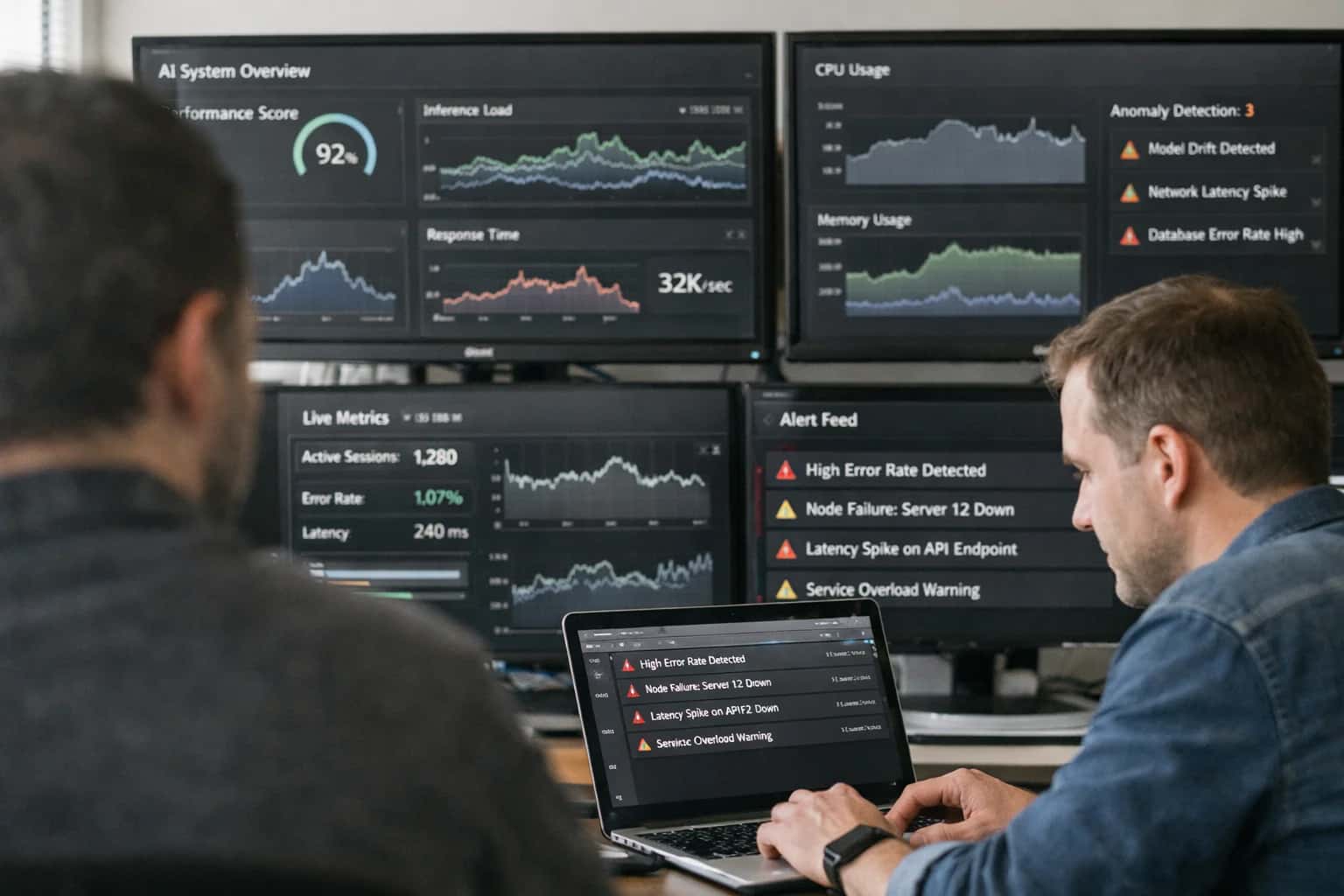
From Unstructured Feedback to Actionable Member Intelligence
Continuously analyze unstructured feedback from emails, survey comments, and community posts in iMIS, providing leadership with dashboards on member sentiment and emerging issues.
The real value emerges in the workflow automation and executive visibility. Negative sentiment on a specific topic can automatically create a support case in iMIS Service Management for follow-up or trigger an alert to a community manager. For leadership, an AI-powered dashboard aggregates trends, answering questions like: "Show me sentiment trends for 'annual conference' over the last quarter, segmented by member tier." This moves analysis from a manual, quarterly survey review to a continuous pulse, allowing proactive intervention on emerging issues before they impact renewal rates. Implementation typically involves a secure, cloud-hosted agent that polls iMIS, processes data, and pushes insights back, ensuring no sensitive member data is exposed to public LLM endpoints.
Rollout requires careful governance. Start with a pilot data source, such as post-event survey comments, to calibrate the model's topic detection for your association's jargon. Establish a human-in-the-loop review step where high-urgency negative sentiments are flagged for staff validation before automated case creation. This integration complements, rather than replaces, staff; it triages the volume of feedback so human effort focuses on high-value member recovery and strategic insight. For a deeper technical blueprint on connecting AI agents to iMIS data, see our guide on /integrations/association-management-platforms/ai-integration-for-imis-support-agents.
Where AI Connects to iMIS Data Streams
Inbound Communication Hubs
AI sentiment analysis primarily connects to iMIS modules that capture unstructured member feedback. This includes the Email Management System (EMS) for inbound member service emails, the Survey Module for open-ended comment fields in post-event and satisfaction surveys, and the Community/Forum Module for discussion posts and replies. These channels are rich with qualitative data but are traditionally time-consuming to analyze manually.
An integration ingests this text data via iMIS REST APIs or by monitoring relevant database tables. The AI agent processes each text entry, assigning a sentiment score (positive, neutral, negative) and extracting key themes (e.g., "dues increase," "event parking," "website login"). These enriched records are then written back to a dedicated analytics table or a connected data warehouse, enabling real-time dashboards that track sentiment trends by topic, member segment, and time period.
High-Value Use Cases for iMIS Sentiment Analysis
Move beyond simple survey scores. Continuously analyze unstructured feedback from emails, survey comments, and community posts in iMIS to provide leadership with dashboards on member sentiment and emerging issues.
Community Forum & Discussion Moderation
Deploy AI agents to monitor iMIS online communities and discussion boards. They flag negative sentiment spikes, inappropriate content, and summarize key discussion threads for community managers, turning reactive moderation into proactive engagement.
Post-Event Survey & Feedback Analysis
Automate the analysis of open-ended responses from iMIS EMS post-event surveys. AI clusters feedback themes (e.g., 'session quality', 'venue logistics'), scores sentiment, and generates prioritized action lists for event planners, replacing manual reading of hundreds of comments.
Member Support Case Escalation Triage
Analyze sentiment and urgency in incoming support case descriptions and email threads within iMIS. AI automatically tags high-priority issues based on emotional tone and complexity, ensuring critical member concerns are routed to senior staff immediately.
Renewal & Lapse Communication Feedback Loop
Capture and analyze member replies to renewal invoices, payment reminders, and win-back emails. Sentiment analysis identifies systemic pain points (e.g., 'price too high', 'value not clear') to refine messaging and automate personalized follow-ups for at-risk segments.
Advocacy & Policy Member Sentiment Tracking
Monitor sentiment shifts in member communications related to advocacy alerts, policy updates, and legislative calls-to-action. AI dashboards show which issues generate positive/negative reactions by member segment, providing real-time intelligence for government relations teams.
Board & Committee Report Narrative Generation
Transform raw sentiment data from across iMIS modules into executive summaries for board reports. AI generates narrative insights on member satisfaction trends, highlights emerging concerns from specific member types, and suggests focus areas for strategic discussions.
Example AI-Powered Sentiment Workflows
These workflows show how to connect AI sentiment analysis to specific iMIS data streams and surfaces, turning unstructured feedback into actionable member intelligence with minimal manual effort.
Trigger: A new survey response is submitted via iMIS Engage or a custom survey module, containing open-ended comment fields.
Context Pulled: The AI agent retrieves the full survey response, member profile (member tier, join date, chapter), and the specific survey question context.
AI Action: A sentiment analysis model (e.g., OpenAI GPT-4, Claude 3) classifies the comment:
- Sentiment Score: Positive, Neutral, or Negative with confidence level.
- Topic Extraction: Identifies key themes (e.g., "event pricing," "website usability," "customer service").
- Urgency Flag: Flags comments containing words like "urgent," "frustrated," or "cancel."
System Update: The analysis is written back to a custom iMIS object (Member_Sentiment_Log) linked to the member record. Based on rules:
- Negative + High Urgency: Automatically creates a Service Case in iMIS and assigns it to the relevant member services team, pre-populated with the analysis.
- Negative + Specific Topic: Tags the member record with a
Sentiment_Alertand adds them to a dynamic smart group for targeted follow-up. - Positive: Logs the sentiment and may trigger a
Thank Youautomated email if the comment praises a specific staff member or program.
Human Review Point: All sentiment logs are visible in a consolidated dashboard. Staff can override AI classifications and provide feedback to improve the model.
Implementation Architecture: Data Flow & System Design
A production-ready architecture for continuously analyzing member sentiment across iMIS data sources and surfacing insights to leadership.
The integration is built on a secure, event-driven pipeline that ingests unstructured text from key iMIS modules: Email records, Survey comment fields, Community forum posts, and Case descriptions. A background service polls these iMIS objects via its REST API or listens for webhook events, extracting new text payloads and associated metadata (member ID, date, source). This raw feedback is queued, then processed by an AI sentiment and theme analysis engine that classifies emotion (positive, negative, neutral), detects urgency, and clusters comments into emerging topics like 'dues increase concerns' or 'event registration friction'.
Processed insights are written back to iMIS in two ways. First, aggregated sentiment scores and key themes are attached to the originating member record or case as custom fields, enabling service agents to see historical sentiment at a glance. Second, summarized data is pushed to a dedicated analytics data mart (often a cloud data warehouse like Snowflake or BigQuery) that powers executive dashboards in tools like Power BI or Tableau. This separation ensures real-time agent support without impacting iMIS reporting performance. Dashboards can show trends like net sentiment score by member tier, volume of negative feedback by topic over time, and correlations between sentiment drops and specific operational changes.
Governance is critical. The system includes a human-in-the-loop review queue for low-confidence AI classifications and a secure audit log of all processed data. Rollout typically starts with a single data source (e.g., support cases), using a sample period of historical data to calibrate the AI models for association-specific language before expanding to surveys and community posts. This phased approach de-risks implementation and allows staff to adapt workflows, such as having community managers review AI-highlighted negative threads daily. For a deeper look at automating other member feedback channels, see our guide on AI Integration with iMIS for Survey Analysis.
Code & Payload Examples
Ingesting Unstructured Feedback
Sentiment analysis begins by pulling unstructured text from key iMIS surfaces. A scheduled job queries the IMIS_Email and IMIS_SurveyResponse tables for new records, extracts the comment body, and sends batches to an AI service for processing. The payload includes metadata like member ID and source for accurate attribution.
python# Example payload to sentiment API payload = { "texts": [ { "id": "resp_789", "text": "The webinar was helpful, but the audio quality needs improvement.", "metadata": { "source": "post_event_survey", "member_id": "M12345", "recorded_date": "2024-05-15T14:30:00Z" } } ], "analysis_types": ["sentiment", "theme", "urgency"] }
Responses are written back to a dedicated IMIS_SentimentLog table, linking to the original record. This creates an audit trail and enables trend analysis over time.
Realistic Time Savings & Business Impact
How AI integration transforms manual feedback review into proactive member intelligence, freeing staff for strategic action.
| Metric | Before AI | After AI | Notes |
|---|---|---|---|
Feedback Triage & Categorization | Hours of manual reading & tagging | Automated real-time classification | AI tags themes (e.g., 'pricing concern', 'event praise') as feedback arrives |
Sentiment Dashboard Updates | Monthly or quarterly manual compilation | Daily automated refresh with alerts | Leadership sees emerging issues within 24 hours, not weeks |
Issue Escalation to Leadership | Relies on staff noticing patterns in support tickets | Automated alerts for negative trend spikes | Proactive outreach possible before issues become widespread |
Survey Open-Ended Analysis | Days to read, code, and summarize responses | Summary reports generated in minutes post-survey close | Program managers get thematic insights with supporting quotes |
Community Health Monitoring | Spot-checking forum discussions | Continuous sentiment scoring on all posts & comments | Community managers can intervene in negative threads early |
Board/Committee Reporting | Manual data pull and narrative writing | AI-generated narrative summaries with key metrics | Staff time shifts from report assembly to strategic discussion |
Cross-Feedback Correlation | Difficult to link email, survey, and forum themes | Unified analysis identifies root causes across channels | Identifies if a pricing email complaint correlates with forum posts |
Governance, Security & Phased Rollout
A production-grade sentiment analysis integration requires careful planning around data governance, security controls, and a phased rollout to manage risk and demonstrate value.
Governance starts with defining the scope of analysis. We map which iMIS data objects—such as EmailMessage, SurveyResponse, CommunityPost, and CaseComment—contain unstructured feedback. Access is controlled via iMIS user roles and API permissions, ensuring the AI only processes records the integration service is authorized to read. All sentiment inferences are written back to a dedicated custom object (e.g., SentimentScore__c) with audit fields (processed_date, source_record_id, model_version), creating a transparent lineage from raw feedback to insight. For associations with strict compliance needs, we implement PII redaction at ingestion, stripping personal identifiers before text is sent for analysis.
Security is enforced through a layered architecture. The integration service, typically deployed in your cloud or a private VPC, acts as a secure broker. It authenticates to iMIS via OAuth 2.0, fetches batches of new feedback, and calls the AI model endpoint (e.g., Azure OpenAI, Anthropic, or a fine-tuned open model). All data in transit is encrypted, and prompts are engineered to avoid model memorization. Results are returned and stored within iMIS; no member sentiment data persists in the AI provider's systems. For dashboards, we build role-based views in iMIS Reporting or an embedded BI tool, ensuring staff only see aggregate sentiment or drill-downs appropriate to their role (e.g., chapter managers see their chapter's data only).
A phased rollout mitigates risk and builds organizational trust. Phase 1 (Pilot): Process historical survey comments from a single program or event. Validate accuracy with staff, calibrate sentiment thresholds, and refine topic clustering. Phase 2 (Expansion): Add real-time email and community post analysis for a pilot member segment (e.g., a specific chapter or membership tier). Introduce alerting for negative sentiment spikes to the community manager. Phase 3 (Scale): Expand to all member communications, integrate sentiment scores into executive dashboards, and connect insights to action workflows—like automatically routing a member with declining sentiment to a retention specialist. Each phase includes a feedback loop with staff to adjust the AI's focus and ensure insights are actionable, not just observational.
Enabling Efficiency, Speed & Accuracy
Intelligent Analysis, Decision & Execution
We build AI systems for teams that need search across company data, workflow automation across tools, or AI features inside products and internal software.
Talk to Us
Search across company data
Give teams answers from docs, tickets, runbooks, and product data with sources and permissions.
Useful when people spend too long searching or get different answers from different systems.

Automate internal workflows
Use AI to route work, draft outputs, trigger actions, and keep approvals and logs in place.
Useful when repetitive work moves across multiple tools and teams.

Add AI to products and internal tools
Build assistants, guided actions, or decision support into the software your team or customers already use.
Useful when AI needs to be part of the product, not a separate tool.
Frequently Asked Questions
Practical questions for teams planning to add AI-powered sentiment analysis to their iMIS environment.
The integration connects to key iMIS modules containing unstructured member feedback:
- Email Communications: Inbound emails to generic aliases (e.g., info@, membership@) logged in iMIS or integrated email systems.
- Survey Comments: Open-text responses from post-event, renewal, or general satisfaction surveys administered through iMIS EMS or connected tools.
- Community & Forum Posts: Discussions from the iMIS Online Community module or integrated platforms like Higher Logic.
- Support Case Notes: The 'description' and internal notes fields from iMIS Service Management or help desk cases.
- Event Feedback: Free-text comments from session evaluations and conference surveys.
Implementation Note: The AI agent uses iMIS APIs or direct database connections (with appropriate safeguards) to poll or receive webhooks from these sources. Data is processed in a secure, isolated environment before insights are written back to iMIS dashboards or custom objects.

About the author
Prasad Kumkar
CEO & MD, Inference Systems
Prasad Kumkar is the CEO & MD of Inference Systems and writes about AI systems architecture, LLM infrastructure, model serving, evaluation, and production deployment. Over 5+ years, he has worked across computer vision models, L5 autonomous vehicle systems, and LLM research, with a focus on taking complex AI ideas into real-world engineering systems.
His work and writing cover AI systems, large language models, AI agents, multimodal systems, autonomous systems, inference optimization, RAG, evaluation, and production AI engineering.
Partnered with leading AI, data, and software stack.





How We Work
Custom AI workflows for your Business
One-fit-all AI don't work for modern businesses. At Inferensys, we aim to understand your business & custom requirements; which we use to define most efficient agentic workflows, the data, and the tools for your business.
01
Review the use case
We understand the task, the users, and where AI can actually help.
Read more02
Pick the right approach
We define what needs search, automation, or product integration.
Read more03
Build the first useful version
We implement the part that proves the value first.
Read more04
Improve from there
We add the checks and visibility needed to keep it useful.
Read moreThe first call is a practical review of your use case and the right next step.
Talk to Us