In an Apigee Hybrid deployment, AI models and agents integrate at three primary layers: the runtime plane, the management plane, and the analytics plane. The runtime plane, where API proxies execute on your Kubernetes clusters, is the most critical surface for AI. Here, you can deploy AI services as backend targets or inject AI logic directly into proxy flows using JavaScript or Java callouts. Common patterns include using a callout policy to send a request payload to an LLM for enrichment before routing to a core system, or using a Service Callout policy to an on-premise GPU cluster hosting a fine-tuned model. The management plane, hosted in Google Cloud, orchestrates these AI-enhanced proxies, allowing you to apply consistent security, quota, and analytics policies whether the backend is a cloud AI service (like Vertex AI) or a private inference endpoint.

Integration
AI Integration with Apigee Hybrid
Where AI Fits in Apigee Hybrid Architectures
A practical guide to embedding AI inference and orchestration within Apigee Hybrid's distributed API management fabric.
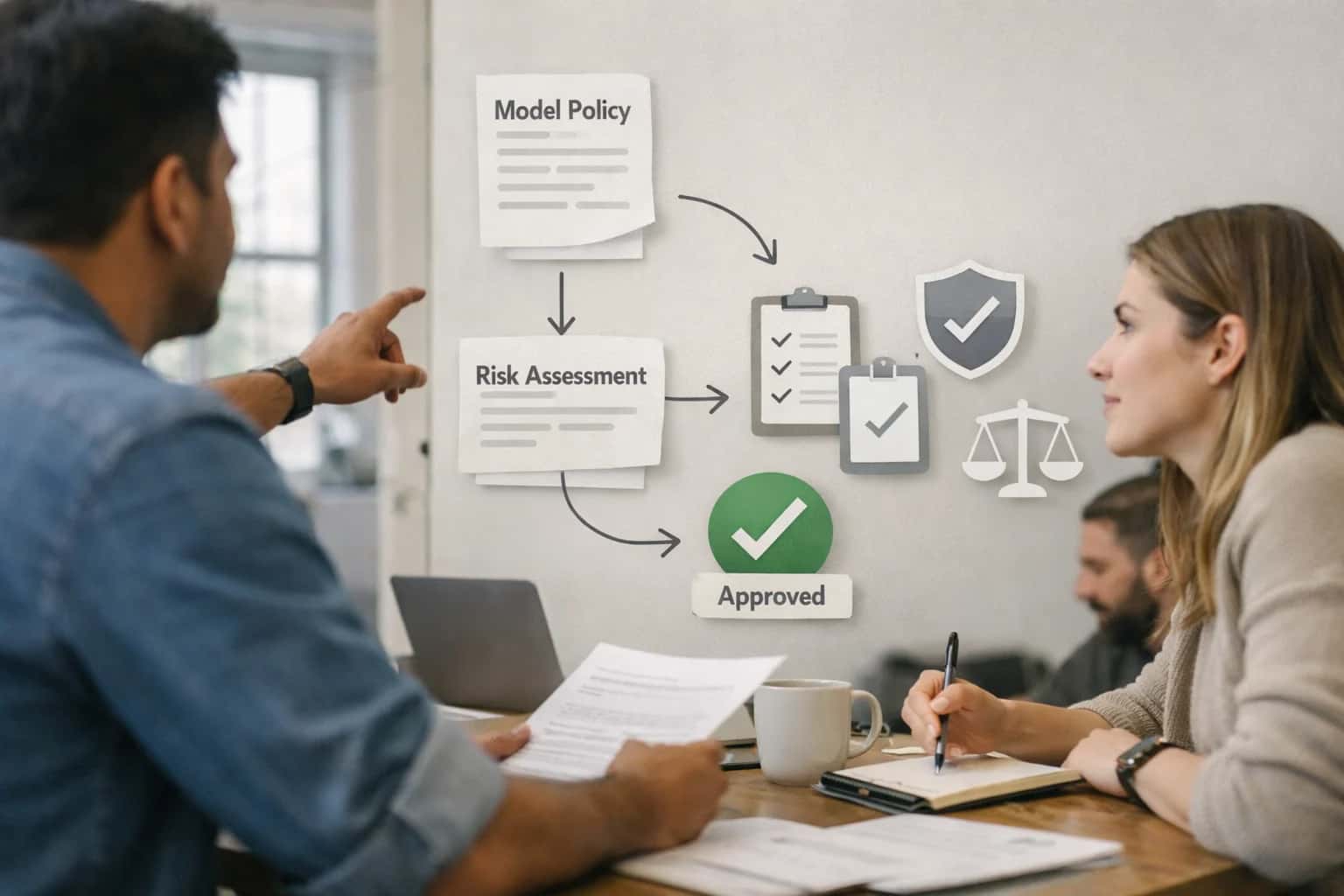
For production, you must wire AI workflows with Apigee's governance controls. Start by modeling AI services as API products within Apigee, applying API key or OAuth 2.0 verification to control access. Use Spike Arrest and Quota policies to prevent cost overruns from runaway AI API calls. For stateful, multi-turn agent interactions, leverage Apigee's Key Value Maps (KVM) to persist conversation context scoped to a developer app or user session. To operationalize AI, integrate Apigee's message logging with your LLMOps stack; log prompts, responses, and token counts to BigQuery via the Message Logging policy for drift detection and cost analysis. For hybrid scenarios where data cannot leave the premises, Apigee's runtime plane can route calls to on-premise AI endpoints (e.g., a private Hugging Face Text Generation Inference server) while still enforcing centralized OAuth token validation from the cloud management plane.
Rollout requires a phased approach. Begin by deploying a non-critical AI proxy (e.g., a text summarization service) in a single runtime group, using Apigee's deployment environments (like test and prod) and environment groups for canary testing. Monitor latency and error rates through Apigee Analytics and integrate with Apigee Sense to detect anomalous patterns in AI service consumption. Governance extends to the API spec; use AI to generate or augment OpenAPI specifications for your AI services directly within Apigee, ensuring discoverability in the developer portal. The ultimate value is turning Apigee Hybrid into an intelligent orchestration layer that can dynamically route requests based on AI-driven decisions—like selecting the optimal model version or fallback path—while maintaining the security and observability enterprises require. For related architectural patterns, see our guides on AI Integration for Kong API Gateway and AI Integration for Hybrid and Multi-Cloud API Strategies.
AI Integration Surfaces in Apigee Hybrid
Inject AI Logic into API Flows
Apigee's policy execution layer is the primary surface for AI integration. You can embed AI-powered logic directly into API proxy flows using ServiceCallout or JavaScript policies to invoke external AI services.
Common Patterns:
- Request/Response Transformation: Call an LLM to summarize, translate, or redact PII from payloads before they reach backend services.
- Dynamic Routing: Use an AI model to analyze request content (e.g., sentiment, intent) and conditionally route traffic to different backend endpoints or AI model versions.
- Security Augmentation: Enhance standard policies (SpikeArrest, OAuth) with AI-driven anomaly detection to flag suspicious API traffic patterns in real-time.
This approach keeps AI logic centralized, governable, and observable within Apigee's analytics dashboard.
High-Value AI Use Cases for Hybrid API Management
Apigee Hybrid's multi-cloud and on-premise deployment model is ideal for orchestrating AI services. These patterns show how to inject intelligent workflows into your API fabric while maintaining consistent governance, security, and observability across environments.
Intelligent API Traffic Shaping
Use real-time analytics from Apigee Hybrid to feed AI models that predict traffic spikes and anomalies. Dynamically adjust rate limits, quotas, and routing policies based on predicted load, user behavior, or downstream service health. This moves API management from static rules to adaptive, self-optimizing control.
AI-Powered API Security & Bot Mitigation
Extend Apigee's security policies with AI models deployed in your hybrid environment. Analyze request patterns, headers, and payloads in real-time to detect sophisticated bots, credential stuffing, and API abuse that rule-based systems miss. Trigger automated mitigation via Apigee policies or alert SOC teams.
On-Premise AI Inference as a Managed API
Expose proprietary or regulated AI models running in your data center as secure, governed APIs. Use Apigee Hybrid to front-end on-premise inference endpoints (e.g., TensorFlow Serving, TorchServe) with consistent authentication, monetization, analytics, and lifecycle management applied to both cloud and private AI services.
Unified AI Service Orchestration
Create composite APIs that call multiple AI services across clouds and on-premise. Use Apigee Hybrid to orchestrate calls to OpenAI, Azure AI, Google Vertex AI, and private models, handling fallback logic, response aggregation, and format normalization. This provides a single, resilient interface for application developers.
AI-Enhanced Developer Experience
Integrate AI assistants into the Apigee Hybrid developer portal and API publishing workflow. Automatically generate OpenAPI specs from natural language descriptions, answer developer questions about API usage, and recommend relevant APIs based on project context—all while keeping sensitive data within your governed environment.
Predictive API Analytics & Operations
Feed Apigee Hybrid's operational metrics (latency, errors, usage) into time-series AI models. Predict performance degradation, forecast capacity needs, and recommend scaling actions for both gateway components and backend services. Shift API operations from reactive monitoring to proactive management.
Example AI-Enhanced API Workflows
These concrete workflows illustrate how to inject AI logic into Apigee Hybrid's policy execution layer, enabling intelligent routing, security, and data transformation without disrupting existing API traffic flows.
Trigger: An incoming API request hits an Apigee Hybrid proxy with a specific header (X-Use-AI-Model: sentiment-v2) or path suffix (/analyze).
Apigee Policy Execution:
- A JavaScript Policy or ServiceCallout Policy extracts key request attributes (e.g.,
client_id,payload_size). - A LookupCache Policy checks a distributed cache (e.g., Redis) for a recent routing decision for this client/model combination to reduce latency.
- If no cached decision exists, an External Callout Policy queries a lightweight routing service (hosted on-premise) that uses an ML model to decide the optimal endpoint. Factors include:
- Current latency to regional AI endpoints (on-premise GPU cluster vs. Google Cloud Vertex AI vs. Azure OpenAI).
- Cost targets for the requesting application.
- Model version A/B testing weights.
AI Action & System Update:
- The routing service returns the target endpoint URL and a time-to-live (TTL).
- Apigee updates the cache and uses a TargetEndpoint configuration to route the request to the selected AI service.
- The AI service processes the request (e.g., sentiment analysis), and the response flows back through Apigee for logging and transformation.
Governance Point: All routing decisions, model calls, and costs are logged to Apigee Analytics and forwarded to a SIEM for audit. A Quota Policy enforces spend limits per client_id and AI model.
Implementation Architecture and Data Flow
A practical blueprint for integrating AI inference into your Apigee Hybrid deployment, connecting on-premise data to cloud AI services with consistent governance.
An AI integration with Apigee Hybrid typically follows a hub-and-spoke model where the gateway acts as the intelligent control plane. Your on-premise Message Processors and Management Server components handle north-south traffic, applying standard policies for security, quotas, and mediation. The integration injects AI logic at two key points: within API Proxy flows to call external AI services (e.g., OpenAI, Vertex AI) and within Analytics to process API traffic data for predictive insights. For example, a proxy flow can intercept a request to a legacy billing system, use a JavaScript policy or Service Callout policy to send payload data to an LLM for enrichment or validation, and then forward the augmented request to the backend—all while maintaining audit logs and enforcing existing OAuth 2.0 or API key validations.
Data flow is governed by Apigee's policy execution order. A common pattern is: VerifyAPIKey → AI-PreFlow (Service Callout to LLM) → Route to Backend. For responses, a PostFlow can summarize or redact sensitive data before returning to the client. Crucially, Apigee Hybrid's architecture allows you to keep sensitive data on-premise; you can deploy lightweight AI inference containers (e.g., a TensorFlow Serving instance) within your private data center and route internal API calls to them via Apigee, avoiding data egress. For cloud AI services, Apigee securely brokers the connection, managing secrets via KeyValueMaps and masking sensitive fields with JSON Threat Protection policies before the external call.
Rollout should start with a non-critical, read-heavy API proxy to validate latency and cost. Use Apigee's Trace Tool to debug the AI policy chain and Analytics to monitor for increased error rates or latency spikes from AI service calls. Governance requires extending your API product definitions and developer portal documentation to clarify AI-enhanced endpoints, including usage costs and data handling disclosures. For production, implement conditional AI flows using Quota or Spike Arrest policies to prevent budget overruns, and set up alerting in Apigee Monitoring for AI service degradation. This approach turns Apigee Hybrid into a unified, policy-driven fabric for both traditional and AI-powered APIs, enabling incremental adoption without rebuilding your integration landscape.
Code and Configuration Examples
Routing to Private AI Endpoints
Use Apigee Hybrid's service discovery and target endpoints to securely route API calls to AI models hosted in your private data centers or VPCs. This pattern maintains data residency while applying Apigee's global policies.
Key configuration involves defining a TargetEndpoint that points to your internal load balancer or service mesh ingress. Use Apigee's ServiceRegistry for dynamic endpoint resolution if your on-premise AI services are orchestrated by Kubernetes.
Example TargetEndpoint XML snippet:
xml<TargetEndpoint name="onprem-llm-inference"> <HTTPTargetConnection> <URL>https://internal-ai-cluster.company.local/v1/completions</URL> <SSLInfo> <Enabled>true</Enabled> <ClientAuthEnabled>false</ClientAuthEnabled> <TrustStore>ref://my-onprem-ca</TrustStore> </SSLInfo> </HTTPTargetConnection> </TargetEndpoint>
Leverage Apigee's mutual TLS and certificate management to authenticate calls between the hybrid runtime and your internal AI services, ensuring no data traverses the public internet.
Realistic Operational Impact and Time Savings
How integrating AI into Apigee Hybrid transforms API management workflows, reducing manual effort and accelerating response times across hybrid and multi-cloud environments.
| API Management Workflow | Before AI Integration | After AI Integration | Implementation Notes |
|---|---|---|---|
API Security Anomaly Investigation | Manual log review across on-prem/cloud (2-4 hours) | AI-prioritized alerts with root-cause summaries (15-30 minutes) | AI models analyze Apigee Analytics streams; human analysts validate high-risk flags. |
Traffic Spike Response & Scaling | Reactive manual quota adjustments post-incident (Next business day) | Proactive, predictive scaling recommendations (Same-day implementation) | AI forecasts based on usage patterns; policies are suggested for review before auto-application. |
Developer Support & API Discovery | Manual search through portal docs and forums (30+ minutes per query) | AI-powered natural language search and Q&A in the developer portal (<5 minutes) | RAG system indexes API specs and docs; integrates with Apigee Developer Portal. |
Policy Design & Deployment | Manual drafting and testing of complex policies (1-2 days) | AI-assisted policy generation from natural language specs (2-4 hours) | Generates policy XML/configuration drafts; requires SME review and security validation. |
Hybrid Routing Decision Logic | Static configuration based on manual health checks | Dynamic routing with AI-driven latency & failure prediction | AI sidecar analyzes endpoint health; suggests optimal routing between on-prem and cloud targets. |
API Specification Maintenance | Manual updates and versioning coordination across teams | AI-assisted spec generation from traffic and natural language | Infers and drafts OpenAPI specs from live traffic; reduces drift between implementation and docs. |
Incident Triage & Communication | Manual correlation of gateway logs and service alerts | Automated incident summarization and stakeholder notification | AI aggregates alerts from Apigee and backend systems; drafts initial incident report for ops team. |
Governance, Security, and Phased Rollout
A production-ready AI integration with Apigee Hybrid requires deliberate design for security, observability, and controlled adoption.
Apigee Hybrid's distributed architecture—with runtime planes in your private data centers or VPCs and a centralized management plane—provides a powerful framework for governing AI traffic. Key governance surfaces include:
- Policy Execution: Use Apigee's policy framework (e.g.,
VerifyAPIKey,OAuthV2,SpikeArrest) to enforce authentication, authorization, and rate limits on all calls to your AI inference endpoints, whether they are on-premise models or cloud-hosted services like Azure OpenAI or Vertex AI. - Traffic Segmentation: Leverage environment and proxy definitions to isolate AI API traffic. For example, create a dedicated
ai-inferenceenvironment to apply specific quota, caching, and security policies distinct from your core business APIs. - Audit and Logging: Apigee's built-in analytics and the ability to export detailed transaction logs to SIEM platforms (e.g., Splunk, Chronicle) create an immutable audit trail for all AI API calls, essential for compliance and debugging.
Security is multi-layered. At the edge, Apigee policies validate JWT tokens and API keys. For calls routed to on-premise AI endpoints, the hybrid runtime's secure, outbound-only connection to the management plane ensures no inbound firewall rules are needed. Sensitive data can be masked or redacted using policies like JSONThreatProtection or custom JavaScript policies before the payload is sent to a third-party AI service. Furthermore, you can implement AI-specific security checks, such as prompt injection detection patterns or output content filtering, directly within the API proxy flow to prevent malicious use or data leakage.
A phased rollout mitigates risk. Start with a pilot environment targeting a single, low-risk use case—such as internal document summarization. Use Apigee's deployment capabilities to promote the AI proxy from test to prod environments. Implement canary releases by using Apigee's TargetServer definitions and routing policies to send a percentage of traffic to a new AI model version while monitoring for latency or error rate changes. Finally, use Apigee analytics dashboards to track adoption, latency (P95/P99), and error rates, setting up alerts for anomalies. This controlled approach allows you to validate value, tune performance, and build organizational confidence before scaling AI across critical workflows.
Enabling Efficiency, Speed & Accuracy
Intelligent Analysis, Decision & Execution
We build AI systems for teams that need search across company data, workflow automation across tools, or AI features inside products and internal software.
Talk to Us
Search across company data
Give teams answers from docs, tickets, runbooks, and product data with sources and permissions.
Useful when people spend too long searching or get different answers from different systems.

Automate internal workflows
Use AI to route work, draft outputs, trigger actions, and keep approvals and logs in place.
Useful when repetitive work moves across multiple tools and teams.

Add AI to products and internal tools
Build assistants, guided actions, or decision support into the software your team or customers already use.
Useful when AI needs to be part of the product, not a separate tool.
Frequently Asked Questions
Practical questions for architects and platform teams planning to integrate AI services with Apigee Hybrid for secure, governed, and multi-cloud API management.
This is a core hybrid connectivity pattern. The typical flow involves:
- Deploy AI Model On-Premise: Host your model (e.g., PyTorch, TensorFlow) within your data center, often containerized and exposed via a REST/gRPC endpoint.
- Establish Secure Connectivity: Use Apigee Hybrid's connectivity options:
- Private Service Connect (PSC): For Google Cloud, create a PSC endpoint that privately connects your Apigee runtime (in Google Cloud) to your on-premise service via Cloud Interconnect or VPN.
- Hybrid's Ingress/Service Mesh: Configure the Apigee runtime plane's service mesh to discover and route to the on-premise service endpoint.
- Define Apigee API Proxy: Create a proxy in Apigee that represents your AI service. The
TargetEndpointconfiguration points to the internal DNS or PSC endpoint of your on-premise inference service. - Apply Consistent Policies: Enforce security (API key, OAuth), rate limiting, spike arrest, and logging at the Apigee proxy layer before the request ever leaves the managed runtime, ensuring governance is uniform regardless of backend location.
This pattern centralizes security and observability at the gateway while keeping sensitive data or models within your private network.

About the author
Prasad Kumkar
CEO & MD, Inference Systems
Prasad Kumkar is the CEO & MD of Inference Systems and writes about AI systems architecture, LLM infrastructure, model serving, evaluation, and production deployment. Over 5+ years, he has worked across computer vision models, L5 autonomous vehicle systems, and LLM research, with a focus on taking complex AI ideas into real-world engineering systems.
His work and writing cover AI systems, large language models, AI agents, multimodal systems, autonomous systems, inference optimization, RAG, evaluation, and production AI engineering.
Partnered with leading AI, data, and software stack.





How We Work
Custom AI workflows for your Business
One-fit-all AI don't work for modern businesses. At Inferensys, we aim to understand your business & custom requirements; which we use to define most efficient agentic workflows, the data, and the tools for your business.
01
Review the use case
We understand the task, the users, and where AI can actually help.
Read more02
Pick the right approach
We define what needs search, automation, or product integration.
Read more03
Build the first useful version
We implement the part that proves the value first.
Read more04
Improve from there
We add the checks and visibility needed to keep it useful.
Read moreThe first call is a practical review of your use case and the right next step.
Talk to Us