Treat the W&B Model Registry as the single source of truth for your LLM model lineage. Each registered model version—whether a fine-tuned adapter, a quantized variant, or a specific embedding model—should be linked to its experiment run, training dataset artifact, and evaluation metrics. This creates an immutable audit trail from research to production, which is critical for debugging and compliance. Use W&B's stage transitions (development -> staging -> production) and approval workflows to enforce a gated promotion process, preventing untested models from reaching live endpoints.

Integration
AI Integration with Weights and Biases Model Deployment
Automate the promotion of LLM models from Weights & Biases to production serving platforms with integrated validation tests and automated canary analysis. Reduce deployment risk from weeks to hours.
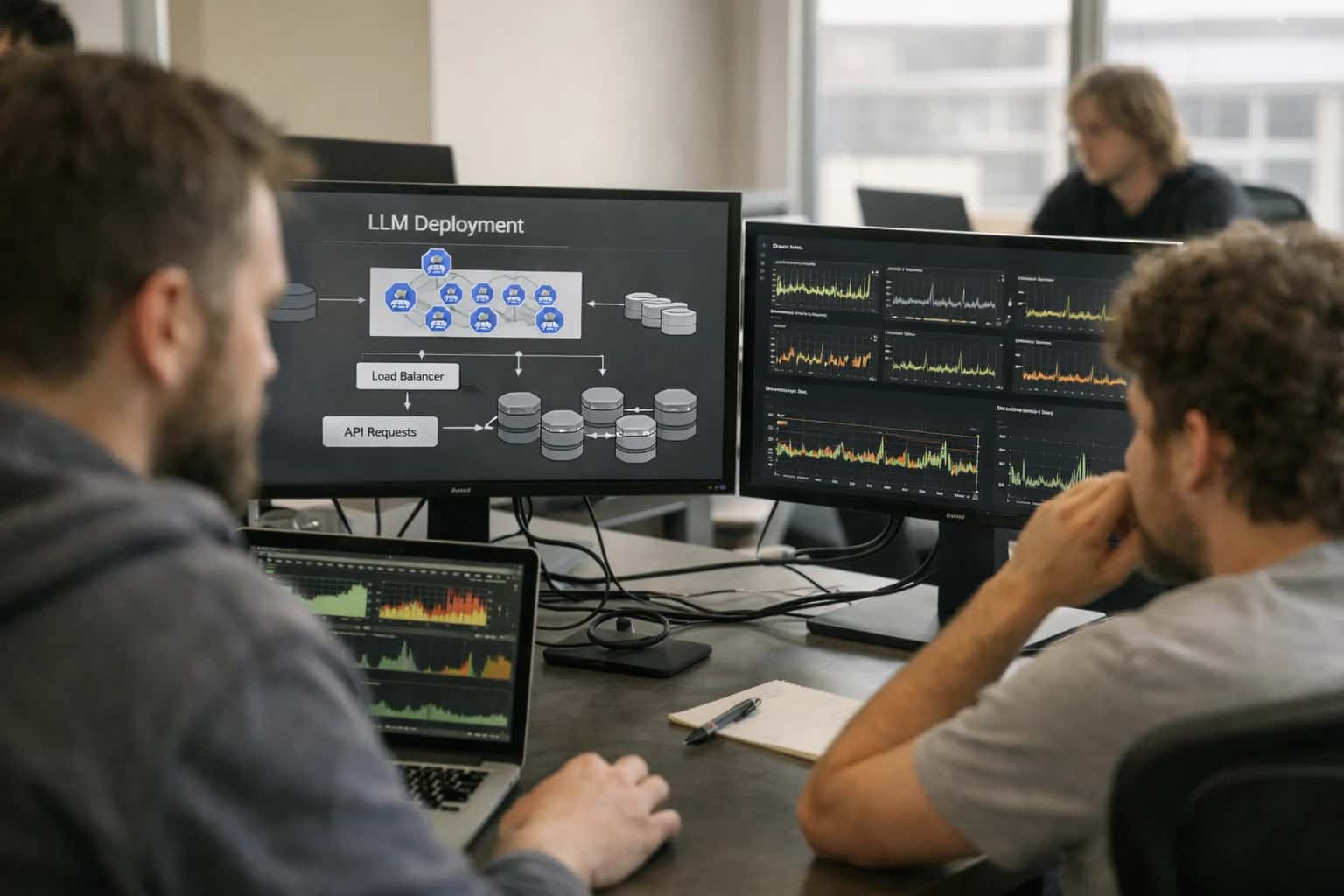
CONTROLLED MODEL PROMOTION
From W&B Model Registry to Production Endpoints
A practical blueprint for governing the deployment of LLM models from the Weights & Biases Model Registry to live serving platforms like SageMaker, vLLM, or Triton.
Integrate the registry with your CI/CD pipeline using the W&B API. A typical automation flow triggers when a model is marked staging-ready in W&B: a GitHub Action or Jenkins job pulls the model artifact, runs a battery of validation tests (e.g., performance on a golden dataset, bias checks, security scans), and if successful, packages and deploys it to your chosen serving infrastructure. For canary analysis, deploy the new model version alongside the current production model, routing a small percentage of traffic to it while logging business KPIs and performance metrics back to W&B for comparative analysis in dashboards.
Governance is enforced at the pipeline level. The deployment job should check for required metadata in the W&B model entry, such as a signed-off model card, evidence of passing bias assessments, and a documented rollback plan. Integrations with platforms like Credo AI can provide automated policy checks as a gate. Once live, configure your serving platform (e.g., SageMaker Endpoints) to tag inferences with the exact W&B model version ID, enabling traceability. This closed-loop system ensures that every production prediction can be traced back to its source code, data, and approvals, turning model deployment from an ad-hoc task into a controlled, auditable operation.
PRODUCTION MODEL LIFECYCLE
Where AI Deployment Integrates with W&B
Model Registry as the Source of Truth
The W&B Model Registry is the central hub for governing the transition from experiment to production. It's where data science teams register model versions—including base LLMs, fine-tuned adapters, and embedding models—with associated metadata, lineage, and evaluation metrics.
Integration Points:
- CI/CD Gates: Integrate the registry with your CI/CD pipeline (e.g., GitHub Actions, Jenkins) to automate promotion checks. A pipeline can query the registry for a model's stage (
staging,production) and approved status before deploying to a serving platform like SageMaker or vLLM. - Validation Hooks: Attach automated validation tests (e.g., performance on a golden dataset, bias checks, security scans) to the registry's stage transition webhooks. Deployment only proceeds if all validation suites pass.
- Artifact Linking: Each registered model version should link to its W&B Artifact, which contains the model weights, tokenizer, and a snapshot of the inference code for full reproducibility.
FROM W&B MODEL REGISTRY TO PRODUCTION SERVING
High-Value Deployment Automation Use Cases
Automating the path from experiment to endpoint is critical for reliable LLM operations. These patterns connect Weights & Biases to your serving infrastructure, ensuring models are promoted with validation, monitoring, and governance baked in.
01
Automated Canary Analysis & Rollout
Promote a model from the W&B Model Registry to a canary endpoint (e.g., 5% of traffic) in SageMaker or vLLM. Automatically compare key metrics—latency, cost, business KPIs—against the baseline using integrated validation suites. Roll forward or roll back based on statistical significance, all tracked as a W&B run.
1 sprint
Deployment cycle reduction
02
Governed Model Promotion Gates
Enforce a multi-stage approval workflow for model promotion (development → staging → production) using W&B Model Registry stages. Integrate with CI/CD (e.g., GitHub Actions) to require passing evaluation scores, security scans, and compliance checks from tools like Credo AI before the model alias is updated.
Zero manual errors
Promotion compliance
03
Serving Configuration as Code
Package the complete serving specification—model weights, quantization settings, inference parameters, and scaling config—as a W&B Artifact. Your deployment pipeline (e.g., Kubernetes Job) pulls this artifact to provision identical, reproducible endpoints across regions, eliminating environment drift.
Hours -> Minutes
Environment provisioning
04
Integrated Performance Validation Suite
Trigger a battery of tests—latency benchmarks, load tests, correctness checks on golden datasets—immediately after a model is deployed. Log results back to W&B as a new run linked to the model version. Fail the deployment if metrics fall outside SLA bounds, preventing performance regressions from reaching users.
Batch -> Real-time
Quality feedback
05
Cross-Platform Model Serving
Orchestrate deployments to heterogeneous serving targets from a single W&B model entry. Route high-throughput, batched requests to Triton Inference Server, while directing low-latency, interactive queries to a VLLM endpoint. Use W&B metadata to track which model version is live on each platform.
Same day
Multi-platform sync
06
Drift-Aware Retraining & Redeployment
Connect Arize AI drift alerts to your deployment pipeline. When significant drift is detected in production, automatically trigger a retraining pipeline. The new fine-tuned model is logged to W&B, evaluated, and if it passes gates, promoted to replace the drifting model—closing the MLOps loop.
Days -> Hours
Mitigation time
FROM W&B MODEL REGISTRY TO PRODUCTION
Example Deployment Workflows
These workflows illustrate how to automate the promotion of LLM models from Weights & Biases experiments to production serving platforms, integrating validation tests and canary analysis for controlled releases.
Trigger: A new model version is registered in W&B Model Registry with the staging alias.
Workflow:
- A webhook from W&B triggers a CI/CD pipeline (e.g., GitHub Actions, Jenkins).
- The pipeline retrieves the model artifact (e.g., fine-tuned LoRA weights, full model checkpoint) and associated metadata (base model, hyperparameters, training dataset version) from W&B Artifacts.
- It packages the model into a SageMaker-compatible container, injecting environment variables for the W&B API key to enable automatic inference logging back to the experiment run.
- The pipeline runs a battery of validation tests against the new model container:
- Functional Tests: Correctly loads and runs inference.
- Performance Tests: Meets latency (p95) and throughput targets on a standard GPU instance.
- Quality Tests: Scores above a threshold on a held-out evaluation dataset (metrics logged to W&B).
- If all tests pass, the pipeline deploys the model as a new SageMaker endpoint variant behind a shadow endpoint, where it receives a copy of live traffic for silent evaluation.
- Inference logs from the shadow endpoint are sent back to W&B for comparison against the current production model.
Next Step: After 24 hours of shadow traffic, if performance parity is confirmed, the pipeline updates the production endpoint to route 5% of traffic to the new variant (canary).
FROM EXPERIMENT TO ENDPOINT
Implementation Architecture: Connecting W&B to Serving Platforms
A production-ready blueprint for promoting LLM models from the Weights & Biases experiment tracker to live inference platforms.
The core integration pattern connects W&B Model Registry as the source of truth to your serving infrastructure—be it Amazon SageMaker, vLLM, Triton Inference Server, or a managed API gateway. This starts by tagging a successful experiment run in W&B and registering its model artifact (e.g., fine-tuned LoRA weights, a full model checkpoint, or a reference to a base model version). A CI/CD pipeline, triggered by this registry event, packages the model with its exact dependencies—captured via W&B's artifact lineage—into a container or runtime bundle suitable for the target platform.
Before a full rollout, the pipeline executes integrated validation tests. These can include: running a canary analysis on a shadow traffic subset to compare performance (latency, cost, accuracy) against the current champion model; executing a statistical test suite for business metrics; and performing inference-time guardrail checks (e.g., for PII, toxicity). Results are logged back to W&B as a new run, linking promotion decisions directly to the evidence. This creates an auditable, automated promotion gate.
Governance is enforced by wiring the pipeline to require approvals in W&B for stage transitions (e.g., staging → production). The final step updates the serving platform's configuration—such as a SageMaker endpoint variant or a Kubernetes deployment manifest—to route traffic to the new model. Post-deployment, inference metrics (latency, token usage) and business KPIs are streamed back to W&B dashboards, closing the loop from experiment to live performance monitoring. This architecture ensures every production model is traceable to its experiment, data, and approval workflow.
W&B MODEL DEPLOYMENT
Code and Configuration Patterns
Automating SageMaker Endpoint Deployment
Promote a registered model from the W&B Model Registry to a live SageMaker endpoint using a CI/CD pipeline. This pattern uses the W&B SDK to fetch the model artifact URI and the SageMaker Python SDK to create the endpoint configuration.
Key steps include:
- Fetching the approved model artifact from W&B using its
alias(e.g.,production). - Packaging the model into a SageMaker-compatible container, often using pre-built inference containers for PyTorch or TensorFlow.
- Deploying with instance type selection (e.g.,
ml.g5.2xlargefor GPU) and auto-scaling configuration. - Implementing a canary deployment strategy by initially routing a small percentage of traffic to the new endpoint.
pythonimport wandb import sagemaker from sagemaker.pytorch import PyTorchModel # Fetch production model from W&B api = wandb.Api() model = api.artifact('project/model:production') model_uri = model.file() # Create SageMaker model pytorch_model = PyTorchModel( model_data=model_uri, role=sagemaker.get_execution_role(), framework_version='2.1.0', entry_point='inference.py' ) # Deploy endpoint with canary settings predictor = pytorch_model.deploy( initial_instance_count=1, instance_type='ml.g5.2xlarge', endpoint_name='llm-endpoint-v2', wait=True )
W&B MODEL DEPLOYMENT AUTOMATION
Time Saved and Operational Impact
Impact of automating the promotion of LLM models from Weights & Biases to production serving platforms, replacing manual, error-prone steps with integrated validation and canary analysis.
| Workflow Stage | Manual Process | Automated with W&B Integration | Key Impact |
|---|---|---|---|
Model Promotion Approval | Email threads, spreadsheet tracking, manual registry updates | Automated pipeline triggers from W&B registry stage changes | Approval cycle: Days -> Minutes |
Pre-Deployment Validation | Ad-hoc script execution, manual results review | Integrated test suite execution (accuracy, bias, safety) as pipeline gate | Validation coverage: Partial -> Comprehensive |
Infrastructure Provisioning | Manual ticket to cloud team, environment configuration | Infrastructure-as-Code triggered by model artifact, auto-scaling groups | Environment setup: 1-2 days -> <1 hour |
Canary Deployment & Analysis | Manual traffic splitting, log scraping, dashboard watching | Automated canary release with W&B-linked metrics and statistical analysis | Rollout decision: Next day -> Same hour |
Production Rollback | Manual model version reversion, service reconfiguration | One-click rollback in W&B linked to automated pipeline reversal | Mitigation time: Hours -> <10 minutes |
Audit Trail Generation | Manual compilation of change logs, screenshots, emails | Immutable lineage from W&B experiment to production endpoint, auto-documented | Compliance evidence: Weeks of effort -> Automated report |
Cross-Team Reporting | Manual slide deck creation from disparate tools | Live W&B dashboards shared with stakeholders (Engineering, Product, Compliance) | Status sync: Weekly meeting -> Real-time visibility |
CONTROLLED PROMOTION FROM DEVELOPMENT TO PRODUCTION
Governance and Phased Rollout Strategy
A structured approach to deploying LLM models from W&B's registry to production serving platforms with integrated validation and automated canary analysis.
A production rollout begins by treating the W&B Model Registry as the single source of truth for approved model versions. Each model artifact—whether a fine-tuned adapter, a quantized version, or a new embedding model—is promoted through development, staging, and production stages only after passing integrated validation tests. These tests, triggered via CI/CD pipelines, evaluate performance against a golden dataset, check for regressions in key metrics logged during W&B experiments, and run security scans for model artifacts. This gates promotion and creates an immutable audit trail linking every production model back to its exact training run, hyperparameters, and code commit.
Upon promotion to the staging environment, the model is deployed to a shadow or canary endpoint on your target serving platform—be it Amazon SageMaker, vLLM, or NVIDIA Triton. Weights & Biases is integrated to stream real-time inference logs back, enabling automated canary analysis. This phase compares the new model's outputs against the current production baseline across dimensions like latency distributions, token usage, and business-specific quality scores (e.g., response relevance, hallucination rates). Automated rollback is configured to trigger if key performance indicators breach predefined thresholds, preventing degraded models from impacting users.
For full production deployment, we implement a phased traffic ramp, often starting with 1% of low-risk user segments or internal teams. Governance is enforced through runtime integrations that log all inference inputs, outputs, and performance metrics back to W&B for ongoing monitoring. This creates a closed-loop system where production data feeds back into the experiment tracking platform, allowing data scientists to analyze real-world performance and iterate. Role-based access controls (RBAC) in W&B ensure that only authorized engineers can promote models, while audit logs capture every stage transition for compliance reviews.
Enabling Efficiency, Speed & Accuracy
Intelligent Analysis, Decision & Execution
We build AI systems for teams that need search across company data, workflow automation across tools, or AI features inside products and internal software.
Talk to Us
Search across company data
Give teams answers from docs, tickets, runbooks, and product data with sources and permissions.
Useful when people spend too long searching or get different answers from different systems.
Enterprise searchRAGPermissions
Read more
Automate internal workflows
Use AI to route work, draft outputs, trigger actions, and keep approvals and logs in place.
Useful when repetitive work moves across multiple tools and teams.
AI agentsWorkflow automationGovernance
Read more
Add AI to products and internal tools
Build assistants, guided actions, or decision support into the software your team or customers already use.
Useful when AI needs to be part of the product, not a separate tool.
AI integrationDecision supportModel routing
Read moreIMPLEMENTATION WORKFLOWS
Frequently Asked Questions
Practical walkthroughs for integrating Weights & Biases (W&B) with your LLM deployment pipelines. These workflows detail how to move models from experiment tracking to production serving with automated validation and governance.
This workflow automates the deployment of a registered LLM model to a production endpoint with integrated validation.
- Trigger: A new model version is registered in the W&B Model Registry with the
productionalias. - Context Pulled: A CI/CD pipeline (e.g., GitHub Actions, Jenkins) is triggered. It uses the W&B API to:
- Fetch the model artifact (e.g., adapter weights, full model
.binfile). - Retrieve linked metadata: base model name, fine-tuning hyperparameters, and evaluation scores from the W&B run.
- Fetch the model artifact (e.g., adapter weights, full model
- Validation Action: The pipeline executes a battery of validation tests against the model artifact:
- Smoke Test: Runs a small batch of inference requests on a test instance.
- Performance Benchmark: Compares latency/p99 against a baseline model.
- Fairness/Output Check: Uses a predefined test suite to check for policy violations.
- System Update: If all validation tests pass:
- The model artifact is packaged into a SageMaker-compatible container.
- A new SageMaker endpoint is created (or an existing one is updated via a canary deployment strategy).
- The endpoint ARN and new model version are logged back to W&B as a deployment artifact.
- Human Review Point: If any validation test fails, the pipeline creates a ticket in Jira or ServiceNow for the model owner and halts the promotion.

About the author
Prasad Kumkar
CEO & MD, Inference Systems
Prasad Kumkar is the CEO & MD of Inference Systems and writes about AI systems architecture, LLM infrastructure, model serving, evaluation, and production deployment. Over 5+ years, he has worked across computer vision models, L5 autonomous vehicle systems, and LLM research, with a focus on taking complex AI ideas into real-world engineering systems.
His work and writing cover AI systems, large language models, AI agents, multimodal systems, autonomous systems, inference optimization, RAG, evaluation, and production AI engineering.
LinkedIn
Limited slotsGet a Free AI Consultation
Partnered with leading AI, data, and software stack.





How We Work
Custom AI workflows for your Business
One-fit-all AI don't work for modern businesses. At Inferensys, we aim to understand your business & custom requirements; which we use to define most efficient agentic workflows, the data, and the tools for your business.
01
Review the use case
We understand the task, the users, and where AI can actually help.
Read more02
Pick the right approach
We define what needs search, automation, or product integration.
Read more03
Build the first useful version
We implement the part that proves the value first.
Read more04
Improve from there
We add the checks and visibility needed to keep it useful.
Read moreThe first call is a practical review of your use case and the right next step.
Talk to Us