AutoGen agents integrate as a stateless orchestration layer that sits between your users and Oracle's REST APIs for modules like Financials, Procurement, Projects, and Inventory Management. Instead of replacing the ERP, agents act as intelligent interfaces: they parse natural language queries from finance or operations teams, formulate precise API calls to Oracle (e.g., to GET /procurement/v1/purchaseOrders or query GL_BALANCES), interpret the JSON responses, and generate actionable summaries. This pattern is particularly effective for cross-module workflows—like tracing a procure-to-pay cycle from a requisition in Procurement to its invoice in Payables and final posting in General Ledger—where manual navigation across multiple screens is time-consuming.

Integration
AI Integration for AutoGen and Oracle Cloud ERP
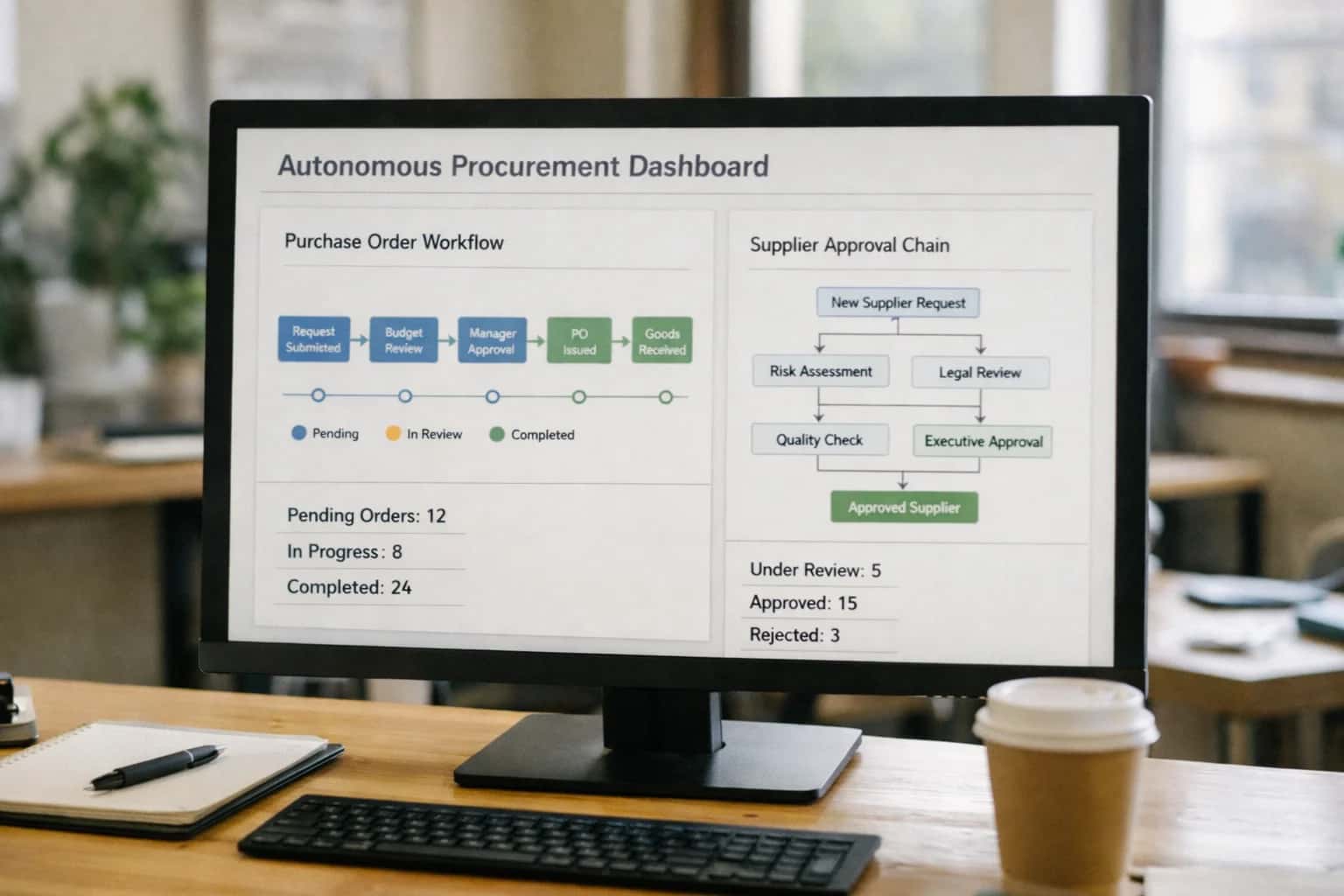
Where AutoGen Fits in Your Oracle Cloud ERP Stack
A practical guide to deploying AutoGen's conversational AI agents as a decision-support layer atop Oracle Cloud ERP's core modules.
Implementation requires configuring AutoGen's UserProxyAgent and AssistantAgent with specific tool functions that handle authentication (via OAuth 2.0), construct Oracle API queries, and enforce data access controls. For example, an agent can be equipped to call Oracle's REST API for Project Costing to retrieve budget vs. actuals, then use a secondary tool to analyze variances and suggest journal entry adjustments. To manage scale and security, agents should be deployed as containerized services (e.g., Docker on Kubernetes) that log all tool calls and conversation threads to an audit trail, integrating with your existing Oracle Identity Cloud Service (IDCS) for role-based access to sensitive financial data.
Rollout should start with a single, high-value workflow—such as a supplier performance analysis agent that pulls on-time delivery metrics from Procurement, payment terms from Payables, and quality data from Inventory—deployed to a pilot team. This phased approach allows you to validate the agent's accuracy, establish governance for human-in-the-loop approvals on any proposed system updates, and refine prompts using real Oracle schema knowledge. By treating AutoGen as a programmable layer atop your ERP's existing automation and data surfaces, you accelerate insight delivery without compromising the integrity of your core financial operations.
Oracle ERP Modules and APIs for AutoGen Integration
Core Modules for Agent Access
Integrate AutoGen agents with Oracle Financials Cloud and Oracle Project Management to automate analysis and support tasks.
Key APIs & Objects:
- General Ledger: Query
GL_JE_HEADERSandGL_JE_LINESfor journal entry details, variance analysis, and period-close status. - Accounts Payable: Access
AP_INVOICES_ALLandAP_PAYMENT_SCHEDULESto answer vendor payment inquiries, check invoice approval status, and explain hold reasons. - Projects: Use the Projects REST API for
PROJECTS,EXPENDITURES, andCOLLECTIONSto retrieve real-time project cost, budget vs. actuals, and percent complete.
AutoGen Use Case: An agent team where a ResearchAgent queries unpaid invoices over 60 days, a FinanceAgent analyzes payment terms and credit memos, and a ManagerAgent drafts a weekly aging report for the controller's review.
Implementation Note: Agents require read-only service accounts with data security profiles scoped to specific business units or ledgers.
High-Value Use Cases for Finance and Operations Teams
Deploy AutoGen agent teams that directly query and act upon Oracle Cloud ERP data, automating complex back-office workflows and providing real-time intelligence for finance, procurement, and project management.
Procure-to-Pay Cycle Intelligence
An AutoGen agent team monitors Oracle Procurement and Payables modules. A requisition agent validates purchase requests against budget codes, a vendor agent checks supplier performance history, and a manager agent consolidates findings for approval. This reduces manual checks before PO creation.
Project Cost & Margin Forecasting
Agents query Oracle Project Portfolio Management (PPM) and General Ledger. They analyze actuals vs. budget, forecast ETC (Estimate to Complete) using historical burn rates, and draft variance commentary for project managers. This automates a manual, spreadsheet-heavy monthly process.
Automated Journal Entry Review
A dedicated reconciliation agent scans new journal entries in Oracle GL for anomalies—unusual amounts, mismatched accounts, or missing approvals. It flags exceptions for human review and can suggest correcting entries based on historical patterns, improving close accuracy.
Supplier Risk & Performance Dashboard
Agents pull data from Oracle Supplier Portal, Purchasing, and Payables to create a dynamic supplier scorecard. They analyze on-time delivery, invoice accuracy, and payment terms, then generate a summary with renewal or diversification recommendations for the procurement team.
Order-to-Cash Exception Handling
An agent team monitors the Order Management and Receivables modules for stuck orders and overdue invoices. A triage agent identifies the root cause (e.g., credit hold, pricing error), and an action agent drafts the communication or creates a task for the collections/sales team in the connected CRM.
Financial Report Q&A Assistant
Deploy a conversational agent with access to Oracle Financial Reporting and BI Publisher outputs. Finance staff can ask natural language questions like "What drove the Q3 variance in operating expense for division X?" The agent retrieves and synthesizes data, citing specific GL accounts and periods.
Example AutoGen Agent Workflows for Oracle ERP
These workflows illustrate how AutoGen's conversational multi-agent systems can be deployed to automate and augment Oracle Cloud ERP processes. Each pattern connects to specific Oracle modules and APIs, demonstrating a production-ready architecture.
This agent team handles employee and vendor inquiries about purchase orders, invoices, and payments.
Trigger: A user asks a question in a chat interface (e.g., Teams) or via email.
Agent Flow:
- User Proxy Agent receives the query: "What's the status of invoice INV-78432 for vendor Acme Corp?"
- Orchestrator Agent parses the request, identifying the intent (
invoice_status), vendor name, and invoice number. - ERP Query Agent uses secured Oracle REST APIs to fetch data:
- Calls
GET /fscmRestApi/resources/11.13.18.05/invoiceswith a filter for the invoice number. - Calls
GET /fscmRestApi/resources/11.13.18.05/suppliersto get supplier details. - Calls
GET /fscmRestApi/resources/11.13.18.05/paymentInstructionsfor payment status.
- Calls
- Analyst Agent synthesizes the raw API payloads into a plain-language summary: "Invoice INV-78432 for $15,250 from Acme Corp was received on 04/15, matched to PO PO-9912, and is scheduled for payment on 04/30 via EFT."
- Human Review Point: For any request to change data (e.g., hold payment), the Orchestrator agent routes the conversation to a designated human-in-the-loop agent for approval before executing an update API call.
Implementation Architecture: Data Flow, APIs, and Guardrails
A production-ready blueprint for connecting AutoGen agent teams to Oracle Cloud ERP's financial and operational data.
The integration architecture centers on a secure middleware layer—often a FastAPI service or Azure Function—that brokers all communication between AutoGen agents and Oracle ERP. This layer authenticates using OAuth 2.0 service principals, maps natural language agent queries to specific Oracle Fusion REST API endpoints (e.g., /financials/accounting/ledgers for general ledger inquiries or /procurement/purchaseOrders for P2P status), and enforces row-level security (RLS) based on the agent's configured role (e.g., ProjectAccountant, ProcurementAnalyst). Each AutoGen agent is equipped with a dedicated tool function that calls this middleware, passing a structured query object. The middleware handles the API call, pagination, and transforms the raw JSON response into a concise, natural-language summary before returning it to the agent for further analysis or dialogue.
High-value workflows are built around Oracle's key modules. For procure-to-pay cycles, an agent can retrieve a purchase order by number, check its receipt and invoice status across the Payables and Receiving modules, and identify bottlenecks. For project costing, agents query the Projects module to summarize actual vs. budgeted costs by task, pulling data from ProjectCostDistribution lines. Supplier performance analysis involves joining data from the Supplier and Purchasing modules to report on metrics like on-time delivery or invoice discrepancy rates. In each case, the agent's tool call is designed to return not just raw data, but a synthesized insight, such as "PO-1001 is delayed: goods received but invoice not yet matched."
Rollout and governance are critical. Agents are deployed as containerized services, with conversation logs and tool call payloads written to an audit database for compliance (e.g., SOX). A human-in-the-loop proxy agent is configured for approval on any action that would write data back to ERP, such as updating a project budget memo field. The architecture also includes circuit breakers and fallback logic in the middleware to handle Oracle API throttling or downtime, ensuring agent conversations degrade gracefully. This pattern allows finance and operations teams to safely query live ERP data through conversational AI, reducing the time spent on manual report generation from hours to minutes while maintaining full auditability and control.
Code and Configuration Examples
Configuring AutoGen Agents for Oracle ERP
Start by defining specialized agents with roles like FinancialAnalyst or ProcurementAgent. The key is securely connecting them to Oracle Cloud ERP's REST APIs using OAuth 2.0 client credentials. Store connection details (base URL, client ID, secret) in environment variables or a secrets manager. The UserProxyAgent acts as the human interface, while a ManagerAgent orchestrates tasks between specialist agents and the Oracle data layer.
Below is a foundational Python configuration for an agent that will query Oracle Financials. This pattern uses a custom tool function to encapsulate all Oracle API interactions, centralizing authentication and error handling.
pythonimport os from autogen import AssistantAgent, UserProxyAgent import requests # Custom tool for Oracle ERP API calls def query_oracle_erp(endpoint: str, params: dict = None): """Executes a GET request to a specified Oracle ERP endpoint.""" base_url = os.getenv('ORACLE_ERP_BASE_URL') token = get_oauth_token() # Implement token refresh logic headers = { 'Authorization': f'Bearer {token}', 'Content-Type': 'application/json' } response = requests.get(f"{base_url}/{endpoint}", headers=headers, params=params) response.raise_for_status() return response.json() # Define an agent with the Oracle query tool financial_analyst = AssistantAgent( name="FinancialAnalyst", system_message="You analyze financial data from Oracle ERP. Use the query_oracle_erp tool to get data.", llm_config={...}, function_map={ "query_oracle_erp": query_oracle_erp } )
Realistic Time Savings and Operational Impact
How AutoGen agents integrated with Oracle Cloud ERP change the workflow for finance teams, focusing on realistic efficiency gains and process improvements.
| Finance Workflow | Before AI | After AI | Implementation Notes |
|---|---|---|---|
Supplier Performance Query | Manual report building (1-2 hours) | Conversational agent query (<5 minutes) | Agent queries Oracle Supplier Portal and Purchase Order modules via API |
Project Cost Variance Analysis | Spreadsheet reconciliation (3-4 hours weekly) | Automated weekly summary with agent insights (30 minutes review) | Agent accesses Oracle Project Costing, compares budget vs. actual, flags anomalies |
Procure-to-Pay Cycle Status | Manual checks across multiple screens (15-30 mins per request) | Real-time conversational status update (<2 minutes) | Agent synthesizes data from Oracle Purchasing, Payables, and Receiving |
Month-End Commentary Draft | Manual data gathering and narrative writing (1 day) | Agent-generated first draft with supporting data (2-3 hours review) | Agent pulls from Oracle General Ledger and subledgers, human finance lead edits |
Ad-hoc Financial Inquiry Triage | Email/chat to specialist, wait for response (Next business day) | Immediate agent answer or structured escalation (Same day) | Agent handles common questions; complex queries are routed with full context |
Invoice Exception Review | Manual line-by-line check against PO (10-15 mins per invoice) | Agent pre-flags mismatches for human review (2-3 mins per invoice) | Agent compares Oracle Payables invoice data to Purchase Order lines |
Internal Audit Data Pull | IT ticket for custom report (2-3 day lead time) | Self-service via agent conversation (Same day) | Agent enforces data access controls, provides audit trail of queries |
Governance, Security, and Phased Rollout
A practical guide to deploying and governing AutoGen agent teams that interact with Oracle Cloud ERP data.
Integrating AutoGen with Oracle Cloud ERP requires a security-first architecture. Agents should operate under a dedicated service account with fine-grained Oracle Cloud Data Safe policies restricting access to specific modules like General Ledger, Accounts Payable, Projects, and Supplier Portal. All agent tool calls to Oracle REST APIs should be authenticated via OAuth 2.0 client credentials, with requests and responses logged to a secure audit trail. The AutoGen agent network itself should be containerized and deployed within your private cloud VPC, ensuring all data—including conversation history and retrieved financial records—never leaves your controlled environment.
A phased rollout mitigates risk and builds trust. Start with a read-only pilot focused on a single, high-value workflow, such as allowing finance analysts to ask natural language questions about Project Costing or Supplier Performance metrics. This initial phase validates the accuracy of agent responses against Oracle data and establishes a baseline for performance and user satisfaction. Subsequent phases can introduce human-in-the-loop approval steps for any write-back actions, such as updating a Purchase Order status or creating a Journal Entry draft, ensuring a human reviews and approves all system changes before they are committed.
Governance is continuous. Implement prompt versioning and evaluation to track the quality of agent interactions, especially for complex financial queries. Use the audit logs to monitor for anomalous data access patterns. Establish a clear rollback procedure to deactivate agents instantly if needed. By treating your AutoGen integration as a governed enterprise application—not just an AI experiment—you ensure it delivers reliable, secure assistance that scales with your finance team's needs.
Enabling Efficiency, Speed & Accuracy
Intelligent Analysis, Decision & Execution
We build AI systems for teams that need search across company data, workflow automation across tools, or AI features inside products and internal software.
Talk to Us
Search across company data
Give teams answers from docs, tickets, runbooks, and product data with sources and permissions.
Useful when people spend too long searching or get different answers from different systems.

Automate internal workflows
Use AI to route work, draft outputs, trigger actions, and keep approvals and logs in place.
Useful when repetitive work moves across multiple tools and teams.

Add AI to products and internal tools
Build assistants, guided actions, or decision support into the software your team or customers already use.
Useful when AI needs to be part of the product, not a separate tool.
Frequently Asked Questions (FAQ)
Practical questions and workflow blueprints for teams implementing AutoGen agents to automate finance, procurement, and project workflows within Oracle Cloud ERP.
AutoGen agents interact with Oracle Cloud ERP through its comprehensive REST APIs, using a secure, service-account-based authentication model.
Typical Implementation Pattern:
- Authentication: An agent is configured with OAuth2 client credentials for a dedicated service account. Permissions are scoped via Oracle's role-based access control (RBAC) to specific data areas (e.g.,
Procurement,Projects,General Ledger). - Tool Registration: A custom Python function (tool) is created for the agent, which uses the
requestslibrary or Oracle's Python SDK to call endpoints like:GET /fscmRestApi/resources/11.13.18.05/suppliersfor supplier data.GET /fscmRestApi/resources/11.13.18.05/projectCostsfor project costs.GET /fscmRestApi/resources/11.13.18.05/invoicesfor invoice status.
- Agent Configuration: The tool is registered with the
UserProxyAgentor a specializedDataQueryAgent. The agent's system prompt instructs it to use this tool for all Oracle data requests. - Execution Flow: A user asks, "What's the status of invoice INV-10025?" The agent calls the
get_invoice_statustool, which fetches the data from Oracle ERP and returns a structured JSON payload. The agent then formulates a natural language answer.
Security & Governance: All API calls are logged with the service account ID for audit trails. Sensitive data can be masked or filtered at the API response layer before being passed to the LLM context.

About the author
Prasad Kumkar
CEO & MD, Inference Systems
Prasad Kumkar is the CEO & MD of Inference Systems and writes about AI systems architecture, LLM infrastructure, model serving, evaluation, and production deployment. Over 5+ years, he has worked across computer vision models, L5 autonomous vehicle systems, and LLM research, with a focus on taking complex AI ideas into real-world engineering systems.
His work and writing cover AI systems, large language models, AI agents, multimodal systems, autonomous systems, inference optimization, RAG, evaluation, and production AI engineering.
Partnered with leading AI, data, and software stack.





How We Work
Custom AI workflows for your Business
One-fit-all AI don't work for modern businesses. At Inferensys, we aim to understand your business & custom requirements; which we use to define most efficient agentic workflows, the data, and the tools for your business.
01
Review the use case
We understand the task, the users, and where AI can actually help.
Read more02
Pick the right approach
We define what needs search, automation, or product integration.
Read more03
Build the first useful version
We implement the part that proves the value first.
Read more04
Improve from there
We add the checks and visibility needed to keep it useful.
Read moreThe first call is a practical review of your use case and the right next step.
Talk to Us