AI integration for Xero tax compliance focuses on three primary surfaces: the Bills & Invoices API for transaction classification, the Contacts and Tax Rates settings for jurisdictional rules, and the Reporting API for data extraction. The goal is to deploy agents that continuously monitor these data streams to ensure sales tax/VAT settings are correctly applied to each transaction, track expenses against deductible categories, and prepare clean, organized data packages for external tax filing software or accountants. This moves tax compliance from a periodic, manual review to a continuous, automated audit.

Integration
Automated Tax Compliance for Xero
Design and implement AI agents that monitor Xero's tax settings, track deductible expenses, and prepare clean data for filings, reducing manual review and compliance risk for accountants and business owners.
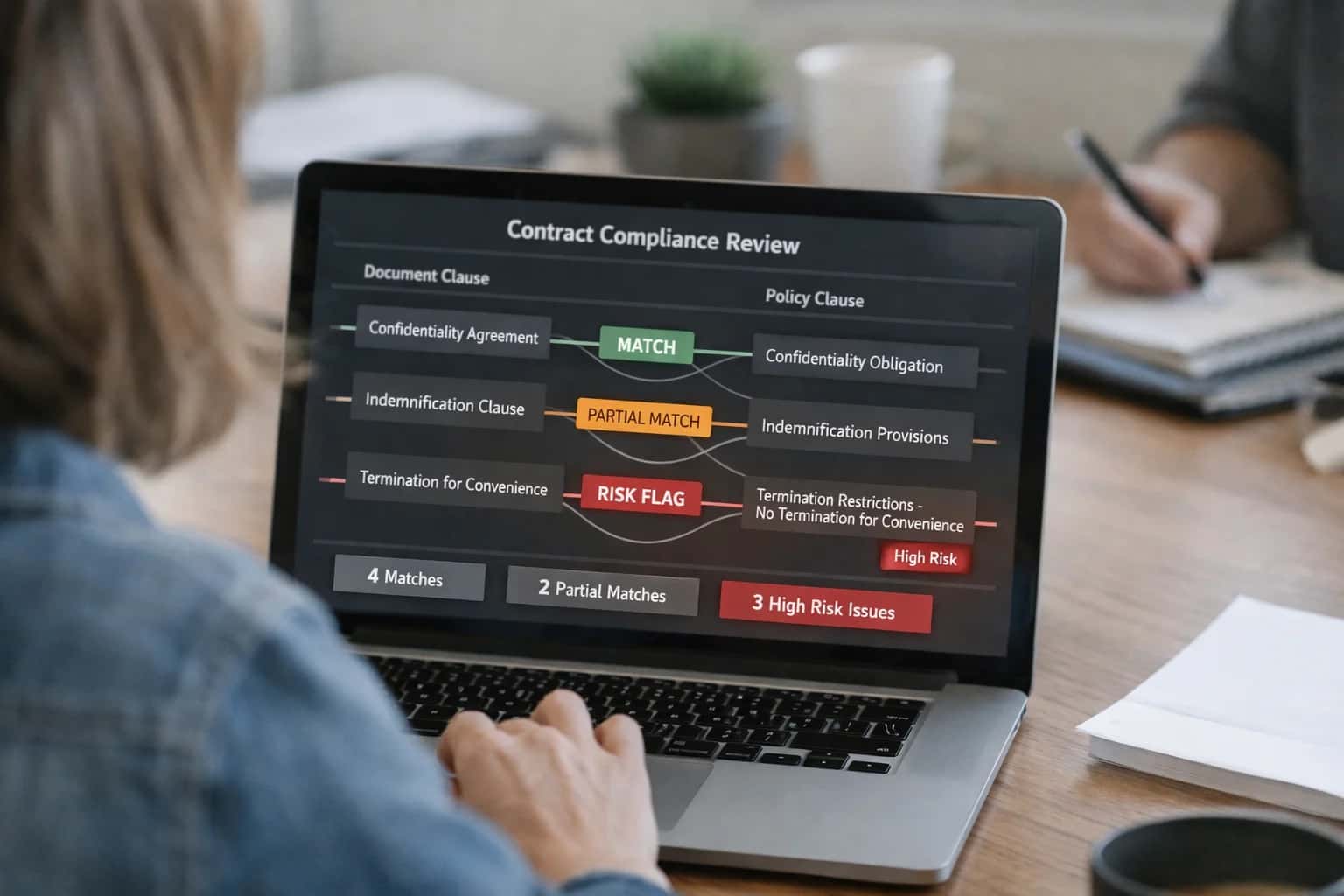
ARCHITECTURE
Where AI Fits into Xero's Tax Compliance Workflow
A practical blueprint for integrating AI agents into Xero's core modules to automate tax tracking, classification, and filing preparation.
Implementation typically involves setting up webhooks on key transaction objects (e.g., BankTransactions, Invoices, Bills) to trigger an AI agent. This agent uses the transaction description, amount, and contact details to: 1) Verify Tax Treatment by checking the configured TaxRate against the contact's TaxNumber and address, flagging mismatches for review. 2) Classify for Deductions by analyzing expense line items against IRS or local tax code categories (e.g., meals & entertainment, home office). 3) Prepare Filing Data by periodically querying the Reporting API to summarize taxable sales and deductible expenses by jurisdiction, outputting a structured JSON or CSV file ready for import into platforms like Avalara or TaxJar.
Rollout requires a phased approach, starting with read-only monitoring and alerting to build trust in the AI's classifications before enabling any automated updates to Xero records. Governance is critical; all AI-suggested changes to tax codes or expense categories should flow through an approval queue within Xero's built-in workflow tools or a separate dashboard, creating a clear audit trail. This ensures finance teams retain control while offloading the tedious verification work. For a deeper look at automating core bookkeeping tasks that feed into this compliance workflow, see our guide on Automated Bookkeeping for Xero.
ARCHITECTURE SURFACES
Key Xero Modules and APIs for Tax Compliance
Taxable Entities and Transaction Sources
This module is the primary source for identifying taxable transactions and the entities involved. The Contacts API (/api.xro/2.0/Contacts) provides customer and supplier details, including tax registration numbers and default tax rates. The Invoices API (/api.xro/2.0/Invoices) surfaces every sale and purchase with line-item tax amounts, tax types (e.g., OUTPUT, INPUT, CAPEXINPUT), and tax rates.
For compliance, AI agents monitor this data to:
- Validate that invoices for registered entities include the correct tax.
- Flag transactions where the customer's tax registration status doesn't match the applied tax rate (e.g., charging tax to a tax-exempt business).
- Identify missing tax registration numbers on high-value B2B transactions that may be required for reporting. This forms the foundational audit trail for all tax calculations.
AUTOMATED TAX COMPLIANCE
High-Value AI Tax Compliance Use Cases for Xero
Integrate AI agents with Xero's API to automate tax monitoring, deduction tracking, and filing preparation, reducing manual review and compliance risk for accountants and business owners.
01
Sales Tax & VAT Setting Monitor
AI agent continuously audits Xero's tax rate settings against transaction data (invoices, bills, bank feeds) to flag mismatches, missing codes, or outdated rates before they cause filing errors. Workflow: Agent runs nightly, compares configured rates to jurisdiction rules, and creates a task in Xero Projects for review.
Batch -> Real-time
Error detection
02
Deductible Expense Tracker
AI reviews categorized expenses in Xero, identifies potentially deductible items based on business type and tax rules, and suggests re-categorization or prompts for missing documentation (e.g., receipts, mileage logs). Workflow: Agent analyzes Spend Money transactions, flags high-value items with generic categories, and adds notes to the Xero transaction for the bookkeeper.
Hours -> Minutes
Review time
03
Tax Filing Data Pack Generator
AI compiles and pre-formats data from Xero reports (Profit & Loss, Balance Sheet, Sales Tax Report) into structured summaries (CSV/PDF) ready for import into tax software (e.g., TurboTax, TaxJar) or for your accountant. Workflow: Agent is triggered at quarter or year-end, uses Xero's Reports API, and saves the data pack to a linked cloud storage (Google Drive, Dropbox) with a notification in Xero.
1 sprint
Implementation
04
Multi-Jurisdiction Nexus Analyzer
For businesses selling across states/countries, AI analyzes Xero's Contacts and invoice address data to identify potential sales tax nexus triggers based on revenue or transaction volume thresholds. Workflow: Agent maps customer locations from invoices, aggregates sales by jurisdiction, and generates a risk report highlighting where registration may be required.
05
Tax Deadline & Payment Scheduler
AI agent integrates Xero's cash position with known tax calendar deadlines (federal, state, VAT) to create and schedule bill payments in Xero's Bills module, ensuring funds are earmarked and payments are never missed. Workflow: Agent syncs with a tax calendar API, creates draft bills in Xero for estimated amounts, and sends reminders to the approver via Xero's notification system.
Same day
Payment readiness
06
1099 / Contractor Compliance Assistant
AI automates year-end contractor reporting by reviewing Xero Contacts marked as contractors, verifying TIN/EIN, and ensuring cumulative payments tracked in Xero meet IRS thresholds for 1099-NEC issuance. Workflow: Agent scans bills and spend transactions paid to contractors, compiles a year-to-date summary, and flags any missing taxpayer information for correction before January.
IMPLEMENTATION PATTERNS
Example AI Agent Workflows for Xero Tax Compliance
These workflows illustrate how AI agents can be integrated with Xero's API and webhooks to automate key tax compliance tasks, reducing manual effort and audit risk for accountants and finance teams.
Trigger: A new contact (customer or supplier) is created in Xero, or an existing contact's address is updated.
Context/Data Pulled: The AI agent receives a webhook payload from Xero containing the new/updated contact details. It calls Xero's Contacts API to retrieve the full contact record, including country, region, and tax registration numbers.
Model or Agent Action: The agent uses a rules engine (augmented by an LLM for complex jurisdictions) to:
- Validate the address format and postal code.
- Determine the correct tax jurisdiction (e.g., EU VAT, US State Sales Tax, Canadian GST/HST).
- Check if the provided tax registration number (e.g., VAT ID) is valid by calling a third-party validation service.
- Compare the determined tax settings against the tax rates configured for that contact in Xero.
System Update or Next Step: If discrepancies are found, the agent creates a task in Xero (via the Tasks API) assigned to the accounting manager, with a clear explanation: "New UK supplier added but marked as non-VAT. Their VAT registration number is valid. Suggest updating tax setting to '20% Standard VAT'." For high-confidence, rule-based corrections, it can automatically update the contact's tax settings via the API.
Human Review Point: All automatic updates to tax settings are logged in a dedicated audit feed within the agent's platform for monthly review by the controller.
A PRODUCTION-READY BLUEPRINT
Implementation Architecture: Data Flow, APIs, and Guardrails
A secure, auditable architecture for AI agents to monitor tax compliance within Xero's data model and workflows.
The integration connects to Xero's API endpoints for Contacts, Invoices, BankTransactions, ManualJournals, and the Tax Rates API. An AI agent, acting as a scheduled service, ingests this data to perform three core compliance checks: validating that sales tax/VAT rates are correctly applied to invoices and bills, identifying transactions that are potentially tax-deductible based on GL account codes and supplier categories, and flagging transactions missing required tax codes. This analysis is performed in a separate processing layer, with results written back to Xero as Notes attached to relevant transactions or surfaced in a custom dashboard via the Reports API.
For production, the flow is event-driven using Xero webhooks for new transactions and scheduled cron jobs for periodic audits (e.g., pre-filing reviews). All AI suggestions are logged to an audit trail outside Xero before any write-back, allowing for human-in-the-loop approval via a separate interface. Key guardrails include: read-only API credentials scoped to necessary endpoints, a configurable confidence threshold for automated flagging, and a reconciliation process that ensures any AI-proposed journal adjustments for tax accruals are created as Draft Manual Journals requiring accountant review before posting.
Rollout typically starts with a single compliance module—such as sales tax validation on AP bills—piloted with a subset of high-volume suppliers. This allows finance teams to verify AI accuracy and refine rules before scaling to AR, expenses, and multi-entity tax nexus analysis. The architecture is designed to complement, not replace, existing tax software (e.g., Avalara); its primary value is continuous, proactive monitoring within the live accounting system to catch errors early and prepare clean, organized data for final filing workflows.
XERO TAX COMPLIANCE INTEGRATION PATTERNS
Code and API Payload Examples
Real-Time Tax Setting Validation
AI agents can monitor Xero's Tax Rates API to validate that sales tax or VAT settings are correctly applied to transactions, especially for multi-jurisdiction businesses. The agent calls the GET /TaxRates endpoint to retrieve the current configured rates and rules, then compares them against a policy database (e.g., Avalara rules) to flag discrepancies.
A common workflow involves triggering a validation check via a webhook whenever a new invoice or bill is created. The agent analyzes the transaction's LineItems for the TaxType and TaxAmount, ensuring the calculated tax matches the expected rate for the customer's TaxNumber and location. Discrepancies are logged to a custom tracking object or sent as an alert to the finance team.
python# Example: Validate invoice tax rate against policy def validate_invoice_tax(invoice_id): invoice = xero_client.invoices.get(invoice_id) for line in invoice['LineItems']: configured_rate = line.get('TaxRate') # Call internal policy service expected_rate = tax_policy_service.get_rate( customer_tax_number=invoice['Contact']['TaxNumber'], item_code=line['ItemCode'] ) if configured_rate != expected_rate: log_discrepancy(invoice_id, line, expected_rate)
AUTOMATED TAX COMPLIANCE FOR XERO
Realistic Time Savings and Business Impact
This table outlines the operational improvements and risk reduction achievable by integrating AI agents into Xero's tax workflows. Metrics are based on typical workflows for a small to medium-sized business with multi-state or VAT obligations.
| Workflow / Metric | Before AI (Manual) | After AI (Assisted) | Key Notes & Impact |
|---|---|---|---|
Sales Tax / VAT Setting Validation | Quarterly manual audit (2-4 hours) | Continuous monitoring with weekly exception reports (15 min review) | Proactively flags incorrect tax rates on products/services, reducing audit exposure. |
Deductible Expense Identification | Accountant review during tax prep (3-5 hours per quarter) | Real-time tagging & suggestion as bills are entered (30 min verification) | Captures more deductions, improves accuracy, and accelerates tax filing preparation. |
Tax Filing Data Compilation | Manual export and spreadsheet reconciliation (1-2 days) | Automated report generation with pre-filled schedules (2-4 hours) | Reduces closing period stress and minimizes transposition errors in filing packages. |
Nexus & Registration Tracking | Ad-hoc research during expansion (unpredictable, high risk) | Automated monitoring of transaction thresholds by jurisdiction (alerts only) | Mitigates risk of unexpected tax liabilities and penalties in new regions. |
1099 / Contractor Review | Annual manual vendor review and form prep (6-8 hours) | AI-scoped vendor list with suggested classifications (2-3 hours verification) | Ensures compliance with changing thresholds and reduces form issuance errors. |
Tax Payment Reconciliation | Manual match of bank feeds to tax agency payments (1-2 hours monthly) | Automated matching with exception handling (15 min monthly) | Provides clear audit trail and ensures payments are correctly applied, avoiding penalties. |
Overall Tax Prep Time (Annual) | 40-60+ hours of scattered effort | 15-25 hours of focused review & decision-making | Shifts effort from data gathering to strategic review, improving advisor capacity. |
ARCHITECTING FOR COMPLIANCE AND CONTROL
Governance, Security, and Phased Rollout
A production-ready AI integration for tax compliance must be built with auditability, data security, and controlled change management at its core.
Tax compliance is a regulated workflow. Your AI integration must operate within Xero's existing audit trail and user permissions model. We design agents to act as a credentialed, traceable user via the Xero API, logging every suggested change or data access. All AI-generated recommendations—like a proposed sales tax code update or a flagged non-deductible expense—are stored as draft notes or tasks within the relevant Contact, Invoice, or Bank Transaction record, requiring a human-in-the-loop review and approval before any system-of-record update is committed. This ensures the accountant or finance manager retains final control and the system maintains a clear, attributable history for auditors.
Security is non-negotiable. The integration architecture isolates the AI reasoning layer from direct database access. It interacts solely through Xero's OAuth 2.0-secured REST API, respecting the same scopes and tenant isolation as a human user. Sensitive data, such as transaction details fed to the LLM for classification, is never persisted in third-party vector stores without explicit consent; instead, we use ephemeral sessions or leverage Xero's own data residency. For processing documents like receipts, we implement a zero-retention policy on the AI service side after extraction.
A phased rollout mitigates risk and builds trust. We recommend starting with a monitor-and-alert phase, where the AI agent runs in read-only mode, analyzing your live Xero data to surface potential compliance gaps—like invoices missing tax codes or expenses that appear non-deductible—and delivers these as a daily report. Following validation, move to an assist phase, where the agent creates draft adjustment journals or flags transactions directly within Xero for review. The final automated execution phase is reserved for high-confidence, rule-based tasks, such as applying standard tax codes to recurring vendor bills, always with an override mechanism. This crawl-walk-run approach, coupled with continuous performance monitoring against a ground-truth sample, ensures the integration delivers value without introducing compliance risk.
Enabling Efficiency, Speed & Accuracy
Intelligent Analysis, Decision & Execution
We build AI systems for teams that need search across company data, workflow automation across tools, or AI features inside products and internal software.
Talk to Us
Search across company data
Give teams answers from docs, tickets, runbooks, and product data with sources and permissions.
Useful when people spend too long searching or get different answers from different systems.
Enterprise searchRAGPermissions
Read more
Automate internal workflows
Use AI to route work, draft outputs, trigger actions, and keep approvals and logs in place.
Useful when repetitive work moves across multiple tools and teams.
AI agentsWorkflow automationGovernance
Read more
Add AI to products and internal tools
Build assistants, guided actions, or decision support into the software your team or customers already use.
Useful when AI needs to be part of the product, not a separate tool.
AI integrationDecision supportModel routing
Read moreIMPLEMENTATION AND WORKFLOW DETAILS
Frequently Asked Questions
Practical questions about deploying AI agents for automated tax compliance within Xero, covering integration points, data handling, and operational workflows.
The agent operates on a scheduled basis, typically daily or weekly, to proactively audit your tax configuration.
- Trigger & Data Pull: The agent calls Xero's Tax Rates API and Tax Types API to retrieve all configured tax rates, codes, and their application rules (e.g., which accounts they apply to).
- Context & Validation: Using a rule engine augmented by an LLM, the agent checks for common compliance risks:
- Rate Accuracy: Compares your configured rates against official government sources for the relevant jurisdictions.
- Rule Consistency: Flags if the same item or account type has conflicting tax codes applied across different transactions.
- Nexus Changes: Cross-references transaction locations (from contacts) with your registered tax jurisdictions to identify potential new nexus obligations.
- Action & Update: Findings are logged in a dedicated compliance log. For critical issues (e.g., an incorrect rate), the system can:
- Create a task in Xero's Tasks API assigned to the finance manager.
- Post a note to the relevant contact or invoice record via the API.
- Generate a summary report for review.

About the author
Prasad Kumkar
CEO & MD, Inference Systems
Prasad Kumkar is the CEO & MD of Inference Systems and writes about AI systems architecture, LLM infrastructure, model serving, evaluation, and production deployment. Over 5+ years, he has worked across computer vision models, L5 autonomous vehicle systems, and LLM research, with a focus on taking complex AI ideas into real-world engineering systems.
His work and writing cover AI systems, large language models, AI agents, multimodal systems, autonomous systems, inference optimization, RAG, evaluation, and production AI engineering.
LinkedIn
Limited slotsGet a Free AI Consultation
Partnered with leading AI, data, and software stack.





How We Work
Custom AI workflows for your Business
One-fit-all AI don't work for modern businesses. At Inferensys, we aim to understand your business & custom requirements; which we use to define most efficient agentic workflows, the data, and the tools for your business.
01
Review the use case
We understand the task, the users, and where AI can actually help.
Read more02
Pick the right approach
We define what needs search, automation, or product integration.
Read more03
Build the first useful version
We implement the part that proves the value first.
Read more04
Improve from there
We add the checks and visibility needed to keep it useful.
Read moreThe first call is a practical review of your use case and the right next step.
Talk to Us