Traditional metrics like Customer Satisfaction (CSAT) are insufficient for evaluating autonomous support agents. You need agent-specific KPIs that measure operational efficiency and decision quality. The four foundational metrics are autonomous resolution rate (percentage of cases solved without human intervention), escalation rate (cases requiring a human), average handling time (automated), and policy compliance score. These metrics reveal whether your AI is effective, efficient, and safe.

Guide
Setting Up Performance Metrics for Autonomous Support Agents
A developer guide to instrumenting, collecting, and visualizing key performance indicators (KPIs) for autonomous customer support resolution (ACSR) systems.
PERFORMANCE METRICS
Introduction
This guide defines the critical KPIs for measuring Autonomous Customer Support Resolution (ACSR) success and shows you how to instrument your system to collect, visualize, and act on them.
Instrumenting for these KPIs requires embedding telemetry into your agent's reasoning loop and action execution framework. You must log every decision, API call, and outcome. We will show you how to pipe this data into dashboards using tools like Grafana or Datadog to create a real-time performance cockpit. This data-driven approach is essential for moving from pilot to production and is a core component of MLOps for agentic systems.
FOUNDATIONAL KPIS
Step 1: Define Core ACSR Metrics
Move beyond traditional CSAT. These are the agent-specific metrics you must instrument to measure the success and health of your Autonomous Customer Support Resolution (ACSR) system.
01
Autonomous Resolution Rate (ARR)
The percentage of support cases fully resolved by the AI agent without human escalation. This is your primary success metric.
- Calculation: (Cases resolved autonomously / Total cases handled) * 100
- Target: Aim for >70% for well-scoped use cases. Track this metric by intent type to identify areas for agent improvement or HITL redesign.
- Instrumentation: Log every case outcome (resolved, escalated) in your execution framework.
02
Escalation Rate & Reason
The flip side of ARR. Track not just how many cases escalate, but why. This drives system refinement.
- Key Reasons: Low confidence, policy ambiguity, required physical action, customer request.
- Actionable Insight: A high escalation rate due to 'policy ambiguity' signals a need for better policy-aware reasoning or document grounding.
- Implementation: Tag every escalation in your audit trail with a structured reason code from a predefined list.
03
Average Handling Time (Automated)
The mean time from case ingestion to autonomous resolution. Measures agent efficiency, not speed at the cost of accuracy.
- Focus on Trend: A decreasing AHT indicates improving agent proficiency. A sudden spike may signal a new, complex issue pattern.
- Breakdown: Segment by case complexity (Tier 1 vs. Tier 2) for a clearer picture. Compare against human agent AHT for the same categories to calculate time savings.
04
Policy Compliance Score
A quantitative measure of how often the agent's actions adhere to business rules and regulatory requirements. Critical for governance.
- Measurement: Use a combination of symbolic logic checks in the action layer and post-resolution audits by human supervisors.
- Goal: 99.9+%. Any non-compliance must trigger an immediate review and potential agent logic update.
- Tooling: Integrate with your Human-in-the-Loop (HITL) Governance Systems for manual audit sampling.
05
Customer Effort Score (Automated)
Measures the perceived ease of resolution from the customer's perspective, even in an automated interaction.
- Post-Resolution Survey: Trigger a simple, one-question survey (e.g., "How easy was it to solve your issue today?").
- Correlation Analysis: Correlate CES with ARR and AHT. High ARR but low CES may indicate the agent resolved the issue correctly but in a confusing manner.
- Feedback Loop: Feed low CES scores into your continuous improvement pipelines.
06
First-Contact Resolution (Autonomous)
The percentage of cases resolved in the first customer interaction with the AI agent, without requiring follow-up.
- Importance: Directly impacts customer satisfaction and reduces operational load. A low FCR indicates the agent may be missing context or failing to execute multi-step flows correctly.
- Tracking: Requires linking related customer messages or sessions into a single 'case' entity within your data model.
ACTIONABLE METRICS
Step 2: Instrument Your Agent for Data Collection
To measure the success of your Autonomous Customer Support Resolution (ACSR) system, you must instrument it to collect specific, actionable performance data. This step defines the critical KPIs and the technical implementation for capturing them.
Move beyond generic CSAT scores to agent-specific metrics that reveal operational health. The four core KPIs for an ACSR system are the autonomous resolution rate (percentage of cases resolved without human help), the escalation rate (its inverse), the average handling time (automated), and a policy compliance score. Instrumentation begins by embedding logging calls at key decision points in your agent's execution loop—such as after intent classification, policy checks, and action execution—to emit structured events.
These events should be streamed to a centralized observability platform like Datadog or Grafana using a real-time pipeline. Structure each log with a unique session ID, timestamp, action type, and outcome. For example, log a resolution_attempt event with fields for confidence_score and escalation_reason. This data foundation enables you to build dashboards for real-time monitoring and is essential for implementing the feedback loops for continuous ACSR improvement discussed in a later guide.
SCHEMA COMPARISON
Step 3: Design Your Metric Schema and Storage
Comparing database and schema design approaches for storing agent performance metrics.
| Design Feature | Time-Series Database (e.g., TimescaleDB) | Relational Database (e.g., PostgreSQL) | Data Warehouse (e.g., Snowflake) |
|---|---|---|---|
Primary Use Case | High-frequency metric collection & real-time dashboards | Transactional integrity & complex joins with CRM data | Historical analysis & multi-source business intelligence |
Write Performance for Metrics | < 10 ms per insert | 10-50 ms per insert | Batch loads every 1-15 mins |
Query Performance for Trends | < 1 sec for time-range aggregates | 1-5 sec for time-range aggregates | 2-10 sec for complex multi-year queries |
Cost for High Volume (10M+ events/day) | $50-200/month | $100-500/month | $300-1000+/month |
Integration with Agent Logs | Requires separate log store | Native via JSONB columns | Via ETL pipelines from log aggregator |
Supports Agent-Action Context | |||
Real-Time Alerting Feasibility |
GUIDE
Step 4: Build Operational Dashboards
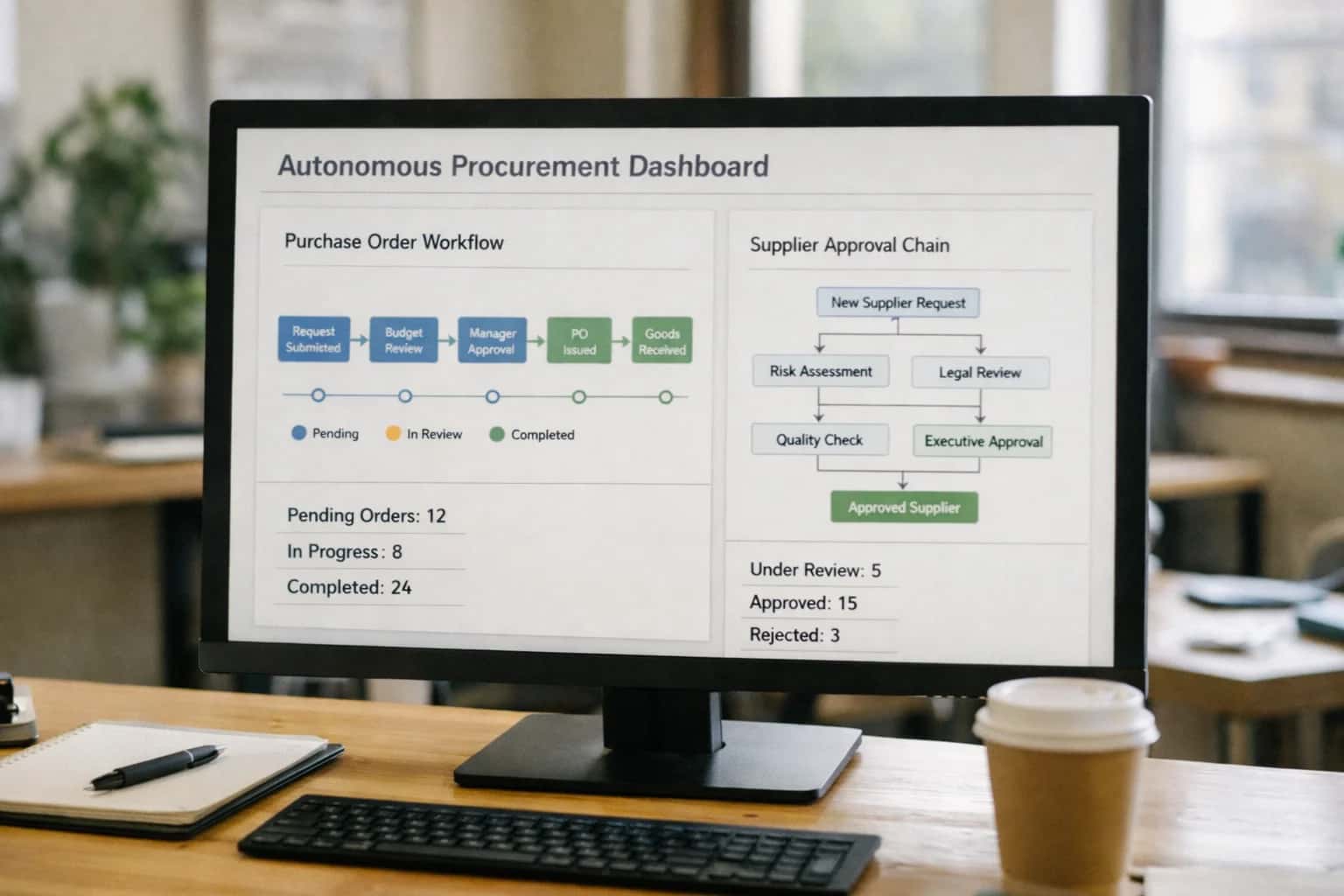
This step transforms raw telemetry into actionable intelligence, enabling you to monitor, manage, and improve your autonomous support agents in real-time.
Operational dashboards for Autonomous Customer Support Resolution (ACSR) must move beyond vanity metrics to track agent-specific performance. Core KPIs include autonomous resolution rate (percentage of cases solved without human intervention), escalation rate, average handling time (automated), and a policy compliance score. Instrument your system to emit structured events for every agent decision, API call, and case outcome, feeding a time-series database like Prometheus or InfluxDB. For a deeper dive on foundational architecture, see our guide on How to Architect an Autonomous Customer Support Resolution System.
Visualize these metrics on dashboards using tools like Grafana or Datadog. Create separate views for real-time health monitoring (e.g., agent error rates, API latency) and longitudinal trend analysis (e.g., weekly resolution rate). Set actionable alerts on key thresholds, such as a sudden drop in compliance score, to trigger immediate investigation. This data-driven approach is essential for governance and continuous improvement, directly feeding into the feedback loops described in How to Build Feedback Loops for Continuous ACSR Improvement.
Enabling Efficiency, Speed & Accuracy
Intelligent Analysis, Decision & Execution
We build AI systems for teams that need search across company data, workflow automation across tools, or AI features inside products and internal software.
Talk to Us
Search across company data
Give teams answers from docs, tickets, runbooks, and product data with sources and permissions.
Useful when people spend too long searching or get different answers from different systems.
Enterprise searchRAGPermissions
Read more
Automate internal workflows
Use AI to route work, draft outputs, trigger actions, and keep approvals and logs in place.
Useful when repetitive work moves across multiple tools and teams.
AI agentsWorkflow automationGovernance
Read more
Add AI to products and internal tools
Build assistants, guided actions, or decision support into the software your team or customers already use.
Useful when AI needs to be part of the product, not a separate tool.
AI integrationDecision supportModel routing
Read moreTROUBLESHOOTING
Common Mistakes
Setting up performance metrics for autonomous agents is different from tracking traditional chatbots. These are the most frequent technical and strategic errors that undermine measurement and lead to poor operational decisions.
The most common mistake is defining 'autonomous resolution' too broadly. If an agent merely provides an answer but doesn't close the loop by executing a backend action (like issuing a refund or updating a CRM), it's not a true resolution.
To fix this, your metric must track the end-to-end workflow completion without human intervention. Instrument your system to log:
- Intent classification outcome.
- Policy check pass/fail.
- API call execution and success status.
- Case closure event in your ticketing system.
Only count a case where all these steps succeed autonomously. This aligns with the goals of Autonomous Customer Support Resolution (ACSR).

About the author
Prasad Kumkar
CEO & MD, Inference Systems
Prasad Kumkar is the CEO & MD of Inference Systems and writes about AI systems architecture, LLM infrastructure, model serving, evaluation, and production deployment. Over 5+ years, he has worked across computer vision models, L5 autonomous vehicle systems, and LLM research, with a focus on taking complex AI ideas into real-world engineering systems.
His work and writing cover AI systems, large language models, AI agents, multimodal systems, autonomous systems, inference optimization, RAG, evaluation, and production AI engineering.
LinkedIn
Limited slotsGet a Free AI Consultation
Partnered with leading AI, data, and software stack.





How We Work
Custom AI workflows for your Business
One-fit-all AI don't work for modern businesses. At Inferensys, we aim to understand your business & custom requirements; which we use to define most efficient agentic workflows, the data, and the tools for your business.
01
Review the use case
We understand the task, the users, and where AI can actually help.
Read more02
Pick the right approach
We define what needs search, automation, or product integration.
Read more03
Build the first useful version
We implement the part that proves the value first.
Read more04
Improve from there
We add the checks and visibility needed to keep it useful.
Read moreThe first call is a practical review of your use case and the right next step.
Talk to Us