Benchmarking AI models for energy efficiency is the process of measuring and comparing the performance-per-watt of different architectures, training techniques, and inference servers. Unlike traditional benchmarks that focus solely on accuracy or speed, this approach quantifies the environmental and operational cost of AI. You must create a standardized evaluation harness that controls for variables like hardware (GPU type), software (CUDA version, framework), and workload characteristics to ensure fair comparisons between models like Llama and Phi or servers like vLLM and TensorRT-LLM.

Guide
How to Benchmark Your AI Models for Energy Efficiency
A technical guide to creating standardized, reproducible energy efficiency benchmarks for AI models. Learn to control variables, measure performance-per-watt, and compare architectures and inference servers with code.
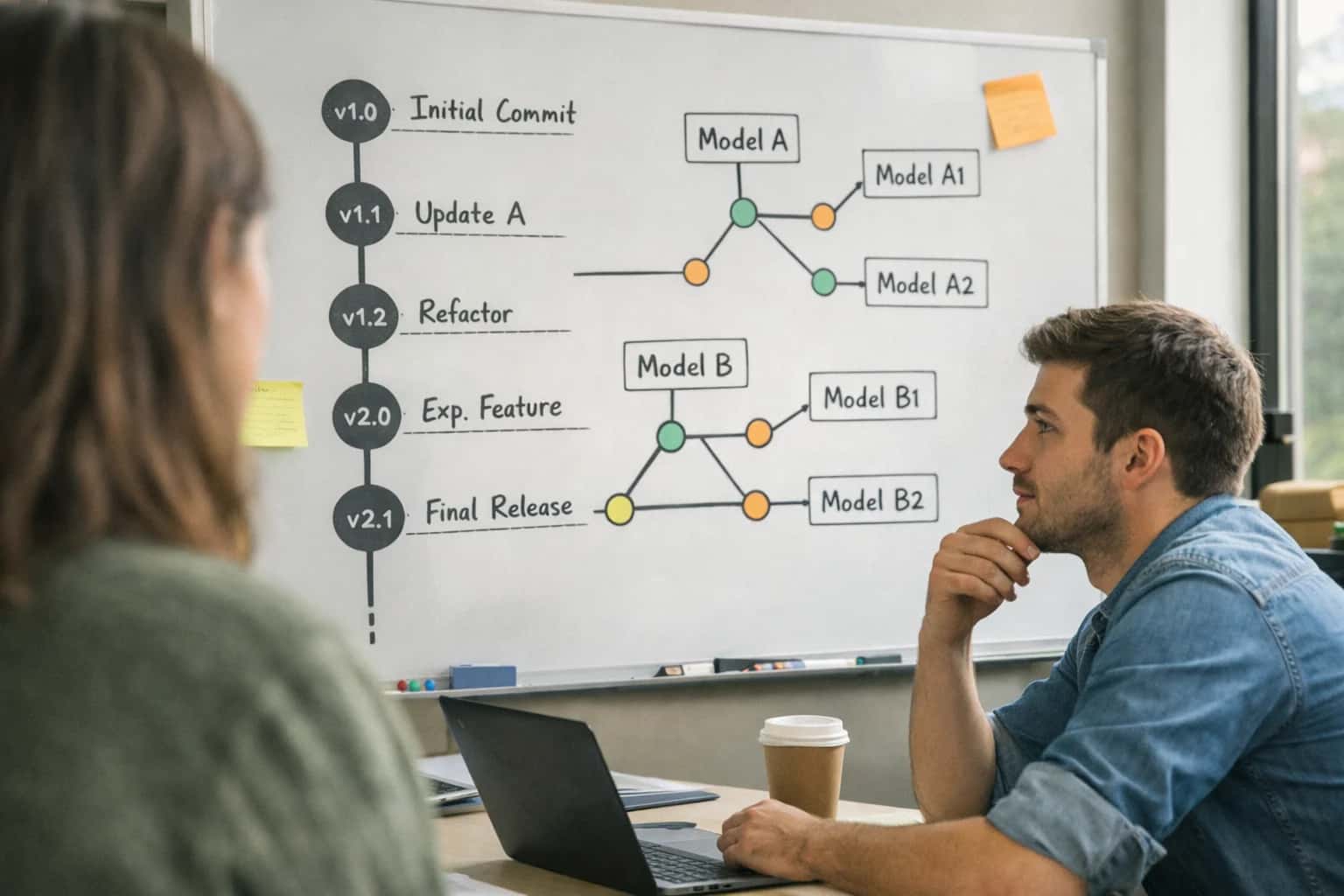
Learn how to conduct rigorous, apples-to-apples energy efficiency benchmarks for your AI models. This guide covers creating standardized evaluation harnesses, controlling for hardware and software variables, and using benchmark datasets.
The goal is to make data-driven decisions that optimize for efficiency. Start by selecting representative benchmark datasets and defining key metrics such as Energy-to-Solution (total joules consumed) and inferences-per-kilowatt-hour. This process, foundational to our AI Energy Scoring and Standardized Disclosure pillar, provides the empirical evidence needed to reduce costs and carbon footprint, moving beyond the 'bigger is better' paradigm toward sustainable AI development.
FOUNDATIONAL KNOWLEDGE
Key Concepts for Energy Benchmarking
Before you benchmark, understand these core principles and tools. This ensures your efficiency comparisons are rigorous, repeatable, and actionable.
01
The Energy-to-Solution Metric
This is the primary metric for rigorous benchmarking. It measures the total energy consumed to achieve a defined task or accuracy level, from start to finish. Unlike measuring FLOPs or hardware utilization in isolation, it accounts for the entire system's efficiency.
- Why it matters: It enables apples-to-apples comparisons between different model architectures, hardware platforms, and software stacks.
- How to use it: Define a fixed task (e.g., process 10,000 queries), run to completion, and measure total joules consumed using a tool like CodeCarbon.
02
Standardized Evaluation Harness
A controlled, repeatable testing environment is non-negotiable. Your harness must isolate the variable you're testing (e.g., the model) while holding all others constant.
- Core components: Fixed hardware (CPU/GPU), software stack (CUDA, PyTorch versions), dataset, and prompt template.
- Common mistake: Benchmarking on different cloud instance types or with background processes running, which introduces noise.
- Action: Build a containerized harness using Docker to ensure environment consistency. Learn more about building robust pipelines in our guide on How to Architect an AI Lifecycle Energy Monitoring System.
03
Hardware-Aware Profiling Tools
You cannot optimize what you cannot measure. Use low-level profiling tools to understand where energy is being consumed.
- System-Level:
nvprofor NVIDIA Nsight Systems for GPU kernel performance and energy estimation. - Application-Level: Integrate CodeCarbon or MLflow with tracking callbacks to log energy per training step or inference batch.
- Key Insight: Profile idle power draw first to establish a baseline, then measure under load. The difference is your workload's energy cost.
04
Benchmark Datasets & Tasks
Use established, representative workloads. Avoid synthetic or trivial tasks that don't reflect production use cases.
- For LLMs: The HELM benchmark or a curated subset of tasks from MT-Bench.
- For Vision/CV: Standard datasets like ImageNet for classification or COCO for object detection.
- Principle: The task must stress the model in a way analogous to your application. Benchmarking a code model on general Q&A will give misleading efficiency results.
05
Comparing Inference Servers
The serving stack can have a greater impact on efficiency than the model itself. Benchmark popular engines under identical conditions.
- Key contenders: vLLM (high throughput), TensorRT-LLM (NVIDIA-optimized), TGI (Hugging Face).
- What to measure: Throughput (tokens/sec) vs. Power (Watts). Plot a curve to find the optimal operating point for your latency requirements.
- Result: You may find a 2x difference in tokens-per-watt between servers, fundamentally changing your deployment economics.
06
From Benchmark to Action
Benchmarking is useless without a decision framework. Use your data to make concrete architectural choices.
- Model Selection: Choose the model with the best accuracy-per-watt for your target latency.
- Hardware Procurement: Select instances or accelerators based on proven efficiency for your workload type.
- Continuous Integration: Integrate efficiency regression tests into your MLOps pipeline. A new model version that uses 15% more energy for the same accuracy is a regression. Establish this practice with our guide on How to Integrate Energy Scoring into AI Model Development Pipelines.
FOUNDATION
Step 1: Define Your Efficiency Metrics
Before you can benchmark, you must decide what to measure. This step establishes the quantitative basis for all comparisons.
Effective benchmarking starts by selecting the right efficiency metrics. The core goal is to measure performance-per-watt, which quantifies useful work (e.g., tokens generated, predictions made) per unit of energy consumed. Common metrics include Energy-to-Solution for training jobs and Joules per Token for inference. Avoid vanity metrics like pure accuracy or latency; the objective is to create an apples-to-apples comparison that factors in both capability and environmental cost. This foundational step is detailed in our guide on How to Select Metrics for AI Energy and Carbon Scoring.
For practical implementation, instrument your workflows to capture these metrics. Use tools like CodeCarbon or cloud provider APIs (e.g., AWS CloudWatch, GCP Carbon Footprint) to log energy consumption. Simultaneously, track your chosen performance indicator, such as throughput on a standardized dataset. Record all variables: hardware type (GPU model), software stack (CUDA version, inference server), and batch size. This controlled data forms the basis for your benchmark harness, a concept expanded upon in How to Architect an AI Lifecycle Energy Monitoring System.
CRITICAL VARIABLES
Step 3: Control Hardware and Software Variables
Comparison of key hardware and software configurations that must be standardized to ensure an apples-to-apples energy efficiency benchmark.
| Variable Category | Standardized Baseline | Common Mistake | Best Practice |
|---|---|---|---|
Hardware: GPU Model & Count | Single, specified model (e.g., H100 80GB SXM5) | Mixing GPU architectures (e.g., A100 vs. H100) | Use identical SKUs from the same vendor batch |
Hardware: CPU & Memory | Fixed CPU model, RAM quantity, and speed | Ignoring CPU power draw and memory bandwidth | Lock CPU governor to 'performance' mode; use |
Hardware: Thermal & Power Limits | Full, unlocked Thermal Design Power (TDP) | Uncontrolled thermal throttling or variable power caps | Use |
Software: CUDA/cuDNN Version | Exact version pinned in container/Dockerfile | Using 'latest' tag or default system libraries | Use a version-pinned base image (e.g., |
Software: Inference Server & Version | Identical server and version (e.g., vLLM 0.4.3) | Comparing different servers (e.g., TGI vs. vLLM) directly | Isolate the variable; test each server separately against the baseline |
Software: OS & Kernel | Specific OS image and kernel version | Benchmarking across different OSes (e.g., Ubuntu 20.04 vs 22.04) | Use a container or VM snapshot to guarantee identical runtime environment |
Software: Batch Size & Precision | Fixed batch size and precision (e.g., FP16, BF16) | Letting the server auto-tune batch size dynamically | Explicitly set |
Runtime: Background Processes | Minimal, containerized environment | Running benchmarks on a shared node with other jobs | Use |
EXECUTION
Step 4: Run Benchmarks and Collect Data
This step transforms your theoretical framework into empirical evidence by executing controlled benchmarks to measure the energy efficiency of your AI models and systems.
Execute your benchmark suite on the isolated hardware, using your standardized evaluation harness to run identical workloads across different model configurations. For example, compare a Llama 3.1 8B model served with vLLM against a Phi-3-mini model served with TensorRT-LLM, using the same prompt batch and dataset. Instrumentation tools like CodeCarbon or NVIDIA's DCGM must collect real-time power draw (watts), GPU utilization, and inference latency. This controlled environment ensures your data reflects true performance-per-watt differences, not system noise.
Log all outputs—energy consumption, timing metrics, and model outputs—into a structured format like JSONL or a dedicated time-series database. This creates your foundational dataset for analysis. Common mistakes include failing to warm up models before timing runs or neglecting to collect system-level data like CPU and DRAM power, which can account for a significant portion of total energy use. For a deeper dive on monitoring architecture, see our guide on How to Architect an AI Lifecycle Energy Monitoring System.
Enabling Efficiency, Speed & Accuracy
Intelligent Analysis, Decision & Execution
We build AI systems for teams that need search across company data, workflow automation across tools, or AI features inside products and internal software.
Talk to Us
Search across company data
Give teams answers from docs, tickets, runbooks, and product data with sources and permissions.
Useful when people spend too long searching or get different answers from different systems.
Enterprise searchRAGPermissions
Read more
Automate internal workflows
Use AI to route work, draft outputs, trigger actions, and keep approvals and logs in place.
Useful when repetitive work moves across multiple tools and teams.
AI agentsWorkflow automationGovernance
Read more
Add AI to products and internal tools
Build assistants, guided actions, or decision support into the software your team or customers already use.
Useful when AI needs to be part of the product, not a separate tool.
AI integrationDecision supportModel routing
Read moreENERGY EFFICIENCY
Common Benchmarking Mistakes
Benchmarking AI models for energy efficiency is essential for cost control and sustainability, but common pitfalls can invalidate your results. This guide identifies the critical mistakes developers make and how to avoid them for accurate, apples-to-apples comparisons.
Benchmarking the same model on different hardware (e.g., an A100 vs. an H100) or the same hardware with different thermal states yields meaningless results. Energy consumption is directly tied to silicon architecture, cooling efficiency, and power limits.
The Fix: Standardize your hardware baseline. Use identical SKUs with matching firmware and drivers. For cloud environments, pin workloads to specific instance types (e.g., g5.48xlarge) and consider using spot instances with capacity blocks to ensure consistency. Always record the exact hardware specs, including GPU memory clock speeds, as part of your benchmark metadata.

About the author
Prasad Kumkar
CEO & MD, Inference Systems
Prasad Kumkar is the CEO & MD of Inference Systems and writes about AI systems architecture, LLM infrastructure, model serving, evaluation, and production deployment. Over 5+ years, he has worked across computer vision models, L5 autonomous vehicle systems, and LLM research, with a focus on taking complex AI ideas into real-world engineering systems.
His work and writing cover AI systems, large language models, AI agents, multimodal systems, autonomous systems, inference optimization, RAG, evaluation, and production AI engineering.
LinkedIn
Limited slotsGet a Free AI Consultation
Partnered with leading AI, data, and software stack.





How We Work
Custom AI workflows for your Business
One-fit-all AI don't work for modern businesses. At Inferensys, we aim to understand your business & custom requirements; which we use to define most efficient agentic workflows, the data, and the tools for your business.
01
Review the use case
We understand the task, the users, and where AI can actually help.
Read more02
Pick the right approach
We define what needs search, automation, or product integration.
Read more03
Build the first useful version
We implement the part that proves the value first.
Read more04
Improve from there
We add the checks and visibility needed to keep it useful.
Read moreThe first call is a practical review of your use case and the right next step.
Talk to Us