A cold start is the delay experienced when a machine learning model or inference service is loaded into memory and initialized on an edge device after a fresh boot, deployment, or period of idleness. This latency includes loading the model artifact, allocating hardware resources (like GPU memory), and executing any one-time setup computations before the first prediction can be served. In contrast, a warm start occurs when a model is already resident in memory, allowing for immediate, low-latency inference.

Glossary
Cold Start
Cold start is the latency incurred when initializing a service, such as loading a machine learning model into memory and preparing it for inference on an edge device, after a period of inactivity or a fresh deployment.
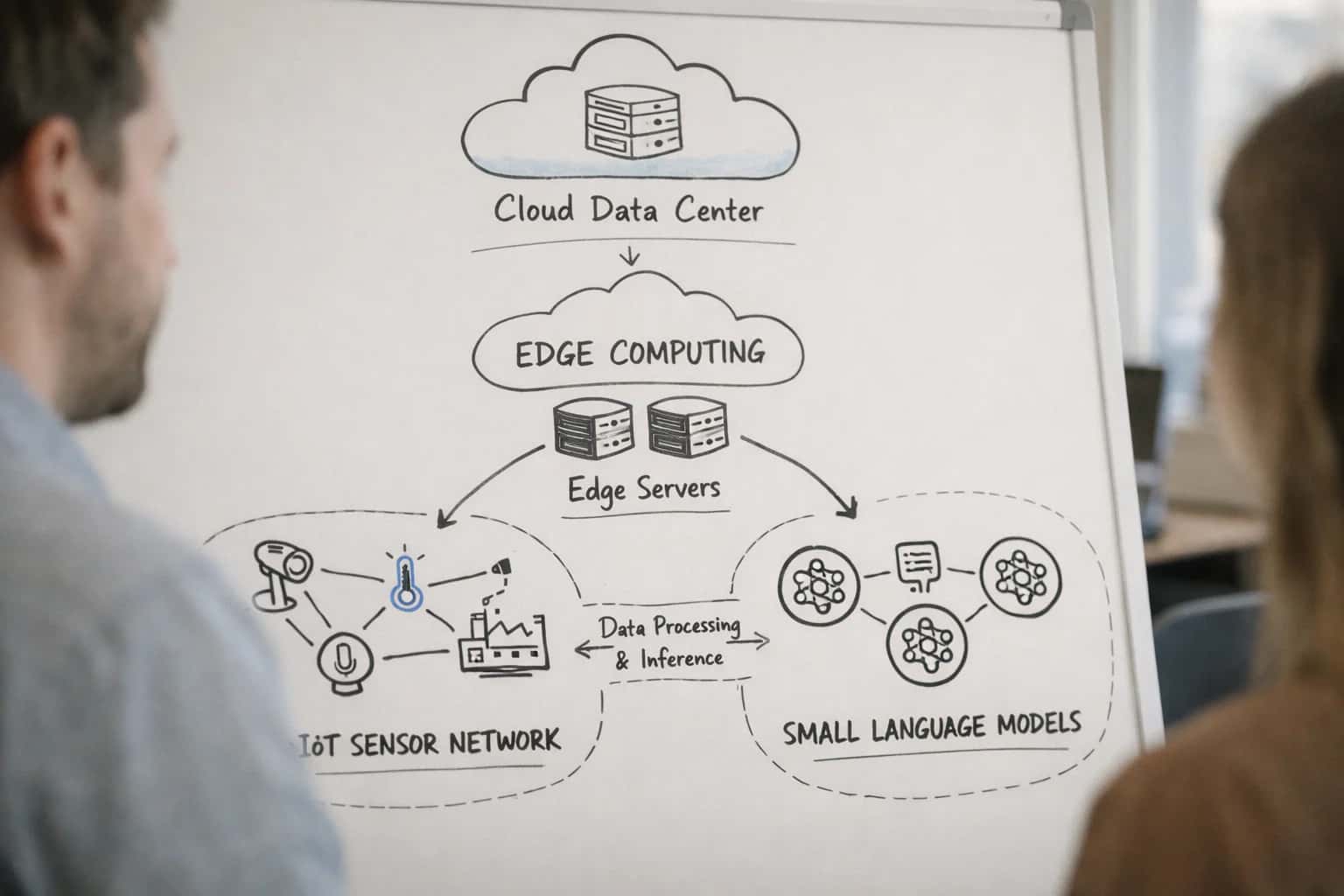
EDGE DEPLOYMENT
What is Cold Start?
Cold start is a critical performance metric in edge AI deployment, referring to the initial latency incurred when a service or model is first invoked after a period of inactivity.
Managing cold start latency is essential for user experience and resource efficiency in edge environments. Strategies to mitigate it include model warming (pre-loading models), using optimized formats like ONNX, and employing container orchestration with precise health probes. For serverless edge functions or autoscaling systems, cold starts directly impact the responsiveness of event-driven AI applications, making their minimization a key design goal.
COLD START
Key Causes and Contributing Factors
Cold start latency in edge AI is not a single issue but a confluence of system-level bottlenecks. Understanding these root causes is essential for designing mitigation strategies.
01
Model Loading & Deserialization
The primary cause of cold start is the time required to load the model artifact from persistent storage (e.g., disk, flash) into volatile memory (RAM) and deserialize its structure (weights, graph). This I/O-bound process is exacerbated by:
- Large model size: Uncompressed or poorly quantized models increase load times.
- Storage medium speed: Slow eMMC or SD cards on edge devices create a significant bottleneck.
- Framework overhead: The initialization of the inference runtime (e.g., TensorFlow Lite, PyTorch Mobile) adds fixed overhead before the model can be parsed.
02
Hardware Initialization & Warm-up
Specialized inference hardware like NPUs, GPUs, or TPUs requires a separate initialization sequence, contributing significantly to cold start latency.
- Driver and firmware loading: The kernel modules and microcode for the accelerator must be loaded.
- Memory allocation on device: Dedicated memory (VRAM, SRAM) must be allocated on the accelerator.
- Kernel compilation & caching: For frameworks like TensorRT or OpenVINO, optimal compute kernels are compiled for the specific hardware on first use, a one-time cost paid during cold start.
03
Container & Runtime Startup
In containerized edge deployments (e.g., using Docker or Kubernetes), the cold start includes the time to instantiate the container itself.
- Image pull: If the container image isn't cached locally, it must be fetched over the network.
- Container launch: The OS must create namespaces, cgroups, and mount filesystems.
- Application startup: The application's main process, dependencies, and any sidecars (e.g., for logging, monitoring) must start. This is distinct from the model load time.
04
Dependency Resolution & Configuration
Before a model can load, the service often must resolve external dependencies and apply configurations, which can block initialization.
- External service calls: Fetching encryption keys from a vault, retrieving model metadata from a registry, or checking feature flags.
- Environment configuration: Parsing config files, connecting to databases, or establishing telemetry pipelines.
- Network latency: If these dependencies are cloud-based, high-latency or unreliable edge network connections can drastically prolong cold start.
05
Just-In-Time Compilation & Optimization
Some inference runtimes perform optimizations at load time to maximize execution speed, trading initial latency for sustained performance.
- Graph optimizations: Pruning, fusion, and constant folding are applied to the model graph.
- Operator scheduling: The runtime determines the optimal execution order and hardware mapping for operators.
- Quantization calibration: For dynamic quantization, a small sample of data may be run to determine activation ranges. This just-in-time (JIT) compilation is a classic cause of first-time latency.
06
Resource Contention on Constrained Devices
On edge devices with limited CPU, memory, and I/O bandwidth, cold start is magnified because the loading process competes with other essential system processes.
- CPU throttling: Thermal or power constraints may limit CPU frequency during intensive load phases.
- Memory pressure: Loading a large model may trigger swap or cause the OS to kill other processes, leading to unpredictable delays.
- Blocking I/O: Model loading can stall if the storage controller is busy with other system tasks, a common issue in low-cost embedded systems.
COLD START
Impact on Edge AI Systems
In edge AI systems, a cold start is the initial latency incurred when a machine learning model is loaded from storage into memory and prepared for inference on a device after a period of inactivity, a fresh deployment, or a system reboot.
This latency directly impacts user-perceived responsiveness and system efficiency. It involves loading the model artifact, allocating memory, initializing the inference runtime (e.g., TensorRT, OpenVINO), and potentially performing one-time optimizations like just-in-time compilation. For large models or constrained hardware, this delay can be significant, ranging from seconds to minutes, which is unacceptable for real-time applications like autonomous navigation or interactive assistants.
Mitigation strategies are central to edge AI engineering. Techniques include model warming, where a lightweight process keeps the model resident in memory, and optimized container images that pre-bundle dependencies. Efficient model formats like ONNX and aggressive compression via post-training quantization reduce load times. Orchestrators like Kubernetes use readiness probes to manage traffic only after initialization is complete, while system design often prioritizes keeping models 'hot' to avoid cold starts during critical operations.
COLD START
Optimization Techniques and Mitigations
Cold start latency is a critical performance bottleneck in edge AI. This section details the primary strategies and technical approaches to minimize initialization delays for machine learning models on constrained hardware.
01
Model Warm-Up
A proactive technique where a model is loaded into memory and a dummy inference pass is executed before the first real user request. This pre-initializes the model's computational graph, allocates memory, and populates hardware caches (e.g., GPU memory, CPU cache).
- Key Benefit: Converts the first real request's latency from a cold start to a warm start.
- Implementation: Often triggered by a system daemon or orchestration tool (like a Kubernetes initContainer) immediately after deployment or device boot.
02
Persistent Model Servers
Deploying models on long-running inference servers (e.g., Triton Inference Server, TensorFlow Serving) that keep models loaded in memory across multiple requests. This architecture is common in edge server or gateway scenarios.
- Eliminates Per-Request Overhead: The model load cost is amortized over all requests handled by the server process.
- Resource Trade-off: Requires dedicated, continuous memory allocation, which must be balanced against other services on the device.
03
On-Device Caching & Prefetching
Storing frequently used models or their optimized artifacts (like quantized ONNX files or TensorRT engines) in a local, high-speed cache (e.g., NVMe SSD, RAM disk). Prefetching algorithms predict and load the next likely model based on usage patterns or a deployment schedule.
- Reduces I/O Latency: Avoids the slow read from primary storage (e.g., eMMC flash) during initialization.
- Use Case: Essential for applications with multiple models or frequent model version switches.
04
Optimized Model Formats & Runtimes
Using hardware-specific, pre-optimized model formats to drastically reduce load and initialization time. This involves compiling the model ahead-of-time (AOT) for the target accelerator.
- Examples: TensorRT plans for NVIDIA GPUs, OpenVINO IR models for Intel CPUs/VPUs, or Core ML models for Apple Silicon.
- Mechanism: The runtime performs computationally intensive optimizations (kernel fusion, layer tuning) during compilation, not during the cold start.
05
Progressive Loading & Lazy Initialization
A software design pattern where only the essential components of a model are loaded initially, with non-critical layers or large embedding tables loaded on-demand or in the background.
- Benefit: Provides a faster time-to-first-token (TTFT) for generative models by prioritizing the initial decoding layers.
- Challenge: Increases implementation complexity but can be highly effective for very large models on memory-constrained edge devices.
06
Orchestration with Readiness Probes
Using a readiness probe in container orchestration platforms (like Kubernetes or K3s) to prevent traffic from being routed to a pod until its model is fully loaded and the inference endpoint is ready.
- Mitigates User Impact: While it doesn't reduce the cold start time itself, it ensures users do not experience failed requests or timeouts during initialization.
- Integration: The probe typically polls a health endpoint that succeeds only after the model warm-up sequence is complete.
INFERENCE INITIALIZATION
Cold Start vs. Warm Start: A Comparison
A comparison of the two primary initialization states for machine learning model inference services on edge devices, focusing on latency, resource usage, and operational context.
| Feature / Metric | Cold Start | Warm Start |
|---|---|---|
Definition | Initialization from a completely idle or fresh state (e.g., after device reboot, container start, or model load). | Initialization from a pre-loaded, cached, or already-running state where core resources are resident in memory. |
Primary Trigger | First inference request after deployment, device restart, or prolonged inactivity (beyond a cache TTL). | Subsequent inference requests while the service/container is active and the model is cached. |
Typical Latency | 100 ms - 10+ seconds | < 10 ms - 100 ms |
Key Latency Contributors | Model loading from disk/network, weight decompression, runtime initialization (e.g., TensorRT engine build), dependency resolution. | Kernel execution, data transfer to accelerator (GPU/TPU/VPU), batch processing. |
Memory & CPU Impact | High spike during load; requires full model memory footprint plus overhead for runtime. High CPU for initialization tasks. | Sustained, stable usage. Primarily inference compute. May have background cache management. |
Predictability | Low; varies with model size, storage I/O, and system load at initialization time. | High; consistent once the system is in a steady state. |
Common Mitigations | Model pre-loading at boot, keep-alive probes, larger/heavier containers, optimized container images, on-demand loading. | Request batching, connection pooling, model caching strategies, persistent containers/pods. |
Operational Context | Required for new deployments, failover scenarios, auto-scaling from zero, and devices with strict power cycling. | Standard for steady-state production traffic, high-throughput endpoints, and always-on edge servers. |
COLD START
Frequently Asked Questions
Cold start latency is a critical performance metric in edge AI deployments, directly impacting user experience and system responsiveness. This FAQ addresses common technical questions about its causes, measurement, and mitigation strategies.
A cold start is the latency incurred when initializing a machine learning model inference service on an edge device from a completely idle state, which involves loading the model artifact into memory, allocating hardware resources, and performing one-time setup computations before the first prediction can be served.
This contrasts with a warm start, where a model is already resident in memory and ready for immediate inference. The cold start phase is dominated by I/O operations (reading the model file from disk or network), runtime initialization, and, for large models, the initial compilation or graph optimization steps on the target accelerator (e.g., using TensorRT or OpenVINO).
Enabling Efficiency, Speed & Accuracy
Intelligent Analysis, Decision & Execution
We build AI systems for teams that need search across company data, workflow automation across tools, or AI features inside products and internal software.
Talk to Us
Search across company data
Give teams answers from docs, tickets, runbooks, and product data with sources and permissions.
Useful when people spend too long searching or get different answers from different systems.
Enterprise searchRAGPermissions
Read more
Automate internal workflows
Use AI to route work, draft outputs, trigger actions, and keep approvals and logs in place.
Useful when repetitive work moves across multiple tools and teams.
AI agentsWorkflow automationGovernance
Read more
Add AI to products and internal tools
Build assistants, guided actions, or decision support into the software your team or customers already use.
Useful when AI needs to be part of the product, not a separate tool.
AI integrationDecision supportModel routing
Read more
About the author
Prasad Kumkar
CEO & MD, Inference Systems
Prasad Kumkar is the CEO & MD of Inference Systems and writes about AI systems architecture, LLM infrastructure, model serving, evaluation, and production deployment. Over 5+ years, he has worked across computer vision models, L5 autonomous vehicle systems, and LLM research, with a focus on taking complex AI ideas into real-world engineering systems.
His work and writing cover AI systems, large language models, AI agents, multimodal systems, autonomous systems, inference optimization, RAG, evaluation, and production AI engineering.
LinkedIn
Limited slotsGet a Free AI Consultation
Partnered with leading AI, data, and software stack.





How We Work
Custom AI workflows for your Business
One-fit-all AI don't work for modern businesses. At Inferensys, we aim to understand your business & custom requirements; which we use to define most efficient agentic workflows, the data, and the tools for your business.
01
Review the use case
We understand the task, the users, and where AI can actually help.
Read more02
Pick the right approach
We define what needs search, automation, or product integration.
Read more03
Build the first useful version
We implement the part that proves the value first.
Read more04
Improve from there
We add the checks and visibility needed to keep it useful.
Read moreThe first call is a practical review of your use case and the right next step.
Talk to Us