TensorFlow Lite is an open-source deep learning framework for on-device inference, enabling low-latency execution of machine learning models on resource-constrained hardware like smartphones, microcontrollers, and IoT devices. It achieves this through a suite of model optimization tools—including quantization, pruning, and selective op kernels—that drastically reduce a model's memory footprint and computational demands while maintaining accuracy.

Glossary
TensorFlow Lite
TensorFlow Lite is a lightweight, open-source framework developed by Google for deploying machine learning models on mobile, embedded, and edge devices with low latency and a small binary size.
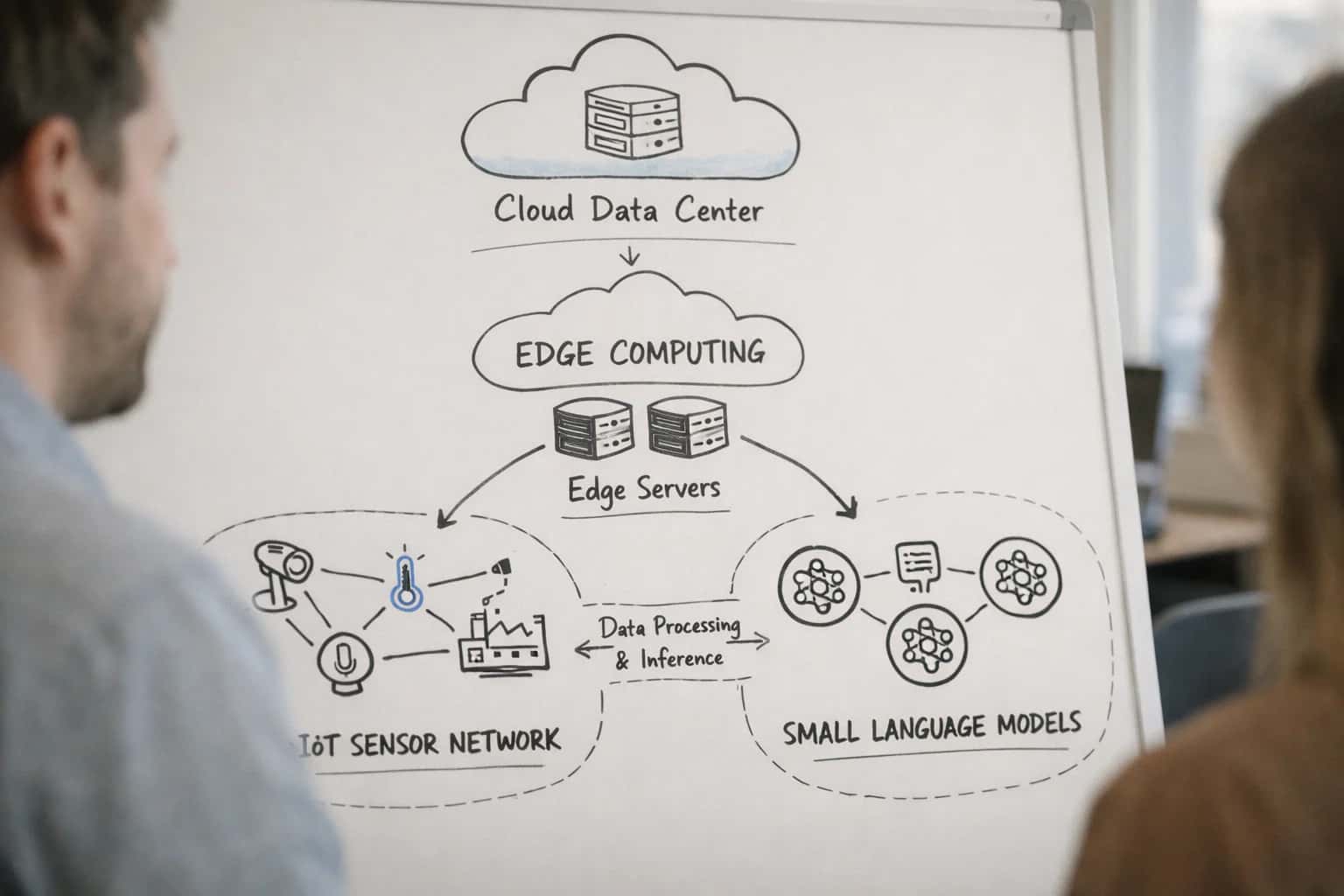
ON-DEVICE ML FRAMEWORK
What is TensorFlow Lite?
TensorFlow Lite is the official lightweight solution for deploying machine learning models on mobile, embedded, and edge devices.
The framework is integral to spatial computing and on-device 3D reconstruction, powering real-time applications like visual odometry and neural rendering in AR. By compiling models for specific hardware accelerators (NPUs, GPUs) and providing a minimal interpreter runtime, TensorFlow Lite allows developers to bypass cloud dependency, ensuring privacy, operational resilience, and instant responsiveness for edge AI systems.
ON-DEVICE ML FRAMEWORK
Key Features of TensorFlow Lite
TensorFlow Lite is a lightweight, open-source framework developed by Google for deploying machine learning models on mobile, embedded, and edge devices with low latency and a small binary size.
01
Model Optimization & Compression
TensorFlow Lite provides a suite of post-training and quantization-aware training tools to reduce model size and accelerate inference. Key techniques include:
- Quantization: Converts 32-bit floating-point weights and activations to lower precision (e.g., INT8, FP16), drastically reducing model size and enabling faster computation on integer-only hardware.
- Pruning: Removes redundant or non-critical connections within a neural network, creating a sparse model.
- Weight Clustering: Groups similar weights together, sharing a single value to reduce the number of unique parameters stored. These optimizations are essential for deploying models on devices with limited memory and compute, such as smartphones and microcontrollers, without a significant loss in accuracy.
02
Hardware Acceleration Delegates
To maximize performance, TensorFlow Lite uses a delegate system that offloads compute-intensive operations to specialized hardware accelerators. This allows the framework to leverage the full potential of the underlying silicon.
- GPU Delegate: Accelerates floating-point and quantized models on mobile GPUs using OpenCL or OpenGL ES compute shaders.
- Neural Processing Unit (NPU) Delegate: Executes compatible subgraphs on dedicated AI accelerators (e.g., Google Edge TPU, Qualcomm Hexagon DSP, MediaTek APU).
- CPU (XNNPACK) Delegate: An optimized, highly parallel CPU backend for floating-point and quantized models using the XNNPACK library.
- Core ML Delegate: For Apple devices with A12 Bionic chips or later, it uses the Apple Neural Engine for optimal performance and power efficiency. The runtime automatically selects the best delegate for each operation, balancing speed and power consumption.
03
Cross-Platform Interpreter & API
At its core, TensorFlow Lite features a highly efficient interpreter that executes optimized models across diverse platforms with a consistent C++ API and language bindings.
- Unified API: Provides a simple
Interpreterclass to load a.tflitemodel file, allocate tensors, and invoke inference. - Multi-Language Support: Native APIs for Java (Android), Swift and Objective-C (iOS), C++, and Python (for rapid prototyping on Linux-based edge devices).
- Zero-Copy & Buffer Management: Advanced APIs (e.g.,
TensorBuffer) allow direct memory access to input/output tensors, minimizing data copying overhead—critical for real-time video or audio pipelines. - Metadata & Code Generation: Tools like the Metadata Writer allow embedding labels, normalization parameters, and other metadata directly into the
.tflitefile. The Code Generator can create wrapper classes for Android, simplifying integration.
04
On-Device Model Training
While primarily an inference framework, TensorFlow Lite supports on-device fine-tuning and federated learning scenarios, enabling models to adapt to local data without sending raw information to the cloud.
- Transfer Learning: Supports fine-tuning pre-trained models (e.g., image classifiers) on a device using a small, task-specific dataset.
- Federated Learning APIs: Provides building blocks for the client-side of a federated learning pipeline, where a model is trained locally on a device, and only the weight updates (gradients) are sent to a central server for aggregation.
- Differential Privacy: Can integrate with libraries that add noise to gradients during training, providing strong privacy guarantees. This feature is pivotal for applications requiring personalization (e.g., next-word prediction) or operating under strict data privacy regulations, as raw user data never leaves the device.
05
Task Library & Support
To accelerate development, TensorFlow Lite offers a Task Library—a set of out-of-the-box, high-level APIs for common machine learning tasks. These pre-built solutions handle complex data preprocessing, model inference, and post-processing.
- Vision Tasks: Image Classifier, Object Detector, Image Segmenter.
- Natural Language Tasks: NL Classifier (e.g., sentiment analysis), Bert Question Answerer, Text Searcher (for on-device semantic search).
- Audio Tasks: Audio Classifier. Each task API abstracts the underlying model details, allowing developers to integrate ML capabilities with just a few lines of code. The library is optimized for performance and includes support for custom models, bridging the gap between research prototypes and production-ready applications.
06
Toolchain & Conversion
A robust toolchain converts and prepares models trained in standard frameworks for the TensorFlow Lite runtime.
- TensorFlow Lite Converter: The primary tool (
TFLiteConverter) that converts models from TensorFlow SavedModel, Keras, or Concrete Functions into the optimized.tfliteflatbuffer format. It applies optimizations like quantization during this process. - Selective Registration & Flex Delegates: For models containing operations not natively supported by TFLite, developers can use Selective Registration to include only necessary ops, or the Flex Delegate to run unsupported ops using the full TensorFlow kernel library (with a larger binary size).
- Benchmarking Tools: The
benchmark_modelutility measures model latency and memory usage on target devices, providing critical data for performance profiling and optimization decisions. This end-to-end pipeline ensures models trained in resource-rich environments can be efficiently deployed to the edge.
ON-DEVICE INFERENCE ENGINE
How TensorFlow Lite Works
TensorFlow Lite is the official framework for deploying machine learning models on mobile, embedded, and edge devices, enabling low-latency, privacy-preserving AI applications without a constant cloud connection.
TensorFlow Lite operates through a streamlined pipeline designed for resource-constrained environments. A model trained in the full TensorFlow or Keras framework is first converted into the compact TensorFlow Lite FlatBuffer format (.tflite) via the TensorFlow Lite Converter. This converter applies critical optimizations like model quantization and pruning to reduce the memory footprint and accelerate on-device inference. The resulting lightweight file is then deployed to the target device, where the TensorFlow Lite Interpreter, linked with optional hardware-specific delegates for NPUs or GPUs, executes the model efficiently.
The interpreter loads the .tflite model and prepares it for execution using a static graph ordering and a custom memory allocator to minimize overhead. For maximum performance, it leverages hardware acceleration through delegates, such as the GPU Delegate for parallel compute or the Hexagon Delegate for Qualcomm DSPs. The runtime manages input/output tensors, executing pre-optimized kernel operations. This architecture allows developers to balance latency, binary size, and accuracy, making it foundational for embedded vision, real-time neural rendering, and spatial computing applications where cloud connectivity is unreliable or undesirable.
ON-DEVICE AI DEPLOYMENT
Common Use Cases for TensorFlow Lite
TensorFlow Lite enables machine learning models to run efficiently on mobile, embedded, and edge devices. Its primary applications focus on low-latency, privacy-preserving, and offline-capable AI.
06
Offline-Capable AI in Challenging Environments
In areas with poor connectivity (e.g., rural agriculture, remote inspection, in-flight systems) or where connectivity is prohibited (e.g., secure facilities), TFLite provides full functionality. Models for plant disease identification, defect detection in manufactured goods, or document translation run entirely offline.
- Deployment: Models are bundled within the application binary.
- Consideration: Requires careful management of model updates when the device occasionally connects to a network.
< 1 sec
Typical Inference Latency
~75%
Model Size Reduction via INT8
FRAMEWORK COMPARISON
TensorFlow Lite vs. Other Edge Frameworks
A technical comparison of key deployment frameworks for on-device machine learning, focusing on capabilities relevant to 3D reconstruction and spatial computing.
| Feature / Metric | TensorFlow Lite | Core ML (Apple) | ONNX Runtime |
|---|---|---|---|
Primary Ecosystem | Cross-platform (Android, iOS, Linux, MCUs) | Apple-only (iOS, macOS, etc.) | Cross-platform (Windows, Linux, Android, iOS) |
Model Format | .tflite (FlatBuffer) | .mlmodel (converted to .mlpackage) | .onnx (Open Neural Network Exchange) |
Hardware Acceleration | Supports delegates (GPU, NPU, Hexagon, XNNPACK) | Tightly integrated with Apple Neural Engine (ANE), GPU, CPU | Execution Providers (EP) for CPU, GPU, NPU across vendors |
Quantization Support | Post-training & quantization-aware training (INT8, FP16) | Post-training (INT8, FP16, FP8) via coremltools | Post-training & quantization-aware training (INT8 via QNN EP) |
On-Device Training Support | Limited (experimental, minimal ops) | Limited (training APIs are separate) | |
Binary Size (Minimal) | < 1 MB (interpreter only) | N/A (bundled with OS) | ~1-2 MB (basic build) |
Real-Time Performance (Typical) | < 30 ms inference (Pixel NPU) | < 20 ms inference (Apple ANE) | Varies by EP; ~15-50 ms |
3D Reconstruction Primitives | Custom ops via Flex delegate or custom kernels | Via Core ML 3D Vision framework (VisionKit) | Dependent on operator coverage in ONNX opsets |
Deployment Complexity | Moderate (delegate selection, optimization) | Low for Apple targets (Xcode integration) | Moderate (EP configuration, model conversion) |
Vendor Lock-in Risk | Low (Google-led, but open-source) | High (Apple hardware/software only) | Low (Open standard, multiple backends) |
TENSORFLOW LITE
Frequently Asked Questions
TensorFlow Lite is the premier open-source framework for deploying machine learning models on mobile, embedded, and IoT devices. This FAQ addresses key technical questions for developers implementing on-device AI.
TensorFlow Lite is a lightweight, open-source framework developed by Google for deploying machine learning models on mobile, embedded, and edge devices with low latency and a small binary size. It works by taking a model trained in a standard framework like TensorFlow and converting it into a highly efficient, compact format (a .tflite file) using the TensorFlow Lite Converter. This converter applies optimizations like model quantization and weight pruning. The TensorFlow Lite Interpreter, which has a minimal runtime footprint, then executes this optimized model on the target device, leveraging available hardware accelerators like Neural Processing Units (NPUs) or GPUs via delegates for maximum speed.
Enabling Efficiency, Speed & Accuracy
Intelligent Analysis, Decision & Execution
We build AI systems for teams that need search across company data, workflow automation across tools, or AI features inside products and internal software.
Talk to Us
Search across company data
Give teams answers from docs, tickets, runbooks, and product data with sources and permissions.
Useful when people spend too long searching or get different answers from different systems.
Enterprise searchRAGPermissions
Read more
Automate internal workflows
Use AI to route work, draft outputs, trigger actions, and keep approvals and logs in place.
Useful when repetitive work moves across multiple tools and teams.
AI agentsWorkflow automationGovernance
Read more
Add AI to products and internal tools
Build assistants, guided actions, or decision support into the software your team or customers already use.
Useful when AI needs to be part of the product, not a separate tool.
AI integrationDecision supportModel routing
Read more
About the author
Prasad Kumkar
CEO & MD, Inference Systems
Prasad Kumkar is the CEO & MD of Inference Systems and writes about AI systems architecture, LLM infrastructure, model serving, evaluation, and production deployment. Over 5+ years, he has worked across computer vision models, L5 autonomous vehicle systems, and LLM research, with a focus on taking complex AI ideas into real-world engineering systems.
His work and writing cover AI systems, large language models, AI agents, multimodal systems, autonomous systems, inference optimization, RAG, evaluation, and production AI engineering.
LinkedIn
Limited slotsGet a Free AI Consultation
Partnered with leading AI, data, and software stack.





How We Work
Custom AI workflows for your Business
One-fit-all AI don't work for modern businesses. At Inferensys, we aim to understand your business & custom requirements; which we use to define most efficient agentic workflows, the data, and the tools for your business.
01
Review the use case
We understand the task, the users, and where AI can actually help.
Read more02
Pick the right approach
We define what needs search, automation, or product integration.
Read more03
Build the first useful version
We implement the part that proves the value first.
Read more04
Improve from there
We add the checks and visibility needed to keep it useful.
Read moreThe first call is a practical review of your use case and the right next step.
Talk to Us