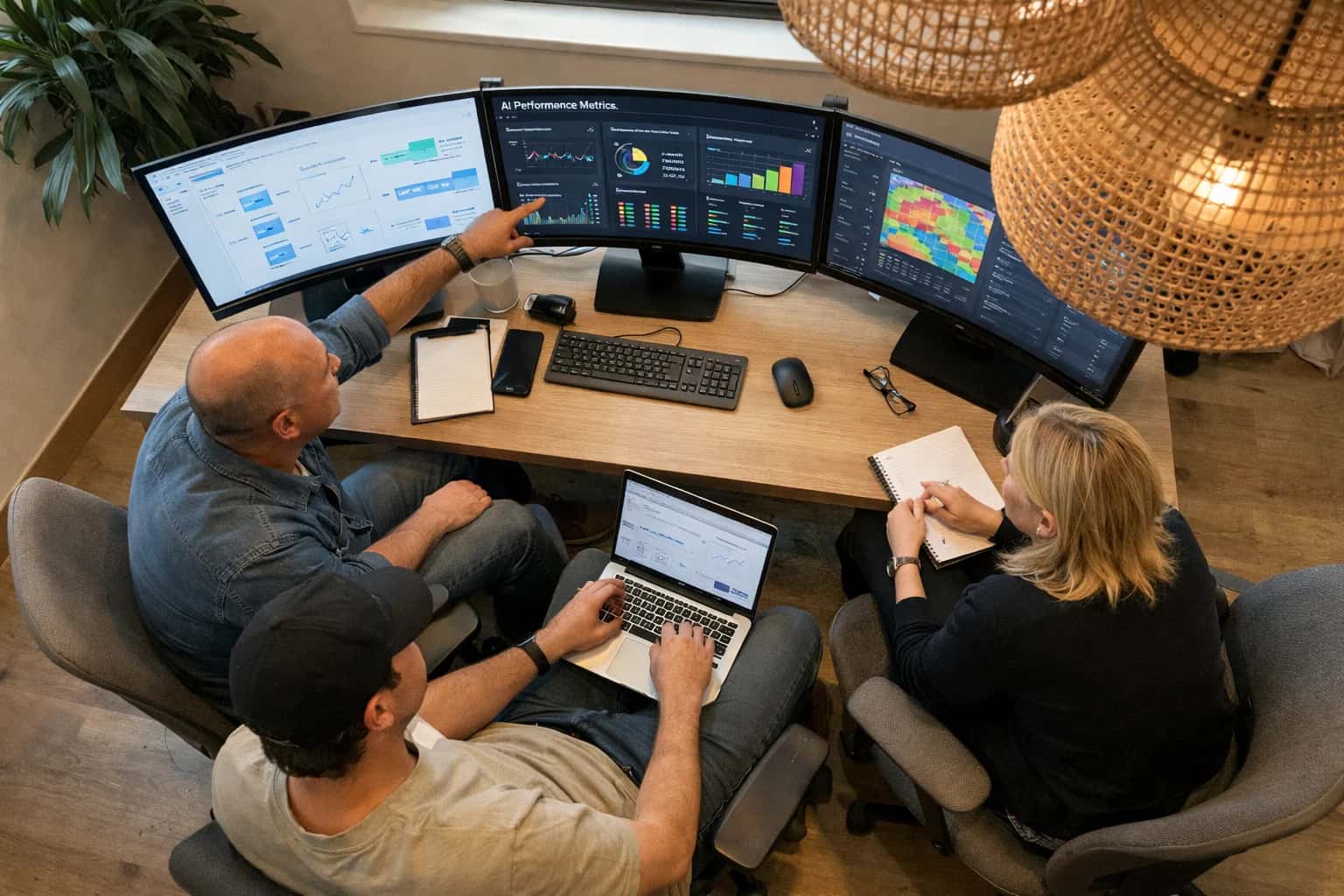
An operator workstation is the physical and digital command center where a human supervisor achieves situation awareness over a complex, mixed fleet. It consolidates real-time telemetry, video feeds, and alert streams from multiple autonomous agents onto a unified interface, typically featuring multiple monitors and specialized input devices. This environment translates the fleet's abstract state into a comprehensible visualization, enabling effective supervisory control rather than direct, moment-to-moment teleoperation of every unit.

Glossary
Operator Workstation
The integrated hardware and software environment, often featuring multiple monitors and specialized input devices, designed for a human to effectively supervise and control a heterogeneous fleet.
HUMAN-MACHINE INTERFACE
What is Operator Workstation?
An operator workstation is the integrated hardware and software environment providing a human supervisor with the tools to monitor, command, and intervene in the operations of a heterogeneous fleet of autonomous and manual vehicles.
The core function of the workstation is to manage cognitive load and prevent alert fatigue through intelligent notification throttling. It serves as the primary point for executing manual overrides, processing takeover requests, and managing escalation policies when agents encounter edge cases outside their operational design domain. By integrating a digital twin interface and predictive displays, the workstation masks intervention latency, ensuring the operator can safely guide the fleet to a minimal risk condition during critical failures.
HUMAN-MACHINE INTERFACE
Core Components of an Operator Workstation
An operator workstation is an integrated hardware and software environment designed to maximize situation awareness while minimizing cognitive load. It provides the physical and digital interface through which a human supervises, intervenes in, and controls a heterogeneous fleet of autonomous agents.
01
Multi-Monitor Visual Array
The primary visual interface, typically consisting of 2-6 high-resolution displays arranged to provide persistent visibility into different data streams simultaneously. A common configuration dedicates one screen to a digital twin interface showing a 3D geospatial view of the fleet, another to a prioritized alert queue, and a third to detailed telemetry from a selected agent. This physical separation of concerns reduces the cognitive effort required for task-switching and prevents critical alerts from being obscured by routine data.
2-6
Typical Display Count
02
Specialized Input Peripherals
Beyond standard keyboard and mouse, operator workstations often integrate application-specific control surfaces. These include joysticks for fine-grained remote teleoperation of individual robots, dedicated kill switch buttons with physical guards to prevent accidental activation, and multi-function jog wheels for scrubbing through timeline replays. Haptic feedback devices can relay agent state—such as a vibration indicating a collision—through a non-visual sensory channel, reducing reliance on screen-based alerts.
03
Unified Alert Management Console
A centralized software panel that ingests, deduplicates, and prioritizes the raw event stream from all fleet agents. It implements notification throttling to group non-critical alerts and applies an escalation policy to automatically route unresolved issues. The console visually distinguishes between informational logs, warnings requiring acknowledgment, and critical alarms demanding immediate intervention. This prevents alert fatigue by ensuring the operator's attention is directed only to events that genuinely require human judgment.
04
Telemetry Visualization Dashboard
A configurable panel displaying real-time fleet state estimation data. Operators can monitor agent vitals such as battery charge, motor temperature, network latency, and current task status. Effective dashboards use pre-attentive visual attributes—color, size, and motion—to signal anomalies without requiring focused reading. A confidence score display overlaid on each agent's perception data allows the operator to instantly gauge whether the autonomous system is operating within its operational design domain or approaching an edge case.
05
Intervention and Takeover Interface
The control surface for transitioning from supervisory oversight to direct command. When an agent issues a takeover request, this interface presents the operator with the agent's camera feeds, LIDAR point clouds, and the specific reason for the request. The operator can then issue a manual override via direct teleoperation or select a high-level command from a context-sensitive menu. A predictive display overlay compensates for network latency by showing a simulated immediate-response ghost of the agent, enabling precise control even over high-latency links.
06
Audit and Replay Module
A forensic tool that records and indexes every operator action, agent decision, and environmental event into a tamper-proof audit trail. Operators can scrub through a synchronized timeline replay of a past incident, viewing the exact sensor data, internal model state, and operator inputs that led to a specific outcome. This module is essential for post-incident analysis, regulatory compliance, and generating the labeled datasets used to improve the autonomous system's edge-case handling through intervention logging.
HUMAN-MACHINE INTERFACE
How an Operator Workstation Functions in Fleet Orchestration
An operator workstation is the integrated hardware and software environment designed for a human to supervise, intervene in, and control a heterogeneous fleet of autonomous and manual agents.
An operator workstation is the primary human-in-the-loop interface that aggregates real-time telemetry, video feeds, and alerts from a diverse fleet into a unified situation awareness display. It translates complex multi-agent states into a comprehensible visual model, often using a digital twin interface, allowing a single supervisor to monitor system health, task progress, and spatial relationships without direct line-of-sight to the physical agents.
Beyond passive monitoring, the workstation provides mechanisms for active control, including manual override and takeover request handling for edge cases. It enforces role-based access control to gate high-risk commands and integrates decision support systems to rank intervention options. The design must minimize cognitive load and prevent alert fatigue through intelligent notification throttling, ensuring the operator remains an effective fail-safe within the autonomous orchestration loop.
OPERATOR WORKSTATION FAQ
Frequently Asked Questions
Clear answers to common questions about the hardware, software, and ergonomic design of workstations used for supervising heterogeneous autonomous fleets.
An operator workstation is an integrated hardware and software environment specifically designed for a human to supervise, intervene in, and control a heterogeneous fleet of autonomous mobile robots (AMRs) and manual vehicles. It functions as the central human-in-the-loop interface, aggregating real-time telemetry, video feeds, and alert streams from dozens or hundreds of agents into a unified visual display. The workstation typically features multiple high-resolution monitors, specialized input devices like joysticks or 3D mice, and ergonomic furniture to support long-duration monitoring shifts. The core software layer, often called orchestration middleware, abstracts the differences between agent types—such as a pallet jack from Vendor A and a forklift from Vendor B—and presents a common operational picture. This allows a single operator to manage task allocation, monitor fleet health, and execute manual overrides without needing to understand each robot's proprietary control protocol. The workstation maintains a persistent connection to the fleet via heartbeat signals and continuously updates a digital twin interface that mirrors the physical warehouse floor in near real-time.
Enabling Efficiency, Speed & Accuracy
Intelligent Analysis, Decision & Execution
We build AI systems for teams that need search across company data, workflow automation across tools, or AI features inside products and internal software.
Talk to Us
Search across company data
Give teams answers from docs, tickets, runbooks, and product data with sources and permissions.
Useful when people spend too long searching or get different answers from different systems.
Enterprise searchRAGPermissions
Read more
Automate internal workflows
Use AI to route work, draft outputs, trigger actions, and keep approvals and logs in place.
Useful when repetitive work moves across multiple tools and teams.
AI agentsWorkflow automationGovernance
Read more
Add AI to products and internal tools
Build assistants, guided actions, or decision support into the software your team or customers already use.
Useful when AI needs to be part of the product, not a separate tool.
AI integrationDecision supportModel routing
Read more
About the author
Prasad Kumkar
CEO & MD, Inference Systems
Prasad Kumkar is the CEO & MD of Inference Systems and writes about AI systems architecture, LLM infrastructure, model serving, evaluation, and production deployment. Over 5+ years, he has worked across computer vision models, L5 autonomous vehicle systems, and LLM research, with a focus on taking complex AI ideas into real-world engineering systems.
His work and writing cover AI systems, large language models, AI agents, multimodal systems, autonomous systems, inference optimization, RAG, evaluation, and production AI engineering.
LinkedIn
Limited slotsGet a Free AI Consultation
Partnered with leading AI, data, and software stack.





How We Work
Custom AI workflows for your Business
One-fit-all AI don't work for modern businesses. At Inferensys, we aim to understand your business & custom requirements; which we use to define most efficient agentic workflows, the data, and the tools for your business.
01
Review the use case
We understand the task, the users, and where AI can actually help.
Read more02
Pick the right approach
We define what needs search, automation, or product integration.
Read more03
Build the first useful version
We implement the part that proves the value first.
Read more04
Improve from there
We add the checks and visibility needed to keep it useful.
Read moreThe first call is a practical review of your use case and the right next step.
Talk to Us